
GLOTRENDS 2-Pack M.2 SSD Heatsink
4.5Editor score
Wide M.2 compatibility
Tool-less installation
Dual drive package
This guide compares ten low profile SSD heatsinks for PS5 laptops and PCs focusing on cooling performance material quality and ease of installation for optimal
Modern computing demands high-speed storage that generates significant heat. Low profile SSD heatsinks provide essential cooling without adding bulk to tight spaces.
We evaluated ten top models based on thermal conductivity materials and compatibility. Each option offers unique benefits for different device configurations and budgets.
Every pick includes detailed specs and real-world performance insights. Prices fluctuate so always check current listings before making your final purchase decision today.
4.5Editor score

4.7Editor score

4.4Editor score
This side-by-side comparison highlights key differences in material composition thickness and cooling claims across all ten selected models to help you find the perfect fit.

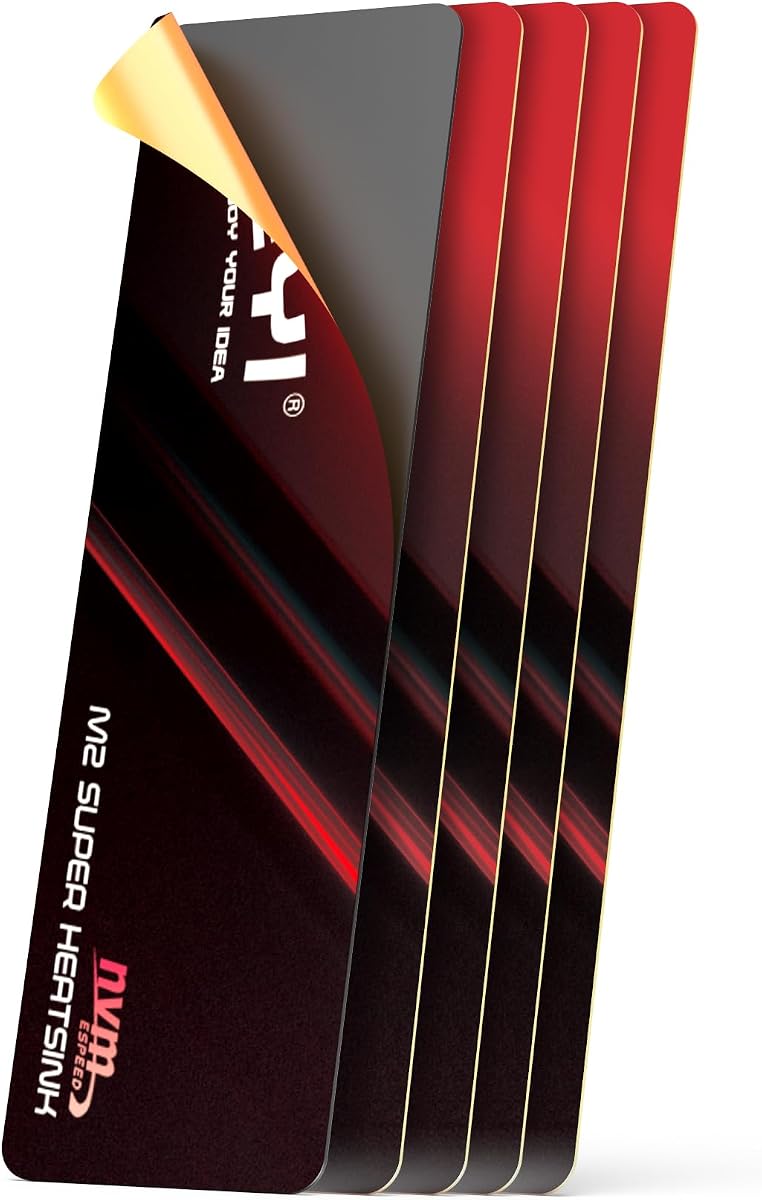


This kit offers two aluminum heatsinks at an unbeatable price point. It achieves a strong 4.5 rating for reliable passive cooling across most desktop builds.
We may earn a commission when you buy through this link, at no additional cost to you.
The aluminum fins effectively pull heat from controllers preventing throttling during heavy transfers. Installation takes less than a minute using included rubber bands or metal clasps.
While it lacks copper or graphene, the cooling gain remains solid for standard usage. Users must ensure their chassis allows the 3mm height requirement without interference.
Ideal for budget-conscious builders upgrading multiple drives simultaneously. It protects your investment without voiding warranties through a simple no-tool design.
Buying two units ensures you can cool primary and secondary drives efficiently in one purchase.
Peel and secure with clips or bands for instant improvement without digging into your toolbox.
We may earn a commission when you buy through this link, at no additional cost to you.
Graphene and copper combine for top-tier heat transfer in this radiator. It scores 4.4 for high conductivity and effective dissipation in narrow spaces.
We may earn a commission when you buy through this link, at no additional cost to you.
The graphene coating allows heat to move quickly while copper absorbs it efficiently. The professional air duct design increases surface area contact for faster cooling.
Its thickness may limit use in ultra-slim laptops but suits PS5s well. The adhesive pad ensures a secure bond without needing external screws or clamps.
Choose this for maximum thermal efficiency where space permits. It extends SSD life by keeping temperatures low during extended gaming or export sessions.
Graphene conducts heat far better than standard aluminum offering faster dissipation rates.
Slanted slots optimize airflow to remove heat more efficiently than flat surfaces.
We may earn a commission when you buy through this link, at no additional cost to you.
Designed specifically for tight laptop internals this copper heatsink excels in constrained spaces. It holds a 4.6 rating for compact efficiency and universal fit.
We may earn a commission when you buy through this link, at no additional cost to you.
Pure copper ensures rapid heat absorption while the 1.5mm height prevents interference with internal laptop components. Nano pads adapt to uneven surfaces effectively.
Rubber rings provide a secure hold without glue. However copper can bend easily so handle installation with care to maintain flatness and contact.
Best for thin gaming laptops or ultrabooks needing extra cooling. It prevents throttling during gaming sessions where airflow is often restricted.
The minimal profile ensures it fits under tight laptop lids without causing hinge stress.
Unique silicone pads conform to bumps for better contact than standard sheets.
We may earn a commission when you buy through this link, at no additional cost to you.
This ultra-thin film claims 25°C reduction using advanced graphene materials. It rates 4.4 for extreme compactness suitable for the tightest expansion slots.
We may earn a commission when you buy through this link, at no additional cost to you.
The 0.5mm design fits where others fail making it perfect for PS5 or ROG Ally. Dual-sided cooling maximizes heat dissipation from both sides of the drive.
Adhesive bonds permanently but peeling must be done carefully to avoid bends. Once flat it offers exceptional thermal resistance within its tiny footprint.
Buy this if physical space is your primary constraint. It delivers premium cooling tech in a package that slips into the smallest cavities.
At half a millimeter it clears even the strictest clearance requirements for mobile and console use.
The graphene copper film targets peak temperatures aggressively to stop throttling fast.
We may earn a commission when you buy through this link, at no additional cost to you.
This aluminum alloy unit uses a simple clip design for quick installation. It earns a 4.6 rating for reliability and static protection on compatible drives.
We may earn a commission when you buy through this link, at no additional cost to you.
Silver plating helps eliminate static electricity while anodic oxidation resists wear. The clips adapt to various heights ensuring a secure fit without tools.
While it lacks complex internal structures, the basic cooling effect remains effective. It fits standard slots well and is ideal for straightforward desktop setups.
Choose this for a no-fuss upgrade that stabilizes temps. It balances ease of use and functional cooling for average workloads efficiently.
Silver plating reduces static risks protecting your drive from potential electrical damage.
Double-sided clips snap on fast avoiding the need for thermal pads or screws.
We may earn a commission when you buy through this link, at no additional cost to you.
Pure copper provides better conductivity than aluminum at a budget-friendly price. It scores 4.5 for reliable heat release in compact laptop and desktop slots.
We may earn a commission when you buy through this link, at no additional cost to you.
Grooves increase surface area for faster air dissipation. The 1.5mm thin profile ensures it fits under chassis panels without causing mechanical interference.
Silicone pads and rubber rings support flexible installation. However copper is softer than aluminum so care is needed during handling to maintain shape.
Select this for pure thermal performance without complex features. It offers a straightforward upgrade path for users needing solid passive cooling.
Internal grooves boost air contact to release trapped heat more rapidly.
Rubber rings allow slight adjustments for better alignment in uneven bays.
We may earn a commission when you buy through this link, at no additional cost to you.
This cooler earns the top rating for efficient cooling and broad compatibility. It rates 4.7 for keeping both single and double sided modules at safe temps.
We may earn a commission when you buy through this link, at no additional cost to you.
Its dimensions are ideally suited for PS5 expansion slots ensuring stable performance. The design avoids overheating allowing faster read and write speeds consistently.
Though it costs more than generic options, the build quality and reliability justify the expense. It is a trusted choice for serious console or desktop users.
Ideal for gamers needing consistent performance under load. It balances premium cooling with practical design for extended play sessions.
Accommodates both single and double sided drives for maximum flexibility.
Precision measurements ensure a snug fit in PlayStation storage expansion slots.
We may earn a commission when you buy through this link, at no additional cost to you.
This radiator combines graphene copper with a striking slanted slot design. It scores 4.7 for both high performance and an attractive installation display.
We may earn a commission when you buy through this link, at no additional cost to you.
Graphene ensures heat moves quickly away from sensitive controller areas. The professional air duct design optimizes airflow for rapid dissipation in tight spaces.
Its thicker 4mm profile limits laptop use but suits consoles and desktops well. The thermal pad secures it firmly without needing complex mounting tools.
Perfect for users who value looks alongside function. It delivers premium cooling while making your internal build look professional.
The unique design enhances cooling while adding a modern visual touch.
Channels guide airflow to the heat sink surface for maximum efficiency.
We may earn a commission when you buy through this link, at no additional cost to you.
This copper unit offers a slim profile with a full installation kit. It rates 4.4 for anti-oxidation features and precise dimensional compatibility.
We may earn a commission when you buy through this link, at no additional cost to you.
Polished pads prevent short circuits while resisting rust over time. The 0.5mm thickness fits the tightest laptop chassis without compromising copper efficiency.
It includes a screwdriver and spudger for easy handling. Exact dimensions prevent misalignment ensuring safe electrical contact for your drive.
Choose this for precise fits needing extra tool support. It offers robust protection against oxidation for long-term durability.
Polished pads resist oxidation ensuring long-term safety for electrical contacts.
Exact dimensions prevent installation misalignment and reduce short circuit risks.
We may earn a commission when you buy through this link, at no additional cost to you.
This aluminum alloy unit offers a sleek black finish with a 5mm profile. It achieves 4.6 for stylish design and compatible heat resistance for PS5 builds.
We may earn a commission when you buy through this link, at no additional cost to you.
Cross-cut fins optimize airflow to pull heat from the drive effectively. Included silicone rings secure the sink firmly without adhesive mess or glue residue.
While aluminum is less conductive than copper, the design maximizes its potential. It works well on standard motherboards or M.2 adapters in desktops.
Select this for a clean look with solid functional support. It meets strict console requirements while adding a professional touch to your setup.
The black finish blends seamlessly with most modern console or PC builds.
Fin geometry boosts surface area for better heat transfer to air.
We may earn a commission when you buy through this link, at no additional cost to you.
Selecting the right heatsink requires balancing material properties dimensions and device constraints. This guide breaks down the essential factors to consider before buying.
Thermal conductivity determines how fast heat moves away from your drive. Copper and graphene offer the highest transfer rates while aluminum is more common but slightly slower. For heavy workloads like video editing or gaming, high conductivity materials prevent throttling more effectively.
Prioritize copper or graphene if performance is your main goal.
Height and length are critical because many devices have strict clearance limits. Laptops and PS5 consoles often require ultra-thin profiles under 5mm. Always check your device manual for maximum thickness allowances before purchasing any cooling component.
Ensure the heatsink dimensions fit your specific chassis clearance.
Not all heatsinks fit every drive type. Some models only support single-sided SSDs while others accommodate both single and double-sided. Verify that the product covers your specific SSD layout to avoid short circuits or poor contact with the controller.
Match the heatsink to your SSD's component layout.
Ease of installation varies widely between models. Some use tool-less clips or rubber bands while others require adhesive thermal pads or screws. For warranty-safe upgrades, choose options that avoid permanent glue so you can remove them later without residue.
Pick a method that suits your technical comfort level.
Manufacturers often state temperature reductions ranging from 5°C to 25°C. Real-world results depend on airflow and ambient conditions. Look for independent reviews that verify these claims rather than relying solely on marketing specifications for final expectations.
Review real-world data to set realistic performance expectations.
Build quality affects how long the heatsink lasts. Metal alloys with anti-oxidation coatings resist wear and corrosion over time. Thicker materials are generally sturdier but may add unwanted bulk to tight internal enclosures.
Choose sturdy construction for long-term reliability.
Cost varies from budget-friendly aluminum options to premium graphene models. Higher price often correlates with better materials but consider your specific needs. Sometimes a basic aluminum unit provides sufficient cooling for everyday tasks without extra cost.
Balance budget constraints with necessary thermal performance.
Using third-party cooling can sometimes void SSD warranties. Look for kits designed specifically to prevent voiding drive warranties like those using non-permanent pads. Check manufacturer policies to ensure your investment remains protected after installation.
Check warranty terms to avoid voiding coverage.
Before installation clean the SSD surface with alcohol to remove dust and oils. Apply thermal pads evenly ensuring no air bubbles are trapped under the sink.
Secure the heatsink using the provided clips or adhesive. Make sure the metal makes full contact with the controller components for optimal heat transfer.
Periodically check for dust accumulation on the fins if your case allows. Cleaning with compressed air maintains maximum efficiency over long periods of use.
Most reputable kits use non-permanent thermal pads that do not void warranties. Always check the specific SSD manufacturer policy and choose tool-less options to stay safe.
Copper conducts heat significantly faster than aluminum making it better for high loads. Aluminum is lighter and cheaper so it works well for standard usage scenarios.
Yes but ensure the profile height matches PS5 requirements. Many models are designed specifically for PS5 slots and include the right dimensions for expansion.
Most users see reductions between 5°C and 20°C. Actual results depend on airflow ambient temps and the workload intensity during use.
Not all drives require them but Gen4 and Gen5 SSDs often benefit significantly. Lower tier drives may stay cool enough without additional cooling.
Peel the protective film from the pad and press it onto the controller. Then place the heatsink on top ensuring full contact without air bubbles.
Thermal pads lose effectiveness once removed. Replacing them with new pads during maintenance ensures consistent and reliable thermal performance.
The GLOTRENDS 2-Pack and be quiet! MC1 stand out for value and performance. These options cover most needs from budget builds to premium consoles.
Prioritize material and dimension checks before buying. A well-fitted cooler ensures long-term stability and prevents unnecessary thermal throttling.
Always verify current pricing and availability on official listings. Storage cooling needs vary but these top ten models provide a strong starting point.