
ASUS Vivobook Go 15
4.3Editor score
AMD Ryzen 3 processor
8GB DDR5 RAM
Military grade durability
Finding a lightweight ASUS laptop that balances portability with performance is essential for students professionals and travelers who need reliable computing on the go without compromising on speed or screen quality for daily tasks.
We compared ten top models based on processor power memory storage display quality battery life and overall build durability to ensure each recommendation meets rigorous standards for modern lightweight computing needs in various environments.
Each pick highlights specific strengths like AI capabilities or budget value while noting trade-offs so you can make an informed decision and remember that pricing and availability can change frequently so check current listings before buying.
4.3Editor score
3.7Editor score

4.4Editor score
As an Amazon Associate we earn from qualifying purchases.
The following table provides a side-by-side comparison of all ten selected ASUS laptops highlighting their key specifications display sizes processors memory storage and unique features to help you quickly identify the model that best fits your specific needs and budget.





The ASUS Vivobook Go 15 stands out as a highly affordable option for students and home users needing a dependable lightweight laptop that handles basic tasks efficiently without breaking the bank.
We may earn a commission when you buy through this link, at no additional cost to you.
Its AMD Ryzen 3 7320U processor paired with 8GB of DDR5 RAM ensures smooth multitasking for web browsing and document editing while the military grade durability testing means it can withstand daily bumps and drops.
The trade-off is limited storage at 128GB and a modest 45% NTSC display which is acceptable for general use but not for content creation tasks that require rich color accuracy or large file libraries.
This model is best suited for budget conscious buyers who prioritize portability and durability over high end performance and it remains a solid choice for everyday productivity and entertainment needs.
Weighing just 3.59 pounds this laptop slips easily into bags while its military grade testing ensures reliability for students and travelers.
The Ryzen 3 processor and DDR5 RAM work together to provide responsive speed for common daily tasks like streaming and studying.
We may earn a commission when you buy through this link, at no additional cost to you.
This silver variant improves on the previous model with a Ryzen 5 processor and double the storage making it a more robust choice for students needing space for projects and apps.
We may earn a commission when you buy through this link, at no additional cost to you.
The 512GB SSD allows for ample room to store documents and media while the Ryzen 5 7520U offers faster performance for multitasking and light gaming compared to entry level chips.
While the display and design mirror the cheaper version the added power and storage justify the slight price increase for users who need more than basic browsing and document editing capabilities.
It is an excellent fit for students and casual users who want a balance of portability and performance without spending premium prices on higher end ultrabooks or workstations.
The Ryzen 5 7520U delivers noticeably faster performance for multitasking and light applications compared to standard entry level processors.
With 512GB of SSD storage users can keep their files apps and media organized without constantly managing limited disk space.
We may earn a commission when you buy through this link, at no additional cost to you.
The Vivobook 14 X brings Copilot+ PC capabilities to the lightweight category offering advanced AI tools that streamline productivity and creative workflows for modern professionals and creators.
We may earn a commission when you buy through this link, at no additional cost to you.
Powered by the Snapdragon X processor with 16GB RAM this model handles demanding multitasking efficiently while the Qualcomm Adreno GPU provides smooth visuals for everyday media consumption and basic creative tasks.
Users may need to adjust to ARM based architecture which affects some legacy Windows apps but the battery efficiency and AI features like Recall make it a compelling choice for forward thinking users.
This laptop is ideal for those who want cutting edge AI features and all day battery life without carrying heavy hardware making it a top contender for mobile knowledge workers.
Experience next generation AI tools like Recall and Live Captions that transform how you work create and communicate on your device.
The Snapdragon X processor delivers long battery life and cool operation ensuring you stay productive throughout your day without constant recharging.
We may earn a commission when you buy through this link, at no additional cost to you.
For users who need more screen real estate without sacrificing portability this 16 inch Vivobook offers a spacious WUXGA display powered by efficient Snapdragon X architecture for a premium mobile experience.
We may earn a commission when you buy through this link, at no additional cost to you.
The 300 nit brightness and 16:10 aspect ratio make content consumption and multitasking comfortable while the integrated Adreno GPU ensures smooth performance for creative and media tasks.
The larger footprint makes it slightly heavier than 14 inch models but the trade-off provides a desktop-like workspace ideal for professionals who need to split windows and view large documents.
This model is perfect for creators and business users who demand a larger display and high resolution visuals while still valuing the battery efficiency and AI features of Snapdragon tech.
The 16 inch WUXGA display provides plenty of room for multitasking and media viewing with vibrant colors and sharp text.
Built-in AI capabilities and the Hexagon NPU streamline complex tasks and improve overall system responsiveness for daily workflows.
We may earn a commission when you buy through this link, at no additional cost to you.
This entry level model prioritizes affordability above all else making it accessible for families or students who need a secondary device for basic web browsing and homework assignments.
We may earn a commission when you buy through this link, at no additional cost to you.
While the 4GB RAM and eMMC storage limit heavy multitasking the Intel Celeron processor handles standard tasks like email and video calls reliably with impressive battery life for long school days.
The trade-offs in speed are acceptable for basic users who do not run many programs at once but power users should consider higher specs for better long-term performance and versatility.
It is an ideal choice for budget buyers or as a simple backup device where extreme performance is not required and reliability and cost are the main priorities.
This laptop provides a low cost entry point into the ASUS ecosystem perfect for basic computing needs and educational tasks.
Designed for all day use the 42Wh battery supports long study sessions without needing frequent access to a power outlet.
We may earn a commission when you buy through this link, at no additional cost to you.
This model stands out for its generous 16GB RAM which is rare in this price range ensuring smooth performance for users who keep many browser tabs and applications open simultaneously.
We may earn a commission when you buy through this link, at no additional cost to you.
The Intel i3-1215U processor offers reliable performance and compatibility with a wide range of software while Wi-Fi 6 ensures fast and stable internet connections for home and office use.
Although the display is standard IPS and lacks a privacy shutter the ample memory and storage make it a strong workhorse for general computing without needing to upgrade immediately.
It is a great pick for general users who need robust multitasking capabilities and fast connectivity without venturing into premium pricing or ARM based architectures.
The 16GB of high-bandwidth RAM allows for seamless multitasking and prevents slowdowns when running multiple applications at once.
Wi-Fi 6 support ensures faster internet speeds and better stability when connecting to routers in homes or crowded office spaces.
We may earn a commission when you buy through this link, at no additional cost to you.
A compelling alternative to the blue variant this silver model brings the same powerful Snapdragon X architecture and 16GB RAM to users who prefer a sleek metallic look for their daily drivers.
We may earn a commission when you buy through this link, at no additional cost to you.
The WUXGA display delivers sharp visuals and the integrated AI capabilities help automate routine tasks making it suitable for professionals who value productivity and efficiency in a portable form factor.
While compatibility with older Windows apps can require attention the benefits of AI integration and battery efficiency make it a smart investment for forward-looking users comfortable with modern tech.
It is best for those who want AI tools and strong performance in a stylish package without paying the premium associated with the Zenbook line.
The WUXGA display offers higher resolution than standard HD screens making text and images appear sharper and more detailed for work.
Powered by the Snapdragon NPU this laptop handles AI tasks locally for faster processing and better privacy protection.
We may earn a commission when you buy through this link, at no additional cost to you.
Featuring a 13th Gen Intel processor this model offers strong performance and future-proofing for users who prefer traditional x86 architecture over newer ARM based solutions for software compatibility.
We may earn a commission when you buy through this link, at no additional cost to you.
The 16GB RAM ensures smooth multitasking and the PCIe SSD provides fast boot times and data transfer speeds making it a responsive choice for work and entertainment tasks.
Wi-Fi 6E support ensures the fastest possible wireless connections available and the lightweight chassis makes it easy to carry between home and office or classroom environments.
This laptop is ideal for buyers who want a reliable Intel-based system with modern connectivity and enough power to handle complex workflows without breaking the budget.
The 13th Gen Intel i3 provides significant performance gains over older models ensuring a smooth experience for modern software.
The PCIe SSD delivers quick application launches and file access times keeping your workflow efficient and responsive.
We may earn a commission when you buy through this link, at no additional cost to you.
This black variant balances affordability with useful specs like 256GB storage and military grade durability making it a practical choice for users who need more space than budget models offer.
We may earn a commission when you buy through this link, at no additional cost to you.
The AMD Ryzen 3 processor handles everyday tasks well and the 256GB SSD provides enough room for essential files and apps without requiring immediate external storage solutions.
The 11 hour battery life ensures you can work away from a power source for most of the day and the privacy shutter adds a layer of security for video calls and online meetings.
It is a smart pick for students or remote workers who need a reliable and durable machine with enough internal storage for their daily documents and media.
With 256GB of SSD space you can store your essential files and apps locally without worrying about running out of room quickly.
The efficient processor and battery design support up to 11 hours of use on a single charge for extended productivity sessions.
We may earn a commission when you buy through this link, at no additional cost to you.
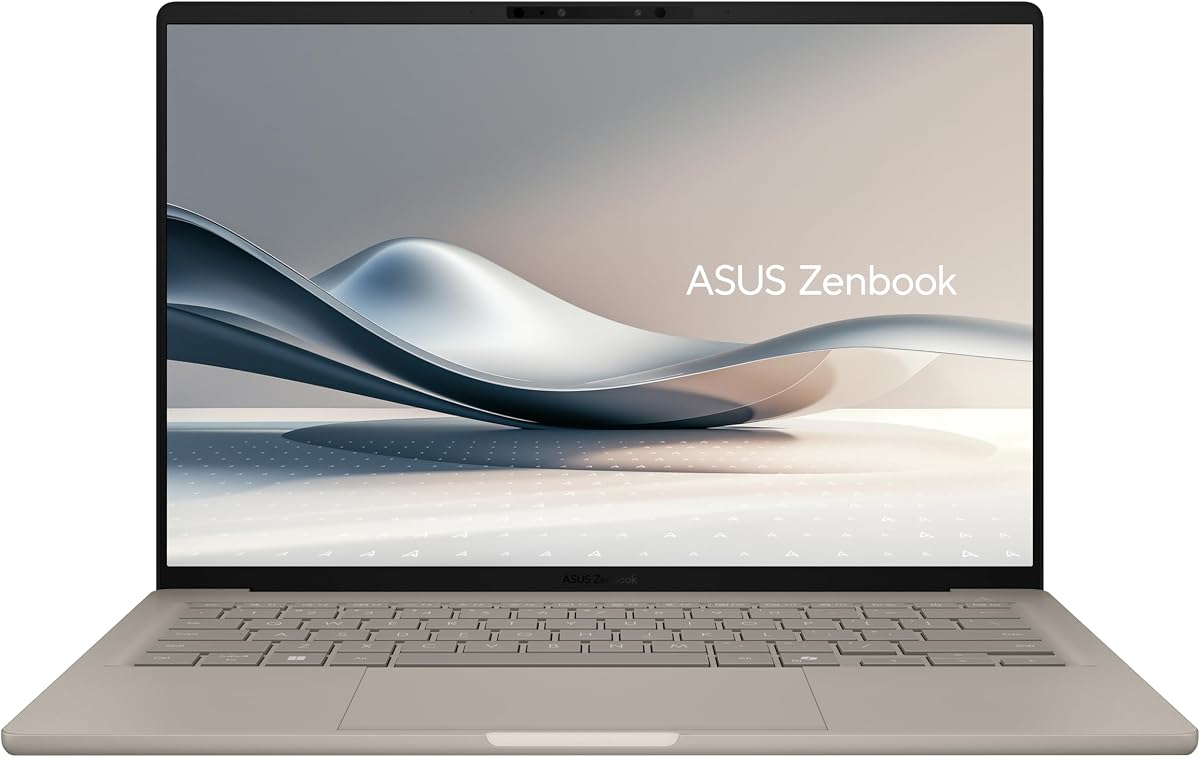
The Zenbook A14 redefines ultralight computing with its Ceraluminum body and stunning OLED screen offering unmatched portability and visual quality for premium buyers who demand excellence in design.
We may earn a commission when you buy through this link, at no additional cost to you.
Despite weighing under one kilogram this laptop delivers robust performance via the Snapdragon X processor and supports up to 32 hours of battery life for extended unplugged work and travel sessions.
The OLED panel provides perfect blacks and vibrant colors while the Copilot+ PC integration enables advanced AI features that transform how users interact with their content and tasks daily.
This model is perfect for creatives and executives who prioritize build quality and screen fidelity and want a device that stands out as a true engineering masterpiece.
The Ceraluminum material combines ceramic and aluminum for a finish that is 30% lighter and 3x stronger than standard aluminum chassis.
The WUXGA OLED screen delivers incredible contrast and color accuracy making it ideal for photo editing and media consumption.
We may earn a commission when you buy through this link, at no additional cost to you.
Selecting the ideal lightweight ASUS laptop requires balancing weight performance and features to match your specific daily needs and budget constraints for long-term satisfaction.
The processor dictates how fast the laptop runs tasks so look for Ryzen 3 or Core i3 for basic use and Ryzen 5 or Snapdragon X for heavy multitasking and AI features.
Prioritize newer chips like the Snapdragon X or Ryzen 7000 series for better efficiency and future-proofing against upcoming software demands.
Aim for at least 8GB of RAM to prevent lag during multitasking and 256GB or 512GB of SSD storage to ensure quick boot times and enough space for files.
Higher RAM like 16GB is essential if you keep many applications open at once and SSD storage is far superior to older eMMC options for speed.
Choose between FHD and WUXGA based on your need for sharpness as WUXGA offers more vertical space for productivity and better clarity for text and images.
For content creators an OLED screen provides vibrant colors and deep blacks while standard IPS panels are more affordable and sufficient for general daily use.
Look for models with efficient processors and larger battery cells if you need to work away from outlets for long periods such as 10 to 12 hours.
Snapdragon based laptops often excel in this area offering multi-day battery life for casual use while still maintaining fast charging capabilities when needed.
Military grade durability testing ensures the laptop can survive bumps and drops which is crucial for students and travelers who carry their device frequently.
Materials like Ceraluminum or reinforced plastic add to longevity and protect internal components from damage during daily transport.
Target a weight under 3.5 lbs for true portability allowing you to carry the device in a backpack or bag without strain during commutes.
Thinner bezels and compact chassis designs help maximize screen size while keeping the physical footprint small for easy packing in limited spaces.
Ensure the laptop has enough USB ports HDMI and headphone jacks to connect to external monitors and peripherals without needing dongles for every device.
Wi-Fi 6 or 6E support is essential for fast internet speeds in modern environments and ensures compatibility with the latest wireless networks.
Set a clear budget before shopping and weigh the cost against the included features such as screen type and processor generation to find the best value proposition.
Entry level models offer great savings for basic tasks while premium models provide better build quality and future-ready features for professionals.
Start by setting up your user profile and enabling essential security features like Windows Hello or a PIN to protect your data right from the beginning of ownership.
Keep the laptop clean by wiping the screen and keyboard with a soft microfiber cloth regularly to prevent dirt buildup that can affect performance and aesthetics over time.
Maximize battery life by adjusting brightness and power settings to balanced mode when unplugged and avoiding leaving the device in extreme temperatures during storage or travel.
Many ASUS lightweight models feature military-grade durability testing that protects against shocks and drops making them suitable for daily commuting and travel. Look for the rugged Vivobook Go or Zenbook series for added peace of mind.
Ryzen processors offer broader software compatibility and strong performance while Snapdragon chips provide better battery life and AI capabilities. Choose Snapdragon for efficiency and Ryzen for traditional Windows app support.
For basic tasks like browsing and document editing 8GB of RAM is usually sufficient. However if you multitask heavily or want future-proofing consider models with 16GB for smoother performance.
Lightweight models with dedicated graphics or high-quality OLED screens can handle photo editing and light video work. For heavy 3D rendering or large projects a dedicated workstation is recommended instead.
Most modern lightweight ASUS laptops offer between 8 to 12 hours of typical use while some Snapdragon models claim up to 32 hours for video playback depending on the workload and settings.
Yes all the featured models come pre-installed with Windows 11 Home which provides modern security features and an intuitive interface for productivity and entertainment right out of the box.
While most lightweight models focus on productivity some Vivobook models with AMD graphics can handle light casual gaming. For demanding AAA titles a heavier gaming laptop with dedicated GPU is better.
Keep software updated and avoid overheating by using a cooling pad during intense tasks. Regularly cleaning the vents and using surge protectors also helps maintain hardware health over the years.
We reviewed ten excellent options ranging from budget-friendly Vivobook Go models to premium Zenbooks with OLED screens offering a range of choices to fit every need and budget today.
Consider your priorities such as battery life display quality or raw performance to select the model that aligns best with your daily workflow and portability requirements for long term use.
Remember that prices fluctuate frequently so verify current stock and costs before purchasing to ensure you get the best deal possible for your chosen lightweight ASUS laptop this October.