
Canon imageCLASS LBP6030w
3.8Editor score
Compact space-saving design
Wireless mobile printing support
Low energy consumption mode
This expert guide compares the best laser printer with cheap toner options to help you save money on prints while maintaining high quality and reliability for
Finding a laser printer with cheap toner is essential for anyone who wants to save money on printing costs without sacrificing quality. Many users struggle with high ongoing expenses, so we focus on models known for affordability and efficiency.
We compared ten top-rated monochrome laser printers based on their initial cost, toner yield, connectivity features, and user satisfaction. Our goal is to highlight machines that balance upfront investment with long-term savings on supplies.
Each pick in this list shows specific strengths like speed, compact design, or all-in-one functionality. Please note that prices and availability can change frequently, so check current listings before making your final decision today.
3.8Editor score

4.1Editor score

4.3Editor score
The following comparison table breaks down key specifications for each of our ten selected laser printers to help you quickly identify which model fits your specific printing needs and budget constraints.





The Brother HL-L2405W stands out as a top choice for those seeking a laser printer with cheap toner. With a solid rating of 4.1 stars, it delivers sharp prints quickly and offers convenient mobile printing options for modern users.
We may earn a commission when you buy through this link, at no additional cost to you.
Its standout quality is the balance of speed and connectivity. You can print up to 30 pages per minute while connecting via dual-band wireless or USB. The included subscription trial helps manage toner costs effectively over time.
While it lacks automatic duplex printing which some users might expect, the manual feed slot and reliable performance make it a strong contender. The compact design fits well in home offices where space is limited.
This printer is ideal for individuals or small home offices needing fast black and white output. We recommend it for its ease of use and the potential savings from the toner subscription service available.
Dual-band wireless support ensures stable connections for mobile printing from various devices without hassle.
The included trial helps users experience cost savings on genuine supplies without immediate upfront commitment.
We may earn a commission when you buy through this link, at no additional cost to you.
The Canon imageCLASS LBP6030w is an excellent entry-level option for those prioritizing low costs. It has a solid reputation for reliability among budget-conscious users needing basic black and white printing capabilities.
We may earn a commission when you buy through this link, at no additional cost to you.
Its compact design makes it easy to fit into tight spaces. The wireless capability allows printing from mobile devices conveniently without needing a direct cable connection for everyday tasks.
While slower than some competitors, it handles light to moderate workloads well. The energy saver mode ensures it doesn't waste power during idle periods which helps reduce electricity costs over time.
We recommend this model for students or small home offices where budget is the primary concern. It offers essential features without unnecessary extras that drive up the initial purchase price.
The compact unit takes up minimal desk space making it suitable for smaller home workstations or desks.
Energy saver mode reduces power usage significantly when the printer is not actively processing print jobs.
We may earn a commission when you buy through this link, at no additional cost to you.
The Brother MFC-L2820DW delivers premium performance for small offices needing versatile functionality. With a high rating of 4.3 stars, it excels in speed and user-friendly features that streamline document management.
We may earn a commission when you buy through this link, at no additional cost to you.
Its 36 pages per minute speed combined with a 50-page auto document feeder makes handling large tasks efficient. The touchscreen navigation allows easy access to cloud apps for storing or printing documents remotely.
Although it comes with a higher initial price, the multi-function capabilities save money on separate devices. The included subscription trial further supports long-term cost savings on toner supplies for high-volume users.
This model is best suited for small businesses requiring scanning faxing and printing all in one device. We recommend it for its efficiency and robust feature set that supports professional workflows.
Touchscreen controls enable direct printing to popular services like Google Drive and Dropbox without computer.
Fast speeds and automatic duplexing reduce time spent on large print jobs significantly over standard models.
We may earn a commission when you buy through this link, at no additional cost to you.
The Canon imageCLASS MF3010 VP offers a straightforward solution for users who prefer wired connections. With a strong 4.2 rating, it delivers consistent performance for basic printing and copying tasks in a compact form.
We may earn a commission when you buy through this link, at no additional cost to you.
Its USB connection ensures stability without reliance on wireless networks. The included toner provides a high page yield which helps reduce replacement frequency for moderate usage environments like home offices.
While wireless features are absent, the device remains highly reliable for dedicated use. The ID card copy function adds convenience for managing small document tasks efficiently without extra steps.
We suggest this model for users who value connection stability over remote access. It is a practical choice for those needing reliable print and scan capabilities without wireless complexity.
Box includes toner capable of printing up to 2300 pages reducing early replacement needs significantly.
Easy installation via USB makes it accessible for users without advanced technical networking skills required.
We may earn a commission when you buy through this link, at no additional cost to you.
The Brother HL-L2460DW is designed for efficiency with automatic duplex printing built-in. It holds a solid 4.0 rating for its speed and connectivity options that suit busy home offices needing quick turnaround times.
We may earn a commission when you buy through this link, at no additional cost to you.
Printing up to 36 pages per minute with two-sided output saves both time and paper. The dual-band wireless ensures stable connections for mobile devices making remote printing seamless throughout the day.
Although it lacks a touchscreen display, the mobile app provides easy access to print settings and supplies management. The compact footprint ensures it fits comfortably on standard office desks without clutter.
This printer is ideal for teams needing fast reliable black and white output. We recommend it for its balance of speed and cost-effective features like the subscription trial for supplies.
Two-sided printing feature reduces paper usage automatically helping lower material costs over extended periods.
Brother Mobile Connect app allows management and printing from smartphones and tablets without computer.
We may earn a commission when you buy through this link, at no additional cost to you.
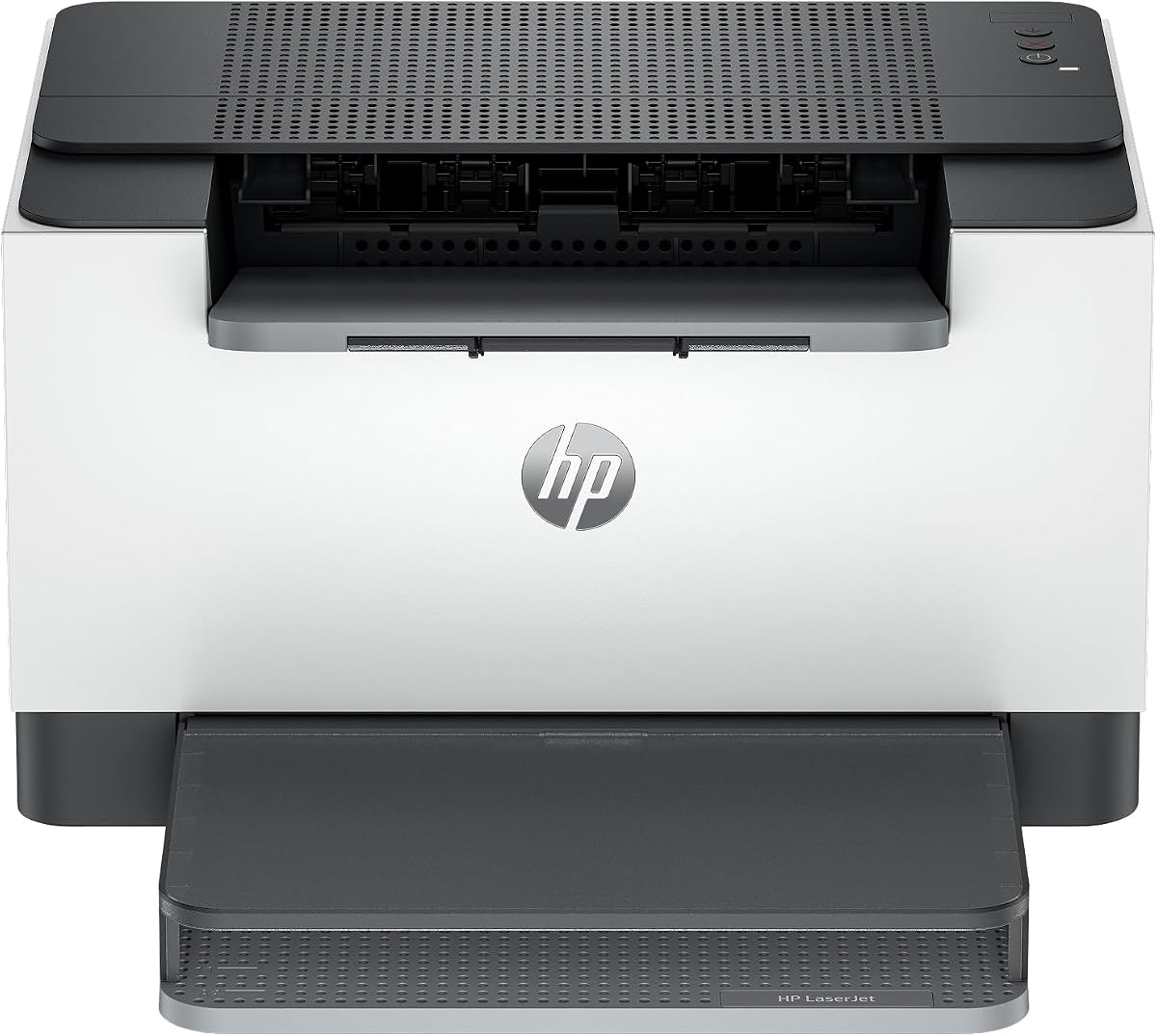
The HP LaserJet M110w is built for small teams needing reliable wireless printing. With a 3.9 rating, it offers fast speeds and easy setup making it accessible for non-technical users requiring basic document output.
We may earn a commission when you buy through this link, at no additional cost to you.
Its self-reset wireless feature helps maintain connection stability without manual intervention. The HP Smart app simplifies tasks like scanning to the cloud and printing directly from mobile devices effectively.
While it lacks automatic duplex capabilities, the compact design saves space on crowded desks. The quick setup process ensures users can start printing immediately after unboxing with minimal configuration steps.
We recommend this model for small teams prioritizing ease of use. It is a practical choice for those needing consistent wireless printing without complex network configurations or large footprints.
Wireless connection automatically detects and resolves issues to maintain consistent printing without manual resets.
The app allows scanning to cloud and printing directly from phones making tasks convenient and easy.
We may earn a commission when you buy through this link, at no additional cost to you.
The HP LaserJet M209dw provides fast performance with automatic duplex printing for small teams. With a 4.2 rating, it is highly rated for its speed and dual-band connectivity ensuring reliable network performance.
We may earn a commission when you buy through this link, at no additional cost to you.
It prints up to 30 pages per minute with two-sided output which reduces paper waste significantly. The instant ink eligible feature offers flexible toner delivery options that can simplify supply management over time.
Despite lacking a touchscreen, the wireless capabilities and mobile printing support make it easy to use. The compact design fits well in shared spaces where efficiency and speed are top priorities.
This model is ideal for small offices needing consistent high-speed output. We recommend it for its combination of speed connectivity and features that support modern printing needs effectively.
Eligibility for instant ink programs helps automate supply ordering based on actual usage and needs.
Both 2.4GHz and 5GHz bands ensure strong connection stability in various wireless environments.
We may earn a commission when you buy through this link, at no additional cost to you.
The Canon imageCLASS LBP122dw is a straightforward wireless printer with duplex capabilities. It holds a 3.9 rating for its speed and simplicity making it suitable for home users needing reliable black and white prints.
We may earn a commission when you buy through this link, at no additional cost to you.
Printing up to 30 pages per minute with automatic two-sided output saves paper efficiently. The Canon PRINT app allows mobile users to manage tasks and monitor usage from any smartphone device.
Although it has no touchscreen interface, the wireless setup is intuitive for most users. The compact design ensures it does not overwhelm a home desk or workspace area.
We recommend this model for home users prioritizing wireless convenience. It offers essential duplex features without extra complexity or cost for straightforward printing requirements effectively.
Automatic two-sided printing reduces paper usage without requiring manual flipping during large print tasks.
Canon PRINT app enables easy management printing and tracking from mobile devices anywhere easily.
We may earn a commission when you buy through this link, at no additional cost to you.
The HP LaserJet MFP M235sdw delivers multi-function capabilities with strong security features. With a 4.0 rating, it is designed for small offices needing scanning copying and printing with robust protection.
We may earn a commission when you buy through this link, at no additional cost to you.
Its two-sided printing speed ensures quick completion of multipage projects. The built-in security features protect against potential network attacks which is critical for business environments handling sensitive data.
While the size is larger than compact models, the included Ethernet option ensures wired stability when needed. The all-in-one design reduces the need for multiple separate devices in a workspace.
We recommend this model for small offices prioritizing security. It is an excellent choice for those needing versatile document handling with built-in protection and reliable performance.
Security features protect against unauthorized access ensuring sensitive documents remain secure within networks.
Wired connection option ensures stable performance when wireless is not preferred or available for tasks.
We may earn a commission when you buy through this link, at no additional cost to you.
The Brother HL-L2480DW is a highly rated compact multi-function printer. With a 4.5 rating, it offers exceptional value for home offices needing scanning copying and fast printing in one device.
We may earn a commission when you buy through this link, at no additional cost to you.
Its touchscreen enables easy navigation to cloud apps for storing or retrieving documents remotely. The 36 pages per minute speed ensures quick turnaround for even the busiest workdays effectively.
While fax is not included, the core features support most small business needs well. The subscription trial adds value for users looking to manage toner costs without upfront large expenses.
We recommend this model for home offices needing speed and flexibility. It is a top contender for those wanting reliable multi-function capabilities in a compact space.
Touchscreen allows printing scanning to cloud services like Dropbox and Google Drive directly.
Combines print copy and scan in a small footprint ideal for space-limited office environments.
We may earn a commission when you buy through this link, at no additional cost to you.
Choosing the right laser printer involves more than just the upfront price; understanding toner costs and connectivity options is essential for long-term savings and ease of use.
The cost per page is often more important than the printer's initial price. Look for models that offer high yield cartridges or subscription services that reduce the recurring cost of consumables over time.
Always compare the estimated page yield against the cartridge price to get a true sense of long-term expenses.
Print speed affects productivity significantly especially in busy environments. A printer that outputs 30 pages per minute will finish tasks faster than one that handles 19 pages per minute saving valuable work time.
Consider your volume needs; low volume users may not need the fastest speeds while high volume users should prioritize speed for efficiency.
Modern printing often requires wireless capabilities for mobile devices. Look for dual-band Wi-Fi support to ensure stable connections even in crowded networks with many devices competing for bandwidth.
Wireless flexibility allows users to print from anywhere in the office making workflows smoother and more convenient.
Models that include scanning and copying can replace multiple devices saving space and money. This is particularly useful for small offices where desk space is limited and tasks are shared among a few users.
Ensure the scanning resolution is adequate for your needs as it can vary significantly between entry-level and professional models.
Automatic duplex printing saves paper by printing on both sides of the sheet. This feature is often standard on mid-range models and can significantly reduce paper costs over time.
Manual duplex is possible but is slower and more prone to human error compared to automatic options.
Reliable customer support ensures you get help when issues arise. Brands offering free online chat or phone support add value beyond just the hardware itself.
Check warranty terms carefully as some manufacturers offer better coverage than others which can save on repair costs later.
A larger paper tray reduces the frequency of refills which keeps you working without interruptions. Look for models with at least 250 sheets if you print frequently throughout the day.
Manual feed slots are useful for specialty media like envelopes or labels so consider them if you print these items often.
Space-saving designs are crucial for small offices or home setups. A smaller footprint ensures the printer does not dominate the workspace while still offering full functionality.
Measure your available desk space before purchasing to ensure the printer fits comfortably without obstructing other tools.
To get the best performance keep your printer in a cool dry place away from direct sunlight. Regularly run test prints to ensure quality remains sharp and colors are consistent.
Clean the exterior and interior occasionally using a soft dry cloth to remove dust buildup. Avoid using harsh chemicals that could damage sensitive internal components or cause static issues.
Update the printer firmware regularly to maintain security and connectivity. Following these simple steps will extend the lifespan of your device and keep printing costs low over time.
The best way is to look for printers with high yield cartridges or subscribe to toner services that offer discounts. Also using duplex printing helps reduce paper usage significantly.
Many affordable laser printers deliver sharp professional quality text which is perfect for documents. Image quality is less of a priority for black and white tasks.
Replacement depends on your volume. High yield cartridges can last for thousands of pages so check the printer's dashboard for exact usage tracking.
Some brands allow third-party cartridges while others may block them. Check the warranty terms before buying third-party options to avoid voiding support.
Duplex printing automatically prints on both sides of a sheet reducing paper use. It is a key feature for saving costs and space in offices.
Modern printers use encryption to secure wireless data. Ensure you change default passwords and keep firmware updated to stay protected against potential threats.
Wi-Fi offers flexibility for multiple devices while USB ensures stable direct connection. Choose based on your need for mobility versus reliability.
Most reputable brands include at least a one-year limited warranty. Always check the specific terms to understand what parts or services are covered.
In this guide we reviewed ten top laser printers that balance performance with cost-effective toner options. From budget-friendly models to feature-rich all-in-one units there is a choice for every home office.
Prioritize models that offer automatic duplexing high toner yield and reliable connectivity. These features will save you money on supplies and reduce downtime during busy workdays.
Always check current pricing and availability before buying since deals change frequently. With the right model you can enjoy reliable professional quality printing without breaking the bank on consumables.