
HP Everyday Laptop 2026 Edition
5.0Editor score
Intel Processor with 8GB RAM
1TB Cloud Storage Included
Up to 11 Hours Battery Life
Finding a laptop with Microsoft 365 included simplifies your setup by ensuring you have essential productivity tools ready out of the box. Whether you are a student, professional, or casual user, having Word, Excel, and PowerPoint pre-installed saves time and eliminates subscription hassles. This guide explores the best options available today that bundle these tools with reliable hardware.
We evaluated ten top-rated laptops based on performance, battery life, display quality, and overall value. Our selection includes models from reputable brands like HP and Lenovo, covering a range of processors, memory configurations, and storage solutions. Each entry was chosen to reflect current market offerings that deliver smooth multitasking and secure computing experiences for diverse needs.
Each pick in this list highlights specific strengths, from portable designs to robust business features. We include detailed reviews, pros and cons, and technical specifications to help you make an informed decision. Note that product availability and pricing can change frequently, so verify details before purchasing to ensure you get the best deal available.
5.0Editor score

4.2Editor score

4.3Editor score
As an Amazon Associate we earn from qualifying purchases.
This side-by-side comparison highlights the key specifications and unique selling points of each laptop on our list. We focus on processor speed, memory capacity, storage options, and battery performance to help you quickly identify the model that fits your workflow best.


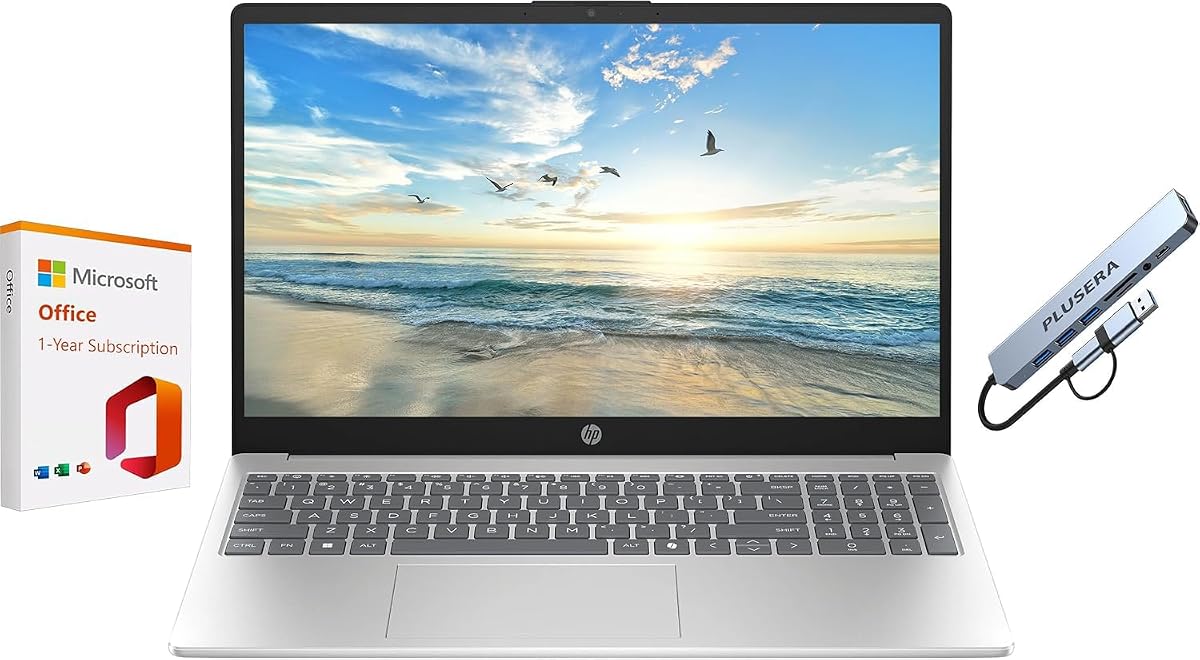




The HP Everyday Laptop 2026 Edition stands out as a top pick for budget-conscious users who need reliable productivity tools. With a perfect 5.0 rating from verified buyers, it delivers smooth performance for daily tasks while including Microsoft Office 365 right out of the box.
We may earn a commission when you buy through this link, at no additional cost to you.
Powered by an Intel Processor and 8GB of RAM, this laptop handles browsing, streaming, and office work efficiently. The standout feature is the massive 1TB cloud storage, allowing you to keep files safe without filling up the local 128GB SSD. Its Snowflake White design looks modern and professional in any setting.
While the HD display resolution might not suit graphic design professionals, it is perfectly adequate for students and home users. The anti-glare coating ensures comfortable viewing during long sessions, and the 11-hour battery life keeps you productive throughout the day without needing a charger.
This laptop is ideal for students or anyone needing a secondary device for basic computing. The combination of fast charging, long battery life, and included cloud storage makes it a complete package for everyday use. If you prioritize value and portability, this model is a strong choice.
Having 1TB of cloud storage included means you never run out of space for school projects or personal files.
With up to 11 hours of video playback, you can work or watch movies on the go without interruption.
We may earn a commission when you buy through this link, at no additional cost to you.
The HP 14 Laptop 2025 is engineered for business students who need robust performance and advanced security features. It features Windows 11 Pro for better data protection and includes a lifetime license for Microsoft Office 2024, ensuring long-term value without recurring subscription fees.
We may earn a commission when you buy through this link, at no additional cost to you.
With 16GB of RAM, this machine handles multiple browser tabs and heavy applications smoothly. The storage setup combines a 128GB UFS drive with a 500GB external drive, offering a balance of speed and capacity. The inclusion of a docking station and wireless mouse adds immediate convenience for workspace setup.
While the reliance on an external drive for full storage capacity might be inconvenient for some users, it allows for flexible upgrades later. The Quad-Core Intel processor ensures responsive multitasking, and the Copilot AI integration helps streamline writing and data analysis tasks.
This laptop is perfect for professionals or students needing enterprise-grade security and ample memory. The bundle of accessories and the lifetime office license make it a comprehensive solution. If you need a machine that grows with your needs, this model delivers solid performance.
Windows 11 Pro provides enhanced security features and better management tools for business environments.
16GB RAM allows you to run demanding software without slowing down your workflow.
We may earn a commission when you buy through this link, at no additional cost to you.
The HP Ultrabook Laptop balances performance and portability effectively, making it suitable for a wide range of users. It runs on an Intel N100 processor that manages everyday tasks like research and streaming without slowdown. The inclusion of Microsoft 365 ensures you have the tools you need for productivity immediately.
We may earn a commission when you buy through this link, at no additional cost to you.
At just 3.64 lbs, this laptop is easy to carry between classes or to a coffee shop. The large internal storage bundle provides room to grow, keeping your schoolwork and media safe. The anti-glare display reduces eye strain during long study sessions, enhancing comfort significantly.
One trade-off is the lack of a mouse in the box, which may require a quick purchase for some users. Additionally, the camera quality is standard for this price point, though it suffices for most video calls. The battery life is excellent, keeping you powered through marathons of work.
Ideal for students and families sharing a device, this laptop offers reliable performance at a competitive price. It combines essential features with a design that fits comfortably in most backpacks. If you need a dependable computer for daily tasks, this model is a practical choice.
Weighing only 3.64 lbs, you can carry this laptop everywhere without strain.
Massive internal storage means you do not need to rely on external drives for files.
We may earn a commission when you buy through this link, at no additional cost to you.
The Lenovo IdeaPad Laptop offers a sleek entry into the world of productive computing with essential tools included. It features a powerful CPU that ensures responsiveness for everyday applications. The design includes both physical and cloud storage solutions to manage your files efficiently.
We may earn a commission when you buy through this link, at no additional cost to you.
With 4GB of RAM, this system is optimized for lightweight tasks like web browsing and word processing. The 11-hour battery life ensures you can work through the day without interruption. The inclusion of an SD card reader adds extra utility for transferring photos or data from cameras.
Users with heavy multitasking needs might find the 4GB RAM limiting, but it serves basic needs well. The package includes a keyboard and mouse, making it ready to use immediately. The Wi-Fi 6 connectivity ensures stable internet speeds for video calls and streaming.
This model is best suited for users who need a simple, reliable device for general tasks. The balance of cloud storage and physical storage is a thoughtful touch. If you are looking for a no-fuss laptop with good battery life, this is a solid option.
Enjoy up to 11 hours of usage on a single charge for all-day productivity.
Wi-Fi 6 and SD card reader provide fast and flexible ways to connect.
We may earn a commission when you buy through this link, at no additional cost to you.
The HP 15.6 Business Laptop combines a stylish design with robust performance for daily business tasks. It includes 16GB of RAM to support smooth multitasking and comes with Copilot AI to enhance productivity. The natural silver finish adds a professional touch to your workspace.
We may earn a commission when you buy through this link, at no additional cost to you.
The quad-core processor ensures that you can handle demanding applications without lag. Although the local storage is 128GB, the inclusion of an 8-in-1 hub allows you to connect external drives easily. This setup is perfect for users who rely on cloud storage for their files.
One consideration is the 1-year Microsoft Office 365 subscription, which requires renewal after the initial period. However, the high RAM capacity and AI features provide long-term value for productivity. The portability of this device makes it ideal for business trips and remote work.
This laptop is best for professionals who need a reliable machine for work and travel. The accessory bundle adds value and convenience to the overall package. If you prioritize speed and connectivity over massive local storage, this model fits the bill well.
Copilot AI helps you work smarter by offering smart suggestions and automated tasks.
The included hub and earphones save you money and keep you connected.
We may earn a commission when you buy through this link, at no additional cost to you.
The HP New Student Laptop is tailored for educational environments with a focus on longevity and storage. It offers up to 12 hours of battery life, ensuring you can attend classes all day without a charger. The Royal Blue chassis is both stylish and durable for daily carrying.
We may earn a commission when you buy through this link, at no additional cost to you.
With Intel N4102 processor and Wi-Fi 6, this laptop provides stable connectivity and smooth performance for web-based learning. The 1TB OneDrive cloud storage allows you to save assignments securely. Windows 11 S Mode provides a secure environment that restricts apps to the Microsoft Store.
S Mode can limit app installation flexibility, but it can be switched out for free if needed. The anti-glare display ensures comfort during long study sessions. The lightweight design makes it easy to toss into a backpack for campus commuting.
This model is perfect for students who need a reliable device for research and writing. The battery life and storage are standout features for academic use. If you want a machine that supports long days on campus, this laptop is a strong contender.
Up to 12 hours of battery life means you can work through entire school days.
Windows 11 S Mode keeps your device secure from untrusted apps.
We may earn a commission when you buy through this link, at no additional cost to you.
The Lenovo 15.6 Business Laptop delivers impressive visual clarity with its Full HD IPS display. This makes it great for streaming and presentations where detail matters. The 1-year Microsoft 365 subscription ensures you have the latest productivity tools ready to use.
We may earn a commission when you buy through this link, at no additional cost to you.
Powered by an Intel N150 processor and 8GB DDR5 RAM, this laptop offers fast responsiveness. The rapid charge feature allows you to get back to work quickly during short breaks. The privacy shutter on the webcam provides peace of mind during video conferences.
Storage is modest at 128GB, but DDR5 RAM ensures multitasking is smooth. The Dolby Audio speakers enhance media consumption experiences. If you watch a lot of content or use the laptop for virtual presentations, this display quality is a major advantage.
This model suits college students or professionals needing clear visuals and good audio. The build quality supports daily use in various environments. If screen quality and fast charging are priorities for you, this laptop is worth considering.
The Full HD IPS display provides vibrant colors and wide viewing angles.
The built-in privacy shutter gives you control over your webcam security.
We may earn a commission when you buy through this link, at no additional cost to you.
The HP 17 Laptop Business 2025 is a powerhouse for users who need a larger screen and robust processing. Its 8-Core Intel i3 processor handles demanding tasks with ease. The lifetime Microsoft Office license ensures you own your productivity software permanently.
We may earn a commission when you buy through this link, at no additional cost to you.
The 17.3-inch display offers ample screen real estate for multitasking without external monitors. Combined with 16GB RAM and 1TB storage, this machine is ready for complex projects. The Windows 11 Pro security features protect sensitive business data effectively.
While the larger size makes it heavier to carry, the performance benefits outweigh this for stationary work. The bundle includes a wireless mouse and hub, adding extra value. The battery life supports full workdays without frequent charging.
Ideal for business professionals or students needing high performance, this laptop delivers premium specs. The storage and memory configurations are impressive for the price point. If you prioritize speed and screen size over portability, this model is a top choice.
The 8-Core processor ensures smooth performance for heavy workloads.
Own your Office software forever with a lifetime license included.
We may earn a commission when you buy through this link, at no additional cost to you.
The HP 15.6 Business Laptop 2024 features a touchscreen that adds intuitive interaction to your workflow. It runs on a 12th Gen Intel i3 processor with fast clock speeds for responsive performance. The lifetime Office 2024 license eliminates the need for subscriptions.
We may earn a commission when you buy through this link, at no additional cost to you.
With 16GB of RAM and a 1TB SSD, this device handles data-intensive applications and large file storage seamlessly. The Copilot AI integration helps automate routine tasks efficiently. Windows 11 Pro ensures enterprise-grade security for sensitive business information.
Battery life is lower than some competitors, averaging around 5 hours, but fast charging mitigates this. The HD resolution is adequate for business apps but may not suit high-end media editing. The touchscreen adds versatility for navigating documents and web pages easily.
This laptop is perfect for professionals who value tactile input and fast storage. The 1TB SSD is a major advantage for local data storage. If you need a responsive business machine with premium security, this model fits well.
The HD touchscreen display allows for intuitive navigation and control.
The 1TB SSD ensures quick boot times and ample space for files.
We may earn a commission when you buy through this link, at no additional cost to you.
The HP Everyday Laptop features excellent connectivity options, ensuring seamless integration with modern devices. Wi-Fi 6 and Bluetooth 5.4 provide fast and stable wireless performance for all your peripherals. The Rose Gold finish adds a modern touch to its design.
We may earn a commission when you buy through this link, at no additional cost to you.
With an Intel Processor and 8GB RAM, this laptop delivers reliable performance for daily tasks. The fast charge capability ensures you get back to work quickly. The inclusion of 1TB cloud storage complements the local SSD for comprehensive file management.
The keyboard includes a dedicated Copilot key for quick access to AI tools. While local storage is limited, the cloud integration makes up for it. The USB-C port allows for modern data transfer and charging options.
This model is suitable for anyone needing a well-connected and aesthetically pleasing laptop. The battery life and wireless standards are top-notch for the category. If you value modern connectivity and style, this laptop is a great choice.
Wi-Fi 6 and Bluetooth 5.4 ensure you stay connected with high speeds.
The Rose Gold finish makes this laptop stand out in any workspace.
We may earn a commission when you buy through this link, at no additional cost to you.
Choosing the right laptop involves balancing performance, features, and price. We break down the key factors to help you find a model that matches your workflow and budget effectively.
The processor determines how quickly your laptop can handle tasks. Look for modern Intel Core or N-series processors for smooth performance in everyday use. Faster clock speeds and more cores allow for better multitasking.
Prioritize at least an Intel N100 or equivalent for reliable speed.
RAM affects how many programs you can run at once without slowing down. 8GB is the standard for most users, while 16GB is better for heavy multitasking or business applications. More RAM ensures a smoother experience over time.
Choose 16GB if you run multiple heavy apps simultaneously.
Storage comes in physical SSDs and cloud options. Physical SSDs offer speed, while cloud storage offers flexibility. A combination of both ensures you have space for active files and backups. Check the included bundle for value.
Look for at least 128GB SSD plus cloud storage for balanced capacity.
Battery life determines how long you can work unplugged. Aim for laptops that promise at least 8 to 12 hours of usage. This ensures you can get through a full workday or school day without a charger.
Verify battery claims with user reviews to ensure accuracy.
The display is where you spend most of your time. Look for anti-glare coatings to reduce eye strain during long sessions. HD resolution is standard, but FHD offers sharper visuals for detailed work.
Prioritize IPS panels for better color and viewing angles if needed.
Windows 11 is standard for these laptops. Home is sufficient for most users, while Pro offers advanced security and management tools. Ensure the OS version matches your security needs.
Use Windows 11 Pro for business environments requiring higher security.
Check the type of Microsoft Office included. Some offer 1-year subscriptions, others offer lifetime licenses. A lifetime license saves money over time but may lack cloud features. Ensure it fits your long-term needs.
Confirm the license type before buying to avoid unexpected renewal costs.
Modern connectivity like Wi-Fi 6 and USB-C is essential for future-proofing. Ensure the laptop has the necessary ports for your peripherals. Bluetooth 5.4 allows for stable connections with wireless mice and headphones.
Verify port selection matches your existing devices and needs.
To maximize performance, keep your system updated regularly. Update Windows and your drivers through the settings menu to ensure compatibility and security. This prevents bugs and keeps your laptop running smoothly over time.
Maintain battery health by avoiding extreme temperatures and not leaving the laptop plugged in constantly. Allow the battery to discharge occasionally to keep calibration accurate. Use power saver modes when on battery to extend longevity.
Organize your files using the included cloud storage effectively. Sync important documents and photos to prevent data loss in case of hardware failure. Regular backups ensure your work remains safe and accessible across devices.
It depends on the model. Some offer a 1-year subscription that renews automatically, while others provide a lifetime license for Office 2024. Always check the product description to confirm the terms before purchasing.
Many modern ultrabooks have soldered RAM that cannot be upgraded. Storage is often limited but some models allow SSD replacement. Check the manufacturer specs for upgrade options before buying.
These laptops are designed for productivity and everyday use rather than gaming. While they can run light games, they lack dedicated graphics cards for high-end titles. Choose a gaming laptop for better graphics performance.
Windows 11 Pro includes advanced security and management tools like BitLocker and Remote Desktop. Home is sufficient for most personal users. Business users typically prefer Pro for better control and encryption.
Most models in this list include at least 1TB of cloud storage like OneDrive. This allows you to save files online and access them from any device. Check the specific details for each model.
Yes, most reputable brands like HP and Lenovo include a standard one-year manufacturer warranty. This covers hardware defects and malfunctions. Always check the warranty terms included with your purchase.
Basic video editing is possible with 16GB RAM models, but professional editing requires higher specs. These laptops are best for light content creation and general tasks. For heavy editing, consider a workstation with a better GPU.
Not all models have backlit keyboards. Check the specifications carefully before buying. Some higher-end business laptops include backlighting for better visibility in low-light conditions.
We have reviewed ten excellent laptops that balance performance with included productivity tools. From budget-friendly options to premium business machines, there is something for every need. Consider your daily tasks to pick the right fit.
Prioritize processor speed and RAM if you run multiple applications at once. For students, battery life and portability are often more important. Ensure the storage configuration supports your files effectively.
Prices and availability change often, so verify the current details before you buy. With the right choice, you can boost your productivity without worrying about software subscriptions. Happy shopping for your new reliable machine.