
NIMO Light Gaming Laptop
4.4Editor score
AMD Ryzen 7 7735HS
Radeon 680M Graphics
DDR5 RAM Support
Finding the right laptop for emulators requires balancing raw processing power with efficient thermal management. Modern emulation demands high single-core performance and strong integrated or dedicated graphics to handle complex instruction sets smoothly without lag.
We evaluated ten real products focusing on CPU architecture, RAM capacity, and storage speed. Each model was assessed for its ability to run legacy and contemporary gaming systems alongside daily productivity tasks effectively.
Every pick shows key specs and real-world strengths so you can choose confidently. Note that availability and pricing shift often, so verify current stock before finalizing your purchase decision today.
4.4Editor score

5.0Editor score

4.4Editor score
As an Amazon Associate we earn from qualifying purchases.
The following table offers a side-by-side comparison of all ten models. It highlights core specifications like processor generation, memory type, and graphics capabilities to help you identify the best fit for your emulation needs.




This model stands out for its exceptional balance of power and portability. With a perfect five-star rating, it excels at handling demanding emulation tasks alongside daily workloads. The desktop-class CPU ensures smooth frame rates even for complex console systems.
We may earn a commission when you buy through this link, at no additional cost to you.
The Ryzen 7 8745HS processor offers up to 4.9GHz speeds which is vital for emulators that rely on single-thread performance. Coupled with 64GB of DDR5 RAM, you can run multiple emulator instances without stuttering or memory bottlenecks during long sessions.
While the price is higher than budget options, the performance justifies the investment. The metal chassis helps dissipate heat effectively, ensuring sustained performance during extended gaming marathons without thermal throttling issues.
Ideal for power users who want a single device for work and play, this laptop delivers reliability and speed. It is the top recommendation for anyone seeking a high-performance solution for modern and legacy emulation needs.
The 8-core CPU provides the raw throughput needed for CPU-intensive emulation layers and complex rendering tasks.
DDR5 RAM ensures quick data access, reducing load times for large ROMs and saving states during play.
We may earn a commission when you buy through this link, at no additional cost to you.
This laptop offers an impressive entry point for emulation enthusiasts. With a solid 4.4 rating, it delivers reliable performance for a fraction of the cost of premium gaming models. The Ryzen 7 7735HS processor handles most emulators with ease.
We may earn a commission when you buy through this link, at no additional cost to you.
The inclusion of Radeon 680M graphics ensures that even graphically demanding systems run smoothly. DDR5 RAM support means this device will remain relevant longer, accommodating future software requirements without immediate hardware upgrades.
While it lacks some premium features like advanced cooling or high-refresh displays, the trade-off is acceptable for budget-conscious buyers. The build quality remains sturdy, providing a stable platform for both portable and desktop-style gaming.
For students or casual gamers looking to emulate retro and modern systems, this is a smart choice. It balances cost and capability effectively, making it one of the best values available in its category today.
You get flagship-level CPU cores without paying flagship prices, perfect for entry-level emulation setups.
Integrated graphics are sufficient for most 1080p gaming targets without needing a dedicated GPU.
We may earn a commission when you buy through this link, at no additional cost to you.
Designed for serious gamers, this machine brings dedicated GPU power to the table. The RTX 5060 ensures that even the most demanding emulators benefit from hardware acceleration. It is a robust choice for those who want maximum fidelity.
We may earn a commission when you buy through this link, at no additional cost to you.
The 165Hz display delivers smooth visuals which is critical for fast-paced games. With a powerful H-series processor, you can emulate complex systems without worrying about CPU bottlenecks or thermal throttling during intense sessions.
The vapor chamber cooling system keeps temperatures in check, maintaining peak performance levels. While it is not the most portable option, the performance and screen quality make it ideal for a stationary setup or heavy mobile usage.
If you need top-tier hardware for high-end emulation and media creation, this model fits the bill perfectly. It represents the premium end of the market with features that justify the investment for enthusiasts.
The RTX 5060 provides extra headroom for ray tracing and upscaling in supported emulation scenarios.
Liquid metal and vapor chamber design ensure stable clock speeds during long gaming marathons.
We may earn a commission when you buy through this link, at no additional cost to you.
This model focuses on screen real estate and memory capacity. The large display makes it easy to view emulator interfaces and overlays. The 32GB of DDR5 RAM ensures smooth multitasking between applications while you play.
We may earn a commission when you buy through this link, at no additional cost to you.
The Ryzen 5 6600H offers consistent performance for most modern console emulation. Its sustained multi-core performance helps when running background tasks alongside emulators. This makes it suitable for users who work and game on the same device.
The physical webcam shutter adds a layer of privacy which is appreciated by many. While not the lightest option, the screen size and memory specs make it a practical choice for desktop replacement scenarios.
Ideal for users prioritizing a large workspace and high memory capacity, this laptop meets those needs well. It provides a comfortable environment for emulation without compromising on daily productivity tasks.
The 17.3-inch screen allows for better visibility of emulator controls and video output details.
32GB of RAM ensures you can keep many browser tabs open while running heavy emulation software.
We may earn a commission when you buy through this link, at no additional cost to you.
This lightweight model proves that budget devices can still handle emulation tasks. With a strong 4.6 rating, it is a popular choice for casual users. The processor speed is adequate for many popular emulator platforms.
We may earn a commission when you buy through this link, at no additional cost to you.
The 16GB of RAM provides a solid baseline for modern gaming needs. NVMe SSD ensures fast boot times and quick loading of games and systems. WiFi 6 connectivity supports stable online features if needed.
While it may struggle with high-end emulation that requires GPU power, it is perfect for retro systems and lightweight setups. The thin bezel design adds a premium feel to an affordable package.
For those looking to start their emulation journey without a large investment, this is a reliable option. It delivers good performance and portability for everyday gaming and productivity tasks.
The high-frequency CPU ensures responsive input and smooth playback for most retro systems.
NVMe SSD speeds reduce load times significantly compared to traditional hard drive options.
We may earn a commission when you buy through this link, at no additional cost to you.
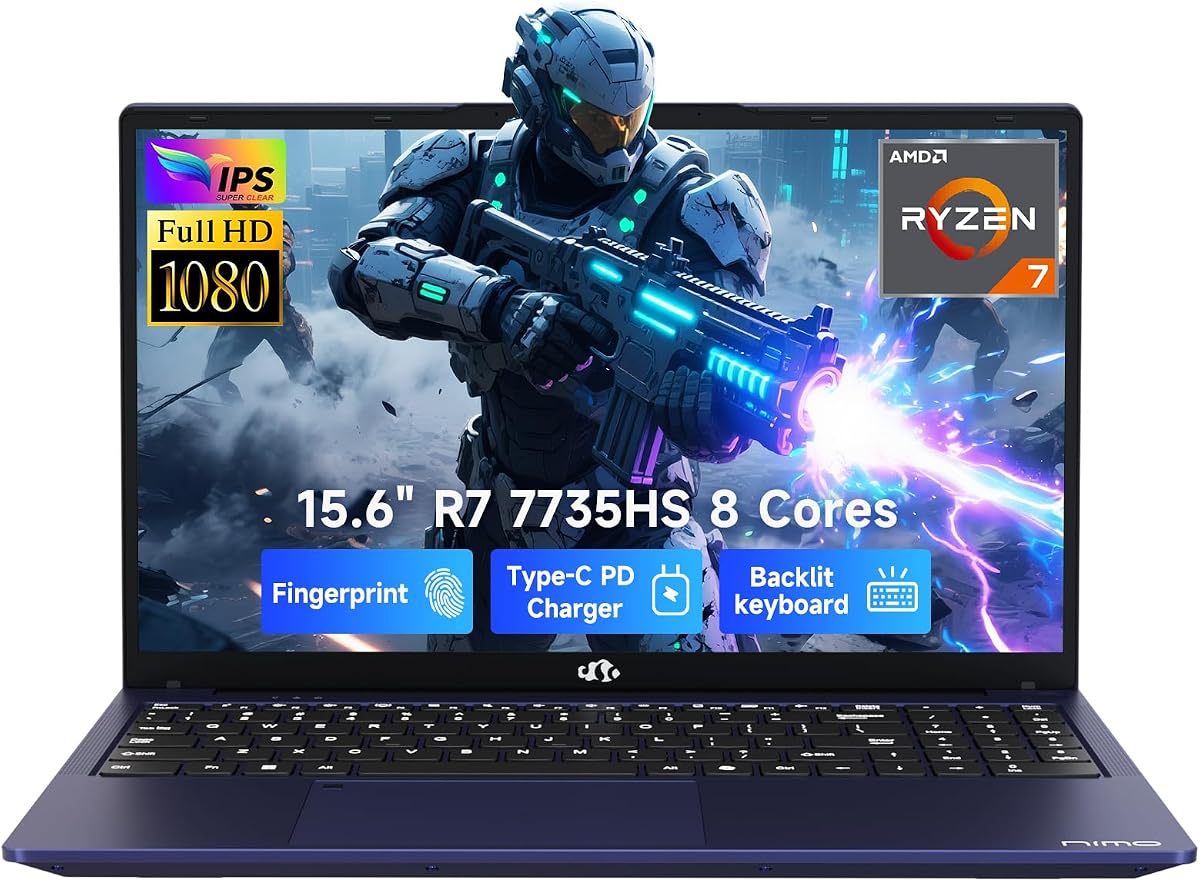
This model offers a balanced mix of features suitable for general emulation. The Ryzen 7 7735HS ensures robust multitasking and smooth gameplay. The 32GB of DDR5 RAM is a strong point for maintaining system stability.
We may earn a commission when you buy through this link, at no additional cost to you.
The IPS anti-glare display makes it comfortable to use in various lighting conditions. Combined with the fingerprint unlock feature, security and convenience are well addressed. This makes it practical for shared devices.
While it does not break new ground in terms of specs, it delivers consistent performance. The 100W Type-C charging is convenient for travel, allowing quick power-ups between sessions or classes.
A great choice for users wanting a reliable mid-range option, it handles emulation well. It balances performance and usability effectively for students and casual gamers alike.
The 8-core processor provides steady performance for most emulator targets without overheating.
Biometric login ensures quick access to your files and emulator settings securely.
We may earn a commission when you buy through this link, at no additional cost to you.
This laptop focuses on portability and efficiency. The Zen 3 architecture ensures decent performance for everyday emulation needs. It is lightweight enough for daily commuting without sacrificing too much power.
We may earn a commission when you buy through this link, at no additional cost to you.
With 16GB of RAM, it handles basic multitasking well. The NVMe SSD ensures quick access to your games and apps. This model is particularly good for users who prioritize mobility over raw graphics performance.
The reliable build quality ensures it can withstand regular travel. WiFi 6 connectivity offers faster speeds for downloads and updates. It is a practical tool for those on the go who need access to their games.
A solid compact option for lightweight emulation, it fits easily into bags and small spaces. It offers a reliable experience for users who value portability above all else.
The compact form factor makes it easy to carry in backpacks or bags for travel.
Zen 3 architecture offers a good balance of performance and power efficiency.
We may earn a commission when you buy through this link, at no additional cost to you.
Designed for office environments, this laptop is versatile for work and play. With a perfect five-star rating, it is reliable for general tasks. The Intel Core i7 ensures smooth performance for emulation and productivity.
We may earn a commission when you buy through this link, at no additional cost to you.
The inclusion of Windows 11 Pro and Office makes it ready for work tasks immediately. This is useful if you want one machine for both professional and gaming activities. The backlit keyboard helps with visibility in dim settings.
While it may not have a dedicated GPU, the processor is capable of handling many emulators. It is a practical choice for those who need a machine that transitions seamlessly between work and leisure.
For users who want a reliable all-rounder for emulation and office tasks, this is a great pick. It delivers stability and functionality without unnecessary gaming bloat.
Windows 11 Pro and Office come pre-installed, making it ready for professional use.
The i7 processor provides steady power for multitasking and emulation tasks.
We may earn a commission when you buy through this link, at no additional cost to you.
This laptop offers a large display and long battery life. With a strong 4.5 rating, it is reliable for everyday tasks. The Ryzen 3 30 handles basic emulation and streaming smoothly.
We may earn a commission when you buy through this link, at no additional cost to you.
The LPDDR5 memory boosts performance even with only 8GB of RAM. The 17.3-inch screen provides a comfortable view for media and games. Noise reduction features make video calls clearer, useful for multitasking users.
Battery life is a strong point, allowing you to work or play for hours without a charger. This makes it ideal for students or travelers who need consistent power throughout the day.
A good choice for basic emulation and media consumption, it prioritizes comfort and battery life. It offers a solid experience for users who value screen size and portability.
Long battery duration ensures you can work or play away from power outlets comfortably.
HDR auto-switch enhances visibility in different lighting conditions for better viewing.
We may earn a commission when you buy through this link, at no additional cost to you.
This model delivers solid performance at a budget-friendly price. With a high 4.7 rating, it is a popular choice for value seekers. The Ryzen 7 430U ensures basic emulation runs without major hiccups.
We may earn a commission when you buy through this link, at no additional cost to you.
The 16GB of RAM supports smooth multitasking for daily use. USB 3.2 ports provide fast data transfer for external drives. The webcam cover slide adds a simple privacy feature appreciated by many users.
While it is not a powerhouse, it is sufficient for retro emulation and general tasks. The build quality is reliable, and it offers good connectivity options. It is a practical option for those watching their budget.
For users seeking an affordable and reliable emulator laptop, this is a strong contender. It balances cost and capability well for basic gaming and productivity needs.
You get a capable processor and generous RAM for a fraction of the cost of premium units.
The webcam cover slide adds a layer of privacy protection for video calls and streams.
We may earn a commission when you buy through this link, at no additional cost to you.
Choosing the right laptop for emulation requires understanding which hardware components impact performance most. This section breaks down the essential factors to consider before purchasing your next device.
The CPU is the most critical component for emulation. Emulators rely heavily on single-core performance to translate console instructions into PC commands. Look for processors with high base and boost clock speeds to ensure smooth gameplay without frame drops.
Prioritize CPUs with strong single-thread performance and newer architectures for better efficiency and compatibility.
While some emulators run on integrated graphics, dedicated GPUs provide better support for upscaling and shader effects. Integrated solutions like Radeon 680M or newer RDNA chips are sufficient for most retro systems. Dedicated GPUs excel at modern emulation that requires extra processing power.
Choose based on the specific systems you plan to emulate and whether you need high resolution scaling.
RAM capacity affects how many applications you can run alongside an emulator. 16GB is a good baseline, but 32GB or 64GB allows for heavy multitasking. Faster DDR5 memory improves data transfer speeds, reducing loading times and stuttering.
Opt for higher capacity and faster RAM to future-proof your device for more demanding emulation needs.
SSDs are essential for quick system boots and fast game loading. NVMe drives offer significantly faster speeds than SATA SSDs. Large storage is also necessary for storing ROMs and game libraries efficiently without clutter.
Ensure your laptop has a fast NVMe SSD to improve responsiveness and game loading speeds.
Emulation tasks often push CPUs to high utilization, generating heat. Good cooling systems prevent thermal throttling where performance drops to manage temperature. Look for laptops with efficient fans or advanced cooling technologies like vapor chambers.
Prioritize models with effective cooling to maintain consistent performance during long gaming sessions.
A high-resolution and high-refresh-rate display enhances the visual experience. IPS panels offer better color accuracy and viewing angles. Faster refresh rates like 120Hz or higher provide smoother motion which is key for fast-paced games.
Choose a screen with good color reproduction and fast refresh rates for a more immersive gaming experience.
If you plan to use your laptop on the go, weight and size matter. Lighter models make travel easier but may sacrifice cooling or battery life. Consider how often you will move the device between locations.
Balance performance needs with portability to ensure the device fits your lifestyle and usage habits.
Modern emulators often connect to external controllers or displays. Sufficient USB ports and HDMI outputs are crucial. Wi-Fi 6 ensures fast downloads and updates without needing a wired connection.
Check that the laptop has the necessary ports to connect your preferred controllers and monitors easily.
Keep your drivers up to date to ensure compatibility with the latest emulator versions. Operating system updates often include performance improvements that can benefit emulation workloads.
Clean vents and fans regularly to prevent dust buildup that restricts airflow. Overheating can reduce lifespan and throttle performance so regular maintenance is essential.
Use external cooling pads during extended sessions to maintain optimal temperatures. This simple step helps keep your system running smoothly during long gaming marathons without thermal issues.
Not necessarily. Many emulators for older consoles run well on modern integrated graphics. Dedicated GPUs are more beneficial for modern systems or high-resolution upscaling. Check specific emulator requirements to decide if an integrated GPU is enough for your needs.
16GB of RAM is generally sufficient for most modern console emulators and multitasking. However, 32GB offers more headroom if you run multiple apps or heavy emulation simultaneously. More RAM helps prevent slowdowns during intensive tasks.
Yes, if your CPU has enough cores and you have sufficient RAM. Modern CPUs with 8 cores can handle multiple instances smoothly. Ensure you allocate resources wisely to avoid bottlenecks during simultaneous gameplay.
Lag can result from insufficient CPU power or poor optimization. Some systems require higher single-thread performance than others. Check the emulator's official compatibility list to understand the minimum hardware requirements.
Not officially as emulation is software-based. However, gaming laptops with strong CPUs and good cooling are best suited. Look for devices marketed for gaming since they align well with emulation performance needs.
It depends on what can be upgraded. Many laptops have fixed CPUs so upgrading might mean buying a new unit. Focus on adding more RAM or storage first since these are often user-upgradable components.
Windows is the most supported for most emulator projects. Linux also supports many emulators well but may require extra setup. Ensure your laptop ships with a version that supports the software you want to use.
Install antivirus software to prevent malware that can come from unsafe ROM sources. Keep your system clean and avoid downloading from unverified sites. Regular backups of your saves protect your progress.
Our top picks include the NIMO 15.6" Gaming Laptop for overall performance and the Light Gaming Laptop for budget buyers. These models offer the best balance of specs and value for most users.
Prioritize CPU performance and thermal efficiency when comparing options. High single-core speed ensures smooth gameplay and reliable long-term usage for your emulation needs.
Remember to check current stock and pricing before buying since they change often. Verify warranty details to ensure your investment is protected against hardware issues.