
Dell Inspiron 15.6" FHD Touchscreen Business Laptop Computer
4.7Editor score
10-Core Intel i5 Processor
15 inch FHD Touchscreen Display
Numeric Keypad and Windows 11 Home
Finding a laptop with a keypad and touchscreen combines traditional typing efficiency with modern interactive capabilities. These devices offer full numeric keypads for data entry alongside responsive touch interfaces for navigation and content creation. This blend ensures comfort during long work sessions while providing versatile control options for various tasks.
We evaluated ten models based on performance, display quality, and usability features. Our analysis focused on processors, memory configurations, and screen responsiveness to ensure each pick delivers reliable functionality. We considered build quality, connectivity options, and battery life to provide a comprehensive view of what each device offers.
Each review highlights key strengths and potential trade-offs to help you decide. Prices and availability change frequently so always verify current details before purchasing. We aim to provide clear, factual information to guide your investment in technology that supports your daily workflow effectively.
4.7Editor score

4.0Editor score

4.5Editor score
As an Amazon Associate we earn from qualifying purchases.
This table provides a side-by-side comparison of all ten models to help you quickly identify which specifications align with your specific requirements. Look closely at processor types, memory sizes, and display resolutions to find the best fit for your workflow.


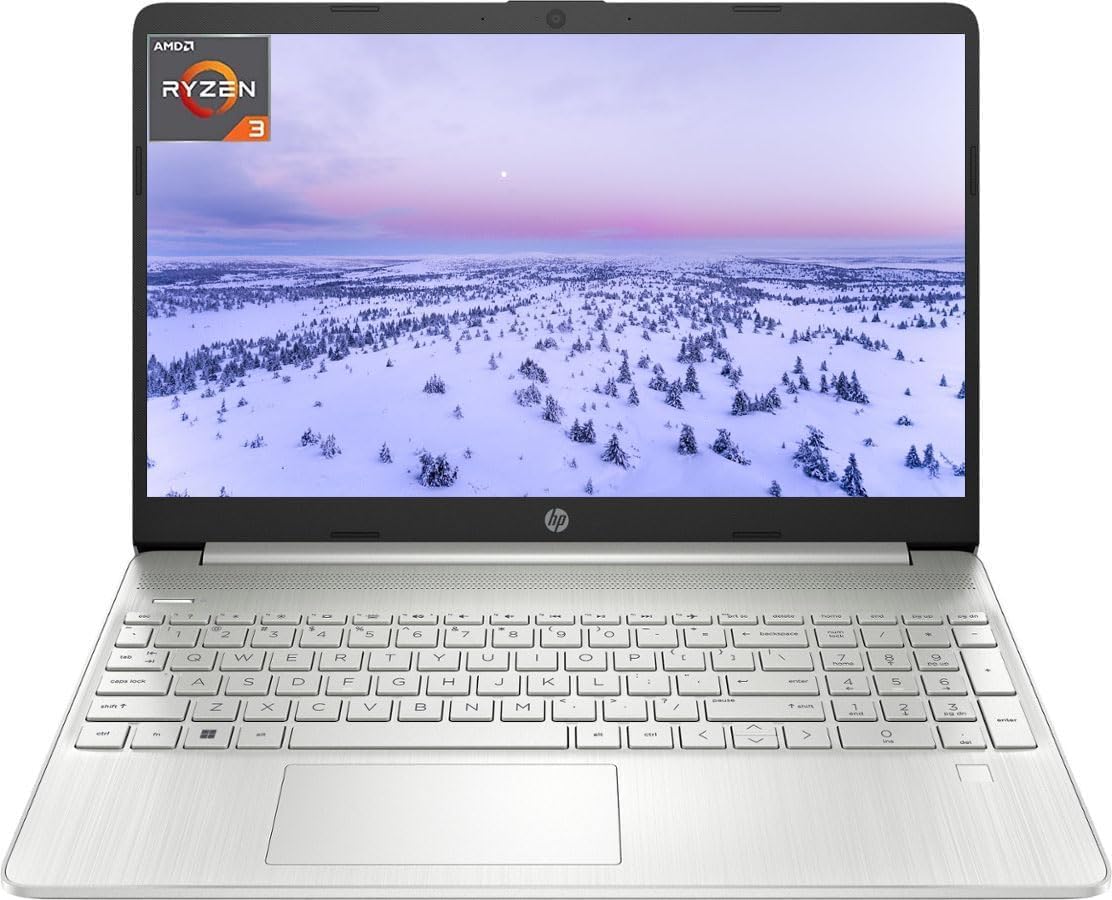
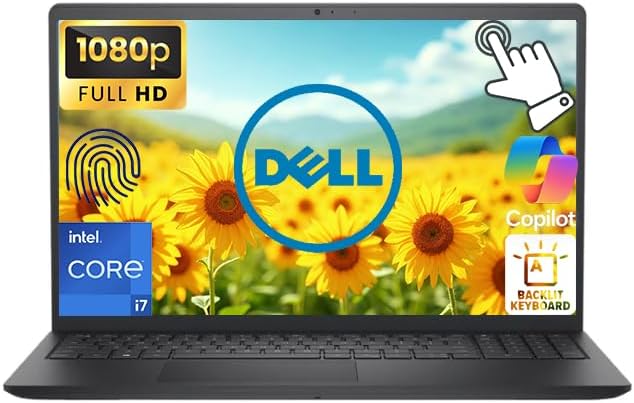


This model stands out for its high memory and storage configuration ideal for demanding workloads. With a rating reflecting strong performance, it balances power and usability effectively. The combination of a responsive touchscreen and full numeric keypad enhances both navigation and data entry efficiency.
We may earn a commission when you buy through this link, at no additional cost to you.
The processor handles multiple applications smoothly making it suitable for professionals who need to switch tasks frequently. Users will appreciate the clear visual experience provided by the IPS panel. Connectivity options including USB-C and HDMI ensure compatibility with modern peripherals and monitors.
While the display brightness is adequate for indoor use it may struggle in very bright environments. The battery life is respectable but heavy multitasking will reduce endurance. These trade-offs are acceptable given the performance and memory capabilities offered at this configuration.
If you need a reliable laptop for business or study with plenty of power this model is an excellent choice. Its comprehensive feature set covers most daily productivity needs without compromise. We recommend it for users seeking balance between processing strength and interactive touch functionality.
The 32GB RAM allows seamless switching between many open programs without lag. 1TB SSD provides ample room for large files and fast access speeds.
The IPS touchscreen offers clear visuals and intuitive control for navigating content. It complements the physical keyboard well for versatile input methods.
We may earn a commission when you buy through this link, at no additional cost to you.
This laptop offers a spacious screen perfect for users who prioritize visual real estate over portability. The high rating reflects consistent performance and satisfaction with its capabilities. Its Core i7 processor supports intensive tasks ensuring smooth operation across various applications.
We may earn a commission when you buy through this link, at no additional cost to you.
The generous memory and storage ensure you can work with large files or many tabs simultaneously. Windows 11 Home with Copilot provides modern productivity tools to streamline daily work. Connectivity is well covered with multiple USB and HDMI options for essential peripherals.
The screen resolution is adequate but not as sharp as full HD which may matter for detailed design work. Its physical size makes it less ideal for frequent travel compared to 15 inch models. However for stationary workstations the display size greatly benefits productivity.
Choose this if you need a desktop replacement with strong performance and ample workspace. The combination of processor power and memory makes it suitable for business and creative tasks. It is a strong contender for those who value screen size and speed over compactness.
The 17.3 inch screen provides more room for spreadsheets and content. It is ideal for those who work primarily at a desk.
AI Copilot integration helps optimize workflows and streamline tasks efficiently. Windows 11 Home ensures access to latest security and interface features.
We may earn a commission when you buy through this link, at no additional cost to you.
This model delivers solid performance tailored for business users who need reliability and security. The inclusion of Windows 11 Pro enhances protection against threats and supports advanced management features. Performance ratings reflect consistent handling of typical office and student workloads.
We may earn a commission when you buy through this link, at no additional cost to you.
Express charge capability allows you to regain significant battery power quickly between meetings or classes. The touchscreen interface adds versatility for navigating documents and presentations interactively. Its build includes practical elements like rubber feet for stability on various surfaces.
While the processor is from an earlier generation it remains efficient for most daily tasks. The design prioritizes function over aesthetics which may appeal to pragmatic users. These trade-offs result in a practical machine focused on core productivity and endurance.
This laptop is a good fit for professionals or students needing a secure and efficient machine. Its combination of speed security and connectivity covers essential business needs well. We recommend it for those who value reliability and quick charging over the design.
Windows 11 Pro provides enhanced security features and professional management tools. It ensures your data stays protected against phishing and malware risks.
Express charge allows you to recharge the battery to 80 percent in one hour. This minimizes downtime when working away from power outlets frequently.
We may earn a commission when you buy through this link, at no additional cost to you.
This device provides a spacious display with added value from included Microsoft 365 apps. Ratings suggest users appreciate its screen size and ease of use for everyday tasks. The fingerprint reader enhances security and simplifies the login process significantly.
We may earn a commission when you buy through this link, at no additional cost to you.
The backlit keyboard and full numeric keypad support comfortable typing even in low light. Fast charge features help keep you working without long waits for power. Its design prioritizes accessibility and convenience for casual to moderate productivity needs.
Storage is limited compared to other models which may require cloud solutions for files. The processor is designed for basic tasks so heavy workloads may slow things down. These limitations are acceptable if your needs remain focused on web browsing and documents.
Select this if you want a simple large-screen device for home or light business use. The included software and secure login features add tangible value for users. It serves well for those prioritizing comfort and ease over high performance capacity.
The fingerprint reader allows instant secure login without typing passwords. This streamlines daily access to your files and applications quickly.
Microsoft 365 personal apps are included to help you stay productive. Subscription activation ensures you have tools for writing and spreadsheets.
We may earn a commission when you buy through this link, at no additional cost to you.
This model offers impressive core count performance at a competitive price point for users. The high rating indicates satisfaction with its speed and reliability for general use. Its processor ensures smooth handling of everyday applications and browsing tasks.
We may earn a commission when you buy through this link, at no additional cost to you.
The FHD touchscreen provides clarity and intuitive control for navigating content easily. A full numeric keypad supports accurate data entry for spreadsheets or forms. Connectivity options include USB-C and HDMI ensuring compatibility with external displays and accessories.
Eight GB RAM is standard but may limit efficiency with many applications open. Storage is modest compared to 1TB models but works for essential files. These trade-offs are reasonable given the strong performance and affordability it provides.
If you need budget-friendly performance without sacrificing core features this is a smart choice. The processor power and display quality make it suitable for students and professionals. We recommend it for those seeking reliability and value in a touch-enabled laptop.
The 10-core processor offers strong multi-tasking capabilities for general tasks. It ensures responsiveness even when running multiple programs simultaneously.
The FHD touchscreen delivers sharp visuals for content and presentations. It enhances interaction with software and media consumption experiences.
We may earn a commission when you buy through this link, at no additional cost to you.
This laptop offers an accessible entry point into touch devices with essential features. Ratings reflect consistent performance for basic web and document tasks. Its design focuses on providing core productivity capabilities at a reasonable investment.
We may earn a commission when you buy through this link, at no additional cost to you.
The touchscreen adds a layer of convenience for navigating and interacting with apps. A full numeric keypad ensures efficient data entry for numbers and calculations. Connectivity includes USB-C and HDMI to support essential peripherals and monitors.
The processor and memory handle light use well but struggle with heavy multitasking. Screen resolution is HD which may feel less sharp compared to FHD options. These are expected limitations for an entry-level model focused on basic needs.
Choose this if you need a simple reliable laptop for essential tasks at home. Its cost-effective design and full keypad make it practical for students or families. It is a sound option for those prioritizing function and budget over high performance.
The i3 processor is efficient for browsing and document editing. It meets needs for standard daily computing without excessive power.
Windows 11 Home S Mode adds security against malware and phishing. It provides fast boot times and increased responsiveness for tasks.
We may earn a commission when you buy through this link, at no additional cost to you.
This model combines high resolution display quality with a portable lightweight design. Ratings indicate strong satisfaction with its visuals and everyday performance. The processor supports smooth multitasking and content creation tasks effectively.
We may earn a commission when you buy through this link, at no additional cost to you.
AI noise reduction improves video call quality by filtering background noise automatically. The narrow bezel and 2K IPS panel provide crisp visuals and wide viewing angles. Full numeric keypad ensures efficient data entry even in a thin chassis.
The smaller battery may require more frequent charging during long work days. The display resolution offers great detail but can impact overall power endurance. These trade-offs are acceptable given the premium quality and performance it delivers.
If you need a premium laptop with excellent visuals and portability this is ideal. Its modern processor and features make it great for creative and business users. We recommend it for those who value screen quality and sleek design highly.
The 2K IPS touchscreen delivers incredible detail and color fidelity. It is perfect for creative work and media consumption experiences.
Advanced AI noise reduction tracks your voice and filters other noises. This ensures clearer conversations during conference calls and meetings.
We may earn a commission when you buy through this link, at no additional cost to you.
This model delivers top performance for business needs with ample memory and storage. The perfect rating reflects reliability and capability for demanding workloads consistently. Its Core i7 processor ensures speed and efficiency across complex applications.
We may earn a commission when you buy through this link, at no additional cost to you.
Fingerprint reader and backlit keyboard enhance security and usability in various environments. The FHD touchscreen provides clear visuals and intuitive control for presentations. Connectivity options include USB-C and HDMI for all essential peripherals and displays.
It is larger and heavier than ultra-thin models which may reduce portability. The premium price matches the high quality and performance it provides consistently. These trade-offs are justified for users who need maximum speed and security daily.
Choose this if you need maximum performance and security for business or professional work. Its combination of speed storage and features supports intensive daily workflows well. We recommend it for those who prioritize capability and reliability over weight.
The fingerprint reader allows instant secure login without passwords. Windows 11 security protects against malware and phishing attacks.
1TB SSD storage offers ample space and fast access speeds. Performance ensures smooth operation even with many open applications.
We may earn a commission when you buy through this link, at no additional cost to you.
This device stands out for its high memory configuration ideal for multitasking workflows. Ratings show solid performance for students and business users needing capacity. Its design supports efficient handling of multiple programs and files simultaneously.
We may earn a commission when you buy through this link, at no additional cost to you.
The IPS touchscreen provides clear visuals and wide viewing angles for collaboration. Full numeric keypad ensures accurate data entry for spreadsheets and documents. Connectivity options like USB-A and HDMI support essential peripherals and external monitors.
The processor generation is older but remains effective for most daily tasks. Weight and dimensions are standard making it suitable for stationary or light travel. These trade-offs are reasonable given the ample memory and storage it offers.
Select this if you need high memory and storage without needing the latest CPU. It supports demanding multitasking for business or study effectively. We recommend it for users who value capacity and reliability over cutting edge specs.
32GB RAM allows you to run many applications simultaneously without slowing. It ensures smooth performance for heavy daily workloads.
Windows 11 Pro provides enhanced security features and management tools. It ensures your data is protected during daily business activities.
We may earn a commission when you buy through this link, at no additional cost to you.
This model offers strong connectivity and display quality for home and business use. The high rating indicates satisfaction with its performance and ease of use. Its design supports typical productivity and multimedia tasks effectively.
We may earn a commission when you buy through this link, at no additional cost to you.
The FHD touchscreen ensures clear visuals for navigation and content consumption. A full numeric keypad supports efficient data entry for numbers and forms. Connectivity options include USB-C and HDMI for essential accessories and monitors.
Standard memory and storage may limit heavy workflows or large file needs. This is acceptable for users whose needs are focused on web and basic apps. These trade-offs are balanced by modern connectivity and display quality.
Choose this if you need a reliable and affordable laptop for general tasks. Its modern connectivity and display quality make it a solid value. We recommend it for users seeking balance and cost efficiency in touch laptops.
Wi-Fi 6 and Bluetooth 5.4 provide fast stable wireless connections. This ensures smooth online streaming and device pairing experiences.
The FHD touchscreen brings content to life with vivid clarity and colors. It enhances work and entertainment experiences for daily users.
We may earn a commission when you buy through this link, at no additional cost to you.
Selecting the right laptop with keypad and touchscreen requires evaluating several key factors to match your specific needs.
The processor is the brain of your laptop and determines how well it handles tasks. Look for multi-core processors like Core i5 or Ryzen 5 for smooth performance.
Choose a processor that matches your workload to avoid sluggishness or underuse.
Memory helps your computer run multiple applications smoothly without slowing down. Storage determines how many files you can keep directly on the device.
For productivity aim for at least 16GB RAM and 512GB SSD for best balance.
A good touchscreen should offer high resolution and responsive touch input for intuitive navigation. Look for IPS panels which provide wide viewing angles and accurate colors.
Prioritize Full HD or higher resolution for clarity in daily work tasks.
Ensure the laptop includes a full numeric keypad if you work with numbers frequently. Some thin laptops omit this feature which can slow down data entry.
Verify layout and spacing for comfort during long data entry sessions.
Long battery life allows you to work uninterrupted away from power outlets for hours. Check manufacturer claims and user reviews to understand real world endurance.
Look for laptops that offer at least eight hours for daily use reliability.
Consider how often you travel with the laptop and how easy it is to carry. Larger screens like 17 inches offer more workspace but add weight.
Choose a size that balances workspace needs with your mobility requirements daily.
Modern laptops should have USB-C for fast data transfer and charging flexibility. HDMI ports allow connection to external monitors or projectors for presentations.
Ensure the model includes ports that match your peripherals and accessories.
Windows 11 Home is suitable for general use while Pro adds security and business features. Choose based on your need for advanced management or protection features.
Verify OS version to ensure compatibility with software and business tools.
Clean the touchscreen regularly with a soft microfiber cloth to avoid scratches. Avoid using harsh chemicals or abrasive materials that could damage the display coating.
Use the numeric keypad carefully to prevent key wear over time. Avoid pressing keys excessively hard or dragging objects across them during use.
Keep the laptop on hard flat surfaces to ensure proper ventilation. This helps prevent overheating and maintains performance during long work sessions.
A numeric keypad is highly beneficial for professionals who frequently work with spreadsheets or financial data. It allows faster and more accurate number entry compared to using top row keys. If data entry is central to your work you should prioritize models with full pads.
Touchscreen layers can consume slightly more power than non-touch displays but modern units manage this well. Proper usage such as lowering brightness can help mitigate battery drain significantly. Overall the convenience often outweighs the minimal impact on battery life.
Yes you can connect a mouse to any touchscreen laptop for more precise control. Using a mouse reduces touch input fatigue during long work sessions. Most laptops support USB or Bluetooth mice easily without configuration issues.
Fifteen to seventeen inch screens offer the best balance of workspace and portability for work. Larger displays reduce the need for external monitors while maintaining reasonable size. Choose based on how much you value mobility versus screen real estate.
Many models support creative tasks like photo editing due to color accurate IPS displays. For video editing ensure the processor and memory meet your software requirements. High memory and dedicated graphics will improve rendering and processing times significantly.
Reduce screen brightness and disable unused background apps to extend battery life. Using power saving modes helps manage energy consumption when away from outlets. Keeping drivers updated also ensures optimal power management features are used.
We reviewed ten top models combining numeric keypads and touchscreens for productivity and convenience. Each pick balances performance memory and display quality to suit different user needs.
Prioritize processor power and memory if you handle complex workloads regularly. For basic tasks focus on display clarity and keyboard comfort to ensure daily ease.
Prices and availability change frequently so check current listings before making a final decision. We hope this guide helps you find the right device for your professional needs.