
Kingston NV3 1TB
4.7Editor score
PCIe 4.0 Gen 4×4
Up to 6000 MB/s Read
Includes Acronis Cloning Software
This guide compares the top 10 Kingston Internal NVME SSD models for 2026, evaluating speed, capacity, pricing, and reliability to help you choose the right
Finding the right internal storage for your system is critical for performance and longevity. Kingston Internal NVME SSDs offer a range of options from budget-friendly to high-end gaming drives. We evaluate speed, capacity, and reliability to guide your purchase decision effectively today.
Our team analyzed technical specifications, user feedback, and benchmark data to compile this comprehensive list. We focused on models that deliver consistent performance across various workloads and use cases. This ensures you receive accurate and actionable insights for your specific hardware requirements.
Each pick highlights key strengths and potential trade-offs to help you narrow down choices quickly. Prices and availability fluctuate frequently so always verify current listings before finalizing your order. This guide remains updated to reflect the latest market trends and product releases.
4.7Editor score
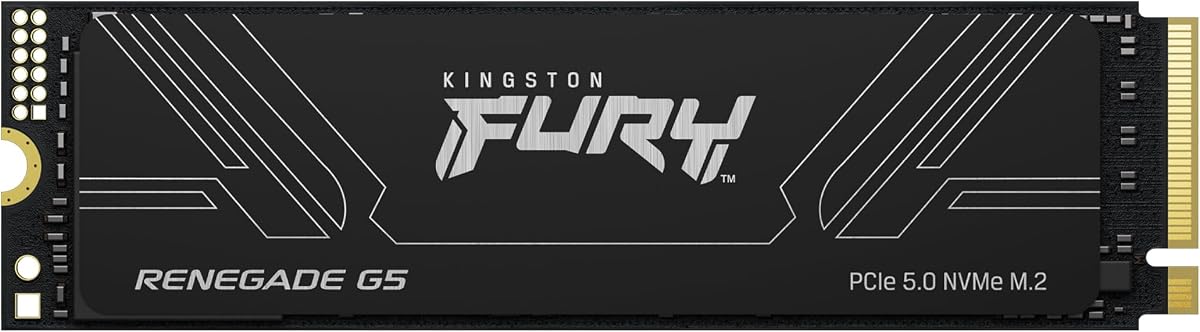
4.7Editor score

5.0Editor score
The following table provides a side-by-side comparison of all ten models to help you evaluate specs at a glance.


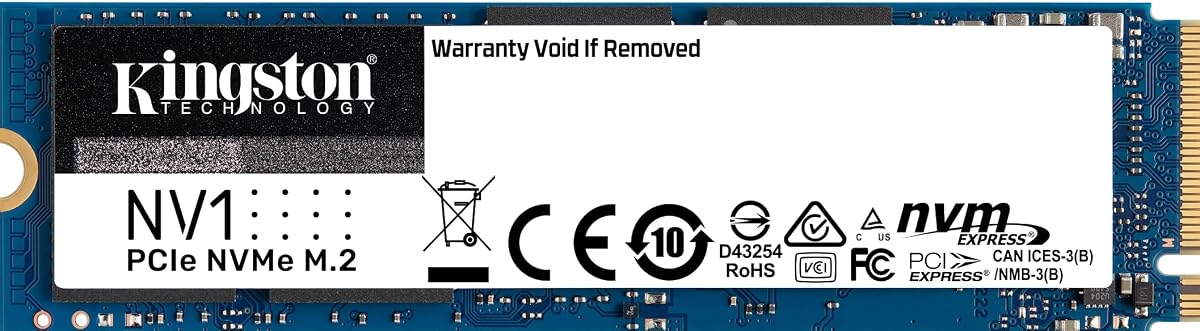
This drive is a powerhouse for users who demand the absolute fastest storage available today. It achieves speeds up to 14800MB/s read and 14000MB/s write. These figures represent a significant leap over previous generation hardware options.
We may earn a commission when you buy through this link, at no additional cost to you.
The SM2508 controller uses 6nm lithography for improved efficiency and thermal stability. It includes a low power DDR4 cache and a 12 layer PCB for reliable power delivery. This design ensures consistent performance under heavy workloads without throttling.
While the speeds are incredible, they require a motherboard that supports PCIe 5.0. Users with older systems will not see the full benefit of this drive. Additionally the cost is higher than many alternative SSD options currently on the market.
It is best suited for power users and content creators who need rapid file transfers. Gamers building high end rigs will also appreciate the ultra-fast load times. If you need top tier responsiveness this drive delivers unmatched speed.
This drive is designed to handle demanding games and applications that require rapid data access. The high speeds reduce wait times during loading screens and asset streaming significantly.
Advanced cooling features ensure that the drive maintains stable temperatures during intense operations. This longevity and reliability over extended periods of heavy usage.
We may earn a commission when you buy through this link, at no additional cost to you.
The KC3000 stands out for its exceptional reliability and consistent high speeds. It offers read speeds up to 7000MB/s and write speeds up to 6000MB/s. This makes it an excellent choice for demanding workstation tasks and gaming.
We may earn a commission when you buy through this link, at no additional cost to you.
Users have reported high satisfaction with its performance in notebooks and desktops alike. The drive maintains stable speeds without significant throttling during extended use. Its quality assurance processes ensure that you receive a dependable product every time.
While it does not include a heatsink it performs well in most standard configurations. The premium price reflects its top tier performance and endurance ratings. Users requiring robust performance will find the investment worthwhile for long term use.
This SSD is ideal for professionals who need fast and reliable storage for their workflows. It handles large file transfers and intensive applications with ease. If reliability is your priority this model delivers outstanding results.
With sequential read speeds reaching 7000MB/s this drive accelerates workflows significantly. You can move large files and launch applications much faster than with standard drives.
Kingston ensures that every unit meets strict quality control measures before shipping. This reduces the likelihood of defects and ensures consistent performance across all units.
We may earn a commission when you buy through this link, at no additional cost to you.
The NV3 offers an excellent balance of performance and affordability for most users. It supports PCIe 4.0 Gen 4×4 with speeds up to 6000MB/s read and 4000MB/s write. This performance level is sufficient for gaming and daily productivity tasks.
We may earn a commission when you buy through this link, at no additional cost to you.
One standout feature is the inclusion of Acronis cloning software which simplifies upgrades. You can easily migrate your existing drive to this new SSD without extra tools. This saves time and effort during system setup or replacement.
The drive is designed for high speed and low power storage which is great for laptops. However it lacks advanced thermal features found in higher end models. Users in very hot environments should consider additional cooling solutions.
This SSD is perfect for budget conscious buyers who still want Gen 4 speeds. It provides a significant upgrade over older SATA or Gen 3 drives. If you need a reliable and fast drive at a fair price this is a strong choice.
The included Acronis software makes transferring your OS and data straightforward. You do not need to purchase third party tools to complete a successful clone operation.
Designed for low power usage this drive helps extend battery life in portable devices. This efficiency ensures your system runs cooler and more economically.
We may earn a commission when you buy through this link, at no additional cost to you.
This drive is tailored specifically for gamers who need fast load times and reliable storage. It offers speeds up to 7300MB/s which is near the maximum for PCIe 4.0. The included heatsink helps maintain performance during long gaming sessions.
We may earn a commission when you buy through this link, at no additional cost to you.
It is officially PS5 ready meaning it meets the performance requirements for console storage expansion. This makes it a versatile choice for both PC and console users. The slim M.2 2280 form factor fits easily into tight spaces.
Capacities up to 4TB are available for those who need to store large game libraries. However it lacks some of the advanced power management features of other high end drives. The focus remains squarely on raw speed and gaming utility.
If you build a gaming PC or upgrade a PS5 this drive is a solid choice. It delivers the performance needed for modern titles without unnecessary extra costs. Gamers seeking direct and effective storage will appreciate its capabilities.
Designed to work seamlessly with the PS5 this drive ensures optimal performance on consoles. You can install and play games directly from the expanded storage without issues.
The heatsink helps dissipate heat effectively to prevent thermal throttling. This keeps your gaming experience smooth and consistent even during demanding scenarios.
We may earn a commission when you buy through this link, at no additional cost to you.
The 990 PRO delivers a significant performance boost over previous models with speeds up to 7450MB/s. It features a nickel coated controller that provides effective thermal control during operation. This design ensures the drive stays cool and stable under load.
We may earn a commission when you buy through this link, at no additional cost to you.
It offers up to 50% improved performance per watt compared to earlier models. This efficiency is beneficial for laptops and systems where power consumption matters. The slim size fits well in desktops and laptops that meet PCI SIG standards.
Random performance is improved by up to 65% enabling faster loads for games. Samsung Magician software helps you monitor drive health and receive updates easily. This ecosystem adds value by giving you control over your storage management.
This drive is ideal for users who want maximum PCIe 4.0 performance efficiently. It excels in random read write scenarios which impacts everyday responsiveness. If you need a fast and efficient drive this model is highly recommended.
The nickel coated controller helps manage heat effectively to ensure consistent performance. This reduces the need for bulky cooling solutions in compact builds.
Samsung Magician software provides tools to optimize and monitor your drive easily. You can check health status and apply updates to keep performance at its best.
We may earn a commission when you buy through this link, at no additional cost to you.
This drive is designed for handheld gaming devices and small form factor PCs. It uses the M.2 2230 form factor which is smaller than standard 2280 drives. Despite its size it offers Gen 4×4 performance up to 6000MB/s read.
We may earn a commission when you buy through this link, at no additional cost to you.
The low power storage design makes it ideal for portable devices where battery life is critical. It delivers high speed storage without draining energy reserves quickly. Capacities up to 2TB are available to meet growing storage needs.
Its compatibility with handheld gaming devices and SFF PCs makes it versatile. You can upgrade storage solutions without worrying about heat or space constraints. This is a practical choice for portable gaming enthusiasts.
If you need a fast and compact drive for your handheld or mini PC this works well. It balances size and performance effectively for modern portable systems. Check specific compatibility with your device before purchasing to ensure fit.
Specifically suited for modern handheld gaming consoles this drive fits their compact slots perfectly. You can load games faster and enjoy smoother performance on the go.
Low power consumption ensures that your device runs longer on a single charge. This efficiency is crucial for portable devices where every minute of battery matters.
We may earn a commission when you buy through this link, at no additional cost to you.
This drive offers a compact solution for systems that require small storage drives. It uses the M.2 2230 form factor which is common in newer laptops and gaming devices. The 128GB capacity is suitable for boot drives or small file storage.
We may earn a commission when you buy through this link, at no additional cost to you.
It is compatible with Stream Deck laptops and desktops making it versatile for various setups. While the capacity is limited the low cost makes it accessible for basic needs. You can use it as a secondary drive for specific applications.
Performance is adequate for everyday tasks and light gaming workloads. It provides a reliable upgrade option for systems with limited space constraints. Users looking for an inexpensive entry level drive will find it useful.
Choose this drive if you need a small form factor SSD without spending much. It works well for specific use cases like boot drives or small media storage. Verify your system supports 2230 drives before installing this model.
This drive works seamlessly with Stream Deck devices allowing for smooth operation. You can store and access necessary files without performance issues.
The small size ensures it fits into tight spaces where larger drives cannot. This makes it a practical choice for modern slim laptops and mini PCs.
We may earn a commission when you buy through this link, at no additional cost to you.
The KC2500 is designed with security as a primary focus for sensitive data. It supports XTS AES 256 bit hardware based encryption for robust data protection. This drive is a self encrypting drive that supports TCG Opal 2.0 security management.
We may earn a commission when you buy through this link, at no additional cost to you.
It delivers outstanding endurance with read write speeds up to 3500MB/s and 2900MB/s. The compact M.2 design gives greater flexibility while saving space in your system. Capacities from 250GB to 2TB allow you to choose what you need.
Built in Microsoft eDrive support allows for use with BitLocker easily. This makes it ideal for work environments where data security is mandatory. You can integrate it with independent software vendors for better security management.
If you require strong hardware encryption without slowing down your system this is ideal. It balances performance and security effectively for business and personal use. Check your compatibility with TCG Opal solutions to get the most out of it.
Hardware based encryption protects your data at the drive level ensuring safety from unauthorized access. This reduces the need for additional software layers and improves efficiency.
The drive supports independent software vendors and BitLocker for easy management. You can manage security settings through familiar tools without extra hassle.
We may earn a commission when you buy through this link, at no additional cost to you.
This drive provides a generous 2TB capacity for users who need ample storage space. It is ideal for laptops and small form factor PCs where space is limited. With speeds up to 2100MB/s read and 1700MB/s write it offers decent performance.
We may earn a commission when you buy through this link, at no additional cost to you.
The range of capacities up to 2TB helps meet diverse data storage requirements. It is suitable for storing large media libraries without compromising on physical size. The design focuses on reliability and efficiency for general storage needs.
Performance is slightly lower than Gen 4 drives but still significantly better than SATA. It balances capacity and price well for those who need space over raw speed. This makes it a practical choice for secondary storage in laptops.
If you need a large drive for archival storage or media files this model fits. It ensures you have enough room for your data without breaking the bank. Verify your laptop supports M.2 NVMe before purchasing for compatibility.
With 2TB of capacity you can store thousands of photos and large video files. This eliminates the need for external drives and keeps everything accessible internally.
The drive is optimized for laptops ensuring reliable performance in mobile environments. It maintains stability even with frequent movement and usage.
We may earn a commission when you buy through this link, at no additional cost to you.
This drive offers a solid 500GB capacity suitable for everyday storage tasks. It is ideal for laptops and small form factor PCs where reliability is key. Speeds up to 2100MB/s read and 1700MB/s write provide smooth performance.
We may earn a commission when you buy through this link, at no additional cost to you.
The range of capacities available helps meet your data storage requirements easily. It is a reliable choice for system upgrades where budget and space are considerations. The high rating indicates user satisfaction with its performance and stability.
While not as fast as Gen 4 drives it is a significant upgrade over older SATA SSDs. This drive balances cost and performance for general consumer use effectively. It ensures your system boots quickly and runs smoothly.
If you need a dependable drive for your laptop this model is a great option. It provides enough space for your OS and daily applications without excess cost. Check your system compatibility to ensure it fits correctly before buying.
This drive handles daily tasks like booting and opening apps with ease. It provides a reliable upgrade that improves system responsiveness significantly.
The slim design fits perfectly in laptops and ensures stable performance over time. It is built to withstand the rigors of mobile computing environments.
We may earn a commission when you buy through this link, at no additional cost to you.
Selecting the right SSD involves considering several key factors to ensure compatibility and performance for your needs.
Ensure the SSD interface matches your motherboard slot. Gen 5 drives require Gen 5 slots for full speed while Gen 4 drives work in Gen 5 slots at lower speeds. Check your system specifications to verify supported PCIe generations.
Choose a generation that fits your motherboard capabilities for optimal performance.
Consider how much data you need to store daily. Capacity options range from 128GB to 4TB depending on the model. Gamers and creators may prefer 1TB or higher to accommodate large libraries.
Select a capacity that meets your current and future storage requirements.
Look at sequential read write speeds to gauge performance. Higher speeds mean faster load times and data transfers. Models vary from 2100MB/s to 14800MB/s depending on their class and generation.
Prioritize higher speeds if you work with large files or demanding applications.
Most drives use M.2 2280 form factor but some use 2230 for compact devices. Ensure your laptop or desktop supports the specific size you intend to buy. Check physical constraints before purchasing.
Verify the physical dimensions match your system's available space slots.
Some models include heatsinks to manage heat effectively while others do not. High performance drives benefit from active cooling to prevent throttling. Consider your case airflow when choosing a drive without a heatsink.
Ensure adequate cooling is in place to maintain stable performance under load.
Check the endurance rating and warranty period for long term reliability. Most drives offer 3 to 5 year warranties which indicate manufacturer confidence. Higher endurance models last longer under heavy write workloads.
Choose a drive with a solid warranty to protect your investment.
Look for hardware encryption if data privacy is a priority. Self encrypting drives offer protection against unauthorized access without software overhead. This is critical for business and sensitive personal data usage.
Opt for hardware based security to ensure robust data protection.
Compare prices against performance and capacity to find the best value. Premium models offer faster speeds but may be expensive for casual users. Balance budget with features that matter most to your workflow.
Find the balance between cost and performance that suits your needs.
Install the SSD carefully into the M.2 slot on your motherboard and secure it with the screw. Ensure the connector is aligned correctly to avoid damage during insertion. This proper installation ensures stable electrical contact for performance.
Update your system BIOS and drivers to support the latest NVMe protocols. This can improve compatibility and performance with newer storage devices. Always check manufacturer websites for the latest firmware updates before use.
Avoid exposing the drive to excessive heat or physical shock during use. Maintain good airflow in your case to help dissipate heat effectively. Regular system maintenance keeps the SSD running efficiently for years to come.
Gen 4 SSDs offer twice the bandwidth of Gen 3 drives allowing for faster speeds. This means quicker data transfers and better overall system performance. If your motherboard supports it a Gen 4 drive is recommended for modern builds.
High performance drives benefit from a heatsink to prevent thermal throttling. If your motherboard has an integrated M.2 heatsink you might not need one. Otherwise adding a heatsink helps maintain stable speeds during long operations.
Yes a 2230 SSD fits into a 2280 slot with a spacer or adapter. Ensure your mounting point supports the smaller length before installation. Check manufacturer compatibility guides to avoid physical fitting issues.
Upgrading to Gen 5 is beneficial for users needing extreme speed and future proofing. It requires a compatible motherboard and typically higher costs. For most users Gen 4 is sufficient for demanding workloads.
Use cloning software like Acronis or Samsung Magician to transfer your OS and data. Ensure you back up important files before starting the process. This allows you to replace the old drive with minimal disruption.
Yes specific models like the Fury Renegade are PS5 ready and compatible. Ensure the drive meets performance requirements for console storage expansion. Check the official support list before purchasing for console use.
Most models come with a limited warranty ranging from 3 to 5 years. This covers defects and ensures reliability during the warranty period. Check the specific product page for exact warranty terms.
Use manufacturer software like Kingston SSD Manager or third party tools. These programs display wear levels temperature and overall drive status. Regular checks help you plan replacements before data loss occurs.
We have reviewed the top ten models ranging from budget options to high performance drives. The FURY Renegade G5 leads in speed while the KC3000 offers top tier reliability and performance.
Choose based on your specific needs such as gaming capacity or security. Balance budget with features that matter most to your workflow for the best experience.
Prices and availability change frequently so verify current listings before finalizing your purchase. We hope this guide helps you select the right storage solution today.