
Dell OptiPlex 3060 Micro PC
4.2Editor score
Affordable price point
Reliable Dell quality
Compact micro form factor
This guide compares the top 10 Intel Core i3 Mini PC models for performance and value to help you choose the best compact desktop for your needs.
Finding the right compact computer can transform your workspace efficiency. An Intel Core i3 Mini PC offers a powerful balance of speed and size for modern professionals. These devices fit easily on any desk while delivering reliable performance for daily tasks.
We analyzed ten top-rated models based on processing power, memory capacity, and connectivity options. Each selection represents a strong option for home offices or business environments. Our comparison focuses on real-world usability and long-term reliability.
Every pick highlights specific strengths like storage expandability or dual display support. Prices and availability change frequently so always verify current details before buying. This guide ensures you find the perfect small form factor system for your workflow.
4.2Editor score

4.4Editor score

5.0Editor score
This side by side comparison lists all ten selected models with their core specifications. You can quickly see differences in memory storage and connectivity options to find the best match for your requirements.


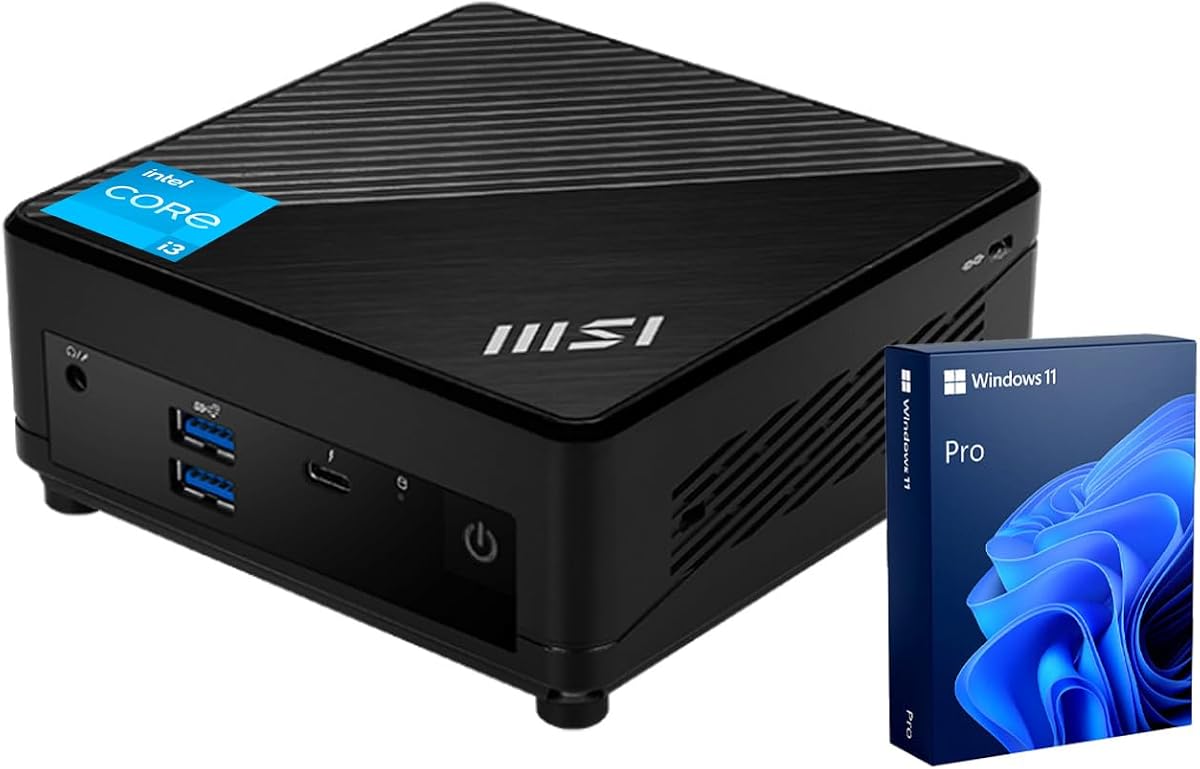


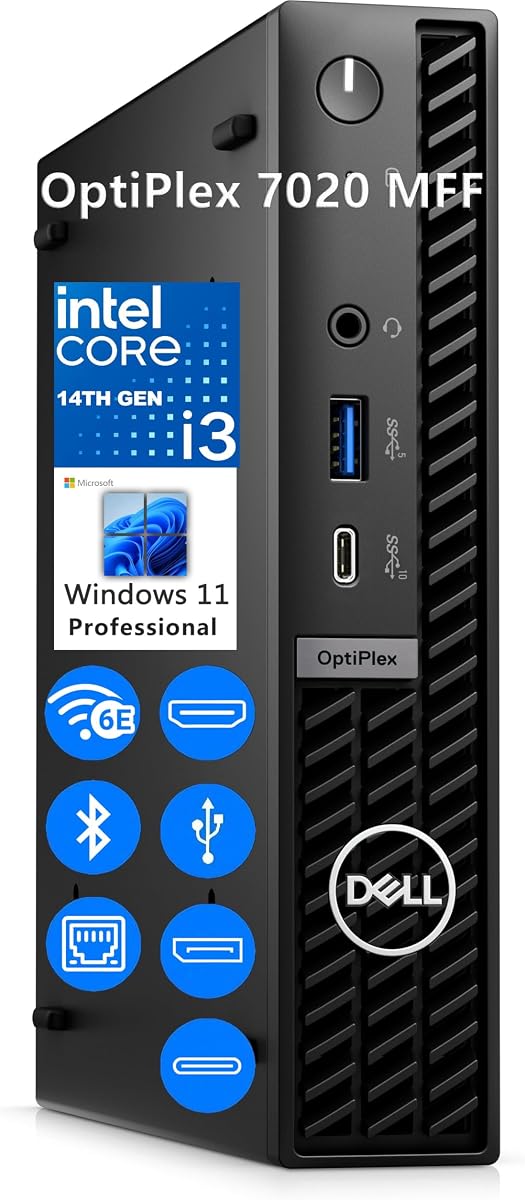

This model stands out as a top contender in the Intel Core i3 Mini PC market. It combines a capable processor with generous memory to handle modern productivity tasks smoothly. The rating reflects user satisfaction with its consistent performance in daily workloads.
We may earn a commission when you buy through this link, at no additional cost to you.
The Core i3-10110U processor delivers excellent single-core performance which is crucial for applications like spreadsheets and web browsing. With 16GB of dual-channel RAM it manages multiple browser tabs and software without slowing down. The 2.5GbE Ethernet ensures fast wired connections ideal for large file transfers.
While it excels in performance users should note it is not the smallest option available. The cooling fan works hard to maintain temperatures which can generate some noise during intense use. These are minor trade-offs considering the robust feature set and connectivity options offered.
Ideal for professionals needing a reliable office machine this mini PC offers great value. It supports dual 4K displays making it perfect for extended workspace setups. We recommend it for anyone seeking a balanced system that handles business demands efficiently.
The unit features four USB 3.2 ports plus dual HDMI outputs for versatile device connections.
Upgraded thermal paste and fan design keep the system running cool during extended operation.
We may earn a commission when you buy through this link, at no additional cost to you.
This compact unit receives perfect user ratings for its smooth operation in home and office settings. It features a powerful i3-8109U processor that maintains high speeds consistently. The Iris Plus 655 graphics allow for decent media playback and light gaming without a dedicated GPU.
We may earn a commission when you buy through this link, at no additional cost to you.
Its design focuses on productivity with support for simultaneous dual 4K displays. This enables users to manage multiple windows efficiently for tasks like trading or development. The inclusion of dual SSD slots provides flexibility to upgrade storage easily in the future.
The main limitation is the initial storage capacity which might fill up quickly with large media files. Additionally it includes older USB 2.0 ports which are slower than modern alternatives. These factors do not significantly impact basic daily tasks for most users.
Buyers looking for a versatile hub for home entertainment or work will find this appealing. It supports Windows 11 and Linux offering flexibility for different users. We suggest it for those prioritizing display performance and upgradeability over massive initial storage.
Delivers fluid 4K video playback and responsive light online gaming performance.
Includes VESA mount for mounting behind monitors to save valuable desk space.
We may earn a commission when you buy through this link, at no additional cost to you.
This model targets budget-conscious professionals needing a stable machine for essential tasks. It uses an older Core i3-5005U which provides reliable single-core performance for office apps. The 8GB RAM and 512GB SSD offer a good starting point for file storage.
We may earn a commission when you buy through this link, at no additional cost to you.
One of its strongest features is the extended three-year warranty which is rare in this category. It also operates quietly making it suitable for shared spaces like home offices or libraries. The dual HDMI ports allow for a dual monitor setup to boost productivity.
The primary drawback is the processor age which limits performance in newer software environments. It does not support Windows 11 officially restricting users to Windows 10 or Linux. This makes it less future-proof than newer alternatives in the comparison.
It is an ideal choice for simple administrative work or digital signage applications. The low power consumption ensures energy efficiency over long operational hours. We recommend it for users with strict budget constraints who do not need the latest OS features.
Engineered for 7×24 hours stable operation in commercial environments.
Includes USB Type-C and multiple USB 3.2 ports for versatile connectivity.
We may earn a commission when you buy through this link, at no additional cost to you.
This unit brings enterprise-level features to a compact form factor for demanding users. The 6-core processor provides robust multi-threaded performance for complex business applications. Windows 11 Pro ensures advanced security features are ready out of the box for professional environments.
We may earn a commission when you buy through this link, at no additional cost to you.
Thunderbolt 4 support allows for incredibly fast data transfer and daisy-chaining displays. This connectivity option makes it unique among standard mini PCs in this price range. The ability to drive three 4K monitors simultaneously enhances productivity significantly.
The cost is higher than basic models but justifies the advanced feature set. Users needing enterprise security or high-speed connections will appreciate the investment. It is not the best choice for simple home users who do not need Pro features.
We recommend this for businesses or tech enthusiasts who require top-tier connectivity. It balances professional power with small size effectively. This system ensures you stay productive even with heavy multitasking and multiple screen setups.
Thunderbolt 4 delivers ultra-fast speeds for external drives and displays.
Windows 11 Pro offers enhanced security and remote management tools.
We may earn a commission when you buy through this link, at no additional cost to you.
This renewed option offers one of the most cost-effective entry points into business computing. It features a proven 8th Gen processor that handles basic tasks without lag. Users appreciate the solid build quality typical of Dell enterprise hardware.
We may earn a commission when you buy through this link, at no additional cost to you.
The inclusion of Windows 11 Pro provides access to professional tools like BitLocker and remote desktop. Dual display support allows for efficient workflow management even on a budget. It is a reliable choice for schools or small offices needing multiple units.
The main limitation is the small 128GB SSD which may require external storage soon. Being renewed it might show minor cosmetic wear though tested for function. These factors are acceptable given the significantly lower price compared to new units.
We suggest this for buyers prioritizing value over maximum performance. It serves well as a secondary machine or for light administrative work. This model ensures you get a professional system without breaking the bank.
Windows 11 Pro comes pre-installed for advanced business features.
Renewed units are tested for function and offer great value.
We may earn a commission when you buy through this link, at no additional cost to you.
This mini PC features one of the latest processors for efficient daily performance. The 13th Gen architecture ensures responsive multitasking across various applications. It comes with a wired keyboard and mouse which adds immediate value to the purchase.
We may earn a commission when you buy through this link, at no additional cost to you.
Storage and memory are generous at 512GB SSD and 16GB RAM ensuring smooth operations. The USB Type-C and USB 3.2 Gen 2 ports allow for fast peripheral connections. This setup is ideal for businesses needing reliable machines for their staff.
While the design is practical it does not stand out visually compared to trendier models. Some users might find the wired peripherals limiting if wireless is preferred. However the performance and included accessories make it a strong practical choice.
We recommend this for small offices looking for ready to use solutions. It minimizes setup time and provides robust computing power. This desktop ensures productivity remains high with consistent speed and reliability.
Includes keyboard and mouse for immediate productivity without extra purchases.
USB 3.2 Gen 2 ports support quick file movement and backups.
We may earn a commission when you buy through this link, at no additional cost to you.
This unit is designed for enterprise environments requiring compliance and reliability. The 14th Gen Intel processor provides the latest performance and efficiency benefits. TAA compliance makes it suitable for government procurement or regulated sectors.
We may earn a commission when you buy through this link, at no additional cost to you.
Dynamic tuning technology optimizes performance automatically to suit current workloads. This helps maintain consistent speeds without user intervention. The three year warranty offers peace of mind for long term business deployments.
Connectivity is functional but lacks the high speed options found in premium models. Users needing specific ports like Thunderbolt might need adapters. This does not affect basic business tasks which rely more on stability.
Ideal for government or corporate buyers who need compliant hardware. It balances performance with necessary regulatory features. We suggest it for organizations where policy requirements dictate hardware choices.
TAA compliant status ensures suitability for government and restricted purchases.
Dynamic tuning optimizes system speeds to maintain efficiency.
We may earn a commission when you buy through this link, at no additional cost to you.
This model excels with its minimal footprint and solid performance. The 12th Gen processor ensures quick response times for business apps. Users consistently praise its quiet operation and sleek design for modern workspaces.
We may earn a commission when you buy through this link, at no additional cost to you.
The 1L size allows flexible mounting options like under a desk or behind a monitor. It is ENERGY STAR certified which helps reduce electricity costs and environmental impact. This makes it attractive for green initiatives and space constrained offices.
The main consideration is the higher price compared to other models in the list. Also it has fewer expansion ports than larger desktops. These are acceptable compromises for the significant space savings and aesthetic appeal.
Buyers seeking a premium look with professional power will love this. It is a smart choice for executives or designers who value design. We recommend it for anyone wanting the best balance of form and function.
Ultra compact 1L design frees up valuable desk area.
ENERGY STAR certified with eco-friendly manufacturing materials.
We may earn a commission when you buy through this link, at no additional cost to you.
This configuration offers top-tier specs for demanding professional environments. The 32GB DDR5 RAM and 1TB SSD ensure massive speed and storage for heavy workloads. It supports up to three displays simultaneously for complex multitasking needs.
We may earn a commission when you buy through this link, at no additional cost to you.
Users rate it highly for its stability and quick boot times. The latest i3 processor delivers smooth performance even with many background apps. It is built for businesses that require reliability and high capacity data handling.
The price reflects the premium components inside but might be overkill for basic use. The micro form factor is still larger than some ultra compact options. These are minor issues given the immense capability offered.
We recommend this for engineers or analysts dealing with large datasets. It ensures you have resources for future software updates. This machine provides professional power in a compact package.
32GB DDR5 RAM provides next-generation memory speeds.
Supports up to three displays for expanded productivity.
We may earn a commission when you buy through this link, at no additional cost to you.
This desktop brings the latest generation technology to a business setting. The 14th Gen processor provides efficient performance for standard office tasks. It includes DDR5 RAM which offers faster data access for future readiness.
We may earn a commission when you buy through this link, at no additional cost to you.
Port variety is excellent with USB Type-C and HDMI options available. This allows for seamless integration with modern peripherals and monitors. Windows 11 Pro ensures you have all the security tools required for corporate use.
The base configuration has 8GB RAM which might be limiting for very heavy multitasking. Storage is adequate for files but large media libraries might need external drives. These can be upgraded later if needed.
We suggest this for general business use where reliability is key. It is a solid middle ground for those wanting modern specs without excessive cost. This desktop ensures your team has a professional tool for daily work.
DDR5 RAM provides next-generation memory speeds for smooth multitasking.
Includes USB-C for fast transfer and charging convenience.
We may earn a commission when you buy through this link, at no additional cost to you.
Selecting the right compact computer involves considering several key factors beyond just the processor. This guide breaks down what matters most for performance and longevity.
Newer Intel generations offer better power efficiency and support for modern instructions. Look for at least 12th Gen to ensure compatibility with current software features. Older models are cheaper but may not last as long.
Prioritize newer generations for long-term value and system stability.
RAM determines how many applications you can run simultaneously. 8GB is the minimum but 16GB is recommended for smooth browsing and multitasking. Some models allow upgrades later which adds flexibility.
Aim for 16GB RAM to handle modern web apps efficiently.
Always choose SSDs over hard drives for faster boot times and responsiveness. NVMe SSDs are faster than SATA versions. Capacity should be at least 256GB for operating system and apps.
Select NVMe SSDs for the best performance and speed.
Check that the ports match your peripherals. USB 3.2 is standard and Type-C is becoming essential. Ensure there are enough video outputs for your monitor setup needs.
Verify USB 3.2 and video ports match your current peripherals.
Integrated graphics are sufficient for office work and video playback. Some newer models handle light casual gaming well. Dedicated graphics are rarely found in mini PCs.
Ensure the iGPU supports 4K output for media clarity.
Fast internet is crucial for modern work. Look for Gigabit Ethernet or 2.5GbE for wired stability. WiFi 6 is the standard for wireless connectivity.
Choose WiFi 6 and Gigabit Ethernet for stable speeds.
Windows 11 Home is standard but Pro offers better business features. Some models do not support Windows 11 due to TPM requirements. Verify OS compatibility before buying older processors.
Confirm OS support matches your software requirements and policies.
Mini PCs range from palm sized to small boxes. Consider where you will place it. VESA mounts can hide the device behind a monitor.
Measure your desk space to find a unit that fits.
Place the unit in a well ventilated area to prevent overheating. Do not cover the air intake vents during operation. Dust accumulation can block airflow so keep the surface clean regularly.
Use a surge protector to guard against power spikes. Connect all external devices like monitors and keyboards before powering on. Follow the manufacturer guide for specific setup steps.
Keep your system updated with the latest drivers from the vendor website. Regular updates improve security and performance. Use built-in tools to check for firmware updates occasionally.
Yes they offer excellent value for typical work tasks like email web browsing and video calls. They consume less power than desktop towers and save desk space. This makes them ideal for small home offices.
Most models support dual monitors via HDMI or DisplayPort. Some higher end options support three displays. Check specific specs for your chosen model before purchasing.
Most do not include peripherals so you must purchase them separately. A few specific models include a wired keyboard and mouse. Always check the package contents listed online.
They are generally quiet during normal office use. Fans may spin up under heavy load causing some noise. Models with larger chassis often run cooler and quieter.
Some models allow memory and storage upgrades easily. Others have soldered RAM which prevents changes. Check the technical specs for upgradeability before buying.
Yes many support Linux distributions out of the box. Windows models can often be wiped to install Linux. Verify hardware compatibility for specific versions.
This guide highlights ten strong options suitable for diverse needs and budgets. The GMKtec G3 PRO stands out for performance while Dell offers reliable value. Consider your specific workload when making your final selection.
Prioritize RAM and processor generation for future readiness. Connectivity options like USB-C and Ethernet are just as important as raw power. Ensure your choice supports your specific display and peripheral needs.
Prices and stock change so check the latest details before buying. Current deals may make higher specs more affordable than usual. We hope this list helps you find the perfect compact desktop.