
Tapo 2K+ Indoor/Outdoor Wired Security Camera
4.4Editor score
2K QHD resolution
IP66 weatherproof rating
Magnetic base mounting
Discover the top indoor wireless IP cameras for home security. We compare resolution, smart features, and storage options to help you choose the perfect
Indoor wireless IP cameras have become essential tools for modern home security and monitoring. They allow you to keep an eye on loved ones, pets, and valuable assets without the hassle of running cables. Choosing the right model depends on your specific needs for resolution, smart alerts, and privacy features.
To compile this list, we evaluated ten leading indoor wireless IP cameras based on video quality, connectivity options, and overall value. We analyzed user reviews, technical specifications, and real-world performance to ensure each recommendation offers reliable protection and ease of use for various household scenarios.
Each pick below highlights key strengths and potential trade-offs to help you make an informed decision. Please note that product availability and prices can change frequently, so verify current details on the manufacturer or retailer site before purchasing to ensure you get the best deal available today.
4.4Editor score
4.6Editor score

4.4Editor score
This side-by-side comparison highlights the key specifications and features of the top ten indoor wireless IP cameras available today. Review these details to find the model that best fits your home security requirements and budget constraints.



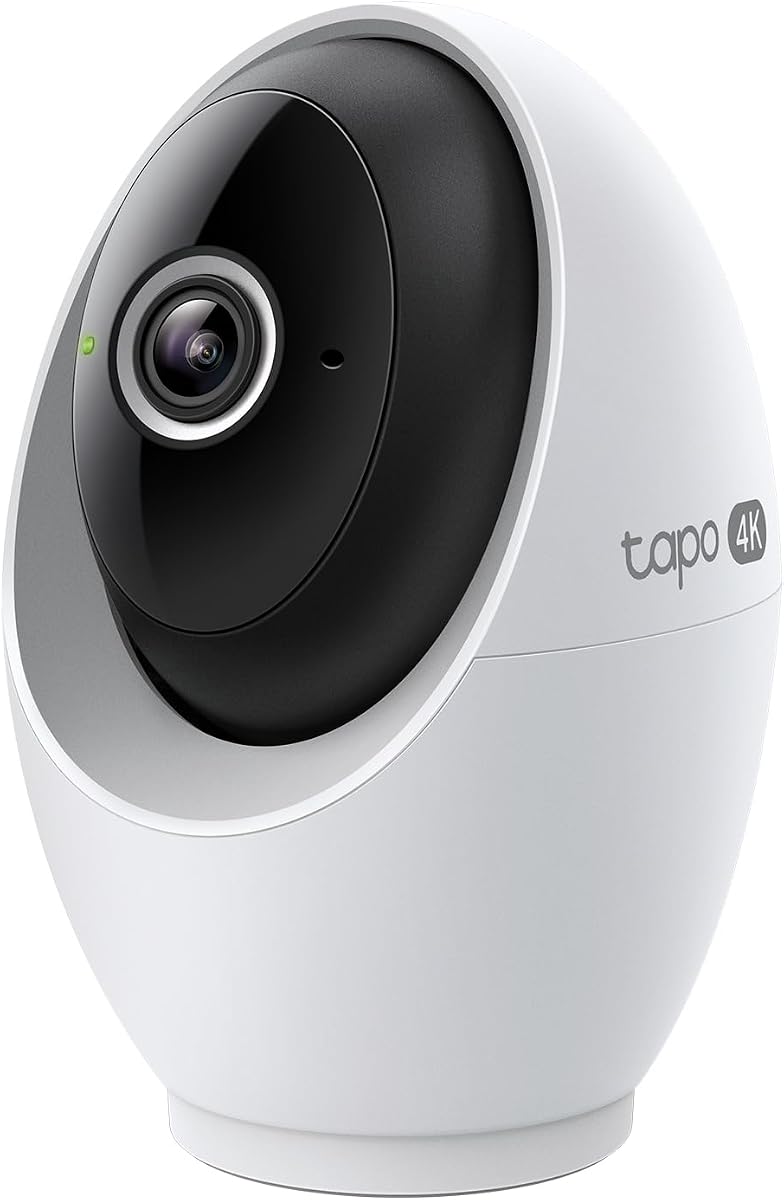
The Tapo C260 stands out as a top contender in the indoor wireless IP camera market with its stunning 4K resolution. It offers exceptional clarity that allows you to see fine details like facial features or text from across the room, making it ideal for detailed monitoring tasks.
We may earn a commission when you buy through this link, at no additional cost to you.
Its ability to pan and tilt covers nearly the entire room, ensuring no blind spots are left unchecked. The built-in AI detection accurately distinguishes between people, pets, and general motion, reducing false alarms significantly without requiring a paid subscription for basic alerts.
While it requires a power outlet which limits placement compared to battery models, the consistent performance outweighs this limitation for most users. The local storage option up to 512GB means you can keep historical footage without ongoing monthly fees which is a significant cost saver.
We recommend this camera for homeowners who prioritize image quality and privacy control. Its robust feature set and competitive pricing make it a versatile choice for monitoring living rooms nurseries or offices where detailed visual confirmation is essential for security.
The 4K resolution provides four times the detail of standard 1080p cameras allowing you to capture small objects clearly.
On-device AI keeps sensitive data local rather than sending it to the cloud which enhances your personal privacy significantly.
We may earn a commission when you buy through this link, at no additional cost to you.
The Tapo C120 delivers incredible value by offering 2K resolution at a price point that is accessible to almost any homeowner. Its versatility allows it to be used both indoors and outdoors which expands its utility beyond simple room monitoring to include entryways or covered patios.
We may earn a commission when you buy through this link, at no additional cost to you.
Installation is remarkably simple thanks to the magnetic base that lets you attach it to metal surfaces without tools. This feature makes it perfect for renters who want to avoid drilling holes or leaving permanent marks on walls while maintaining high-quality video surveillance coverage.
Although it lacks the pan tilt movement of more expensive models the wide viewing angle still covers most areas effectively. The color night vision adds a layer of detail during low light conditions that standard infrared cameras cannot provide enhancing your visibility at night.
This camera is ideal for those seeking reliable monitoring without breaking the bank. Whether you need to watch a driveway a front door or a living room the C120 offers solid performance and essential smart features without hidden costs or complex setups.
The magnetic base allows you to place the camera on fridges or railings instantly without tools or wall damage.
Full duplex audio lets you talk and listen simultaneously so conversations with family or delivery drivers feel natural.
We may earn a commission when you buy through this link, at no additional cost to you.
The eufy Security S350 takes premium monitoring to the next level with its dual lens design that shows a wide room view alongside a detailed close-up. This unique setup ensures you never miss context while still being able to zoom in on specific actions or objects clearly.
We may earn a commission when you buy through this link, at no additional cost to you.
Its 8x hybrid zoom is a standout feature that allows you to verify details like medication bottles or small objects without losing clarity. The camera automatically tracks movement of people and pets ensuring the lens remains focused on the subject even as they move around the space.
While it requires a HomeBase 3 unit for full functionality the local storage ensures your data remains private and secure. The absence of mandatory monthly fees for core features makes the higher upfront investment worthwhile for long-term use without recurring monthly expenses.
We recommend this camera for families who need detailed monitoring capabilities for children or elderly relatives. The combination of high-resolution video intelligent tracking and robust privacy features makes it a top choice for those prioritizing comprehensive home surveillance solutions.
Simultaneous wide and telephoto views give you context and detail on one screen for better situational awareness.
The system detects specific sounds like crying or barking and sends alerts only when those events occur.
We may earn a commission when you buy through this link, at no additional cost to you.
The eufy E30 brings 4K resolution to family monitoring with features designed for easy interaction. Its color night vision ensures that you can see details even in dark rooms without relying solely on black and white infrared which helps identify clothing or objects at night.
We may earn a commission when you buy through this link, at no additional cost to you.
The panoramic view mode allows you to sweep the room automatically so you do not have to manually adjust the camera constantly. This is particularly useful for pet owners who want to follow their animals across the room without constant input from their smartphone interface.
Integration with major smart home platforms like Alexa and Google Assistant makes it easy to view feeds on smart displays instantly. You can simply ask for the camera feed and it appears on your Echo Show or Google Display enhancing convenience for daily checks.
This camera is best suited for households already invested in smart home ecosystems. The ability to control and view the camera with voice commands combined with the high resolution video makes it a powerful tool for keeping track of your family remotely and efficiently.
A built-in spotlight provides enough light to capture color footage at night which reveals more detail than standard infrared.
Compatible with Google and Alexa you can check live streams with simple voice commands on your smart devices.
We may earn a commission when you buy through this link, at no additional cost to you.
The Ring Indoor Cam offers a streamlined approach to home security that integrates seamlessly with existing Ring devices. Its manual privacy cover provides a physical guarantee that the lens is blocked which adds peace of mind when you are home and want privacy.
We may earn a commission when you buy through this link, at no additional cost to you.
Advanced pre-roll captures a few seconds of video before a motion event triggers the recording which helps provide more context. This feature ensures you see what happened leading up to an event rather than just the moment the motion was detected by the sensor.
While it relies on a subscription for cloud storage the integration with Alexa allows for quick voice announcements and viewing. If you already have Ring doorbells or alarms this camera completes your ecosystem by offering consistent alerts and a unified app interface.
Ideal for users invested in the Ring ecosystem this camera provides reliable performance and strong privacy features. The simple setup and physical privacy controls make it a practical choice for those who want straightforward monitoring without complex configurations.
The manual privacy cover physically blocks the lens when closed ensuring absolute privacy without relying on digital toggles.
Pre-roll technology records seconds before motion happens so you understand what triggered the alert in context.
We may earn a commission when you buy through this link, at no additional cost to you.
The Amcrest 4MP camera delivers high resolution video at an affordable price point making it a solid choice for detailed monitoring. It supports H.265 compression which ensures that file sizes remain manageable even when recording at higher resolutions for extended periods of time.
We may earn a commission when you buy through this link, at no additional cost to you.
This model works well with local storage options allowing you to record directly to a MicroSD card or network storage device. This independence from cloud subscriptions is a major benefit for users who prefer to own their data and avoid monthly service fees for footage storage.
While it supports only 2.4GHz Wi-Fi which may be slower than 5GHz networks it ensures compatibility with most home routers. The remote pan and tilt functionality allows you to cover a wide area without moving the physical unit ensuring comprehensive room coverage easily.
We recommend this camera for tech-savvy users who want control over their data storage. Its ability to integrate with various NVR systems and its reliable performance make it a versatile option for homes needing robust local security solutions.
H.265 technology reduces bandwidth and storage needs while maintaining high quality video streaming and recording.
Recording to local devices means you control your footage and avoid reliance on third-party cloud servers for storage.
We may earn a commission when you buy through this link, at no additional cost to you.
The Amcrest 1080P WiFi camera offers a reliable and straightforward solution for basic home security needs. Its full HD resolution provides clear images during the day while the wide viewing angle helps capture more of the room without needing multiple units for coverage.
We may earn a commission when you buy through this link, at no additional cost to you.
Security is handled well with standard encryption protocols to protect your video feed from unauthorized access. The inclusion of two-way audio allows you to communicate through the camera which is useful for deterring intruders or checking in on pets during the day.
While it lacks the latest high-resolution features like 4K it remains a cost-effective option for those who need simple monitoring. The pan and tilt capabilities ensure you can adjust the view remotely to focus on specific areas when needed.
This camera is a good fit for users looking for a no-nonsense security tool. Its proven track record and essential features make it a dependable choice for monitoring basic areas like hallways or living spaces without advanced requirements.
SSL and HTTPS connections ensure that your video stream is encrypted and secure from potential interception.
Adjust the camera angle remotely to track movement or focus on specific spots in the room easily.
We may earn a commission when you buy through this link, at no additional cost to you.
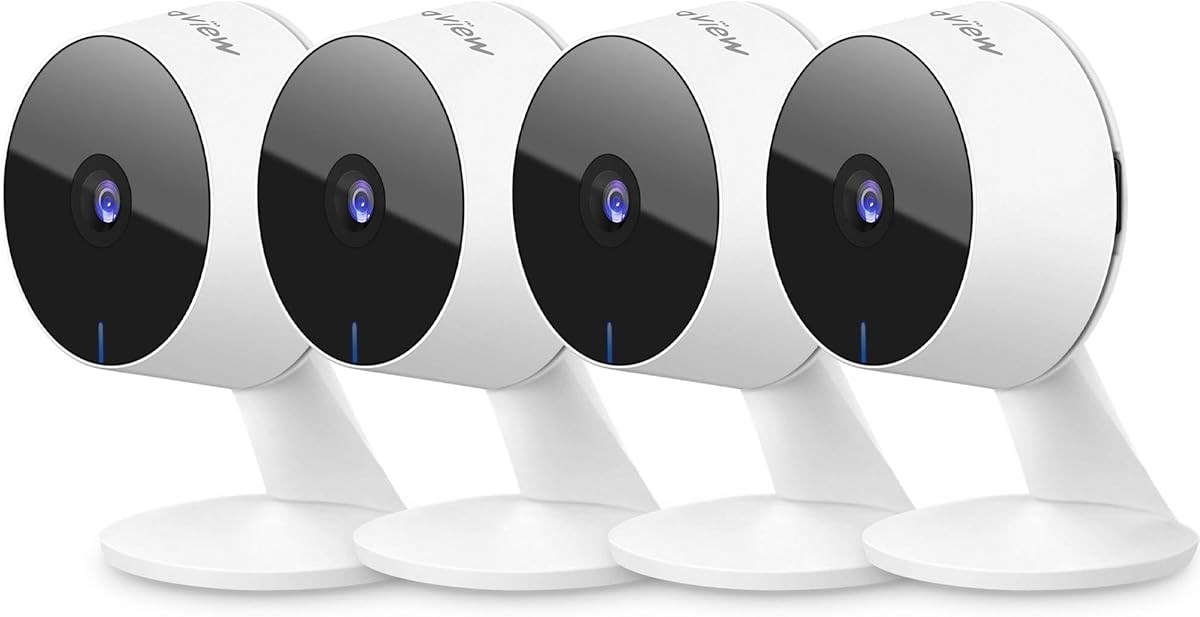
This four-pack bundle provides excellent value for those who need to monitor multiple rooms simultaneously. Having four cameras allows you to cover key areas like bedrooms and offices without investing in expensive individual units which helps maintain comprehensive home security.
We may earn a commission when you buy through this link, at no additional cost to you.
The inclusion of a built-in siren adds an active security feature that can deter intruders or startle pets if needed. This feature enhances the utility of the camera beyond passive monitoring to active intervention when an unusual event is detected.
Baby monitoring is a primary use case for these cameras due to their sensitivity to crying and sound detection. You can receive instant notifications when specific sounds occur which helps parents stay informed about their child's status without constantly checking the app manually.
We recommend this pack for families setting up a whole home security system on a budget. The ease of use and multi-device support make it an accessible entry point for anyone wanting broader coverage without significant financial investment.
A four-pack bundle ensures you can place cameras in every room to maintain a secure and connected home.
The built-in siren can be activated remotely to scare away intruders or warn pets without being present.
We may earn a commission when you buy through this link, at no additional cost to you.
The LaView four-piece bundle is an economical solution for covering multiple entry points or rooms in a home. Its web browser access allows you to view feeds without needing to install specific apps on every device which adds flexibility for checking security from a PC.
We may earn a commission when you buy through this link, at no additional cost to you.
Sharing access with up to 20 people makes this system ideal for larger households or small businesses where multiple users need visibility. This feature ensures that everyone can stay informed about home activity without compromising security or requiring complex user management.
While it relies on a 2.4GHz connection the performance remains steady for standard HD streaming and recording needs. The included trial for cloud storage gives you a chance to test remote backup capabilities before committing to a paid plan or local storage solutions.
This set is best for those needing broad coverage at a low cost. The ability to share access and view via a browser makes it a practical tool for monitoring larger spaces or shared living environments efficiently and economically.
Up to 20 people can access the feeds simultaneously making it perfect for families or shared workspaces.
View your cameras directly in a web browser which simplifies access on computers without requiring extra app downloads.
We may earn a commission when you buy through this link, at no additional cost to you.
The youkey S320 is designed for renters who need security without drilling holes or running wires. Its magnetic base allows you to attach it to any metal surface instantly making it versatile for quick setups in closets hallways or shelves.
We may earn a commission when you buy through this link, at no additional cost to you.
Built-in 8GB storage means you can record footage immediately without needing to buy an SD card or subscribe to cloud services. This feature ensures that you have immediate access to recent recordings whenever you need them without extra costs or hardware dependencies.
Battery life is optimized for efficiency so it lasts months on a single charge depending on activity levels. The ability to remove the camera from the base for charging simplifies maintenance and ensures you do not lose coverage during the recharge process.
This camera is perfect for temporary setups or those who value flexibility. Its wire-free design and strong magnetic mounting make it a convenient choice for monitoring specific areas where power outlets are scarce or inconvenient to access.
With a rechargeable battery and magnetic mount you can place the camera anywhere without cables or drilling.
Built-in memory ensures you can record footage immediately without extra cards or monthly subscriptions to manage.
We may earn a commission when you buy through this link, at no additional cost to you.
Selecting the right indoor wireless IP camera involves balancing resolution, connectivity, and storage options to suit your home security needs.
Video resolution determines how clear your footage will be when viewing details. Higher resolutions like 4K or 2K allow you to zoom in and see faces or text clearly compared to standard 1080p options which might appear blurry when zoomed.
Look for at least 1080p for general monitoring but consider 2K or 4K if you need to identify small details in your home.
Most indoor cameras connect via Wi-Fi but some require wired power which limits placement. Ensure your router supports the frequency your camera needs such as 2.4GHz or 5GHz for a stable connection without dropouts.
Choose a camera that connects easily to your home network to avoid frequent disconnections that could leave you without monitoring.
You can store footage locally on an SD card or remotely in the cloud. Local storage avoids monthly fees but requires you to manage the card physically while cloud storage offers offsite backup but often costs a subscription.
Decide if you prefer to pay monthly for convenience or invest in local hardware to save on long-term subscription costs.
Night vision allows you to see in low light conditions. Standard infrared shows black and white images but color night vision using spotlights provides more detail which helps identify objects at night better.
Check if the camera supports color night vision if you need to distinguish colors in dark environments like hallways or bedrooms.
Motion detection triggers recordings and alerts to your phone. Advanced models can distinguish between people and pets to reduce false alarms which saves battery and storage space by recording only relevant events.
Prioritize cameras with smart detection features to ensure you receive notifications only when they truly matter.
Privacy features like physical covers or local processing ensure your video feed is secure. Physical covers guarantee the lens is blocked when you are home while local processing keeps sensitive data off the cloud.
Look for cameras with physical privacy shutters if you want a guarantee that no one can see inside your home via the camera.
Compatibility with assistants like Alexa or Google allows voice control and easy viewing. This integration helps you check your camera feed on smart displays or receive announcements when motion is detected.
Select a camera that supports your existing smart home ecosystem to maximize convenience and automation options.
Some cameras are battery-powered while others need a constant power plug. Battery models offer placement freedom but need recharging whereas plug-in models provide continuous operation without maintenance downtime.
Decide between battery freedom and constant power based on where you plan to install the camera in your home.
To begin using your indoor wireless IP camera connect it to a power source and download the official app from your smartphone's app store. Follow the setup instructions to link the camera to your Wi-Fi network ensuring it receives a strong signal during the initial pairing process.
Regularly update the camera's firmware through the app to ensure it has the latest security patches and feature improvements. Check for updates monthly to maintain peak performance and protect your device from potential vulnerabilities.
Clean the camera lens gently with a soft dry cloth to remove dust or smudges that could affect video quality. Avoid using harsh chemicals or abrasive materials which could damage the lens coating or the casing of the camera over time.
Most indoor wireless IP cameras are not weatherproof and should not be used outdoors unless they have a specific IP66 rating. Exposure to rain or extreme temperatures can damage the internal components and electronics of indoor-only models.
No many wireless IP cameras offer local storage options via SD cards or internal memory that do not require a subscription. However cloud storage features and advanced alerts may require a paid service to access fully.
Secure your camera by using strong unique passwords and enabling two-factor authentication if available. Keep the firmware updated to patch security vulnerabilities and ensure your Wi-Fi network is encrypted with WPA2 or WPA3 protocols.
2.4GHz Wi-Fi has better range and penetration through walls while 5GHz offers faster speeds but less range. Most cameras use 2.4GHz for better compatibility but if you need high bandwidth check if the device supports 5GHz.
Yes you can view your camera feed from outside your home as long as the camera is connected to your Wi-Fi network. Your smartphone connects to the camera via the internet allowing you to check live footage remotely from anywhere.
Most wireless IP cameras record on motion detection to save storage space but some models support continuous recording. Check the settings in the app to choose if you want to record all the time or only when movement is detected.
Selecting the best indoor wireless IP camera involves balancing resolution, features, and budget to meet your specific home security needs. Whether you prioritize 4K clarity, privacy, or easy setup the options reviewed here offer robust solutions for modern households.
Consider your long-term needs such as storage preferences and smart home integration before making a purchase to ensure the system remains useful for years. Investing in a model with local storage can save money over time while maintaining high video quality.
Remember that prices and availability change regularly so verify the latest details before buying to get the best value. With the right setup your indoor wireless IP camera will provide peace of mind and reliable monitoring for your home.