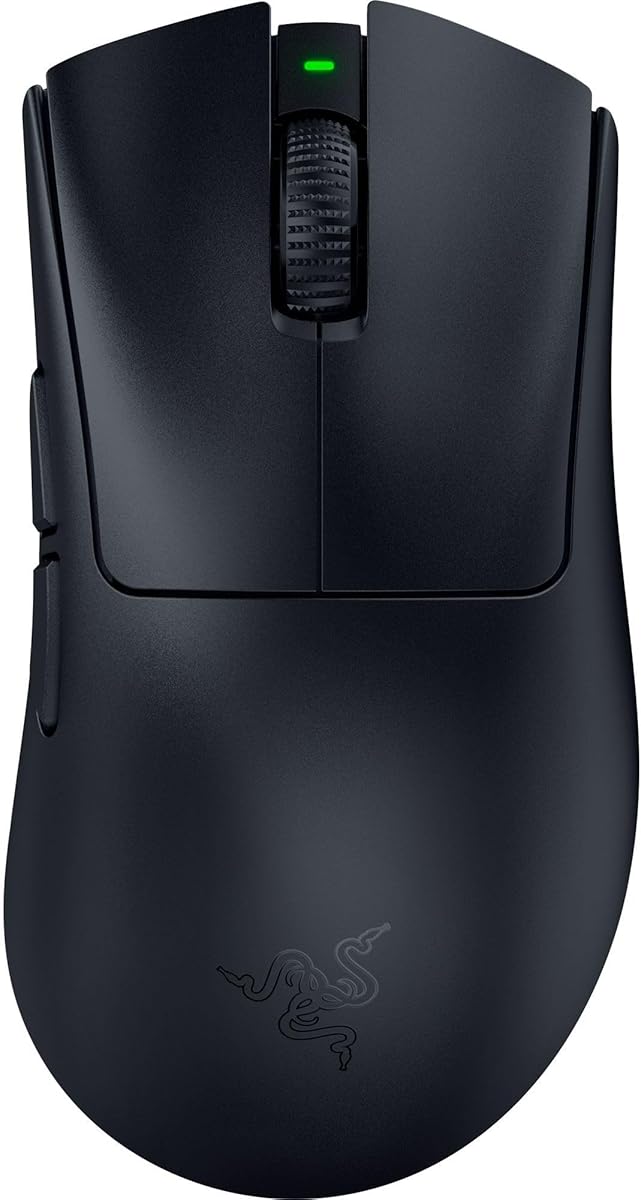
Razer DeathAdder V4 Pro
4.4Editor score
45K DPI Sensor
8K Polling Rate
56g Ultra Lightweight
This guide compares the top high DPI mice for 4K gaming precision, evaluating sensors, polling rates, ergonomics, and wireless performance for competitive play.
Finding the right mouse for 4K gaming precision is crucial for competitive players who demand accuracy. High DPI sensors allow for detailed tracking on large displays, ensuring every movement translates seamlessly to the screen without lag or jitter.
We evaluated ten top-rated gaming mice based on sensor quality, build durability, wireless latency, and ergonomic design. Each product was selected for its ability to handle high-resolution surfaces and provide consistent performance during intense gaming sessions.
Each pick highlights key features like optical switches, customizable buttons, and battery life. Please note that prices may fluctuate based on availability and promotions, so checking the current listings is recommended before making a purchase decision.
4.4Editor score

4.4Editor score

4.5Editor score
This side-by-side comparison highlights the technical specifications and unique features of each top-rated mouse to help you choose the right tool for your setup.
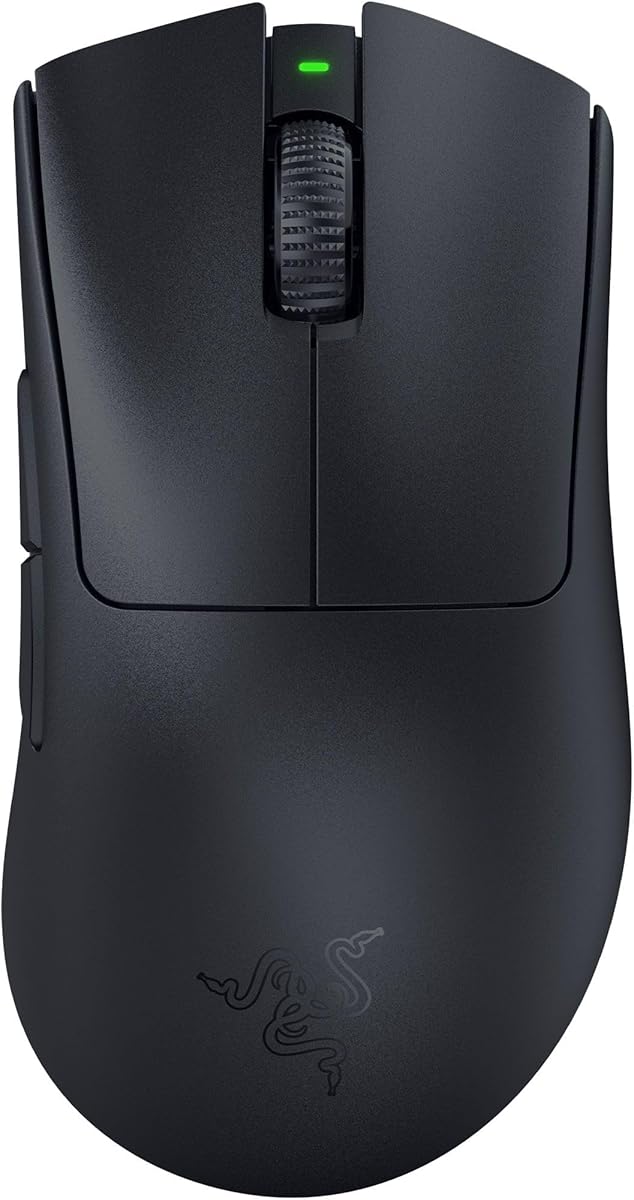




The Razer Basilisk V3 Pro is a standout wireless gaming mouse designed for players who prioritize precision and versatility. With a Focus Pro 35K Optical Sensor, it delivers top-tier tracking performance across various surfaces including glass.
We may earn a commission when you buy through this link, at no additional cost to you.
Its HyperScroll Tilt Wheel offers both tactile and free-spin modes, making navigation smooth in games and productivity apps. The mouse features thirteen customizable controls and Razer Chroma lighting, enhancing both function and immersion during gameplay.
While the battery life is impressive, lasting up to 140 hours on HyperSpeed wireless, the mouse is heavier than ultra-light competitors. This added weight might take adjustment for players who prefer featherlight peripherals for fast movements.
Ideal for gamers who want a high-end mouse with extensive programmability, the Basilisk V3 Pro offers a complete package of performance, comfort, and style. It is a strong choice for anyone looking to upgrade their 4K gaming setup.
The 35K Optical Sensor ensures pixel-perfect accuracy, making it ideal for high-resolution gaming where even the smallest movement matters.
With a battery life of up to 140 hours, you can enjoy long sessions without frequent recharging, ensuring consistent performance.
We may earn a commission when you buy through this link, at no additional cost to you.
The Razer DeathAdder V3 Pro maintains the iconic ergonomic shape that millions love while delivering modern performance. Weighing just 63 grams, it offers speed and control favored by top esports players for competitive gaming.
We may earn a commission when you buy through this link, at no additional cost to you.
Its Focus Pro 30K Optical Sensor provides flawless tracking on a wide variety of surfaces, including glass, with intelligent functions that enhance aim. The optical mouse switches Gen-3 ensure reliable clicks with zero double-click issues over millions of cycles.
The battery life reaches up to 90 hours, which is solid but not the longest in this class. However, the reduced weight and streamlined connectivity compensate well, providing a smooth and stable experience in noisy wireless environments.
This mouse is best for those who prioritize ergonomics and speed over extra programmable buttons. If you want a reliable, comfortable wireless mouse that supports competitive play on any surface, the DeathAdder V3 Pro is an excellent choice.
At 63 grams, the V3 Pro reduces fatigue during long sessions while maintaining the trusted ergonomic shape that fits naturally in the hand.
Gen-3 optical switches offer a 0.2ms actuation speed and a 90-million click lifecycle for consistent, fast, and durable performance.
We may earn a commission when you buy through this link, at no additional cost to you.
The Razer Basilisk V3 Pro Custom offers a highly customizable experience with its iconic ergonomic form and extensive lighting options. Favored by millions, its shape supports cutting-edge ergonomics and endless customizability for various playstyles.
We may earn a commission when you buy through this link, at no additional cost to you.
It features a Focus Pro 30K Optical Sensor for flawless tracking and intelligent functions that improve aim. The HyperScroll Tilt Wheel allows switching between free-spin and tactile modes, adding flexibility for both gaming and browsing.
Battery life is a highlight, offering up to 150 hours on Bluetooth and 110 hours on HyperSpeed wireless. However, using the advanced HyperPolling Wireless Dongle reduces this significantly, which is worth noting for power users.
If you want a mouse that adapts to your exact needs with deep software integration, the Basilisk V3 Pro Custom is a strong contender. Its blend of performance, comfort, and aesthetics makes it a versatile tool for many gamers.
Thirteen zones of Chroma lighting react dynamically with games, creating an immersive setup that enhances your gaming environment.
HyperSpeed wireless technology offers ultra-responsive gaming speeds, and you can switch modes for different needs without sacrificing performance.
We may earn a commission when you buy through this link, at no additional cost to you.
The Razer DeathAdder V4 Pro delivers pro-level speed with an ultra-light 56g frame, enabling faster swipes and precise tracking for esports. Its re-engineered ergonomic shape ensures comfort during intense competitive sessions.
We may earn a commission when you buy through this link, at no additional cost to you.
It features a Focus Pro 45K Optical Sensor with 99.8% accuracy, ensuring reliable tracking across all surfaces for shooters and MOBAs. With up to 8000 Hz polling, the connection is ultra-stable and responsive in high-stakes scenarios.
The optical scroll wheel and Gen-4 switches offer tactile feedback and durability up to 100 million clicks. You can switch seamlessly between wireless and wired modes while maintaining high polling rates for flexibility.
Ideal for serious gamers who want the best-in-class performance, the V4 Pro offers unmatched precision and speed. While it comes at a premium price, the features justify the cost for those seeking a competitive edge.
With 8K polling and 45K DPI, this mouse provides the fastest and most accurate tracking available for competitive gaming demands.
Seamlessly switch between wireless and wired modes to suit your environment, ensuring consistent performance with up to 8K polling.
We may earn a commission when you buy through this link, at no additional cost to you.
The GravaStar Mercury M1 Pro stands out with its robust magnesium alloy construction and ergonomic design. It reduces fatigue during long sessions while providing crisp tactile buttons for accurate clicks.
We may earn a commission when you buy through this link, at no additional cost to you.
Equipped with a PAW3395 sensor, it delivers pixel-perfect accuracy and a blazing-fast 4K polling rate. You can switch instantly between 2.4G, Bluetooth, and wired modes, giving you flexibility for gaming and everyday use.
Battery life is impressive, lasting up to 200 hours on Bluetooth. While it is slightly heavier than ultra-light options, the sturdy build and smooth receiver provide a rock-solid stability that many gamers appreciate.
If you are looking for a premium feel without a high price tag, the M1 Pro is a great option. It balances durability, performance, and versatility, making it a strong choice for budget-conscious gamers who want quality.
The magnesium alloy body ensures longevity and reduces flex, while the ergonomic shape fits naturally in the hand for all-day comfort.
Tri-mode support allows seamless switching between low-latency wireless and Bluetooth, ensuring you stay connected without interruptions.
We may earn a commission when you buy through this link, at no additional cost to you.
The ATTACK SHARK RS3 ULTRA features a premium carbon-fiber hybrid shell that offers enhanced strength while keeping the weight down to 63g. This ensures a stable and refined texture for competitive gaming.
We may earn a commission when you buy through this link, at no additional cost to you.
Powered by Nordic 54L15 processing and an 8K receiver, it supports up to 8,000Hz polling in both wireless and wired modes. The click latency is as low as 0.168ms, ensuring ultra-responsive performance in fast-paced games.
Its PAW3955MAX optical sensor supports up to 52,000 DPI with precise 1-DPI adjustments, and the battery can last up to 800 hours at 1,000Hz. The browser-based driver allows customization without installing desktop software, simplifying setup.
For gamers seeking a lightweight, high-performance mouse without the need for complex software, this is a top contender. Its low-latency performance and high-end specs make it an excellent choice for esports-focused users.
Advanced processing and 8K receiver technology ensure minimal delay, giving you a competitive edge in every match.
The optical sensor supports up to 52,000 DPI, allowing for precise micro-adjustments and fast flicks on any surface.
We may earn a commission when you buy through this link, at no additional cost to you.
The Logitech G502 Hero is a classic wired gaming mouse that offers precision tracking up to 25600 DPI. It is fully customizable with 11 programmable buttons and a dual-mode hyper-fast scroll wheel.
We may earn a commission when you buy through this link, at no additional cost to you.
You can match your playing style with adjustable weights, arranging up to five 3.6 g weights for a personalized balance. The HERO sensor provides sub-micron accuracy, tracking movements less than one millionth of a meter.
While it lacks wireless convenience, the mechanical switches offer a crisp, clean click feel with rapid feedback. The LIGHTSYNC technology allows for customizable RGB lighting that can synchronize with your gaming environment.
If you prefer a sturdy, highly customizable mouse and do not need wireless freedom, the G502 Hero is a fantastic choice. Its versatility and build quality make it a staple for gamers who want total control.
Adjustable weights allow you to tailor the mouse to your exact preference, enhancing control and comfort during use.
The HERO sensor delivers tracking with zero smoothing or filtering, ensuring that every movement is translated accurately.
We may earn a commission when you buy through this link, at no additional cost to you.
The Redragon M916 Wireless is the lightest mouse from the brand at just 49 grams, designed for speed and control. It is armed with Redragon's first 4K transmission tech for precise tracking and fast movement.
We may earn a commission when you buy through this link, at no additional cost to you.
You can choose between 2.4GHz, Bluetooth, and wired modes to suit your needs. The mouse supports 5 definable DPI levels and offers 5 programmable buttons that can be customized with tactical keybinds.
Its ergonomic grip reduces fatigue during long hours of gaming or work, making it suitable for extended sessions. While the driver support is straightforward, it may not offer the deep customization of high-end brands.
If you need a budget-friendly, lightweight wireless mouse that performs well in gaming, the M916 is a solid option. It provides excellent value with high specs at an accessible price point.
At 49 grams, the mouse is extremely light, allowing for faster swipes and reduced fatigue during long sessions.
Multiple connection modes ensure you can stay connected across different devices and environments with minimal lag.
We may earn a commission when you buy through this link, at no additional cost to you.
The Razer Basilisk V3 Wired features an iconic ergonomic design with a thumb rest to support the hand during long gaming sessions. It includes 11 programmable buttons for easy access to macros and secondary functions.
We may earn a commission when you buy through this link, at no additional cost to you.
Its Focus Plus 26K DPI optical sensor ensures pixel-precise accuracy with intelligent functions that track movement flawlessly. The optical switches Gen 2 provide a 0.2ms actuation speed and last up to 70 million clicks.
The HyperScroll Tilt Wheel offers both free-spin and tactile modes, ideal for both fast navigation and precision control. While it lacks wireless freedom, the wired connection ensures zero latency and consistent performance.
This mouse is a great choice for gamers who prefer wired reliability and ergonomic comfort without breaking the bank. It delivers professional-grade features at a competitive price, making it a top pick for many.
The shape is favored by millions and provides comfortable support, reducing strain during extended gaming sessions.
Gen 2 optical switches deliver rapid, reliable execution with zero unintended misclicks for consistent control.
We may earn a commission when you buy through this link, at no additional cost to you.
The Logitech G703 Lightspeed offers pro-level responsiveness and connectivity for long-lasting gameplay. Its design brings together comfort, durability, and performance with rubber side grips and an ergonomic shape.
We may earn a commission when you buy through this link, at no additional cost to you.
The HERO 25K sensor provides 1:1 tracking with zero smoothing or acceleration. POWERPLAY wireless charging lets you keep the mouse charged while at rest or play if you add the optional system.
Advanced button technology with metal-spring tensioning keeps primary buttons poised to trigger with less force. This ensures exceptional button feel and response, making every click consistent and reliable.
Ideal for gamers who prioritize comfort and wireless freedom, the G703 is a versatile choice. While it is heavier than ultra-light options, its build quality and features offer a stable and comfortable experience.
Add the POWERPLAY system to keep your mouse charged during rest and play, ensuring uninterrupted performance.
Rubber grips and advanced button technology ensure the mouse feels comfortable and responsive during extended use.
We may earn a commission when you buy through this link, at no additional cost to you.
Selecting the right gaming mouse involves evaluating several technical and physical factors to ensure it matches your gameplay style and needs.
High DPI sensors allow for detailed tracking on large displays, essential for 4K gaming. Look for sensors with high accuracy and adjustable settings to match your preferences.
Prioritize mice with sensors that offer zero smoothing and acceleration to ensure your movements are translated precisely to the screen.
A high polling rate ensures faster communication between the mouse and PC. For competitive gaming, rates of 1000Hz or higher are recommended, with 4K or 8K options for extreme precision.
Low latency is crucial for responsiveness, so check that the mouse supports fast polling rates in both wireless and wired modes.
Comfort is key for long gaming sessions. Ergonomic designs that fit your hand shape reduce fatigue and improve control. Consider size, shape, and button placement before buying.
Look for mice with rubber grips or textured surfaces to prevent slipping, ensuring comfort and control during extended play.
Lightweight mice are preferred for fast movements and quick flicks. However, some players prefer heavier builds for stability. Consider your personal preference for weight distribution.
Durable materials like magnesium alloy or carbon fiber ensure longevity. Check the build quality to ensure the mouse can withstand intense use.
Wireless mice offer freedom of movement, but battery life matters. Look for options with at least 50 hours of life for uninterrupted play, and consider power-saving features.
Ensure the mouse supports multiple connectivity modes, such as 2.4GHz and Bluetooth, to suit different setups and reduce latency.
Customizable buttons allow for macros and complex commands. More buttons provide greater flexibility for MMORPGs and productivity tasks.
Choose a mouse with intuitive software that makes it easy to customize settings and remap buttons to your liking.
A versatile scroll wheel with tactile and free-spin modes enhances navigation. This is useful for both gaming and browsing.
Features like RGB lighting can add immersion, but focus on functional features like optical switches for better reliability and speed.
Regularly clean the sensor lens with a soft, dry cloth to ensure accurate tracking. Dust or debris on the sensor can cause jitter and affect performance during play.
Adjust the DPI settings using the dedicated buttons or software to find the right balance for your 4K monitor. Test different values to find what feels most comfortable for aiming.
For wireless mice, charge them fully before extended sessions to avoid interruptions. Store them in a cool, dry place to protect the battery and electronics from damage.
For 4K gaming, a DPI between 1600 and 3200 is often ideal to balance precision and speed. However, the best DPI depends on your personal preference and how much you prefer cursor movement.
Yes, higher polling rates like 4K or 8K provide faster updates to your PC, reducing input lag. This is beneficial for competitive play where every millisecond counts for precise movements.
Optical switches use light to register clicks, offering faster actuation and eliminating debounce delay. They are less prone to double-click issues, making them highly reliable for competitive gaming.
Modern wireless gaming mice with low latency and high-speed polling work excellently on 4K monitors. Look for brands with proprietary wireless tech to ensure performance matches wired options.
To reduce jitter, ensure your mouse has a high-quality sensor and is used on a suitable surface. Clean the sensor lens regularly and adjust your mouse settings to optimize performance.
An ergonomic mouse fits naturally in your hand to reduce strain. Look for shapes that support your palm and fingers, along with comfortable grip materials and balanced weight distribution.
Choosing the right high DPI mouse for 4K gaming depends on balancing precision, ergonomics, and features. The top picks reviewed here offer exceptional performance and reliability for competitive and casual play.
Consider your personal preferences regarding weight, connectivity, and budget when making your decision. Prioritize mice that support your playstyle and ensure they offer the tracking accuracy you need for large displays.
Always check current listings and reviews before buying to ensure you get the latest features and best value. With the right mouse, you can enhance your gaming experience and perform at your best on 4K screens.