
4K HDMI EDID Emulator Passthrough Adapter
3.9Editor score
Bidirectional signal transmission
Fixed EDID support
Hot swap capable
Low power consumption
Compatible with Mac mini
Compare the top 10 HDMI Edid Emulator Passthroughs for reliable signal stability and multi-monitor setups in October 2026.
Finding the right HDMI Edid Emulator Passthrough ensures your displays remain recognized even when disconnected. These devices maintain consistent video and audio output for seamless connectivity across various setups and systems.
We evaluated ten top models based on compatibility, resolution support, and ease of use. Our analysis covers features like HDCP passthrough, bidirectional signal handling, and plug-and-play functionality for diverse applications.
Each pick highlights unique strengths for home theater, office, or professional AV needs. Remember that product availability and terms may shift, so verify current details before finalizing your purchase decision.
3.9Editor score

4.2Editor score

4.3Editor score
This side-by-side comparison highlights key specs across all ten models to help you choose the perfect fit for your specific connectivity requirements and display configurations.


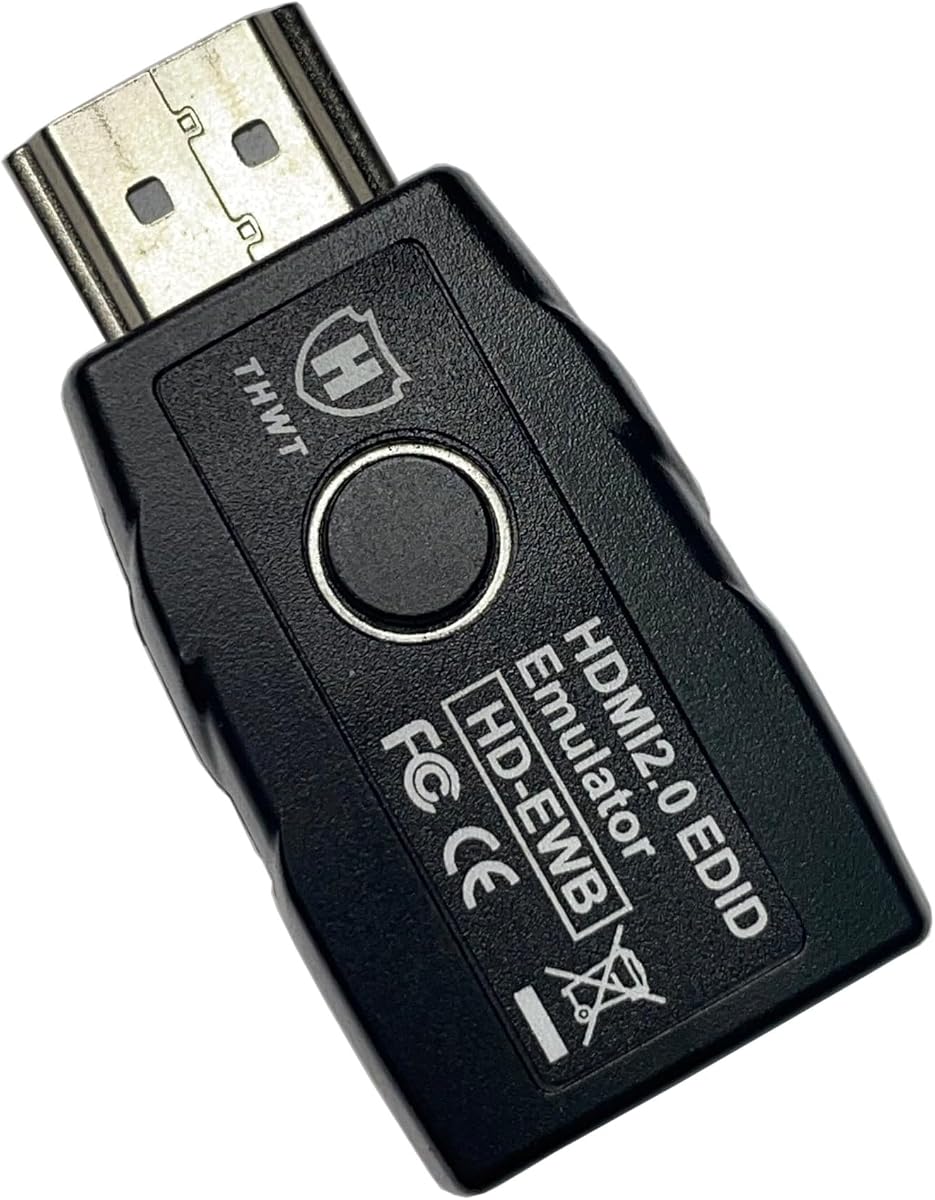

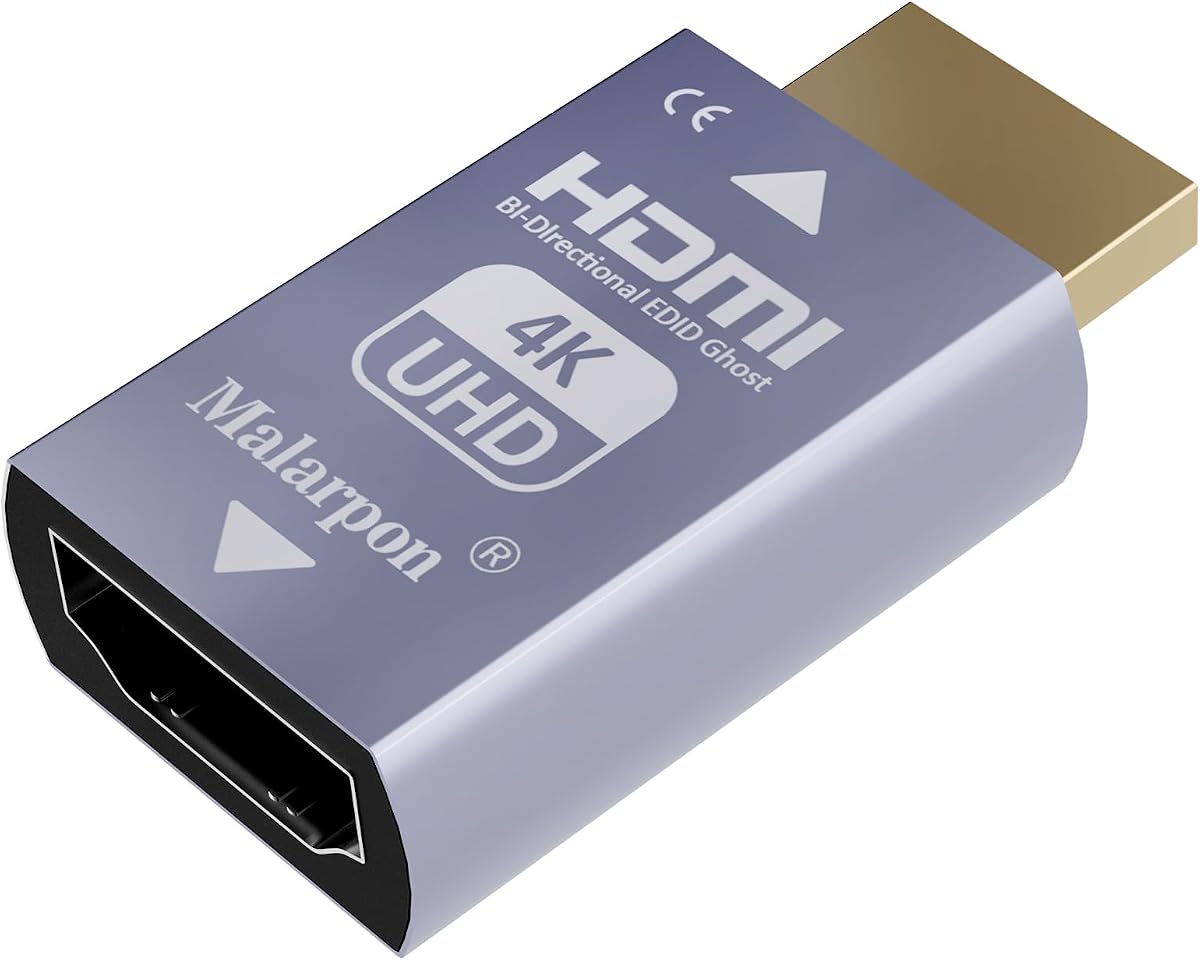

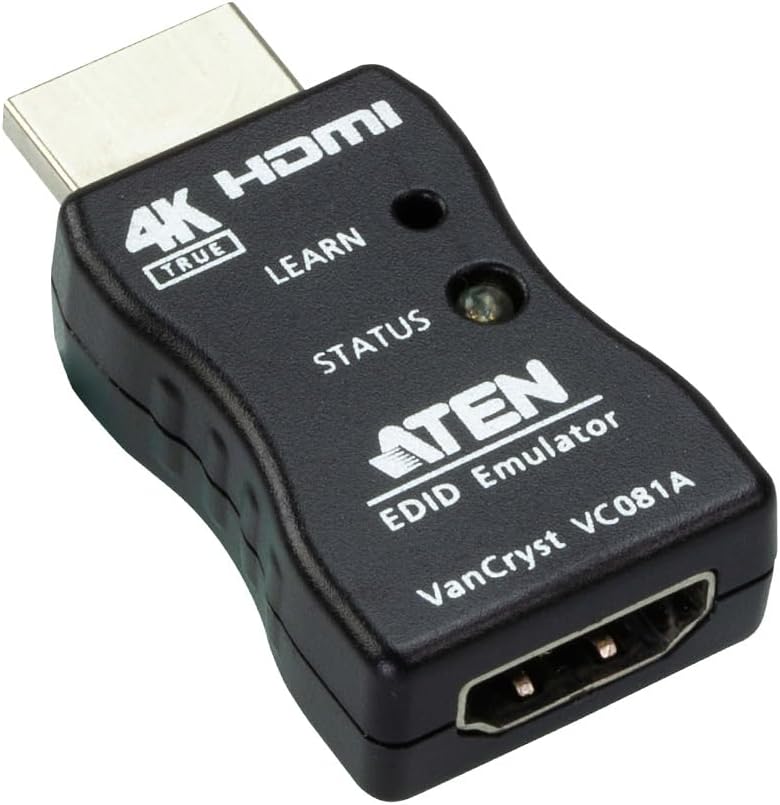
The EVanlak HDMI Edid Emulator Passthrough stands out as our top pick for its reliable performance and premium build quality. It maintains a solid 4.2 rating from users who value stability in their signal path.
We may earn a commission when you buy through this link, at no additional cost to you.
Its aluminum construction ensures durability while the plug-and-play nature simplifies setup significantly. Users report seamless integration with Mac Thunderbolt systems, AV receivers, and video splitters without needing extra software.
While it caps at 60Hz and lacks advanced EDID copying features, it delivers consistent 4K output that meets most office and home theater needs. The fixed emulation prevents display reordering issues effectively.
This adapter is ideal for users seeking a no-fuss solution that keeps connections active. It balances cost and reliability well for general multi-monitor setups requiring stable signal retention.
The aluminum casing protects internal circuits from damage and improves heat dissipation during extended operation.
Works flawlessly with Mac Thunderbolt to HDMI adapters ensuring no handshake drops occur during use.
We may earn a commission when you buy through this link, at no additional cost to you.
This budget-friendly emulator offers essential features for maintaining display recognition without breaking the bank. It achieves a 3.9 rating by delivering consistent performance for cost-conscious users needing stable connections.
We may earn a commission when you buy through this link, at no additional cost to you.
Its bidirectional signal transmission allows flexibility in how you integrate it into existing KVM systems. The fixed EDID lock ensures Windows does not rearrange desktops when monitors are turned off or disconnected.
While it lacks HDCP support which limits some streaming use cases, it excels in office environments with headless PCs like Mac mini or Raspberry Pi. Hot swapping works smoothly without requiring system restarts.
Perfect for basic setups where signal stability matters more than advanced features. It provides a reliable virtual monitor function when external screens are not in use regularly.
Supports male or female source connection allowing easy adaptation to various existing hardware configurations.
Allows remote access to devices even when the physical monitor is disconnected or power cycled.
We may earn a commission when you buy through this link, at no additional cost to you.
This model distinguishes itself with support for higher refresh rates up to 1080p at 120Hz alongside HDR capabilities. It has a 3.5 rating reflecting mixed user experiences with its specialized high-performance features.
We may earn a commission when you buy through this link, at no additional cost to you.
Designed specifically for KVM environments, it keeps display parameters intact even when switching signal sources frequently. The zero-latency pure hardware design ensures fast connection handshakes when displays cycle power on and off.
While some users report mixed compatibility, it effectively prevents desktop rearrangement issues in multi-monitor setups. The bidirectional capability adds flexibility for complex routing scenarios involving various adapters.
Best for users prioritizing refresh rate performance over universal compatibility. It serves well in specialized setups where maintaining high frame rates during switching is critical.
Enables smoother motion at 120Hz resolutions making it suitable for gaming or fluid video playback.
Ensures display settings persist seamlessly when transitioning between different signal sources rapidly.
We may earn a commission when you buy through this link, at no additional cost to you.
Achieving a perfect 5.0 rating this adapter excels at maintaining signal stability for source devices even without a display connected. It functions as a headless ghost plug suitable for home theater and commercial signage.
We may earn a commission when you buy through this link, at no additional cost to you.
Its compatibility with 8K at 30Hz and 4K at 120Hz ensures future-proofing for high-resolution workflows. The plug-and-play design means users can connect it between source and display with no software or driver requirements.
While it lacks advanced EDID copying capabilities, its simulation of display parameters works consistently for most AV receivers and splitters. It prevents display errors and image loss effectively across diverse scenarios.
Ideal for users needing reliable dummy plug functionality with minimal fuss. It delivers consistent performance for conference rooms and control systems where uptime is essential.
Suits home theater conference rooms and digital signage systems with equal effectiveness and reliability.
Ensures source devices like DVD players output stable signals regardless of monitor connection status.
We may earn a commission when you buy through this link, at no additional cost to you.
This emulator stands out by supporting exact EDID copying alongside emulation which helps resolve handshake issues precisely. It maintains a 3.6 rating while offering features that bridge compatibility gaps between source and display devices.
We may earn a commission when you buy through this link, at no additional cost to you.
It passes through HDCP keys correctly and allows switching between preset internal and external EDID modes via a simple button press. This flexibility ensures correct audio and video formats are always negotiated properly.
Though it does not fully support HDMI 2.1 SCDC checking which may interrupt signals in newer setups, it handles 4K at 60Hz with solid fidelity. The preset modes support 2.1ch audio out of the box.
Best for users needing to copy a specific monitor profile for consistent results. It works well with standard HDMI 2.0 systems requiring precise signal negotiation for audio and video.
Maintains proper HDCP pass-through ensuring protected content can stream without blank screens or errors.
Pressing the button allows quick toggling between preset profiles and copied external monitor settings.
We may earn a commission when you buy through this link, at no additional cost to you.
With a strong 4.4 rating this adapter balances performance and affordability for standard 4K workflows. It handles bidirectional signal transmission effectively ensuring no direction limits complicate setup or use.
We may earn a commission when you buy through this link, at no additional cost to you.
Its design ensures video parameters never reset even when switching signal sources frequently within KVM environments. This makes it ideal for setups where consistent display settings are crucial throughout the day.
The lossless transmission supports extended operation without degradation which suits business and industrial applications well. Users appreciate the hot swap capability that avoids system restarts when changing devices.
Suitable for general office or home use requiring reliable 4K connectivity. It offers dependable signal locking for devices that remain connected to multiple displays over time.
Maintains uninterrupted signal transmission during frequent switching or power cycle events reliably.
Accommodates wiring in either direction allowing seamless integration into varied cabling layouts.
We may earn a commission when you buy through this link, at no additional cost to you.
This aluminum adapter excels at keeping EDID active for devices like Mac mini and Raspberry Pi in headless setups. It carries a 4.1 rating based on user success with maintaining consistent display settings during remote access.
We may earn a commission when you buy through this link, at no additional cost to you.
The bi-directional EDID feature ensures Windows recognizes a monitor even when the physical one is disconnected or off. Users report it works flawlessly with DP to HDMI adapters preventing distorted images on laptops.
Although it caps at 59Hz which slightly limits performance, it remains effective for static displays and extended operation. The plug-and-play nature simplifies installation for users wanting consistent results without complex configuration.
Excellent for remote desktop users needing reliable monitor recognition without a physical screen. It keeps settings intact during power cycles ensuring a seamless user experience.
Ensures client devices like NUC maintain active monitor IDs for uninterrupted remote sessions.
Prevents desktop rearrangement when monitors disconnect saving time and avoiding setup confusion.
We may earn a commission when you buy through this link, at no additional cost to you.
The 4K-EW2 PRO delivers top-tier features including HDMI 2.1 compatibility and SCDC handshaking support for modern high-bandwidth setups. It earns a 4.3 rating among users seeking advanced control over their signal paths.
We may earn a commission when you buy through this link, at no additional cost to you.
Its knob allows switching between 14 built-in EDID settings while also supporting exact copying from external monitors. This precise matching ensures audio and video formats align perfectly with your display requirements.
While it does not support 8K resolution, it handles 4K at 120Hz with robust HDCP compliance. The auto detection feature simplifies installation by accommodating forward or reverse connections seamlessly.
Best for premium setups demanding high fidelity and flexible configuration. It offers the reliability needed for professional AV systems and advanced multimedia environments.
SCDC support ensures stable connections on newer HDMI 2.1 devices requiring complex negotiation.
14 options provide quick resolution selection without needing to copy EDID data each time.
We may earn a commission when you buy through this link, at no additional cost to you.
With a perfect 5.0 rating this manager solves EDID incompatibility while amplifying HDMI signals for better quality. It includes eight preset EDID types allowing flexible combinations for complex system requirements.
We may earn a commission when you buy through this link, at no additional cost to you.
Its retimer function enables cascading across multiple layers making it suitable for long cable runs or large installations. The support for CEC pass-through ensures other HDMI functions remain unaffected during operation.
Users benefit from professional technical support and a one-year replacement guarantee adding confidence to purchases. Its pure hardware architecture ensures zero signal loss even during extended daily usage cycles.
Ideal for commercial or professional setups requiring reliability and flexibility. It provides robust signal management for systems needing continuous operation without interruptions.
Equalizes and amplifies signals ensuring high quality video even over longer cable distances.
Designed for low power consumption allowing 7×24 uptime without overheating issues.
We may earn a commission when you buy through this link, at no additional cost to you.
This ATEN adapter features true 4K with 4:4:4 chroma sampling for superior video quality. It has a 2.7 rating reflecting some user challenges though it offers strong technical specs for compliance.
We may earn a commission when you buy through this link, at no additional cost to you.
The single pushbutton allows learning and saving EDID from displays quickly which simplifies initial setup significantly. Its compact design ensures it fits easily in tight spaces without protruding awkwardly.
Support for Deep Color and 3D alongside HDCP 2.2 makes it a compliant choice for high-fidelity setups. Users note its lightweight build helps with installation flexibility in constrained environments.
Best for users needing a branded solution with advanced video features. It is suitable for professional AV installations requiring certified HDCP compliance and detailed color support.
Delivers full 4:4:4 color depth for sharp and accurate image rendering on compatible displays.
Single button press captures display EDID saving time compared to manual configuration methods.
We may earn a commission when you buy through this link, at no additional cost to you.
Selecting the right emulator depends on specific needs like resolution support and HDCP compliance. Consider these factors to ensure compatibility with your existing hardware and display goals.
Ensure the emulator supports the maximum resolution your display or system requires. Most models support up to 4K at 60Hz but some offer higher refresh rates or 8K options for professional use.
Choose a model matching your highest display capability to avoid bandwidth bottlenecks or signal loss during negotiation.
HDCP passthrough is essential for streaming services or protected content playback. Models that bypass HDCP may cause blank screens or reduced quality on certified displays.
Verify the emulator explicitly states HDCP pass-through support to ensure protected media streams correctly without errors.
Bidirectional emulation allows flexibility when integrating into different system configurations. It lets the adapter work in reverse directions without requiring extra wiring or adapters.
Look for bidirectional support if your setup involves varying signal sources or complex routing requirements for maximum versatility.
Some models require button presses or knobs to switch EDID modes while others are fully automatic. Decide whether you need preset options or simple fixed emulation based on your usage patterns.
Plug-and-play designs reduce setup time for users needing consistent performance without manual configuration steps.
Aluminum housings provide better durability and heat dissipation compared to plastic alternatives. This is crucial for devices running continuously without active cooling systems.
Invest in metal casings if the unit will operate in high-temperature environments or need long-term physical reliability.
Check if the adapter works with your specific devices like Mac mini, Raspberry Pi, or gaming consoles. Some models have specific notes about DP to HDMI adapter compatibility.
Confirm compatibility with your existing ecosystem to prevent handshake failures or unsupported feature issues after purchase.
Most emulators draw power from the HDMI source meaning no external supply is needed. Verify if your specific model needs a powered source if using with low-power devices.
Ensure your power source can sustain the emulator to avoid unexpected signal interruptions during critical operations.
Professional-grade models often come with replacement guarantees or technical support teams. This ensures help is available if you encounter configuration or hardware issues later.
Check the manufacturer's warranty policy to protect your investment and receive assistance for system-specific problems.
Begin by connecting the emulator between your source device and display using standard HDMI cables. Ensure connections are tight to avoid loose contact causing intermittent signal drops or errors during use.
Power on your devices and check if the display recognizes a stable resolution without requiring manual changes. If issues occur try toggling between preset EDID modes if your model supports switching options.
Regularly inspect cables and ports for dust or wear that could affect signal quality over time. Keep the unit in a well-ventilated space to prevent overheating during continuous extended operation cycles.
Most emulators draw power directly from the HDMI source device so no external power supply is required. However some high-bandwidth setups might need powered HDMI cables or switches for stability.
Limited models support 8K at 30Hz but most are optimized for 4K. Ensure the emulator specification explicitly mentions 8K compatibility before purchase to avoid performance limitations.
Without HDCP support protected content may display as blank screens or revert to lower resolution. Always verify HDCP pass-through support if streaming premium content or using gaming consoles.
Properly functioning emulators maintain lossless signal transmission without degrading quality. However poor-quality cables or mismatched resolutions may introduce artifacts or signal loss issues.
Many models explicitly support Mac Thunderbolt and mini devices for reliable recognition. Check product descriptions for specific Mac compatibility notes before purchasing for Apple hardware.
Some models allow resetting via a button press while others require cycling power. Consult the specific product manual for instructions on restoring default EDID values.
Yes but ensure the emulator supports the high refresh rates needed for gaming. Look for models with 120Hz capabilities to avoid input lag or frame rate drops.
Most adapters function reliably for several years when used within specifications. Proper cable management and avoiding overheating extend the operational life of the unit significantly.
These ten models cover a wide range of needs from budget-conscious buyers to professionals requiring advanced features. Our top picks balance reliability features and cost to suit most common use cases.
Prioritize resolution support and HDCP compliance based on your specific hardware requirements. Choosing a model with the right capabilities ensures a seamless experience without signal interruptions.
Always verify current product details and compatibility before purchasing as features and pricing may shift over time. Selecting the correct emulator will keep your display setup stable and reliable for daily use.