
GIGABYTE B550 Gaming X V2
4.5Editor score
Affordable AM4 option
Solid VRM design
Reliable connectivity
This comprehensive guide compares the top Gigabyte motherboards across AM5, AM4, and Intel sockets to help you find the perfect board for your next PC build.
Choosing the right motherboard is a critical step in building a reliable and high-performing computer system. Gigabyte offers a vast array of options that cater to different budgets and performance needs.
We have evaluated ten standout models based on their power delivery, thermal management, connectivity options, and overall user feedback. This list covers various chipsets and socket types for flexibility.
Each pick highlights specific strengths and potential trade-offs to guide your decision-making process. Please note that product availability and pricing may fluctuate over time.
4.5Editor score

4.4Editor score

4.2Editor score
The following table provides a side-by-side look at the key specifications and features of each recommended Gigabyte motherboard to simplify your selection process.


This motherboard stands out as a top choice for AMD Ryzen users seeking a balance of performance and features. It receives high marks for its power delivery and modern connectivity standards.
We may earn a commission when you buy through this link, at no additional cost to you.
The twin 14+2+1 phase power design ensures stable operation even under heavy loads, making it suitable for overclocking. The thermal design includes covered heatsinks and guards that keep components cool.
While the BIOS software can take time to learn, the hardware itself is reliable. The inclusion of PCIe 5.0 M.2 slots prepares your system for future SSD speeds.
Buyers looking for a reliable AM5 board should consider this model highly. It offers a strong foundation for mid to high-end gaming and workstation builds.
The VRM solution provides ample power for Ryzen 9 processors ensuring consistent performance during intensive tasks.
Advanced heatsinks and thermal guards prevent overheating which is crucial for maintaining system longevity and stability.
We may earn a commission when you buy through this link, at no additional cost to you.
This board represents the cutting edge of AMD AM5 technology with support for the latest WiFi 7 standard. It is designed for users who want future-proof connectivity and high performance.
We may earn a commission when you buy through this link, at no additional cost to you.
The inclusion of USB4 ports allows for extremely fast data transfer and display connectivity. The power design supports high-end Ryzen processors without bottlenecking.
The cost is higher than standard boards but justified by the premium features. Users needing maximum speed and connectivity will appreciate the upgrades.
Consider this if you are building a high-end system and want the latest wireless and wired networking technologies available today.
WiFi 7 and USB4 provide unparalleled speed and low latency for modern computing needs.
Support for upcoming standards ensures your system remains relevant for years to come.
We may earn a commission when you buy through this link, at no additional cost to you.
This model offers the same top-tier features as the Elite version but with a distinct white aesthetic for custom builds. It is perfect for users prioritizing looks alongside performance.
We may earn a commission when you buy through this link, at no additional cost to you.
The hardware specifications include robust power stages and multiple high-speed slots. The white PCB and heatsinks are integrated seamlessly for a clean look.
The price reflects both the premium features and the specialized design. It is a great choice for showpiece PCs.
Choose this if you want a high-performance board that matches a white or light-themed PC build.
The all-white design creates a cohesive and elegant look for custom PC builds.
Despite the look focus, it delivers the same performance as black premium models.
We may earn a commission when you buy through this link, at no additional cost to you.
This board is designed for the latest Intel Core Ultra processors and offers exceptional connectivity options. It is a favorite among enthusiasts who need maximum I/O capabilities.
We may earn a commission when you buy through this link, at no additional cost to you.
The inclusion of Thunderbolt 4 and 10GbE LAN makes it ideal for content creators and power users. The VRM design supports high-frequency operation efficiently.
It requires specific CPU hardware which may add to the total system cost. The features justify the price for professional workloads.
Consider this for high-end workstation builds that demand fast data transfer and reliable networking.
Thunderbolt 4 and 10GbE LAN provide the bandwidth needed for professional workflows.
The VRM is optimized for the newest Intel chips to ensure peak performance.
We may earn a commission when you buy through this link, at no additional cost to you.
This board offers an excellent entry point into the AM5 platform without compromising on essential features. It is highly rated for value and reliability in budget builds.
We may earn a commission when you buy through this link, at no additional cost to you.
The triple M.2 layout allows for multiple storage drives even at this price point. It supports modern DDR5 memory and offers decent thermal performance.
While it lacks high-end aesthetics, it delivers on core performance needs. It is a practical choice for gamers on a budget.
Buy this if you want to build a capable AM5 PC without overspending on premium features.
The balance of price and features makes it a standout for budget-conscious builders.
Multiple M.2 slots ensure you can expand your storage easily as needs grow.
We may earn a commission when you buy through this link, at no additional cost to you.
This motherboard is a reliable choice for users sticking with the proven AM4 platform. It offers strong support for Ryzen 5000 series processors and DDR4 memory.
We may earn a commission when you buy through this link, at no additional cost to you.
The power design ensures stable performance for mid-range Ryzen CPUs. The inclusion of WiFi 6 and PCIe 4.0 keeps it competitive for its class.
Users upgrading older systems will find this board easy to implement. It provides a cost-effective upgrade path.
Choose this if you have existing DDR4 components and want to upgrade your CPU on a budget.
The AM4 socket remains a solid choice for builders who already own compatible parts.
Support for 5000 series CPUs allows for easy performance boosts without changing memory.
We may earn a commission when you buy through this link, at no additional cost to you.
This board is a practical choice for Intel users looking to transition to DDR5. It supports multiple generations of Core processors offering flexibility for upgrades.
We may earn a commission when you buy through this link, at no additional cost to you.
The VRM design is sufficient for most gaming and general use scenarios. It includes modern connectivity options like WiFi 6E and USB-C.
While not the top-tier option it offers a strong balance of cost and performance. It is a safe bet for standard builds.
Consider this if you need a Z790 board without paying for premium features you do not need.
Wide processor support ensures you can use current or future Intel CPUs.
This board provides an easy path to DDR5 memory for improved performance.
We may earn a commission when you buy through this link, at no additional cost to you.
This model offers a step up in power delivery compared to the standard Eagle series. It is well-suited for overclocking and high-performance Intel processors.
We may earn a commission when you buy through this link, at no additional cost to you.
The quad M.2 slot layout provides ample storage options for heavy users. The thermal design ensures stable operation under load.
It is a solid middle-ground option for those wanting better VRMs without flagship pricing. Performance is reliable across various workloads.
Buyers needing strong power delivery for i7 or i9 processors will find this board a good fit.
The 16+1+2 phase design supports high-end Intel CPUs without throttling.
Four M.2 slots offer great flexibility for expanding your storage capacity.
We may earn a commission when you buy through this link, at no additional cost to you.
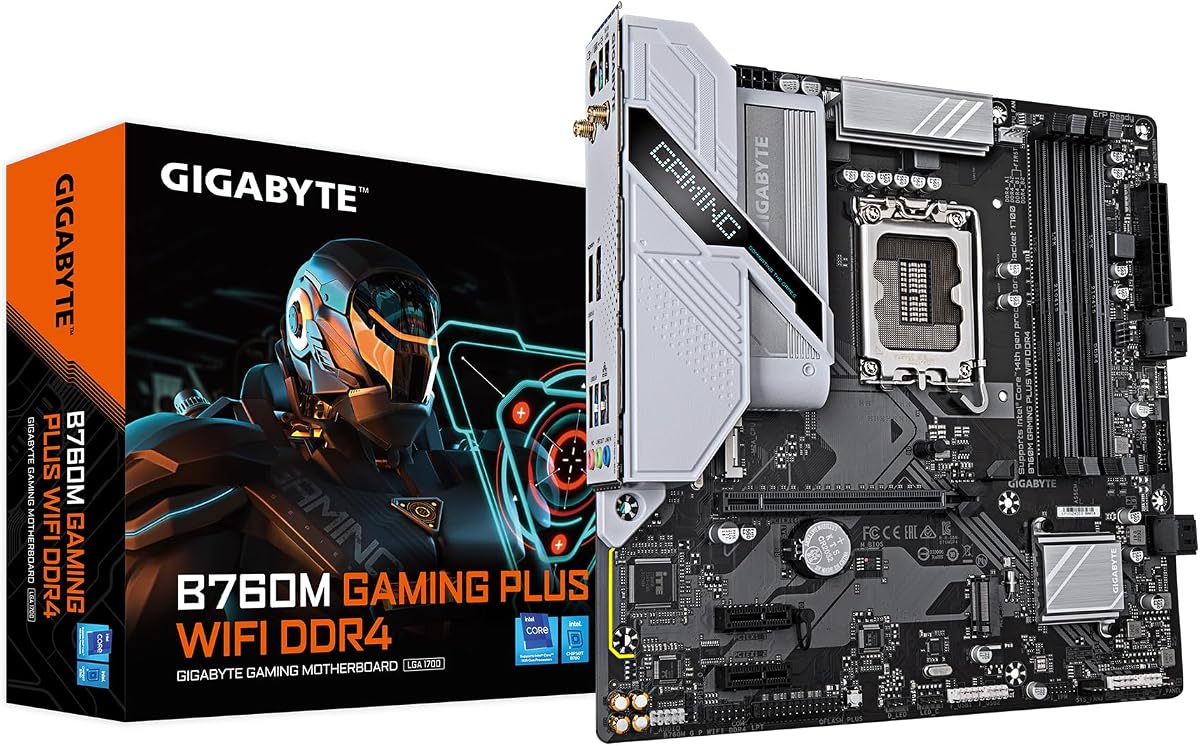
This micro-ATX board is designed for users who want a smaller PC footprint without sacrificing essential features. It supports Intel 12th to 14th gen processors.
We may earn a commission when you buy through this link, at no additional cost to you.
The DDR4 compatibility makes it cost-effective for those using existing RAM. It includes WiFi and USB-C for modern connectivity.
While it lacks expansion slots for many add-on cards it works well for standard gaming builds. It is a compact and efficient solution.
Choose this if you are building a smaller tower and want to keep costs down.
The m-ATX form factor fits easily into smaller cases for space-saving builds.
Using DDR4 memory reduces the total cost of the system significantly.
We may earn a commission when you buy through this link, at no additional cost to you.
This board is one of the most affordable ways to build with modern Ryzen processors. It provides a stable platform for budget gaming PCs.
We may earn a commission when you buy through this link, at no additional cost to you.
The power design is surprisingly robust for the price allowing for good CPU performance. It includes essential connectivity like USB-C and PCIe 4.0.
Lacking WiFi requires a wired connection but saves money. It is a great starter board for DIY builders.
Consider this if you are on a tight budget and want a reliable AMD AM4 setup.
It offers the best value for those looking to minimize initial build costs.
USB-C and PCIe 4.0 ensure the system feels modern despite the lower cost.
We may earn a commission when you buy through this link, at no additional cost to you.
Selecting the right Gigabyte motherboard requires understanding your processor needs budget and required features. This guide outlines the key factors to consider.
Ensure the motherboard socket matches your CPU. For AMD Ryzen 9000 use AM5. For older Ryzen use AM4. For Intel use LGA1851 or LGA1700.
Always verify the specific generation support in product listings before purchasing.
Decide between DDR5 and DDR4. Newer AM5 and Intel 13th14th gen boards support DDR5. Older or budget boards may use DDR4.
Match your memory budget and performance needs to the correct type.
Check the VRM phase count. High-end CPUs need robust VRMs like 14+2+1 or higher to prevent throttling.
Entry-level boards are fine for standard CPUs without overclocking.
Look for PCIe 5.0 support if you want future-proof graphics or storage. Ensure there are enough M.2 slots for your storage needs.
Consider how many cards you need to install like capture cards or network adapters.
Check for USB-C ports WiFi and Ethernet. Modern boards offer WiFi 6E or WiFi 7 and USB4 on high-end models.
Ensure the ports match your peripherals and networking requirements.
Look for heatsinks on VRMs and M.2 slots. Better thermal design ensures stability and longevity.
Consider airflow in your case when selecting cooling features.
Choose between ATX and M-ATX based on your case size. ATX offers more slots while M-ATX saves space.
Confirm your case supports the chosen motherboard size.
Set a clear budget for the motherboard. Gigabyte offers options across all price ranges from budget to premium.
Balance cost with necessary features to get the best value.
Always handle the motherboard by the edges to avoid static damage. Install it into the case on standoffs before connecting other components.
Update the BIOS to the latest version for best compatibility and performance. Use tools like Q-Flash Plus for easy updates.
Clean dust from the board regularly with compressed air to maintain thermal performance.
Many recent Gigabyte motherboards support DDR5 memory especially those with AM5 or Intel 13th and 14th gen support. Check the product specs to confirm.
EZ-Latch is a design feature that simplifies installing and removing expansion cards. It uses a lever mechanism to secure the GPU or other PCIe cards.
Yes Gigabyte provides a warranty on most motherboards often ranging from three to five years depending on the specific model.
You can update the BIOS via the built-in Q-Flash tool using a USB drive. Some models support Q-Flash Plus for updating without a CPU installed.
Not all. AM5 boards support Ryzen 9000 8000 and 7000 series. AM4 boards support older 5000 and 3000 series. Always check the CPU support list.
Most Gigabyte boards with 'AX' in their model name include WiFi 6E or WiFi 7. Always verify the connectivity specs before purchasing.
The Gigabyte lineup offers strong choices for both Intel and AMD builders. The B650 AORUS Elite AX and X870 models stand out for AMD users.
Prioritize power delivery and thermal design when selecting a board for high-end components. Budget options like the B550 Gaming X V2 still offer reliable performance.
Always check current availability and compatibility before finalizing your purchase to ensure the best fit for your build.