
Made for Amazon SanDisk 128GB
4.6Editor score
Certified for Fire Tablets
Class 10 performance
Seamless app installation
Discover the top ten extra storage for tablet options evaluated on speed capacity and compatibility to help you expand your device effectively.
Tablets offer incredible convenience but often lack internal memory for all your files. Expanding storage ensures you keep photos videos and apps without deleting old items constantly.
We analyzed leading external drives and memory cards focusing on speed reliability and ease of use. Our comparisons highlight models that work seamlessly with Android iPad and Fire tablets.
Each pick includes detailed specs pros and cons to guide your decision. Note that product availability and pricing fluctuate regularly so verify current details before buying.
4.6Editor score

4.5Editor score

4.5Editor score
This table provides a quick side-by-side overview of the top ten solutions for expanding tablet storage so you can compare capacities speeds and key features at a glance.




The SSK Portable SSD 1TB offers exceptional speed and capacity for tablets requiring serious storage expansion. With read speeds up to 1050MB/s it ensures minimal waiting time during file transfers.
We may earn a commission when you buy through this link, at no additional cost to you.
This drive features a 1TB capacity which is ideal for storing extensive photo libraries videos or large apps. Its aluminum alloy case helps dissipate heat efficiently maintaining performance during long sessions.
While it is more expensive than standard flash drives the speed and reliability justify the investment. The included cables support both USB-C and USB-A ensuring compatibility with various devices.
Photographers and content creators will benefit most from this drive due to its support for 4K ProRes video capture. It is a premium solution for those needing robust portable storage.
Transfer large files instantly with read speeds reaching 1050MB/s and write speeds up to 1000MB/s for efficient workflow.
The 2mm thick aluminum alloy case provides superior heat dissipation keeping the device cool even during heavy usage.
We may earn a commission when you buy through this link, at no additional cost to you.
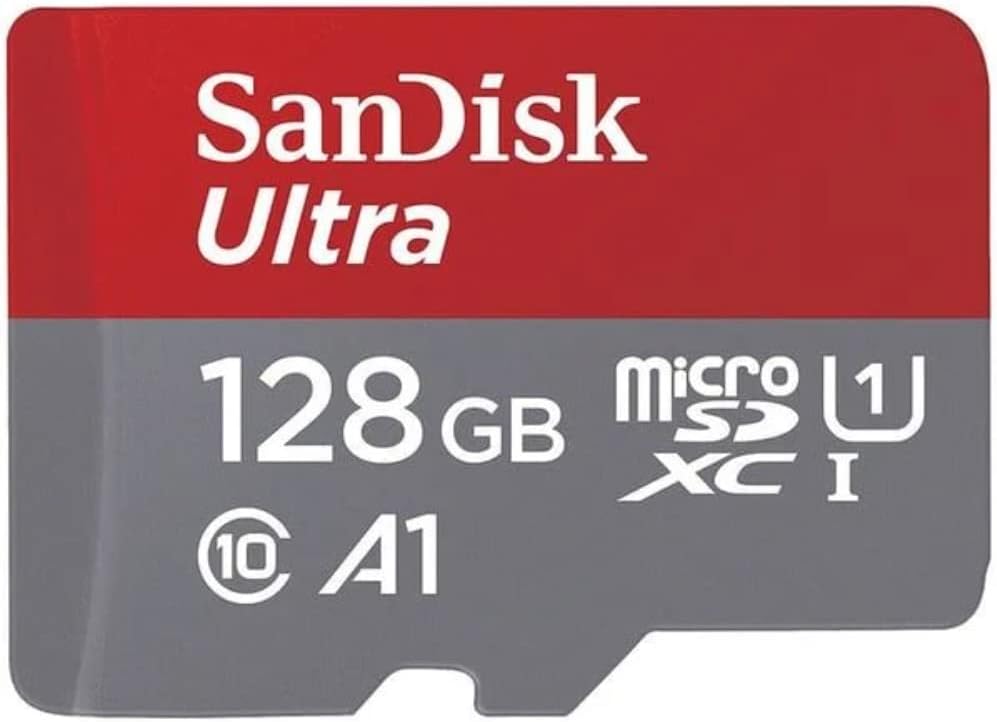
This exclusive SanDisk microSD card is designed specifically for Amazon Fire Tablets ensuring seamless compatibility and performance. It is an affordable way to add significant storage to your device.
We may earn a commission when you buy through this link, at no additional cost to you.
With 128GB of space you can store plenty of photos music and movies. The Class 10 performance supports Full HD video recording and playback without lag or delay.
The main limitation is its exclusive certification which means it is optimized for Fire devices. However this ensures reliability and proper function when using the tablet.
Budget-conscious users with Fire tablets will find this card an excellent choice. It provides reliable storage expansion without breaking the bank.
The only memory card tested and certified to work perfectly with your Fire Tablet and Fire TV for guaranteed performance.
Load your Fire Tablet with more fun by adding space for additional photos music and movies easily.
We may earn a commission when you buy through this link, at no additional cost to you.
Samsung delivers a premium USB-C flash drive that combines speed with rugged durability. It is ideal for users who need reliable storage on the go.
We may earn a commission when you buy through this link, at no additional cost to you.
The drive features up to 400MB/s read speeds and holds 256GB of data. Its build includes waterproof shock-proof and X-ray-proof protection making it very resilient.
The reversible USB-C connector ensures easy plugging every time. While it is pricier than standard drives the warranty and build quality offer peace of mind.
Travelers and professionals will appreciate the durability and compact form factor. It is a trustworthy choice for storing valuable data securely.
Files stay secure no matter the terrain with a waterproof shock-proof and X-ray-proof body.
Experience fast transfer speeds with a sleek reversible plug that inserts into your devices seamlessly every time.
We may earn a commission when you buy through this link, at no additional cost to you.
This microSD card is tailored for Android smartphones and tablets offering fast transfer speeds and app optimization. It allows you to expand storage efficiently without compromising performance.
We may earn a commission when you buy through this link, at no additional cost to you.
The A1 rating ensures apps load faster when installed on the card. Transfer speeds of up to 140MB/s make moving photos and videos quick and easy.
SanDisk backs this product with a 10-year limited warranty providing long-term peace of mind. The Memory Zone app helps manage files effectively.
Android tablet users will find this card a solid choice. It balances speed capacity and reliability at a reasonable price point.
Load apps faster with A1-rated performance ensuring smooth functionality even when apps are stored on the card.
View access and back up your phone files in one location with the SanDisk Memory Zone app.
We may earn a commission when you buy through this link, at no additional cost to you.
This dual-ended flash drive allows you to transfer files between USB-C tablets and USB-A computers effortlessly. It is a versatile tool for hybrid work environments.
We may earn a commission when you buy through this link, at no additional cost to you.
Read speeds reach up to 130MB/s making data access fast. The drive is recognized instantly without needing software installation.
The cap protects connectors from dust ensuring durability. Its compact size makes it easy to carry in a pocket.
Users needing frequent transfers between different devices will find this drive convenient. It offers flexibility at an affordable price.
Works across all your Type-C Android phones tablets Macs and USB-A computers seamlessly.
Optimizing USB 3.0 technology this drive transfers high-res photos and videos efficiently.
We may earn a commission when you buy through this link, at no additional cost to you.
This compact drive offers high-speed USB 3.1 performance for quick file transfers. It is perfect for users who need fast access to data on the go.
We may earn a commission when you buy through this link, at no additional cost to you.
With read speeds up to 400MB/s moving large files becomes efficient. The Memory Zone app enables automatic photo backups to free up device space.
The reversible USB-C connector ensures easy plugging. Its small form factor fits easily in a pocket or keychain.
Users seeking fast and simple storage expansion will appreciate this drive. It combines speed and convenience effectively.
Seamlessly move content between your devices with high-performance USB 3.1 Gen 1 speeds.
Automatically back up photos with SanDisk Memory Zone app to protect your memories.
We may earn a commission when you buy through this link, at no additional cost to you.
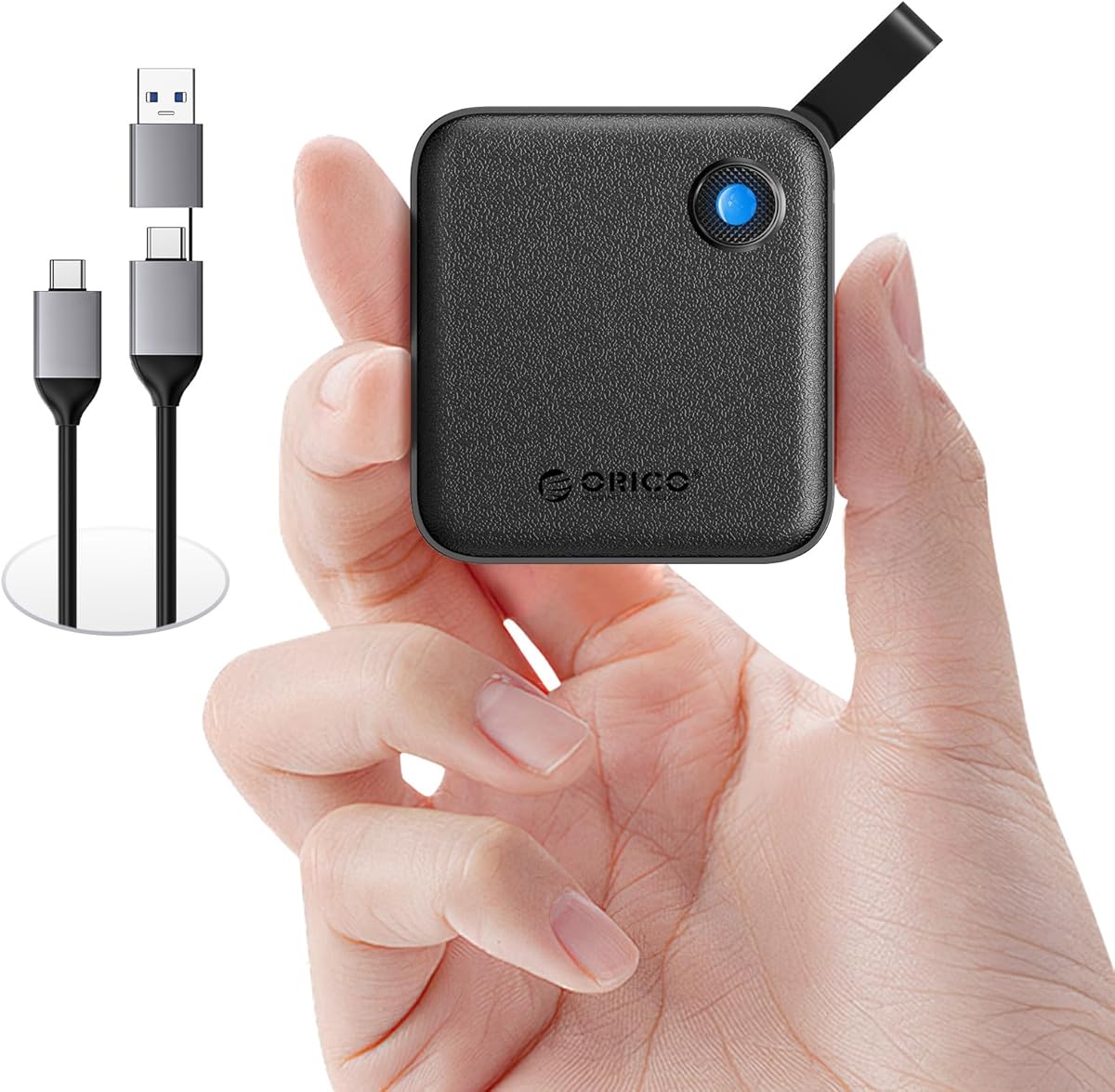
ORICO offers a solid portable SSD with impressive speeds and flexibility. It is designed for users needing quick access to large files.
We may earn a commission when you buy through this link, at no additional cost to you.
Read speeds reach 460MB/s ensuring minimal waiting time. The package includes a 2-in-1 USB-C and USB-A cable for universal connectivity.
Weighing only 0.9 lb this drive is highly portable. It is available in multiple colors to suit your style.
Content creators on a budget will find this drive attractive. It provides SSD performance at a competitive price.
Instantly share your photos and videos with impressive speeds ensuring you spend less time waiting.
Designed for ultimate portability this drive is perfect for taking with you wherever you go.
We may earn a commission when you buy through this link, at no additional cost to you.
This portable SSD delivers consistent high-speed performance with robust build quality. It is suitable for transferring heavy files efficiently.
We may earn a commission when you buy through this link, at no additional cost to you.
With read speeds up to 550MB/s and write speeds of 500MB/s it handles large data quickly. The aluminum frame ensures durability and heat management.
The drive operates silently making it convenient for office use. A hanging loop allows secure attachment to bags.
Users needing reliable high-capacity storage will value this model. It offers a good balance of speed and durability.
Transfer all heavy files in seconds improving the efficiency of transferring videos photos and games.
Adopts anti-drop anti-vibration frame keeping the drive almost silent when running.
We may earn a commission when you buy through this link, at no additional cost to you.
This flash drive supports OTG functionality making it ideal for Android smartphones and tablets. It offers simple plug-and-play convenience.
We may earn a commission when you buy through this link, at no additional cost to you.
Transfer speeds are fast enough for common files. The dual connector design allows flexibility across different devices.
The default exFAT format ensures compatibility with most devices. A keychain prevents losing the drive.
Users seeking a simple budget-friendly option will appreciate this drive. It works well for general file storage.
Supports nearly all mobile phones which support OTG function and very easy to operate.
USB 3.0 helps you transfer a 4G movie from the thumb drive to your smartphone quickly.
We may earn a commission when you buy through this link, at no additional cost to you.
This drive provides substantial storage capacity for tablets and smartphones. It is designed for easy transfer between mobile and desktop devices.
We may earn a commission when you buy through this link, at no additional cost to you.
The retractable design protects connectors and adds durability. Read speeds of 150MB/s offer decent performance for typical file transfers.
It supports USB-C and USB-A ensuring compatibility. Freeing up space on your mobile device is simple.
Users needing high capacity in a small form factor will find this useful. It offers reliable everyday performance.
Easily transfer files between smartphones tablets and computers with USB Type-C and USB-A connectors.
Free up space on your Android smartphone by storing files on the external drive.
We may earn a commission when you buy through this link, at no additional cost to you.
Selecting the right storage expansion depends on your device compatibility required capacity and budget. Consider these factors to make an informed decision.
Determine how much space you need based on your files. A 128GB drive is sufficient for media while 1TB suits heavy users.
Choose capacity that matches your current and future needs to avoid constant file management.
Check your tablet ports. USB-C is modern and versatile while microSD is common in Android devices.
Ensure the drive connector matches your tablet port to avoid needing extra adapters.
Faster transfer speeds reduce waiting times especially for large videos. Look for USB 3.0 or faster ratings.
Prioritize high-speed drives if you frequently move large files between devices.
Portable drives should withstand travel. Aluminum alloy cases and shockproof designs offer better protection.
Select rugged builds if you plan to carry the drive frequently.
Some SSDs require external power. Bus-powered drives draw from the tablet which is more convenient.
Check power needs to ensure compatibility with your tablet port.
Balance cost with features. Budget options may have lower speeds or limited compatibility.
Invest in higher quality drives for reliable long-term use.
Some brands offer companion apps for backup and management. These tools add convenience.
Look for drives with useful software if you want automated backup.
Extended warranties protect your investment. Brands like SanDisk offer up to ten years.
Check warranty terms before buying for peace of mind.
Connect the storage device to your tablet securely ensuring it is recognized. Some devices need enabling OTG in settings.
Transfer files by selecting them and moving to the drive. Use safe eject functions before unplugging.
Keep connectors clean and store drives in protective cases. Avoid extreme temperatures or moisture.
Yes most tablets require On-The-Go support to read external USB drives. Check your device settings for OTG options.
Many Android tablets allow installing apps on external storage but not all. Check your tablet settings for app installation options.
USB drives generally offer faster transfer speeds than microSD cards. SSDs provide the highest speed for large files.
Yes most drives work with multiple devices if compatible. Use proper file systems like exFAT for cross-platform access.
It is safer to eject drives when not in use. Prolonged connection can drain battery and cause data corruption risks.
exFAT works best for compatibility across tablets and computers. FAT32 is limited to files smaller than 4GB.
The SSK Portable SSD and SanDisk microSD cards lead our recommendations for speed and reliability respectively.
Prioritize capacity and interface compatibility to ensure your storage solution meets your workflow needs effectively.
Always verify current prices and stock availability since these can change frequently before you buy.