
Dell Wired Mouse MS116
4.6Editor score
Plug and play
Reliable wired connection
Compact design
This guide compares the top external mouse for Dell Laptop options including wireless and wired models to help you find the perfect match for your workflow.
Finding the right external mouse for Dell laptop users can significantly boost productivity and comfort during long work sessions. Whether you need precision for design or simplicity for browsing, the right peripheral makes a difference.
We evaluated ten highly rated mice based on connectivity, battery life, ergonomics, and compatibility with Dell systems. Our analysis focuses on real-world performance and user feedback to ensure reliable recommendations for every need.
Each pick highlights unique strengths like silent clicks, dual connectivity, or extended battery life. Note that availability and specific model features may vary over time so check current listings before purchasing.
4.6Editor score

4.9Editor score

4.6Editor score
The following table provides a side-by-side comparison of all ten selected external mice. It highlights key specifications and unique features to help you quickly identify the model that best fits your specific Dell laptop setup.





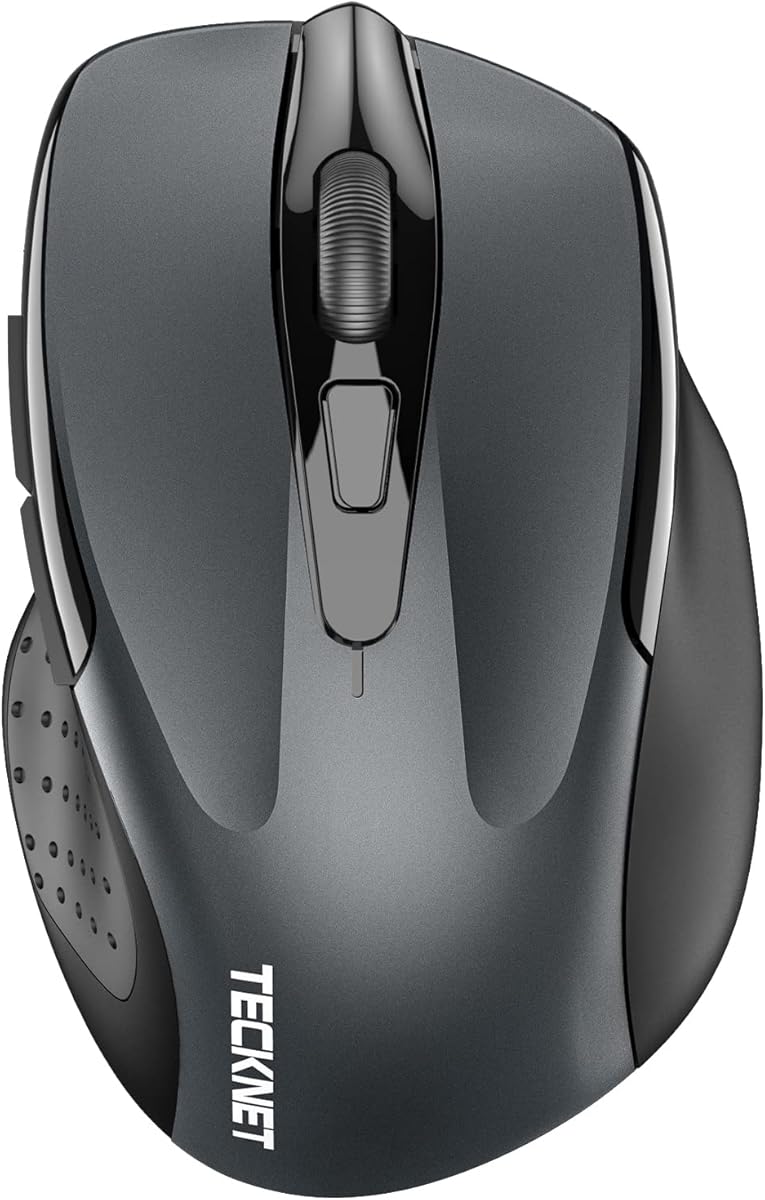

This top rated mouse stands out for its seamless integration with Dell systems and impressive battery performance. It offers a perfect blend of wireless freedom and reliable tracking for daily tasks.
We may earn a commission when you buy through this link, at no additional cost to you.
The dual mode connectivity allows instant pairing via Bluetooth or 2.4GHz wireless. The Dell Display and Peripheral Manager software enhances functionality by optimizing performance across your workspace.
While it relies on AA batteries the extended thirty six month runtime minimizes replacements. The advanced exchange service provides peace of mind for business users needing dependable hardware.
Ideal for professionals who prioritize reliability and comfort. This model is the definitive choice for anyone seeking a high performance external mouse for Dell laptop workflows.
The dedicated software allows precise customization of buttons and DPI settings tailored specifically for Dell devices.
With a three year operational life and rapid exchange service this mouse ensures continuous productivity without interruption.
We may earn a commission when you buy through this link, at no additional cost to you.
Designed for performance this mouse delivers high precision tracking ideal for detailed work or gaming. It features a robust build and extensive customization options through software.
We may earn a commission when you buy through this link, at no additional cost to you.
The four thousand DPI sensor ensures smooth movement across high resolution screens. Intuitively positioned shortcut buttons streamline navigation across web pages and applications efficiently.
Compatibility spans Windows Mac and Linux making it versatile for mixed environments. The advanced exchange service guarantees quick replacement if issues arise within the warranty period.
Best suited for users needing precise control and customizable controls. It bridges the gap between productivity and performance in a single reliable package.
The high DPI sensor adapts to varied surfaces ensuring consistent cursor accuracy during intensive tasks.
Software tools allow you to tailor button functions and scroll behaviors to match your specific workflow needs.
We may earn a commission when you buy through this link, at no additional cost to you.
A simple and effective choice this wired mouse eliminates the need for batteries or pairing. It is ideal for stationary workstations where mobility is less critical.
We may earn a commission when you buy through this link, at no additional cost to you.
The plug and play functionality ensures immediate use upon connecting to any USB port. Its design is straightforward focusing on essential tracking without unnecessary features.
While lacking wireless convenience it offers consistent performance without signal interference. This makes it a dependable tool for environments requiring stable input.
Perfect for budget conscious buyers or secondary setups. It provides the fundamental functionality needed for everyday computing tasks effectively.
By removing wireless components this mouse reduces potential points of failure for consistent daily operation.
Without batteries to replace the device requires minimal upkeep ensuring it is ready whenever you need it.
We may earn a commission when you buy through this link, at no additional cost to you.
This slim mouse is engineered for portability and quiet operation making it great for travel or shared workspaces. Its lightweight build ensures easy transport.
We may earn a commission when you buy through this link, at no additional cost to you.
The intelligent sleep mode conserves battery by activating only when in use. The connection remains stable over distances up to ten meters providing flexibility in movement.
Quiet clicks prevent disturbing others in libraries or offices. The frosted surface offers a pleasant tactile experience while using the device.
Recommended for frequent travelers or quiet environments. It balances functionality with a discreet and portable form factor effectively.
Smart power management extends battery life significantly by reducing activity during idle periods.
The small profile and stowable receiver make it easy to pack without adding bulk to your bag.
We may earn a commission when you buy through this link, at no additional cost to you.
Renowned for comfort this mouse features a contoured shape and soft grips ideal for extended use. The design supports natural hand positioning reducing fatigue.
We may earn a commission when you buy through this link, at no additional cost to you.
Unique side to side scrolling and zoom capabilities enhance navigation through maps and spreadsheets. The tiny Unifying receiver stays connected for a seamless experience.
Battery life spans two years minimizing maintenance needs. While it requires software for full customization the hardware stands out on its own.
Perfect for users prioritizing ergonomic support and versatility. It is a reliable companion for long working sessions on any laptop.
The broad palm area and curved sides ensure your hand relaxes naturally during prolonged usage.
Advanced scrolling features allow quick movement through content saving time and effort daily.
We may earn a commission when you buy through this link, at no additional cost to you.
A compact choice designed for comfort regardless of hand preference. This mouse fits well in tight workspaces and is easy to carry around.
We may earn a commission when you buy through this link, at no additional cost to you.
It offers a strong reliable connection via a tiny nano receiver. The battery life is efficient at one year thanks to smart sleep features.
The ambidextrous shape makes it inclusive for both left and right handed users. Eco friendly recycled plastic reduces its environmental impact.
Ideal for students or office users needing a no fuss solution. It provides essential functionality in a small and portable package.
The symmetrical shape ensures comfort for any user without favoring one hand over the other.
Significant use of recycled plastic highlights a commitment to sustainability without sacrificing performance.
We may earn a commission when you buy through this link, at no additional cost to you.
This mouse stands out with its vibrant mint green finish and compact form. It is designed to be friendly and approachable for users with smaller hands.
We may earn a commission when you buy through this link, at no additional cost to you.
Quiet buttons and scroll wheel reduce noise during clicks. The adjustable DPI levels allow you to switch sensitivity for different tasks seamlessly.
Wireless connectivity reaches up to forty nine feet providing good freedom. The USB receiver stores inside the mouse keeping it secure when traveling.
Great for those who appreciate a touch of style. It combines personality with practical features for everyday use.
Soft click buttons ensure you do not disturb others while maintaining responsiveness during typing or browsing.
Three DPI settings let you switch between precision work and general browsing with ease.
We may earn a commission when you buy through this link, at no additional cost to you.
Designed specifically to reduce noise this mouse cuts clicking sounds by over ninety percent. It is perfect for shared offices or late night work.
We may earn a commission when you buy through this link, at no additional cost to you.
The contoured grip provides natural support for right handed users. An eighteen month battery life ensures consistent use without frequent changes.
Advanced optical tracking delivers precision on most surfaces. The nano receiver simplifies setup for immediate usability across devices.
Best for quiet environments where noise is a concern. It delivers standard performance with exceptional acoustic comfort.
SilentTouch technology maintains full click function while virtually eliminating the noise of traditional mice.
Recycled plastic components contribute to a lighter carbon footprint for environmentally aware users.
We may earn a commission when you buy through this link, at no additional cost to you.
This model allows effortless switching between two devices via a simple button slide. It is ideal for users managing multiple laptops or a desktop and laptop.
We may earn a commission when you buy through this link, at no additional cost to you.
With six DPI levels up to four thousand eight hundred you get high precision for detailed work. Silent clicks maintain a peaceful environment during operation.
Automatic sleep technology extends usage life significantly. The wireless silent mouse connects reliably to Windows and Mac systems.
Recommended for multitaskers needing seamless transitions. It offers high performance and flexibility for modern workflows.
Switching between devices is instantaneous reducing friction when working across multiple screens.
High DPI settings combined with quiet clicks ensure accuracy without disturbing your surroundings.
We may earn a commission when you buy through this link, at no additional cost to you.
Eliminating disposable batteries this rechargeable mouse charges quickly and runs for months. It is a sustainable choice for those wanting to reduce waste.
We may earn a commission when you buy through this link, at no additional cost to you.
Full charge provides three months of daily use. The DPI levels are adjustable to suit different tasks ensuring versatility.
Wireless silent mouse design supports both Bluetooth and USB connections. Silent clicks ensure a quiet environment for shared spaces.
Perfect for eco conscious users needing reliable performance. It merges sustainability with practical features effectively.
A built in rechargeable battery eliminates the need for constant disposable battery replacements.
Supporting both Bluetooth and USB gives you freedom to connect to any device easily.
We may earn a commission when you buy through this link, at no additional cost to you.
Selecting the right mouse involves considering several factors beyond just brand loyalty. This guide breaks down the essential aspects to help you make an informed decision.
Wireless mice offer freedom of movement and reduce desk clutter. They typically use Bluetooth or a USB dongle. Wired mice provide constant connection without battery worries but limit range.
Choose wireless if you value portability and a clean workspace. Wired mice are better for stationary use where reliability is paramount.
Battery life varies from months to years depending on technology. Rechargeable models reduce waste but need charging time. Disposable battery models last long but require replacements.
Prioritize battery life if you often travel or work away from chargers. Consider rechargeable for eco friendly convenience.
Ergonomic shapes reduce hand strain during long sessions. Full size models fit larger hands while compact ones are travel friendly. Ambidextrous options suit all users.
Select a size that fits your hand comfortably to prevent fatigue. Test shapes if possible before committing.
DPI determines cursor sensitivity. Higher DPI is useful for high resolution screens or detailed work. Optical sensors track well on most surfaces.
Look for adjustable DPI if you switch tasks often. Ensure the sensor works reliably on your desk surface.
Some mice offer software to map buttons or adjust settings. This enhances productivity but requires installation. Plug and play models need no software.
Choose software enabled mice if you need advanced shortcuts. Otherwise opt for simplicity.
Ensure the mouse works with your Dell system and operating system. Most modern mice support Windows and Mac seamlessly. Check specific requirements for advanced features.
Verify compatibility to avoid driver issues. Standard models work universally without extra setup.
Durable materials ensure longevity. Some brands offer extended warranties or exchange services. Look for sturdy buttons and reliable scroll wheels.
Invest in quality build for long term value. Warranties provide security against defects.
Quiet clicks are vital for shared spaces. SilentTouch technology reduces sound significantly. Standard clicks may be disruptive in libraries or offices.
Prioritize silent models if you work in quiet environments. Standard clicks are fine for personal use.
Connect your mouse by plugging in the USB receiver or enabling Bluetooth in your settings. Ensure your Dell laptop is awake and ready to pair.
Clean the sensor regularly by wiping the bottom gently. This prevents tracking issues caused by dust or debris.
Replace batteries before they die completely to avoid sudden disconnects. For rechargeable models charge fully before first use for optimal battery health.
Yes, most external mice are universally compatible with Dell laptops via USB or Bluetooth. Ensure your OS supports the device drivers for full functionality.
Full sized ergonomic mice like the Logitech M510 offer broad palm support and contours that fit larger hands comfortably.
Many modern mice have a physical toggle switch. Press it to cycle through available connection modes until your desired option activates.
Yes, if your Dell laptop has built in Bluetooth. Bluetooth enabled mice connect directly without needing a receiver for a cleaner setup.
DPI stands for dots per inch. It measures sensitivity; higher DPI moves the cursor faster with less physical movement of the device.
Enable sleep mode settings or use the on off switch when not in use. This conserves power significantly between charges or replacements.
These ten options cover a wide range of needs from budget wired models to high end wireless solutions. Each offers unique strengths depending on your specific workflow.
Prioritize ergonomics and battery life if you use your Dell laptop daily. Silent features or dual connectivity can further enhance your daily experience.
Check current listings for the latest pricing and availability before purchasing. Your ideal external mouse for Dell laptop is closer than you think.