
HP LaserJet M207dw
4.0Editor score
Dual-band Wi-Fi included
Built-in Ethernet port
28 pages per minute
This guide compares the top Ethernet laser printers for small businesses and home offices, evaluating speed, connectivity, security, and print quality to help
Ethernet laser printers offer reliable network connectivity for shared office environments. They deliver consistent black and white output with fast speeds and robust security features designed for professional use.
We evaluated ten top models based on print quality, connection options, and overall value. Each product was selected for its ability to handle daily office tasks efficiently while maintaining a strong network presence.
Each pick highlights key strengths and trade-offs to match your workflow needs. Prices and availability change frequently, so verify current details on the product pages before making your final purchasing decision today.
4.0Editor score

4.4Editor score

4.2Editor score
This side-by-side comparison highlights key specifications for all ten selected Ethernet laser printers. Use this table to quickly identify which model best fits your specific office requirements and budget constraints.


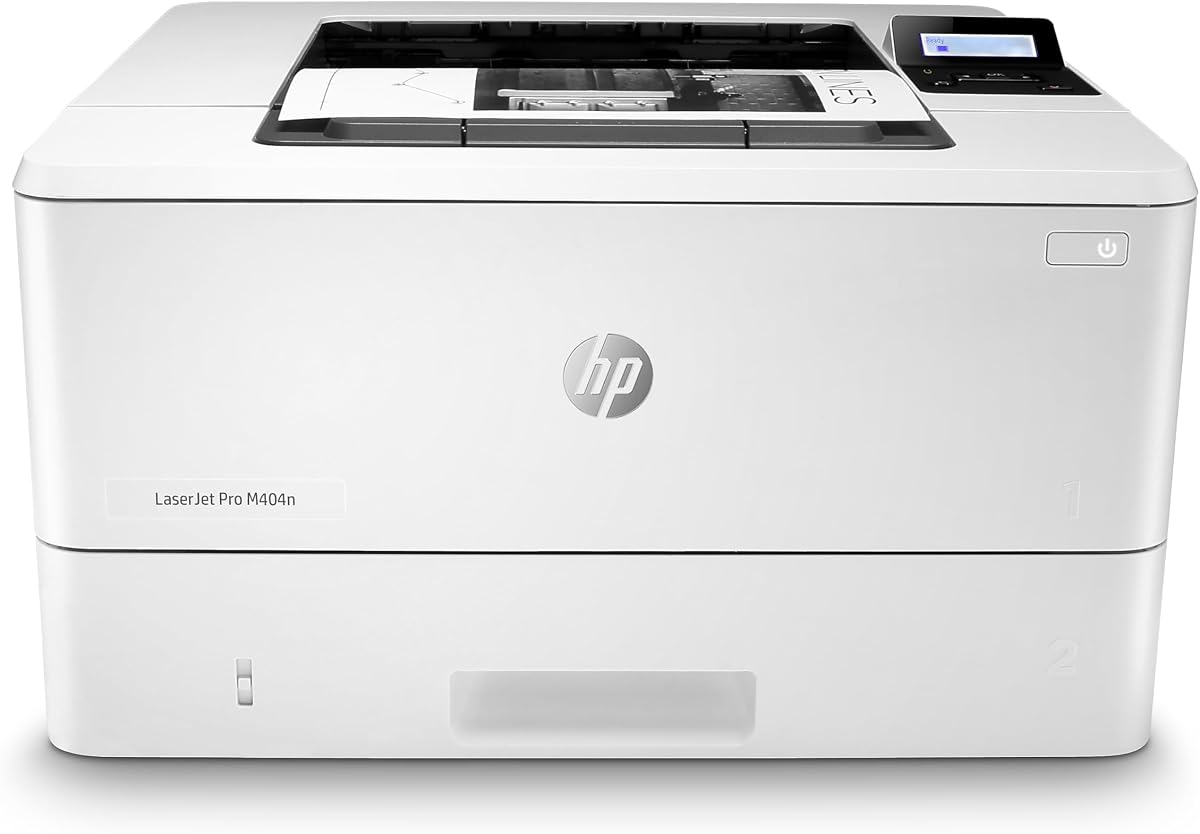

This printer stands out for its blazing speed and robust security features ideal for small teams. It delivers professional black and white documents at up to forty-two pages per minute consistently.
We may earn a commission when you buy through this link, at no additional cost to you.
Its Ethernet-only design ensures a stable connection for shared office environments. The HP Wolf Pro Security protects data effectively while the setup process remains straightforward for IT admins.
While lacking wireless options limits flexibility, the wired connection reduces latency significantly. Cartridge restrictions are common but ensure consistent print quality across all documents printed.
Teams needing rapid volume output will appreciate this model reliability. It is a solid choice for offices prioritizing speed and security over mobile flexibility today.
At 42 ppm it handles large batches faster than most competitors in this category efficiently.
HP Wolf Pro Security provides customizable settings to protect sensitive company data on the network.
We may earn a commission when you buy through this link, at no additional cost to you.
This model offers top-tier speed and capacity for high-volume office environments. It prints at up to fifty pages per minute with a robust main paper tray ready for heavy work.
We may earn a commission when you buy through this link, at no additional cost to you.
Gigabit Ethernet ensures rapid data transfer for large files across your network. The high-yield toner cartridges significantly reduce operational costs over time compared to standard alternatives.
The price point is higher but justified by the performance and efficiency gains. The physical size requires dedicated desk space which might not suit smaller home offices.
Businesses with constant printing needs will find this model highly efficient. It balances speed capacity and security for professional printing tasks effectively.
A 520-sheet main tray minimizes refills allowing uninterrupted printing for extended periods.
Gigabit Ethernet enables faster transfer speeds for large documents across local networks.
We may earn a commission when you buy through this link, at no additional cost to you.
An affordable option for small offices needing reliable network connectivity. It supports both Ethernet and dual-band Wi-Fi for flexible setup options across various environments.
We may earn a commission when you buy through this link, at no additional cost to you.
The printer includes strong security features and self-reset Wi-Fi to maintain uptime. While slower than premium models it handles daily documents efficiently for teams of one to five people.
Lower capacity trays mean more frequent refills during busy periods. The speed is adequate for most tasks but may bottleneck high-volume printing needs.
This model offers excellent value for budget-conscious buyers needing Ethernet. It balances cost and features well for small office setups.
Dual-band Wi-Fi with self-reset helps maintain stable connections with minimal user intervention.
A competitive price point makes it accessible for small businesses starting with laser printing.
We may earn a commission when you buy through this link, at no additional cost to you.
This compact model delivers fast speeds and dual connectivity options. It prints at up to 36 pages per minute with automatic duplex to save paper easily.
We may earn a commission when you buy through this link, at no additional cost to you.
Built-in Ethernet ensures reliable network presence while Wi-Fi allows mobile flexibility. The Brother Mobile Connect app lets you manage the printer remotely with ease.
Paper capacity is limited to 250 sheets which may require frequent refills. Voice control via Alexa adds convenience for quick status checks or simple commands.
Ideal for home offices needing both wired and wireless options. It combines speed and connectivity well in a space-efficient design.
Automatic two-sided printing reduces paper waste and helps streamline document handling.
Multiple connection options including Ethernet and Wi-Fi offer flexible setup for shared workspaces.
We may earn a commission when you buy through this link, at no additional cost to you.
A proven workhorse for shared office environments needing stable network printing. It offers 40 pages per minute speed with built-in Ethernet and automatic duplex features.
We may earn a commission when you buy through this link, at no additional cost to you.
HP Wolf Pro Security safeguards data while energy efficiency helps reduce power costs. The compact size fits well into shared work areas without taking too much room.
Lack of wireless connectivity limits mobile printing flexibility. However, wired stability is a plus for critical document printing tasks.
This printer balances performance and efficiency well for small teams. It is a dependable choice for networked offices prioritizing reliability.
Designed to save up to 18% energy compared to prior products reducing environmental impact.
Built-in Ethernet makes resource sharing across your network seamless and simple.
We may earn a commission when you buy through this link, at no additional cost to you.
This printer combines speed with expandable paper handling for higher demands. It delivers 42 pages per minute with Ethernet and supports optional add-on trays.
We may earn a commission when you buy through this link, at no additional cost to you.
Secure function lock and print features protect sensitive documents effectively. Amazon Dash Replenishment helps automate toner ordering to avoid running out unexpectedly.
Lack of built-in wireless may limit flexibility for mobile users. The design is bulkier than compact models but necessary for its capacity options.
A strong choice for offices needing high volume and security. It offers flexibility in paper handling that few competitors match easily.
Optional trays increase total capacity to over 1,300 sheets for uninterrupted production.
Advanced security features help restrict unauthorized access and protect sensitive documents.
We may earn a commission when you buy through this link, at no additional cost to you.
This model offers versatile connectivity including Ethernet Bluetooth and Wi-Fi. It prints at 35 pages per minute with HP Wolf Pro Security protecting data effectively.
We may earn a commission when you buy through this link, at no additional cost to you.
Intelligent Wi-Fi ensures strong connections to stay ready for printing. The mobile printing options work well with various devices across your network.
Lack of duplex printing increases paper usage for two-sided jobs. Cartridge chip requirements may increase ongoing operational costs for some users.
Teams needing multiple connection types will appreciate the flexibility. It balances speed and connectivity well for modern office workflows.
Bluetooth and Ethernet plus Wi-Fi enable printing from a wide range of devices.
Intelligent Wi-Fi finds the best connection to keep the printer online consistently.
We may earn a commission when you buy through this link, at no additional cost to you.
A compact 3-in-1 that combines printing scanning and copying efficiently. It prints at 36 pages per minute with Ethernet and Wi-Fi for flexible office sharing.
We may earn a commission when you buy through this link, at no additional cost to you.
The 50-page auto document feeder saves time on multi-page scans and copies. Brother Mobile Connect app helps manage the device remotely with ease.
Cost is higher than single-function printers but saves space. Setup can be slightly complex due to multiple scanning features.
Ideal for small businesses needing an all-in-one solution. It balances multifunction capabilities with reliable network performance well.
Auto document feeder handles multi-page jobs quickly improving overall workflow efficiency.
Printing scanning and copying in one unit saves desk space in tight offices.
We may earn a commission when you buy through this link, at no additional cost to you.
This model focuses on fast network printing with strong security. It delivers 40 pages per minute with built-in Ethernet to share resources across your network.
We may earn a commission when you buy through this link, at no additional cost to you.
HP Wolf Pro Security protects data while energy efficiency reduces power usage. The compact design fits easily into shared work areas without dominating the space.
Lack of duplex printing may increase paper usage. Wireless connectivity is absent limiting mobile printing flexibility significantly.
A solid choice for offices needing fast reliable wired printing. It offers strong value for networked environments prioritizing security.
At 40 pages per minute it handles high volumes efficiently during peak hours.
Built-in hardware and firmware protection safeguards company data against cyberattacks.
We may earn a commission when you buy through this link, at no additional cost to you.
A compact choice designed for home offices needing reliable network printing. It prints at 30 pages per minute with Ethernet and Wi-Fi for flexible connections.
We may earn a commission when you buy through this link, at no additional cost to you.
The Brother Mobile Connect app allows remote management easily. Voice control via Alexa adds convenience for quick status checks or print jobs.
No duplex printing increases paper usage for two-sided jobs. Capacity is adequate for home use but may require refills for larger batches.
Ideal for home offices balancing cost and connectivity. It provides reliable performance in a small footprint for everyday tasks.
Designed for homes with affordable pricing and reliable network performance.
Compatible with Alexa for hands-free status checks and simple print commands.
We may earn a commission when you buy through this link, at no additional cost to you.
Selecting the right Ethernet laser printer requires understanding your workflow needs and network environment. These key factors will help you identify the most suitable model.
Speed determines how quickly documents are produced which impacts workflow efficiency. Look for models with at least 30 pages per minute for shared office use.
Prioritize higher speeds if you handle large volumes daily to avoid bottlenecks.
Ethernet ensures stable network connections for shared environments while Wi-Fi adds mobile flexibility. Some models offer Gigabit Ethernet for faster data transfer.
Choose models with both options if you need wired stability and mobile access.
Security features protect sensitive data on your network from potential threats. Look for hardware and firmware-based protection like Wolf Pro Security.
Prioritize robust security if handling confidential or proprietary documents regularly.
Tray capacity determines how often you need to refill paper during use. A 250-sheet tray suits small teams while higher capacity reduces downtime.
Consider expandable trays if printing volume fluctuates throughout the day.
Ongoing toner costs can significantly affect long-term budget planning. Look for high-yield options to reduce per-page expenses effectively.
Check cartridge availability and pricing before purchasing to ensure affordability.
Decide if you need a single printer or a multifunction device with scanning. All-in-one units save space but cost more upfront initially.
Choose a single printer if you only need basic print capabilities.
Physical footprint impacts where you can place the printer in your office. Compact models fit on desks while larger ones need dedicated floor space.
Measure your available space carefully before selecting a model.
Connect the printer to your network via Ethernet cable to ensure stable performance. Ensure the cable is securely plugged into the network port and printer.
Install drivers and software on all devices using the manufacturer's support website. This ensures proper communication between devices and the printer.
Regularly clean rollers and feed trays to prevent paper jams. Keep the printer covered when not in use to avoid dust buildup.
Ethernet provides a more stable and faster connection which is ideal for shared office environments. Wi-Fi offers flexibility for mobile devices but may face interference issues.
Most models support mobile printing via apps or cloud services. Some even offer Bluetooth compatibility for direct connection to smartphones and tablets.
Duplex printing allows automatic two-sided document creation to save paper. It reduces waste and lowers long-term printing costs significantly.
Frequency depends on volume but high-yield cartridges last longer. Check usage reports in your printer app to track remaining toner levels easily.
Some printers block non-original cartridges via chip recognition. This ensures print quality but may increase long-term costs for users.
Hardware-based security like Wolf Pro Security protects against cyberattacks. Look for customizable settings to restrict unauthorized access and data leaks.
The top picks like the HP LaserJet Pro 4001dn and Brother HL-6210DW excel in speed and reliability. They balance performance and features for most professional environments.
Prioritize connectivity and security based on your specific office needs. Budget models offer value while premium ones provide advanced features for high volumes.
Always check current prices and availability before purchasing. Product details may change so verify specifications on the retailer pages.