
DbillionDa Cat 8 Ethernet Cable
4.7Editor score
Weatherproof outdoor rated jacket
26AWG pure copper conductors
F/FTP shielding for stability
This guide compares the top Ethernet cable for Mac options including Cat8 Cat6 adapters to help you choose the fastest reliable wired connection for your setup.
Finding the right Ethernet cable for Mac ensures stable high-speed internet connections for work and entertainment. Look for durable shielding and compatible connectors to avoid signal interference and maintain optimal performance across your devices.
We compared ten top-rated network cables and adapters based on speed, durability, and compatibility with Apple ecosystems. Each product offers unique benefits ranging from high-bandwidth Cat8 support to compact USB-C adapter solutions for modern laptops.
Each pick highlights key strengths and ideal use cases to simplify your decision process. Prices and availability change frequently so verify current details before purchasing to ensure you get the best value for your specific networking needs.
4.7Editor score
4.7Editor score

4.6Editor score
This side-by-side comparison evaluates all ten selected products to highlight their unique specifications and ideal use scenarios for Mac users seeking reliable wired network connectivity.


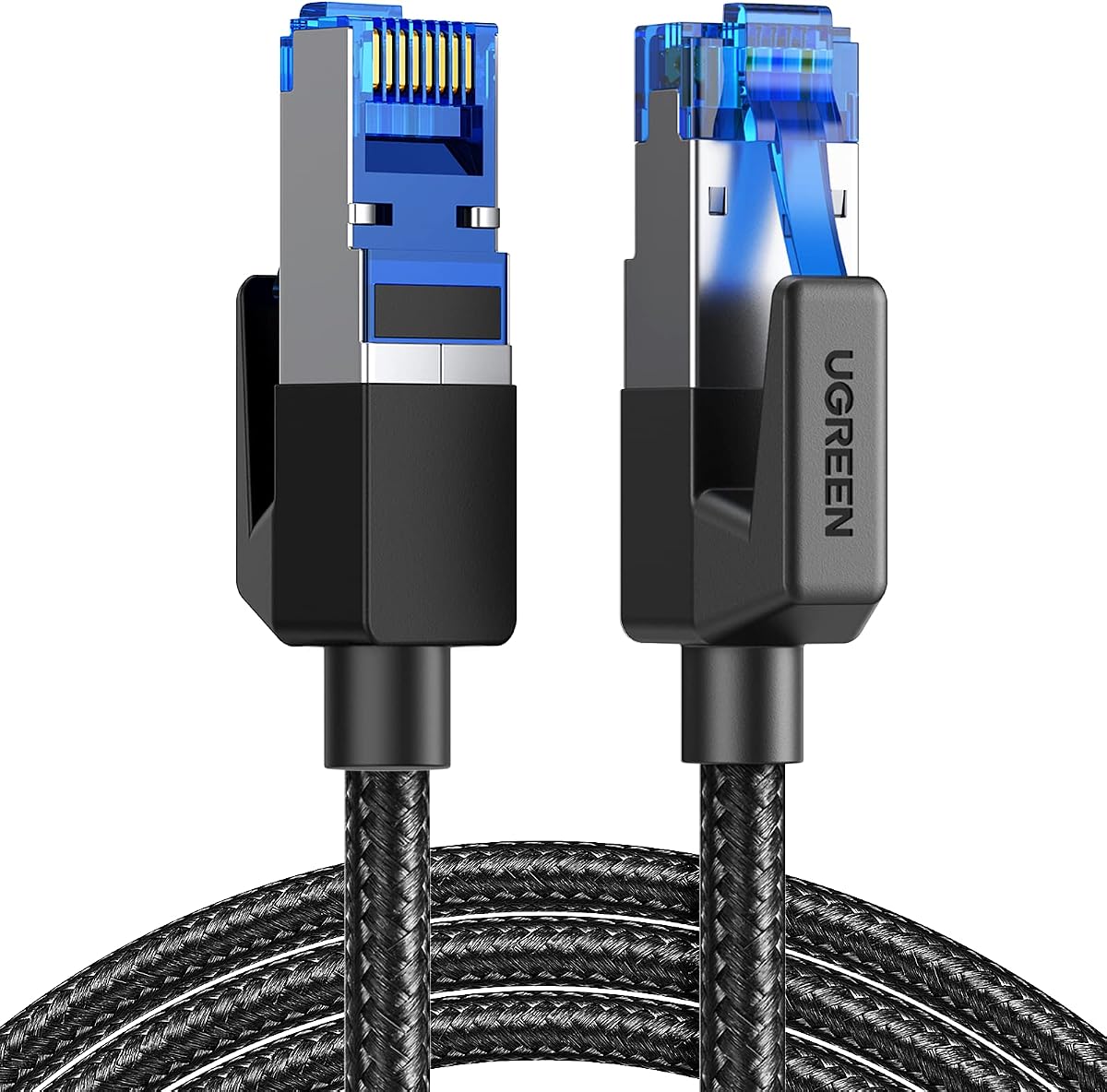
This UGREEN Cat 8 Ethernet cable stands out with its impressive 40Gbps transfer speed and robust braided design. It achieves a high rating from users who need stable connections for streaming and gaming on their Mac systems.
We may earn a commission when you buy through this link, at no additional cost to you.
The 2000MHz bandwidth and F/FTP shielding ensure minimal noise and crosstalk for consistent performance. The gold-plated RJ45 connectors provide reliable physical connections that resist corrosion over time.
While the 6ft length is not ideal for large setups the durability is exceptional with 10000 bend tests. The PoE support adds convenience for connected cameras without extra power supplies.
Buyers seeking top tier wired performance for home office or gaming will find this cable a solid investment. It balances speed and build quality effectively for Mac users needing reliable networking.
The Cat 8 standard delivers up to 40Gbps which is far beyond standard Cat 6 speeds.
A quality cotton braided cord protects the internal wires from daily wear and tear.
We may earn a commission when you buy through this link, at no additional cost to you.
The Smolink Cat 8 cable offers an impressive fifty foot reach ideal for connecting devices across rooms. Users appreciate the high performance specs combined with a value price that rivals lower category cables.
We may earn a commission when you buy through this link, at no additional cost to you.
Its nylon braided jacket adds flexibility and strength for routing under carpets or along walls. The U/FTP shielding helps maintain signal integrity even over longer distances without degradation.
While the length is great for setup flexibility the bulk can be slightly more challenging to manage than flat options. The connectors are standard RJ45 ensuring no issues with Mac adapters.
This cable is perfect for home networks requiring long runs between router and Mac workstation. It delivers premium Cat 8 performance without a premium cost.
A fifty foot length allows placement of desks far from the main router unit.
Cat 8 speeds are available at a price point similar to standard Cat 5e cables.
We may earn a commission when you buy through this link, at no additional cost to you.
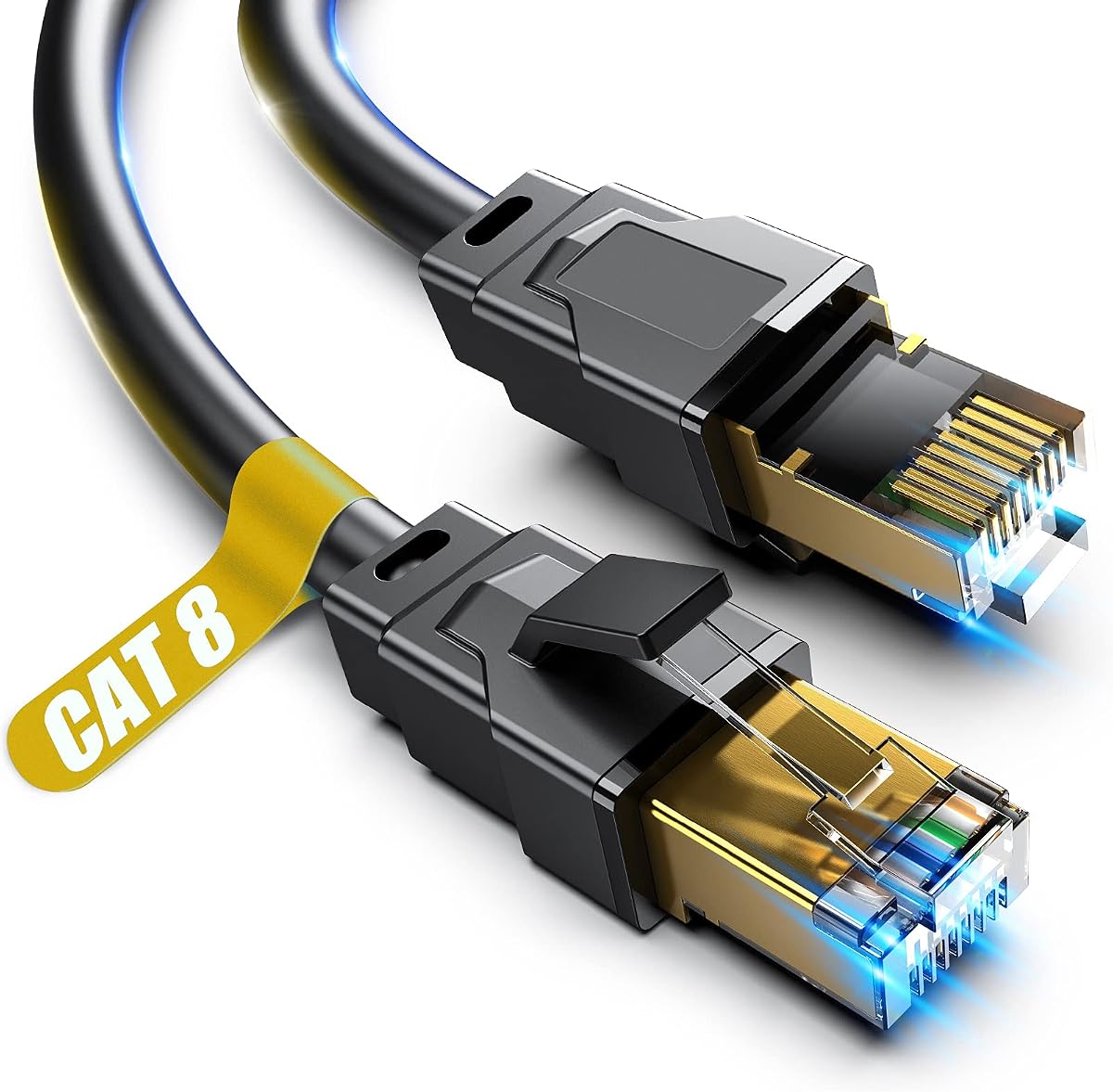
DbillionDa Cat 8 is uniquely designed for outdoor and direct burial use with a heavy duty PVC jacket. It maintains the high 40Gbps speeds needed for modern Mac setups while resisting environmental factors.
We may earn a commission when you buy through this link, at no additional cost to you.
The 26AWG conductors are thicker than standard cables providing better conductivity and reduced signal loss. F/FTP shielding minimizes external interference ensuring a stable link even in noisy environments.
While the cable is tough it may be less flexible in freezing temperatures due to the PVC material. The 6ft length works well for indoor desk use but limits outdoor reach.
Ideal for connecting Macs via outdoor points or in garages this cable is a robust choice. It balances rugged durability with high performance specs effectively.
UV resistant materials protect the jacket from sunlight degradation over time.
26AWG conductors allow for faster and more stable data transmission rates.
We may earn a commission when you buy through this link, at no additional cost to you.
This Jadaol Cat8 cable features a flat design that makes routing under carpets and doors simple. Its white color blends well with light walls and furniture for a clean professional look.
We may earn a commission when you buy through this link, at no additional cost to you.
The 25ft length is a versatile middle ground for many home office setups. S/FTP shielding maintains signal quality despite the slim profile ensuring consistent performance.
While the flat shape aids installation it can be slightly less resistant to sharp bending compared to round cables. The material quality remains good for regular indoor use cases.
Perfect for minimalist setups this cable keeps cable clutter to a minimum. It offers high performance in a format that is easy to manage and hide.
The flat profile allows the cable to slide easily under doors and rugs.
White casing helps the cable blend into modern office environments discreetly.
We may earn a commission when you buy through this link, at no additional cost to you.
The UGREEN Cat 8 3ft version is perfect for tight desk spaces or travel. Its flat design prevents tangling and ensures a neat setup for Mac users with limited space.
We may earn a commission when you buy through this link, at no additional cost to you.
Despite its small size it maintains the high 2000MHz bandwidth and 40Gbps speed of its longer sibling. The braided cotton cover adds durability for daily plugging and unplugging.
The 3ft length is the primary limitation so measuring your distance is crucial before buying. The connectors are reinforced to handle frequent connection changes without wear.
Buyers needing a short direct link from hub to Mac will find this ideal. It combines speed with a form factor that supports portable and desk setups.
A three foot length fits easily into laptop bags without taking up space.
The flat design prevents knots and keeps cables organized on the desk.
We may earn a commission when you buy through this link, at no additional cost to you.
This Cat 8 cable features a robust 48-strand cotton braid for superior strength and flexibility. It delivers the expected high speed performance with a focus on physical durability.
We may earn a commission when you buy through this link, at no additional cost to you.
The 8ft length is a common standard size suitable for most desk setups. SSTP shielding ensures that data transmission remains clean and stable during high load tasks.
The cable is heavier than others which can be a benefit for stability but a drawback for portability. Gold-plated pins provide reliable contact points that resist oxidation.
Ideal for users prioritizing build quality this cable withstands rigorous daily use. It offers a solid balance of strength and speed for Mac networking.
Forty-eight strands of cotton yarn create a tough outer layer.
SSTP design shields twisted pairs to reduce noise and interference.
We may earn a commission when you buy through this link, at no additional cost to you.
This Jadaol Cat6 cable provides a fifty foot flat run at a very competitive price point. It supports 10Gbps which is sufficient for most Mac internet needs without the cost of Cat 8.
We may earn a commission when you buy through this link, at no additional cost to you.
The flat design helps manage cables along walls and under carpets seamlessly. Included clips allow for easy mounting to keep the network tidy and organized.
While it lacks the 40Gbps speed of Cat 8 it is perfect for standard internet speeds. The unshielded design is adequate for typical home environments free of heavy interference.
Buyers needing long reach on a budget will find this excellent. It balances practical features with a cost effective price for general use.
Fifty feet of flat cable covers large distances without premium costs.
Included clips help secure the cable to surfaces for a clean look.
We may earn a commission when you buy through this link, at no additional cost to you.
The Cable Matters Cat 6 cable stands out for its snagless connector design that prevents damage during installation. It offers professional grade reliability with 24 AWG copper conductors for stability.
We may earn a commission when you buy through this link, at no additional cost to you.
The 25ft black length provides a clean professional aesthetic for office setups. It supports 10Gbps and meets industry standards for performance and reliability over time.
While it does not offer the braided style of others it prioritizes function and durability. The snagless boot ensures the connector latch never snaps during repeated use.
Perfect for office environments this cable offers dependability and speed. It is a solid choice for Mac users who value consistent networking hardware.
The integrated boot prevents connector latches from breaking during use.
Meets industry standards ensuring reliable data transmission and connectivity.
We may earn a commission when you buy through this link, at no additional cost to you.
Vabogu Cat 8 offers an extensive range of lengths to fit almost any setup. The 6ft version is built with heavy duty shielding and thick 26AWG conductors for max stability.
We may earn a commission when you buy through this link, at no additional cost to you.
The jacket is UV resistant and waterproof allowing for flexible installation in garages or sheds. It supports 40Gbps speeds ensuring your Mac stays ahead of network bottlenecks.
While the build is tough it may be slightly stiff to route in tight spaces. The versatility in length options makes finding the perfect fit easy for any user.
Ideal for complex setups this cable handles both indoor and outdoor demands well. It provides a robust solution for high speed networking needs.
Multiple length options allow you to find the perfect fit.
Thick conductors and shielded pairs ensure maximum signal integrity.
We may earn a commission when you buy through this link, at no additional cost to you.
The TP-Link USB C adapter allows modern MacBooks to connect via wired Ethernet easily. It transforms a USB-C port into a reliable Gigabit connection without requiring drivers.
We may earn a commission when you buy through this link, at no additional cost to you.
Its compact design fits in a pocket making it perfect for travel and remote work. The plug and play feature ensures instant setup on Mac systems without extra steps.
While adapters add bulk to the port it is a necessary tool for newer laptops. Ensure you use at least Cat6 cables to reach the full 1Gbps speed potential.
Buyers with port limited Macs will find this essential for stable networking. It balances portability with robust performance for professional use.
No extra software installation is required for Mac or Windows.
Supports full 1Gbps speeds with compatible Ethernet cables.
We may earn a commission when you buy through this link, at no additional cost to you.
Choosing the right Ethernet cable for Mac involves considering speed, length, and connector type to match your specific workflow needs.
Ethernet cables are categorized by their performance capabilities. Cat 6 supports up to 10Gbps while Cat 8 supports up to 40Gbps with higher bandwidth. For most Mac users Cat 6 is sufficient for gigabit internet but Cat 8 offers future proofing for high speed local transfers.
Select a category that matches your network hardware speed to avoid bottlenecks.
Most Macs now use USB-C ports requiring adapters or specialized cables. Ensure the cable has standard RJ45 connectors if you have a docking station or adapter. Check that any adapter supports USB 3.0 for full speed performance.
Always verify connector compatibility with your specific Mac model before buying.
Measure the distance between your router and your Mac workstation accurately. It is wise to choose a slightly longer cable to allow for movement and cable management. Too long can lead to clutter while too short restricts mobility.
Account for extra length when routing under desks or through walls.
Shielding like F/FTP or S/FTP protects data from electromagnetic interference. This is crucial in environments with many electronic devices or power cables nearby. Unshielded cables are fine for simple home setups but shielded ones offer better stability.
Look for shielded options if you experience network instability or drops.
Braided nylon or cotton jackets offer better protection against bending and pulling than standard PVC. For outdoor or high traffic areas choose cables with weather resistant materials. Durability affects the lifespan and reliability of your connection.
Invest in stronger jackets if the cable will be moved frequently.
Flat cables are easier to route under carpets and doors making them ideal for clean setups. Round cables are generally more durable and flexible for standard desk use. Choose based on how much you value aesthetics versus ruggedness.
Select flat designs for hidden installations and round for general use.
PoE support allows the cable to power devices like IP cameras without separate adapters. Not all Cat 8 cables support PoE especially longer lengths so check specifications. This feature is useful for smart home setups connected to a Mac.
Confirm PoE compatibility if you plan to power devices via the cable.
Higher category cables like Cat 8 cost more but offer better longevity and speed. Evaluate if your current internet speed justifies the extra cost of premium cables. Sometimes a budget Cat 6 is the smart choice for simple needs.
Balance your budget with the performance requirements of your tasks.
To set up your Ethernet cable for Mac start by connecting one end to your router or switch and the other to your Mac or adapter. Ensure the cable clicks into place securely to establish a physical link.
Route cables away from power cords to minimize electromagnetic interference that can slow speeds. Keep the cable slack rather than pulled tight to prevent stress on the connectors over time.
Clean connectors with a dry cloth if they become dusty and store excess cable loosely to avoid kinks. Regularly check for physical damage to maintain optimal network performance for your device.
Most modern MacBook Pro and Air models do not have built-in Ethernet ports. You will need a USB-C to Ethernet adapter to connect a wired cable to these devices. Older Macs like Mac mini often include a standard RJ45 port.
For standard home internet speeds Cat 6 or Cat 6a is usually sufficient. Cat 8 is designed for high speed data transfers within local networks. It is future proof but not strictly necessary for basic browsing or streaming.
Yes Cat 8 cables are backward compatible with older Ethernet standards. They will work perfectly with Macs that have standard ports or adapters. The connection speed will adjust to match the lowest speed in the chain.
Slow speeds often result from using damaged cables or adapters. Ensure your cable is properly seated and check for physical kinks. Try swapping the cable to see if the issue resolves itself.
Measure the distance from your router to your Mac desk including any bends. Add about two feet of extra length for flexibility and cable management. Avoid excess slack to keep the area tidy and organized.
Flat cables are designed to be thin for hiding under carpets and doors. Round cables are generally more flexible and durable for standard desktop use. The choice depends on your installation environment and aesthetic needs.
Shielding helps prevent signal interference from power sources or other electronics. It is particularly important in offices with many devices running nearby. For simple home setups unshielded cables often work just fine.
We explored ten top Ethernet cable options ranging from high speed Cat 8 to versatile adapters for port limited Macs. Each choice offers unique strengths depending on your needs for speed durability or aesthetic integration.
Prioritize speed and shielding for data heavy tasks while considering length for your specific layout. For most users a solid Cat 6 or Cat 8 cable provides excellent performance and stability for work and play.
Verify current prices and availability before purchasing as deals change frequently. Investing in the right wired connection ensures your Mac stays fast and reliable without Wi-Fi interruptions.