
Scan Translator Pen
3.8Editor score
142 online translation languages
Built-in voice recorder function
Text-to-speech audio reading
Bluetooth connectivity support
Finding the right assistive technology can transform how individuals with dyslexia approach reading and learning. A quality reading pen scans printed text and reads it aloud, bridging the gap between visual decoding and comprehension. These devices offer instant translation, dictionary lookups, and audio playback to support diverse learning needs.
We evaluated ten leading dyslexia reading pens based on scanning precision, language support, battery life, and user interface design. Each product was assessed for its ability to handle various text formats, from textbooks to handwritten notes. Our analysis highlights strengths in portability, accuracy, and specific features tailored for students and professionals.
Each selection below details specific capabilities, pros, cons, and ideal use cases for different user profiles. We focused on real-world performance in classrooms, offices, and travel scenarios. Please note that availability and specific model features may change over time, so verify current details before purchasing to ensure the best fit for your requirements.
3.8Editor score

3.9Editor score

4.0Editor score
As an Amazon Associate we earn from qualifying purchases.
The following table provides a side-by-side comparison of all ten products reviewed in this guide, highlighting key specifications and unique features for easy reference.


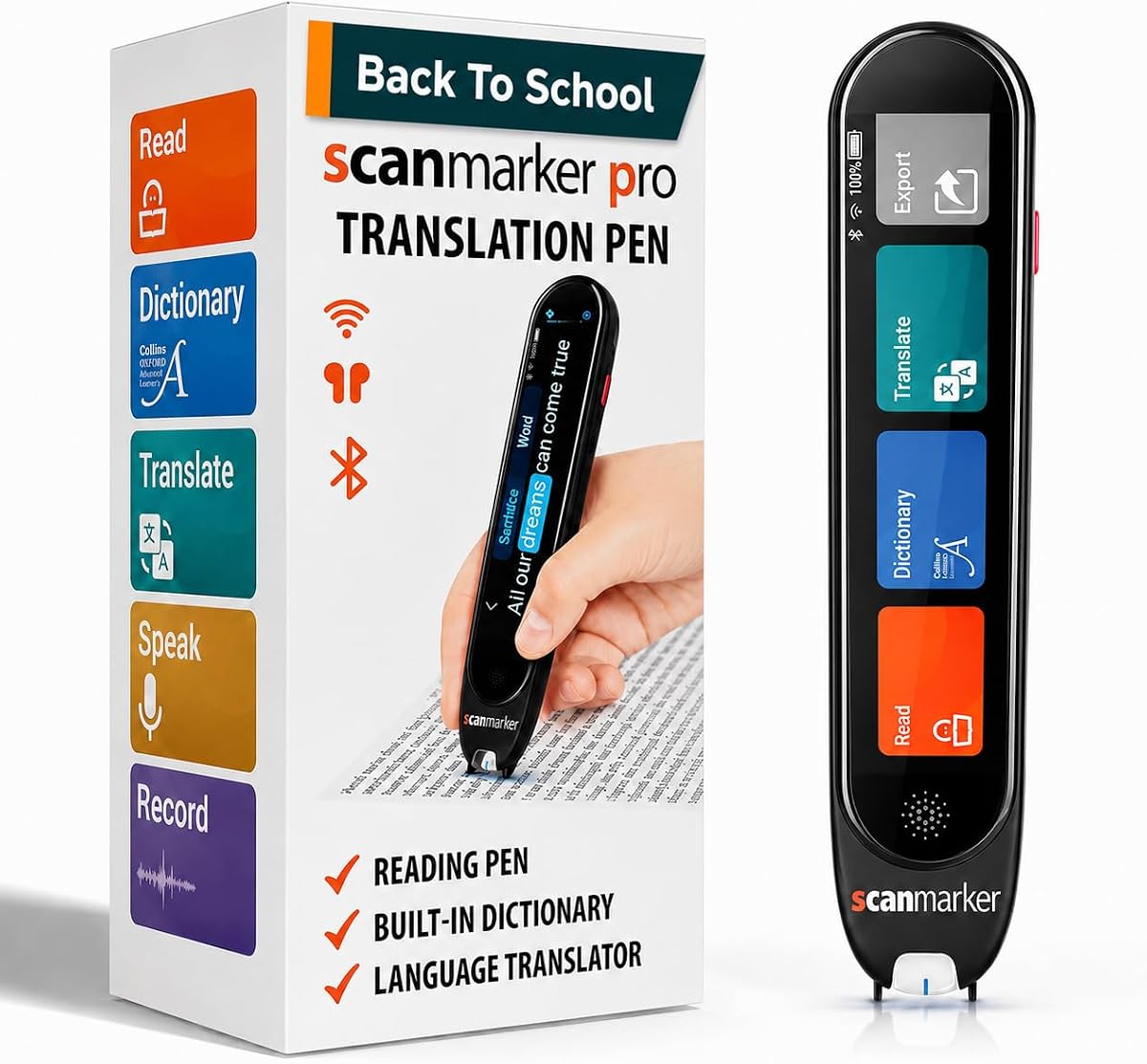
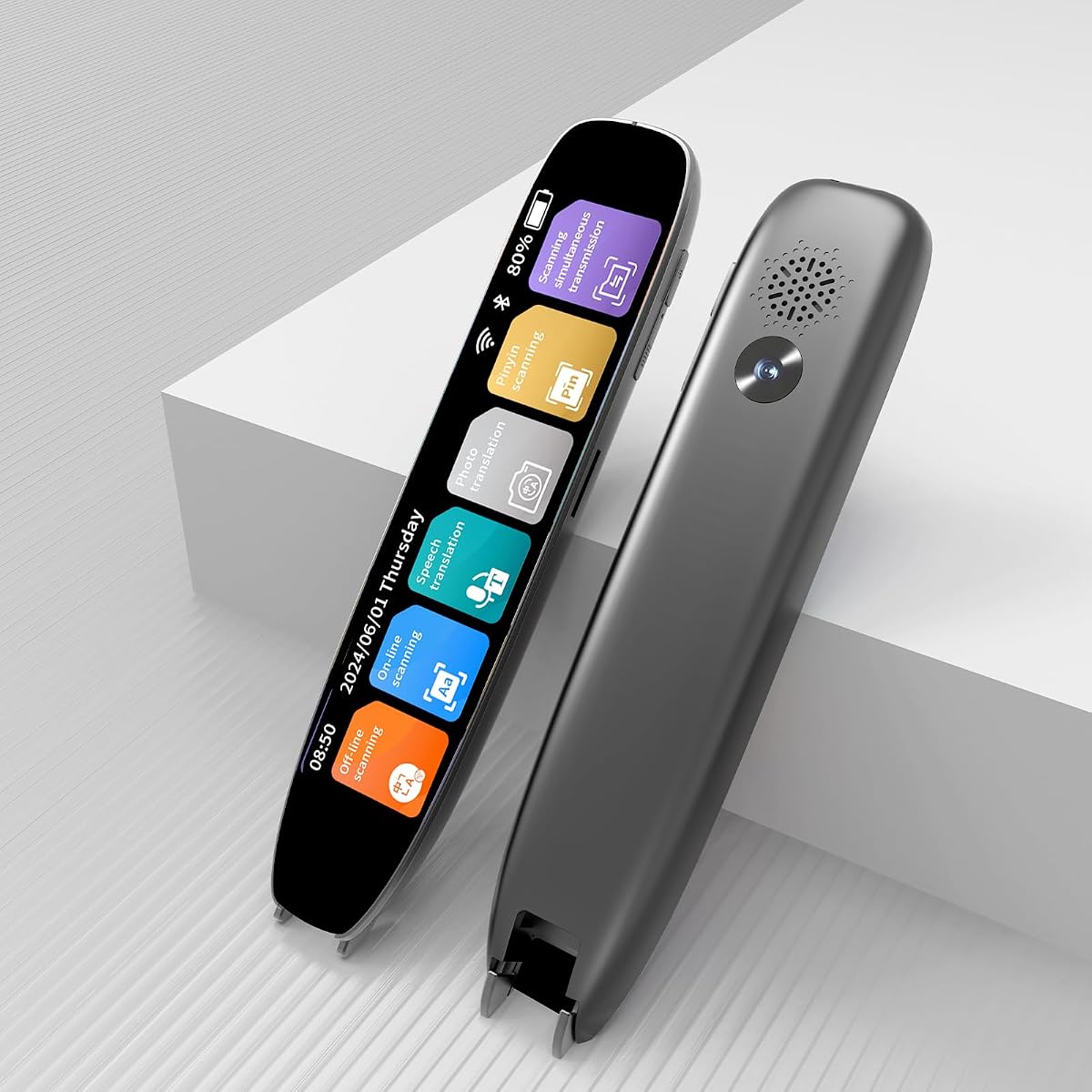
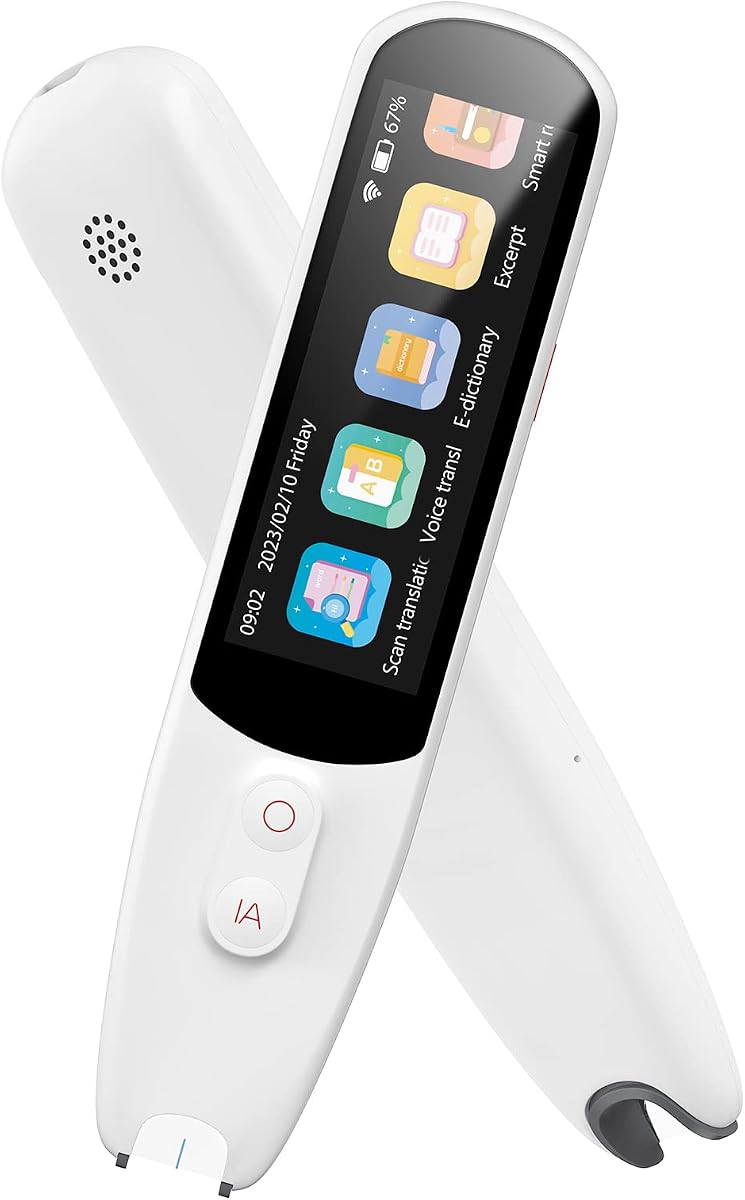


The Scanmarker Pal stands out as a top-tier assistive tool for individuals with dyslexia and language learners seeking a versatile solution. With a rating of 4.0 stars, users appreciate its ability to scan text and read it aloud while highlighting words on the screen, which aids comprehension significantly. It supports over 100 languages, making it a robust choice for international travelers and students.
We may earn a commission when you buy through this link, at no additional cost to you.
Its standout feature is the instant multilingual mastery it provides. Users can scan text in various languages, including offline support for English, Spanish, French, German, and Italian. The text-to-speech experience is seamless, offering auditory support for those with reading challenges. The compact design allows it to fit easily into pockets or bags for on-the-go learning.
While the device is powerful, the price point is a consideration for some budgets. However, the comprehensive feature set, including scanning and exporting text as digital files, justifies the investment for frequent users. The offline capabilities ensure reliability even without an internet connection, a critical feature for travelers.
This pen is ideal for students, professionals, and travelers who need reliable language support and dyslexia assistance. The Bluetooth connectivity enhances the experience by allowing immersive audio playback. We recommend this device for users prioritizing language versatility and auditory feedback in a portable package.
The ability to highlight words while reading them aloud helps users track their place in text, reducing visual stress and improving focus during reading tasks.
Offline support for major languages ensures that users can translate critical information even when internet access is unavailable, providing peace of mind during travel.
We may earn a commission when you buy through this link, at no additional cost to you.
The VORMOR Translator Pen is a robust device designed to assist individuals with dyslexia and language learners. Rated at 5.0 stars, it is praised for its OCR scan translator capabilities and intelligent recording functions. The device features a 3.5 inch touch screen, which provides a modern and intuitive interface for navigation and control.
We may earn a commission when you buy through this link, at no additional cost to you.
Key strengths include the ability to translate text in 112 languages with a response time of less than 0.3 seconds. It also incorporates the Collins Dictionary, offering authoritative Chinese-English dictionary support. The pen can be used as an audio recorder, making it versatile for meetings and lectures in addition to reading assistance.
The touch screen adds a layer of functionality but also requires charging, which users must plan for. Despite this, the accuracy rate of up to 98% makes it reliable for cross-language barriers. The reverse scanning direction setting ensures comfort for left-handed users, a thoughtful design detail.
This pen is suitable for students, business travelers, and those needing detailed dictionary support. The combination of translation, dictionary, and recording features makes it a comprehensive tool. We recommend it for users who prefer a screen-based interface and value high accuracy in translation.
Incorporating the Collins Dictionary provides users with reliable word definitions and translations, enhancing vocabulary building and comprehension for language learners.
The intelligent recording feature allows users to capture meetings and lectures, adding value beyond reading assistance for students and professionals alike.
We may earn a commission when you buy through this link, at no additional cost to you.
This Scan Translator Pen offers excellent value for users seeking a cost-effective dyslexia tool. With a rating of 4.0, it provides instant smart scan translation and text-to-speech reading. The device supports online translation in 142 languages and offline in 10, making it accessible for various learning and travel needs.
We may earn a commission when you buy through this link, at no additional cost to you.
Its powerful translation capabilities allow users to overcome language barriers easily. The text-to-speech feature reads scanned text aloud to improve pronunciation and comprehension, which is valuable for students. The lightweight and portable design fits into pockets, ensuring it is always available for on-the-go use.
The main trade-off is the lack of a touch screen, relying instead on a simpler interface. However, the Bluetooth connectivity compensates by allowing immersive audio experiences through headphones. Users should note that offline support is limited to 10 languages, which may affect usability in areas without internet.
This pen is best for students, elderly users, and travelers needing basic translation and reading support without breaking the bank. We recommend it for those who prioritize affordability and portability over advanced screen features.
Supporting 142 languages online ensures users can translate text in almost any language encountered during travel or study.
Its lightweight design makes it an ideal companion for students carrying it in pencil cases or pockets during daily academic activities.
We may earn a commission when you buy through this link, at no additional cost to you.
The Scanmarker Pro is designed to unlock learning potential with its all-in-one reading and translation features. Rated at 3.9, it scans text and reads it aloud while highlighting words on the screen. It supports over 100 languages online and offers offline functionality for five key languages like English and Spanish.
We may earn a commission when you buy through this link, at no additional cost to you.
Strengths include a built-in English dictionary that helps learners improve vocabulary and comprehension. The smart note-taking feature allows users to capture notes directly on the device, which is useful for professionals and students. The user-friendly design fits easily in pockets for on-the-go learning.
As a standalone pen, it does not scan to other devices directly, which limits data management compared to cloud-sync options. However, the one-year warranty and dedicated support provide peace of mind. The offline support ensures basic translation is available even without a connection.
This device is ideal for ESL students, classrooms, and language learners who need vocabulary support and note-taking capabilities. We recommend it for educational environments where vocabulary building and independent study are priorities.
The built-in dictionary provides instant word definitions, helping learners expand their vocabulary and understand complex text without external references.
Users can capture notes and memos directly on the device, streamlining information collection for study or work tasks efficiently.
We may earn a commission when you buy through this link, at no additional cost to you.
This Scan Translator Pen combines translation with audio recording, making it versatile for both study and work. Rated at 3.8, it features high-precision scanning and translation in 142 online languages. The text-to-speech feature reads text aloud to improve pronunciation and comprehension, which is vital for dyslexia support.
We may earn a commission when you buy through this link, at no additional cost to you.
Its voice recorder allows users to capture lectures and meetings directly on the device. The built-in camera supports photo translation, offering instant recognition of text from photos. The device is lightweight and portable, fitting easily into a pocket or pencil case for daily use.
The trade-off is the lack of a touch screen, relying on a simpler interface. However, the Bluetooth connectivity enhances audio playback. Users should be aware that offline translation is limited to 10 major languages, so internet access is needed for most translations.
This pen is ideal for students and professionals needing a combination of reading, translation, and recording. We recommend it for those who value audio capture features alongside language support.
The built-in voice recorder ensures that lectures and meetings are captured, providing a useful tool for review and note-taking.
Instant photo translation allows users to translate text from menus or signs without typing, saving time and effort during travel.
We may earn a commission when you buy through this link, at no additional cost to you.
The SVANTTO Translator Pen integrates OCR translation, text-to-speech, and noise reduction recording. Rated at 3.7, it is tailored for students and educators needing fast and accurate scanning. The device supports instant online and offline translation in 102 languages, ensuring utility during travel or study.
We may earn a commission when you buy through this link, at no additional cost to you.
Its adjustable text-to-speech audio allows users to customize reading speeds to match their comfort levels. The one-click scanning to editable smart notes feature quickly converts text into memos. The intelligent noise-reduction technology ensures clear audio capture for lectures and meetings.
The lower rating may indicate occasional issues with interface design, but the core features are strong. The offline translation for five major languages ensures functionality without internet. The ability to sync files to mobile phones adds convenience.
This pen is ideal for students needing structured study management and audio capture. We recommend it for users prioritizing note-taking and clear audio recording capabilities.
Adjustable audio speed allows users to listen at a pace that suits their learning needs, enhancing comprehension of complex texts.
Intelligent noise reduction captures clear audio even in noisy environments, ensuring lectures and meetings are recorded accurately.
We may earn a commission when you buy through this link, at no additional cost to you.
The NEWYES AI Pen offers AI-powered learning excellence with features like an AI Dictionary and homework checker. Rated at 3.9, it is designed for dyslexia-friendly reading with adjustable word speeds and pause times. It supports photo translation and scan-to-solve functions, making it a comprehensive study tool.
We may earn a commission when you buy through this link, at no additional cost to you.
Its dyslexia-friendly design includes special font options and six reading levels that grow with the user. The pen supports 112 languages and includes a built-in camera for photo translation. With 16GB storage, users can save extensive content and sync it to devices via Bluetooth.
The higher price reflects the advanced AI and storage features. The range of levels makes it suitable for pre-readers to advanced users. However, the complexity might be overwhelming for casual users seeking basic translation.
This pen is ideal for students needing homework help and structured learning paths. We recommend it for families investing in a long-term learning tool with versatile growth potential.
The AI homework checker helps students solve problems instantly, offering educational support beyond simple text translation.
The six reading levels ensure the pen adapts to users as their skills improve, making it a valuable long-term investment.
We may earn a commission when you buy through this link, at no additional cost to you.
This Translation Pen is designed for travelers and professionals needing reliable dyslexia support. Rated at 3.8, it features high-precision scanning and translation in 142 languages. The text-to-speech reading helps comprehension, while the two-way language translation facilitates communication across barriers.
We may earn a commission when you buy through this link, at no additional cost to you.
Its text excerpt function allows users to capture key details from documents efficiently. The photo translation capability translates menus and signs instantly. The offline translation for 10 languages ensures utility without internet access during business trips.
The lack of a touch screen limits advanced navigation but keeps the device simple to use. Users should note the horizontal-direction Japanese text recognition limitation. However, the Bluetooth support enhances audio experiences for those needing auditory feedback.
This pen is ideal for business travelers needing quick communication and document assistance. We recommend it for professionals who prioritize practical translation features over advanced interface options.
Two-way translation ensures users can communicate effectively in both directions, solving common travel and business language barriers.
The text excerpt function helps professionals extract key information from complex documents, saving time during research or meetings.
We may earn a commission when you buy through this link, at no additional cost to you.
This Translator Pen features a 5MP HD camera for complex layout text recognition. Rated at 5.0, it supports online voice dialogue in 142 languages and offline scanning in 10. It offers text-to-speech scanning to improve comprehension and reading barriers.
We may earn a commission when you buy through this link, at no additional cost to you.
The high-definition camera decodes images and non-standard layouts effectively, unlike regular scanners limited to flat text. It allows one-click mobile sync for editable files, streamlining note-taking. The all-in-one smart recording combines text reading and HD voice recording.
The 5.0 rating highlights strong user satisfaction with its capabilities. The full scenario translation ensures seamless use outdoors or in business environments. However, reliance on internet for most languages may limit offline use.
This pen is ideal for users needing high-quality image recognition and translation. We recommend it for those prioritizing camera quality and efficient file management.
The 5MP camera handles complex layouts and images, providing accurate translations for a wider range of text scenarios.
One-click sync to mobile phones ensures that captured text is immediately accessible for editing and storage on the go.
We may earn a commission when you buy through this link, at no additional cost to you.
This Scan Translation Pen adapts to left-handed users with a dedicated hand mode selection. Rated at 3.8, it supports translation in 142 languages and offline in 10. It offers text-to-speech reading and photo translation for menus or signs, ensuring comprehensive learning support.
We may earn a commission when you buy through this link, at no additional cost to you.
The 70g lightweight design fits easily into pockets for daily use. Users can extract and sync text to phones for notes in 52 languages. The intelligent recording button serves as a classroom recording device, capturing teacher lectures for review.
The left-handed mode adds a humanized touch that improves comfort. Users should note the horizontal-direction Japanese text recognition limitation. However, the lightweight build and Bluetooth support make it a reliable tool for students.
This pen is ideal for left-handed users and students needing classroom recording. We recommend it for those prioritizing ergonomic design and lightweight portability.
Left and right hand mode selection ensures comfortable operation for all users, reducing fatigue during extended scanning sessions.
The intelligent recording feature allows students to capture lectures accurately, ensuring no key information is missed during classes.
We may earn a commission when you buy through this link, at no additional cost to you.
Selecting the right reading pen involves evaluating several technical and practical factors to ensure it meets your specific learning or professional needs.
Language support is critical for users who travel or study foreign languages. Look for devices that offer online translation in 100+ languages and offline capabilities for key languages like English, Spanish, and French. Offline support ensures you can use the pen even without an internet connection.
Prioritize pens with broad language coverage if you plan to use them internationally or for diverse academic subjects.
For dyslexia support, clear and adjustable audio is essential. Devices with adjustable reading speeds and pause times help users match the playback to their comprehension levels. Check for built-in accents like British or American English if accent preference matters to you.
Ensure the text-to-speech feature is natural and clear to maximize its effectiveness for reading challenges.
Optical Character Recognition (OCR) technology determines how well the pen scans text from books, screens, or labels. Look for devices with high accuracy rates to avoid errors in translation or notes. Advanced cameras can handle complex layouts better than standard scanners.
Choose a pen with high OCR accuracy to ensure that scanned text is converted correctly for study or work purposes.
A lightweight device that fits in a pocket is ideal for on-the-go use. Battery life should support extended study sessions or travel days. Consider the weight and form factor to ensure it is comfortable to hold during long scanning tasks.
Select a portable model with reliable battery life to avoid interruptions during critical learning or work moments.
Devices with storage capacity allow you to save scanned documents and translations. Look for pens that can export to PDF or text formats for easy sharing. Bluetooth or USB connectivity makes syncing with other devices convenient for note organization.
Verify that the device offers sufficient storage and export options to manage your digital files effectively.
Extra features like voice recording, AI homework checkers, or dictionaries add value. Recording capabilities are useful for lectures, while AI tools assist with complex questions. Evaluate if these functions align with your specific study or professional goals.
Focus on secondary features that provide direct utility for your daily tasks to maximize the device's return on investment.
To get the best performance, keep the scanning surface clean and free of dust. Wipe the optical sensor with a soft, dry cloth regularly. This ensures that text is captured accurately without distortion or missing characters during scanning.
For optimal battery life, charge the device fully before extended use. Avoid leaving it connected to power for too long after charging. Proper battery care ensures the pen remains functional throughout the day without unexpected shutdowns.
Store the pen in a protective case or sleeve to prevent scratches. Avoid exposure to direct sunlight or extreme temperatures. Following these steps will extend the lifespan of your device and keep it looking new.
Yes, many modern reading pens support scanning from e-books, digital screens, and printed text. Ensure the pen is held at the correct angle and distance to capture clear images of the screen text for accurate reading.
Most models offer offline support for a limited number of languages. For full functionality, internet connectivity is often required, but you can still rely on offline modes for basic tasks like translation in major languages.
Some devices feature left-handed scanning modes or adjustable settings. Check the specific product details for ergonomic features like reverse scanning direction to ensure comfort during extended use.
Most pens allow you to export text to mobile phones or computers via Bluetooth or USB. Ensure you have the companion app installed to sync and manage your digital files effectively.
OCR scans text for translation and reading, while AI scanning can solve math problems or check homework. AI features provide deeper assistance but may cost more. Choose based on your need for study aid versus basic translation.
A touch screen enhances navigation but is not essential. Basic models work well with buttons, offering simplicity. Consider your preference for interface complexity versus ease of use when deciding.
We reviewed ten top dyslexia reading pens that cater to various needs from budget-friendly translation to premium AI features. Each option offers unique benefits like multilingual support, voice recording, and accessibility tools.
When choosing, prioritize language coverage, audio quality, and portability. Consider your specific use case whether for travel, classroom work, or daily reading to find the right match.
Always check the latest product details before purchasing. Prices and specifications may change, so visiting the official product page is recommended.