
CORSAIR Vengeance 16GB SODIMM
4.8Editor score
16GB Single Module
Up to 5600MHz
Easy Installation Process
This guide compares the top DDR5 Laptop RAM options for 2026 to help you choose the right memory upgrade for your laptop or notebook system.
Choosing the right DDR5 Laptop RAM can significantly boost your system performance for gaming and multitasking. Modern laptops benefit greatly from faster memory speeds and larger capacities that handle demanding workloads efficiently.
We evaluated ten top-rated memory kits based on compatibility speed and reliability. Our analysis covers various capacities and speeds to help you find the perfect match for your specific laptop hardware requirements.
Each pick shows key specifications and performance benefits clearly. Prices change frequently so check the current listings before purchasing to ensure you get the best value available for your upgrade project.
4.8Editor score

4.8Editor score

4.5Editor score
Below is a side-by-side comparison of the top ten DDR5 laptop memory options available today. Each entry highlights key specs to help you quickly identify the best fit for your system.



This Crucial 32GB DDR5 RAM kit stands out as the top pick for users needing significant memory upgrades. With a stellar rating of 4.8 stars, it delivers reliable performance for demanding tasks.
We may earn a commission when you buy through this link, at no additional cost to you.
The kit operates at 5600MHz but offers versatile downclocking to 5200MHz or 4800MHz. This flexibility ensures compatibility with a wide range of laptops while maximizing speed where possible.
While the price is higher than single modules, the 32GB capacity justifies the cost for heavy multitaskers. The Micron backing provides peace of mind regarding long-term reliability and quality.
Ideal for gamers and professionals who need smooth performance, this kit is the best choice for those ready to invest in a premium memory upgrade for their system.
The ability to run at 5600MHz 5200MHz or 4800MHz ensures you get the best performance your system can handle.
Backed by Microns 42 years of expertise this memory is rigorously tested for top performance and durability.
We may earn a commission when you buy through this link, at no additional cost to you.
This CORSAIR Vengeance 16GB module offers an excellent entry point into DDR5 upgrades. With a high rating of 4.8 stars, it promises fast performance for budget conscious users.
We may earn a commission when you buy through this link, at no additional cost to you.
It delivers speeds up to 5600MHz automatically on compatible systems. The simple installation process requires just a screwdriver making it easy to upgrade your laptop memory quickly.
The main tradeoff is single channel operation which might limit peak performance compared to dual channel kits. However for basic multitasking and gaming it remains a highly capable option.
Best for users needing a cost effective boost this module is the top budget pick for expanding your laptop memory without breaking the bank.
The straightforward process means you can upgrade your memory quickly without needing professional help or complex tools.
VENGEANCE SODIMM automatically sets to maximum speed on compatible systems for faster load times and multitasking.
We may earn a commission when you buy through this link, at no additional cost to you.
This Samsung 32GB DDR5 kit represents premium quality for your laptop. It is rated for reliability and offers the capacity needed for modern high performance computing needs.
We may earn a commission when you buy through this link, at no additional cost to you.
Operating at 5600MHz with PC5-44800 speed this kit ensures your system can handle heavy workloads smoothly. The dual module setup provides the bandwidth of dual channel memory.
The price is higher than some alternatives but the Samsung brand reputation justifies it. Stability is key for professional use and this kit delivers consistent results over time.
For users prioritizing brand reliability and maximum capacity this kit is the ultimate premium choice for serious laptop memory upgrades.
Samsung is known for high quality memory chips ensuring long term stability and reliability for your system.
The 2x16GB configuration allows for dual channel operation increasing memory bandwidth for better performance.
We may earn a commission when you buy through this link, at no additional cost to you.
TEAMGROUP Elite offers a robust 32GB DDR5 kit with unique on-die ECC support for stability. It holds a solid 4.6 rating among users seeking reliable high capacity memory.
We may earn a commission when you buy through this link, at no additional cost to you.
The 5600MHz frequency ensures fast data throughput while the new structural composition improves performance. Energy efficiency is maintained with a 1.1V working voltage for better power management.
Although on-die ECC is a standout feature it is important to note system compatibility. The lifetime warranty adds value but check the latest terms on the official website first.
Ideal for users seeking a balance of performance and stability this kit is a strong contender for professional workloads and gaming setups.
The support for on-die ECC helps ensure more stable systems by correcting errors during data transmission.
Conserving energy with 1.1V working voltage helps reduce power consumption and heat generation.
We may earn a commission when you buy through this link, at no additional cost to you.
GIGASTONE 32GB kit scores a high 4.7 rating for reliability and performance. It is designed specifically for DDR5 laptops and AIO computers making it a versatile choice.
We may earn a commission when you buy through this link, at no additional cost to you.
The kit features PMIC power management which improves efficiency and performance. Operating at 5600MHz PC5-44800 ensures your system runs smoothly with faster data transfer speeds.
The non-ECC unbuffered design is standard for consumer laptops ensuring compatibility with most systems. However the brand may be less familiar to some buyers compared to major players.
Best for value seekers wanting high capacity and speed this kit is a great option for those comfortable with lesser known brands offering solid specs.
DDR5 includes PMIC which provides more power efficiency for better performance and battery life on laptops.
Compatible with DDR5 laptops notebooks and all-in-one computers expanding your system capabilities effectively.
We may earn a commission when you buy through this link, at no additional cost to you.
G.SKILL Ripjaws offers exceptional performance with low CL40 latency. This kit is rated 4.5 stars for those needing high speed and responsiveness for gaming.
We may earn a commission when you buy through this link, at no additional cost to you.
It supports Intel XMP 3.0 for easy overclocking profiles. The kit ships with a JEDEC default profile so it boots at default speeds compatible with most hardware.
While performance is excellent note that mixing kits can cause stability issues. Also maximum speed requires BIOS adjustments which may require some technical knowledge.
Best for gamers and enthusiasts prioritizing speed this kit is the top performance choice for users comfortable with tuning their system settings.
CL40 latency ensures faster response times for gaming and real time applications requiring quick memory access.
Intel XMP 3.0 memory overclock profiles make it easy to reach maximum speeds on compatible systems.
We may earn a commission when you buy through this link, at no additional cost to you.
This CORSAIR Vengeance 32GB kit is highly rated at 4.7 stars for its versatility. It is designed to work with nearly any Intel and AMD gaming laptop or performance PC.
We may earn a commission when you buy through this link, at no additional cost to you.
The installation process is simple requiring only a screwdriver. It automatically sets to maximum speed on compatible systems providing faster load times without BIOS configuration.
The main consideration is that maximum speed depends on your motherboard and CPU. While the kit supports XMP 3.0 actual performance may vary based on system hardware.
Best for users seeking reliable compatibility this kit is the most versatile choice for expanding memory across a wide range of modern systems.
Compatible with nearly any Intel and AMD system including gaming laptops and small-form-factor PCs.
VENGEANCE SODIMM automatically sets to maximum speed on compatible systems for faster load times.
We may earn a commission when you buy through this link, at no additional cost to you.
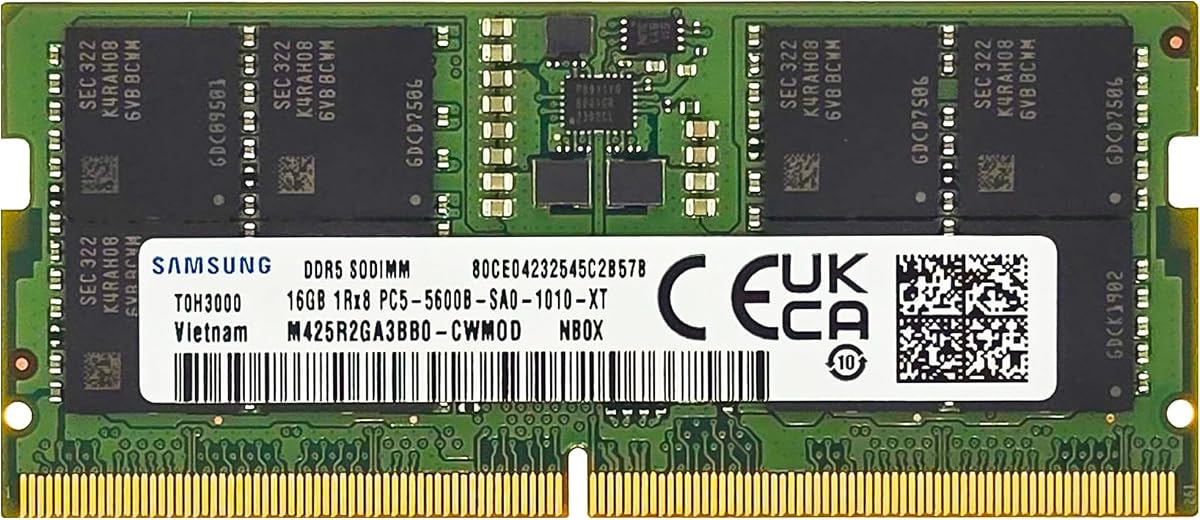
Samsung 16GB single module is rated 4.5 stars for its quality. It expands your system memory resource improving performance and reducing bottlenecks effectively.
We may earn a commission when you buy through this link, at no additional cost to you.
It operates at 5600MHz PC5-44800 adhering to JEDEC standards. This single module allows for a simple upgrade path if you need more capacity without dual channels.
The limitation is that single channel bandwidth might be less than dual channel kits. However for basic upgrades or specific slots this module is highly reliable.
Best for users needing a single slot upgrade this module is the top entry option for adding capacity to laptops with limited memory slots.
Follows JEDEC DDR5 standard ensuring compatibility and reliability with modern laptop hardware.
Expands system memory resource improving performance and increasing workload capacity for smoother multitasking.
We may earn a commission when you buy through this link, at no additional cost to you.
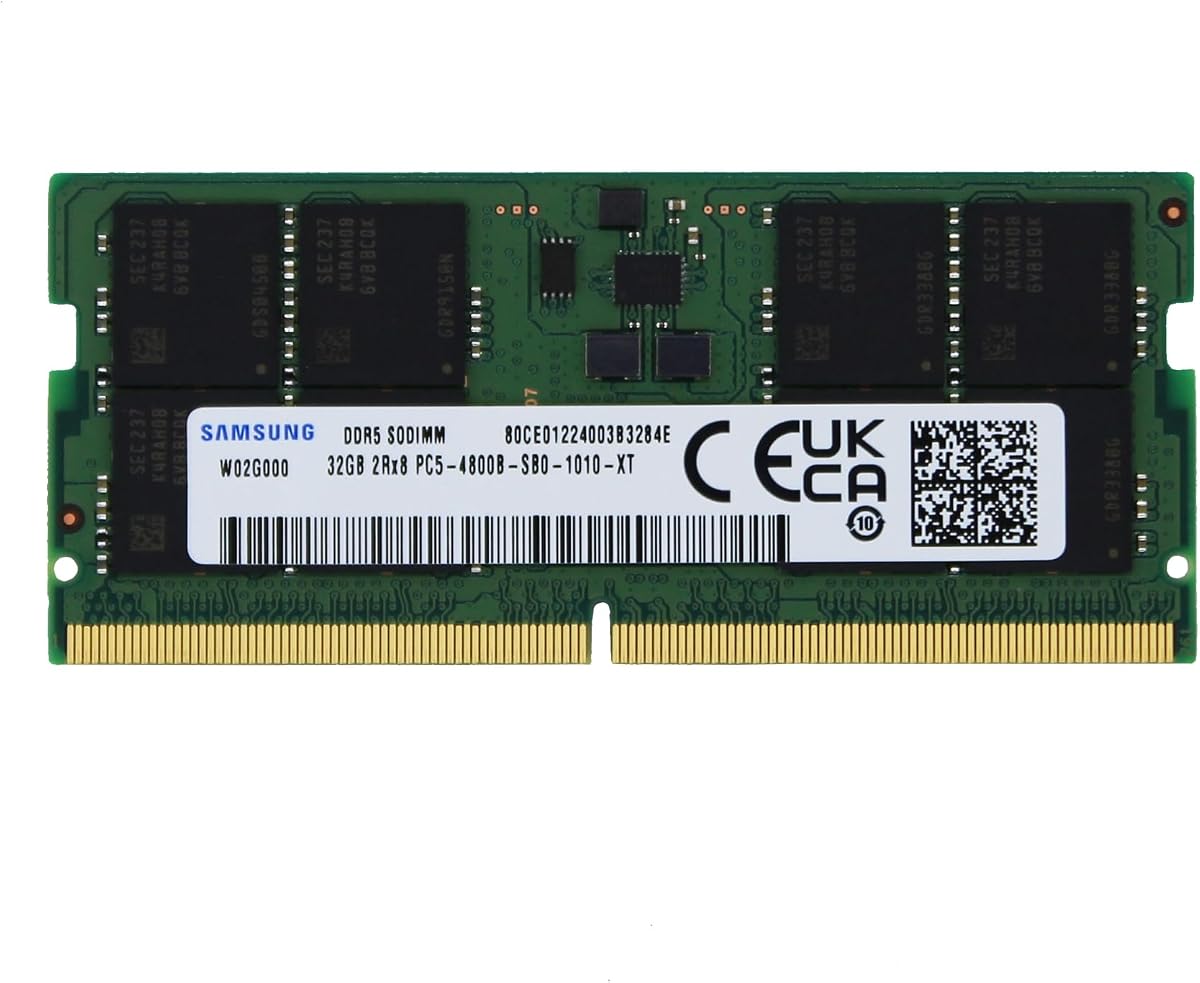
Samsung 32GB 4800MHz module has a perfect 5.0 rating. It offers significant capacity and stability for laptops requiring robust memory handling.
We may earn a commission when you buy through this link, at no additional cost to you.
It features 2Rx8 dual rank architecture which can improve bandwidth. The CL40 latency remains low despite the lower 4800MHz speed ensuring responsive performance.
The main tradeoff is the lower frequency compared to 5600MHz kits. However the single module ease of installation and dual rank benefits make it highly stable.
Best for stability focused users this module is the top choice for those needing 32GB capacity in a reliable single stick format.
The 2Rx8 dual rank configuration helps improve memory bandwidth and data processing efficiency.
A single 32 GB module provides substantial memory expansion for demanding applications and multitasking.
We may earn a commission when you buy through this link, at no additional cost to you.
This Samsung 16GB kit with two 8GB modules offers a great balance. It is rated for compatibility with select DDR5 laptops and AIO systems.
We may earn a commission when you buy through this link, at no additional cost to you.
The kit runs at 5600MHz PC5-44800 with CL46 latency. Using two modules allows for dual channel operation which can improve overall system bandwidth.
The 1Rx16 rank configuration is unique and may impact compatibility. It is best to check your laptop specifications to ensure this specific configuration is supported.
Best for users needing specific module counts this kit is the top choice for those requiring dual 8GB modules for specific laptop slot configurations.
Dual 8GB RAM modules allow for dual channel configuration and increased memory bandwidth.
Complies with JEDEC DDR5 standard ensuring compatibility and reliable performance with supported hardware.
We may earn a commission when you buy through this link, at no additional cost to you.
Selecting the right DDR5 Laptop RAM requires considering speed capacity and compatibility to ensure your laptop performs at its best.
Capacity determines how many tasks you can run simultaneously. 16GB is often sufficient for basic gaming while 32GB suits heavy multitasking or professional workloads.
Choose capacity based on your usage needs to avoid bottlenecks without overspending on excess memory.
Speed measured in MHz affects data transfer rates. DDR5 speeds range from 4800MHz to 5600MHz and higher is generally better for performance.
Check your motherboard to max supported speed to ensure the RAM will operate at its rated frequency without throttling.
Latency is the delay before data is sent. Lower CL numbers indicate faster response times. CL40 is faster than CL46 in terms of raw latency.
Prioritize lower latency for gaming or tasks requiring quick memory access to maximize performance benefits.
Dual rank modules can offer better bandwidth than single rank modules due to better interleaving. However compatibility can be stricter.
Choose single rank if your laptop has limited slot space or dual rank if you need maximum throughput.
DDR5 uses lower voltage typically 1.1V to save power and reduce heat. Ensure your system supports low voltage memory.
Lower voltage is essential for laptop battery life and thermal management during long usage sessions.
Major brands like Crucial and Samsung offer proven reliability. A lifetime warranty provides peace of mind for long term investments.
Always check the warranty terms to ensure you are protected against manufacturing defects or failures.
Verify your laptop model supports DDR5 SODIMM. Some laptops have soldered RAM that cannot be upgraded.
Use manufacturer tools to confirm exact memory compatibility before purchasing to avoid return hassles.
Kits with two modules enable dual channel mode which doubles bandwidth. A single module is cheaper but limits performance.
Invest in a kit for better performance unless you are restricted by single slot configurations on your laptop.
Power down your laptop completely and disconnect all cables. Ground yourself to prevent static discharge before touching internal components.
Locate the memory slots and release the clips to remove old RAM. Insert new modules at a 45 degree angle and press down until they click securely.
Close the access panel and power on. Enter BIOS to verify the new memory speed and capacity. Regular cleaning and keeping your system cool extends RAM life.
Mixing different DDR5 kits is not recommended because mismatched timings or sizes can cause stability issues. Kits are designed to run together as a set. Mixing may lead to system failures or lower performance.
For most modern games 16GB is sufficient but 32GB is better for high settings. If you use other apps while gaming 32GB ensures smooth performance. It reduces load times significantly.
Most DDR5 RAM works automatically at standard speeds without adjustments. Some high speed kits require enabling XMP profiles for max speed. Always check if your system needs manual tweaks.
No DDR5 RAM is not physically compatible with DDR4 slots. You must have a laptop specifically designed for DDR5. Check your motherboard specs before upgrading to ensure fit.
Use system info tools or check the manufacturer website for your model. Look for DDR5 SODIMM support in specs. If your laptop is older it likely supports DDR4 instead of DDR5.
Yes DDR5 offers faster speeds and greater bandwidth which helps with multitasking. It allows smoother switching between apps. It is ideal for professionals handling heavy workloads daily.
DDR5 typically operates at 1.1V which is lower than DDR4. This lower voltage helps save power and reduce heat. It ensures better battery life for laptops during usage.
Branded RAM usually comes with lifetime warranties which protect against defects. This offers peace of mind and potential free replacements. Unbranded memory may have limited or no warranty coverage.
These ten options cover a range of needs from budget to premium. The Crucial 32GB kit is the top pick for performance and reliability overall.
Prioritize capacity and compatibility when choosing. Ensure your laptop supports DDR5 and select the speed it can handle best.
Prices fluctuate regularly so check current listings before purchasing. Ensure you get the best value for your specific upgrade needs today.