
79866M Main Drive Belt
4.6Editor score
Industrial-grade wear-resistant material
Fits Zebra ZT410 series
Prevents cracking and deformation
This guide compares the top Computer Printer Transfer Belts for reliability and quality. Find the right replacement belt for your Zebra, Brother, HP, or
Computer Printer Transfer Belts are critical components that ensure high-quality output in laser and thermal printers. A failing belt can cause streaks, smears, or misalignment in your printed documents. Choosing the right replacement is essential for maintaining consistent performance in your office or warehouse.
We have analyzed ten leading transfer belt options across various brands and printer models. Our comparison focuses on compatibility, yield, material quality, and user feedback. This list helps you identify the most reliable parts for your specific machine needs.
Each pick in this guide highlights key features and supported models. We include detailed specs and user ratings to inform your decision. Please note that product prices and availability may change over time. Always verify compatibility before purchasing to ensure a proper fit.
4.6Editor score

5.0Editor score
5.0Editor score
This side-by-side comparison highlights the key specifications and compatibility of each transfer belt option. Use this table to quickly find the part that matches your printer model and performance requirements.


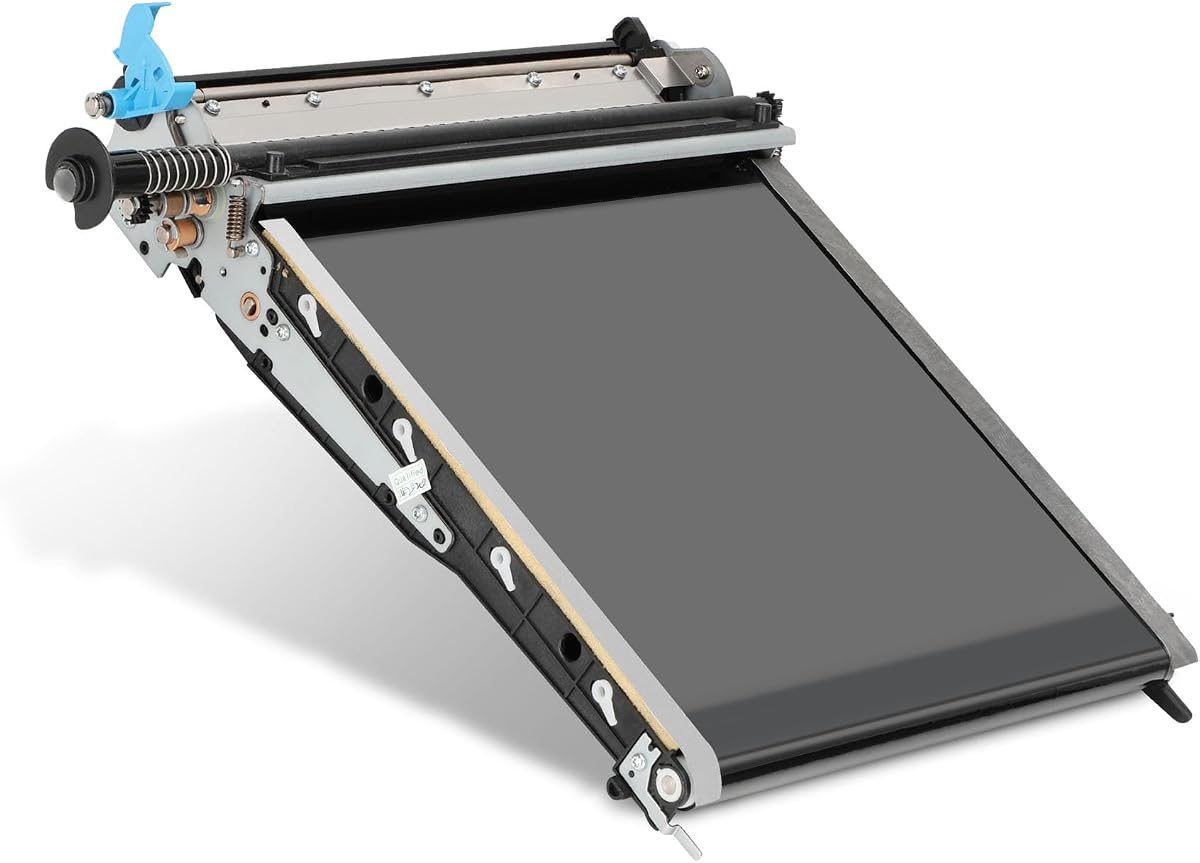

This replacement belt is designed specifically for Zebra ZT410 and similar thermal printers. It holds a solid rating from users who value durability. The reinforced composite material is a standout feature for continuous printing.
We may earn a commission when you buy through this link, at no additional cost to you.
The material offers high tensile strength and heat resistance. This helps avoid permanent deformation under heavy-duty conditions. The part number matches original specifications for correct fit.
It is not compatible with 300dpi models. Ensure you check your printer model before buying. The packaging is basic but the belt itself is well-made.
This belt is ideal for warehouse labels and industrial use. It provides a reliable solution at an affordable price point.
The belt uses a reinforced composite material that resists wear over time. This ensures consistent performance even with long printing runs.
It fits Zebra ZT410 ZT411 ZT420 ZT421 203dpi models. The part number aligns with OEM requirements for seamless replacement.
We may earn a commission when you buy through this link, at no additional cost to you.
This genuine Brother unit ensures professional color laser output. It supports a yield of up to 50000 pages. The engineering is designed to work seamlessly with the printer system.
We may earn a commission when you buy through this link, at no additional cost to you.
Users report sharp prints that withstand the test of time. The integration is smooth, reducing alignment issues. It is part of a complete printing system for optimal results.
The price is higher than third-party options. It is limited to specific Brother models. However, the quality and yield justify the cost.
This unit is best for offices needing consistent color output. It offers reliability for long-term use.
The belt unit delivers consistent professional color laser quality. This ensures your documents look sharp and clear every time.
You can print up to 50000 pages with one unit. This reduces the frequency of replacements and maintenance tasks.
We may earn a commission when you buy through this link, at no additional cost to you.
This belt unit comes in retail packaging for easy identification. It supports around 50000 pages of printing. It is designed for specific Brother HL and MFC models.
We may earn a commission when you buy through this link, at no additional cost to you.
The retail packaging ensures the part arrives in good condition. It is suitable for offices using HL-L8260CDW series. The quality is consistent with genuine parts.
It is more expensive than bare units. You need to confirm model compatibility. The black color indicates standard use for color printers.
This unit is recommended for users who prefer retail boxes. It simplifies procurement for IT departments.
The product arrives in retail packaging for protection and easy tracking. This ensures the belt is undamaged before installation.
You can expect approximately 50000 pages from this unit. This provides a reliable estimate for office planning.
We may earn a commission when you buy through this link, at no additional cost to you.
This kit includes a full transfer belt and rollers. It is compatible with HP Color LaserJet CP4025 series. The raw materials are selected for high quality.
We may earn a commission when you buy through this link, at no additional cost to you.
Each part is factory tested for functionality. The package includes an intermediate belt and secondary roller. It aims to restore peak performance.
The anti-drop box ensures safe shipping. It is specific to certain HP models. The 5.0 rating suggests high satisfaction.
This kit is perfect for replacing worn transfer components. It offers a complete solution for HP users.
The package includes intermediate belt and secondary roller. This allows a full replacement of transfer components.
Every part undergoes factory testing for quality. This ensures the kit performs correctly upon installation.
We may earn a commission when you buy through this link, at no additional cost to you.
This genuine unit supports HL-3140CW and related MFC models. It does not include retail packaging. The weight is standard for transfer units.
We may earn a commission when you buy through this link, at no additional cost to you.
It is a genuine Brother part ensuring compatibility. The packaging is basic which reduces cost. The belt is designed for color laser output.
Without a box, care must be taken during handling. It fits specific HL-3140 and MFC-9340 models. The unit is reliable for office use.
This belt is good for cost-conscious buyers. It ensures original equipment quality without the extra packaging.
The item comes without retail packaging to save costs. It is intended for direct installation by trained staff.
It supports MFC-9130CW MFC-9330CDW and more. This covers a wide range of office machines.
We may earn a commission when you buy through this link, at no additional cost to you.
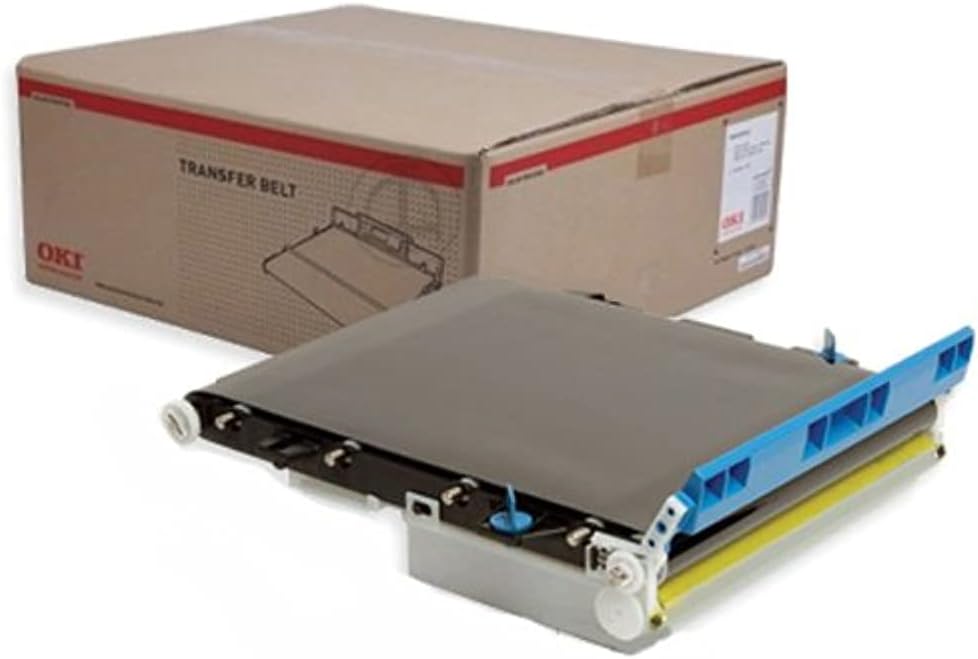
This belt offers a high yield of 60000 pages. It helps reduce downtime in busy environments. It is designed to replace critical parts effectively.
We may earn a commission when you buy through this link, at no additional cost to you.
The yield supports high productivity needs. Replacing it regularly extends machine life. The rating is a perfect 5.0 from users.
It is specific to Oki printers. The price is higher than average. But the value comes in reduced interruptions.
This belt is excellent for high-volume Oki users. It ensures productivity with minimal service.
The belt provides a yield of 60000 pages. This reduces the need for frequent replacements.
By reducing downtime, it increases overall productivity. Regular replacement of this part keeps machines running.
We may earn a commission when you buy through this link, at no additional cost to you.
This is an OEM kit for HP CM3530 series. It includes a transfer belt service kit. The yield is up to 150000 pages.
We may earn a commission when you buy through this link, at no additional cost to you.
The OEM guarantee ensures authentic parts. It is recommended to be installed by an experienced technician. This ensures correct fit and function.
The rating is lower, suggesting complexity. It is a complex part to replace. Always verify the part number exactly.
This kit is ideal for professional setups. It ensures authentic parts for critical maintenance.
This product is guaranteed as authentic Hewlett Packard. It ensures quality for critical printer parts.
It is recommended to be installed by a technician. This avoids issues with incorrect replacement.
We may earn a commission when you buy through this link, at no additional cost to you.
This kit fits M652 and M653 printers. It includes smooth belt parts and rollers. The high quality materials aid precision.
We may earn a commission when you buy through this link, at no additional cost to you.
The belt runs without hindrance. Multiple quality tests are performed on each unit. The packaging includes tray rollers.
There is no rating available yet. It is important to confirm model before buying. The support is prompt within 24 hours.
This kit suits Enterprise users. It aims to bring printers back to life.
The kit uses high quality plastic parts. This ensures smooth operation and precision.
The package includes belt secondary rollers and tray rollers. This offers a comprehensive replacement set.
We may earn a commission when you buy through this link, at no additional cost to you.
This assembly fits Lexmark CS720 and CX725 series. The yield is 150000 pages. Packaging is secure to prevent damage.
We may earn a commission when you buy through this link, at no additional cost to you.
The assembly is factory tested for performance. It is made from high quality materials. The packaging protects the part well.
There is no rating available. Ensure the model matches your printer. Service is responsive within 24 hours.
This is a strong choice for Lexmark users. It offers a tested solution for transfers.
Anti-drop packaging ensures product integrity during shipping. This keeps the belt safe before installation.
It offers a 150000 yield. This ensures optimal printer performance over time.
We may earn a commission when you buy through this link, at no additional cost to you.
This assembly fits the same Lexmark models. The packaging is secure for protection. It includes a 150000 yield.
We may earn a commission when you buy through this link, at no additional cost to you.
The assembly is tested for quality. The materials are premium for longevity. It serves as an alternative to OEM.
There is no rating data. Always confirm model compatibility. The service is quick and helpful.
This kit is a viable option for CS720 owners. It ensures durability and reliable performance.
Anti-drop packaging ensures product integrity during shipping. This keeps the belt safe before installation.
It offers a 150000 yield. This ensures optimal printer performance over time.
We may earn a commission when you buy through this link, at no additional cost to you.
Choosing the right transfer belt requires matching your printer model and considering material quality. This guide covers the key factors to look for when shopping for replacements.
Always verify the part number matches your printer model exactly. Transfer belts are often specific to a series such as Zebra ZT410 or Brother HL-L3210CW.
Check the supported models in the product description before purchasing to avoid returns.
Look for belts made from industrial-grade or reinforced composite materials. These resist heat and cracking better than cheap alternatives.
High quality materials ensure the belt lasts longer under heavy-duty conditions.
Page yield indicates how many pages the belt can handle. Options range from 50000 to 150000 pages.
Higher yield reduces replacement frequency and supports high-volume offices.
OEM parts offer guaranteed fit but third-party options may be more affordable. Choose based on your budget and need for original specifications.
Third-party kits may include rollers for a more complete replacement.
Secure packaging protects the belt during shipping. Look for anti-drop boxes to ensure the part arrives undamaged.
Retail packaging can help with identification and warranty claims.
Check if the seller offers support if the part fails. Look for sellers who promise prompt responses and refunds.
Good after-sales service can save time and money if issues arise.
Some transfer kits are complex and require trained technicians for installation. Ensure you have the right skill set.
Basic belts are easier to install than full service kits with rollers.
Ensure the belt matches your printer's DPI like 203dpi or 300dpi. Thermal printers differ from color lasers.
Mismatched belts can cause printing errors.
To replace a transfer belt, open the printer cover carefully and locate the unit. Align the new belt with the guides and secure it in place.
After installation, run a test print to check for alignment or streaks. Clean any debris from the area around the belt.
Regularly inspect the belt for signs of wear like cracking. Keeping the printer clean helps extend the belt's lifespan.
A transfer belt moves the image from the drum to the paper. It ensures accurate placement and high quality output for each page.
You should replace it based on the page yield provided. For high volume printers, replace it every 50000 to 150000 pages.
Yes many third-party belts work well if they match the exact model. However OEM parts may offer better reliability in some cases.
Look for streaks, misalignment, or poor quality prints. These issues often indicate the belt is damaged or worn out.
Some transfer kits include rollers while others only include the belt. Check the product specs to see what is included.
Yes the belt must match your printer DPI. Using a wrong DPI belt can lead to printing errors or failures.
Basic belts are simple but complex kits may require a technician. Always check the installation requirements for your specific model.
Check the label inside your printer or the user manual. Match this number to the part number in the product description.
The CE249A Transfer Kit and Oki Transfer Belt are top choices for HP and Oki users. They offer high quality and solid yields for consistent printing.
Prioritize compatibility and material quality when selecting a belt. Ensure the part number matches your printer exactly.
Prices can change over time. Always check the current listing and read recent reviews before purchasing the part you need.