As an Amazon Associate we earn from qualifying purchases. We may earn a commission when you buy through links on this page, at no additional cost to you.As an Amazon Associate we earn from qualifying purchases.Purchases through our links may earn us a commission, at no extra cost to you.
Finding the right claw grip gaming mouse for small hands is crucial for comfort and precision. Players need lightweight designs that fit comfortably without causing strain during long sessions.
We compared ten top-rated models based on sensor quality, weight, ergonomics, and user feedback. This list highlights mice specifically suited for smaller hand sizes and aggressive claw styles.
Each pick shows key specs, pros, and cons to help you decide. Prices and availability may change, so check current listings before purchasing your next gaming peripheral.
Top 3 Picks for Best Claw Grip Gaming Mouse for Small Hands
Best Budget
Gwolves Skoll Mini SK-S Black 50g Ultralight Weight Honeycomb Design Ergonomic Gaming Mouse with 3389 Sensor – PTFE Skates – 16,000DPI – Detachable Cable (Black) (Small)
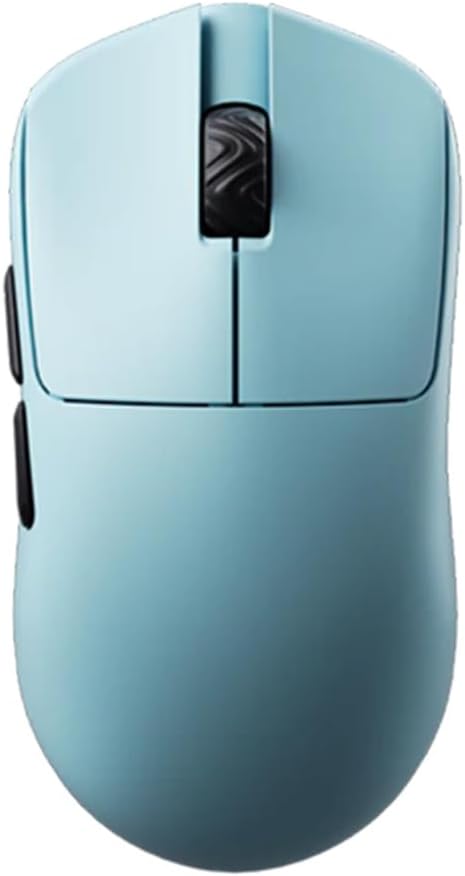
V6 Gaming Mouse, Ultra-Lightweight 40g, No Hole, Symmetrical Shape, Pixart PAW 3950 Chip, Web Based Driver, for Claw and Palm Gamers, 8K Dongle Included (Kailh Switch, Blue)
V6 Gaming Mouse, Ultra-Lightweight 40g, No Hole, Symmetrical Shape, Pixart PAW 3950 Chip, Web Based Driver, for Claw and Palm Gamers, 8K Dongle Included (Kailh Switch, Blue)
Gwolves Skoll Mini SK-S Black 50g Ultralight Weight Honeycomb Design Ergonomic Gaming Mouse with 3389 Sensor – PTFE Skates – 16,000DPI – Detachable Cable (Black) (Small)
50g Ultralight Weight
3389 Sensor
16000 DPI
Detachable Cable
The Gwolves Skoll Mini is a budget-friendly option for players needing a small claw grip mouse. It features an ultralight 50g design that reduces fatigue significantly during long sessions. The 3389 sensor ensures accurate tracking without acceleration issues.
Pros
Very lightweight design
Affordable price point
Honeycomb airflow
Includes PTFE skates
Detachable cable
Cons
Honeycomb collects dust
No wireless option
We may earn a commission when you buy through this link, at no additional cost to you.
Its honeycomb shell design not only reduces weight but also improves airflow to keep your hand cool. The mouse includes PTFE skates that provide smooth gliding on most surfaces. The detachable cable makes storage and travel much easier compared to fixed cable mice.
While the honeycomb design is great for weight, it can trap dust and hair easily. You may need to clean it regularly. Also, some players might prefer wireless freedom over a wired connection. The software is basic but functional for DPI adjustments.
This mouse is ideal for players on a tight budget who still want premium lightweight specs. If you need a small form factor and don't mind cleaning the shell, it offers great value. We recommend it for casual and competitive players alike.
Ultralight Design Benefits
Reducing weight to 50g helps prevent wrist strain and allows faster flicks in competitive games.
Sensor Performance
The Pixart 3389 sensor is trusted for accuracy and consistency across various play styles and surfaces.
The Lamzu Atlantis Mini Champion Edition stands out as a top-tier wireless option for small hands. Weighing only 51g, it combines lightweight agility with the latest high-end sensor technology. The hourglass symmetry design fits perfectly for claw grip users.
Pros
Premium wireless performance
PAW3950 sensor
Lightweight 51g
Optical switches
8K polling support
Cons
Higher price point
Battery life varies
We may earn a commission when you buy through this link, at no additional cost to you.
It features the PixArt PAW3950 sensor which supports up to 30,000 DPI and 750 IPS tracking. The optical switches provide tactile feedback with a lifetime of 70 million cycles. The Nordic 52840 MCU ensures low latency and seamless wireless performance.
The dust-proof encoder adds longevity to the scroll wheel, a common failure point in other mice. However, the high price point may be steep for casual gamers. Battery life is good but varies depending on polling rate settings and RGB usage.
We recommend this mouse for serious esports players who demand zero compromise on performance. Its balance of weight, sensor, and wireless tech makes it a standout choice. If you have the budget, this delivers exceptional value over time.
Sensor Excellence
The PAW3950 sensor offers industry-leading precision and speed for fast-paced competitive gaming scenarios.
Wireless Technology
Nordic MCU ensures stable, low-latency connections that feel as responsive as wired counterparts.
Bloody V7 Ergonomic Claw Grip Gaming Mouse with Rubberized Black Coating – Macros/Scripting/Automation – 8 Programmable Buttons – 3200 DPI
3200 DPI
8 Buttons
Adjustable Report Rate
Rubberized Coating
The Bloody V7 is an ergonomic option designed for players who rely on macros and scripting. It features a rubberized black coating that improves grip during intense sessions. The 8 programmable buttons allow for extensive customization via Bloody software.
Pros
Programmable macros
Rubberized grip
Affordable cost
Adjustable report rate
Wide compatibility
Cons
Heavier than modern mice
Lower DPI compared to others
We may earn a commission when you buy through this link, at no additional cost to you.
Its optical sensor provides 3200 DPI tracking which is sufficient for general gaming needs. The adjustable report rate lets you tune responsiveness from 125Hz to 1000Hz. It works across multiple operating systems including Windows and Linux.
While it offers great functionality, it is heavier than modern ultralight options. The 3200 DPI limit might restrict high-sensitivity gamers. Additionally, the software can be complex for new users. However, it is very affordable and durable for its class.
This mouse suits budget gamers needing robust macro features without breaking the bank. It is a practical choice for strategy games or MMOs where extra buttons are vital. Consider it if you prioritize function over ultra-lightweight aesthetics.
Macro Capabilities
Extensive programming options allow users to automate complex sequences for better in-game efficiency.
Ergonomic Design
The rubberized coating ensures a secure hold to prevent slipping during rapid movements.
The Pulsar X3 LHD redefines lightweight design for left-handed players. At just 43g, it is lighter than an egg yet delivers heavyweight performance. The hybrid ergonomic shape contours specifically for claw grip comfort and control.
Pros
Extremely lightweight
Left-handed specific
Dust-proof structure
Premium skates
Hybrid ergonomic shape
Cons
Only for left-handers
Premium price tag
We may earn a commission when you buy through this link, at no additional cost to you.
It features the exclusive XS-1 sensor with 32,000 DPI resolution. Optical switches ensure swift responses without accidental double clicks. The included DOT skates offer low friction gliding on hard pads and glass surfaces for precise tracking.
While the dust-proof structure is durable, the high price might deter some buyers. It is exclusively for left-handed users which limits its audience. However, for lefties seeking top specs, it fills a critical market gap. We recommend it highly for that demographic.
Lightweight Engineering
At 43g, the mouse minimizes effort required for flicks, enhancing speed and reducing fatigue.
Left-Handed Focus
Dedicated design ensures left-handed players get the same ergonomic benefits as right-handed options.
The Pulsar X2H mini Wireless offers a renewed budget alternative for wireless gaming. It retains the improved waist shape and higher hump for aggressive claw grip stability. The PAW3395 sensor ensures accurate tracking with minimal acceleration issues.
Pros
Renewed budget option
High quality sensor
1000Hz polling
Nordic MCU
Improved waist shape
Cons
Renewed product limits
Average rating
We may earn a commission when you buy through this link, at no additional cost to you.
Internal upgrades provide consistent clicks and smoother wheel rotations without rattling. The Nordic MCU extends battery life significantly while maintaining a responsive 1000Hz polling rate. This model supports 4K polling ready upgrades in the future.
As a renewed item, warranty terms may differ from new products. Users should check return policies before purchasing. The sensor is excellent but some users report slight variability in click consistency. Overall it is a solid pick for those on a budget.
Ergonomic Improvements
The narrower waist provides better support for fingers during aggressive claw positioning.
Battery Efficiency
Nordic power technology helps maximize usage hours between charges for continuous play.
The Corsair IRONCLAW SE is designed primarily for larger hands and right-handed palm grip users. It boasts massive battery life with up to 532 hours via Bluetooth. The iCUE software allows deep customization of macros and RGB lighting.
Pros
Massive battery life
Many buttons
iCUE integration
RGB customization
Durable build
Cons
Designed for larger hands
Heavier weight
We may earn a commission when you buy through this link, at no additional cost to you.
Ten programmable buttons provide extensive options for MMO or productivity workflows. The MARKSMAN sensor adapts to different surfaces for consistent tracking. However, its shape and weight may feel bulky for small-handed players looking for claw precision.
While the battery life is incredible, the weight might be an issue for fast-paced FPS games. The 3.9 rating suggests mixed user satisfaction regarding ergonomics for smaller hands. Consider this only if you prefer palm grip and extensive customization.
Battery Performance
Hundreds of hours of usage mean you rarely need to charge or replace batteries.
Customization
Robust software allows mapping every button to complex macros or system commands.
V8 Gaming Mouse, Ultra-Lightweight 36g±3g, Symmetrical Shape, Kailh Optical Switch, Nordic 52840 MCU, PAW 3950 Chip, Web Based Driver, for Claw and Fingertip Gamers, 8K Dongle Included (Yellow)
36g Weight
PAW3950 Chip
Nordic MCU
8K Dongle
The V8 Gaming Mouse offers a unique web-based driver that removes the need for installing software. This makes setup simple and keeps your system clean. The 36g weight is among the lightest available, reducing fatigue during fast gameplay.
Pros
Web-based driver
36g ultralight
PAW3950 sensor
8K dongle included
Symmetrical shape
Cons
Requires web connection for setup
Brand recognition
We may earn a commission when you buy through this link, at no additional cost to you.
Powered by the PAW3950 chip and Nordic 52840 MCU, performance is top-tier. The Kailh optical switches ensure consistent actuation with near-zero debounce delay. A symmetrical shape supports both claw and fingertip grips comfortably for versatile use.
Users must connect online to adjust settings via the web driver. Some prefer traditional software. The brand is less well-known compared to giants but the specs match premium competitors. We recommend it for tech-savvy users who value convenience.
Web Driver Convenience
Adjust settings directly in the browser without installing heavy desktop applications.
Ultra-Light Performance
Reducing weight to 36g maximizes speed and minimizes resistance for rapid turns.
Pulsar Gaming Gears X2H Wireless Gaming Mouse, Mini, White
52g Weight
PAW3395 Sensor
26000 DPI
Dust-Proof Structure
The Pulsar X2H Wireless features a higher rear hump that supports the palm during claw grip play. The upgraded internal structure ensures rigidity and consistent clicks without rattling. The optical switches minimize accidental double clicks during intense sessions.
Pros
Reliable wireless
High polling rate
Optical switches
Dust-proof wheel
Comfortable hump
Cons
Mid-range price
White color stains
We may earn a commission when you buy through this link, at no additional cost to you.
It uses the PixArt PAW3395 sensor with integrated Motion-Sync for precise tracking up to 26,000 DPI. The Nordic MCU provides a stable 1000Hz polling rate with extended battery life for long gaming weekends. The wheel is dust-proof for durability.
The white color version may show dirt or stains over time compared to black shells. Pricing is mid-range, so budget users might look elsewhere. However, reliability and sensor performance make it a strong contender in its class.
Internal Structure
Upgraded chassis reduces flex to ensure every click feels firm and responsive.
Polling Technology
1ms response time ensures your actions register instantly on the screen.
V6 Gaming Mouse, Ultra-Lightweight 40g, No Hole, Symmetrical Shape, Pixart PAW 3950 Chip, Web Based Driver, for Claw and Palm Gamers, 8K Dongle Included (Kailh Switch, Blue)
40g Weight
PAW3950 Sensor
Web Driver
8K Dongle
The V6 Gaming Mouse features a holeless design that simplifies cleaning while remaining extremely light at 40g. Concave main buttons naturally fit fingers for better positioning during rapid clicks. It is ideal for those who want lightness without honeycomb holes.
Pros
Holeless clean design
40g weight
High precision sensor
Concave buttons
Wireless stability
Cons
Requires web setup
Blue accent visibility
We may earn a commission when you buy through this link, at no additional cost to you.
Equipped with the PAW3950 sensor it delivers stable performance without spin-outs. The web-based driver allows quick customization across browsers. A stable 2.4GHz wireless connection ensures lag-free performance suitable for competitive environments.
Some users may find the web driver less intuitive than installed apps. The blue accent is visible on the blue variant which may not suit every desk setup. Overall the build quality and sensor make it a premium choice.
Button Ergonomics
Concave buttons guide your fingers for consistent placement reducing missed clicks.
Holeless Shell
Cleaner look prevents dust buildup and makes maintenance significantly easier over time.
BenQ Zowie S2-C Symmetrical Gaming Mouse | Professional Esports Performance | Driverless | Paracord Cable | Revisioned C-Features | Matte Black | Small Size
Driverless Design
3360 Sensor
Paracord Cable
Small Size
The BenQ Zowie S2-C is built for professional esports players who prefer driverless operation. It uses a 3360 sensor optimized for gaming with adjustable polling rates via buttons. The small size fits perfectly for smaller hands and claw grip styles.
Pros
No software needed
Professional esports quality
Small size fit
24-step scroll wheel
Matte coating
Cons
Higher price
Fixed DPI levels
We may earn a commission when you buy through this link, at no additional cost to you.
Its paracord cable allows freedom of movement minimizing drag on any surface. The 24-step scroll wheel offers precise adjustments for DPI changes during matches. The matte black coating provides a secure grip even during sweaty matches.
The lack of software means you cannot customize RGB or complex macros. Some players prefer adjustable DPI levels beyond the fixed four options. Despite this the build quality and reliability are industry standards. Ideal for purists wanting plug-and-play simplicity.
Driverless Design
No software installation ensures a clean system with no conflicts or updates required.
Esports Optimization
Optimized sensor and shape deliver the consistency needed for competitive tournaments.
We may earn a commission when you buy through this link, at no additional cost to you.
Buying Guide – How to Choose the Best Claw Grip Gaming Mouse for Small Hands
Choosing the right mouse depends on specific needs like sensor quality, shape, and weight. Here are key factors to consider before purchasing.
Hand Size and Shape
Small hands benefit from compact mice with shorter lengths and lower widths. Look for models explicitly labeled as 'Mini' or 'S' sizes to ensure your fingers reach all buttons comfortably without straining.
Measure your hand from wrist to fingertip and compare with mouse dimensions. A mouse that is too large forces awkward wrist angles which can cause long-term strain and reduce aim accuracy.
Grip Style
Claw grip involves resting the palm on the back while fingers arch over the buttons. Choose a mouse with a higher rear hump and narrow waist to support this aggressive posture without slipping.
Symmetrical shapes offer versatility if you switch between claw and fingertip styles. Ergonomic shapes often favor palm users but some hybrid models work well for claw grips depending on personal preference.
Weight
Lightweight mice reduce wrist fatigue during long gaming sessions. Most claw grip enthusiasts prefer weights under 60 grams to facilitate quick flicks and precise tracking without unnecessary resistance.
Heavier mice can feel more stable but may slow down rapid movements. Aim for ultralight models between 40g and 55g for the best balance of speed and control in competitive scenarios.
Sensor Performance
Modern optical sensors like PAW3395 or PAW3950 offer high precision and low latency. Ensure the sensor supports at least 4000 DPI and 300 IPS tracking speed for accurate aim across different surfaces.
High polling rates such as 1000Hz or 8K ensure your movements are registered instantly. Check for acceleration-free tracking to maintain consistency in fast-paced gameplay environments.
Switch Type
Optical switches use light beams to actuate clicks reducing physical wear and latency. They often provide tactile feedback and eliminate double-click issues common in mechanical switches over time.
Mechanical switches offer a distinct click sound but may develop wobble or double-clicking. If longevity is a priority optical switches are recommended for competitive players who click frequently.
Wireless vs. Wired
Wireless mice provide freedom of movement but require battery management. Modern wireless technology now rivals wired performance with low latency and long battery life suitable for esports.
Wired mice are often lighter and do not require charging. If you prefer no compromise on battery or setup a high-quality paracord cable model may be better for your needs.
Software Features
Some mice allow customization via software while others are driverless. Software offers RGB and macro control but can be intrusive. Driverless models rely on onboard memory for simplicity.
Consider if you need macros or RGB lighting. If not, a plug-and-play option like Zowie or basic models reduce system clutter and potential driver conflicts.
Budget and Build Quality
Premium mice often feature better materials and sensors but come at a higher cost. Budget options provide decent performance but may lack advanced features like optical switches or lightweight shells.
Invest in a durable mouse with good build quality to avoid frequent replacements. Check warranty terms and return policies to ensure protection for your investment.
How to Use and Care for Your Claw Grip Gaming Mouse for Small Hands
Always test your grip style to ensure the mouse supports your hand. Hold the mouse naturally; if you feel tension in fingers or wrist the shape may not be correct. Adjust settings gradually until movements feel effortless.
Keep the sensor and feet clean using a dry microfiber cloth. Dust on the sensor can cause tracking issues while dirty feet increase friction. For wireless models charge fully before first use to maintain battery health.
Update firmware if available to improve performance. For software-based models install only trusted drivers. Regularly adjust DPI and polling rates to match your game type for best consistency.
Frequently Asked Questions
Is a claw grip mouse suitable for small hands?
Yes many modern gaming mice are designed specifically for small hands and claw grips. These models typically feature shorter lengths and higher rear humps to support finger positioning without strain.
What is the ideal weight for a claw grip mouse?
Most players prefer weights between 40g and 60g. This range reduces fatigue while maintaining enough stability for precise aiming. Ultralight options below 40g may feel too light for some.
Do optical switches last longer than mechanical?
Optical switches generally last longer because they use light beams instead of metal contacts. They typically offer 70 million cycles or more reducing the risk of double-clicking over time.
Can I use a palm grip mouse for claw grip?
You can but comfort may vary. Palm mice often have larger shapes that force fingers into awkward positions. Claw specific mice are optimized for arched fingers and better support.
Are wireless mice good for competitive gaming?
Modern wireless mice use low-latency technology that matches wired performance. They offer freedom of movement and have battery lives suitable for marathon sessions without interruptions.
How do I clean a honeycomb mouse?
Use compressed air to blow out dust from holes. Wipe the surface with a damp cloth and let it dry fully. Avoid getting liquid inside the shell to prevent damage.
Is a driverless mouse better?
Driverless mice are great for simplicity and system cleanliness. They work immediately without software but lack customizable RGB or macro features available in software-supported models.
Which sensor is best for claw grip?
Top sensors like PAW3950 or PAW3395 offer high precision and speed. Ensure the sensor tracks smoothly without acceleration issues for consistent aim across surfaces.
Final Thoughts on Choosing the Best Claw Grip Gaming Mouse for Small Hands
This guide highlights ten top-rated options ranging from budget to premium choices. The Lamzu Atlantis Mini Champion offers excellent wireless performance while the Scyrox V6 provides a premium lightweight experience.
Prioritize ergonomics and sensor quality over flashy features. A comfortable shape that supports your natural hand position will improve your aim and reduce strain during long sessions.
Remember to check current prices and availability before purchasing. Technology evolves quickly so always verify the latest specs on official stores for the best deal available today.
This guide compares the top ten MagSafe chargers for the iPhone 18 Pro Max, evaluating charging speed, magnetic strength, safety features, and build quality…