
Rsrteng CCTV Camera Tester
4.5Editor score
Android 11.0 OS
8K 32MP support
Dual Ethernet ports
Choosing the right CCTV Test Monitor is essential for security installers and technicians who need reliable on-site diagnostics. A good tester supports multiple camera types, offers clear video feedback, and includes tools for network and cable analysis.
We compared ten leading models based on their compatibility with IP and analog cameras, screen quality, power output capabilities, and included network testing utilities. Our analysis focuses on real-world usability for professionals working in the field.
Each pick below highlights specific strengths such as high-resolution displays or advanced PoE features. Please note that product availability and pricing can change frequently, so verify current details before making a purchase decision.
4.5Editor score

4.4Editor score

5.0Editor score
As an Amazon Associate we earn from qualifying purchases.
The following table provides a side-by-side comparison of all ten models evaluated in this guide. Review the key specifications to identify which device meets your specific installation and testing requirements.


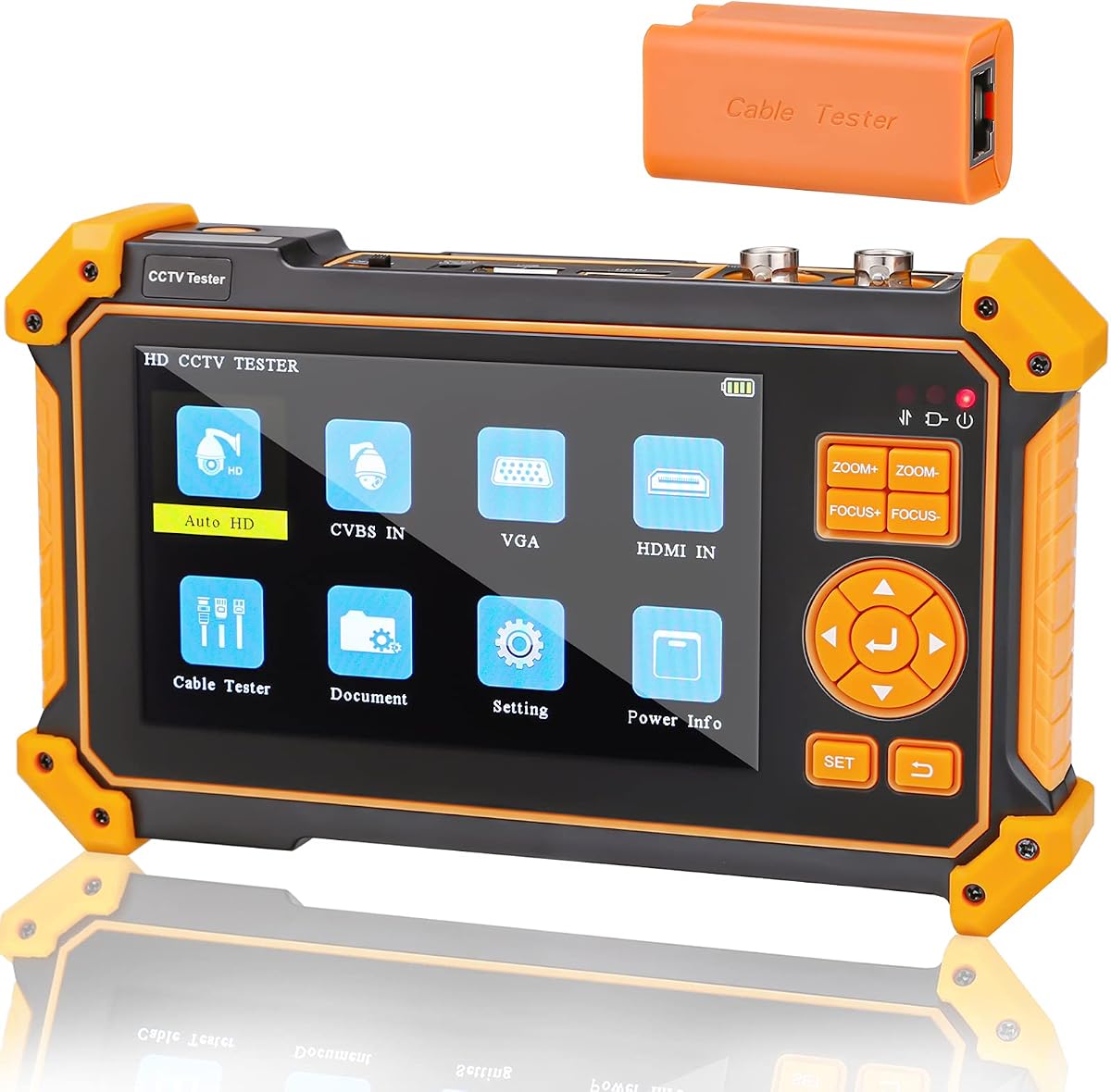
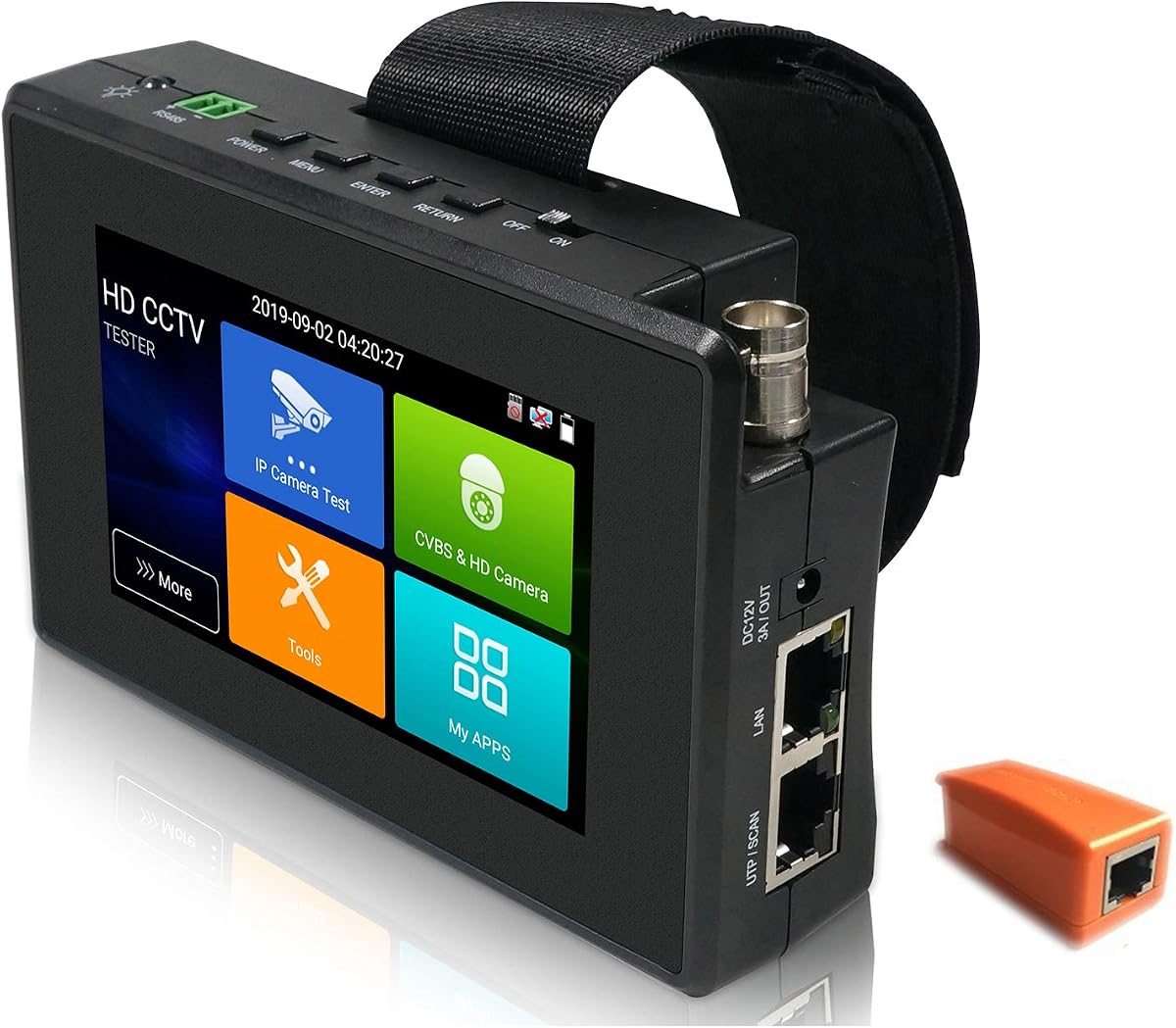
The WANLUTECH E88 stands out as a top choice for professionals needing a comprehensive testing solution. With a large 8-inch touchscreen and support for 4K 12MP IP cameras, it delivers clear video feedback for precise diagnostics.
We may earn a commission when you buy through this link, at no additional cost to you.
Its 90W PoE power output allows it to temporarily power high-power PTZ cameras without external sources. The inclusion of a gigabit SFP optical fiber module port adds significant value for testing fiber optic network infrastructure.
While the device is slightly heavier due to its robust features, the convenience of having all tools in one unit outweighs the bulk. It is ideal for installers working on complex commercial projects.
If you require a versatile device that handles both analog and IP cameras with advanced network capabilities, the E88 is highly recommended. It ensures efficient workflow on site.
Built-in tools like Ping, IP scan, and Trace Route help quickly identify connectivity issues without needing a laptop.
Despite its power, the battery and design allow for extended field use with necessary charging breaks.
We may earn a commission when you buy through this link, at no additional cost to you.
The WANLUTECH IPC-9800 is an upgraded model designed for those working with high-resolution security systems. Its ability to test up to 8K 32MP cameras makes it future-proof for emerging technology.
We may earn a commission when you buy through this link, at no additional cost to you.
Features like the built-in cable tracer help technicians locate BNC and network cables within cluttered bundles efficiently. The 90W PoE output ensures compatibility with power-hungry devices like PTZ cameras.
The device can feel slightly bulky compared to simpler testers, and the menu system has a learning curve. However, the functionality provided justifies the complexity for professional users.
For installers dealing with the latest 8K IP cameras, this model offers the resolution support needed to verify image quality accurately on site.
It is a reliable choice for advanced projects where standard testers might fall short on resolution capabilities.
The integrated cable tracer simplifies finding wires in tight or messy installations without extra tools.
Testing 8K cameras ensures your toolkit remains relevant as security standards continue to evolve.
We may earn a commission when you buy through this link, at no additional cost to you.
The Rsrteng IPC-9800 brings a premium experience with its Android 11.0 operating system. This allows users to install additional apps, making the device more versatile than standard fixed-function testers.
We may earn a commission when you buy through this link, at no additional cost to you.
Key features include support for 8K cameras, an SFP optical fiber module port, and dual Ethernet ports. These specifications cater to technicians working on high-end or network-heavy projects.
The Android environment can lead to increased battery usage if multiple apps are active. Additionally, the price is higher than average, reflecting the advanced hardware inside.
If you need a flexible tool that can adapt to specific software needs via apps, this is a strong contender.
It balances powerful testing capabilities with a modern operating system for enhanced control.
Installing custom apps allows for tailored workflows that standard devices cannot support.
Dual Ethernet ports provide redundancy and speed for demanding network testing scenarios.
We may earn a commission when you buy through this link, at no additional cost to you.
The WANLUTECH IPC-1800 is a compact tester designed for technicians who prioritize portability. Despite its smaller size, it supports 4K IP cameras and includes essential network testing tools.
We may earn a commission when you buy through this link, at no additional cost to you.
With a 30W PoE output, it can power most standard cameras, making it suitable for typical residential or small commercial jobs. The built-in WiFi hotspot facilitates easy network diagnostics.
The screen is smaller compared to larger models which might be harder to view in bright sunlight. It also lacks the high wattage needed for heavy PTZ cameras.
This model is perfect for quick maintenance calls where carrying a heavy unit is inconvenient.
It offers a good balance of size and functionality for general installation tasks.
Its compact dimensions make it easy to fit in a small toolkit bag alongside other essentials.
30W PoE is sufficient for most standard IP cameras found in typical security setups.
We may earn a commission when you buy through this link, at no additional cost to you.
The Triplett 8150 offers reliability from a well-known manufacturer in the testing industry. It handles multiple camera types including IP, analog, and various HD formats with ease.
We may earn a commission when you buy through this link, at no additional cost to you.
Unique features like the Ookla speed test provide direct internet performance data which is useful for network-based systems. The HDMI output allows you to connect to larger monitors for better viewing.
The 24W PoE output is lower than some competitors which may limit support for high-power cameras. It also lacks some of the advanced optical fiber tools found in other models.
This device is excellent for professionals who trust established brands and need a straightforward testing solution.
It ensures consistent performance without the complexity of highly specialized features.
Testing bandwidth directly on the device helps verify if network issues are the cause of video lag.
HDMI output lets you use a larger screen for better visibility during detailed setup work.
We may earn a commission when you buy through this link, at no additional cost to you.
The Anpviz 5 Inch tester is designed specifically for analog and coaxial HD cameras. It is a great choice for jobs where IP cameras are not involved.
We may earn a commission when you buy through this link, at no additional cost to you.
With an impressive 11-hour battery life, it allows for full-day use without frequent charging. Its lightweight design makes it easy to carry in a vest or small bag.
It does not support IP cameras or PoE power which limits its use to older systems. The screen is also not touch enabled requiring physical buttons for navigation.
For technicians focused on analog systems or working on legacy upgrades, this tool is efficient.
It provides all essential analog testing features without unnecessary network complexity.
Extended battery runtime ensures the device is ready for long installation days.
Physical buttons offer straightforward control that is easy to use with gloves.
We may earn a commission when you buy through this link, at no additional cost to you.
The EVERSECU 7 Inch tester includes specialized tools like a video level meter which helps in signal calibration. It supports up to 8K IP cameras and analog feeds in a single device.
We may earn a commission when you buy through this link, at no additional cost to you.
The battery lasts around 10 hours, providing enough power for most daily tasks. The inclusion of TDR cable testing adds value for diagnosing physical line issues.
While the screen is large and clear, the PoE output is standard and may not suit the most power-hungry devices. The interface is good but may require some setup.
This is a versatile tool for installers who need to adjust video signals precisely.
It brings a mix of analog and digital testing capabilities into one handheld unit.
Video level meters ensure that analog signals are optimized for the best quality.
Strong battery performance means fewer interruptions for charging on the job site.
We may earn a commission when you buy through this link, at no additional cost to you.
The WSDCAM 4-in-1 is a highly budget-friendly option for testing analog HD cameras. It supports up to 8MP resolution for CVI, TVI, and AHD formats.
We may earn a commission when you buy through this link, at no additional cost to you.
It includes a UTP cable test feature which is rare at this price point. The built-in LED flashlight is a practical addition for working in dark enclosures.
Since it does not support IP cameras, it is best suited for analog systems. The screen size is also quite small which may affect visibility in bright light.
For those needing an economical solution for coaxial cameras, this tester delivers excellent value.
It combines essential testing features into a compact and inexpensive unit.
The LED light helps illuminate camera ports in dark ceiling boxes or cabinets.
Low cost makes it ideal for installers who want to keep overheads down.
We may earn a commission when you buy through this link, at no additional cost to you.
The WSDCAM 3200-Plus stands out with its HDMI and VGA input capabilities allowing you to connect external sources. It supports various analog HD types including SDI.
We may earn a commission when you buy through this link, at no additional cost to you.
Battery life is decent at around 6 hours of operation. The inclusion of HDMI inputs makes it useful as a portable display for other devices.
It lacks IP camera support which limits its use in modern network setups. The buttons are physical rather than touch which some may find less intuitive.
This is a solid choice for technicians dealing with a mix of analog types.
It offers versatile input options at a very reasonable price.
HDMI inputs allow the unit to be used as a monitor for other signal sources.
Strong support for SDI and CVI ensures coverage for specialized analog cameras.
We may earn a commission when you buy through this link, at no additional cost to you.
The EVERSECU 5-in-1 offers unique customization options such as screen rotation and interface themes. It supports up to 4K IP and analog cameras.
We may earn a commission when you buy through this link, at no additional cost to you.
The IP scan and trace route tools help manage network devices effectively. A 25.5W PoE output covers most standard IP requirements.
The screen is small which might make touch interaction slightly tricky in bright light. The interface is helpful for organizing tools based on preference.
This model is a good fit for those who want a tailored user experience.
It provides essential testing features with a focus on usability.
Screen rotation helps reduce awkward angles when connecting cables at the bottom.
Custom themes allow you to match the device look to your work style.
We may earn a commission when you buy through this link, at no additional cost to you.
Selecting the right tester depends on the types of cameras you install and the networks you work on. Consider these factors to find a device that fits your workflow.
Ensure the tester supports the specific camera technologies you use such as IP, AHD, CVI, and CVBS. Some models support IP while others are analog only.
Choose a device that covers all the camera types you encounter regularly to avoid needing multiple tools.
PoE power allows the tester to supply electricity to cameras without external adapters. Look for models with higher wattage like 90W if you work with PTZ cameras.
Higher PoE output increases the range of devices you can power directly on site.
Larger screens improve visibility in outdoor or bright conditions. Touchscreens offer easier navigation compared to button controls.
A clear display is critical for spotting video quality issues during installation.
Built-in tools like Ping, IP scan, and TDR simplify diagnosing connection and cable faults. These features save time by removing the need for separate testers.
Prioritize models with robust network utilities for complex IP security systems.
Long battery life ensures the device lasts through a full workday without interruptions. Consider usage time based on your typical job length.
Choose a unit with sufficient capacity to maintain productivity on site.
Lightweight and compact designs are easier to carry in a toolkit bag. Portability is key for technicians working at multiple locations daily.
A smaller footprint helps keep your gear organized and manageable.
An intuitive interface reduces the learning curve and speeds up testing. Look for clear menus and responsive touch or buttons.
User-friendly controls improve efficiency and reduce frustration during jobs.
Balance cost with the features you actually need. High-end models offer more power and tools but may cost more.
Choose a tester that aligns with your current installation needs and budget constraints.
Always start by removing any protective films from the battery or screen before first use. This ensures proper function and prevents damage.
Keep the device clean by wiping the screen with a soft cloth. Avoid harsh chemicals that might damage the coating.
Store the tester in a dry place and charge the battery regularly to extend its life. Using a protective case prevents drops and scratches on site.
A CCTV Test Monitor allows technicians to view and test security camera signals directly on site. It verifies that cameras are connected and working correctly before finalizing installation.
Many modern testers support IP cameras including 4K and 8K resolutions. However, some budget models are designed for analog systems only so check compatibility carefully.
PoE stands for Power over Ethernet. It allows the tester to send power and data through one cable to cameras reducing the need for separate power supplies.
Touchscreens offer faster navigation but buttons can be easier to use with gloves or in bright light. Choose based on your personal preference and work conditions.
Battery life varies by model but many offer between 6 to 12 hours of continuous use. This helps ensure the device lasts through a full day of testing.
Some high-end models include an SFP port for fiber optic testing. This is useful for professional installers working with fiber networks specifically.
Many units feature cable testers like TDR or UTP checks to diagnose wiring issues. This helps confirm cable integrity during installation.
Most advanced testers support PTZ control via RS485 or similar protocols. This allows you to adjust camera angles from the testing device itself.
The WANLUTECH E88 and Rsrteng IPC-9800 offer powerful features for modern installations while the WSDCAM models provide great value for analog needs.
Prioritize features like PoE output and screen size based on the cameras you work with most to ensure efficiency and accuracy.
Always check current pricing and availability as offers can change. Select the device that best fits your specific professional requirements and budget.