
RJ45 to VGA Cable
4.3Editor score
No external power needed
Compact adapter design
Short distance support
This guide compares the top Cat5 to VGA Converter options for extending video signals over Ethernet cables in offices, homes, and industrial setups.
Finding a reliable Cat5 to VGA Converter is essential when you need to extend video signals beyond standard cable limits. These devices allow you to use existing network infrastructure to transmit high-quality video to remote displays effectively.
We analyzed ten top-rated converters based on user feedback, technical specifications, and real-world performance. Our selection includes budget-friendly adapters and professional-grade extenders for diverse environments and needs.
Each product entry highlights key features, performance limits, and ideal use cases to help you decide. Keep in mind that availability and pricing fluctuate, so verify details before purchasing your final choice.
4.3Editor score

4.3Editor score

4.7Editor score
The following comparison table offers a side-by-side overview of the top ten Cat5 to VGA Converter products. It highlights critical specifications to help you evaluate performance differences at a glance.




The VGA Cat5e Cat6 Extender ranks as our top choice for its balance of performance and durability. With a 4.3 rating and support for up to 300 feet of range, it stands out in crowded markets. Its imported chips ensure input output match perfectly for consistent video fidelity.
We may earn a commission when you buy through this link, at no additional cost to you.
The galvanizing alloy shell provides robust protection against dust and static while aiding rapid cooling. This extender works without software and supports environments like education and office setups effectively. Users report reliable HD picture quality and straightforward installation with compatible copper cables.
While the device offers excellent range, you must use pure copper Cat5e or Cat6 cables for best results. Poor cables can cause display issues, which adds to setup complexity. However, this requirement ensures stability over long distances.
Buy this if you need a reliable 300ft solution for offices or entertainment. It works well for projectors and monitors. Its durability and speed make it ideal for 24/7 continuous operation needs without overheating risks.
The lightning proof shell not only protects internals but also manages heat efficiently for long uptime.
Imported chips eliminate noise and ghosting so your video remains clear across the extended length.
We may earn a commission when you buy through this link, at no additional cost to you.
This VGA Extender Over Cat5e offers a cost-effective way to extend video signals up to 60 meters. Its 4.2 rating reflects solid performance for budget-conscious buyers. The built-in chip actively removes noise to preserve image clarity without extra software.
We may earn a commission when you buy through this link, at no additional cost to you.
Its metal body ensures hardness and longevity even in high traffic areas. The TX and RX pair design allows point to-point transmission without needing power supplies. It fits various resolutions including 1080i/p and 720p for HDTV use.
However, it does not transmit audio through the VGA interface so you will need separate speakers. This is a trade-off for simplicity and cost. Users must also ensure they buy both transmitter and receiver units separately or as a set.
Choose this for short to mid-range projects where audio is handled separately. It suits conference centers and projectors well. The flexibility of using standard Cat5e cables makes it a versatile pick for basic display needs.
The internal chip filters noise to prevent ghosting so your video remains sharp and stable.
No external power supply is needed for installation simplifying setup in many locations.
We may earn a commission when you buy through this link, at no additional cost to you.
The Jaremite VGA Over Ethernet extender supports video transmission up to 100 meters reliably. With a 4.2 rating it offers consistent performance for professional setups. Its imported chips ensure high fidelity signals and support resolutions up to 1920 x 1440.
We may earn a commission when you buy through this link, at no additional cost to you.
It uses Low-E environmental protection tech to enable 24 hour continuous work without overheating. The sender and receiver units need power connections which adds to setup steps. Users should use shielded Ethernet cables to prevent flickering issues.
A trade-off is the need for tight VGA cable connections to avoid screen flicker. This requires careful assembly but ensures stable operation. It supports audio transmission which is a plus over some competitors.
Opt for this if you need 100 meter reach with audio support. It fits KTV and stage demos well. The compatibility with any operating system makes it flexible for various environments.
Chips maintain exact input output match so video looks consistent across the extended line.
No software install is required so it works with any standard system right away.
We may earn a commission when you buy through this link, at no additional cost to you.
This RJ45 to VGA Cable offers a very affordable way to convert short VGA runs. With a 4.3 rating it is a top pick for simple tasks. It lets you use thinner Cat5 cables instead of heavy VGA ones to save costs.
We may earn a commission when you buy through this link, at no additional cost to you.
The 15cm adapter is perfect for quick connections without needing external power. It fits VGA ports on hosts and monitors easily. However, it is designed only for short distances up to 15 meters maximum.
You lose range capability compared to full extenders but gain simplicity. It works best when your display is near the source. The pack includes two adapters which is convenient for paired setups.
Pick this for tight spaces or short extension needs. It suits small offices or home use where distance is minimal. The low cost makes it ideal for budget constraints.
Using Cat5 cable reduces expenses and makes running wires easier in tight spaces.
No power is needed so you can connect and start using it instantly.
We may earn a commission when you buy through this link, at no additional cost to you.
The chenyang 2 Pack Adapter serves as a basic connector for short VGA extensions. Its 3.7 rating suggests it works for simple setups but lacks range. It allows using standard network cables for video transmission up to 10 meters.
We may earn a commission when you buy through this link, at no additional cost to you.
Its main advantage is the thinner RJ45 cable which makes laying easier than heavy VGA ones. The adapters do not require power and come as a two-piece set. This is handy for quick temporary connections.
However, the 10 meter limit restricts use to very close displays. The lower rating might indicate inconsistency in some units. Ensure you test before critical use.
Use this for short temporary setups where cost matters most. It fits small rooms or desktop setups well. The included pair ensures you have both ends ready for immediate use.
Thinner cables reduce clutter and make routing easier in tight desks or walls.
You get both transmitter and receiver so setup is straightforward out of the box.
We may earn a commission when you buy through this link, at no additional cost to you.
The StarTech VGA Over Cat5 Extender delivers reliable 250ft range with excellent picture quality. Its 4.5 rating reflects strong performance and durability. It offers a bundled kit with local and remote units plus VGA cables and mounting brackets.
We may earn a commission when you buy through this link, at no additional cost to you.
This purely hardware solution works without drivers which simplifies installation. It supports resolutions up to 1920×1200 at 150 feet. The versatility allows use in industrial environments or tradeshow displays easily.
The price is higher than adapters but you get a complete solution. The form factor is larger which might require more space in tight setups. It is ideal for permanent installs.
Choose this for professional setups requiring stability and long range. It fits digital signage and industrial projects well. The bundled items save extra purchases.
All needed parts come together to reduce sourcing time and ensure compatibility.
Plug and play design means no software installation is required for any system.
We may earn a commission when you buy through this link, at no additional cost to you.
The QVS VB-C5 Extender Kit ranks as a premium solution for long distance video. Its 4.7 rating shows top-tier reliability. It supports resolutions up to 1600 X 1200 for up to 50 meters with consistent output.
We may earn a commission when you buy through this link, at no additional cost to you.
Sync-Filter technology adjusts signal levels to maintain clarity over 100 meters. It includes equalization and RJ45 connections for easy integration. The build meets FCC and CE standards ensuring professional compliance.
The price is high but matches the reliability and range. It is heavier than basic adapters so consider mounting needs. This fits environments where signal loss is unacceptable.
Buy this for critical setups like control rooms or large centers. It ensures stable UXGA support. The compliance features make it safe for corporate or public installations.
Sync-Filter keeps signal levels right to maintain clarity over the full range.
FCC and CE compliance ensures it meets safety and regulatory requirements.
We may earn a commission when you buy through this link, at no additional cost to you.
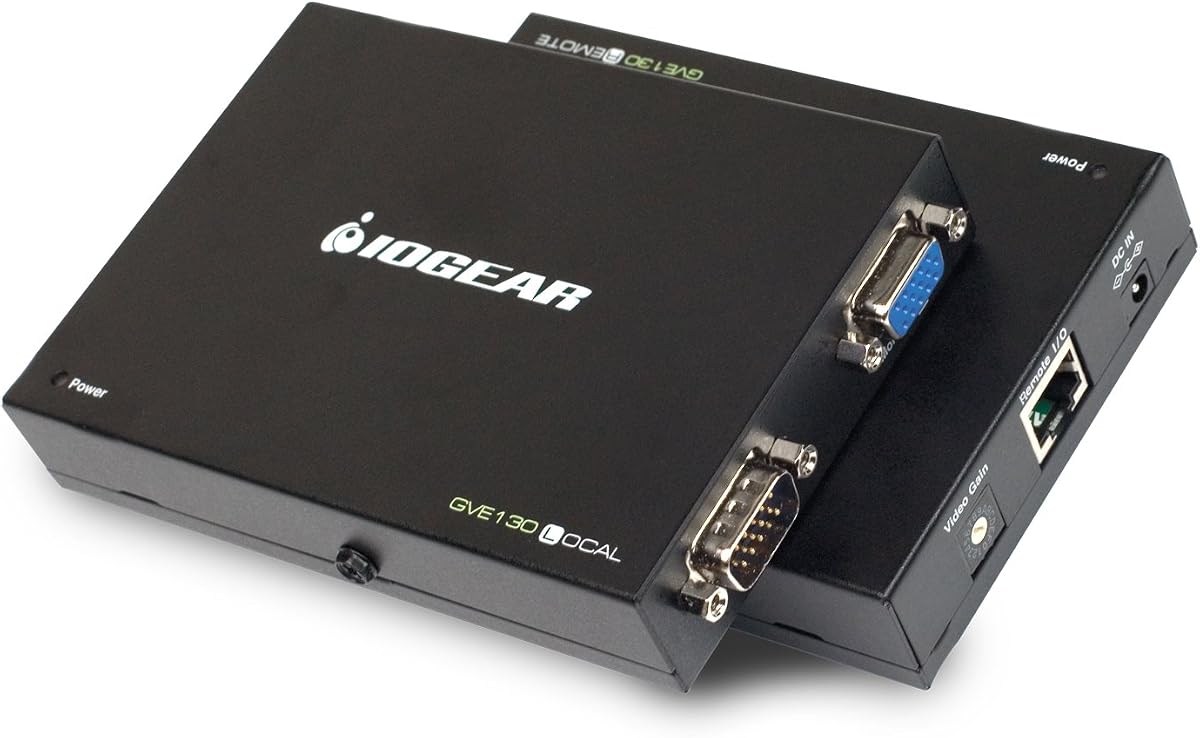
The IOGEAR VGA CAT5e/6 Extender Kit offers 500ft range which is exceptional. It supports PC Mac and Linux systems for wide compatibility. The adjustable video gain allows tuning for different monitor needs.
We may earn a commission when you buy through this link, at no additional cost to you.
It supports DDC for the local monitor which helps in managing display settings remotely. The black design is standard and fits professional setups. However, there is limited public rating data for this model.
The price is high which may limit budget choices. It suits environments needing maximum range and OS flexibility. Ensure you check compatibility before purchase.
Pick this for setups needing 500ft reach or multiple OS support. It fits large auditoriums well. The adjustable gain adds flexibility for custom displays.
Works with Mac PC and Linux systems so it adapts to your existing hardware.
Adjustable gain lets you fine tune signal for different display types.
We may earn a commission when you buy through this link, at no additional cost to you.
The Halokny VGA Extender Adapter provides a straightforward way to extend signals up to 100 feet. Its 4.2 rating indicates good basic performance. It uses standard network cables for transmission and fits media centers or game consoles.
We may earn a commission when you buy through this link, at no additional cost to you.
It comes as a two-pack so you have both ends ready. The design is simple without extra settings. However, it lacks advanced features like noise reduction or gain control.
The 100 feet range limits it to moderate distances. This is acceptable for home or small office use. The cost is low compared to full kits.
Choose this for simple home setups needing moderate range. It fits DVRs and game consoles well. The two-pack ensures you have adapters for immediate use.
Uses standard network cables so setup integrates with existing home wiring.
Includes both connectors to make setup faster without extra purchases.
We may earn a commission when you buy through this link, at no additional cost to you.
This VGA Extender Over CAT5e supports up to 394ft range with zero latency performance. Its 4.7 rating reflects top reliability for live monitoring. The kit includes power adapters and is built with durable aluminum alloy housing.
We may earn a commission when you buy through this link, at no additional cost to you.
It delivers uncompressed real-time transmission with integrated audio support on both units. The metal construction aids heat dissipation for 24/7 use. Solid copper cables are required for full range performance.
The need for solid copper increases cabling costs. However, this ensures stability. The full kit saves extra purchases which is convenient.
Buy this for large auditoriums or control rooms needing 394ft reach. It suits live events well. The zero latency is key for gaming or live streaming.
Uncompressed video stays perfectly synchronized with source for live events.
Includes all needed parts like power adapters to make setup faster.
We may earn a commission when you buy through this link, at no additional cost to you.
Selecting the right Cat5 to VGA Converter involves evaluating key factors to match your specific environment and performance needs.
Consider how far you need to send the signal. Short setups may only need 10-20 meters while large spaces require 300ft or more. Always check the manufacturer specified range before buying.
Match your space needs with the device max distance to avoid signal loss.
Check what resolutions the extender supports like 1080p or UXGA. Higher resolutions ensure better clarity on modern displays. Some budget models may limit to lower resolutions.
Ensure the converter supports your display native resolution for best quality.
Some converters handle audio while others do not. If you need sound to go with video, select a model that supports audio transmission to avoid extra cabling.
Look for built-in audio ports or separate audio support features.
Quality of network cables matters for stability. Solid copper Cat5e or Cat6 cables provide better performance than copper-clad aluminum ones. Using the right cable prevents signal drop over distance.
Invest in proper solid copper cables to maintain consistent video quality.
Some units need power adapters while others run passively. Active extenders may offer better stability but add to setup complexity. Check if your environment has easy access to power outlets.
Choose based on whether you can power the device easily or prefer passive options.
Housing material like metal or alloy affects durability and cooling. Metal cases are better for heat dissipation and physical protection. Look for features like lightning-proof shells for safety.
Pick a build quality that suits your environment conditions and usage length.
Most converters work without drivers but some may need software. Simple plug and play models save time and reduce complexity. Check if installation requires configuration steps.
Opt for models that work right out of the box to simplify installation.
Some kits include everything like cables and mounting brackets while others sell separately. Bundled sets save extra purchases and ensure parts match. Verify what is in the box before ordering.
Look for complete kits to reduce extra costs and ensure compatibility.
Start by connecting the transmitter to your VGA source using a standard VGA cable. Then plug the Ethernet cable into the transmitter RJ45 port. Finally connect the receiver unit to your display and power both units to begin operation.
Ensure you use solid copper network cables for best signal stability over long distances. Tighten all connections to prevent loose contacts which can cause flickering. Avoid running cables near strong electromagnetic interference sources.
Keep the units in well ventilated areas to help cooling. Check cables periodically for wear and replace if damaged. Follow manufacturer instructions to extend device lifespan and maintain performance.
Not all converters support audio. Some models have separate audio inputs and outputs while others are video only. Check the product specs carefully to confirm if it includes audio capabilities before buying.
Solid copper Cat5e or Cat6 cables work best for stability and range. Avoid copper-clad aluminum cables especially over long distances as they may cause signal loss. High quality network cables ensure consistent video transmission.
It depends on the model. Some passive adapters do not need power while active extender kits do. Always verify if your selected unit includes a power supply or needs a separate adapter.
Yes most converters work with projectors that have VGA inputs. Ensure your projector supports the resolution the extender outputs. This setup is common for conference rooms and large displays.
Ranges vary by model from 10 meters to over 300 feet. High end units can support up to 394 feet with solid cables. Choose based on your distance needs to avoid signal degradation.
Most Cat5 to VGA converters are plug and play and do not need drivers. They work as hardware solutions. This simplifies setup across different operating systems.
The top picks offer solutions for every budget and range need from simple adapters to full professional kits. Consider your distance requirements and audio needs before making a final choice.
Prioritize build quality and cable compatibility to ensure long-term performance. Matching the converter to your specific environment saves issues down the line.
Keep in mind that prices and stock change frequently so check current availability before buying. Verify details to make sure the model fits your setup exactly.