
Nettbe 60 PCS Reusable Cable Ties
4.8Editor score
Reusable nylon adhesive material
Adjustable cord straps
Environmentally friendly design
Creating a clean gaming station requires more than just powerful hardware. Effective cable management for gaming PC setups ensures safety and improves the visual appeal of your desk space without compromising performance or airflow.
We evaluated ten distinct products ranging from simple ties to complex trays. Each option was selected based on durability, ease of installation, and versatility to handle the diverse cabling needs of modern gaming rigs.
Every pick highlights specific strengths for different budget levels and setup types. Please note that availability and pricing fluctuate regularly so checking the current product pages is recommended before making a final decision.
4.8Editor score

4.7Editor score
4.6Editor score
As an Amazon Associate we earn from qualifying purchases.
The following table provides a side-by-side comparison of all ten products featured in this guide. It highlights key specifications and features to help you quickly identify the solution that fits your specific gaming setup requirements.
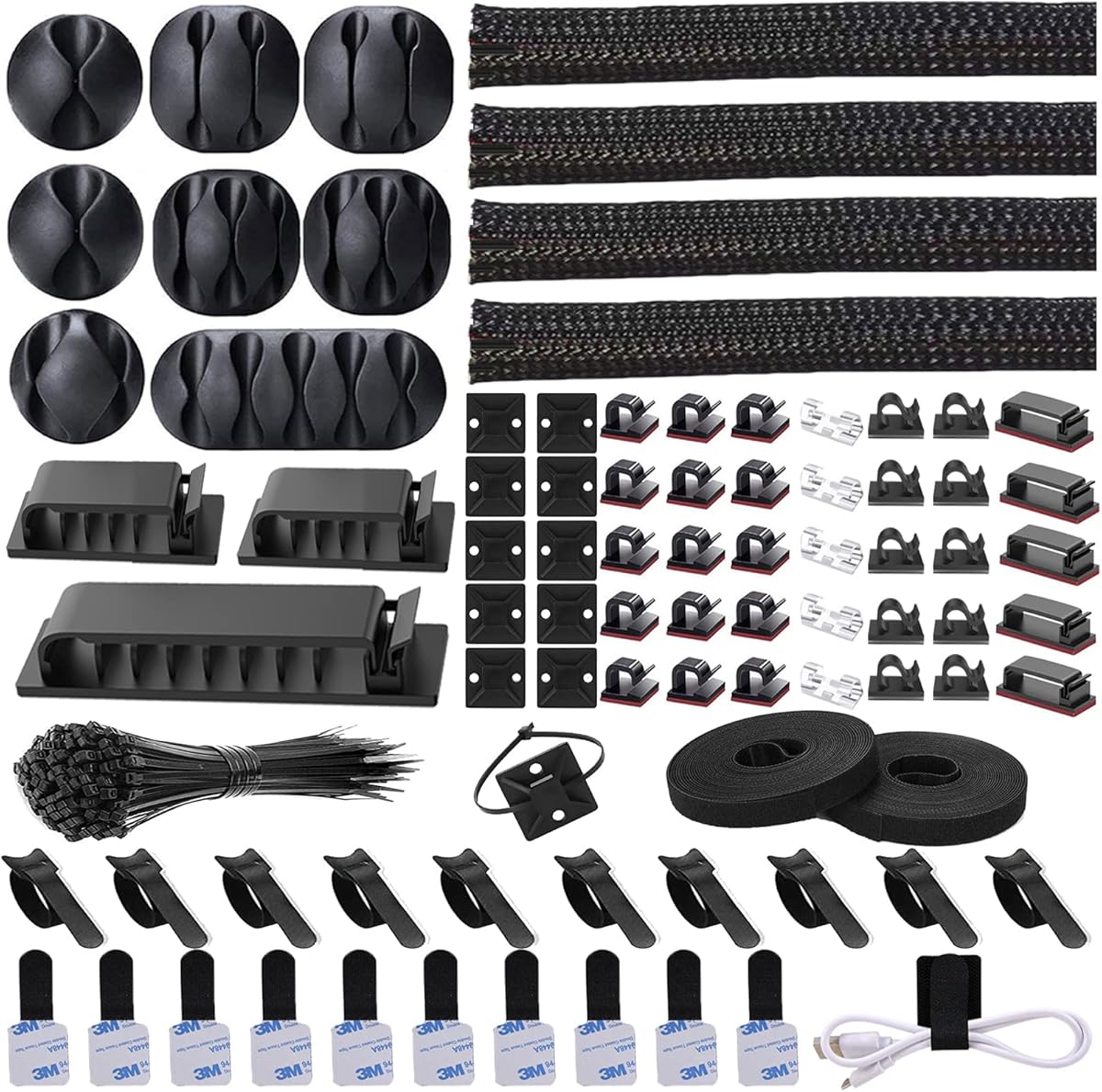




This kit offers an extensive range of tools for organizing cables in gaming setups. With 192 pieces including sleeves clips and ties it addresses almost every routing need you might encounter.
We may earn a commission when you buy through this link, at no additional cost to you.
The premium materials ensure longevity while the split sleeves allow quick access to wires without cutting. Self adhesive rolls provide a flexible way to secure cables to various surfaces without drilling.
While the quantity is impressive it might feel overwhelming for users with minimal cabling needs. Proper storage of unused items is necessary to keep the workspace tidy long term.
Gamers who want an all-in-one solution without buying multiple products will find this ideal. It provides the flexibility to route power data and audio cables cleanly across any desk or wall.
The kit includes various clip sizes and adhesive options ensuring you can secure cables on desks walls or baseboards effectively.
Made from sturdy polyamide and quality materials this kit is built to last and withstand daily use in gaming environments.
We may earn a commission when you buy through this link, at no additional cost to you.
This organizer kit provides a wide array of tools to manage cables efficiently. The 192 pieces cover sleeves ties and holders making it a complete set for complex setups.
We may earn a commission when you buy through this link, at no additional cost to you.
The split wire looms make it easy to load wires without disconnecting devices. Strong adhesive pads ensure that holders stay in place on clean surfaces like wood or ceramic.
It may be more than necessary for small desk setups. Users should assess their cable count to ensure they utilize the full range of components provided.
Ideal for those seeking a detailed solution to hide clutter. It protects cables from pets and keeps wires secure with durable materials built for long-term use.
Split looms allow you to add or remove cables easily without cutting the sleeve or disconnecting devices.
High quality materials ensure the kit components remain functional and intact even after years of daily use.
We may earn a commission when you buy through this link, at no additional cost to you.
This cord protector offers a simple yet effective way to bundle and protect cables. Its 10 foot length covers long runs from desktop to floor without requiring extensions.
We may earn a commission when you buy through this link, at no additional cost to you.
The split design allows you to slide cables in without removing connectors. It is UL recognized and insulated ensuring safety for power and data wires alike.
The fixed half inch diameter might not fit very thick bundles. Additionally it does not include adhesive pads so you may need additional clips for secure mounting.
Best for users needing pet protection and basic bundling. It is a solid choice for keeping cables organized and safe from pets in a home environment.
The tough material acts as a barrier preventing pets from chewing on exposed wires and causing damage or hazards.
UL recognition ensures that the material meets specific safety standards for electrical insulation and heat resistance.
We may earn a commission when you buy through this link, at no additional cost to you.
These J channel organizers provide a structured way to run cables along desks or walls. The outward-facing opening makes it easy to add or remove wires as needed.
We may earn a commission when you buy through this link, at no additional cost to you.
The PVC material is flame retardant adding a layer of safety against electrical fires. Pre-applied adhesive allows quick installation on smooth surfaces without drilling.
Removal requires heat to soften the tape but leaves no residue if done correctly. Rough surfaces might reduce adhesion so testing a small spot is recommended first.
Excellent for hiding power cords along baseboards or under desks. The generous capacity ensures you can bundle multiple wires into one clean line.
The PVC material is designed to resist ignition and only discolor under extreme heat conditions to enhance safety.
The design allows for easy adjustment of cable layouts so you can reorganize your wires as your setup changes.
We may earn a commission when you buy through this link, at no additional cost to you.
These reusable cable ties are perfect for bundling loose cords without permanent fasteners. The hook loop material allows you to adjust and reuse them indefinitely.
We may earn a commission when you buy through this link, at no additional cost to you.
Made from premium nylon they provide a secure hold on bundles of varying thickness. The 60 piece count ensures you have plenty for a full gaming setup and more.
They lack adhesive backing so they rely on tension which can loosen with heavy vibration. Periodic tightening might be needed to maintain a tidy look.
Best for users who frequently change cables or want an eco-friendly option. They offer a simple cost-effective solution for managing wires in any workspace.
The reusable design reduces waste by replacing single-use plastic ties with durable nylon straps.
You can easily adjust the tightness of the strap to accommodate different cable thicknesses or bundle sizes.
We may earn a commission when you buy through this link, at no additional cost to you.
These trays sit under your desk to hide power strips and excess cables out of sight. The strong adhesive backing allows for easy installation without any tools.
We may earn a commission when you buy through this link, at no additional cost to you.
Users report that they significantly improve desk aesthetics by removing clutter. The spacious design can hold multiple adapters and strips securely without sagging.
Once installed the adhesive makes relocation difficult so careful positioning is required. The fixed width means it will not accommodate oversized power bricks.
Great for standing desks or office setups needing a clean look. It transforms messy wiring into hidden organized storage that maintains a professional appearance.
By hiding cables under the desk the tray creates a cleaner workspace that reduces visual distractions while working or gaming.
The tool free adhesive installation saves time and effort compared to traditional screw-on mounting methods.
We may earn a commission when you buy through this link, at no additional cost to you.
This tray offers a 36 inch span ideal for larger desks with multiple power strips and devices. It supports both clamp and screw installations to fit various table types.
We may earn a commission when you buy through this link, at no additional cost to you.
The heavy duty clamp ensures stability even when holding significant weight. The Oxford fabric provides a durable and flexible container for cables that can expand as needed.
Installation requires measuring table thickness to ensure the clamp fits correctly. The clips on the desk edge may be visible but they are sturdy and reliable.
Perfect for wide setups or dual monitor rigs requiring extensive cabling. It provides a robust solution for keeping power strips hidden under large desks.
You can choose to clamp the tray or use screws depending on your desk material and desired security level.
The large dimensions allow you to store multiple adapters and long cables without overcrowding the tray.
We may earn a commission when you buy through this link, at no additional cost to you.
This 25 inch tray is built from sturdy metal with a mesh structure for ventilation. It provides ample space for cables and power strips without blocking airflow.
We may earn a commission when you buy through this link, at no additional cost to you.
The mesh design prevents overheating by allowing heat to escape from power supplies. It can hold up to 15 lbs ensuring it supports heavy adapters securely.
Assembly is simple but requires screws to join the two parts. The open mesh might show colored cables unlike solid trays so you may need to bundle wires.
Best for setups prioritizing airflow and durability. It is an excellent choice for high-performance rigs where heat dissipation is important for equipment health.
The mesh structure allows air to circulate preventing power bricks from overheating during intense gaming sessions.
Constructed from solid metal the tray resists bending and deformation even with heavy loads inside.
We may earn a commission when you buy through this link, at no additional cost to you.
These clips feature an elastic loop that adjusts to fit cables from thin USB to thicker HDMI wires. They allow you to swap cables quickly without damaging them.
We may earn a commission when you buy through this link, at no additional cost to you.
The impact-resistant hook allows for one-handed operation which is convenient during installation. You can mount them using adhesive screws or zip ties depending on the surface.
The elastic loop might stretch over time if heavily loaded. They are best suited for lighter duty routing rather than heavy power bundles.
Perfect for organizing peripheral cables behind desks or TVs. They offer a flexible reusable solution for keeping small wires tidy and within reach.
The design allows you to clip or unclip cables quickly with a single hand saving time during setup changes.
You can attach the clip using adhesive pads screws or zip ties to suit different furniture types and needs.
We may earn a commission when you buy through this link, at no additional cost to you.
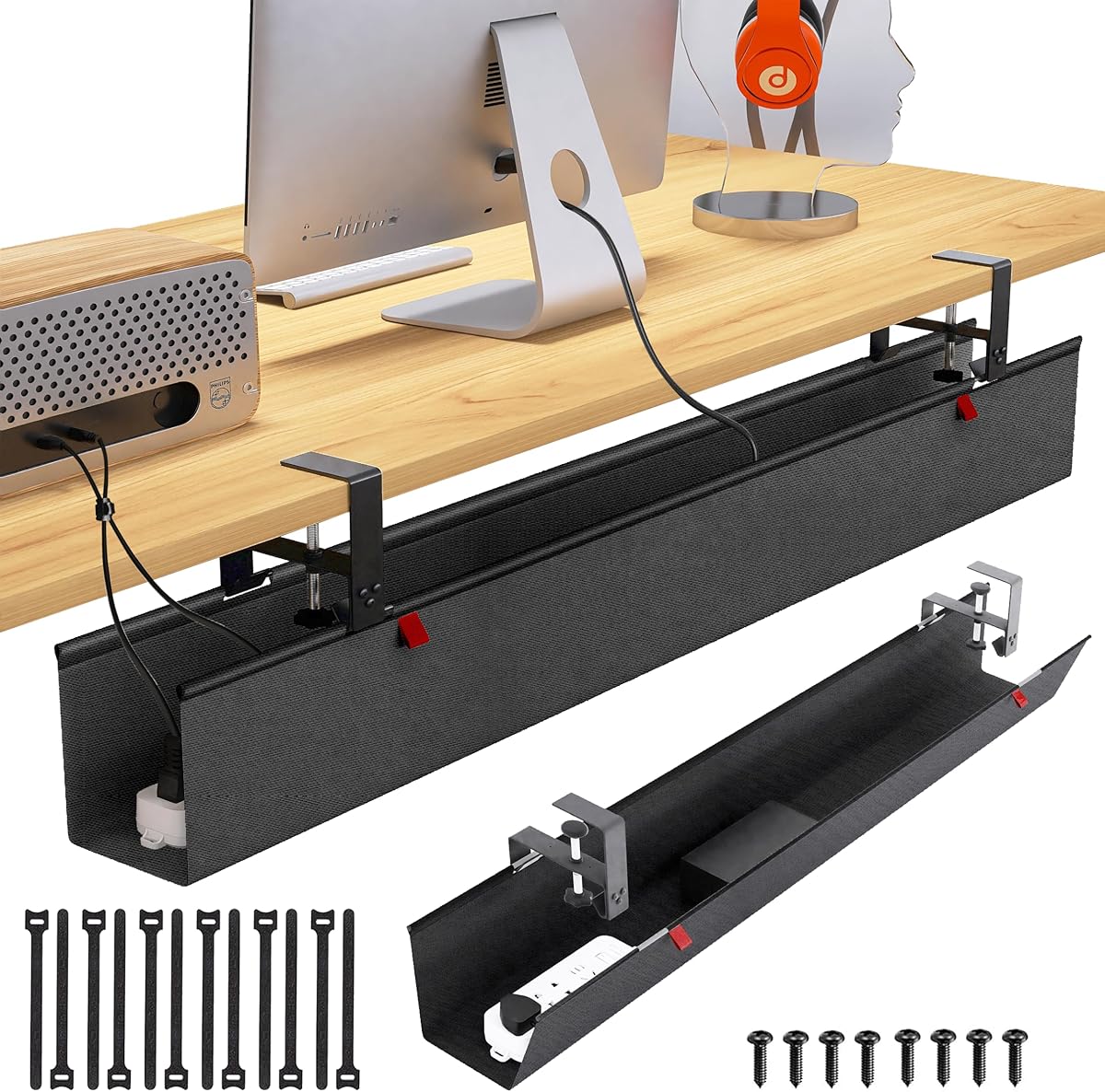
This tray is designed specifically for gaming setups offering a black finish that disappears under dark desks. The dense fabric completely hides cables from view for a stealth look.
We may earn a commission when you buy through this link, at no additional cost to you.
The reinforced anti-sag base supports heavy power bricks without bowing. Side openings make it easy to route thick HDMI or DisplayPort cables without forcing them.
It is a premium option and may be expensive compared to simple sleeves. The installation requires specific table conditions which you must verify before purchase.
Ideal for serious gamers seeking a clean professional battlestation. It ensures wires remain hidden and safe while supporting the weight of high-performance gear.
The high-density black fabric ensures that no wires are visible allowing your RGB lights to stand out without distraction.
The reinforced base is designed to hold heavy power bricks and strips without bending even under full load.
We may earn a commission when you buy through this link, at no additional cost to you.
Selecting the right cable management system involves considering your setup size, budget, and the types of cables you need to organize.
Look for materials like polyamide or high-grade PVC that resist wear and tear. Durable components ensure your cables remain organized and protected for years without breaking or peeling.
Prioritize quality materials that can withstand heat and physical stress in a gaming environment.
Decide between adhesive, clamp, or screw-in options based on your desk and wall surfaces. Adhesive is quick but screws offer more stability for heavy loads.
Choose an installation method that matches your willingness to drill holes or commit to permanent placement.
Measure the total bulk of your wires before selecting sleeves or trays. Ensure the product has enough width and length to fit all your power and data cables comfortably.
Select a capacity that accommodates your current needs with room for future expansions.
Black or transparent options allow you to match the tray to your gear or hide it completely. Consider whether visibility matters for your specific desk color scheme.
Pick a color and finish that complements your existing gaming rig style.
If you have pets that chew cables, look for reinforced sleeves or protective barriers. These add an extra layer of security to prevent damage and injury.
Prioritize products that offer physical protection against chewing and tugging.
Reusable ties and adjustable clips allow you to modify your setup later without wasting money. This flexibility is crucial for gaming rigs that change often.
Choose items that can be reused or adjusted as your equipment evolves.
Ensure that any enclosure allows for adequate airflow around power strips and adapters. Mesh trays or ventilated sleeves prevent overheating during long gaming sessions.
Verify that the design supports proper ventilation to protect your hardware.
Pick materials that do not trap dust or are easy to wipe down. Dust accumulation can be harmful to electronics and hard to remove from tight spaces.
Select products that allow for simple maintenance and dust removal.
Start by unplugging all cables to safely route them through sleeves or trays without tension. Plan the path before securing anything to avoid sharp bends or kinks that could damage wires.
Use the adhesive clips on clean dry surfaces to ensure strong bonding. Press firmly for thirty seconds to activate the adhesive and hold it in place for a few minutes.
Regularly inspect your cable ties and trays for signs of wear or sagging. Dust them occasionally with a dry cloth to prevent debris from affecting airflow or adhesion.
Adhesive clips and under desk trays are the best options for avoiding drilling. You can use peel and stick channels or clamp-mounted trays to secure wires to the back of your desk securely.
Use reusable cable ties that can be easily unbundled and reused. Flexible sleeves allow you to remove and replace wires quickly without needing to re-route the entire path.
Yes most trays are designed to hold power strips safely as long as they allow for airflow. Ensure the tray is ventilated and not sealed tightly to prevent overheating.
Adhesive clips work best on smooth surfaces like painted wood or metal. Textured walls may prevent proper adhesion so consider using screw-in clips or alternative mounting methods instead.
Use a tray with a reinforced base or add additional support ties to the structure. Heavy duty trays specifically designed for gaming setups handle this weight without bending.
Most sleeves do not block airflow if sized correctly but tight bundles can trap heat. Keep sleeves loose enough to allow air to circulate around the cables near your components.
We hope this guide has clarified the options available to organize your gaming setup effectively. Whether you need simple clips or complex trays there is a solution for every desk.
Prioritize durability and ease of use when making your final selection. Investing in quality components now will save you time and effort in the long run.
Remember to check the latest product availability before purchasing as stock levels vary frequently. A tidy desk is a happy desk so start your organization project today.