
BUFFALO LinkStation 210 6TB 1-Bay NAS
3.9Editor score
Subscription-free personal cloud storage
Compatible with Windows and macOS
Centralized backup for multiple devices
This guide compares the top ten Buffalo NAS devices for home and business storage, covering capacity, speed, security, and cloud features to help you choose.
Network attached storage devices provide centralized data access for multiple users and devices across your home or office network. Buffalo NAS solutions offer reliable storage with included hard drives and robust security features.
We compared ten current and legacy Buffalo models based on capacity, performance, security, and usability. Each product offers unique strengths for home users, small businesses, or enterprise environments needing scalable storage.
Each pick highlights key specifications, real-world performance notes, and ideal use cases. Prices and availability change frequently, so verify current listings before purchasing to ensure you get the best deal.
3.9Editor score

4.8Editor score

The following table compares all ten Buffalo NAS models side by side. Review key specs including bay count, capacity, network speed, and included software to find the right fit for your needs.
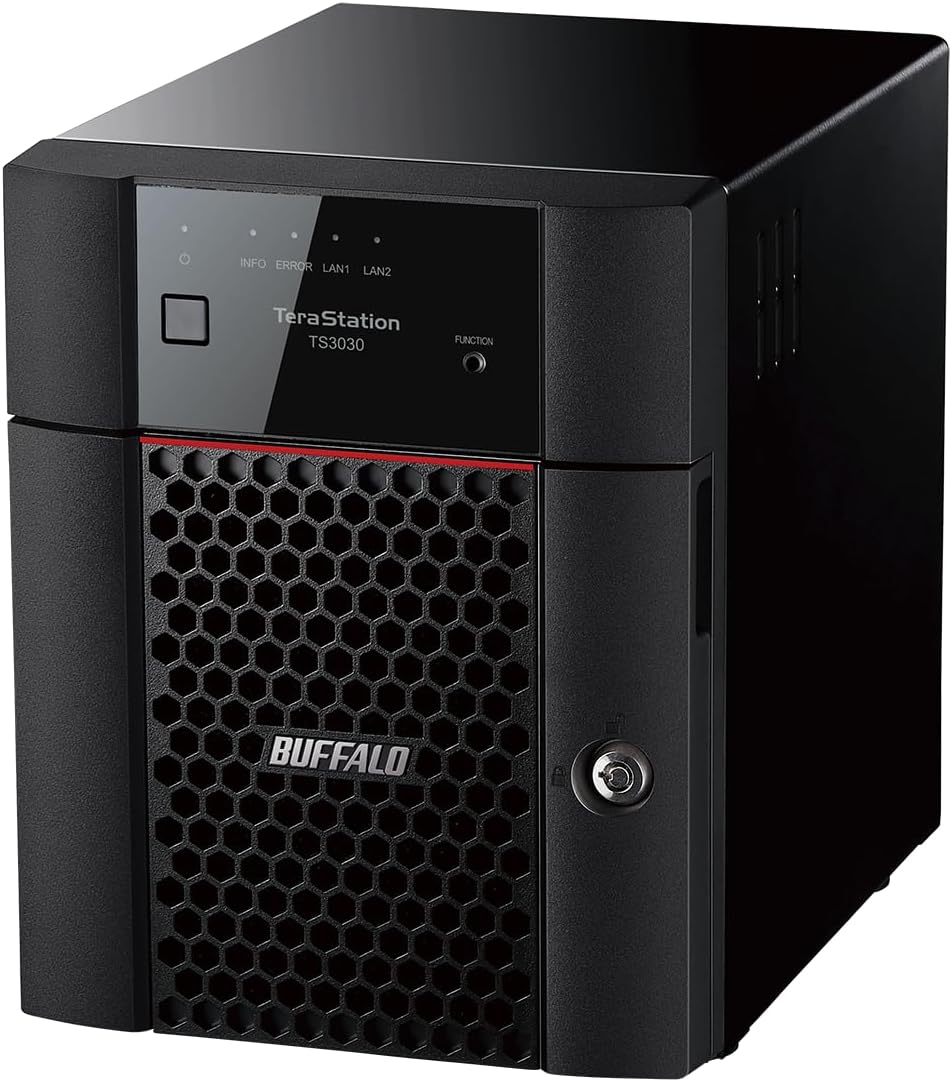




This TeraStation offers full-scale professional network-attached storage optimized for environments of any size. With a 4.8 rating, it delivers advanced hardware and firmware designed for stability and heavy data loads.
We may earn a commission when you buy through this link, at no additional cost to you.
The native 10GbE port enables high-speed file transfers without cable upgrades. Snapshots allow for instant data backup and recovery, helping mitigate ransomware risks with minimal system disruption.
While premium, the 32TB capacity with included drives and flexible RAID modes justify the cost for business needs. Cloud sync with S3 and Azure adds extra security layers for hybrid backups.
Ideal for businesses needing robust storage and security. The 3-year warranty and US-based support provide peace of mind. This model stands out as the top choice for demanding users.
Snapshot technology creates point-in-time copies of data allowing recovery near instantaneously with little or no system disruptions.
Sync with Dropbox, Amazon S3, and Microsoft Azure to create a hybrid cloud for extra data security and versatile data backup.
We may earn a commission when you buy through this link, at no additional cost to you.
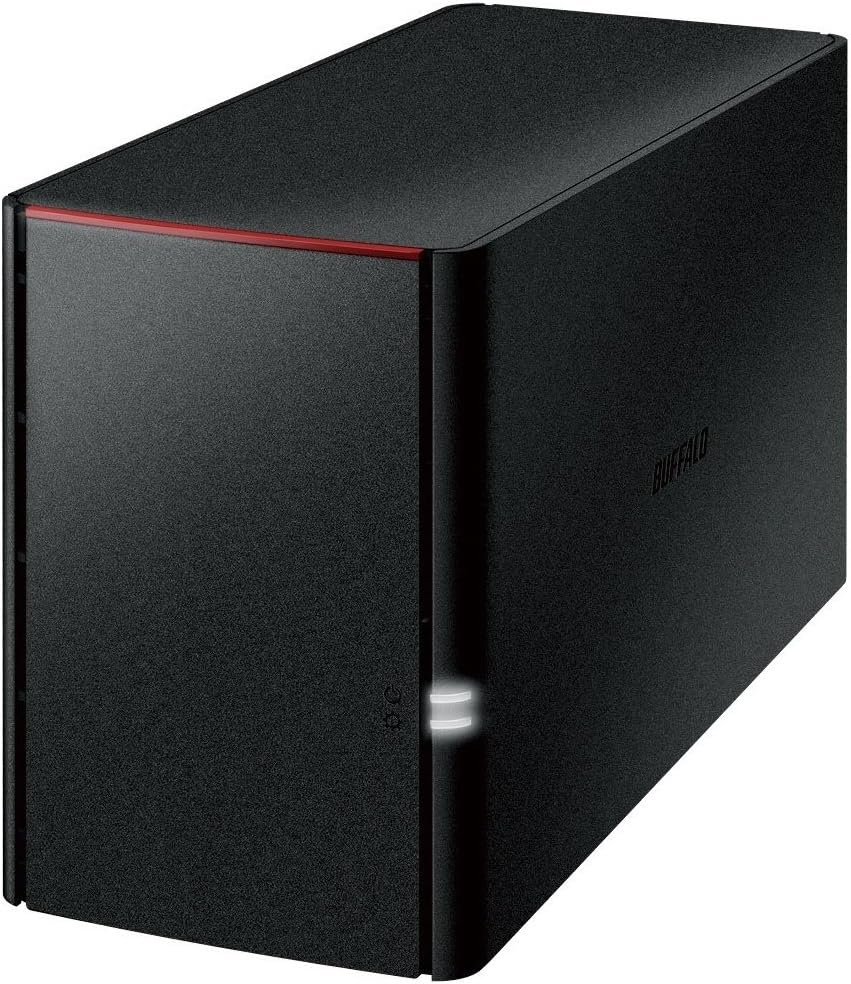
The LinkStation 210 provides centralized storage and backup for all devices at a value price point. It acts as a home cloud device allowing access to videos and photos without monthly fees.
We may earn a commission when you buy through this link, at no additional cost to you.
Connectivity is simple via your router and NAS Navigator utility. Securely share files with family while keeping data private through access restrictions. SSL encryption ensures secure file transfers.
The closed system reduces vulnerabilities from third-party apps. While it lacks the speed of higher-end models, it suits basic home storage needs perfectly. Back up multiple computers and devices easily.
Best for home users needing affordable centralized storage. The 6TB drive included simplifies setup. Consider the LS 700 if you need faster performance or newer macOS support.
Connect the LinkStation to your router and enjoy shared network storage. Configure individual access restrictions for folders to ensure data remains private.
Store and back up videos and photos access them anytime without paying any monthly fees with subscription-free personal cloud storage.
We may earn a commission when you buy through this link, at no additional cost to you.
This model runs native Windows Server IoT 2025 for storage workgroup edition. It is a cost-effective small business NAS with enhanced data management and security features. RAID is pre-configured.
We may earn a commission when you buy through this link, at no additional cost to you.
The inclusion of NovaBACKUP software license provides versatile professional-level server backups. Cloud service integration with Azure and OneDrive creates a hybrid cloud for additional security.
No CAL licenses are required for Client Access. The 3-year warranty with optional extension covers hard drives. It is TAA compliant and made in Japan for quality.
Ideal for businesses needing Windows integration without extra licensing fees. The 4TB capacity fits small workgroup needs. Check the 2025 features before purchasing.
No CAL (Client-Access Licenses) are required which simplifies deployment for small workgroups using Windows Server IoT 2025.
Includes NovaBACKUP software licenses for versatile, professional-level server and PC backups within the same system.
We may earn a commission when you buy through this link, at no additional cost to you.
Optimized to organize, store, share, and back up everyday files at a low cost. It is purpose-built for data protection with 256-bit drive encryption and a closed system.
We may earn a commission when you buy through this link, at no additional cost to you.
Fast data transfers via native 2.5GbE port without cable upgrades. Cloud integration with S3 and Dropbox creates hybrid backups for extra security. RAID 5 provides 18TB usable capacity.
Hard drives are included and pre-configured for hassle-free setup. The 3-year warranty includes data recovery service. TAA compliant for federal procurement needs.
Best for users seeking professional features at a budget price. The 24TB capacity is generous for home offices. Check RAID mode options if you need full capacity.
Native 2.5GbE port for high speed file transfers with no cable upgrade needed for faster data movement.
Purpose-built for data protection with 256-bit drive encryption and flexible replication and backup features to keep your data safe.
We may earn a commission when you buy through this link, at no additional cost to you.
Optimized for small office home office use to organize, store, share, and back up important files. The 2-Bay design ships with RAID 1 for automatic backup.
We may earn a commission when you buy through this link, at no additional cost to you.
Direct Copy allows backing up devices via USB without a computer. Securely share files with family and friends while keeping data private via access restrictions.
Compatible with Windows and macOS. NAS Navigator management utility is included. The closed system reduces vulnerabilities. The 3-year warranty includes hard drives.
Ideal for small offices needing secure shared storage. The 4TB capacity fits basic document and media needs. Check the SoHo 720 for faster 2.5 GbE connectivity.
Direct Copy allows you to back up your devices via USB. Copy photos videos files without a computer.
Create individual access restrictions for folders to ensure your data remains private while securely share storage space or files with others.
We may earn a commission when you buy through this link, at no additional cost to you.
Optimized to organize, store, share, and back up important everyday files. It is a low-cost professional-grade network-attached storage solution with value-focused design.
We may earn a commission when you buy through this link, at no additional cost to you.
Native 2.5GbE port enables high-speed transfers without cable upgrades. Cloud integration with S3 and Azure creates hybrid backups. Ships in RAID 5 for 4TB usable capacity.
Includes hard drives and pre-configured RAID. The 3-year warranty includes hard drive coverage. TAA compliant for federal use. Designed in Japan.
Best for IT admins needing rackmount storage on a budget. The 2.5GbE speed is competitive. Consider upgrading RAID for redundancy if needed.
Sync with Dropbox, Amazon S3, and Microsoft Azure and OneDrive to create a hybrid cloud for extra data security, cost savings, and versatile data backup.
A 4-Bay Value-Focused Rackmount NAS that is optimized to organize, store, share, and back up your important and everyday files.
We may earn a commission when you buy through this link, at no additional cost to you.
This legacy LinkStation 220 provides 4TB of storage. It supports DLNA streaming and includes USB 2.0 port. Gigabit LAN ensures decent network speeds for home use.
We may earn a commission when you buy through this link, at no additional cost to you.
Setup is simple by connecting to a router. It allows shared storage across devices. The closed system provides basic security. NAS Navigator software may be needed for management.
Performance is adequate for standard file sharing. The 4TB capacity suits small home libraries. Check for newer models if you need faster network ports.
Best for budget-conscious users needing simple shared storage. The DLNA support makes media access easy. Verify current stock as this is an older model.
The DLNA streaming support allows you to access and play media files on compatible smart TVs and devices.
Gigabit LAN and USB 2.0 ports offer standard connectivity options for easy integration into home networks.
We may earn a commission when you buy through this link, at no additional cost to you.
This desktop 4TB NAS offers a small office/home office economical storage solution. It includes pre-tested standard-grade hard drives with RAID pre-configured for reliability.
We may earn a commission when you buy through this link, at no additional cost to you.
Business-level server/PC backup and data recovery software are bundled. The free personal cloud provides access from any PC or Mac computer and smartphone.
Setup is easy by plugging into a router for instant network storage. Multiple user access is available from anywhere with internet service. 3-year warranty included.
Best for home offices needing reliable shared storage with backup. The 4TB capacity fits basic needs. Consider newer models for higher capacity and speed.
Business-level server/PC backup & Data recovery software bundled for professional-grade protection without extra cost.
Free personal cloud for access from any PC & Mac computer, tablet, and smartphone without monthly fees.
We may earn a commission when you buy through this link, at no additional cost to you.
This ls220dg series provides 4TB capacity with mirroring function to protect family photos and music. Ideal if smartphone and PC capacity is not enough.
We may earn a commission when you buy through this link, at no additional cost to you.
Mirroring reduces actual usable capacity to half. Giga wired LAN and USB 2.0 provide standard interfaces. Includes AC adapter and instruction manual.
It is designed to avoid loss of important data when the HDD is broken. The 1 year warranty covers basic needs. Made in Japan.
Best for users needing simple mirroring protection. The compact design fits small spaces. Check the newer SoHo models for better performance.
The mirroring function protects family photos and music, to protect the important data until the file is safe.
Includes wired LAN 1 (Giga) and USB × 1 (2.0 / 1.1) for connecting to existing home networks.
We may earn a commission when you buy through this link, at no additional cost to you.
This is a premium desktop attached storage (DAS) ideal for creative professionals. It offers 8TB capacity with RAID 1 pre-configured for redundancy.
We may earn a commission when you buy through this link, at no additional cost to you.
USB 3.2 Gen 1 offers universal connectivity for PC, Mac, and storage servers. Hot swap feature allows replacing a hard drive without powering down the device.
Includes NovaBACKUP Buffalo Edition for scheduled backups. Time Machine support protects Mac computers. TAA compliant and made in Japan.
Best for creative pros needing high capacity external storage. The USB connectivity makes it versatile. Check network NAS for shared multi-user access.
Hot swap feature allows a user to replace a hard drive in the event of failure without powering down the device.
USB 3.2 Gen 1 offers universal connectivity for PC, Mac, and storage servers for flexible setup.
We may earn a commission when you buy through this link, at no additional cost to you.
Selecting the right Buffalo NAS requires balancing capacity, performance, and features. This guide outlines the essential factors to consider for home or business needs.
Capacity dictates how much data you can store. Models range from 4TB to 32TB. Consider future growth needs when choosing drive bay count.
More bays allow for higher capacity and RAID options. For example, 4-Bay models provide up to 32TB total. Ensure you select enough space for files.
Network ports determine transfer speed. Some models offer 2.5GbE or 10GbE ports for faster file access. Standard Gigabit LAN is common on budget models.
If you transfer large files often, higher network speeds reduce wait times. Ensure your router supports these speeds for optimal performance.
Look for features like 256-bit drive encryption and SSL support. Secure file transfers keep data safe on your network.
Closed systems reduce vulnerabilities from third-party apps. Two-factor authentication adds another layer of access control for sensitive data.
RAID modes affect data redundancy and capacity. RAID 1 mirrors data for safety. RAID 5 balances redundancy with usable space.
Choose RAID modes based on priority. For backup, redundancy is vital. For pure storage, RAID 0 offers full capacity. Pre-configured RAID simplifies setup.
Cloud sync allows hybrid backups. Sync with Amazon S3, Dropbox, or Azure. This adds offsite storage without manual uploads.
Check which services your model supports. Hybrid clouds enhance data security and provide flexible scalability for growing storage needs.
Ensure the NAS is compatible with your OS. Most models support Windows and macOS. Some newer models offer Windows Server IoT.
Check specific version compatibility. For example, some NAS Navigator tools support macOS versions 15 and earlier. Verify support before purchasing.
Look for models with strong warranties. Many offer 3-year coverage including hard drives. US-based support is available for installation walkthroughs.
Extended warranty options may be available. Check recovery services included. Quality support ensures help when technical issues arise.
Connect the NAS to your router using an Ethernet cable. Access the web interface to configure RAID modes and user accounts. Install NAS Navigator on your computers for management.
Create shared folders and set permissions. Install backup software like NovaBACKUP on computers. Schedule automatic backups to protect data automatically.
Keep the firmware updated via the web interface. Ensure the device is in a well-ventilated area. Regularly check drive health to avoid unexpected data loss.
Most Buffalo NAS models offer subscription-free personal cloud storage. You can store and access files anytime without paying monthly fees. This distinguishes them from cloud services.
RAID 1 mirrors data across drives. If one drive fails, the other holds your data. This provides automatic backup without needing extra backups. Usable capacity is half of total.
Yes, most models are compatible with Windows and macOS. Some offer specific tools for macOS versions like Sequoia. Check support documentation for the latest OS requirements.
Some models allow hot swap drive replacement. Check if your specific model supports this feature. If not, power down the device before replacing drives.
Yes, the TeraStation 5420DN supports native 10GbE. Ensure your network has a 10GbE switch for optimal speed. This enables faster file transfers without cable upgrades.
Models support sync with Dropbox, Amazon S3, and Microsoft Azure. Create a hybrid cloud for extra data security. This allows offsite backups and flexible scalability.
Yes, many Buffalo NAS models are fully TAA compliant. This allows federal procurement. Check the product specs to confirm TAA compliance for specific models.
The Buffalo NAS lineup offers diverse options from budget-friendly LinkStation units to professional TeraStation models. The TeraStation 5420DN stands out for enterprise needs with 10GbE and snapshots.
Consider your capacity and speed requirements carefully. For home users, the LinkStation 210 provides value. For businesses, the TeraStation Essentials 2025 offers professional features.
Prices and availability change frequently so check current listings before purchasing. Verify the latest specs to ensure your model matches your workflow needs.