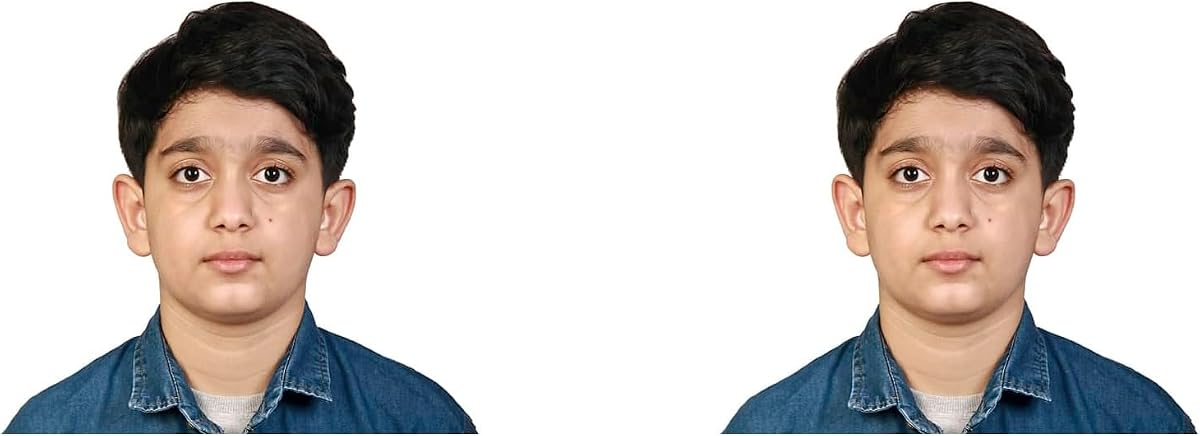
US Online Passport photo prints 2×2 inch
4.7Editor score
Professional online service
Guaranteed compliance
Fast delivery options
Finding reliable at Home Passport Photo Solutions saves time and ensures compliance with strict government standards. Whether you need photos for a passport, visa, or ID card, having the right tools matters.
We compared ten top products based on ease of use, photo quality, and compliance features. Our analysis covers dedicated printers, smartphone systems, and professional online printing services for every budget.
Each pick highlights specific strengths to help you choose the best option for your needs. Prices and availability change frequently, so verify details before purchasing to ensure you get the right solution.
4.7Editor score

4.6Editor score

3.1Editor score
As an Amazon Associate we earn from qualifying purchases.
This side-by-side comparison highlights key specifications for all ten products to help you quickly identify the right solution for your specific photo needs and budget constraints.




This system offers a complete solution for home passport photo creation with a 4.6 rating. It combines a digital camera and printer preprogrammed for US specifications ensuring immediate usability.
We may earn a commission when you buy through this link, at no additional cost to you.
The setup includes everything needed for capture and print. Transfer images easily via SD card or USB cable. The included 2×2 tabletop cutter ensures proper sizing for official documents.
While the initial investment is higher than online services it offers long-term value for frequent needs. The preprogrammed nature reduces operator error significantly during photo capture.
Ideal for households needing multiple compliant photos over time. This system balances ease of use with professional quality output for official passport and visa applications.
Includes camera and printer to eliminate need for separate equipment purchases.
Software preconfigured for US passport requirements to ensure compliance immediately.
We may earn a commission when you buy through this link, at no additional cost to you.
This system leverages your existing smartphone for photo capture with a 4.3 rating. It includes a preprogrammed printer compatible with iPhone and Android devices for wireless printing.
We may earn a commission when you buy through this link, at no additional cost to you.
The kit provides ink and paper for 108 prints plus a 2×2 die cutter. You connect wirelessly to your phone to take photos and print them without extra hardware.
Using your existing phone reduces upfront costs compared to dedicated camera systems. However this means you rely on your device camera quality and app compatibility.
Best for mobile-first households seeking a convenient home printing setup. It balances modern convenience with the physical output needed for official passport applications.
Connects wirelessly to iPhone or Android devices for seamless photo printing.
Uses your existing phone instead of requiring a dedicated digital camera.
We may earn a commission when you buy through this link, at no additional cost to you.
Designed for professional output this system offers DNP dye-sublimation quality with a 3.1 rating. It includes a Kodak Pixpro camera and wireless LCD console for precise control.
We may earn a commission when you buy through this link, at no additional cost to you.
The console creates a gallery of past six images for easy reprinting. You can choose from various foreign and domestic passport and visa output sizes seamlessly.
The premium dye-sub technology ensures high quality photo prints but comes at a significant cost. It may be overkill for occasional personal use but suits commercial needs.
Recommend for those needing professional grade ID photos at home. The wireless console and Kodak camera provide the control required for demanding photography applications.
DNP dye-sublimation technology delivers durable high quality professional photos.
Console displays gallery of captured images for easy selection and reprinting.
We may earn a commission when you buy through this link, at no additional cost to you.
This system provides a reliable kit for capturing and printing photos with a 4.1 rating. It is preprogrammed to work straight out of the box for US passport needs.
We may earn a commission when you buy through this link, at no additional cost to you.
Transfer images from camera to printer via SD card or USB cable. The digital camera model may change but remains compatible with the preprogrammed software.
Lacking a specific cutter mention this may require manual cutting. However it offers the convenience of a dedicated preconfigured setup for official document photos.
Best for users prioritizing ease of use over included accessories. It delivers a straightforward path to compliant photos without external editing software.
Preprogrammed software allows immediate use without configuration or setup.
Options to transfer images via SD card or USB cable for convenience.
We may earn a commission when you buy through this link, at no additional cost to you.
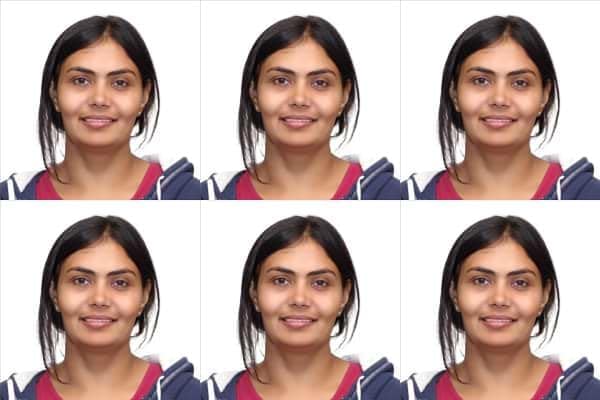
This online service offers a professional solution for passport photos with a 4.7 rating. You upload a photo from your mobile phone to receive printed compliant prints by mail.
We may earn a commission when you buy through this link, at no additional cost to you.
The provider ensures photos meet exact size and background requirements. With over seventeen years of experience they guide you on lighting and expressions for best results.
While delivery time is longer than home printers the compliance guarantee is valuable. It removes risk of rejection by authorities due to improper background or lighting.
Ideal for first time applicants or those prioritizing acceptance over speed. This service combines professional editing with convenient home submission for visa and passport photos.
Photos are carefully reviewed and adjusted to meet government specifications.
Receive printed photos within twenty four hours of payment and approval.
We may earn a commission when you buy through this link, at no additional cost to you.
This option allows you to upload a photo and receive four professional prints with a 5.0 rating. Your photo is reviewed adjusted and cropped to meet US specifications.
We may earn a commission when you buy through this link, at no additional cost to you.
The prints are made on high quality glossy paper and inspected before shipping. They are carefully packaged to ensure they arrive clean and ready for immediate use.
While you need to take the photo yourself the preparation is done professionally. Avoid using glasses or filters to ensure your upload meets clear image guidelines.
Perfect for those who prefer not to buy hardware equipment. This service offers a balance between personal photo capture and professional finishing standards.
Uploaded photos are reviewed and cropped to meet US specifications.
Prints are made on high quality glossy paper for clear sharp results.
We may earn a commission when you buy through this link, at no additional cost to you.
This service provides a flexible way to order passport photos online with a 5.0 rating. You can order standard two photos or add more to meet your specific needs.
We may earn a commission when you buy through this link, at no additional cost to you.
A unique feature allows choosing same-day pickup at a local drugstore if available. Alternatively you can receive a photo sheet for unlimited self printing at home.
The efficiency of online ordering combined with physical pickup options adds value. This is ideal for users needing photos quickly without visiting a full photo studio.
Recommend for those who want convenience without immediate hardware setup. This system offers a good balance of online ordering and physical fulfillment options.
Same-day pickup option at local drugstore available for faster access.
Receive a photo sheet for unlimited copies of your 2×2 photos.
We may earn a commission when you buy through this link, at no additional cost to you.
This service offers eight photos in one order ensuring plenty for multiple uses with a 4.5 rating. You upload a photo and receive printed copies ready for applications.
We may earn a commission when you buy through this link, at no additional cost to you.
The product lists compatibility for visa immigration and work photos. It advises optimal lighting conditions to ensure your uploaded photo meets clarity standards.
Buying in bulk reduces per print cost compared to single sets. Ensure your photo is well-lit and clear to avoid issues with the online processing team.
Best for families or groups needing multiple identical photos efficiently. This service balances quantity with professional handling for various official document needs.
Choose from various quantity options to suit your specific needs.
Prints suitable for visa immigration work and green card applications.
We may earn a commission when you buy through this link, at no additional cost to you.
This online solution provides six photos with same day shipping for rapid turnaround with a 5.0 rating. You upload a photo to receive prints ready for ID or visa applications.
We may earn a commission when you buy through this link, at no additional cost to you.
Available in multiple quantities from one to twenty pieces. The service emphasizes high quality prints to ensure your applications are not delayed.
Same day shipping is a distinct advantage for urgent travel needs. Ensure your photo is clear and properly formatted to avoid delays in processing.
Ideal for urgent needs requiring quick delivery and reliable quality. This service offers the speed needed for last minute application submissions.
Fast shipping option ensures you receive your photos quickly.
Focus on quality ensures prints meet application requirements consistently.
We may earn a commission when you buy through this link, at no additional cost to you.
This light box offers professional lighting to improve photo quality with a 4.6 rating. It features 120 bright LED lights with dimmable settings to eliminate harsh shadows.
We may earn a commission when you buy through this link, at no additional cost to you.
With CRI above 95 you capture true colors for accurate skin tone representation. The box includes eight backdrops to help create a plain background for compliance.
While not a printer it helps ensure your uploaded photos are clear and sharp. It is ideal for those who want better lighting before submitting to online services.
Best for improving photo quality before online submission. This box offers the consistent lighting needed to avoid rejection due to poor image quality.
Reflective inner walls distribute light evenly to avoid shadows.
Sets up in seconds and supports USB power for portability.
We may earn a commission when you buy through this link, at no additional cost to you.
Selecting the right solution depends on whether you prefer printing immediately or using online services. We evaluate key factors to help you make the best choice for your needs.
Dedicated printers offer immediate physical prints but require an upfront investment in hardware and supplies. Online services cost less per photo but require delivery time and reliable internet uploads.
Choose printers if you need photos fast and often. Opt for services if you need photos rarely or want guaranteed compliance without technical setup.
Passport photos have strict requirements for size background lighting and expression. Dedicated systems often include preprogrammed software to enforce these standards during capture.
Ensure your chosen solution meets US specifications to avoid rejection. Preprogrammed kits reduce risk compared to generic photo editors.
Some solutions require specific cameras and printers while others work with smartphones. Consider what devices you already own before buying a dedicated kit.
Smartphone compatibility saves money if you have a high quality camera. Dedicated systems may offer better control but add to hardware needs.
Proper lighting is essential for avoiding shadows that lead to rejection. Dedicated kits may include lights while others rely on natural light or external tools.
Consider a light box if you rely on your own camera. Good lighting ensures your photo meets clarity and color requirements.
Photos must be exactly 2×2 inches for US passports. Many kits include a physical cutter to ensure this size while others print on standard sheets.
A dedicated cutter simplifies the process and reduces errors. If the kit lacks one ensure you have scissors and a ruler for manual cutting.
Long-term costs depend on ink and paper availability. Some kits use specific dye-sub paper which offers durability but may be proprietary.
Check if replacement supplies are easy to find. High per-print costs may discourage frequent use over time.
Digital files allow easy storage and future uploads. Physical prints are often required for submission and must be kept safe for travel.
Choose a solution that offers both digital copies and high quality prints. This flexibility covers both electronic and physical requirements.
More control over editing may require more technical knowledge. Preprogrammed systems offer ease of use but limit creative adjustments.
Balance your comfort with settings against need for speed. Beginners benefit from automation while tech-savvy users may prefer manual control.
First clean your camera lens and the light box glass to ensure sharp photos. Check that your lighting is uniform to avoid harsh shadows on your face.
Stand straight with your shoulders square and look directly at the camera. Keep a neutral expression with mouth closed and eyes open for compliance.
If using a printer follow the manufacturer instructions for loading paper and ink. Keep your photos in a dry safe place to maintain image quality.
Passport photos must be exactly 2×2 inches for US applications. Ensure the center of the face is 1 to 1 3/8 inches from the bottom. Use a dedicated cutter to achieve this precisely.
Yes many online services accept photos taken with smartphones. Ensure good lighting and a plain background to meet standards. Avoid filters or editing that alters your appearance.
Yes plain white or off-white backgrounds are generally required. Ensure no patterns or shadows appear behind you. Use a white wall or backdrop for best results.
Generally no unless medically required. If you must wear glasses ensure no glare obscures your eyes. It is often safer to remove glasses entirely.
There is no official expiration but photos are valid as long as you look like the image. Take new photos if your appearance changes significantly.
Review the specific reasons listed by the government. Common issues include shadows wrong size or expressions. Use a service that guarantees compliance for peace of mind.
Many online applications accept digital uploads. However most require physical prints as well. Verify the exact submission requirements for your specific application type.
You can use dedicated photo printers that output 2×2 inch prints. Alternatively upload your photo to online services that deliver prints by mail to your home.
This guide reviewed ten top solutions ranging from dedicated printers to convenient online services. Each option offers distinct advantages depending on your budget frequency of use and technical comfort.
Prioritize compliance and ease of use to avoid application delays. Dedicated kits offer immediate results while services ensure professional editing without technical setup.
Prices and availability change frequently so check current details before purchasing. Select the solution that best balances your need for speed accuracy and convenience.