
ASUS ROG Strix G16 (2025)
4.4Editor score
Intel Core i7 14650HX
RTX 5060 GPU
165Hz FHD+ Display
Discover the top ASUS ROG Strix Laptop models for gaming and creativity. This guide compares performance, displays, and features to help you choose.
The ASUS ROG Strix Laptop line delivers powerful gaming performance with sleek designs and advanced cooling. These machines balance portability and raw power for enthusiasts who demand reliability during intense sessions.
We evaluated ten current models based on processor speed, graphics capabilities, display quality, and cooling efficiency. Our analysis focuses on real-world usability, upgrade options, and overall value for different user needs and budgets.
Each pick highlights unique strengths like screen tech or thermal design. Prices fluctuate often so check current listings before buying. Use this guide to find the exact model that fits your workflow and playstyle today.
4.4Editor score

4.3Editor score

4.3Editor score
This side-by-side comparison outlines key differences across the top ten ASUS ROG Strix Laptop models. Review specs like processors, GPUs, screen refresh rates, and cooling systems to find your perfect match.



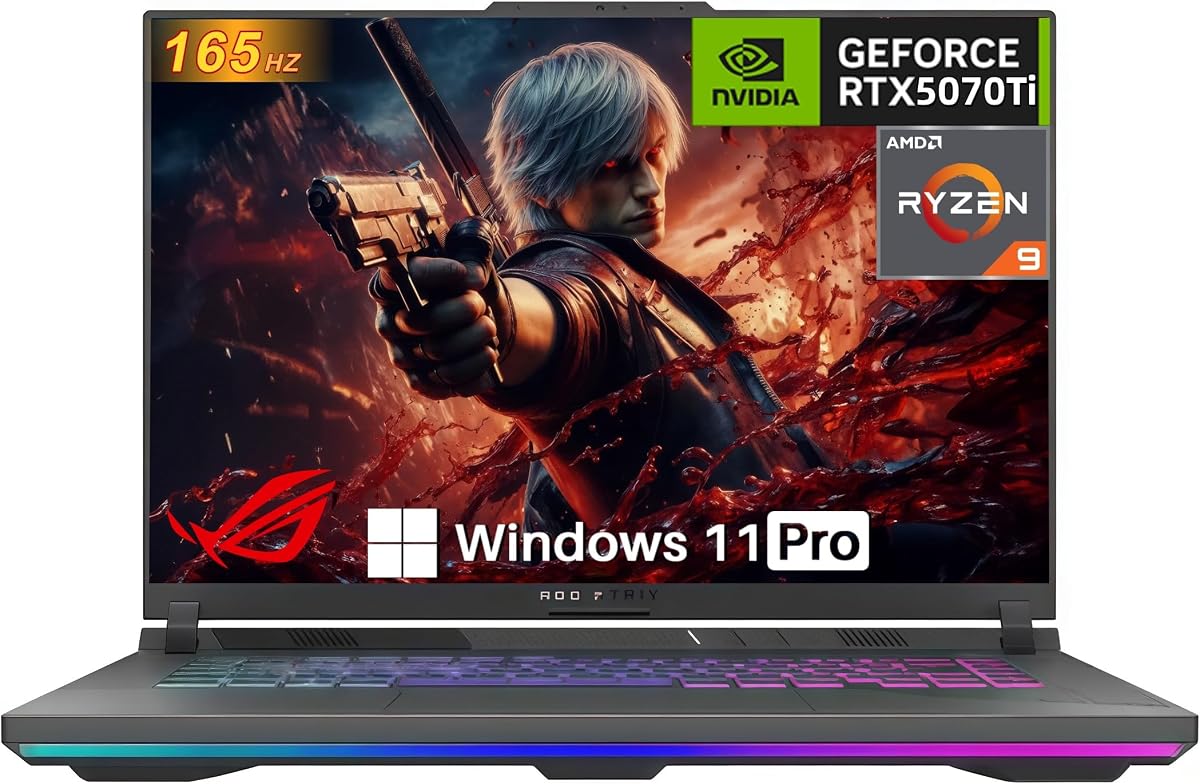

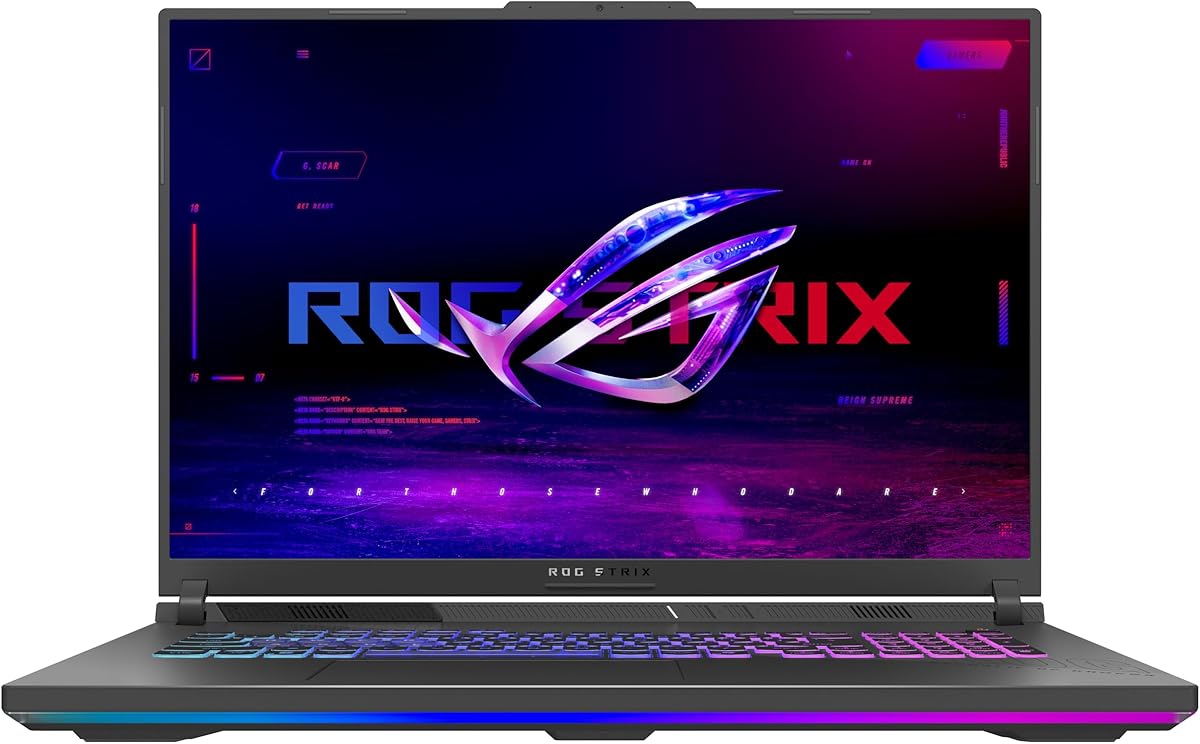
This model is the standout value pick with a balanced Intel Core i7 and RTX 5060 combo. It offers smooth gaming and multitasking without breaking the bank while maintaining robust build quality.
We may earn a commission when you buy through this link, at no additional cost to you.
The 165Hz display delivers fluid visuals and the cooling keeps thermals low even under load. With Wi-Fi 7 built in you get future ready network speeds ideal for competitive online play.
Trade-offs include a standard FHD+ panel and lack of Thunderbolt ports. These are acceptable given the price point and do not significantly hinder daily usage or gaming sessions.
Ideal for budget conscious gamers or students seeking reliability. If you want high frame rates on a reasonable budget this Strix G16 is a top choice for 2026.
The Blackwell architecture RTX 5060 handles modern titles smoothly with DLSS 4 support enhancing frames without extra cost.
ROG Intelligent Cooling with vapor chamber ensures sustained boost clocks preventing thermal throttling during long sessions.
We may earn a commission when you buy through this link, at no additional cost to you.
Picking up the ultra9 and RTX 5070 Ti this G16 excels in raw performance and visual fidelity. The Nebula display is a highlight with deep contrast and crisp detail for immersive gaming.
We may earn a commission when you buy through this link, at no additional cost to you.
32GB of DDR5 ensures you can run heavy workloads alongside games. Advanced Optimus switches graphics intelligently balancing battery life and performance seamlessly during daily use.
The premium price reflects the high end specs but is justified for creators and pro gamers. Port selection could be broader but USB4 and HDMI2.1 cover most needs effectively.
Best for power users wanting no compromises. If you prioritize screen quality and frame rates this model is the definitive high end Strix choice for November 2026.
The 240Hz 2.5K screen supports HDR content delivering vibrant colors that stand out in any lighting condition.
Tool free access to RAM and SSD makes future upgrades quick and hassle free without voiding warranty.
We may earn a commission when you buy through this link, at no additional cost to you.
The Scar 18 offers a desktop replacement experience with its massive 18 inch Mini LED display. It brings HDR visuals to life with thousands of dimming zones for stunning contrast in games.
We may earn a commission when you buy through this link, at no additional cost to you.
With Windows 11 Pro and top tier specs it handles professional creative work with ease. The AniMe Vision lid adds a unique aesthetic touch that lets you show animations on the outside.
Its weight and size make it less portable but worth it for stationary setups. The price is high but you get premium materials and features not found elsewhere.
Perfect for enthusiasts wanting the biggest screen and best visuals. If you need a portable desktop for high end tasks this Scar 18 is the ultimate choice in the lineup.
Mini LED technology provides true blacks and bright peaks making HDR games look incredible and realistic.
The AniMe Vision screen on the lid allows you to share personal animations during gaming or work.
We may earn a commission when you buy through this link, at no additional cost to you.
This variant mixes a powerful Ultra 9 CPU with a standard RTX 5060 GPU and premium Nebula screen. It is great for CPU heavy tasks but might struggle with maxed out graphics settings.
We may earn a commission when you buy through this link, at no additional cost to you.
The 240Hz display ensures smooth visuals for competitive shooters while Dolby Vision HDR adds richness to content consumption. Cooling remains effective keeping the system quiet during daily tasks.
The GPU bottleneck limits high end gaming performance but upgrades are possible later. Battery life is average as expected from high power hardware requiring frequent charging.
Best for users needing strong processing power over GPU power. If you prioritize streaming or rendering alongside light gaming this model fits the bill well in mid tier markets.
Dolby Vision HDR adjusts colors for richer visuals ensuring vibrant colors in movies and games.
Wi-Fi 7 connectivity reduces latency for online gaming and faster downloads compared to older standards.
We may earn a commission when you buy through this link, at no additional cost to you.
AMD Ryzen users will appreciate this model's 9955HX paired with RTX 5070 for smooth 1440p gaming. It balances raw power and thermals well ensuring consistent performance during demanding sessions.
We may earn a commission when you buy through this link, at no additional cost to you.
The MUX Switch gives direct access to the GPU for extra frames while Advanced Optimus saves battery when not gaming. The full surround vents aid airflow for sustained cooling efficiency.
Screen is limited to FHD+ but response time is quick enough for competitive gaming. Battery life depends on usage but typical gaming laptops of this type need wall power for full load.
Ideal for fans of AMD tech seeking strong performance. If you want a reliable workhorse for AAA titles this AMD variant delivers consistent results across various use cases.
The Ryzen 9 processor handles video editing and multitasking with ease alongside heavy gaming.
MUX Switch adds up to 10 percent performance boost by bypassing integrated graphics entirely.
We may earn a commission when you buy through this link, at no additional cost to you.
This model pushes the 5070 Ti to full TGP for maximum gaming performance alongside 32GB RAM. It is built for heavy workloads like video editing or high fidelity game rendering.
We may earn a commission when you buy through this link, at no additional cost to you.
The vapor chamber cooling keeps the system running cool while RGB lighting adds style. MUX Switch ensures you get the most out of the GPU during intense gaming sessions.
Port selection includes 2.5G Ethernet for wired stability which is rare in modern laptops. It is a heavy machine so portability is less of a focus here than power.
Best for users wanting full GPU power. If you want a desktop replacement that handles both creative work and gaming this G16 variant is a powerful contender.
The 140W TGP GPU allows for higher frame rates in supported titles without power throttling.
32GB RAM supports heavy multitasking without needing to upgrade memory immediately.
We may earn a commission when you buy through this link, at no additional cost to you.
This model emphasizes upgradeability with Q Latch SSD and tool free RAM access making it future ready. It pairs a strong Ryzen 9 with RTX 5070 Ti for excellent performance.
We may earn a commission when you buy through this link, at no additional cost to you.
ROG Intelligent Cooling keeps thermals stable during heavy gaming. The design allows quick access to internals without screws which is a huge plus for maintenance or upgrades.
Battery life is average as is typical for high performance laptops requiring frequent charging. The strong GPU ensures smooth gameplay in modern titles with DLSS 4 enabled.
Best for users planning to upgrade over time. If you value maintenance and long term usability this G16 variant stands out as a solid investment for 2026.
Removable frame and Q Latch make hardware swaps quick without tools for future needs.
High refresh display ensures smooth visuals in competitive games with low latency.
We may earn a commission when you buy through this link, at no additional cost to you.
The 2026 update brings the RTX 5080 and Ultra 9 290HX for top tier performance. It features advanced cooling and AGLR film for better glare control in bright environments.
We may earn a commission when you buy through this link, at no additional cost to you.
Tool free access ensures you can upgrade easily while MUX Switch boosts gaming performance by up to 10 percent. It is built for enthusiasts wanting the latest tech immediately.
Battery life may be lower due to high performance parts but performance is unmatched. It offers Wi-Fi 7 support for fastest wireless speeds and low latency gaming.
Best for those wanting future proofing and power. If you need top performance for gaming or heavy tasks this model is the premium choice for late 2026.
RTX 5080 supports DLSS 4 delivering high frame rates in demanding AAA titles.
AGLR film reduces glare ensuring clearer visuals in bright rooms or outdoor setups.
We may earn a commission when you buy through this link, at no additional cost to you.
This version focuses on storage with 2TB Gen 4 SSD ideal for huge game libraries and assets. It uses Windows 11 Pro for added enterprise features and stability.
We may earn a commission when you buy through this link, at no additional cost to you.
The 32GB RAM and RTX 5070 handle heavy tasks smoothly. Wi-Fi 7 ensures fast network speeds for cloud gaming and quick file transfers.
It is expensive but the storage saves upgrade costs later. Performance is consistent though power usage is high requiring careful thermal management during long sessions.
Best for users needing large storage. If you store many games and creative projects this model offers the best capacity out of the box.
PCIe Gen 4 SSD delivers fast load times for games and apps.
240Hz refresh rate ensures smooth visuals for competitive gaming.
We may earn a commission when you buy through this link, at no additional cost to you.
G18 brings a larger 18 inch screen with a strong Ryzen 9 CPU but lower GPU power. It is best for light gaming and content viewing requiring more visual real estate.
We may earn a commission when you buy through this link, at no additional cost to you.
The Ryzen 9 ensures smooth performance for productivity and multitasking. Tri fan cooling keeps temps stable while RGB bar adds personal style to the device.
GPU is not for high settings but 1080p gaming is still viable. This makes it ideal for streaming or watching videos while working rather than heavy AAA gaming.
Best for budget conscious buyers needing size. If you prioritize screen space over raw graphics power this model is a great pick for entry level Strix users.
18 inch display offers more workspace for apps and games.
Full surround vents provide better cooling for sustained performance.
We may earn a commission when you buy through this link, at no additional cost to you.
Selecting the right ASUS ROG Strix Laptop depends on your performance needs budget and screen preferences. This guide outlines key factors to consider before making a purchase.
Look for Intel Core Ultra 9 or AMD Ryzen 9 CPUs for top performance. These chips handle gaming and creative tasks efficiently ensuring smooth multitasking during heavy workloads.
Choose higher end processors if you need future proofing and faster rendering times for professional work.
RTX 5070 or higher GPUs deliver smooth frame rates in modern games. Ensure the GPU wattage matches your needs for high settings and ray tracing without throttling.
Higher tier GPUs support DLSS 4 improving frame rates without extra cost.
Refresh rates above 144Hz are essential for competitive gaming. Look for 240Hz panels if you prioritize smooth visuals and quick response times.
Prioritize 240Hz for esports titles where milliseconds matter.
Minimum 16GB RAM is standard but 32GB allows better multitasking with games and creative apps open. DDR5 ensures faster data transfer speeds for improved performance.
Choose 32GB if you run multiple heavy apps at once.
ROG Intelligent Cooling with vapor chamber and liquid metal prevents throttling. This keeps the laptop quiet and cool during extended gaming sessions.
Check for vapor chamber tech to ensure sustained performance.
Mini LED panels offer superior contrast and brightness for HDR content. Standard OLED or Nebula displays provide vibrant colors but check for glare issues.
Mini LED is best for HDR content creators.
Tool free access to RAM and SSD makes future upgrades easier. Some models include removable frames allowing hardware changes without screws.
Prioritize models with tool free maintenance.
Wi-Fi 7 or 6E ensures fast internet speeds for gaming. USB ports including HDMI 2.1 are necessary for monitors and peripherals.
Check for HDMI 2.1 and USB ports for peripherals.
Always use the provided power adapter to ensure stable voltage and avoid battery damage. Keep the device on a flat surface to prevent overheating during gaming.
Update drivers regularly using the Armoury Crate app for latest performance fixes. This ensures compatibility with new games and system features.
Use Stealth Mode to disable RGB lighting when working in professional settings. Clean the keyboard and vents weekly to prevent dust buildup.
Yes they are top tier gaming machines with high refresh screens and powerful GPUs. They handle modern titles easily with DLSS support and MUX Switch boosting performance.
Yes most Strix models feature tool free RAM slots for easy upgrades. Check specs for specific limits like 64GB support to plan your memory needs.
It uses vapor chamber and liquid metal to dissipate heat effectively. This keeps the system cool during long sessions without loud fan noise.
RTX 5070 Ti and 5080 are ideal for high end gaming. They support DLSS 4 and Max Q tech for better performance and battery life.
Yes with 32GB RAM and strong CPUs it handles 4K editing well. HDR displays ensure color accuracy for professional creative work.
It routes frames directly to the GPU boosting gaming performance by 10 percent. This also extends battery life by managing GPU usage effectively.
The top picks cover budget friendly and premium needs. The G16 (2025) budget model offers best value while the Scar 18 delivers top end visuals.
Prioritize screen refresh rate and GPU based on your usage. If you game heavily get higher refresh and RTX 5070 or better.
Prices change frequently so check current listings before buying. Use this guide to find the perfect ASUS ROG Strix Laptop for your needs.