
UPPERCASE NimbleGrip
4.6Editor score
Premium silicone material
Dual-sided grip options
Dust-free coating applied
This guide compares the top Apple Pencil grips for comfort and control across all models including Pro 2nd Gen and USB-C to help you find the best ergonomic
Finding the right Apple Pencil grip can transform your writing and drawing experience by reducing hand fatigue and improving control during long creative sessions.
We evaluated ten top-rated grips based on ergonomics, material quality, compatibility with magnetic charging, and overall user comfort to bring you this definitive list.
Each pick highlights key features and trade-offs so you can choose the best fit for your specific Apple Pencil model while noting that prices may change over time.
4.6Editor score

4.3Editor score

4.5Editor score
This side-by-side comparison highlights the key specifications and features of each grip to help you quickly identify the best option for your needs.




The Paperlike Pencil Grips stand out as the top choice for users seeking all-day comfort without sacrificing any Apple Pencil features.
We may earn a commission when you buy through this link, at no additional cost to you.
Its ergonomic shape is designed to reduce fatigue during long writing sessions while the ultra-thin silicone zones keep all gestures responsive.
While it fits most cases, users should note that a guaranteed match requires specific Paperlike cases to avoid interference with charging.
This grip is ideal for professional artists and students who prioritize control and comfort over a lower price point.
The shape mimics natural pen holds to reduce strain during extended creative work sessions.
Designers ensured that magnetic charging and gesture controls remain fully accessible without removal.
We may earn a commission when you buy through this link, at no additional cost to you.
The ProElife Ergonomics Grip offers excellent value with a design that prioritizes comfort and secure holding at a low cost.
We may earn a commission when you buy through this link, at no additional cost to you.
Its internal anti-slip grooves ensure the stylus stays firmly in place while the ergonomic shape aligns with hand curvature.
Users might find the aesthetic simple compared to premium options but the functionality remains robust for daily use.
This grip is a practical solution for budget-conscious users who need reliable protection and comfort.
Internal grooves prevent the pencil from slipping during intense drawing or writing tasks.
The sleeve can be moved to the perfect position along the barrel for customized comfort.
We may earn a commission when you buy through this link, at no additional cost to you.
This grip features a split-back design that allows for easy installation and removal without needing to strip the grip entirely.
We may earn a commission when you buy through this link, at no additional cost to you.
The edges wrap around the iPad to offer a more secure fit than other sleeves while providing full access to controls.
While highly convenient, users should be aware of potential international product variations that might differ from local standards.
It is an excellent choice for users who frequently attach and detach their pencil for charging or storage.
A unique twist mechanism allows users to slide the grip off quickly when charging is needed.
The design wraps around the device edges to prevent slipping or rolling during storage.
We may earn a commission when you buy through this link, at no additional cost to you.
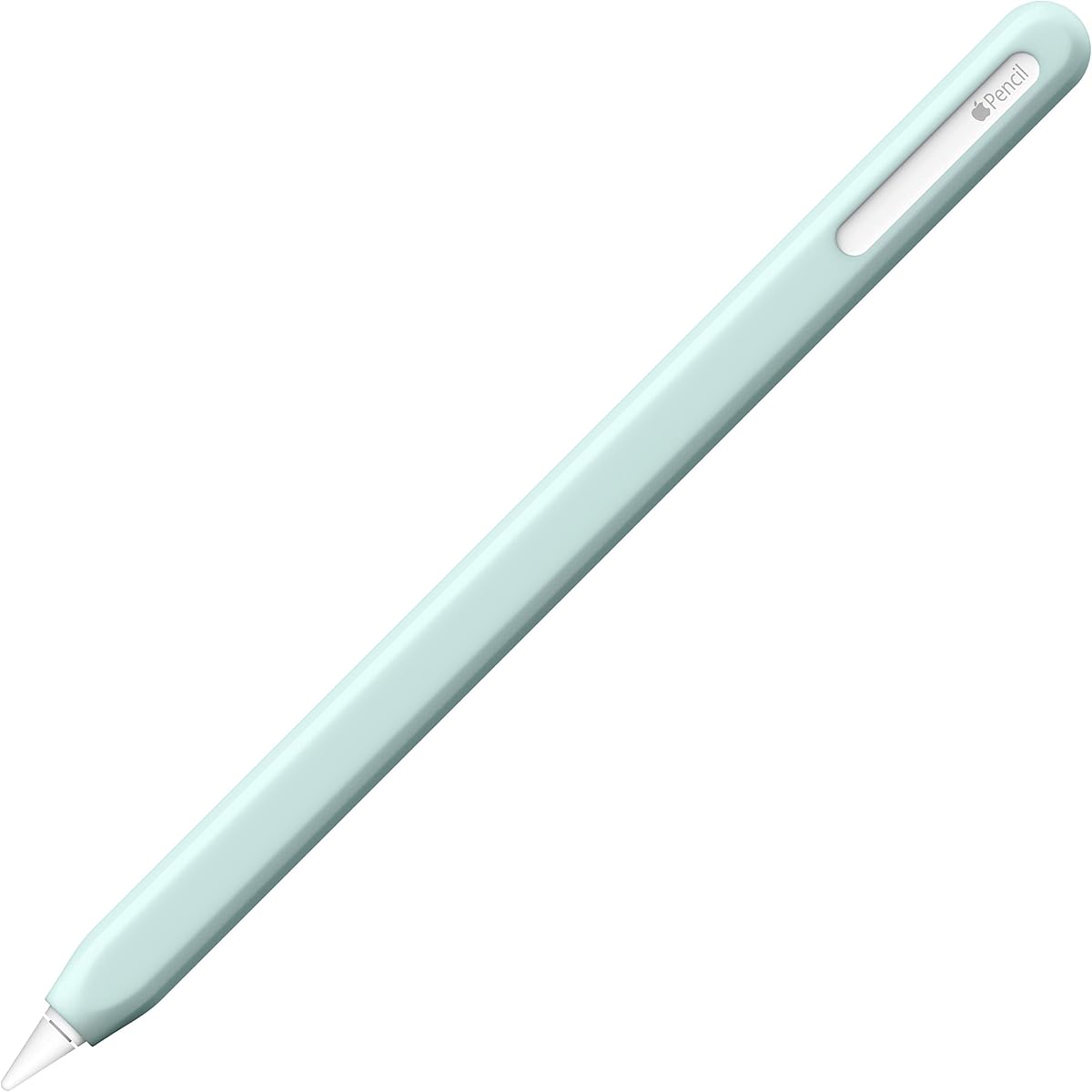
The UPPERCASE NimbleGrip is crafted from premium silicone and offers a dust-free coating that ensures a clean and comfortable feel.
We may earn a commission when you buy through this link, at no additional cost to you.
It features dual-sided exterior options with round and hexagonal grips allowing users to choose their preferred texture for control.
While removing it for charging is required for wireless models, the build quality justifies the effort for many premium users.
This grip is ideal for artists and professionals who demand the highest standard of materials and comfort in their tools.
Choose between round or hexagonal sides to find the best texture for your writing style.
High-quality silicone ensures the grip remains soft and supportive even after extended daily use.
We may earn a commission when you buy through this link, at no additional cost to you.
This pack offers three colorful grips that are specifically designed to remain ultra-thin to avoid interfering with magnetic charging.
We may earn a commission when you buy through this link, at no additional cost to you.
The silicone material is anti-sweat and provides a non-slip surface that keeps your hands dry during long creative sessions.
While the design is basic, having three grips means you can replace them easily if one gets lost or damaged over time.
It is a smart choice for households with multiple iPads or users who like to switch colors to match their mood.
The 0.35mm thickness ensures wireless charging works perfectly without needing to remove the grip.
Anti-sweat coating prevents moisture buildup and keeps the grip feeling fresh during use.
We may earn a commission when you buy through this link, at no additional cost to you.
The elago Grip is designed entirely in-house to ensure a perfect fit and high quality standards for every unit produced.
We may earn a commission when you buy through this link, at no additional cost to you.
Its ergonomic shape sits comfortably in the hand while the silicone material prevents scratches on your pencil surface and surrounding areas.
Users appreciate the durability and thoughtful design though the color selection is somewhat limited compared to other brands.
This grip is a reliable pick for users who value precise engineering and long-lasting protection for their accessories.
Every aspect from concept to finished product is handled internally for consistent quality control.
Soft silicone prevents scratches on the pencil and protects your desk from hard plastic impacts.
We may earn a commission when you buy through this link, at no additional cost to you.
The NimbleSleeve provides complete coverage of the Apple Pencil with a unique faceted design that looks sleek and stylish.
We may earn a commission when you buy through this link, at no additional cost to you.
It resists rolling on desks which protects the pencil from damage and keeps it from getting lost during study sessions.
Users should note that third-party iPad cases need a specific cutout to allow wireless charging with this sleeve attached.
This is a great option for users who want a stylish full-coverage grip that looks as good as it feels.
The faceted edges keep the pencil from rolling off flat surfaces when it is set down.
Full body protection shields against dust and accidental drops better than partial sleeves.
We may earn a commission when you buy through this link, at no additional cost to you.
The SIXFU Grip includes a handy storage box to keep your grips organized and protects the accessories when not in use.
We may earn a commission when you buy through this link, at no additional cost to you.
Its square and circle design offers multiple comfortable ways to hold the pencil during long creative and writing sessions.
The ultra-thin cross-section supports magnetic charging but requires precise alignment to ensure it works correctly.
This set is a practical pick for users who value organization and want two grips to share or rotate colors.
A mini buckle storage box keeps your extra grips protected and organized in your bag.
The mix of square and circle profiles provides different tactile sensations to reduce hand strain.
We may earn a commission when you buy through this link, at no additional cost to you.
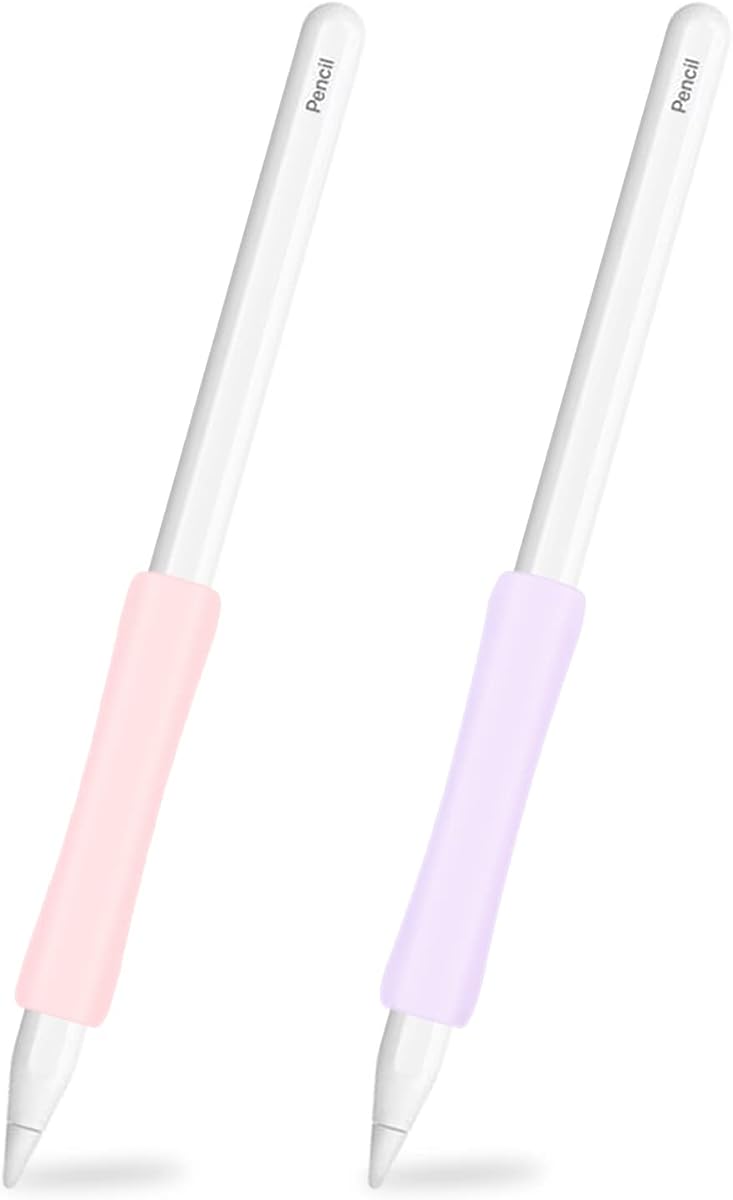
This two-pack offers an economical way to upgrade your setup with ergonomic grips that relieve hand pain during daily use.
We may earn a commission when you buy through this link, at no additional cost to you.
The design features a concave middle that aligns better with the curvature of your hand for a more natural feel.
While the appearance is generic, the stretchy silicone ensures the sleeve holds firmly without slipping during active drawing.
It is a solid choice for budget-conscious buyers who want reliable comfort for their pencil without spending much.
The middle concavity is designed to match the hand curvature for maximum grip and comfort.
Soft and stretchy silicone ensures the sleeve stays put without feeling too tight or restrictive.
We may earn a commission when you buy through this link, at no additional cost to you.
This specific two-pack is tailored for the newer Apple Pencil Pro and USB-C models with a slim design that preserves charging.
We may earn a commission when you buy through this link, at no additional cost to you.
The concave middle shape provides an ergonomic hold that relieves hand pain for users working with these latest devices.
It is crucial to note that this grip does not fit the 1st Generation Apple Pencil which has a different diameter.
This is the ideal choice for owners of the newest Pencil models looking for affordable and comfortable ergonomic support.
The ultra-thin sleeve ensures wireless charging works without needing removal.
Designed specifically for Pencil Pro and USB-C models to ensure a perfect fit.
We may earn a commission when you buy through this link, at no additional cost to you.
Selecting the right grip depends on understanding your specific Apple Pencil model and what comfort features matter most to you.
Ensure the grip is explicitly designed for your specific Apple Pencil generation as diameters vary between Gen 1, Gen 2, USB-C, and Pro models.
Always check the product description for compatibility lists to avoid purchasing a grip that does not fit your device.
Magnetic charging requires a grip with a thin profile or a split design that exposes the charging contacts on the pencil barrel.
If you rely on wireless charging, verify that the grip product does not block the connection point between the pencil and the iPad.
Premium silicone options often include dust-free coatings and soft textures that feel comfortable against the skin during long sessions.
Look for materials that are durable and do not stretch out over time to maintain a secure fit on your pencil.
Ergonomic designs with concave middles or rounded edges help align with the natural curvature of your hand to reduce fatigue.
Consider grips that offer multiple holding positions or shapes if you switch your grip frequently while drawing or writing.
Grips with split-back designs or elastic sleeves are easier to install and remove compared to solid rigid covers.
Easy removal is particularly important if you need to take off the grip frequently for charging or storage.
Textured surfaces and anti-sweat coatings are crucial for preventing the pencil from slipping out of your hand during intense use.
These features ensure you maintain control over your strokes even when your hands get warm or sweaty during long sessions.
A good grip should protect your pencil from scratches and accidental drops while standing up to daily wear and tear.
Materials that resist lint and dirt will keep your accessory looking clean and functional for a longer period of time.
Budget options often come in packs that offer better value if you need multiple grips for different colors or locations.
Evaluate whether premium features like unique designs or extra storage cases justify the higher cost for your specific needs.
Clean your grip regularly with mild soap and water to remove sweat and dirt that can degrade the silicone material over time.
Avoid exposing the grip to direct sunlight or high heat which can cause the silicone to discolor or lose its elasticity.
Check the fit periodically to ensure the grip has not stretched out and still holds your pencil securely during use.
No, a grip does not affect pressure sensitivity because it is applied externally to the barrel and does not interfere with the internal sensors. The stylus tip remains untouched ensuring that all sensitivity settings function exactly as designed.
Most grips designed for 2nd Gen or Pro Pencils will specify wireless charging support in their product description. Look for ultra-thin sections or split-back designs that allow the magnetic contacts to align with the iPad.
Not all grips are compatible with the 1st Generation Pencil as it has a different diameter than newer models. Always verify the compatibility list before purchasing to ensure the grip will fit your specific pencil model.
Many grips are designed to stay on during magnetic charging but some may need to be adjusted. Split-back designs allow easy removal without taking the whole grip off which is convenient for frequent charging.
Some grips come in single colors while others are sold in packs with multiple color options. This allows you to choose a grip that matches your personal style or differentiates your pencil from others.
A quality silicone grip can last for several years of regular use if it is kept clean and protected from heat. However, elastic properties may weaken over time so replacing it every year or two ensures optimal performance.
We found that the Paperlike Pencil Grips offer the best overall comfort while the ProElife Ergonomics Grip provides excellent value for budget-conscious users.
When choosing a grip prioritize ergonomics and charging compatibility to ensure it meets your daily workflow needs without causing technical issues.
Remember to check current prices and product availability as they can vary based on sales and stock levels on Amazon.