
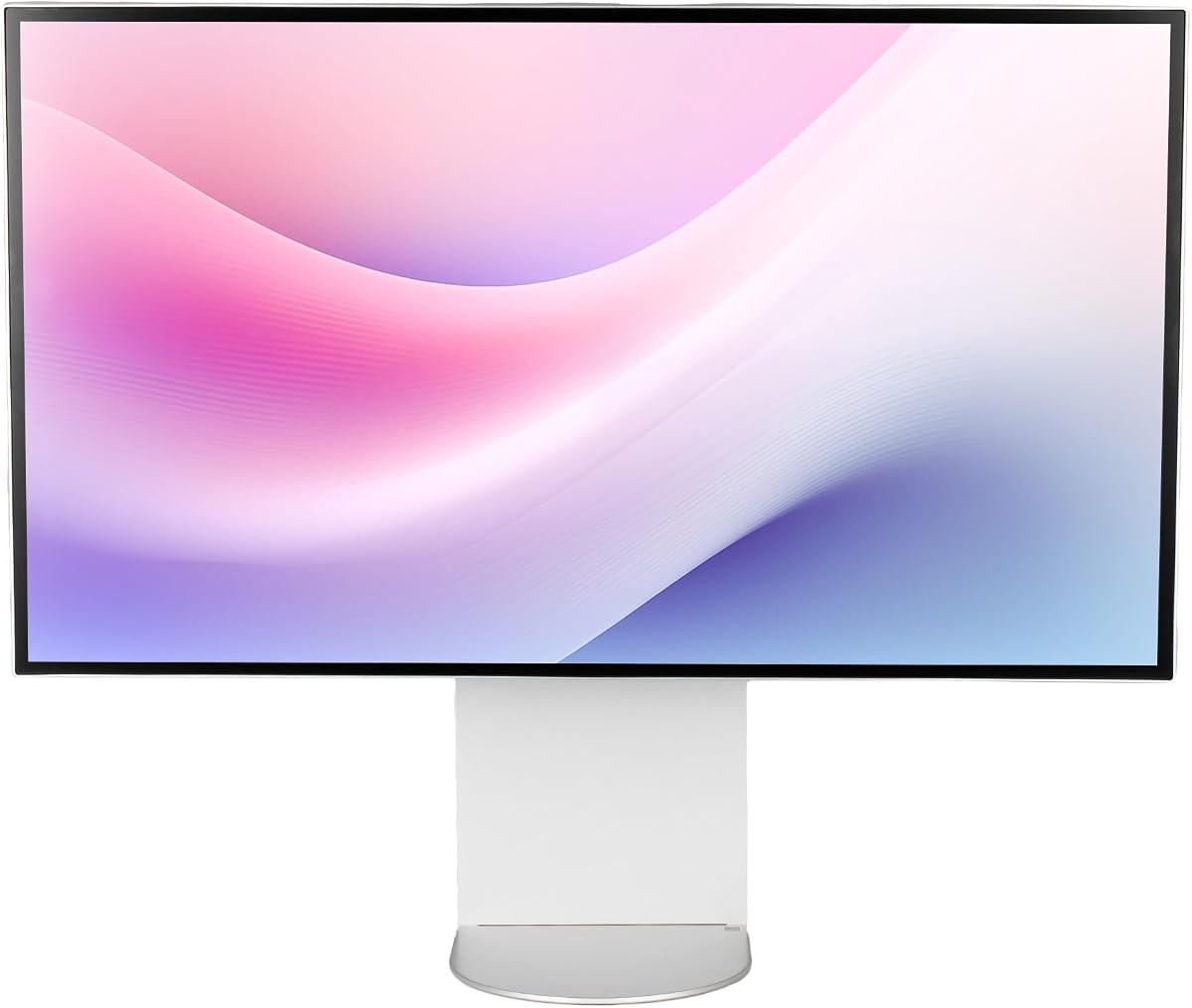
ASUS ProArt PA32QCV
3.9Editor score
Factory Calibrated Color
Dual Thunderbolt 4
MacBook Color Matching
Discover the ultimate display for your workstation with our comprehensive guide to the best 32 inch 6K monitors available in November 2026. These screens offer unparalleled clarity, color accuracy, and productivity boosts for creatives and professionals who demand nothing but the best visual fidelity for their daily tasks.
We have meticulously compared ten leading models based on resolution, panel technology, connectivity options, and user ratings to bring you this curated list. Each product offers unique strengths, from Thunderbolt 5 support to touchscreen capabilities, ensuring you find the perfect match for your specific creative or professional needs.
Every pick in this guide showcases detailed specifications, pros and cons, and expert insights to help you make an informed decision quickly. Please note that prices and availability are subject to change, so verify current deals before making your purchase to ensure you get the best value for your investment today.
3.9Editor score

3.8Editor score

5.0Editor score
As an Amazon Associate we earn from qualifying purchases.
Explore the side-by-side comparison of the top ten 32 inch 6K monitors to quickly identify which model aligns best with your specific workflow requirements and budget constraints.


The LG UltraFine evo stands out as a premier choice for professionals seeking the ultimate in visual clarity. Its 6K resolution and Thunderbolt 5 connectivity make it a powerhouse for creative workflows requiring high bandwidth and precision.
We may earn a commission when you buy through this link, at no additional cost to you.
With Nano IPS Black technology, this monitor delivers deeper blacks and higher contrast than traditional IPS panels. The color accuracy is superb, covering nearly 100 percent of Adobe RGB, which is essential for print designers and photographers.
While the price point is higher than average, the investment pays off through productivity gains and reduced eye strain. The ability to daisy chain monitors simplifies your desk setup significantly for multitasking professionals.
Buyers looking for the best 32 inch 6K monitor for creative work should strongly consider this model. It balances cutting-edge technology with professional-grade color performance better than any other option currently on the market.
Thunderbolt 5 provides up to 80 Gbps of bandwidth, allowing for faster data transfers and multiple 6K display connections via a single cable. This future-proofs your setup for upcoming high-speed peripherals.
Factory calibration ensures that every color you see matches industry standards. The 99.5% Adobe RGB coverage means your edits on screen will translate accurately to final printed materials or digital exports.
We may earn a commission when you buy through this link, at no additional cost to you.
The ASUS ProArt PA32QCV offers an impressive entry point into the world of 6K displays without breaking the bank. It is specifically tuned to match MacBook color performance, making it ideal for Apple users.
We may earn a commission when you buy through this link, at no additional cost to you.
Key strengths include factory calibration with a Delta E under 2, ensuring accurate colors right out of the box. The inclusion of a three-month Adobe Creative Cloud subscription adds extra value to the purchase price significantly.
Although it lacks the newest Thunderbolt 5 standard, the dual Thunderbolt 4 ports still provide ample bandwidth for most workflows. The five-year warranty offers peace of mind that is rare in this category of monitors.
This is the best budget-friendly choice for designers and editors who need color accuracy and high resolution at a lower price point. It delivers professional results without the premium cost of flagship models.
The dedicated color preset mode syncs the monitor to MacBook displays. This ensures that your content looks consistent across different devices without requiring extensive manual calibration adjustments.
Free access to Adobe Creative Cloud for three months helps jumpstart your projects. The extended warranty coverage ensures long-term reliability, reducing the total cost of ownership over time.
We may earn a commission when you buy through this link, at no additional cost to you.
The ALOGIC Clarity Touch redefines professional interaction by introducing true 6K touchscreen capabilities to desktop workflows. It allows artists and architects to sketch and navigate directly on a large canvas.
We may earn a commission when you buy through this link, at no additional cost to you.
Its standout quality is the combination of high resolution and pressure-sensitive touch. The included active stylus offers 4096 levels of pressure, making it feel like drawing on paper but with digital flexibility.
The ergonomic fold stand allows the monitor to lay flat on the desk, transforming it into a digital drafting board. This versatility is unmatched by any other monitor in the current 6K market category.
If budget is not a constraint and you need touch input, this is the premier choice available. It bridges the gap between traditional monitors and large tablets for a seamless creative experience.
Touch controls like pinch to zoom make navigating large 6K files intuitive. This speeds up workflows significantly compared to using a mouse for every zoom and pan action in design software.
The active stylus has low latency and precise pressure sensitivity. Artists can sketch directly on the screen without lag, making it perfect for concept art, illustration, and precise photo retouching tasks.
We may earn a commission when you buy through this link, at no additional cost to you.
The Samsung Odyssey G8 brings gaming enthusiasts a rare combination of high resolution and high refresh rates. It supports 6K at 165Hz, delivering incredibly smooth visuals for compatible gaming PCs.
We may earn a commission when you buy through this link, at no additional cost to you.
Its Dual Mode feature allows switching to 3K at 330Hz for competitive gaming, where speed matters more than resolution. The Fast IPS panel ensures vibrant colors even during rapid motion on screen.
While it is a gaming monitor, the color accuracy and resolution make it suitable for creative work too. However, the higher price point limits its appeal compared to standard productivity displays.
Gamers looking for a future-proof 6K display should find this model exciting. It offers a unique blend of performance metrics that few other monitors can match in the current market landscape.
Switching between 6K and 3K resolution allows you to prioritize visual fidelity or frame rates. This flexibility is crucial for users who game and work on the same display daily.
The 1ms response time minimizes motion blur and ghosting. This ensures that fast-paced action in games remains crisp and clear, providing a competitive edge during intense matches.
We may earn a commission when you buy through this link, at no additional cost to you.
Dell's UltraSharp model simplifies workspace setup by integrating a webcam directly into the monitor. This is ideal for remote professionals who want a cleaner desk without extra peripherals cluttering the area.
We may earn a commission when you buy through this link, at no additional cost to you.
The display offers 450 nits of brightness, ensuring content is visible even in well-lit offices. The 6K resolution provides ample space for multiple windows and detailed spreadsheets or code editors.
Connectivity is strong with USB-C allowing data and video transmission through one cable. The 5ms response time makes it capable enough for casual use, though it is not designed for high-end gaming.
Office workers valuing desk real estate and video conferencing convenience will appreciate this design. It balances productivity features with display quality to serve as a versatile central hub.
The integrated webcam reduces cable clutter on your desk. This streamlines the workstation setup and ensures your video calls remain consistent without needing external hardware adjustments constantly.
With 450 nits of brightness, the screen remains clear in various lighting conditions. This reduces eye strain during long work sessions and maintains image quality across different times of the day.
We may earn a commission when you buy through this link, at no additional cost to you.
This bundle version of the LG UltraFine evo adds a KVM switch that lets you control two computers with one keyboard and mouse. It is a powerful tool for users managing multiple systems simultaneously.
We may earn a commission when you buy through this link, at no additional cost to you.
The 2000:1 contrast ratio from Nano IPS Black ensures deep blacks and rich shadows in images. This enhances the viewing experience for HDR content and professional color grading work on screen.
Includes extras like cable ties and a cleaning kit, adding value to the purchase. The high pixel density of 224 PPI ensures text is incredibly sharp, reducing the need for zooming in often.
Multi-system users should consider this bundle for its hardware efficiency. It maximizes workspace utility while maintaining the high visual standards expected from premium professional displays today.
The built-in KVM allows seamless switching between laptops or PCs. This is perfect for developers or content creators who switch between different OS environments without changing peripherals manually.
High contrast and pixel density make images look crisp and detailed. This level of clarity is essential for professionals working on intricate design projects or detailed architectural plans daily.
We may earn a commission when you buy through this link, at no additional cost to you.
The G32X Minimalist offers a clean design with a high-quality IPS panel. It features 500 nits of brightness, making it capable of handling HDR content in well-lit environments effectively.
We may earn a commission when you buy through this link, at no additional cost to you.
Connectivity is robust with a 100W power delivery port that can charge most laptops while driving the display. The CNC-machined aluminum body ensures durability and a sleek aesthetic for modern offices.
Eye care features like flicker-free backlighting reduce strain during extended use. The universal mount compatibility allows you to pair it with any third-party arm for a floating look.
Minimalists looking for high performance without extra frills will appreciate this model. It balances build quality and essential features well, making it a reliable choice for daily professional use.
With 100W of power delivery, this monitor can charge many high-performance laptops. This reduces cable clutter by combining power and data transmission into a single cable connection.
The aluminum body feels premium and durable compared to plastic alternatives. This construction ensures the monitor withstands daily wear and tear while maintaining a clean desk look.
We may earn a commission when you buy through this link, at no additional cost to you.
This G32P model features a unique honeycomb cooling design and a glossy finish for vibrant visuals. It is designed for users who want a display that stands out in terms of aesthetics.
We may earn a commission when you buy through this link, at no additional cost to you.
The high pixel density of 223 PPI ensures sharp text and images. The 100W power delivery supports high-performance laptops, ensuring your setup remains powerful and streamlined without extra adapters.
A glossy screen provides deeper blacks and richer colors but can reflect light. Users in dimmer environments will appreciate the vibrancy, while bright offices should take care with positioning.
Design enthusiasts looking for a visually striking monitor will love this option. It combines unique cooling technology with high resolution for a premium professional tool for daily use.
The honeycomb design helps dissipate heat more efficiently. This ensures the internal components stay cool during long hours of intensive use, potentially extending the monitor's lifespan.
A glossy screen enhances color saturation and contrast for a cinematic look. This is beneficial for creative work where vibrant visuals are more important than anti-glare performance.
We may earn a commission when you buy through this link, at no additional cost to you.
This Dell bundle includes a two-year premium protection plan and essential cables for a hassle-free setup. It is an excellent choice for businesses that need reliable hardware with long-term support.
We may earn a commission when you buy through this link, at no additional cost to you.
The 6K resolution provides a massive workspace for detailed tasks. The USB-C port supports quick data transmission and connects easily to modern laptops without needing extra adapters or docks.
The package ensures you have everything you need right out of the box. This reduces setup time and guarantees that your display is protected against accidental damage for two years.
Corporate buyers or warranty-conscious users will find this bundle highly practical. It prioritizes reliability and ease of setup over advanced gaming or artistic features for daily productivity.
The extended protection plan covers accidental damage. This offers peace of mind for businesses that want to protect their investment against unforeseen hardware issues or mishaps.
Including essential cables ensures immediate use. You do not need to buy extra accessories to get the display running, saving time and money during the initial setup process.
We may earn a commission when you buy through this link, at no additional cost to you.
The LG Ultrafine AEU offers a solid 6K experience with a focus on efficiency. It features an anti-glare coating that minimizes reflections, making it suitable for offices with overhead lighting.
We may earn a commission when you buy through this link, at no additional cost to you.
With USB-C connectivity and an ergonomic stand, it provides essential adjustments for comfort. The Nano IPS panel ensures consistent colors across wide viewing angles for collaborative environments.
This model is slightly more basic than others but delivers core performance reliably. Its energy efficiency class G ensures it consumes power efficiently without compromising display quality for users.
Those seeking a straightforward 6K display without extra bloat should consider this model. It serves as a reliable workhorse for daily creative tasks and professional workloads effectively.
The anti-glare coating reduces reflections on the screen. This helps maintain image clarity and reduces eye strain when working in environments with bright lighting or windows nearby.
Energy efficiency ensures lower power consumption during operation. This is beneficial for organizations aiming to reduce utility costs and environmental impact across multiple workstation setups.
We may earn a commission when you buy through this link, at no additional cost to you.
Selecting the right 32 inch 6K monitor requires balancing resolution, panel technology, and connectivity to match your specific professional needs.
Ensure the monitor offers true 6K resolution, typically 6144 x 3456, for the sharpest text and images. High pixel density ensures that UI elements remain crisp and detailed for productivity tasks.
Prioritize displays with 220+ PPI to maximize screen real estate and reduce the need for zooming during detailed work.
IPS panels like Nano IPS Black provide better color accuracy and viewing angles than other types. Look for high contrast ratios to ensure deep blacks and vibrant colors in your content.
Choose panels with proven color coverage for your specific industry to ensure your work translates accurately to other devices.
Thunderbolt 5 or Thunderbolt 4 support is vital for high-speed data transfer and charging. A single cable solution simplifies your desk and ensures smooth operation with modern laptops.
Verify that your devices support the required bandwidth to take full advantage of 6K resolution.
Factory calibration with Delta E under 2 is essential for professional graphic design and video editing. This ensures colors are accurate without needing additional calibration hardware.
Check for wide gamut coverage like DCI-P3 and Adobe RGB to support diverse creative workflows.
Adjustable stands with height, tilt, and pivot are crucial for long-term comfort. Ergonomic features help prevent strain during extended work sessions on a large screen.
Look for VESA mount compatibility if you prefer using a custom monitor arm for better positioning.
A longer warranty period offers peace of mind for expensive hardware investments. Check if the brand provides extended coverage options or bundle deals that include protection plans.
Reliable customer support is just as important as the hardware itself for long-term usability.
For productivity, a 60Hz refresh rate is sufficient, but gamers may benefit from higher rates. Check if the monitor supports high refresh modes for fluid motion in interactive tasks.
Response time affects ghosting, so lower ms values are preferable for fast-moving content.
Look for certifications like TÜV Rheinland to ensure the monitor reduces eye strain. Features like flicker-free backlighting and low blue light modes protect your vision during long hours.
These features are vital for users who spend many hours daily in front of a single display.
Start by connecting your device using a high-quality Thunderbolt cable to ensure maximum bandwidth. Use a docking station if your laptop lacks sufficient ports to handle the data load.
Calibrate the display settings to match your preferred color gamut. Use built-in presets for standard tasks and adjust brightness based on your room lighting to reduce eye strain.
Clean the screen gently with a microfiber cloth and a dedicated LCD cleaning solution. Avoid using harsh chemicals or excessive moisture to maintain the anti-glare coating and surface integrity.
6K resolution offers significantly more pixels than 4K, allowing for larger workspace areas without needing to scroll. This is ideal for editing high-resolution media or managing multiple windows simultaneously.
No, most 6K monitors work seamlessly with both Mac and Windows systems. However, some models offer specific color presets optimized for macOS to ensure consistent color performance.
No, Thunderbolt 4 is sufficient for 6K at 60Hz. However, Thunderbolt 5 provides future-proof bandwidth and faster data transfer speeds for more demanding workflows.
Many models support daisy chaining via Thunderbolt or DisplayPort, allowing you to connect multiple 6K screens with one cable. This reduces desk clutter and simplifies cabling setups.
Some models like the Samsung Odyssey G8 offer high refresh rates suitable for gaming. Others are optimized for 60Hz productivity and may not support fast-paced gaming needs.
6K monitors typically consume between 100 to 150 watts depending on brightness and panel technology. Energy efficiency certifications help indicate models that consume less power during standard operation.
With proper care and usage, a professional monitor can last five to seven years or more. Warranties usually cover one to five years, depending on the brand and model tier purchased.
Yes, you need a GPU that supports 6K resolution and the necessary bandwidth. Most modern high-end graphics cards will handle this, but check system requirements before upgrading.
The LG 32U990A-S and ASUS ProArt PA32QCV remain top choices for creators seeking unmatched resolution and color fidelity in their daily workflows.
Prioritize connectivity and ergonomics to ensure your investment serves you well for years. A well-chosen monitor can transform your workspace into a more efficient and comfortable environment.
Always check current pricing and bundle offers before purchasing to secure the best value. Prices fluctuate, and timely deals can significantly reduce the cost of upgrading your setup.