
Cosmo Mini 100 Copy Stand
4.3Editor score
Compact portable design
Floating Magnet Board included
Adjustable column height
This guide compares the best copy stands for film scanning and photo digitizing to help you choose the right tool for your archiving needs.
Choosing the right copy stand is essential for anyone looking to digitize photos, documents, or film accurately. A good stand ensures stability, proper alignment, and consistent lighting for high-quality results.
We evaluated ten top-rated copy stands based on build quality, versatility, and ease of use. Our comparison covers options for hobbyists, professionals, and everyone in between.
Each pick highlights key features, pros, and cons to guide your decision. Keep in mind that product availability and pricing may change over time.
4.3Editor score

4.6Editor score

4.2Editor score
This table provides a side-by-side look at the key specifications of each copy stand to help you find the perfect fit for your workflow.


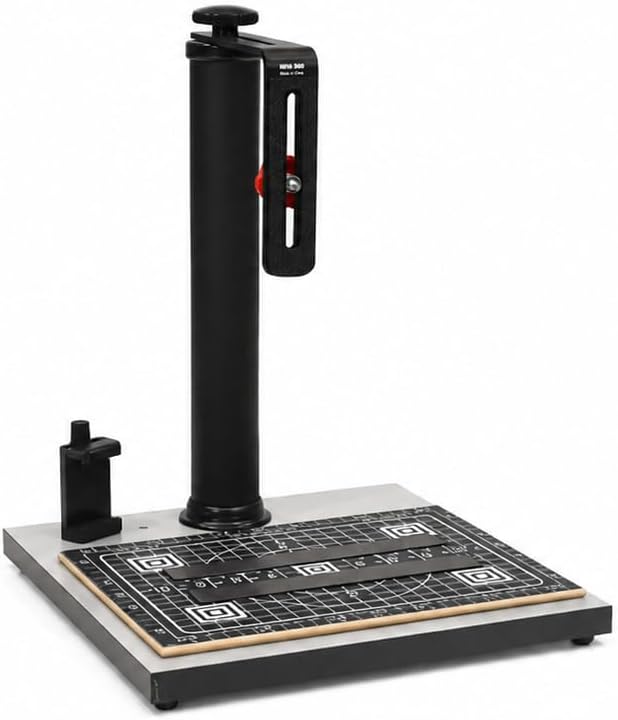


The Cosmo Mini 100 is a compact and affordable solution for digitizing small items like photos and checks. It holds a solid rating for ease of use and portability.
We may earn a commission when you buy through this link, at no additional cost to you.
Its key strength lies in the Floating Magnet Board which keeps originals flat without clips. The adjustable column allows precise alignment for smartphone or camera use.
While it is not meant for heavy duty professional work, it handles casual archiving tasks well. The trade-off is a smaller baseboard compared to larger models.
Hobbyists and students looking for an affordable entry point will find this stand ideal for quick scanning projects at home.
The side hole aligns smartphones perfectly over the center for consistent framing without extra tools.
It assembles in under one minute making it easy to transport and store when not in use.
We may earn a commission when you buy through this link, at no additional cost to you.
The Cosmo Mini 300 offers a balance between portability and capacity with a slightly larger base than the Mini 100. It is well reviewed for supporting heavier camera setups.
We may earn a commission when you buy through this link, at no additional cost to you.
Its reversible aluminum L bracket allows versatile positioning for different angles. The grid lines on the Magnet Board assist with precise alignment for photos or documents.
Users note it is not intended for professional large format work but excels at hobbyist tasks. The weight might be a consideration for frequent travel.
This model is a great choice for those needing a bit more room for larger photos without sacrificing portability.
The reversible bracket allows multiple vertical and horizontal positions for flexible shooting setups.
A steel tube column ensures stability during use which helps reduce camera shake during shooting.
We may earn a commission when you buy through this link, at no additional cost to you.
This stand is built specifically for film digitization tasks such as scanning 135 or 120 negatives. It features a sturdy aluminum base that minimizes vibration during use.
We may earn a commission when you buy through this link, at no additional cost to you.
The bubble level and locking knob ensure the camera is perfectly aligned which is critical for sharp film copies. The quick release plate makes mounting and removal fast.
Unlike other options it does not include a floating magnet board but focuses on stability for heavy cameras. It lacks smartphone compatibility as it is geared towards DSLRs.
Photographers looking to digitize film professionally will appreciate the specialized design and robust construction of this stand.
The base and leveling feet are tailored to eliminate shake which is crucial for high resolution film scans.
The quick release plate allows you to switch cameras quickly without losing alignment settings.
We may earn a commission when you buy through this link, at no additional cost to you.
The Kaiser RS 2-XA is a professional grade copy stand known for its durability and precision. It stands out with a non-reflective base that prevents glare during scanning.
We may earn a commission when you buy through this link, at no additional cost to you.
The rotatable column allows you to position the camera arm easily without moving the base. The inch and cm scales help with precise positioning for repeated shots.
While it is more expensive than consumer models it offers long term reliability. The lack of a floating magnet board means you may need to buy accessories separately.
This stand is perfect for serious hobbyists or professionals who need consistent high quality results without glare.
The matte gray base board ensures no reflections interfere with your images during digitization.
You can rotate the column 180 degrees to adjust the camera angle with ease.
We may earn a commission when you buy through this link, at no additional cost to you.
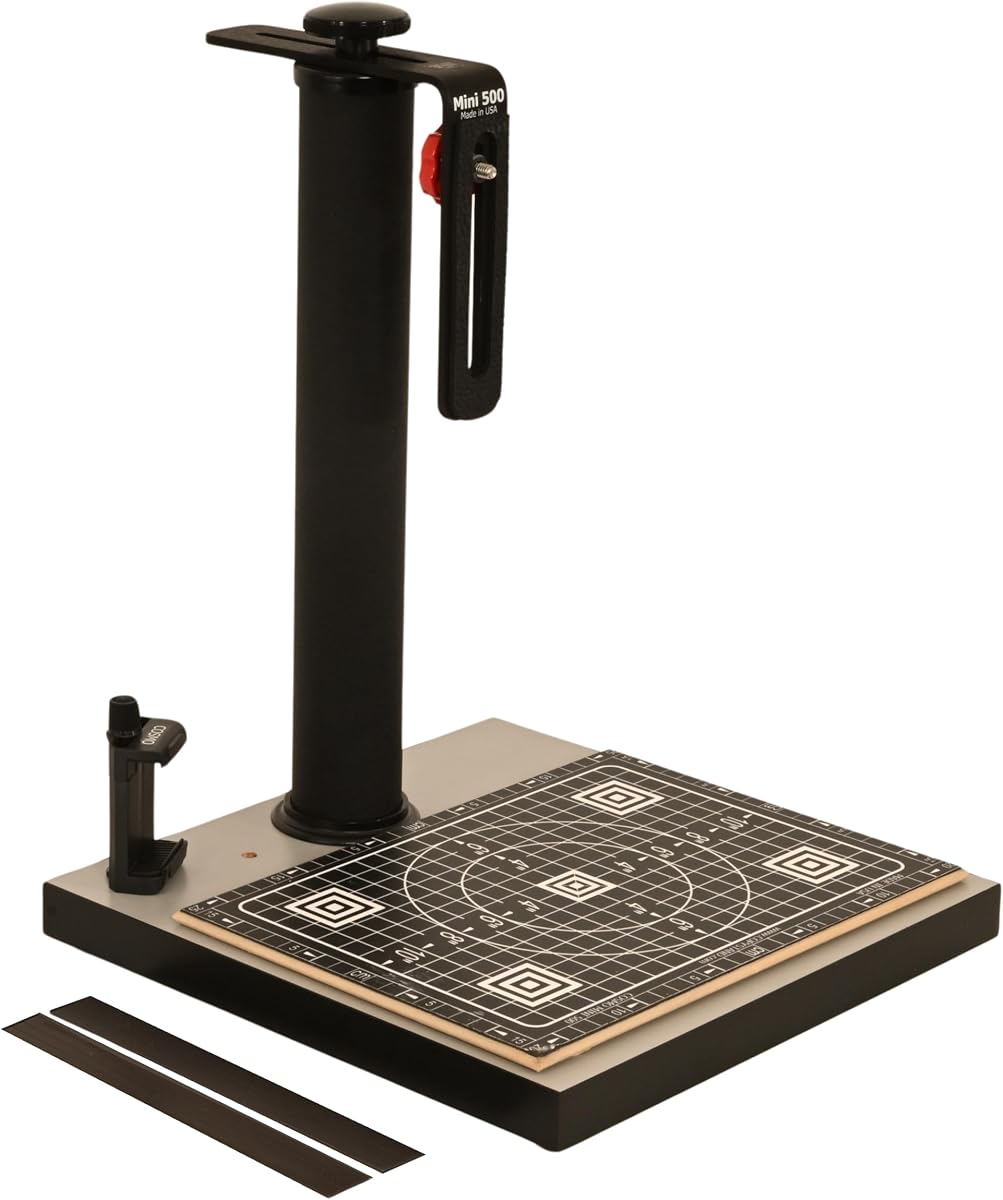
The Cosmo Mini 500 provides a square 12 by 12 inch base which is useful for larger photos or documents. It maintains the signature Floating Magnet Board for flat originals.
We may earn a commission when you buy through this link, at no additional cost to you.
The adjustable bracket allows a wide vertical range from 9 to 19 inches accommodating tall cameras. The precision grid helps ensure alignment for detailed work.
It is not intended for professional use but suits creative projects well. You may need an external light box for certain backlit slides or negatives.
If you need a slightly larger working area than the Mini 300 this model offers that space with similar portability.
The 12 x 12 inch base provides more room for larger photos compared to other compact models.
The bracket adjusts from 9 to 19 inches to fit various camera sizes and focal lengths.
We may earn a commission when you buy through this link, at no additional cost to you.
This variant of the Mini 500 offers a rectangular base of 13 by 12.5 inches which is ideal for documents. It retains all the key features of the standard 500.
We may earn a commission when you buy through this link, at no additional cost to you.
The precision grid on the Magnet Board helps with accurate sizing and alignment. The adjustable bracket provides the same vertical range as the standard model.
It is built to last and is not intended for professional heavy duty work. The extra width is beneficial for landscape photos or A4 documents.
This option is suitable for those needing a bit more horizontal space for scanning documents or photos.
The 13 by 12.5 inch base fits standard documents well for easy digitization.
The half inch grid lines help ensure exact placement for consistent results.
We may earn a commission when you buy through this link, at no additional cost to you.
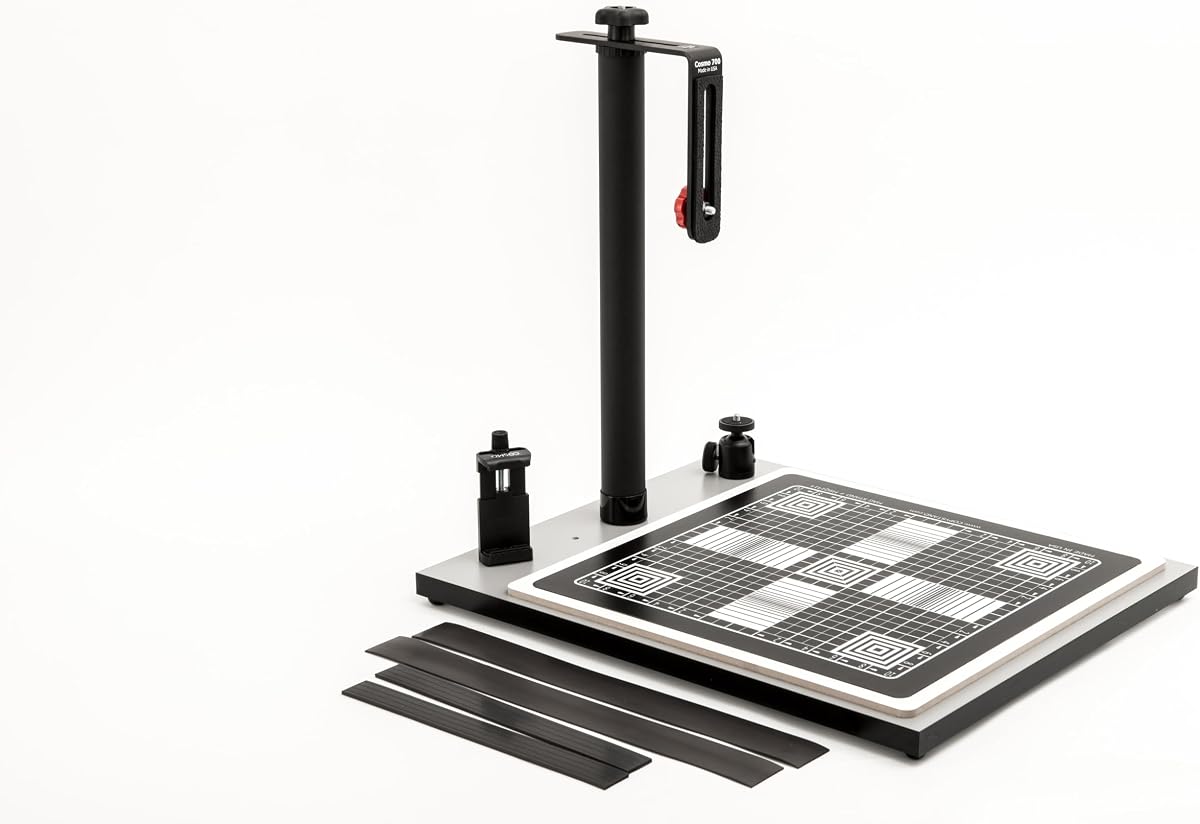
The Cosmo Mini 700 is designed for larger items like A3 documents or food plates. It features a generous base and a large magnet board for secure placement.
We may earn a commission when you buy through this link, at no additional cost to you.
The included ball head allows smooth angle adjustments which is useful for 3D objects. The baseboard includes a gray melamine finish for durability.
Its weight of 14 lbs makes it less portable than smaller models. The ball head adds versatility for overhead shots beyond just flat scanning.
This stand is perfect for food bloggers or artists needing to capture large objects with precision.
The 15.5 by 18.5 inch base supports large documents and photos comfortably.
The ball head enables precise angle adjustments for non-flat 3D objects.
We may earn a commission when you buy through this link, at no additional cost to you.
This version of the Mini 700 is highly rated for digitizing food plates and large objects. It shares the same large base and magnet board as the other 700 model.
We may earn a commission when you buy through this link, at no additional cost to you.
The high rating reflects its reliability for online sellers and food photographers. The ball head supports smooth shooting for creative angles.
The weight is a consideration for travel but ensures stability on a desk. It is not designed for heavy DSLR setups but works well with smartphones.
Online food vendors will appreciate the large surface area for capturing detailed product images.
The large base supports plates and meals for high quality food photography.
Customers praise its effectiveness for digitizing food and large documents.
We may earn a commission when you buy through this link, at no additional cost to you.
The Kaiser RS1 is a top-tier professional copy stand built for heavy duty work. It features a roll-off spring mechanism for weight compensation during adjustments.
We may earn a commission when you buy through this link, at no additional cost to you.
The extra-wide column is vibration-resistant which ensures stability with large cameras. Interchangeable bushings allow for various mounting options for different equipment.
It is the most expensive option on this list but offers unmatched precision and longevity. The design prioritizes function over portability for studio environments.
Professionals needing a reliable workhorse for frequent digitization will find this investment worthwhile.
The roll-off spring mechanism helps support camera weight for smoother vertical adjustments.
The extra-wide column minimizes vibrations for crisp high resolution images.
We may earn a commission when you buy through this link, at no additional cost to you.
The Mag Stand is a desktop document holder that uses magnetic strips to secure originals. It can be used on a desk or placed on the base of a copy stand.
We may earn a commission when you buy through this link, at no additional cost to you.
Its 5.0 rating reflects excellent performance for quick copying tasks. The printed grid helps with initial focusing and alignment for documents.
It does not include a column or arm so it relies on your existing setup. This makes it a versatile add-on for various scanning workflows.
If you already have a stand but need a magnetic surface for flat documents this is an excellent solution.
Can be placed on a desk or mounted on a base for flexible digitizing setups.
The printed grid aids in initial focusing and sizing for accurate scans.
We may earn a commission when you buy through this link, at no additional cost to you.
Choosing the right copy stand involves evaluating several factors to ensure your digitizing workflow is efficient and accurate.
The baseboard size determines how large your documents or photos can be. Look for non-reflective materials like gray melamine to prevent glare during shots.
Choose a base that accommodates your largest items with extra space for alignment and cropping.
Adjustable column height is critical for framing your subject correctly. It allows you to move the camera closer or farther based on focal length.
Ensure the column locks securely to prevent any movement during the capture process.
A stable stand prevents camera shake which is vital for high resolution scans. Metal columns and solid bases offer better stability than plastic.
Check for leveling feet if you will be using it on uneven surfaces.
Floating Magnet Boards keep originals flat without clips. Ensure the magnet board is large enough for your typical items and has alignment grids.
Grid lines on the board help with precise positioning and consistent framing across multiple shots.
Confirm the stand supports your device weight and size. Some stands have phone holders while others use standard camera threads.
For professional work ensure the mount is compatible with DSLR or mirrorless cameras.
If you plan to transport the stand consider its weight and assembly time. Lightweight models are easier to move but may sacrifice some stability.
Balance portability with durability based on whether you will use it at a desk or on location.
Many high quality stands are made in the USA with durable materials. Look for warranties that cover manufacturing defects for peace of mind.
A solid warranty indicates confidence in the product's long-term durability and quality.
Professional stands offer more adjustability and load capacity but cost more. Hobbyist models are sufficient for casual digitizing tasks.
Assess your usage frequency and quality needs before investing in a professional tier model.
Start by assembling the stand on a flat stable surface. Ensure all locking knobs are tightened before placing your camera or smartphone on the bracket.
Place your document or photo on the baseboard. If using a Magnet Board ensure it is centered so originals stay flat during capture.
Clean the baseboard and Magnet Board regularly with a dry cloth to remove dust and fingerprints that could affect image quality.
The Cosmo Mini 500 or Kaiser RS 2-XA are top choices depending on your budget. The Cosmo models offer great value with Floating Magnet Boards while the Kaiser provides professional quality.
Yes many stands come with phone holders or side holes to align smartphones perfectly over the center of the base. This is ideal for quick scans without a camera.
Some stands like the Copy Macro Stand are designed for film digitization with heavy bases and quick release plates. Others may need an external light box for negatives.
Adjustable columns ranging from 7 to 19 inches are ideal to accommodate various lenses and focal lengths. Ensure it locks securely to avoid shake.
A Floating Magnet Board uses magnetic strips to hold originals flat without clips. It helps prevent curling and ensures precise alignment with grid lines.
Lightweight models like the Cosmo Mini 100 assemble quickly and weigh around 8 lbs making them portable. Larger professional stands are heavier and better suited for studios.
The Cosmo Mini 100 offers the best value for budget-conscious users needing basic functionality. For professionals the Kaiser RS1 provides top-tier durability and precision.
Prioritize stability and alignment features when choosing your stand to ensure high quality digitization results. A solid base and proper mounting are key.
Always check current availability and pricing before purchasing as these details may change frequently across retailers.