
Lenovo V15 Gen 4 Business
4.5Editor score
40GB high-speed RAM
2TB PCIe SSD storage
Intel Core i7 13th Gen
Finding a laptop with upgradeable RAM is crucial for longevity. As software demands grow, having the flexibility to add memory ensures your device stays fast and responsive for years to come without needing a full replacement.
We have carefully selected ten exceptional models that allow users to expand their memory capacity. These laptops range from budget-friendly options to high-performance machines, ensuring there is a suitable choice for every type of user and workflow requirement.
Each pick highlights specific strengths in performance, portability, and expandability. Please note that prices and availability can change frequently, so verify current details before making your final purchase decision to ensure you get the best value.
4.5Editor score

4.9Editor score
4.0Editor score
As an Amazon Associate we earn from qualifying purchases.
This table provides a side-by-side overview of the key specifications for all ten laptops. It helps you quickly identify differences in processor type, memory capacity, and storage options to find the best fit for your needs.


The ASUS Vivobook 15 stands out as the top choice for professionals needing high performance. It features an Intel Core i9 processor and a massive 48GB of RAM, making it ideal for heavy multitasking and AI workloads.
We may earn a commission when you buy through this link, at no additional cost to you.
Its standout quality is the exclusive bundle with a PCO Cooler which manages heat effectively. This ensures the processor maintains peak frequency without throttling, solving a common issue in high performance laptops.
While the price is high, the value comes from the specialized cooling and top-tier specs. The privacy shield and fingerprint reader add essential security features for business users who need data protection.
This laptop is best for power users who need speed and reliability. It is a solid investment for those who cannot afford downtime or slowdowns during critical work sessions.
Optimized for Next Gen AI workloads and seamless multitasking complex simulations.
Exclusive PCO Cooler ensures peak frequency maintenance during intense tasks.
We may earn a commission when you buy through this link, at no additional cost to you.
The Dell Latitude 5531 offers a great balance of power and value. It is a renewed device that comes with 32GB of RAM and a 14-Core processor, making it suitable for office tasks and light creative work.
We may earn a commission when you buy through this link, at no additional cost to you.
It is flagged as a power laptop with Windows 11 Pro which provides enterprise management tools. The 32GB RAM ensures smooth switching between applications and browser tabs without lag.
Since it is renewed, buyers should check the warranty details carefully. However, the core components like the CPU and RAM are strong enough for daily productivity and multitasking needs.
This is a good option for those who want business specs at a lower cost. It works well for students or professionals who need reliable performance without paying full retail price.
Flagship power laptop with significant savings on a renewed condition.
Includes Windows 11 Pro for professional management and security.
We may earn a commission when you buy through this link, at no additional cost to you.
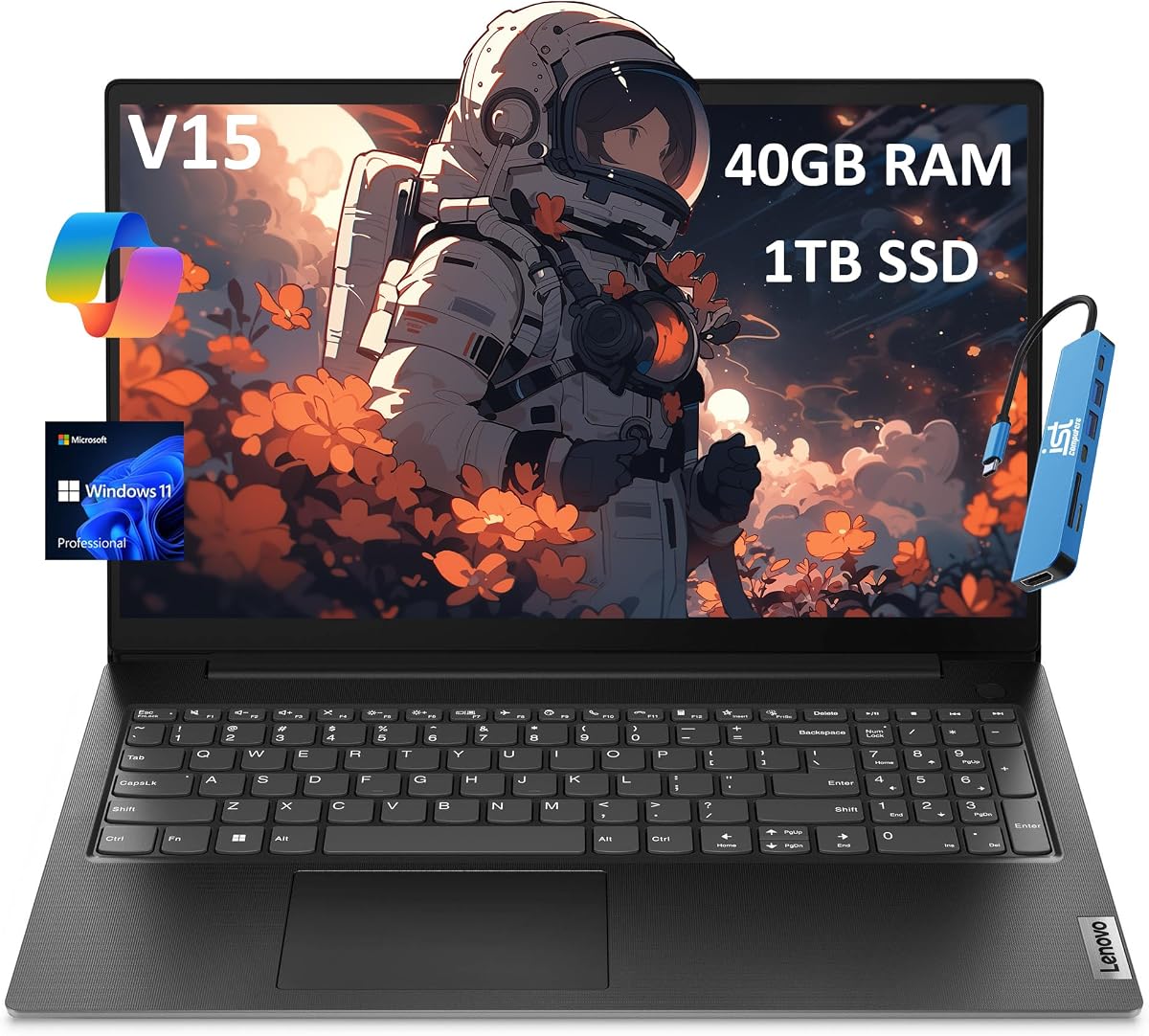
The Lenovo V-Series V15 is a business laptop designed for productivity. It comes with 40GB of high-bandwidth RAM which helps run multiple applications smoothly. The processor is an AMD Ryzen 7 which is efficient and powerful.
We may earn a commission when you buy through this link, at no additional cost to you.
Key strengths include the numeric keypad which is useful for data entry. The inclusion of Windows 11 Pro and an Ethernet port makes it ready for office environments where wired connections are preferred.
Some users might prefer a newer processor or a better display type. However, the memory capacity and build quality make it a solid workhorse for tasks that require reliability and speed.
This laptop is a strong pick for business users who need extra memory. It provides a good mix of features and performance for everyday professional work.
Features Windows 11 Pro and Ethernet for professional environments.
40GB RAM ensures smooth multitasking and application switching.
We may earn a commission when you buy through this link, at no additional cost to you.
This HP model brings modern connectivity to the business class. The AMD Ryzen 7 7730U processor is capable of handling demanding tasks. The 32GB RAM and 1TB SSD provide a spacious and fast environment for work.
We may earn a commission when you buy through this link, at no additional cost to you.
The 250 nits display is anti-glare which helps in bright office environments. It supports Windows 11 Pro and includes a numeric keypad for efficiency. Wi-Fi 6 ensures faster internet speeds.
While it lacks some high-end features like an OLED screen, it offers consistent performance. The build is sturdy and the port selection is practical for connecting peripherals without dongles.
It is suitable for general business use where performance is valued. It offers a good balance of speed and connectivity for teams needing reliable machines.
Wi-Fi 6 and USB Type-C provide fast and flexible connections.
Includes numeric keypad and webcam for streamlined work.
We may earn a commission when you buy through this link, at no additional cost to you.
The ASUS Vivobook 16 offers a larger screen for creative work. It features a Core i9 processor and 40GB of RAM which ensures smooth multitasking. The display is WUXGA which provides more resolution than standard FHD.
We may earn a commission when you buy through this link, at no additional cost to you.
It comes with a unique storage setup of a 1TB SSD and a docking station. This gives you extra space and connectivity options right out of the box. The backlit keyboard helps with typing in low light.
The extra screen real estate is great for editing and analysis. However, the weight is higher than standard laptops which may affect portability. The docking station adds to its utility as a desktop replacement.
This is a good choice for those who need a large screen. It combines performance and storage in a package that fits well for stationary work.
WUXGA display offers more detail and workspace for content.
Includes docking station for extra storage and connectivity.
We may earn a commission when you buy through this link, at no additional cost to you.
This HP 15 model is a practical choice for everyday computing. It has been upgraded to 32GB of DDR4 RAM which helps with multitasking. The processor is an Intel Core i5 which is capable for daily tasks.
We may earn a commission when you buy through this link, at no additional cost to you.
It includes a 1TB SSD which offers fast boot times and data transfer. The screen is anti-glare which is comfortable for long viewing sessions. USB Type-C support adds modern connectivity to this model.
The lack of a Pro OS might limit some enterprise features. However, for home and student use, it offers plenty of speed and storage at a reasonable price point.
It is a good option for those who need a lot of memory but not the highest processor speed. It balances cost and performance well for general users.
Upgraded to 32GB RAM for enhanced high bandwidth performance.
1TB PCIe SSD allows fast boot up and data transfer.
We may earn a commission when you buy through this link, at no additional cost to you.
The Lenovo V15 Gen 4 is a business laptop focused on privacy. It features a physical privacy shutter for the HD camera. This ensures that your video feed is secure when not in use during sensitive meetings.
We may earn a commission when you buy through this link, at no additional cost to you.
Performance is strong with 40GB RAM and a 2TB SSD. The Intel Core i7 processor handles multitasking with ease. The screen is an FHD panel which is clear and functional for work.
The storage capacity is impressive for a standard business model. However, the display quality is standard. If security and storage are your priorities, this machine delivers well.
This is ideal for professionals concerned about data privacy. It offers robust security features and high specs for daily tasks.
HD camera includes a physical privacy shutter for safety.
2TB SSD provides enormous space for files and data.
We may earn a commission when you buy through this link, at no additional cost to you.
This Lenovo V15 is built for durability and value. It meets MIL-SPEC requirements for robust build and business security. The 40GB RAM and Core i5 processor provide strong performance for the price.
We may earn a commission when you buy through this link, at no additional cost to you.
It includes Windows 11 Pro with AI Copilot for intelligent assistance. The display is anti-glare which reduces eye strain. Ethernet and USB ports make it practical for office setups.
The keyboard lacks backlighting which is a minor drawback. However, the military grade build ensures it can withstand daily wear and tear. It is a practical choice for tough environments.
It is a strong pick for those needing a durable and cheap machine. The upgrade capacity and specs are excellent for business users on a budget.
Military Grade MIL-SPEC tested for sturdy built and security.
Windows 11 Pro with AI Copilot assists with various tasks.
We may earn a commission when you buy through this link, at no additional cost to you.
This model is a budget-friendly option for basic tasks. It has 16GB of RAM which is sufficient for standard web browsing. The Ryzen 3 processor is efficient and saves power during daily use.
We may earn a commission when you buy through this link, at no additional cost to you.
The display is Full HD and clear for videos and documents. It runs Windows 11 Home which is user friendly. However, the storage is small so you might need external drives for large files.
It is lightweight and thin which makes it easy to carry. It is best suited for students or light office work where high performance is not critical.
If you need a cheap machine that can handle basic tasks this is a solid choice. You can upgrade storage later to fit your needs.
Thin and light design with big screen-to-body ratio.
Powerful 4-core architecture ensures impressive power efficiency.
We may earn a commission when you buy through this link, at no additional cost to you.
This laptop is an ultra-budget option for basic needs. It features a dual slot RAM design which allows you to upgrade easily. It starts with 4GB but you can add more sticks to boost performance.
We may earn a commission when you buy through this link, at no additional cost to you.
The privacy shutter on the camera is a nice touch for security. It has a lightweight body and a large touchpad for comfort. The screen is FHD IPS which is bright and clear.
The processor is older and may struggle with heavy tasks. However, for light web use or basic learning it works well. The upgrade path makes it future proof to a small extent.
It is a good pick for those on a strict budget who want to upgrade. The flexibility to add RAM makes it stand out in its price range.
Smart dual-slot design gives full upgrade freedom for RAM.
Hinge supports 180-degree lay-flat for shared screen use.
We may earn a commission when you buy through this link, at no additional cost to you.
Choosing a laptop with upgradeable RAM requires attention to memory slots and processor compatibility. This guide breaks down the key factors to consider before you buy.
Look for laptops with at least one free SODIMM slot or replaceable memory. Check the motherboard specs to see the maximum supported RAM size such as 32GB or 64GB. This ensures you can expand storage later.
Always verify the slot type and max limit before purchasing to avoid compatibility issues.
The processor often limits the speed and amount of RAM you can use. Newer processors like Intel 13th Gen support faster RAM speeds. Ensure your RAM choice matches the CPU supported bandwidth for peak performance.
Match RAM speed to the processor specs to avoid bottlenecks in your system.
Windows 11 Pro is better for managing large amounts of RAM in business settings. It supports more memory and offers better security features. Home editions may have limits on manageability and memory use.
Select Windows 11 Pro for professional features and better RAM management.
A fast SSD complements high RAM by allowing quick access to data. Look for M.2 PCIe slots that allow you to add more storage later. Having space for apps and files reduces the load on RAM.
Choose a model with extra SSD slots for future expansion alongside RAM.
High performance laptops generate heat which can affect RAM and CPU speeds. Look for models with dedicated fans or thermal management systems. Good cooling ensures your components stay stable during long sessions.
Ensure the laptop has a strong cooling system to prevent thermal throttling.
Consider ports like Ethernet and USB-C for your peripherals. Having built-in Ethernet allows stable connections without dongles. Multiple USB ports are needed to connect external storage and keyboards.
Verify the I/O suite includes all necessary ports for your workflow.
A larger display helps when running many apps at once. Look for screens with anti-glare coating to reduce eye strain. Resolution matters for multitasking as more pixels mean more workspace.
Opt for a clear anti-glare display to enhance productivity and comfort.
Check the warranty on the base components and any upgrades. Some sellers offer coverage on the memory while others cover the rest. A longer warranty helps if the new RAM causes issues.
Confirm warranty terms on upgraded parts before you complete your order.
When upgrading your RAM always shut down the laptop and disconnect power. Ground yourself by touching a metal object to prevent static electricity. Remove the back cover and insert the new RAM stick into the slot at an angle until it clicks.
After installing the new RAM restart the laptop and enter BIOS to check the total memory. Use software tools to verify the system recognizes the full capacity. Keep the back cover secure to protect internal components.
For daily care keep the keyboard clean and avoid placing heavy items on the screen. Ensure the vents are not blocked so the fans can cool the system. Regularly update drivers to maintain stability and performance.
Many thin laptops have soldered RAM but some business models like Dell Latitude and Lenovo Thinkpad have slots. Check the model specs before buying. If it has slots you can upgrade easily. If it is soldered you cannot expand memory later.
For heavy multitasking like video editing or virtual machines aim for at least 32GB. Basic office tasks can run on 16GB. More RAM allows you to keep many tabs and apps open without lag.
Yes Windows 11 Pro supports more RAM and offers features like dynamic optimization. It also has enterprise tools for managing memory usage. For business laptops this OS is recommended over Home.
You can mix sticks as long as they have the same speed and voltage. The system will run at the slower speed if they differ. To avoid issues buy matching pairs or upgrade with the same type.
It depends on the manufacturer. Some brands allow you to upgrade RAM without voiding the main warranty. Others may void it if you open the device. Always check the warranty terms first.
This can happen if the OS is 32-bit or there is a hardware issue. Check the system info to see the installed memory. Also ensure the RAM is seated correctly in the slot.
We have reviewed ten laptops that offer upgradeable RAM to suit different needs. The ASUS Vivobook 15 stands out for its massive 48GB memory and AI readiness. For business users the Lenovo V15 Gen 4 offers excellent durability and privacy.
Prioritize models with open slots and compatible processors for future expansion. If you need speed and cooling the PCO bundle on the ASUS is unique. For value the Lenovo budget options provide solid performance.
Always check current availability and warranty details before buying. Upgrading RAM is a great way to extend your laptop life so choose a machine that supports this growth.