
GLOTRENDS M.2 NVMe to PCIe 4.0 X4 Adapter
4.6Editor score
Includes low-profile brackets
Compatible with Gen4 and Gen3
Effective passive cooling
This guide compares the top M2 Pcie Adapter models for speed and compatibility, helping you choose the right NVMe expansion card for your setup.
Finding the right M2 Pcie Adapter can transform your storage options significantly. These cards allow you to install high-speed NVMe drives into standard PCIe slots, unlocking massive performance potential for your desktop system.
We evaluated ten leading adapters based on thermal performance, build quality, and compatibility. Our analysis covers single and multi-drive solutions, ensuring you find a reliable match for your specific motherboard and use case.
Each pick highlights key features like heatsink design and slot support. Prices and availability change frequently, so check current listings before purchasing to ensure you get the best value for your needs.
4.6Editor score
4.6Editor score

4.4Editor score
The following table provides a side-by-side look at all ten adapters, highlighting their key specifications to help you quickly identify the best fit for your hardware needs.




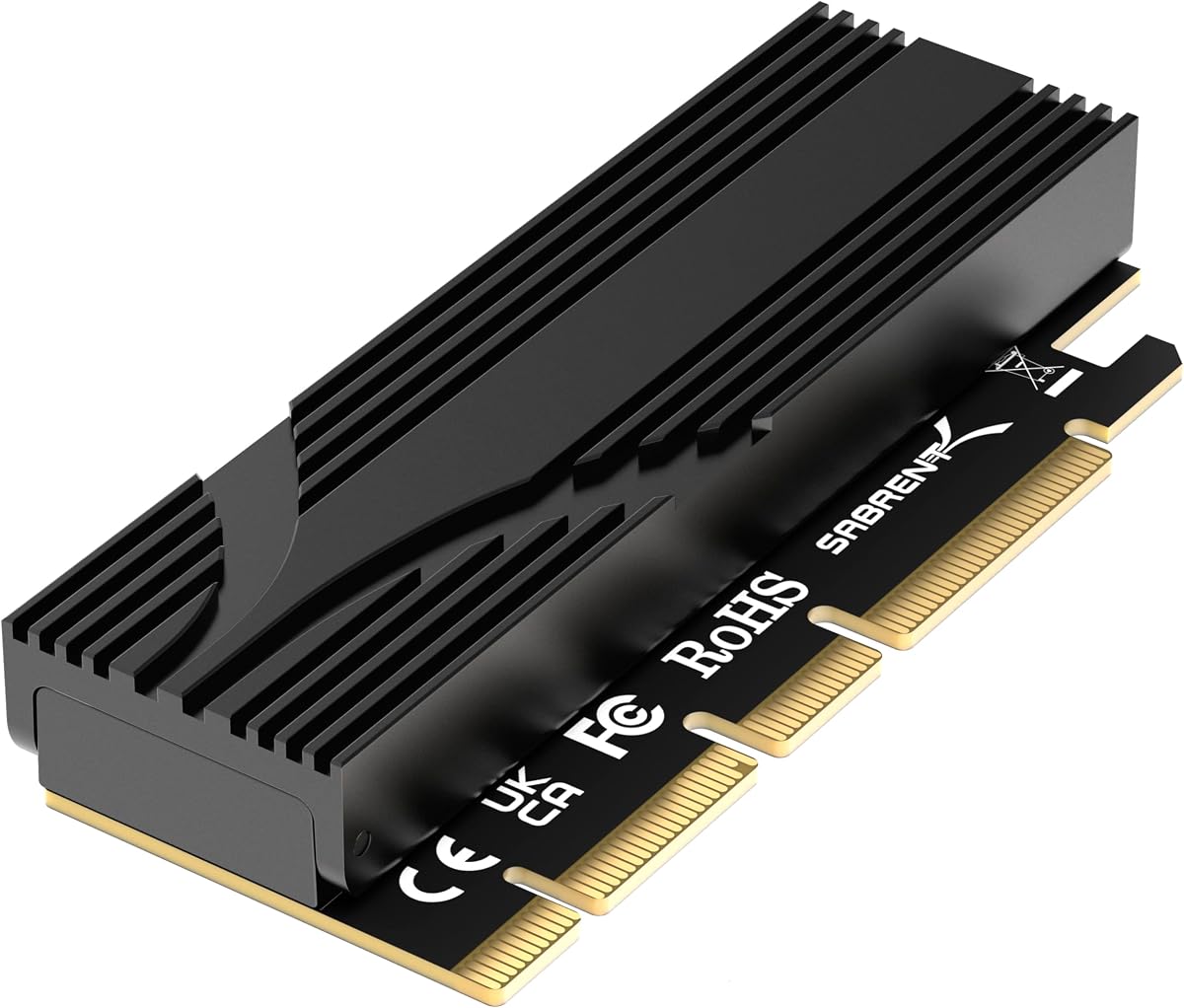
This SABRENT adapter stands out as the top choice for users seeking future-proof performance. It supports PCIe 5.0 speeds when paired with compatible hardware and offers a robust heatsink to manage thermal output effectively.
We may earn a commission when you buy through this link, at no additional cost to you.
The tool-free installation is a major benefit for frequent upgraders. You can swap drives without hunting for tiny screws. The aluminum construction ensures the drive stays cool even under sustained loads without fan noise.
While it only supports one drive, the x16 connector provides maximum stability. This design avoids the need for complex motherboard bifurcation settings. It is ideal for systems needing a single high-speed boot drive.
If you want the best balance of speed and ease of use, this is the clear winner. It simplifies the upgrade process while delivering top-tier throughput for modern NVMe SSDs.
The card connects at x4 and supports up to PCIe 5.0 for 16GBps bidirectional speed when the host slot allows it.
Drop the SSD in and lock it down without a screwdriver, making it easy to move the drive to another machine.
We may earn a commission when you buy through this link, at no additional cost to you.
This adapter offers incredible value for budget-conscious builders. It supports PCIe 4.0 and 3.0 SSDs while including necessary heatsinks to prevent thermal throttling during heavy use.
We may earn a commission when you buy through this link, at no additional cost to you.
The package includes both regular and low-profile brackets, fitting almost any PC frame. It works with various operating systems and supports booting from NVMe on most modern motherboards.
Performance depends on your slot speed but it delivers full throughput where supported. The cooling helps maintain stability even with larger capacity drives like 4TB models.
For the best value without sacrificing performance, this is a top pick. It provides everything needed for a reliable NVMe expansion at a very low cost.
The included heatsinks cool M.2 SSDs by 5 to 20 degrees to maintain performance under load.
Supports Windows, Linux, and Mac OS with boot capabilities on most boards.
We may earn a commission when you buy through this link, at no additional cost to you.
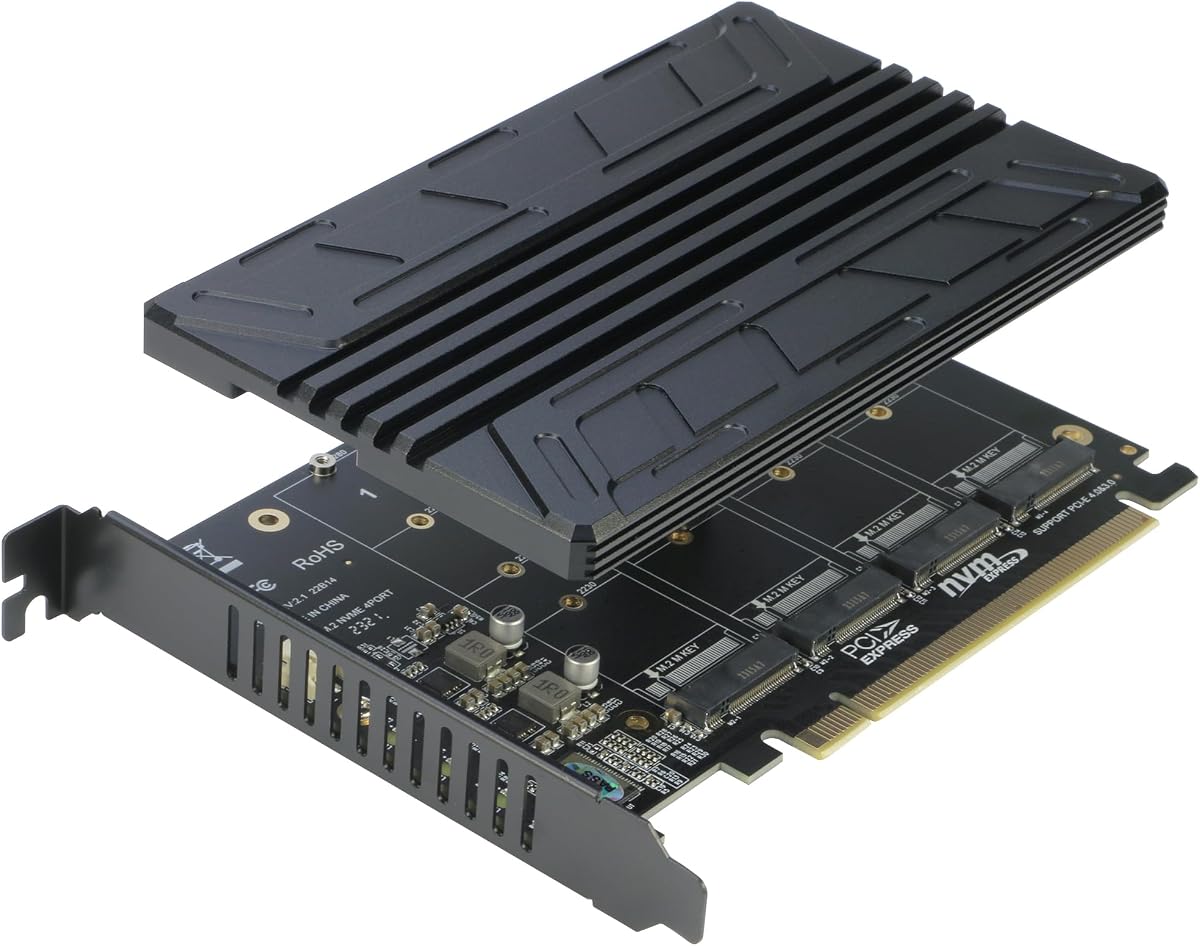
This ASUS card is designed for power users needing massive storage expansion. It accommodates four NVMe drives simultaneously and supports RAID configurations for high-speed data transfer.
We may earn a commission when you buy through this link, at no additional cost to you.
The integrated blower fan ensures optimal thermal performance for all drives. The VROC ready feature allows for hardware RAID support on Intel and AMD Ryzen Threadripper platforms.
It requires motherboard bifurcation which limits compatibility with some systems. However for the speed and capacity it provides make it ideal for professional workstations and servers.
For those needing enterprise-level expansion, this card is unmatched. It combines robust cooling with the ability to manage multiple high-performance drives in one slot.
Supports four additional NVMe M.2 drives using Intel VROC for transfer speeds up to 128Gbps.
The stylish heatsink and blower fan prevent M.2 throttling during sustained operations.
We may earn a commission when you buy through this link, at no additional cost to you.
This adapter offers unique flexibility by supporting both SATA and NVMe drives simultaneously. It converts one NVMe slot and one SATA slot to a single PCIe interface.
We may earn a commission when you buy through this link, at no additional cost to you.
The advanced heat sink solution helps manage thermal output for both drives. LEDs indicate power and data transfer status which adds a nice touch for monitoring.
It supports various sizes from 2230 to 22110mm. The brackets allow for installation in different chassis types easily.
For mixed drive environments needing flexibility, this is a strong choice. It maximizes slot usage by accommodating different drive protocols at once.
Converts one NVMe SSD interface to PCIe and one SATA SSD interface to SATA 6Gbps.
Includes two heat sinks and ventilation holes for effective dissipation.
We may earn a commission when you buy through this link, at no additional cost to you.
StarTech is known for reliable IT solutions and this adapter delivers. It is backward compatible with PCIe 2.0 and 1.0 while supporting modern NVMe and AHCI drives.
We may earn a commission when you buy through this link, at no additional cost to you.
The kit includes full and low profile brackets for small form-factor computers. It offers fast setup with native OS support which simplifies installation significantly.
The two year warranty backed by 24/5 support adds value. It is a solid choice for enterprise or business environments needing stability.
If reliability is key, this adapter is a trusted option. It balances performance with robust support for a professional setup.
Backed by 2 years including free 24/5 North America based multi-lingual assistance.
Compatible with PCIe 3.0 motherboards and backward compatible with 2.0 and 1.0.
We may earn a commission when you buy through this link, at no additional cost to you.
This adapter includes everything needed for installation including a screwdriver and thermal pads. It supports PCIe 4.0 X4 full speed with backward compatibility for older systems.
We may earn a commission when you buy through this link, at no additional cost to you.
The aluminum heatsink helps manage heat effectively. It works with Windows and Linux without requiring extra drivers in most cases.
The package contains many small parts which might be tedious to organize. However the value proposition is high for a complete kit.
For those wanting a full solution out of the box this is a great pick. It simplifies the upgrade process with all necessary tools included.
Includes screwdriver thermal pads brackets and fixing screws for easy setup.
Supports PCIe 4.0 lanes with up to 64Gbps bandwidth for maximum performance.
We may earn a commission when you buy through this link, at no additional cost to you.
The RIITOP adapter allows adding four NVMe SSDs simultaneously via a single PCIe slot. It is designed with individual LED indicators to show the status of each drive clearly.
We may earn a commission when you buy through this link, at no additional cost to you.
The heatsink design avoids high temperatures that lead to reduced speeds. It fits well without taking up extra space from adjacent slots.
It requires motherboard support for PCIe x16 Bifurcation which limits some consumer boards. Software RAID is supported on Windows 10 though.
If you need multiple drives and have the right motherboard this is a smart choice. It expands capacity significantly while maintaining good cooling performance.
LED indicators show each SSD working status for easy monitoring.
Designed with 0.32inch heatsink to avoid low speeds due to high temperature.
We may earn a commission when you buy through this link, at no additional cost to you.
ELUTENG offers a reliable adapter with solid-state capacitors for voltage regulation. It supports theoretical speeds up to 16Gb/s and is compatible with various PCIe slot types.
We may earn a commission when you buy through this link, at no additional cost to you.
The aluminum heatsink stabilizes performance by reducing operation temperature. It supports booting from NVMe on boards that allow PCIe booting.
The solid-state design prevents current waves from damaging your system. It is a safe and stable choice for general storage expansion.
For those seeking stability and basic compatibility, this works well. It balances features and price effectively for standard use cases.
Solid-state capacitors prevent current waves from being generated during SSD damage.
Supports PCIe 1X to 16X slots and versions 1.0 to 4.0.
We may earn a commission when you buy through this link, at no additional cost to you.
This adapter focuses on performance with strong cooling capabilities. The aluminum heatsink can reach 5 to 20 degrees Celsius cooling effect to maintain efficiency.
We may earn a commission when you buy through this link, at no additional cost to you.
It supports PCIe 4.0 x4 and works well with popular SSD models. The universal fit accommodates various sizes from 2230 to 2280mm.
The simple design means fewer moving parts to fail. It is straightforward to install on most modern motherboards.
For those prioritizing speed and cooling, this is a solid option. It delivers the expected Gen4 performance without unnecessary extras.
Equipped with Aluminum heatsink can reach 5-20 degrees celsius cooling effect.
Supports 2280/2260/2242/2230mm M.2 SSD sizes for broad compatibility.
We may earn a commission when you buy through this link, at no additional cost to you.
This adapter uses an available PCIe X1 slot instead of occupying your main X16 slot. It is ideal when you need extra storage without sacrificing GPU space.
We may earn a commission when you buy through this link, at no additional cost to you.
The bandwidth is limited to PCIe X1 so speeds will not reach X4 levels. However it is perfect for secondary storage drives needing high capacity.
It includes regular and low-profile brackets for any PC frame. You get lifetime tech support from the manufacturer if you run into issues.
If you need to maximize slot usage for GPUs, this is the right tool. It balances storage needs with system flexibility effectively.
Uses free motherboard PCIE X1 slot instead of occupying the X16 slot for graphics card.
Get lifetime tech support and contact them directly for troubleshooting.
We may earn a commission when you buy through this link, at no additional cost to you.
Selecting the right adapter requires understanding your system and needs. Consider these key factors before purchasing to ensure compatibility and performance.
Check if your motherboard supports PCIe 3.0 4.0 or 5.0. A card may support higher generations but will run at the slot speed if the board is older. Verify your CPU and board specs to avoid bottlenecks.
Always match the adapter generation to your slot capabilities for full speed.
Adapters come with different brackets and spacing for drive lengths like 2230 2242 2260 and 2280. Some support 22110 models which are longer. Ensure the adapter fits your specific SSD size to avoid mounting issues.
Verify the supported lengths match your planned drives before buying.
NVMe drives can throttle when hot so cooling is vital. Look for adapters with aluminum heatsinks or active fans depending on your airflow. Passive cooling works well in most cases but active cooling helps in high-density setups.
Choose a cooling solution that matches your system airflow needs.
Multi-drive cards require motherboard bifurcation to split lanes. This is often found in X299 X399 or server boards. Single drive cards do not need this. Check your BIOS settings if buying a multi-drive card.
Ensure your board supports bifurcation if you plan to use multiple drives.
Many adapters include both full and low-profile brackets. Small cases may need the low-profile option to fit in standard chassis. Standard full-size towers use the standard brackets easily.
Check your case requirements to ensure the included brackets work.
Some models allow drive insertion without screws while others require them. Tool-free designs simplify swapping and maintenance. If you change drives often this feature adds significant convenience.
Prioritize tool-free if you swap drives frequently.
Most modern Windows and Linux versions support NVMe natively. Older systems like Windows 7 may need drivers. Check compatibility with your OS to avoid setup issues.
Verify OS support for your current version.
Some boards support booting from PCIe NVMe while others do not. If you plan to use the drive as a system disk verify BIOS boot options. Use it as storage if booting is not supported.
Check BIOS boot options if installing the OS.
First install the adapter into an empty PCIe slot on your motherboard. Secure it with screws and attach the bracket to the case rear for stability. Ensure there is clearance from other components like GPUs.
Next insert your M.2 NVMe SSD into the adapter slot. Align the notch and use the provided screw to lock the drive securely. If using a heatsink attach it over the drive carefully.
Finally power on your PC and check BIOS for detection. Initialize the drive in your OS and set up storage partitions. Regularly clean dust from the heatsink to maintain cooling performance.
Most M2 PCIe adapters support NVMe M-key drives only. They generally do not work with SATA M.2 drives which use a different protocol and keying. Check the product description to confirm if your drive type is supported.
Boot support depends on your motherboard BIOS settings. Most modern boards support NVMe boot via PCIe slots but older ones may not. If booting fails you can still use the drive as storage.
Windows 10 and 11 support NVMe natively so drivers are usually not needed. Windows 7 may require downloading drivers from the SSD manufacturer website to recognize the drive correctly.
Bifurcation splits PCIe lanes to allow multiple devices on one slot. Multi-drive adapters need this feature. Single drive adapters do not require bifurcation to work properly.
Yes if your motherboard supports bifurcation. Single drive cards obviously support only one drive. Multi-drive cards require BIOS configuration to see all attached drives.
Active fans are better for multi-drive cards or restricted airflow cases. Single drive cards often work fine with passive aluminum heatsinks. Choose based on your system airflow and heat tolerance.
Check your motherboard manual or system specs. Use tools like CPU-Z to view PCIe slot details. This helps ensure you buy an adapter that matches your slot speed.
Some Mac Pro models support PCIe adapters but compatibility varies. Check specific models and Mac OS support on the adapter description. Boot support may differ from Windows systems.
We reviewed ten options ranging from budget picks to multi-drive solutions. The SABRENT adapter leads for single drive performance while GLOTRENDS offers best value for basic needs.
Prioritize cooling and slot generation to match your system. If you need multiple drives ensure your board supports bifurcation for proper functionality.
Prices and stock change often so check current listings before buying. Verify compatibility with your specific motherboard to ensure a smooth upgrade experience.