
LONELY BINARY Logic Analyzer Kit
4.2Editor score
8 Channel 24MHz Analysis
Breakout Boards Included
USB-A and Type-C Compatible
Discover the top 10 logic analyzers for electronics projects compared by experts to help you debug digital circuits and protocols effectively.
Logic analyzers are essential tools for engineers and hobbyists working on digital circuits. They capture and display signal states over time, making it easier to debug complex communication protocols and ensure system stability.
We evaluated ten models based on channel count, sampling rate, software support, and ease of use. Our list includes options ranging from budget-friendly kits to premium professional units for diverse project needs.
Each product entry highlights key specifications, pros, cons, and ideal use cases to help you choose wisely. Prices and availability may change, so verify current details before purchasing your next debugging tool.
4.2Editor score

4.5Editor score
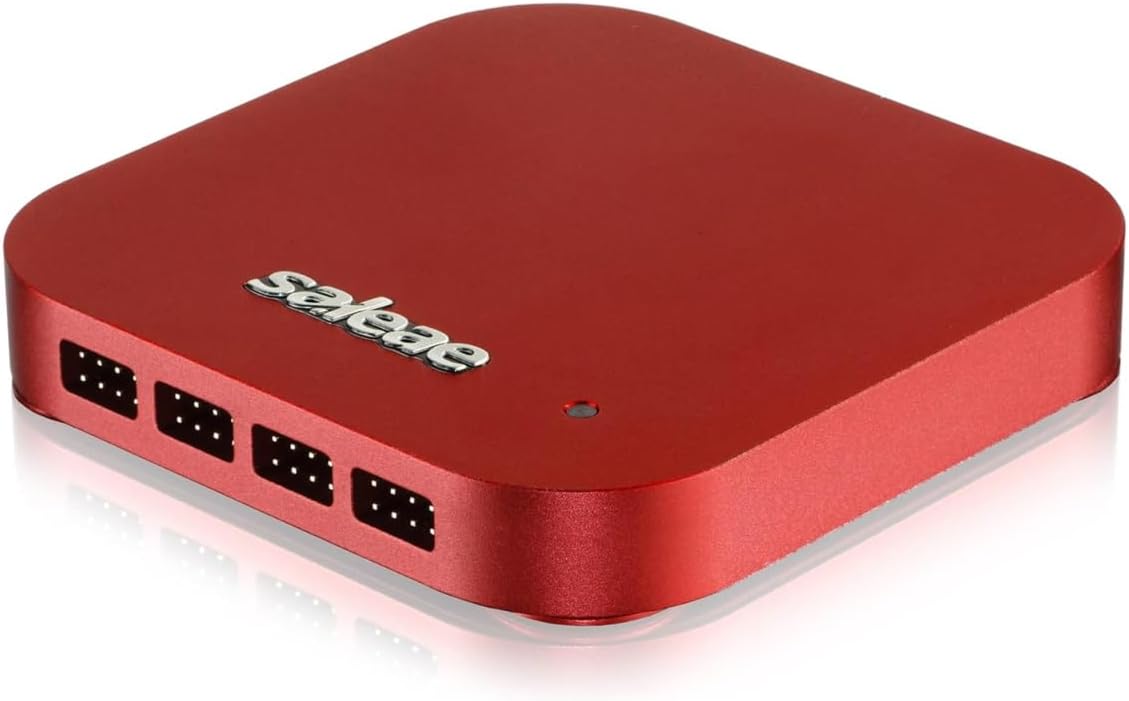
4.8Editor score
This table provides a quick side-by-side overview of the top ten logic analyzers. Compare channel counts, sampling rates, and key features to find the right tool for your specific electronics debugging needs.


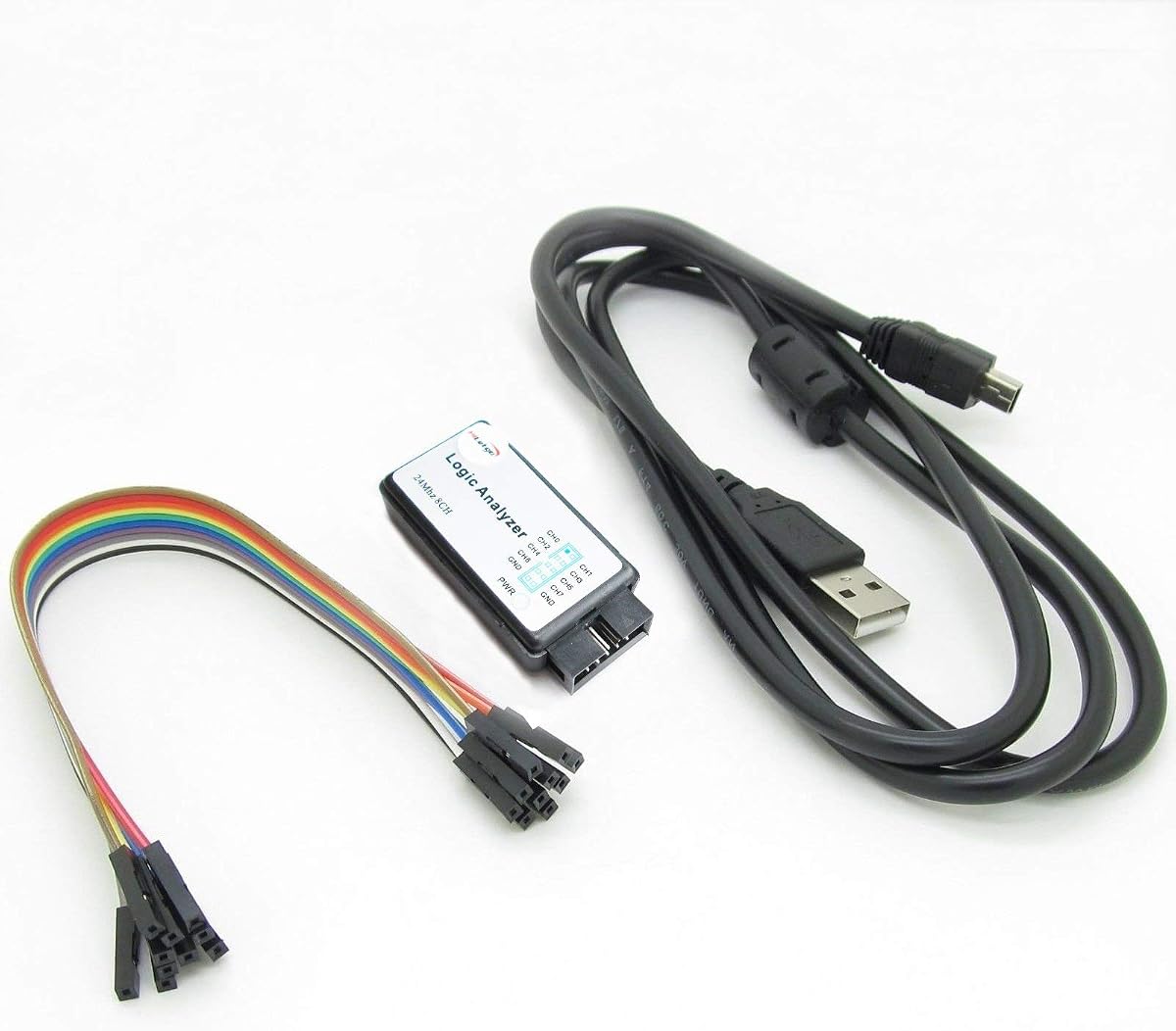


This kit offers an affordable entry into digital signal analysis with eight channels and a 24MHz sampling rate. It is well suited for students and hobbyists working on basic embedded projects.
We may earn a commission when you buy through this link, at no additional cost to you.
The included breakout boards and breadboard adapter make connections simple and secure. Dual USB cables ensure compatibility across various laptop types without needing adapters.
While it lacks the speed of premium models, it handles common protocols well. The storage case keeps components organized and protected during transport or storage.
Buy this if you need a budget friendly option for learning protocols like I2C and SPI. It provides solid functionality for most standard electronics debugging tasks.
The breakout board simplifies wiring to breadboards and microcontrollers for faster testing setups.
Components fit neatly in a compact case preventing loss and damage during transport.
We may earn a commission when you buy through this link, at no additional cost to you.
The LA1010 stands out with sixteen channels and a 100MHz sampling rate. It offers a balance of performance and affordability ideal for intermediate developers.
We may earn a commission when you buy through this link, at no additional cost to you.
Its protocol decoding capability accelerates debugging by extracting human-readable data from signals. The software supports multiple platforms making it versatile for different workflows.
Real-time visualization helps identify timing issues quickly. The low power design allows for extended monitoring sessions without overheating.
Choose this model if you need more channels than basic kits offer. It handles complex system debugging efficiently while remaining accessible for hobbyists.
Decodes over thirty standard protocols including CAN UART and SPI for fast analysis.
Simultaneously captures sixteen signals for accurate timing and logic level analysis.
We may earn a commission when you buy through this link, at no additional cost to you.
This is a top-tier option delivering professional grade performance for complex electronics projects. With 500 MS/s and analog capabilities it exceeds most competitor specifications.
We may earn a commission when you buy through this link, at no additional cost to you.
The software provides intuitive interfaces for deep signal analysis. It supports a wide array of protocols and allows custom decoding for proprietary systems.
The USB 3.0 connection ensures fast data transfer to the PC memory. Its compact design makes it easy to carry between lab benches and field sites.
Invest in this if budget allows and you need precision. It saves time through fast sampling and reliable analysis for critical design validation.
Handles both digital logic and analog signals for comprehensive mixed-signal debugging.
Captures billions of samples to analyze long duration events without gaps.
We may earn a commission when you buy through this link, at no additional cost to you.
This eight channel version shares the same high speed capabilities as the sixteen channel model. It is perfect for projects where fewer lines are needed but quality matters.
We may earn a commission when you buy through this link, at no additional cost to you.
The digital and analog input flexibility allows detailed mixed signal investigation. Its portability makes it a great choice for engineers who travel frequently.
While it lacks the extra channels of the larger model it remains highly capable. The build quality is robust and consistent with professional tools.
Select this if eight channels suffice for your typical workflow. It offers the same premium performance in a smaller form factor.
Delivers professional speed in a smaller device ideal for desktop labs.
500 MS/s ensures accurate capture of fast digital transitions without jitter.
We may earn a commission when you buy through this link, at no additional cost to you.
This analyzer works with popular open source software like Saleae Logic and PulseView. It is a solid choice for users who prefer flexibility in their software stack.
We may earn a commission when you buy through this link, at no additional cost to you.
With adjustable thresholds it can handle various voltage levels common in microcontroller projects. Its low cost makes it accessible for students learning digital electronics basics.
It lacks the robust accessories of other budget kits but performs well technically. The simple design reduces points of failure during basic debugging sessions.
Consider this if you already have compatible cables and software preferences. It offers great value for fundamental logic tracing needs.
Works with Saleae Logic and PulseView for versatile workflow integration.
User adjustable voltage settings allow adaptation to different logic families.
We may earn a commission when you buy through this link, at no additional cost to you.
The DSLogic Plus offers impressive speeds for its price point with sixteen channels. It provides both stream and buffer modes for capturing long or fast signals effectively.
We may earn a commission when you buy through this link, at no additional cost to you.
The onboard memory allows high speed captures without relying solely on PC transfer speeds. This dual mode approach ensures versatility across different testing scenarios.
Open source software gives advanced users the ability to customize features. Shielded wires help reduce noise for cleaner waveform analysis.
Pick this if you need high speed and memory depth on a budget. It balances performance and cost better than many competitors.
Switch between stream for long duration and buffer for high speed signals.
Includes shielded wires and aluminum case to minimize signal interference.
We may earn a commission when you buy through this link, at no additional cost to you.
This compact device includes an EMI ferrite ring on its cable to reduce noise. It is ideal for users who need a portable and lightweight solution.
We may earn a commission when you buy through this link, at no additional cost to you.
Its low voltage inputs are suitable for modern low power chips like 3.3V systems. The simple design makes it easy to carry in a pocket or small bag.
While it offers basic features, the EMI protection improves signal clarity. It remains an attractive choice for hobbyists on a strict budget.
Choose this if you need a simple plug and play tool with noise protection. It works well for standard logic level debugging tasks.
Ferrite ring on cable reduces external noise for clearer signal capture.
Supports 3.3V logic levels common in modern microcontroller projects.
We may earn a commission when you buy through this link, at no additional cost to you.
This entry level model from Saleae offers trusted quality at a lower cost. It provides eight channels which is enough for many standard electronics tasks.
We may earn a commission when you buy through this link, at no additional cost to you.
The software is user friendly and supports both digital and analog inputs. This makes it suitable for students and engineers needing basic mixed signal capabilities.
While not as fast as the pro models, it is reliable and stable. Its design ensures easy transport and use in various environments.
Buy this if you want brand reliability without the full premium cost. It is perfect for routine debugging and educational projects.
Backed by Saleae reputation for quality and consistent software performance.
Lightweight design makes it easy to carry for field testing.
We may earn a commission when you buy through this link, at no additional cost to you.
This model offers deep memory support allowing for extensive data capture without gaps. It is well suited for analyzing long protocol sequences and timing events.
We may earn a commission when you buy through this link, at no additional cost to you.
The open-source software allows for community updates and protocol decoder expansion. Adjustability of thresholds makes it flexible for various voltage logic families.
High sample rates in buffer mode ensure accuracy for fast transitions. It remains competitive with other tools in the mid-range market.
Select this if memory depth is critical for your debugging workflow. It provides strong performance for complex embedded system analysis.
16G sample depth allows capturing long duration signals without stopping.
Open source code allows custom decoders and feature updates by users.
We may earn a commission when you buy through this link, at no additional cost to you.
This is a comprehensive tool that combines logic analysis with oscilloscope and power supply functions. It is ideal for users needing multiple instruments in a single unit.
We may earn a commission when you buy through this link, at no additional cost to you.
Its software provides advanced instruments like network analyzers and spectrum analysis. The 14-bit resolution ensures accurate data capture for both analog and digital signals.
SDK support allows for automated testing with Python or MATLAB scripts. It streamlines work for engineers developing custom hardware setups.
Consider this if you want to replace multiple bench instruments. It saves space and cost for complex development workflows.
Integrates oscilloscope logic analyzer and power supply into one device.
Script in Python or C for automated testing workflows and data logging.
We may earn a commission when you buy through this link, at no additional cost to you.
Selecting the right logic analyzer depends on your specific project needs and budget constraints. Key factors include channel count, sampling rate, software compatibility, and portability.
Channel count determines how many signals you can monitor simultaneously. Projects with complex buses may require sixteen or more channels.
Choose at least eight channels for standard protocols and sixteen for advanced bus analysis.
Sampling rate defines how fast the device captures data. Higher rates allow for precise timing analysis of fast digital signals.
Look for at least 24MHz for basic work but consider 100MHz or higher for detailed debugging.
Software quality impacts usability and protocol decoding capabilities. Open-source options offer flexibility while proprietary tools may be more polished.
Ensure the software supports your operating system and provides necessary decoders for your protocols.
Modern analyzers should support USB 3.0 for fast data transfer. Compatibility with older USB standards ensures broader device support.
Verify that your laptop has the required port type before purchasing the analyzer.
Portable designs are essential for field work or moving between benches. Compact units with sturdy cases prevent damage during transport.
Prioritize lightweight models if you need to travel with your testing equipment.
Built-in decoders simplify analysis by translating raw signals to readable text. Support for UART SPI and I2C is common in many models.
Select a device that decodes the specific protocols used in your project stack.
Check the input voltage range to ensure it matches your circuit levels. Some devices require adapters for different voltage logic families.
Ensure the analyzer supports both 3.3V and 5V logic levels to avoid damage.
Prices range widely from budget kits to premium professional units. Determine the minimum features you need before comparing costs.
Balance cost against performance requirements to avoid overspending on unnecessary features.
Connect the analyzer to your device carefully ensuring voltage levels match. Use the provided breakout boards to organize wires and prevent shorts.
Launch the software and configure the sampling rate according to your signal frequency. Select the appropriate protocol decoder to simplify your analysis process.
Store the device in a dry place and keep cables organized to avoid tangles. Periodically update the software to access new decoders and features.
A logic analyzer captures digital signals to help debug electronics projects. It visualizes timing and protocol states to ensure proper communication between components.
For basic work eight channels are usually sufficient. However complex systems often benefit from sixteen channels to monitor more signals simultaneously.
Many modern analyzers support Linux operating systems. Always check the manufacturer specs to confirm driver availability for your specific OS version.
Oscilloscopes capture analog signals while logic analyzers focus on digital states. Some devices combine both functions for comprehensive mixed signal testing.
Most units come with basic probes but breakout boards are helpful for breadboards. Ensure cables match the voltage levels of your project to avoid damage.
Protocol decoding translates raw digital data into readable text formats. This saves time by automatically identifying data bytes and addresses without manual tracing.
Basic operation is simple once you connect the cables. However advanced software features may take practice to use effectively for deep analysis.
Yes there are affordable options under thirty dollars for basic hobbyists. These offer sufficient speed for standard microcontroller and sensor debugging tasks.
The ten models reviewed provide options for every skill level from beginners to professionals. Budget kits are great for learning while premium units offer deep analysis capabilities.
Prioritize sampling rate and channel count based on your current project complexity. A good tool saves time and ensures your designs function reliably in the field.
Prices fluctuate regularly so check current listings before purchasing any analyzer. Verify your software and hardware requirements match the model you choose.