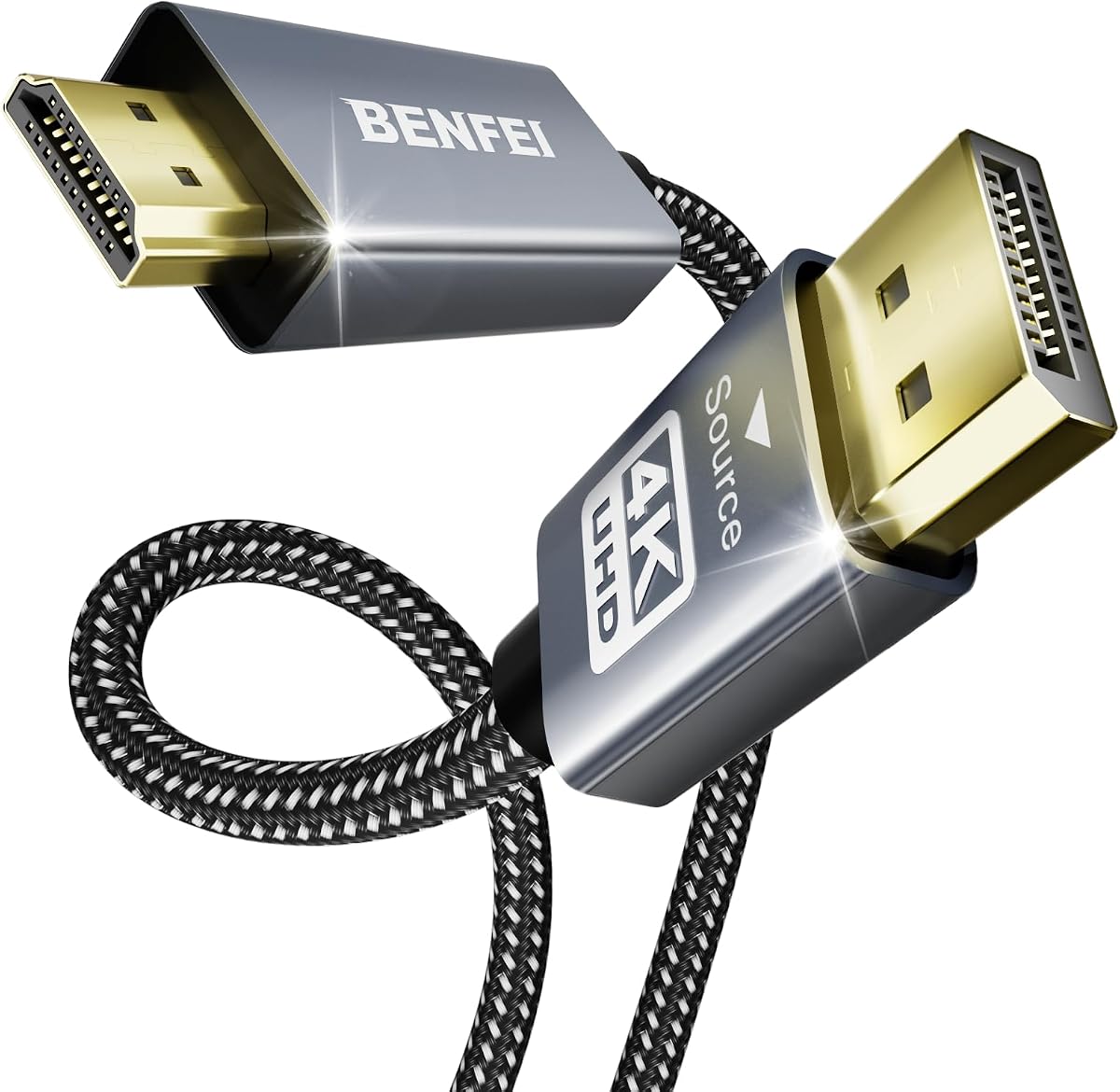
BENFEI 4K DisplayPort to HDMI 6 Feet Cable[Aluminum Shell, Nylon Braided]
4.5Editor score
Aluminum shell housing
Gold plated connectors
Six foot length
Compare the top Displayport to HDMI Cables for video quality and durability. This guide reviews ten models to help you choose the right connection for your
Choosing the right Displayport to HDMI cable ensures your desktop or laptop connects seamlessly to modern monitors and televisions. A quality cable supports high resolutions and stable audio delivery for work or entertainment.
We evaluated ten highly rated cables based on build quality, signal stability, and compatibility with common graphics cards and displays. Each model offers distinct features for different needs and budget ranges.
Every pick highlights key strengths and potential limitations to help you decide quickly. Keep in mind that product availability and specific terms can change over time.
4.5Editor score

4.7Editor score

4.8Editor score
The table below summarizes key technical details and capabilities for every model we examined. Compare resolution limits, cable lengths, and build materials to find the best fit.



This cable offers straightforward connectivity for moving video from a PC to a television. It maintains consistent ratings for basic media viewing and standard office work.
We may earn a commission when you buy through this link, at no additional cost to you.
The build quality stands out with a nylon-braided wire that resists wear over time. Users can rely on stable audio and video output for daily streaming or presentations.
Trade-offs include the unidirectional nature and limited refresh rate at highest resolution. These limits fit standard displays but may not suit high-speed gaming monitors.
It works well for general users needing a reliable link between modern computers and HDMI displays.
The nylon-braided wire adds flexibility and resilience for everyday desk use.
Audio and video stay synchronized for a smooth streaming experience without lag.
We may earn a commission when you buy through this link, at no additional cost to you.
This cable provides a trusted link for standard computer-to-display setups. It works well for office work and basic home entertainment tasks.
We may earn a commission when you buy through this link, at no additional cost to you.
Users benefit from gold-plated connectors and bare copper conductors for stable audio and video transfer. The shielding helps reduce interference in busy environments.
The design focuses on practical use rather than advanced gaming features. It fits standard projectors and monitors effectively.
Choose this for reliable daily connectivity without unnecessary extra features.
Foil and braid shielding help maintain clarity across typical room distances.
Gold plating resists corrosion and ensures consistent contact over time.
We may earn a commission when you buy through this link, at no additional cost to you.
This model delivers clear visuals for both work and light gaming. It stands out for its reliability and straightforward plug-and-play setup.
We may earn a commission when you buy through this link, at no additional cost to you.
It supports 1080p at 120Hz which suits gaming monitors while keeping 4K for general use. The alu case helps manage heat during long sessions.
Trade-offs include the lack of HDMI source compatibility and specific port requirements. These limits keep costs reasonable for most users.
It fits users wanting a solid cable for mixed work and play setups.
Supports 120Hz at 1080p for smoother motion in games and video.
Double shielding and copper build reduce flicker for steady display output.
We may earn a commission when you buy through this link, at no additional cost to you.
This cable combines style with function for modern desktop and laptop use. It delivers clear 4K visuals and reliable audio for daily tasks.
We may earn a commission when you buy through this link, at no additional cost to you.
The slim aluminum shell resists corrosion while five-layer shielding keeps signals stable. Nylon jacket adds long-term durability for regular plug and unplug cycles.
The unidirectional design means it only works from PC to display. This limits versatility but simplifies selection for most setups.
Choose this for a sleek and reliable connection for standard HDMI displays.
Five layers of protection help maintain audio and video clarity in noisy rooms.
Nylon braided jacket withstands daily wear and keeps cable flexible.
We may earn a commission when you buy through this link, at no additional cost to you.
This model offers extra reach for rooms with distant displays. It supports 4K resolution and remains flexible for clean desk setups.
We may earn a commission when you buy through this link, at no additional cost to you.
The ten-foot length helps avoid clutter in meeting rooms or larger home offices. Durable nylon design maintains signal integrity across that distance.
The trade-off is extra length and directional limits. Most users find the reach useful for flexible placement.
Choose this when standard lengths do not reach your display or projector.
Ten-foot length simplifies setups where PC and monitor are far apart.
Nylon exterior resists daily wear and maintains tidy appearance on desks.
We may earn a commission when you buy through this link, at no additional cost to you.
This cable provides solid performance for its price point. It offers clear visuals and dependable audio for standard home and office use.
We may earn a commission when you buy through this link, at no additional cost to you.
Built-in IC chip ensures accurate conversion between signal formats. Nylon braided layer and aluminum shell add durability without increasing cost.
The design focuses on essential features rather than premium extras. It fits users seeking value without sacrificing stability.
Select this for budget-conscious setups needing reliable 4K output.
Built-in chip handles signal conversion for accurate image and audio delivery.
Eighteen-month warranty covers most issues for reliable long-term use.
We may earn a commission when you buy through this link, at no additional cost to you.
This pack offers convenience for multi-device offices or spare connections. It works well for standard 1080p displays and projectors.
We may earn a commission when you buy through this link, at no additional cost to you.
Secure latches keep connectors in place during presentations or meetings. Bare copper conductors maintain stable audio and video for typical use.
The two-pack value reduces need for extra purchases. Limits focus on standard resolution needs rather than advanced specs.
Choose this for offices needing reliable spares or dual setups.
Release button latch prevents accidental disconnection during active use.
Two cables simplify setup for multiple devices or backup needs.
We may earn a commission when you buy through this link, at no additional cost to you.
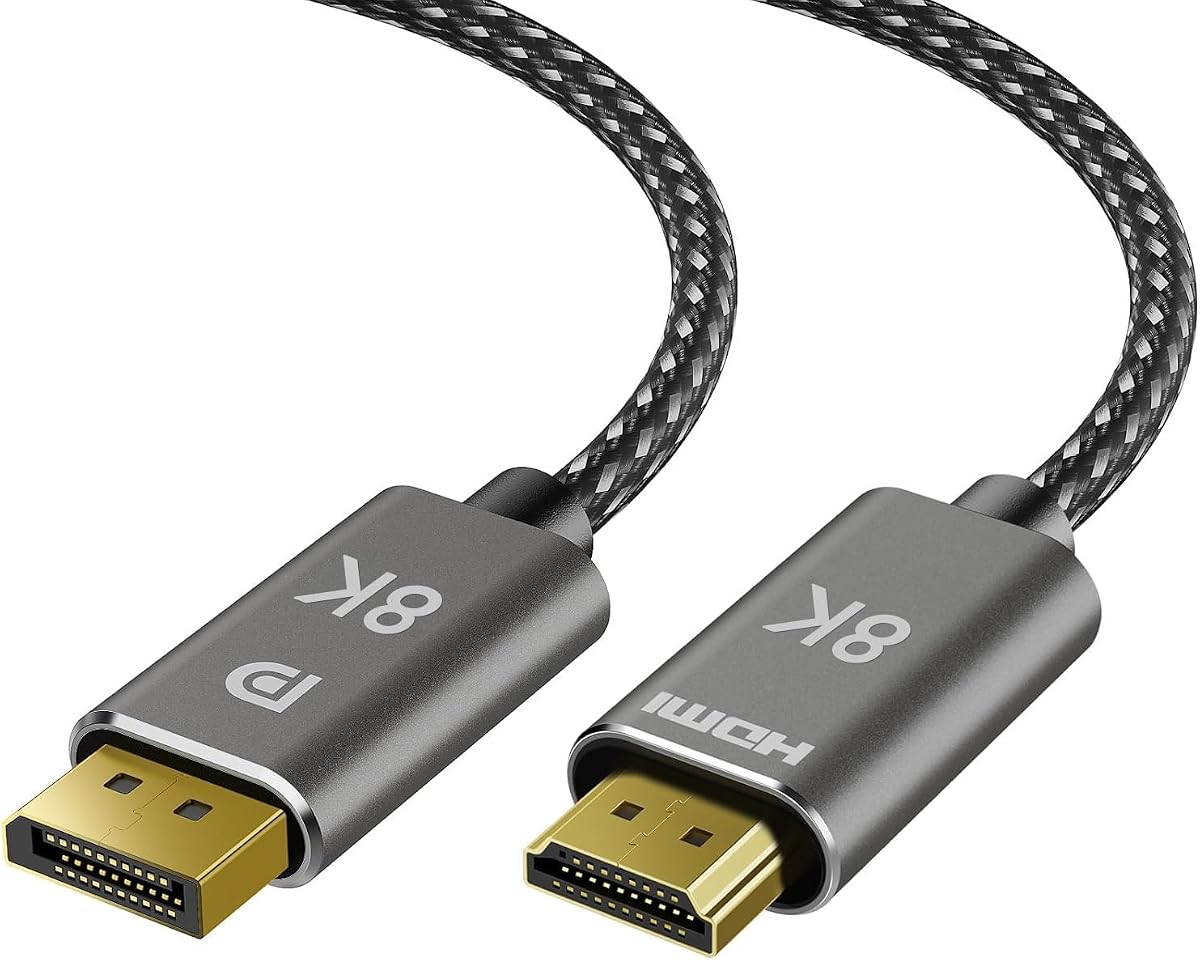
This cable targets advanced displays with high refresh rates and resolution. It supports 8K at 60Hz for cutting-edge visual quality.
We may earn a commission when you buy through this link, at no additional cost to you.
Active chip enables HDMI 2.1 features like HDR and Dolby Atmos. Firmware updates can enhance compatibility with latest GPUs and displays.
Trade-offs include driver requirements and lack of variable refresh rate. These limits fit early adopters willing to configure settings.
Select this for 8K TVs and 4K 240Hz monitors.
Supports HDR and Dolby Atmos for immersive audio and visuals.
Updates improve compatibility with latest display models and GPUs.
We may earn a commission when you buy through this link, at no additional cost to you.
This model leads in raw performance for high-end displays. It delivers 8K at 60Hz and smooth 4K for gaming or work.
We may earn a commission when you buy through this link, at no additional cost to you.
Active chip ensures stable signal for HDR and DSC 1.2a. Aluminum case keeps heat managed during extended high-resolution sessions.
Trade-offs include higher cost and active chip limits. It suits those needing top specs without compromise.
Choose this for professional or high-end entertainment setups.
32.4Gbps transfer rate supports 8K and high frame rates reliably.
Aluminum case helps dissipate heat during long high-resolution playback.
We may earn a commission when you buy through this link, at no additional cost to you.
This cable serves professional setups needing reliable 8K output. It supports modern GPUs and high-end monitors for work or media.
We may earn a commission when you buy through this link, at no additional cost to you.
DP 1.4 with DSC enables 4K 240Hz and 8K 60Hz. Secure latch and molded strain relief protect connectors during use.
Trade-offs include strict port requirements and no VRR support. These limits fit standard professional environments.
Select this for advanced workstation or studio configurations.
Works with recent NVIDIA and AMD cards for full signal range.
Secure latch keeps connection stable during transport or adjustment.
We may earn a commission when you buy through this link, at no additional cost to you.
This section outlines key factors to consider before purchasing a Displayport to HDMI cable for your setup.
Ensure the cable supports your display's native resolution and refresh rate. Many cables support 4K at 30Hz while others enable 60Hz or higher for gaming.
Match the cable to your display needs to avoid blurry or flickering images.
Most cables are uni-directional from Displayport to HDMI. Confirm your source is a PC or GPU and not a console or streaming box.
Select a bi-directional adapter if you need to connect HDMI sources to a Displayport monitor.
Choose a length that reaches your display without excess slack. Longer cables may need better shielding to maintain signal quality.
Measure your setup distance before purchasing to avoid frustration.
Nylon braided jackets and aluminum shells add durability. Gold-plated connectors resist corrosion for stable contact over time.
Invest in sturdier materials if you plan to move the cable frequently.
Look for support of multichannel audio if you use surround sound. Most modern cables support 5.1 or 7.1 audio channels.
Check for HDMI 2.1 features like Dolby Atmos if you want immersive sound.
Passive cables work for standard resolutions while active chips handle 4K 60Hz or 8K. Active models may need driver updates for compatibility.
Pick active if you need high resolutions or HDR features.
Verify your GPU supports Displayport 1.2 or higher for best results. Some models may need updated drivers to enable full resolution.
Check device specs to avoid mismatched capabilities.
Review warranty length and support quality. Brands offering longer warranties often stand behind product durability.
Choose sellers with responsive customer service for easier returns if needed.
Connect the Displayport end to your computer or GPU and the HDMI end to your monitor. Ensure both ports are fully seated to maintain signal.
Set the display resolution and refresh rate in your operating system to match the cable capabilities for best results.
Store cables loosely without tight bends to avoid internal damage. Keep connectors clean and dry to ensure long-term reliability.
No, these cables work from Displayport sources to HDMI displays. Consoles use HDMI output and need a different converter to connect to a Displayport monitor.
Some support 4K at 60Hz while others limit to 30Hz. Check the specific model details to confirm your needed refresh rate.
Most are uni-directional from PC to display. Verify direction before buying to avoid connection issues with reverse setups.
Yes, most models support 5.1 and 7.1 audio. Some premium models also enable Dolby Atmos for immersive sound systems.
Most cables are plug-and-play without drivers. Active 8K models may require GPU driver updates for full performance and HDR support.
Use a dry microfiber cloth to gently wipe gold connectors. Keep them dry and free of dust to maintain steady contact.
Select a length that reaches your display without excess slack. Avoid coiling too tightly to prevent internal wire stress.
Yes, many support HDMI-compatible VR headsets. Confirm the headset input type matches HDMI and your GPU supports the required specs.
The best choice depends on your resolution needs and setup flexibility. Premium models offer 8K and high refresh rates while budget picks handle standard office tasks.
Prioritize build quality and signal direction to avoid frustration. Active models suit high-end displays while passive ones work well for everyday use.
Check current availability and product specifics before purchasing. Specifications can change as new display standards enter the market.