
Vemico Raspberry Pi Zero 2WH Kit
5.0Editor score
Pre-soldered header included
Silver heatsink for cooling
1GHz quad-core processor
Discover the top Bedt Raspberry Pi Zero 2 W Kit options for 2026. Compare specs, features, and value to find the perfect starter solution for your projects.
Choosing the right Bedt Raspberry Pi Zero 2 W Kit is essential for hobbyists and developers looking to dive into embedded systems. These compact kits provide the necessary components to get your projects up and running quickly without hassle.
We evaluated ten leading kits based on component quality, included accessories, and overall value. Our analysis covers everything from basic starter sets to comprehensive bundles that include cases and power supplies for convenience.
Each selection highlights specific strengths to help you match a kit to your unique needs. Remember that prices and availability fluctuate, so verify current details before making your final purchase decision online.
5.0Editor score

4.6Editor score
4.3Editor score
This side-by-side comparison highlights key specifications and included items for each kit to help you make an informed decision based on your project requirements.


This kit offers a powerful quad-core processor that significantly outperforms previous models. It comes with essential adapters and a heatsink to ensure stable operation during heavy workloads.
We may earn a commission when you buy through this link, at no additional cost to you.
The inclusion of Wi-Fi and Bluetooth makes connectivity seamless for IoT and home automation projects. Its compact size allows it to fit into space-constrained designs effortlessly.
While it lacks a power supply and SD card, the provided adapters simplify setup for most users. The aluminum heatsink ensures the board stays cool even under sustained use.
Ideal for developers needing reliable performance in a small footprint. This kit balances cost and capability effectively for serious hobbyist and professional embedded projects.
The quad-core 64-bit ARM Cortex-A53 delivers five times the performance of the original Zero for faster task execution.
Built-in 802.11b/g/n Wi-Fi and Bluetooth 4.2 enable direct internet access without extra hardware.
We may earn a commission when you buy through this link, at no additional cost to you.
The RasTech kit provides the core components needed to get started with the Pi Zero 2 W. It includes necessary adapters and a heatsink for basic thermal management.
We may earn a commission when you buy through this link, at no additional cost to you.
Its design focuses on essential connectivity options like HDMI and USB OTG for immediate use. The compact size remains ideal for embedded applications.
While it covers the basics, it may lack the extra convenience items found in other bundles. The aluminum heatsink helps maintain performance during active use.
Best for users who already have some accessories or prefer a minimal setup. It delivers reliable performance for standard electronics and programming tasks.
Included HDMI and USB OTG adapters allow easy connection to displays and peripherals without extra purchases.
The aluminum heatsink ensures stable performance even when running demanding software or continuous tasks.
We may earn a commission when you buy through this link, at no additional cost to you.
This kit stands out with a pre-soldered header which eliminates manual soldering for most users. It includes a silver heatsink and adapter for basic connectivity.
We may earn a commission when you buy through this link, at no additional cost to you.
The pre-soldered header greatly simplifies setup and reduces the risk of damage during assembly. The board delivers significant speed improvements over previous generations.
While it costs more than basic kits, the time saved and added convenience justify the investment for many. The perfect heatsink maintains optimal operating temperatures.
Perfect for those who want to avoid soldering or need immediate usability. It offers a premium experience with high-quality components for reliable project execution.
The included pre-soldered header allows for instant GPIO access without needing soldering tools or skills.
A dedicated silver heatsink ensures the processor runs cool under heavy workloads for stable performance.
We may earn a commission when you buy through this link, at no additional cost to you.
This product focuses on providing a pre-soldered header with color-coded pins for easier identification. It offers the same core performance as other kits but emphasizes ease of use.
We may earn a commission when you buy through this link, at no additional cost to you.
The color-coded header reduces wiring errors and speeds up prototyping for complex projects. Its wireless capabilities are housed in a shielded enclosure for reliability.
It may lack some extra accessories found in comprehensive kits but excels in pin accessibility. The form factor fits existing Zero cases and designs well.
Best for makers who prioritize quick GPIO connections over additional peripherals. It delivers strong performance and simplified wiring for embedded development tasks.
The color-coded header makes identifying GPIO pins significantly easier during assembly and maintenance tasks.
Improved RF compliance in the enclosure ensures reliable Wi-Fi and Bluetooth connectivity for projects.
We may earn a commission when you buy through this link, at no additional cost to you.
This is a massive kit of components and lessons designed to complement your existing Pi board. It includes hundreds of items and extensive documentation to guide learning.
We may earn a commission when you buy through this link, at no additional cost to you.
With 128 projects and detailed schematics, it serves as a complete education resource for electronics. The tutorials cover multiple languages to suit various skill levels.
Note that the Raspberry Pi board itself is not included in this package. You must purchase the board separately to utilize these components effectively.
Ideal for students or beginners who want a deep dive into electronics alongside their Pi. It provides endless learning opportunities and practical coding exercises.
The kit includes 128 distinct projects ranging from simple LED control to complex sensor integration.
A 962-page tutorial provides step-by-step wiring diagrams and code examples for every component.
We may earn a commission when you buy through this link, at no additional cost to you.
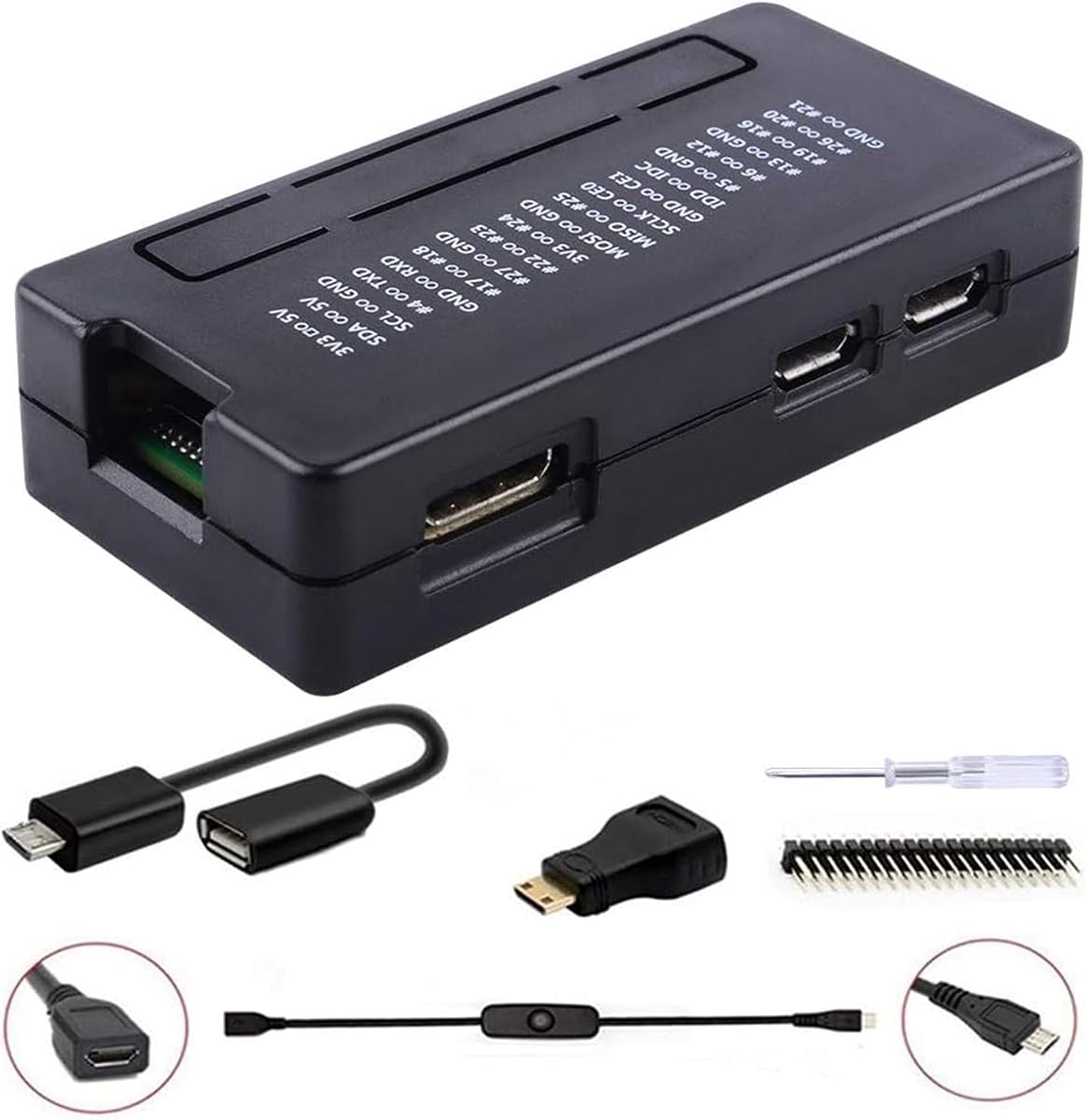
This kit prioritizes physical protection and cooling with a premium aluminum case. It includes a thermal tape and switch cable to manage power easily.
We may earn a commission when you buy through this link, at no additional cost to you.
The aluminum case dissipates heat passively and protects the board from physical damage. The included USB hub allows multiple peripherals via the single micro USB port.
It is designed for users who need a durable housing for their Pi Zero 2 W. Note that the board itself is not included in the package.
Best for projects requiring physical durability and better thermal management. The switch cable adds convenience for powering the system without plugging in manually.
The aluminum case provides excellent heat dissipation to keep the Pi cool during extended operation periods.
An included on/off switch cable allows you to power the system on and off without unplugging the cable.
We may earn a commission when you buy through this link, at no additional cost to you.
This kit offers a complete experience with a Pico 2 W board included along with extensive components. It is ideal if you want an alternative to the standard Pi Zero.
We may earn a commission when you buy through this link, at no additional cost to you.
It supports wireless capabilities and offers a huge range of items and projects for learning. The tutorials cover multiple languages to give you flexibility in coding.
Note that this uses the Pico platform which has a different architecture than the Pi Zero. It is a strong alternative if you prefer the RP2040 architecture.
Best for those interested in the Pico ecosystem but still want a comprehensive starter set. It provides everything needed to begin microcontroller projects immediately.
The kit includes the Pico 2 W board with wireless capabilities so you can start coding right away.
A 767-page detailed guide provides step-by-step instructions for all 119 included projects.
We may earn a commission when you buy through this link, at no additional cost to you.
This kit is one of the few that includes a power supply along with a case and accessories. It provides a complete set of essentials to get running quickly.
We may earn a commission when you buy through this link, at no additional cost to you.
The 4-port USB hub adds significant convenience for connecting multiple devices simultaneously. The case is designed to be easy to install and access all ports.
While the board is not included, the package covers nearly every other need for a basic setup. The switch cable allows for easy on-off control.
Best for users who want an all-in-one accessory package without buying items separately. It simplifies the process of setting up a protected Pi Zero 2 W.
A power supply is included so you do not need to purchase a separate adapter for operation.
A 4-port USB hub allows multiple peripherals to be connected to the single micro USB port.
We may earn a commission when you buy through this link, at no additional cost to you.
This alternative offers higher clock speeds and more RAM options than the standard Pi Zero 2 W. It runs Android and Ubuntu which broadens its usage for media or servers.
We may earn a commission when you buy through this link, at no additional cost to you.
The inclusion of Wi-Fi 5 and Bluetooth 5.0 provides superior connectivity options for modern networks. It supports up to 4GB of RAM for heavier multitasking.
It uses a different architecture than the Raspberry Pi which may affect software compatibility. Ensure your required software is supported on this platform.
Best for users needing more power or Android TV capabilities in a tiny footprint. It is a powerful SBC alternative for advanced IoT or media projects.
Available configurations include up to 4GB LPDDR4 RAM for significantly faster data handling and multitasking.
Dual-band Wi-Fi 5 and Bluetooth 5.0 ensure fast wireless connections and better range than older standards.
We may earn a commission when you buy through this link, at no additional cost to you.
This kit is one of the most budget-friendly options that still provides essential accessories for setup. It includes an acrylic case and necessary cables to connect to peripherals.
We may earn a commission when you buy through this link, at no additional cost to you.
The acrylic case is lightweight and allows easy access to all ports and pins. The included switch cable simplifies power management without needing to unplug the cord.
While it lacks a power supply and heatsink, it covers the basics for users on a tight budget. It works well for basic home lab setups where cooling is manageable.
Best for hobbyists who already have power adapters and prefer a low-cost starting point. It provides just enough to get your board connected and protected.
The package includes an HDMI adapter and OTG cable so you can connect to displays and USB devices easily.
Priced lower than many other kits, it offers a great entry point for those who already own extra accessories.
We may earn a commission when you buy through this link, at no additional cost to you.
Selecting the right kit depends on your project needs and existing accessories. This guide covers key factors to consider before purchasing.
Ensure the kit includes the Pi Zero 2 W which has a quad-core 64-bit Cortex-A53 processor. This provides significantly faster performance than older models for modern software.
Look for a kit that explicitly states the processor speed and architecture to avoid buying outdated inventory.
The Pi Zero 2 W uses a Mini HDMI port and Micro USB OTG which require specific adapters. Check that the kit includes HDMI to Standard HDMI and USB OTG cables.
Missing adapters can delay your project so confirm the included items match your display and peripheral needs.
Because the board can get warm under load, a heatsink is highly recommended. Kits with aluminum or silver heatsinks help dissipate heat effectively.
Prioritize a kit that includes a heatsink to ensure long term stability especially for continuous operations.
Many kits do not include a power supply so check the package contents carefully. You will need a stable 5V power source to run the board properly.
If you do not have one, consider a kit that includes a power supply or budget to purchase one separately.
Some kits come with a pre-soldered GPIO header which saves significant time and effort. This is especially helpful if you plan to connect sensors or HATs immediately.
Check whether the header is pre-soldered or unpopulated to decide if you have the tools to solder it yourself.
A case protects your board from dust and physical damage. Acrylic or aluminum cases offer different benefits regarding airflow and durability.
Choose a case that allows access to all ports and headers while providing adequate protection for your environment.
Start by installing the operating system on a microSD card before inserting it into the board. Follow the official guidelines to ensure compatibility and stability for your setup.
Connect the necessary adapters and peripherals using the included cables. Attach the power supply last to prevent any potential issues during the initial configuration.
Monitor the temperature during the first few hours of operation to ensure the heatsink is working effectively. Clean the board and case occasionally to prevent dust buildup.
Most kits do not include a power supply unless explicitly stated. Check the product description to see if a power adapter is part of the package before purchasing.
The Pi Zero 2 W features a significantly faster quad-core processor and 64-bit support compared to the single-core Pi Zero W. It also has improved memory and performance.
Some kits include a pre-soldered header while others provide an unpopulated board. If your kit has unpopulated headers you will need to solder them yourself.
Yes most Pi Zero cases will work with the Pi Zero 2 W since they share the same dimensions. Just ensure any cooling solutions fit the new board.
The Pi Zero 2 W can run hot under heavy loads which may affect performance. A heatsink helps dissipate heat to ensure stable operation.
You can run Raspberry Pi OS, Ubuntu, or other Linux distributions designed for ARM. Some alternatives also support Android or specialized OS options.
We reviewed ten distinct kits ranging from basic accessory sets to comprehensive learning bundles. Each offers unique advantages depending on your specific project goals and budget constraints.
Prioritize a kit that includes essential adapters and thermal management solutions to avoid extra costs. If you want convenience, look for pre-soldered headers and power supplies.
Always check the current pricing and availability before making your final decision to ensure you get the best value available in the market today.