
Canon Color imageCLASS LBP646Cdw
4.1Editor score
26 ppm print speed
Wireless duplex printing
Simple LCD navigation
Discover the top duplex color laser printers for home and office. This guide compares speed, quality, connectivity, and value to help you choose the right
Finding the right duplex color laser printer can transform your workflow significantly. These machines offer fast, vibrant output while saving paper through automatic double-sided printing capabilities for modern offices.
We evaluated ten top models based on speed, connectivity, and reliability. Our comparison covers everything from compact home units to robust business all-in-one devices to meet diverse printing needs.
Each pick highlights key strengths and ideal use cases for your setup. Please note that specific pricing and availability may fluctuate over time so verify current details before purchasing.
4.1Editor score

4.2Editor score

4.4Editor score
The following table provides a quick side-by-side look at the core specifications and capabilities of each model to help you narrow down your choice quickly.


This Canon model stands out as a top contender for those needing reliable multifunction performance. It combines print, scan, copy, and fax capabilities into a single efficient unit.
We may earn a commission when you buy through this link, at no additional cost to you.
Its wireless duplex capabilities allow for seamless double-sided printing from various devices. This feature helps reduce paper usage while maintaining professional document quality consistently.
While the price point is higher than basic models, the added versatility and speed justify the investment. Users benefit from secure features that protect sensitive business documents.
Ideal for small to medium offices requiring speed and reliability. It delivers consistent color quality and advanced connectivity options for modern workflow needs.
The built-in wireless protocols ensure stable connections across multiple user devices without hassle.
Laser technology delivers crisp text and vibrant graphics suitable for client-facing reports.
We may earn a commission when you buy through this link, at no additional cost to you.
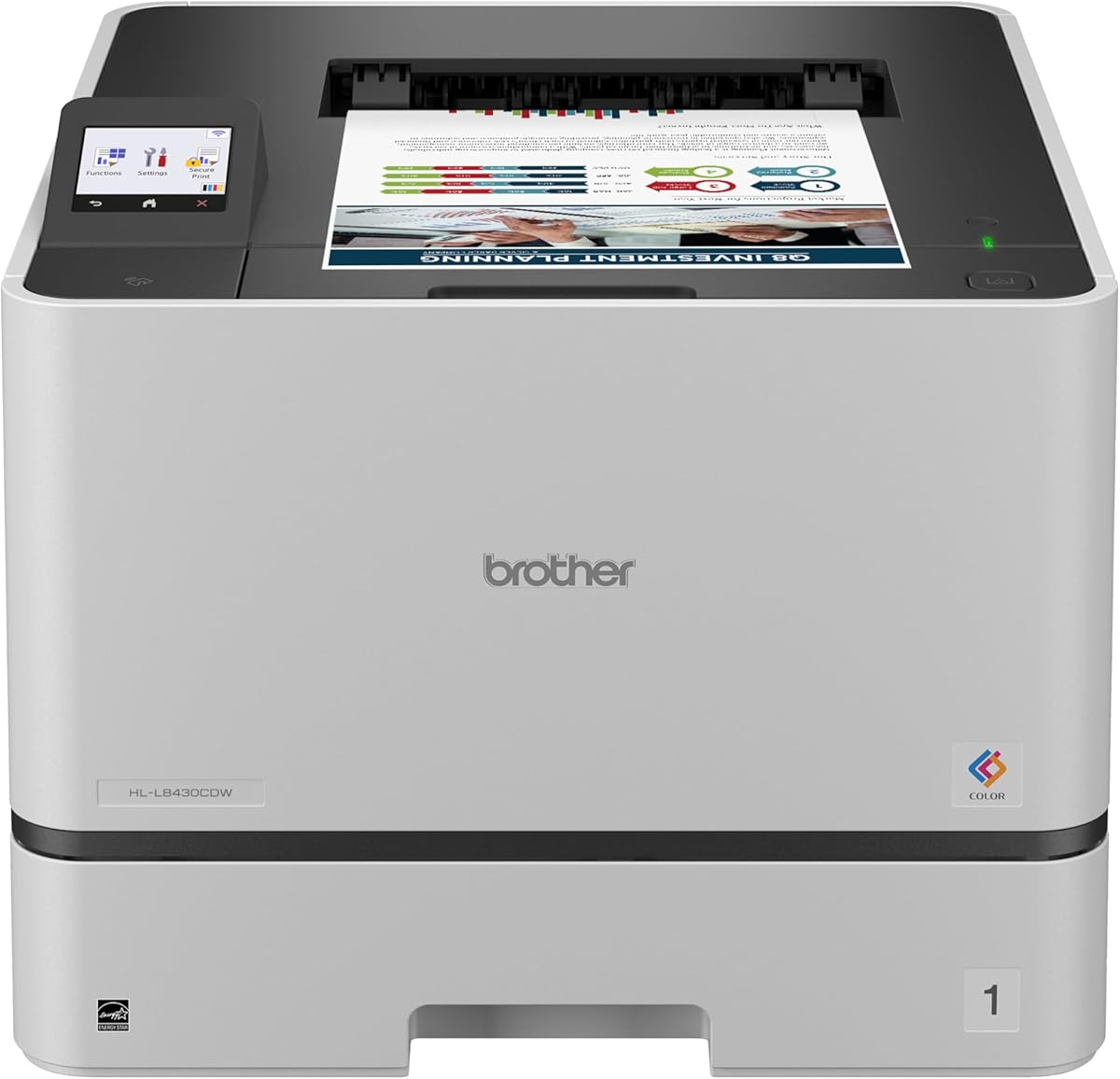
This Brother printer offers excellent value for home offices needing professional color output. It delivers solid performance without a hefty price tag attached.
We may earn a commission when you buy through this link, at no additional cost to you.
Wireless connectivity makes it easy to print from smartphones and laptops anywhere in the room. The generous paper tray reduces the need for frequent refills.
While not the fastest on the market, it handles daily tasks efficiently. The compact design fits well in smaller spaces without sacrificing functionality.
Perfect for freelancers or small teams on a budget. It balances cost and capability effectively for standard document printing needs.
Its small footprint ensures it fits easily on desks or shelves without taking up much space.
Seamless integration with major mobile platforms allows instant printing from your preferred device.
We may earn a commission when you buy through this link, at no additional cost to you.
This Canon unit focuses purely on speed and quality for users who do not need multifunction features. It is designed for high volume printing environments.
We may earn a commission when you buy through this link, at no additional cost to you.
At 26 pages per minute, it clears queues quickly. The high capacity toner cartridges help reduce long term maintenance costs significantly.
Lacking scanning capabilities might be a downside for some. However, those who already have a scanner will find this a powerful addition to their workflow.
Ideal for offices needing rapid color output without extra bulk. It offers impressive performance in a compact single function form factor.
Rapid processing speeds ensure documents leave the printer quickly to keep workflows moving.
High yield options and energy efficiency contribute to reduced operational costs over time.
We may earn a commission when you buy through this link, at no additional cost to you.
This Brother model brings together printing, scanning, copying, and faxing in one device. Its dual band wireless support ensures a stable connection in busy offices.
We may earn a commission when you buy through this link, at no additional cost to you.
The touchscreen interface simplifies navigation for various tasks. It offers customizable shortcuts that streamline frequent printing jobs effectively.
While the speed is average compared to top models, it handles mixed workloads well. The auto document feeder is useful for scanning multi-page documents.
Best for small businesses needing a complete solution. It provides the necessary tools to manage office communications efficiently.
Support for both frequency bands reduces interference and keeps connections consistent during peak times.
The touchscreen allows users to create shortcuts for common tasks to save time daily.
We may earn a commission when you buy through this link, at no additional cost to you.
This Brother printer is built for heavy duty business use with impressive speed and security. It delivers rapid outputs suitable for high volume departments.
We may earn a commission when you buy through this link, at no additional cost to you.
Security features like NFC authentication protect sensitive data on the device. Low cost printing options help manage long term operational expenses effectively.
The large touchscreen and high speed scanning make it a powerful tool. It supports various cloud services for versatile document management options.
Ideal for enterprises prioritizing security and speed. It is a top choice for organizations needing reliable performance daily.
Triple layer security and badge authentication keep documents safe from unauthorized access.
Super high yield toner options significantly lower the cost per printed page over time.
We may earn a commission when you buy through this link, at no additional cost to you.
This Brother printer provides fast color printing without multifunction complexity. It is designed for users who need speed and simplicity.
We may earn a commission when you buy through this link, at no additional cost to you.
Cloud app integration allows printing directly from services like Dropbox. Ethernet support ensures a stable wired connection when needed.
It lacks scanning capabilities which limits its versatility. However, for pure printing tasks it performs reliably and quickly.
Suitable for small offices or homes with external scanners. It offers excellent speed and reliability for document creation.
Direct access to cloud storage simplifies retrieving and printing files without downloading first.
Dual connectivity options provide flexibility to choose between wireless and wired networks easily.
We may earn a commission when you buy through this link, at no additional cost to you.
This Canon model offers a robust all-in-one solution with fast speeds and a long warranty. It supports wireless connectivity for flexible office use.
We may earn a commission when you buy through this link, at no additional cost to you.
The touchscreen provides easy navigation for printing and scanning tasks. Its high capacity toner helps reduce the frequency of replacements.
While setup may take longer than expected, daily use is smooth. The three year warranty provides extra peace of mind for buyers.
Great for users valuing warranty coverage and speed. It handles mixed workload demands effectively in small office environments.
A three year limited warranty adds significant value compared to standard industry offerings.
Toner design ensures fewer interruptions for maintenance during busy work periods.
We may earn a commission when you buy through this link, at no additional cost to you.
This Canon unit provides essential print, scan, and copy functions efficiently. It supports high speed output for daily office needs.
We may earn a commission when you buy through this link, at no additional cost to you.
The touchscreen allows easy access to various functions. It offers a three year warranty which is rare in this price range.
Lacking fax features limits its use for some businesses. However, for general document needs it performs well.
Ideal for home offices needing reliability. It balances features and warranty coverage effectively for small teams.
The three year limited warranty provides strong protection against unexpected failures.
Fast scan speeds ensure digital copies are ready quickly for email or cloud upload.
We may earn a commission when you buy through this link, at no additional cost to you.
This HP printer delivers reliable performance with its trusted brand reputation. It features self-resetting Wi-Fi to maintain connectivity automatically.
We may earn a commission when you buy through this link, at no additional cost to you.
The TerraJet toner provides vibrant color output suitable for reports. Dual band support ensures stable connections in networked environments.
Cartridge restrictions can be limiting for some users. However, the reliability and speed make it a solid office choice.
Best for offices prioritizing uptime and brand trust. It handles standard printing tasks efficiently.
Wi-Fi self-reset technology helps avoid connection drops without manual intervention.
Advanced toner technology ensures colors remain bright and professional for client documents.
We may earn a commission when you buy through this link, at no additional cost to you.
This Brother printer is built for high volume business environments. It offers rapid speeds and low operational costs over time.
We may earn a commission when you buy through this link, at no additional cost to you.
Security features including NFC readers protect documents from unauthorized access. The expandable paper capacity handles large print jobs well.
While it has a high initial cost, the speed and toner value justify it. It is designed for heavy daily use.
Ideal for busy offices needing speed and security. It is a powerful tool for high volume departments.
Optional trays allow paper capacity to be increased for large production jobs easily.
NFC badge authentication ensures only authorized users can access sensitive print data.
We may earn a commission when you buy through this link, at no additional cost to you.
Selecting the right printer involves weighing several factors against your specific needs. This guide breaks down the key aspects to consider before you buy.
Print speed is measured in pages per minute and affects workflow efficiency. Faster models are essential for busy offices where time is critical.
Aim for at least 26 pages per minute for color to avoid bottlenecks in shared environments.
Modern printers must support wireless, Wi-Fi, and cloud printing. Look for dual-band Wi-Fi to ensure stable connections in crowded networks.
Choose a model that supports your preferred mobile apps and cloud services for flexible access.
Capacity determines how often you must refill paper trays. High volume environments need large trays or expandable options.
Aim for at least 250 sheets in the main tray to reduce interruptions during busy periods.
Decide if you need a single-function printer or an all-in-one unit. Multi-function devices save space but may cost more.
If you need scanning or faxing, choose an all-in-one model with an auto document feeder.
Business printers should include secure print options and data protection. Features like NFC authentication protect sensitive documents.
Look for models with advanced security suites to safeguard your network from unauthorized access.
Beyond the upfront price, consider toner costs and yield. High-yield cartridges often save money in the long run.
Check if the printer supports super high yield cartridges to minimize ongoing expenses significantly.
A longer warranty indicates manufacturer confidence and reduces risk for the buyer. Look for at least one to three years of coverage.
Choose brands with reliable support channels to resolve issues quickly when they arise.
Ensure the printer fits your available desk or shelf space. Compact models save space but may have fewer trays.
Measure your workspace and compare dimensions to find the right fit for your office layout.
Start by connecting the printer to your network via Wi-Fi or Ethernet using the provided touchscreen menu. Install the necessary drivers on your computers to ensure seamless communication.
Keep the paper tray filled and use high quality paper to avoid jams. Regularly clean the rollers and glass with a soft lint-free cloth to maintain optimal performance.
Update firmware periodically to ensure security patches are applied. If a paper jam occurs, follow the on-screen instructions to remove paper carefully without damaging internal parts.
Duplex printing allows your printer to automatically print on both sides of a sheet. This feature significantly reduces paper usage and helps you save money on supplies.
If you frequently scan or copy documents, an all-in-one model is more efficient. Single-function printers are cheaper but require separate devices for other tasks.
Yes, most modern wireless printers include encryption and secure print features. Always enable network security settings to protect your data from unauthorized access.
It is recommended to clean the rollers and scanner glass every month. Regular cleaning prevents jams and keeps document quality high over time.
Some printers block generic cartridges via chip checks. Using manufacturer approved toner ensures reliability and may be required to keep warranties valid.
Most laser printers last three to five years with regular use. Proper maintenance like cleaning and updating firmware can extend this lifespan significantly.
Yes, color printing uses more toner and is generally more expensive. Use color only when necessary to keep your operating costs down.
We have reviewed ten top models ranging from budget options to high end business machines. Each offers unique strengths tailored to different office needs and budgets.
Prioritize speed and security if you run a busy office. For home use, compact size and cost efficiency are often the most important factors.
Prices and availability change frequently so always check current details before purchasing. We hope this guide helps you find the perfect duplex color laser printer.