
8mm Video8 Hi8 Camcorder VCR Tape Player Vintage Camera
4.0Editor score
Playback 8mm and Hi8 tapes
Includes USB capture device
Guaranteed working condition
This guide compares the best Hi8 and 8mm video cassette players for digitizing tapes, playback quality, and ease of transfer to modern digital formats.
Finding the right Hi8 and 8mm video cassette player is essential for preserving your cherished memories stored on these older analog formats. Whether you want to watch old family videos or digitize them for safekeeping, choosing a reliable player ensures your tapes play back smoothly without damage.
We compared ten top-rated options available today, focusing on playback compatibility, transfer capabilities, and overall build quality. Our analysis covers standalone players, camcorders with playback functions, and bundles designed specifically for converting tapes to digital files.
Each pick in this list highlights specific strengths, such as budget friendliness, professional features, or ease of use. Please note that product availability and pricing can change frequently, so check current details before making your final purchase decision.
4.0Editor score

4.7Editor score

4.0Editor score
This table provides a side-by-side comparison of all ten selected Hi8 and 8mm video cassette players, highlighting their key specifications and primary use cases.



The Sony GV-D200 is an ultra portable VCR designed for recording and playing Digital8 format tapes. It also supports Hi8 and regular 8mm tapes. This model stands out for its integrated editing capabilities.
We may earn a commission when you buy through this link, at no additional cost to you.
Its FireWire interface allows for direct connectivity to modern computers for high quality transfer. The assembly editing feature lets you organize scenes easily. Composite ports ensure viewing on any TV.
While expensive, the editing functions justify the cost for serious collectors. The portable design makes it easy to move. It is a robust choice for archiving projects.
Buy this if you need editing and portability. It is ideal for professionals. Check current availability before purchasing.
The compact form factor allows for easy transport and setup anywhere.
Built-in editing lets you organize clips without extra software.
We may earn a commission when you buy through this link, at no additional cost to you.
This unit is an affordable solution for playing 8mm and Hi8 tapes. It includes a USB capture device for transfer. It comes with a blank tape to start.
We may earn a commission when you buy through this link, at no additional cost to you.
The USB device makes digitizing simple without extra purchases. It is designed for throwback video aesthetics. You can shoot vintage style video directly.
The price point makes it accessible for casual users. It ensures 100 percent working condition. Returns are free if issues arise.
Perfect for budget conscious buyers needing basic playback. Verify the transfer process fits your needs.
Low entry price makes it easy to test without big risk.
The USB capture device simplifies digitizing immediately.
We may earn a commission when you buy through this link, at no additional cost to you.
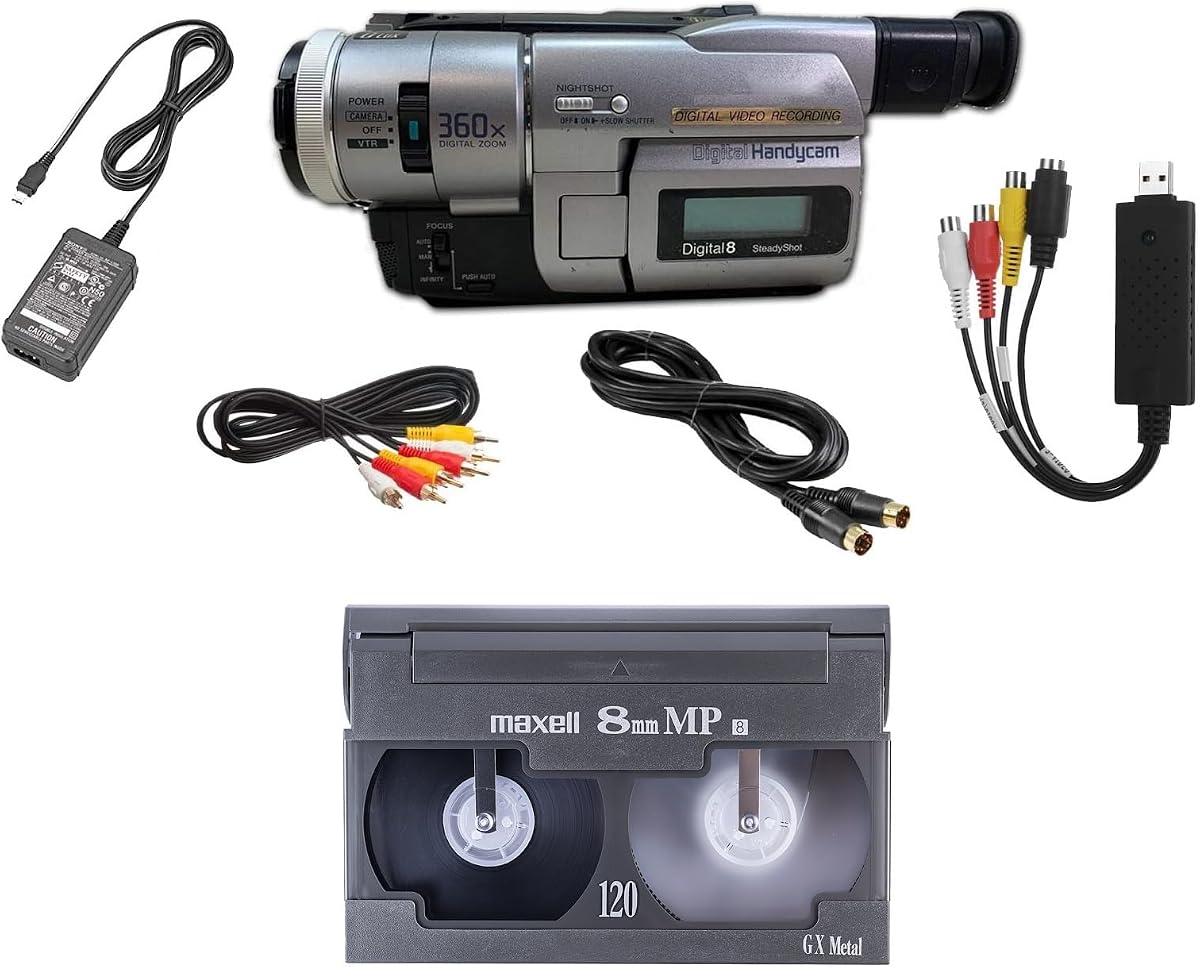
This Sony camcorder plays all 8mm Video8 Hi8 and Digital8 tapes. It includes cables for transfer and TV playback. It supports both Windows and Mac systems easily.
We may earn a commission when you buy through this link, at no additional cost to you.
The USB capture device transfers files or burns to DVD. Firewire and Thunderbolt compatibility ensures robust data transfer. It provides a complete solution for legacy media.
While not for recording, it excels at playback and transfer. The cable bundle is comprehensive. It is a trusted choice for archiving.
Ideal for users needing high compatibility and reliability. Ensure your system matches the ports.
Playbacks all variations of 8mm tapes reliably.
Convert tapes to physical discs for sharing.
We may earn a commission when you buy through this link, at no additional cost to you.
This Handycam offers nightshot capabilities for low light playback. It includes USB adapter and tape digitizing software. Achieve a nostalgic VHS effect without digital filters.
We may earn a commission when you buy through this link, at no additional cost to you.
Playback is supported on any TV or computer. The included software helps organize your digitized files. It comes with a blank tape for recording.
The nightshot feature adds unique value for older tapes. It ensures playback on modern devices. The warranty provides security for your purchase.
Great for users needing specific camera features. Check software compatibility with your OS.
See clearer in low light with CCD sensors.
Software simplifies the digitizing workflow.
We may earn a commission when you buy through this link, at no additional cost to you.
Designed to playback and transfer 8mm Hi8 Digital8 tapes. USB capture device transfers tapes to computer files. The bundle includes an 8mm tape for testing.
We may earn a commission when you buy through this link, at no additional cost to you.
It includes a battery and AV cables for flexibility. The solution is ready to use out of the box. It guarantees 100 percent working condition.
This is a straightforward choice for basic archiving. All parts needed are in the box. Free returns reduce purchasing anxiety.
Best for users wanting a ready to go system. Verify the USB adapter speed requirements.
Everything needed is included for immediate use.
Use the included tape to verify functionality quickly.
We may earn a commission when you buy through this link, at no additional cost to you.
Effortlessly convert analog video signals into digital formats. Supports Hi8, Mini DV and gaming consoles. Recording resolution up to 1080P 30Hz.
We may earn a commission when you buy through this link, at no additional cost to you.
Plug and play design means no drivers needed. USB and SD cards store your digital files. The preview LCD helps manage recordings easily.
It acts as a recorder and capture box. Ensure proper cable connection for video. The warranty offers long term support.
Use with any player to get digital files. Ideal for those avoiding PC software.
Setup is easy without driver installations.
Store files on USB or SD cards.
We may earn a commission when you buy through this link, at no additional cost to you.
Shoot vintage style video directly to tape. Includes USB adapter and tape digitizing software. Playback tapes on any TV or computer easily.
We may earn a commission when you buy through this link, at no additional cost to you.
The low price makes it accessible for everyone. It ensures 100 percent working condition before shipping. A blank tape is included for testing.
It is a simple solution for playback needs. Software helps digitize without extra cost. Warranty covers potential issues.
Perfect for casual archivers. Check connection ports match your TV.
Minimal cost to get started.
Digitizing tools included in the price.
We may earn a commission when you buy through this link, at no additional cost to you.
Features Nightshot CCD camcorder for better low light performance. Includes USB adapter and digitizing software. Playback on any TV or computer.
We may earn a commission when you buy through this link, at no additional cost to you.
It offers a nostalgic VHS effect without filters. Includes blank tape for recording needs. The warranty ensures peace of mind.
It is affordable but has mixed reviews. Ensure testing upon arrival. The USB capture is convenient.
Good for budget Nightshot needs. Be ready for potential setup steps.
Nightshot feature helps see darker scenes.
USB adapter makes transfer simple.
We may earn a commission when you buy through this link, at no additional cost to you.
8mm camcorder included for playing old tapes. Includes 8mm tape so you can digitize your own. Includes battery and AV cables for transfer.
We may earn a commission when you buy through this link, at no additional cost to you.
The solution is ready for playback and transfer. Guaranteed 100 percent working. Free returns provide safety.
It offers solid value for the price. The included parts reduce extra costs. Verify all connections work well.
Ideal for those wanting a simple bundle. Check compatibility with your computer.
All necessary cables and batteries are provided.
Low cost entry for legacy media.
We may earn a commission when you buy through this link, at no additional cost to you.
Panasonic VCR unit for standard tape playback. Designed for analog video support on TVs. Known for durable build quality and reliability.
We may earn a commission when you buy through this link, at no additional cost to you.
It is a pure player without digital features. Great for watching tapes on a TV directly. Panasonic brand is trusted for longevity.
Choose this if you only need playback. It is not for digitizing. Simple operation is easy.
Ideal for non tech savvy users. Verify format compatibility with tapes.
Focus on viewing tapes directly.
Panasonic quality is reliable.
We may earn a commission when you buy through this link, at no additional cost to you.
Selecting the right player requires checking format support, transfer methods, and connectivity to modern devices.
Ensure the player supports your specific tape type. Options include 8mm, Hi8, and Digital8. Some units play all three formats.
Always verify supported formats before buying.
Look for players with USB capture capabilities. This allows digitizing to computer files easily. Some bundles include software for editing.
Check for USB or FireWire ports.
Verify available video output like Composite or S-Video. Modern systems may need converters. Ensure ports match your display.
Use correct cables for best quality.
Camcorders offer portability and recording. Standalone VCRs are stable for playback. Decide based on your use case.
Choose based on portability needs.
Older units may have worn parts. Look for guaranteed working conditions. Durability ensures smooth playback.
Verify the unit is tested.
Check for warranty coverage. Free returns are essential for electronics. Ensure support is available if issues arise.
Always review return policies carefully.
Balance price with features. Budget bundles work for casual use. Premium options offer better stability.
Set a budget before choosing.
Confirm software supports your OS. Windows and Mac compatibility is common. Ensure drivers are available.
Check system requirements for transfer.
First, clean the tape heads using a dry cleaning cassette. Dust buildup can cause tracking issues on tapes.
Connect video cables securely to your TV or capture device. Ensure all audio and video lines are paired correctly for proper signal.
Store tapes in cool dry places away from magnetism. Regular maintenance extends player life and prevents tape damage.
Not all Hi8 players support Digital8. Check the manual. Most digital8 players support Hi8 and 8mm.
Use a USB capture device connected to the player. Install provided software to capture video files.
Yes, analog players use Composite. You need an analog to HDMI converter for modern TVs.
Digitize tapes immediately. Store them in dry cool places away from sunlight.
Some camcorders can record. Standalone players usually play only. Verify before buying.
Dirty heads or tape issues cause poor tracking. Clean heads or replace tape.
Most are vintage or refurbished. Verify condition in the listing details.
Some bundles include batteries. Others may need AA batteries. Check product description.
These top picks cover budget, premium, and specialized needs for legacy media.
Prioritize format compatibility and transfer methods for your project.
Check current prices and stock before purchasing to secure the best deal.