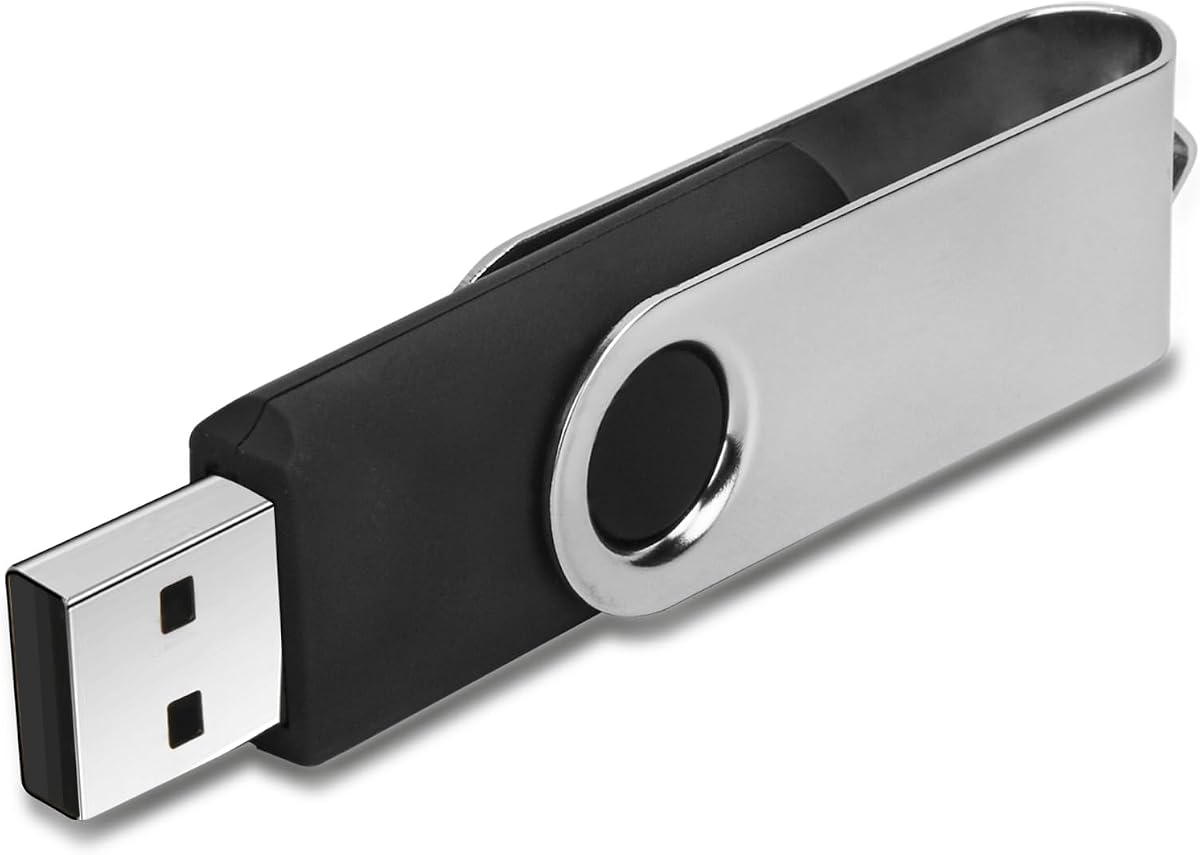
Swivel Design 16GB USB Flash Drive
4.6Editor score
Swivel cap protects connector
FAT32 format ready to use
Keychain design for portability
Discover the top FAT32 USB Flash Drive options for seamless compatibility across devices. This guide compares speed, durability, and features to help you
Finding the right FAT32 USB Flash Drive is essential for anyone needing reliable storage that works across multiple systems. These drives ensure seamless compatibility with older devices and modern computers alike. Choosing the correct model guarantees your data transfers smoothly without formatting issues.
We evaluated ten top-rated models based on speed, build quality, and real-world performance metrics. Our comparison focuses on drives that maintain FAT32 formatting out of the box. This approach saves you time and ensures plug-and-play functionality right from the start.
Each selection below highlights unique strengths like swivel caps or USB-C adapters for versatile connectivity. Readers will find detailed insights on capacity, transfer rates, and warranty coverage. Please note that prices and availability may change frequently on retailer platforms.
4.6Editor score

4.5Editor score

4.7Editor score
This side-by-side comparison details the key specifications and features of each selected drive to help you make an informed decision for your specific storage needs.




This drive stands out as a top choice for users needing high speed and modern connectivity. It arrives pre-formatted in FAT32 ensuring immediate use across diverse systems without extra steps.
We may earn a commission when you buy through this link, at no additional cost to you.
The combination of USB 3.0 and an included C adapter makes it incredibly versatile for laptops and phones. The metal body helps dissipate heat during large file transfers ensuring consistent performance.
While the adapter is compact it requires careful storage to avoid loss. The keychain helps keep both components together making it practical for daily carry.
Ideal for professionals and students who need reliable transfer speeds. Its durability and speed make it a strong recommendation for anyone upgrading from older USB 2.0 drives.
The inclusion of both USB-A and USB-C connections ensures you can connect to almost any device without needing separate dongles.
The textured metal design not only looks professional but also aids in heat dissipation which is crucial for maintaining speed during heavy use.
We may earn a commission when you buy through this link, at no additional cost to you.
This model is a solid option for users who prioritize wide compatibility over raw transfer speeds. It is ready to use with FAT32 format which works well with older electronics.
We may earn a commission when you buy through this link, at no additional cost to you.
The LED indicator provides visual feedback during data transfers which helps users track progress easily. The simple plastic design keeps the weight down making it ideal for attaching to keychains.
Transfer speeds are limited by USB 2.0 standards which might be slow for large video files. However for documents and photos it performs adequately for basic storage needs.
Best suited for office environments or older cars with USB ports. Its simplicity and broad support make it a reliable choice for casual data storage tasks.
The red LED light illuminates during active data transfer providing immediate confirmation that the drive is functioning correctly.
The top cap design protects the interface from oxidation ensuring long-term reliability even with frequent plugging and unplugging.
We may earn a commission when you buy through this link, at no additional cost to you.
This affordable drive delivers excellent value for basic storage tasks without compromising on essential features. The metal swivel cap protects the connector effectively ensuring long-term durability.
We may earn a commission when you buy through this link, at no additional cost to you.
Its compact form factor makes it easy to attach to a keychain so you never leave it behind. The FAT32 format is ready to use out of the box saving setup time.
While 16GB is smaller than modern options it suffices for documents and media playlists. The metal construction feels sturdy despite the low price point.
Perfect for students or casual users needing a reliable backup tool. The swivel design eliminates the risk of losing caps making it a practical everyday carry option.
The rotating metal cover protects the USB connector securely removing the need for a separate cap that can easily be lost.
An integrated keychain design ensures you can attach the drive to your keys or bag for instant access when needed.
We may earn a commission when you buy through this link, at no additional cost to you.
This drive offers a generous 32GB capacity at a competitive price point making it great for general storage. The red LED indicator lights up during data transfer providing visual confirmation.
We may earn a commission when you buy through this link, at no additional cost to you.
The design includes a hang rope slot which allows easy attachment to lanyards or keychains. It is lightweight and easy to carry around for daily file transfers.
Built from plastic it is durable enough for everyday use but lacks metal cooling. The USB 2.0 speed is adequate for documents but not large media files.
Ideal for budget-conscious buyers needing reliable storage for work files. Its simplicity and capacity make it a strong contender for basic organizational needs.
The red LED light signals when data is being read or written helping users avoid removing the drive too early.
With 32GB of space this drive offers excellent value for users needing to store multiple documents and photos.
We may earn a commission when you buy through this link, at no additional cost to you.
Getting two drives in one package makes this an excellent deal for families or offices. The color coding helps distinguish between different types of data or users easily.
We may earn a commission when you buy through this link, at no additional cost to you.
The rotating metal clip protects the USB port and allows for flexible attachment points. An LED indicator provides visual status updates during file transfers ensuring safety.
USB 2.0 speeds are standard for this price range and sufficient for most documents. The warranty offers peace of mind for buyers concerned about durability.
Perfect for shared environments or as backup drives for multiple computers. The two-pack structure ensures you always have a spare available for emergencies.
The distinct black and blue colors help you organize data by type or user without needing to check files manually.
The clip rotates 360 degrees protecting the port while allowing secure attachment to backpacks or folders.
We may earn a commission when you buy through this link, at no additional cost to you.
This model is designed for users with limited port space needing a compact drive. It features a small metal body that does not block adjacent ports on laptops.
We may earn a commission when you buy through this link, at no additional cost to you.
The read speed reaches up to 85MB/s which is significantly faster than USB 2.0 models. Included lanyards help secure the tiny adapter to the drive to prevent loss.
The size is so small it may be easily misplaced without the lanyard. The USB-C adapter performance depends on the device compatibility you use.
Great for users with modern thin laptops who need speed without bulk. Its compact nature makes it perfect for travel and everyday carry bags.
The small profile ensures that the drive does not block other ports when plugged in allowing full access to side connections.
USB 3.0 technology provides faster read speeds enabling quick access to files for efficient workflow.
We may earn a commission when you buy through this link, at no additional cost to you.
This drive features a unique clip design that makes attaching it to bags or lanyards very secure. The USB 3.1 technology ensures fast read speeds suitable for video transfer.
We may earn a commission when you buy through this link, at no additional cost to you.
The included adapter supports USB-C devices broadening the compatibility with modern smartphones and laptops. The build quality reflects years of manufacturing experience from the brand.
Performance on the adapter side depends on the host device specifications which can vary. However the main drive delivers consistent speed for reliable data access.
Best for professionals needing a secure clip and fast data access. The versatility makes it a great choice for tech-savvy users with mixed devices.
The sturdy clip design keeps the drive firmly attached to your gear preventing accidental loss during travel.
USB 3.1 Gen 1 technology provides improved transfer rates compared to older USB 2.0 standards.
We may earn a commission when you buy through this link, at no additional cost to you.
This drive offers a massive 128GB capacity for storing large media libraries and files. The read speed reaches up to 150MB/s making it one of the fastest available.
We may earn a commission when you buy through this link, at no additional cost to you.
The durable metal casing protects the drive from physical damage and heat effectively. Built-in password protection software secures private files from unauthorized access.
At 128GB it is significantly larger than standard options but costs more accordingly. Users needing high speed and capacity will find this drive worth the investment.
Perfect for power users who store movies or large datasets. The combination of speed and security makes it a top tier choice for professionals.
The large capacity allows you to store full-length movies and large photo albums on a single device.
Password protection software encrypts private files adding a necessary layer of data security.
We may earn a commission when you buy through this link, at no additional cost to you.
This pack offers three drives with a sleek retractable design that keeps the connector safe. The push-button mechanism makes it easy to extend and retract without caps.
We may earn a commission when you buy through this link, at no additional cost to you.
DataShield technology allows you to create a password-protected safe on the drive for secure file storage. The lightweight design makes it easy to carry multiple units in a bag.
The USB 3.2 Gen 1 interface provides fast transfer speeds for daily use. With three drives available you can distribute data across different devices or users easily.
Ideal for schools or teams needing multiple storage options. The retractable design ensures the drive remains durable without a cap to break or lose.
The push-button retractor protects the connector from damage eliminating the need for a separate cap.
DataShield creates a secure password-protected area on the drive for your most sensitive files.
We may earn a commission when you buy through this link, at no additional cost to you.
This drive from SanDisk is known for reliability and performance with a strong five-year warranty. It offers fast read speeds of up to 100MB/s for quick file access.
We may earn a commission when you buy through this link, at no additional cost to you.
SecureAccess software allows you to protect private files with password protection and encryption. The USB 3.0 interface ensures compatibility with older and newer devices.
While the design is classic it performs exceptionally well for data transfer tasks. The warranty coverage provides long-term peace of mind for any buyer.
Perfect for anyone prioritizing brand trust and warranty support. It remains a top choice for professional storage needs requiring consistent performance.
A five-year limited warranty provides exceptional coverage for your investment ensuring long-term reliability.
SanDisk is a recognized leader in storage solutions offering reliable performance for daily tasks.
We may earn a commission when you buy through this link, at no additional cost to you.
Selecting the right drive involves understanding key specifications like speed capacity and compatibility features for your workflow.
USB 3.0 and higher interfaces offer significantly faster transfer speeds than USB 2.0 which is crucial for large media files. Check the max read and write speeds to ensure the drive matches your workflow requirements.
Prioritize USB 3.0 or 3.1 interfaces for efficiency and reduced waiting times during transfers.
Capacity needs vary based on file types with 16GB suitable for documents and 32GB or more needed for video. Higher capacities allow more storage but may come at a higher cost per drive.
Choose a capacity that balances your immediate storage needs with budget constraints effectively.
FAT32 format is essential for compatibility with older devices like car stereos and game consoles. Ensure the drive ships pre-formatted to avoid unnecessary setup steps.
Verify that the drive supports FAT32 out of the box to save setup time.
Metal bodies dissipate heat better during transfers and resist physical damage compared to plastic options. Look for durable materials that ensure the drive lasts longer in daily use.
Opt for metal construction to enhance durability and thermal performance.
Swivel caps or retractable designs protect the USB connector from dust and physical impact over time. These features eliminate the need for loose caps that can get lost easily.
Choose designs with built-in protection to maintain connector integrity.
Features like USB-C adapters or LED indicators add versatility and visual feedback during use. These extras improve usability especially for modern devices and data tracking.
Look for adapters and indicators if you need modern connectivity or transfer visibility.
A longer warranty period like five years indicates manufacturer confidence and provides long-term support for users. Check the terms to understand what issues are covered under the warranty.
Prioritize drives with extended warranties for peace of mind on your investment.
Software like SecureAccess or DataShield allows you to password protect files and prevent unauthorized access. These tools are vital if you store sensitive data on the drive.
Select drives with built-in security features if data privacy is a priority.
To use your drive simply plug it into a USB port and wait for the system to recognize it. You can then copy files to and from the drive using your file explorer.
Before unplugging the drive always use the safely eject option to prevent data corruption. This ensures all pending transfers are completed before removal.
Keep your drive away from heat and moisture and store it in a protective case when not in use. Regularly check for errors to maintain optimal performance and data safety.
No FAT32 has a file size limit of 4GB so larger files must be split. If you need to store larger files consider using exFAT formatting instead.
You can format a drive using the built-in Disk Utility on Mac or Disk Management on Windows. Select FAT32 as the file system and start the process.
Not all drives include an adapter so check the product description carefully. Many modern drives like those in this guide come with adapters included for convenience.
Yes FAT32 is fully compatible with Macs and Windows systems making it ideal for sharing files across platforms. It is a standard format recognized by most operating systems.
USB 3.0 offers faster speeds reducing wait times during data transfers significantly. This makes it a better choice for transferring large files or working with media.
Many drives have LED lights that blink during data transfer to show activity. You can also check the drive letter in your file explorer to confirm connection.
Yes most modern TVs support FAT32 drives for media playback without issues. This compatibility is why FAT32 remains popular for multimedia storage solutions.
Most drives can handle hundreds of thousands of write cycles which is many years for typical use. Proper handling and avoiding extreme temperatures help maximize lifespan.
Our top picks offer a range of options from high-speed USB 3.0 drives to budget-friendly models with essential features. Each drive selected provides reliable FAT32 compatibility for seamless use across devices.
When choosing prioritize speed if you work with large files or capacity if you need to store more data. The build quality and warranty should also influence your final decision.
Remember to check current prices and availability as these factors may change. We hope this guide helps you find the perfect storage solution for your needs.