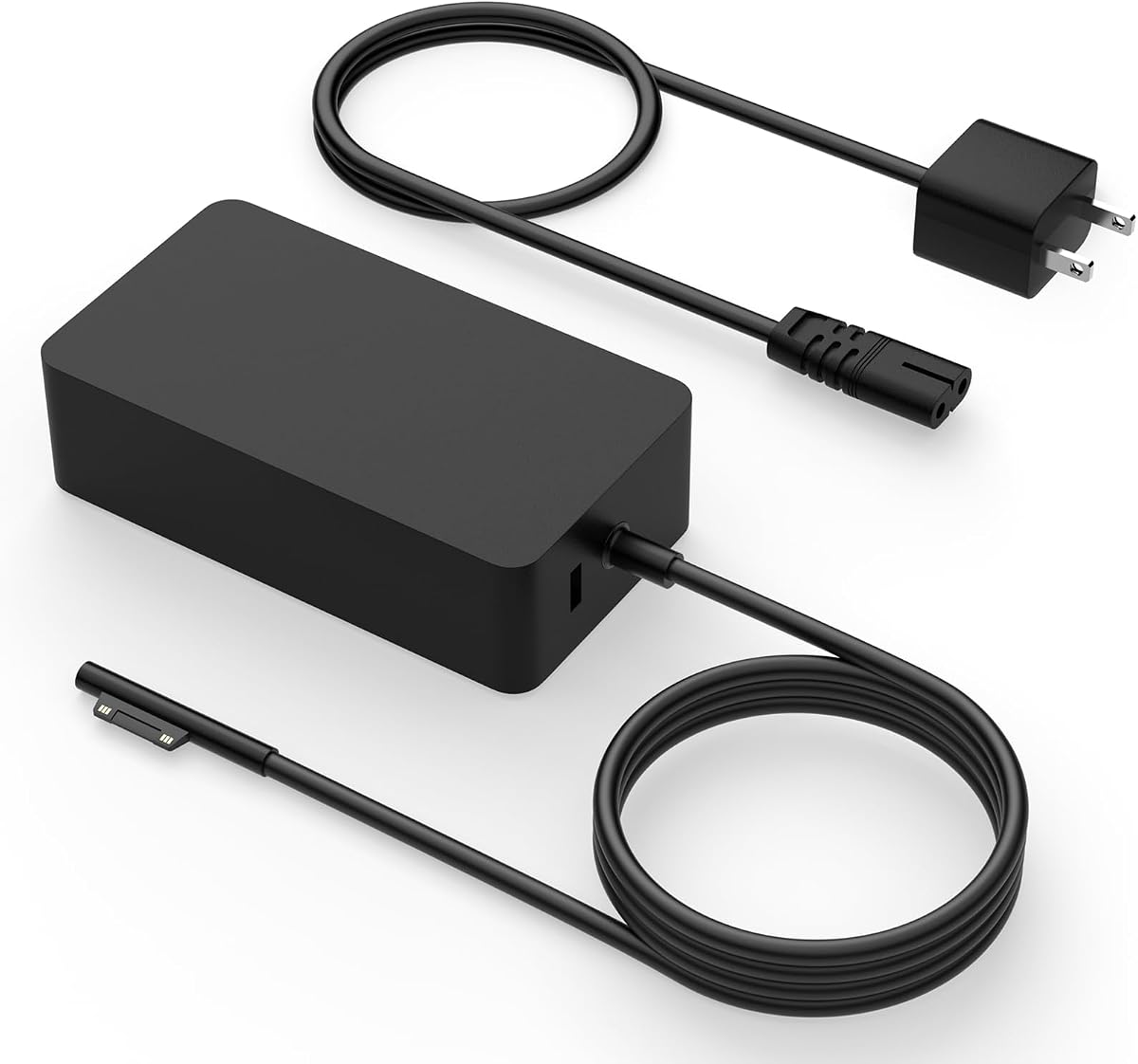
Replacement for Surface Pro Charger 65w
4.6Editor score
Affordable price point
Dual port charging
Broad device support
This guide compares the top 65W Microsoft Surface Pro Charger Replacement options for 2026, evaluating compatibility, safety features, and performance.
Finding the right power adapter for your tablet is crucial for maintaining performance and battery health. A high quality charger ensures stable voltage delivery and prevents overheating during extended use.
We analyzed ten highly rated replacement chargers based on user feedback, technical specifications, and safety certifications. Our goal is to help you find a reliable power source that fits your device perfectly.
Each selection highlights key features like cable length and connector type to guide your decision. Prices may fluctuate so check current listings before finalizing your purchase online.
4.6Editor score

4.5Editor score

4.4Editor score
Below you will find a detailed side by side comparison of all ten selected chargers. This table helps you quickly identify the best fit for your specific Surface device model.


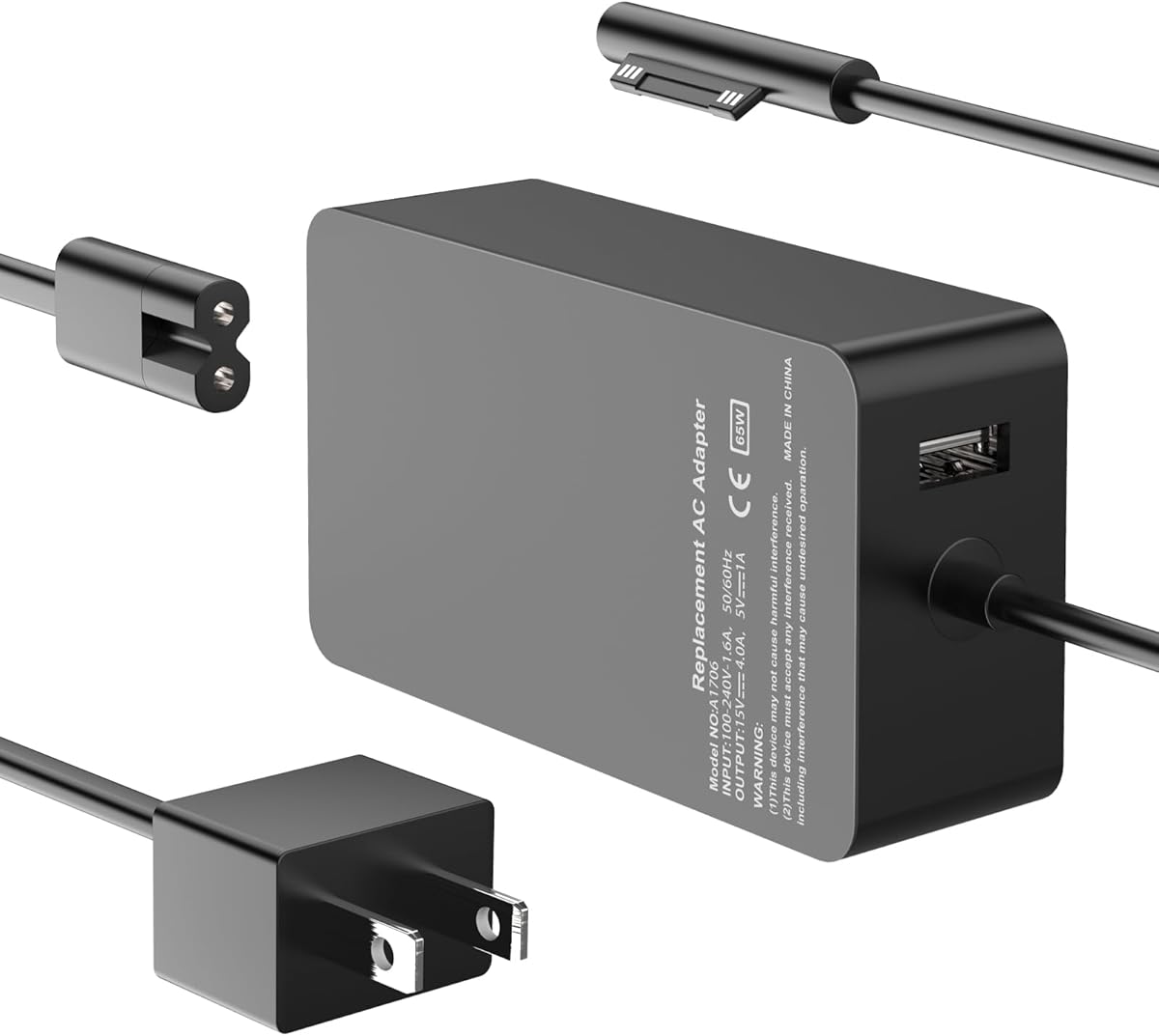


This top rated adapter offers full 65W output for rapid charging. It supports Pro 8 to Pro 11 plus laptops. The magnetic plug and LED light are standout features.
We may earn a commission when you buy through this link, at no additional cost to you.
It charges Pro 8 in 1.5 hours. The 10FT cord lets you work far from the wall. Built in safeguards protect against overheating and short circuits.
Some users note the price is higher than basic options. The cord is fixed which limits modularity. But speed and safety make these trade-offs acceptable.
Buy this for reliable daily power. It suits office and home use best. Check current listings to ensure the best deal.
The 65W output delivers rapid charging speed for your device. You can get a full charge in just 1.5 hours.
Built-in safeguards protect against overcharging and overheating risks. This ensures long battery life and safe operation.
We may earn a commission when you buy through this link, at no additional cost to you.
This charger is an affordable choice for budget conscious buyers. It supports a wide range of Surface models and includes a USB port. The high efficiency rate is a key benefit.
We may earn a commission when you buy through this link, at no additional cost to you.
It charges laptops within 2 hours. The USB port allows syncing phone charge. Built-in IC chips prevent overloads. It is a practical value solution.
The build feels basic compared to premium units. The cord is shorter than the 10FT options. But it works well for home use.
Pick this for cost effective charging. Ideal for students or secondary setups. Ensure your model matches the compatibility list.
The included USB port lets you charge a phone simultaneously. This saves an outlet while powering your main device.
With 96% efficiency this charger wastes minimal power. This means faster charging and less heat generation.
We may earn a commission when you buy through this link, at no additional cost to you.
This unit stands out with its extended warranty and premium build. It offers reliable charging for Surface Pro and Laptop models. The white LED is a nice touch.
We may earn a commission when you buy through this link, at no additional cost to you.
It provides excellent power output. The 10FT cable ensures flexible placement. Advanced safeguards protect the device battery from damage during use.
The price is higher than average. The adapter weight is noticeable for travel. But the build quality justifies the cost.
Choose this for a professional setup. It suits power users needing reliability. Check if the warranty applies in your region.
An 18-month warranty provides long term peace of mind. It covers defects that may arise during normal use.
The white LED indicator clearly shows charging status. You can see at a glance if power is flowing.
We may earn a commission when you buy through this link, at no additional cost to you.
This adapter balances cost and features effectively. It supports multiple models and includes a USB port. The safety measures ensure reliable daily operation for your device.
We may earn a commission when you buy through this link, at no additional cost to you.
The output matches original specs well. It protects against overvoltage issues. The 10FT cable offers flexibility for workspaces.
The connector is standard rather than magnetic. The cord adds some weight to a bag. But overall performance remains solid.
Get this for stable daily power. It is suitable for home or office. Verify model number before buying.
Built-in safeguards protect against overvoltage and overcurrent. This prevents damage to your device battery.
Designed to provide fast charging without energy waste. You save time waiting for your device to power up.
We may earn a commission when you buy through this link, at no additional cost to you.
This charger supports many models and provides rapid charging. The USB port allows charging a phone alongside your laptop. It is a practical option for busy days.
We may earn a commission when you buy through this link, at no additional cost to you.
The charging speed is reliable. It supports models like Pro 11 down to 3. The adapter is compact enough for travel use.
The cable length is standard not extra long. The housing is basic plastic. But functionality remains high for the price.
Buy this for quick power boosts. It suits travel and daily work. Check compatibility details before purchasing.
The compact design fits easily in a laptop bag. It provides fast power on the go.
The USB port charges phones without extra bricks. This simplifies your power setup.
We may earn a commission when you buy through this link, at no additional cost to you.
This charger features a magnetic connector that makes attachment easy. It supports Surface Pro and Laptop models well. The thermal protection adds peace of mind.
We may earn a commission when you buy through this link, at no additional cost to you.
The magnetic plug snaps into place safely. It supports high efficiency charging. The compact design fits well in cases.
The cord is 8.8ft not 10FT. It is not detachable. But the magnetic feature is a great usability boost.
Pick this for ease of use. It is good for bedside and desk setups. Contact service if any issues arise.
The magnetic plug connects without precise aiming. This reduces wear on the device port.
Automatic thermal cut-off prevents overheating risks. This keeps your device safe during charging.
We may earn a commission when you buy through this link, at no additional cost to you.
This charger covers a wide range of Surface models. It supports Pro 7 and Pro 6 and 3. The cable is a decent length for most needs.
We may earn a commission when you buy through this link, at no additional cost to you.
It provides reliable charging power. The cord reaches across desks. It fits well in most home settings.
It lacks an LED indicator. The connector is standard. But performance remains consistent and dependable.
Buy this for reliable mid-range power. It is a solid choice for replacements. Check model compatibility before ordering.
This charger supports multiple Pro models from 3 to 11. One unit can replace older adapters.
The 8.8ft cord offers good reach. It allows you to use devices away from walls.
We may earn a commission when you buy through this link, at no additional cost to you.
This charger supports Book and Pro models effectively. It includes a USB port for extra devices. The safety features protect against overloads.
We may earn a commission when you buy through this link, at no additional cost to you.
It offers fast charging. The cord is long. It ensures reliable charging for devices.
It looks basic but works well. The cord can be heavy. Performance remains solid overall.
Choose this for Book users. It fits daily work setups. Verify support before purchasing.
The USB port charges phones or other devices. It saves an outlet while charging your main device.
Automatic overload and short circuit protection keeps devices safe. It prevents damage from electrical issues.
We may earn a commission when you buy through this link, at no additional cost to you.
This charger balances performance with safety features. It supports a wide range of models. The USB port is a useful addition.
We may earn a commission when you buy through this link, at no additional cost to you.
It provides stable charging. Safeguards prevent overheating. The customer service is responsive.
The cord is standard. The build is basic. But performance remains solid.
Buy this for balanced daily use. It suits home and office setups. Check current details before buying.
Top notch after-sales support is available. Reach out if you encounter any issues.
Built-in safeguards protect against overcharging and overheating. This extends battery life.
We may earn a commission when you buy through this link, at no additional cost to you.
This charger offers high-speed charging for Surface Pro. It uses copper wire for conductivity. The magnetic tip simplifies connection.
We may earn a commission when you buy through this link, at no additional cost to you.
It charges to 50% in 30 mins. The 10FT cable provides reach. The system monitors temperature.
No USB port is a missing feature. The unit has some weight. But reliability remains strong.
Pick this for power on the go. It suits travel and office. Check your model compatibility before buying.
Thicker copper wire supports high wattage. This reduces voltage drop and heat.
Built-in cooling manages temperature. This extends device lifespan and prevents overheating.
We may earn a commission when you buy through this link, at no additional cost to you.
Choosing the right charger involves considering compatibility, safety, and features. This guide helps you identify the best option for your device.
Ensure the charger lists your specific model number. Surface devices require specific voltage and current. Check for Pro 11 and Pro 10 and Laptop models.
Verify the connector type matches your device. Incompatible chargers can cause errors.
Look for 65W output for Pro models. Lower wattage may charge slowly. Check if the charger supports 44W modes.
Higher output ensures stable power. It prevents throttling during use.
Choose chargers with overload and short circuit protection. Safety safeguards prevent overheating. Look for IC chip technology.
These features extend battery life. They prevent risks to your device.
Measure the distance to your outlet. Longer cables like 10FT provide flexibility. Shorter cords suit travel bags.
Extra reach reduces clutter. It allows work away from the wall.
Magnetic tips prevent accidental disconnection. They reduce port wear. Check if the connector is sensitive.
This feature improves usability. It simplifies daily connection.
USB ports allow charging phones. This saves outlets. Check if the port is 5V or higher.
Dual charging simplifies your setup. It reduces cable clutter.
Look for at least a 12-month warranty. This covers defects. Some options offer 18 months.
A longer warranty indicates confidence. It protects your investment.
Compare prices across brands. Budget options work well but may lack features. Premium units offer longer warranties.
Value depends on your needs. Check current deals before buying.
Plug the adapter into a grounded wall outlet. Connect the magnetic tip to your device port. Ensure a firm connection before use.
Keep the charger on hard surfaces to prevent overheating. Avoid placing it on soft materials like blankets. This ensures proper ventilation.
Store the cable loosely coiled to prevent internal wire damage. Avoid wrapping it tightly around the adapter. Check for wear on the cord.
You can use a 44W charger for charging but it will be slower. For fastest charging use 65W. Check if your device supports lower watts.
Most of the selected chargers include a 5V USB port. This allows you to charge a phone while your device is connected. Check the product details.
Yes they have built-in safeguards against overcharging. They protect against overheating. Ensure you use them on hard surfaces for safety.
Most of these chargers have fixed cables. They are not detachable for separate storage. The cable is molded to the block.
Yes most chargers work with Surface Laptop models. Check the compatibility list for your specific version. They cover Laptop 7 down to 1.
If the magnet weakens the connector may fall. You can replace the adapter to avoid risks. Check reviews for connector durability.
Many chargers in this list support Pro X. Always verify the product description before purchasing. It is listed for Pro X.
Check the product description for your model number. It should list 11 to 3. Match the connector style for compatibility.
We reviewed ten top chargers offering speed and safety. The Editor's Choice stands out with its long cable and LED light. The Budget pick is great for secondary setups.
Prioritize models that match your device exactly. Check for safety features and cable length. A quality charger protects your device's battery.
Prices change so review current listings before buying. You can find reliable options in different tiers. Ensure your model fits the compatibility list.