
WALI Computer Monitor Stand for Desk
4.7Editor score
Large 44 lbs capacity
Under-stand storage space
Ventilated cooling platform
A good laptop riser elevates your screen to eye level, reducing neck strain and improving posture during long work sessions. It also promotes airflow to keep your device cool while you type or stream content throughout the day.
We evaluated ten top-rated laptop stands based on stability, adjustability, material quality, and compatibility with various device sizes. Each model was assessed for its ability to support heavy laptops while remaining portable and easy to set up on any desk.
Each pick below highlights specific strengths like rotation, folding, or heavy-duty support. Prices and availability change frequently, so check the current listings before buying to ensure you get the best deal for your workspace needs.
4.7Editor score

4.8Editor score
4.7Editor score
As an Amazon Associate we earn from qualifying purchases.
Here is a side-by-side comparison of the top ten laptop risers available today. Each entry includes key specifications and links to view detailed product information and current availability on Amazon.






The BESIGN LS03 Aluminum Laptop Stand ranks first due to its perfect balance of stability and ergonomics. With a rating of 4.8 stars, users praise how it lifts their devices to eye level effectively.
We may earn a commission when you buy through this link, at no additional cost to you.
Its premium aluminum alloy build supports up to 8.8 pounds without any wobble. The open design ensures your laptop stays cool during intensive tasks like gaming or video rendering.
While it lacks height adjustment, the fixed 6-inch elevation suits most users. The detachable design makes it simple to assemble or store away when not in use.
This stand is ideal for anyone seeking a reliable, no-fuss solution for daily desk work. It transforms your laptop into a healthier workstation with minimal effort.
Raising your screen to eye level reduces neck strain and encourages better posture throughout your workday.
The open aluminum structure allows air to flow freely around your device, preventing overheating during long sessions.
We may earn a commission when you buy through this link, at no additional cost to you.
This Lamicall stand is designed to accommodate a wide range of devices, including massive 17.3-inch gaming laptops. Its adjustable nature allows users to find the perfect angle for their specific needs.
We may earn a commission when you buy through this link, at no additional cost to you.
The upgraded large base provides exceptional stability, preventing any sliding or shaking when typing. The multiple ventilation holes ensure your device stays cool during extended use.
However, the larger base adds weight, making it slightly less portable than ultra-light options. The lack of rotation means you cannot easily share your screen with others nearby.
Choose this if you own a larger laptop or need adjustable angles for different sitting positions. It is a robust choice for both home and office environments.
This stand works with nearly any laptop size, from small 10-inch netbooks to large 17.3-inch gaming machines.
Adjust the height and tilt to match your seating position, ensuring your screen is always at eye level.
We may earn a commission when you buy through this link, at no additional cost to you.
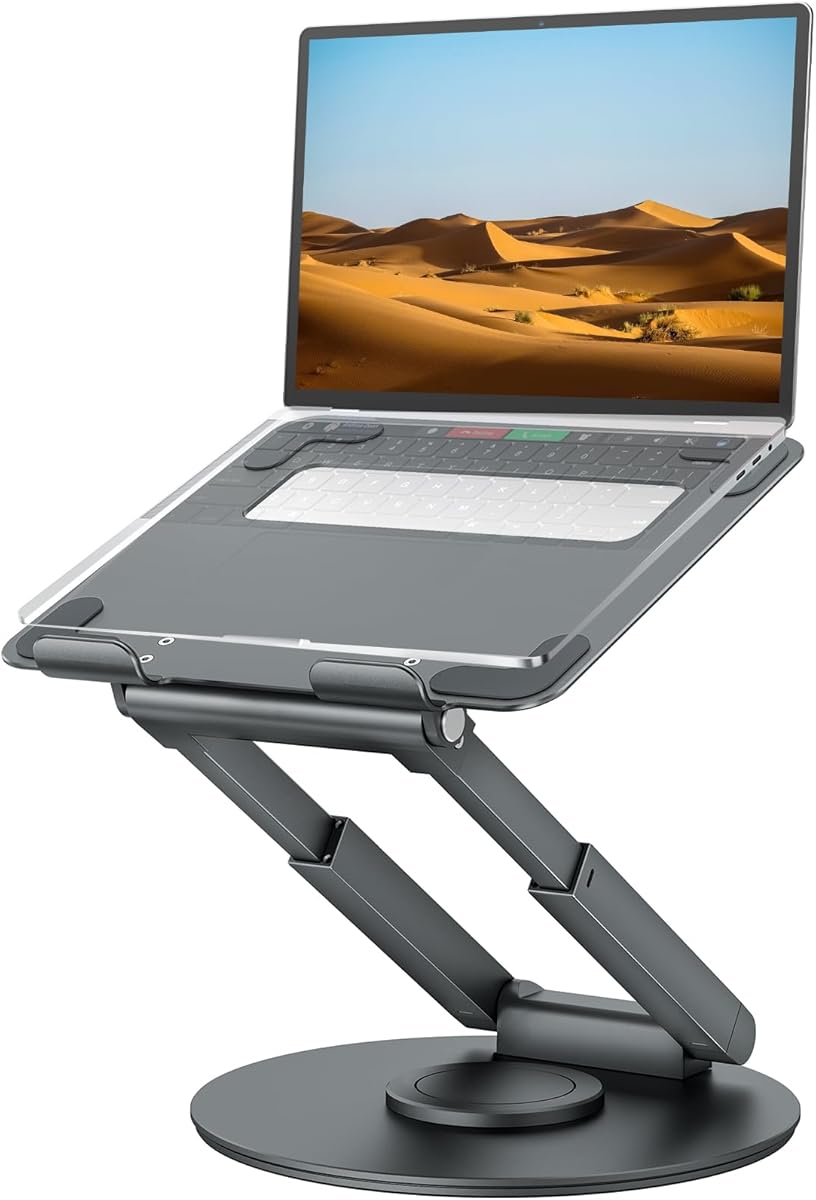
The LOXP stand features a unique rotating base that lets you swivel your laptop 360 degrees. This is perfect for quick collaborations or changing viewing angles on the fly.
We may earn a commission when you buy through this link, at no additional cost to you.
Made from one-piece fiber metal, it offers enhanced durability compared to standard aluminum stands. The non-slip silicone pads keep your device secure even when the base is rotating.
While the rotation is smooth, users should handle it gently to maintain stability. It folds flat for travel, making it a versatile option for those who move between workspaces.
This model is great for collaborative workspaces or dual monitor setups. The rotation adds a layer of flexibility that static stands cannot match.
The rotating base makes it easy to share your screen with colleagues or clients without moving your entire desk.
The fiber metal material provides a sturdier feel than typical aluminum, ensuring longevity and stability.
We may earn a commission when you buy through this link, at no additional cost to you.
Nulaxy stands out with its dual-rod stability mechanism, supporting up to 22 pounds without wobbling. This is crucial for heavier laptops or dual-screen setups.
We may earn a commission when you buy through this link, at no additional cost to you.
The advanced geometric heat-vent design on the upper panel ensures superior airflow compared to solid stands. It protects your device from thermal throttling during intensive tasks.
While it handles heavy loads well, the dual-foldable design adds some bulk when folded. It is less compact than single-hinge models but still portable enough for travel.
Choose this if you use a heavy laptop or need a robust stand for daily professional use. It balances durability with excellent cooling capabilities.
The dual-rod structure distributes weight evenly, ensuring a stable typing experience even with very heavy laptops.
Unique venting prevents overheating, keeping your laptop running efficiently during long work or gaming sessions.
We may earn a commission when you buy through this link, at no additional cost to you.
Amazon Basics offers a sturdy stand with up to 7 inches of height adjustment. This flexibility allows you to tailor the view to your specific sitting position.
We may earn a commission when you buy through this link, at no additional cost to you.
Crafted from lightweight, rust-resistant aluminum, it is easy to move and store. The open hollow design promotes airflow to keep your device cool during intensive tasks.
While it is reliable, it supports up to 11 pounds, which is less than the Nulaxy. It may not be ideal for very heavy gaming laptops but works well for most.
This is a solid choice for general users who need adjustable height and brand trust. It fits most standard laptops and folds flat for easy storage.
Adjust the stand to your preferred viewing angle, reducing neck strain and improving overall ergonomics.
As a trusted brand, Amazon Basics delivers consistent quality and a simple design that fits any office aesthetic.
We may earn a commission when you buy through this link, at no additional cost to you.
The WALI stand offers incredible value with a massive 44-pound capacity. It is built for heavy monitors and devices that other stands simply cannot support.
We may earn a commission when you buy through this link, at no additional cost to you.
Its large platform provides ample space for printers or large screens, while the under-stand storage helps reduce desktop clutter. It is a great space-saver.
Though it lacks portability due to its size, the price and stability are hard to beat. It works well for fixed home offices where moving is not required.
Choose this if you need a heavy-duty platform without spending much. It is perfect for stationary setups needing extra storage below the screen.
Supporting up to 44 pounds, this stand is ideal for heavy monitors, printers, or large gaming laptops.
The open space beneath the shelf allows you to tuck away keyboards, notebooks, or accessories to keep your desk clean.
We may earn a commission when you buy through this link, at no additional cost to you.
This Lamicall model adds unique versatility by doubling as a projector mount. The 360-degree base makes it easy to share screens with clients or classmates instantly.
We may earn a commission when you buy through this link, at no additional cost to you.
The large heavy base ensures zero shaking during typing, even when the stand is rotated. It is designed for professional environments where presentation matters.
While the price is higher, the extra features justify the cost for frequent presenters. It folds flat for travel, making it a complete solution for business users.
Choose this if you often present on laptops or need a dual-purpose stand. It offers unique flexibility for team work and collaborative sessions.
The 360-degree rotation allows you to turn the screen toward others without lifting your device manually.
Beyond laptops, this sturdy stand can serve as a secure mount for small projectors or tablets.
We may earn a commission when you buy through this link, at no additional cost to you.
Weighing only 0.49 pounds, this is the lightest option available. It folds into a tiny size that fits easily in any backpack or laptop sleeve.
We may earn a commission when you buy through this link, at no additional cost to you.
The six-level height adjustment provides a decent range of motion. The forward-tilt angle promotes airflow, keeping your device cool during operation.
Due to its light weight, it may wobble slightly when typing vigorously. It is best for viewing or light typing rather than heavy use.
Choose this if you travel constantly and need a minimal footprint. It is an affordable option for students or digital nomads on the go.
Its ultra-lightweight design means you can carry it everywhere without adding noticeable weight to your bag.
The simple slot-in design ensures you can set up and start working in seconds anywhere you sit.
We may earn a commission when you buy through this link, at no additional cost to you.
This stand features a sturdy metal build that supports up to 17.6 pounds. It offers a balance of durability and portability with a simple folding mechanism.
We may earn a commission when you buy through this link, at no additional cost to you.
Multiple ventilation holes on top ensure your laptop does not overheat. The smooth edges prevent any accidental cuts, and the anti-skid pads keep it secure.
While it is reliable, it lacks the advanced adjustability of other models. It is a straightforward solution for those who prefer a classic metal stand.
Choose this for a no-fuss metal option that handles daily use well. It fits most standard laptops and stores easily when not in use.
The sturdy metal frame ensures the stand lasts longer and remains stable under typical laptop weights.
Smooth edges and anti-skid pads protect both your hands and your device from damage or sliding.
We may earn a commission when you buy through this link, at no additional cost to you.
This premium stand promotes healthy sit-to-stand working by allowing you to switch between sitting and standing with a button. It supports up to 21 inches of height.
We may earn a commission when you buy through this link, at no additional cost to you.
The 360-degree swivel base lets you rotate your screen for face-to-face chats easily. Two pivot joints make it stronger than single joint stands, ensuring stability.
Its higher price reflects its advanced ergonomic features. While complex, it offers health benefits that static stands cannot match, making it worth the investment.
Choose this if health and posture are your top priorities. It is the ultimate solution for those seeking an active and ergonomic workspace.
Switch between sitting and standing easily to relieve muscle tension and increase productivity throughout the day.
With a wide height range and rotation, this stand adapts to nearly any user and any sitting position.
We may earn a commission when you buy through this link, at no additional cost to you.
Choosing the right laptop riser depends on your specific workspace needs and device size. This guide covers key factors to consider before making a purchase.
Ensure the stand supports your laptop's width and weight. Check the maximum width and weight capacity to avoid instability.
Match the stand size to your laptop dimensions to ensure a perfect fit.
Look for sturdy materials like aluminum alloy that offer stability and heat dissipation. Metal stands generally last longer than plastic ones.
Prioritize materials that keep your device cool and sturdy.
Fixed height stands are simpler but adjustable ones offer more ergonomic flexibility. Choose a range that aligns with your desk height.
Adjustable stands provide better posture support for different users.
If you travel often, choose a foldable stand that fits in a backpack. Lightweight models make it easier to carry without adding bulk.
Look for compact folding designs for easy transport.
Stands with open designs or ventilation holes help prevent overheating during long sessions. Good airflow is essential for maintaining laptop performance.
Choose stands with open designs to protect device longevity.
A stable base is crucial to prevent wobbling during typing. Look for non-slip pads and heavy bases for security.
Check for anti-slip features to ensure a secure typing experience.
Budget options work for basic needs, but premium stands offer advanced features like rotation. Decide on a price range based on your priorities.
Balance cost with the features you truly need.
Features like 360-degree rotation or dual-screen support add versatility. Consider these if you need to collaborate frequently.
Extra features add flexibility for specific work styles.
Place the stand on a flat, stable surface to prevent wobbling. Ensure your laptop sits securely on the pads before typing.
Clean the stand regularly with a dry cloth to remove dust and debris. Avoid using harsh chemicals that may damage the surface.
If foldable, collapse the stand when not in use to save space. Always store it in a dry place to maintain its integrity.
Yes, they improve ergonomics by elevating your screen to eye level. This reduces neck strain and promotes better posture during long work sessions.
Most high-quality stands have protective pads to prevent scratches. As long as you follow weight limits, they are safe for your laptop.
Open designs and ventilation holes significantly improve airflow around your device. This helps dissipate heat during intensive tasks.
Check the maximum width and weight capacity. Match the stand size to your laptop dimensions to ensure a perfect fit and stability.
Yes, many stands work well with external monitors. Place your laptop on the stand and connect it to your external screen.
Many models fold flat and are lightweight. Choose a compact design for easy carrying in your backpack or briefcase.
Aluminum alloys are top-tier for their balance of lightness and sturdiness. They offer excellent heat dissipation and longevity.
The BESIGN LS03, WALI Computer Monitor Stand, and tounee stand lead the list for their unique strengths. Each offers distinct benefits for different user needs and preferences.
Prioritize ergonomics and stability when selecting your perfect stand. Match the features to your daily work habits for maximum comfort.
Check current listings for the best deals and availability. Prices fluctuate, so review your options before making a final decision.