
Sonnet Breakaway Box 850 T5 Thunderbolt 5 USB4 eGPU Enclosure 850W Windows
4.5Editor score
80 Gbps bi-directional bandwidth
850W internal power supply
Triple wide GPU support
This guide compares the top ten Egpu Enclosures for laptops and handhelds, evaluating bandwidth, power support, and compatibility to help you choose the right
External GPU enclosures transform standard laptops into powerful desktop replacements by connecting discrete graphics cards via high-speed ports. These devices enable gamers and creators to access near-desktop performance without sacrificing portability or mobility during travel or remote work.
We analyzed ten leading Egpu Enclosures based on bandwidth capabilities, power supply wattage, cooling efficiency, and connectivity options. Our evaluation focuses on real-world usability, driver support, and the ability to handle demanding workloads like AI inference or high-resolution rendering tasks.
Each selection highlights specific strengths such as Thunderbolt 5 support, modular power options, or compact designs for handheld consoles. Please note that availability and pricing fluctuate frequently, so verify current stock and costs before making your final purchase decision today.
4.5Editor score

4.0Editor score

5.0Editor score
The following table provides a side-by-side overview of each enclosure's core specifications, helping you quickly identify which model aligns with your specific GPU size, power requirements, and connectivity needs.


The Razer Core X V2 stands out as a top-tier external GPU enclosure designed for users demanding maximum bandwidth and card size flexibility. It features Thunderbolt 5 connectivity providing up to 80 Gbps speeds which ensures minimal performance loss when connecting high-end desktop graphics cards to laptops or handheld devices.
We may earn a commission when you buy through this link, at no additional cost to you.
Its chassis accommodates GPUs up to four slots wide allowing you to install almost any current generation NVIDIA or AMD desktop card. The modular design lets you swap power supplies easily while the included thumbscrews make installation simple without needing tools. A built-in 120 mm fan ensures sustained performance under heavy loads by adjusting speed automatically.
While it offers exceptional performance and future-proof connectivity the enclosure does not include a power supply which adds to the initial setup cost. Additionally Mac users with M1 or later chipsets cannot use this device due to platform limitations. However for Windows and USB4 users it remains a powerful choice for desktop replacement setups.
If you need the fastest possible connection and room for large GPUs the Razer Core X V2 is the recommended pick. It transforms compatible laptops into creative and gaming powerhouses instantly while maintaining a clean setup when unplugged. We highly suggest checking GPU dimensions before purchase to ensure fit.
Thunderbolt 5 provides double the bandwidth of previous generations ensuring smooth gameplay and faster rendering times for professional workflows.
The tool-free install and support for ATX power supplies mean you can upgrade your GPU or PSU without replacing the entire enclosure.
We may earn a commission when you buy through this link, at no additional cost to you.
The Sonnet Breakaway Box 850 T5 is engineered for users who need robust power and extensive connectivity options alongside high-speed graphics performance. With an internal 850W power supply it can handle today's most power-hungry graphics cards without requiring external adapters or separate power bricks.
We may earn a commission when you buy through this link, at no additional cost to you.
It delivers 80 Gbps of bi-directional bandwidth ensuring that data transfer between your host and GPU remains fast and efficient. The enclosure also functions as a dock featuring multiple USB ports and an Ethernet connection reducing cable clutter on your desk. Its variable-speed fan provides quiet operation even under heavy loads.
While the price is higher than many competitors the included power supply and docking features add significant value. It supports triple-wide cards allowing room for future upgrades but is optimized primarily for Windows 11 systems. Users should verify their laptop's Thunderbolt certification for optimal performance.
For professionals and gamers needing maximum power and connectivity this model is an excellent investment. It accelerates AI-driven applications and creative workflows significantly while maintaining a stable connection. We recommend it for users who want an all-in-one solution without extra components.
The 850W supply ensures you can run top-tier GPUs without worrying about power constraints or needing to buy an external unit.
Additional ports allow you to connect peripherals directly to the enclosure simplifying your workspace and reducing laptop port usage.
We may earn a commission when you buy through this link, at no additional cost to you.
This complete eGPU kit offers an affordable entry point for users wanting to boost graphics performance without spending heavily on components. It includes an enclosure box external power supply Thunderbolt cable and carrying case making it ready to use right out of the box.
We may earn a commission when you buy through this link, at no additional cost to you.
The enclosure supports most standard-sized GPUs and features a lightweight anodized aluminum shell that protects your hardware while remaining portable. It provides 85W charging to your laptop allowing you to power your device and GPU simultaneously via one cable. This simplicity reduces desk clutter effectively.
While the power supply is sufficient for mid-range cards it may limit high-end GPU upgrades. The size restrictions also mean larger triple-slot cards will not fit. However for users with space constraints or needing a portable solution this kit is a practical and reliable option.
Ideal for students or travelers this enclosure balances cost and functionality well. It supports Windows and Linux systems and offers a straightforward setup process. We suggest checking your GPU dimensions to ensure compatibility before purchase.
Having the power supply and cable included saves time and money ensuring you have everything needed for immediate setup.
The compact build and included case make it easy to transport your graphics setup for work or gaming events.
We may earn a commission when you buy through this link, at no additional cost to you.
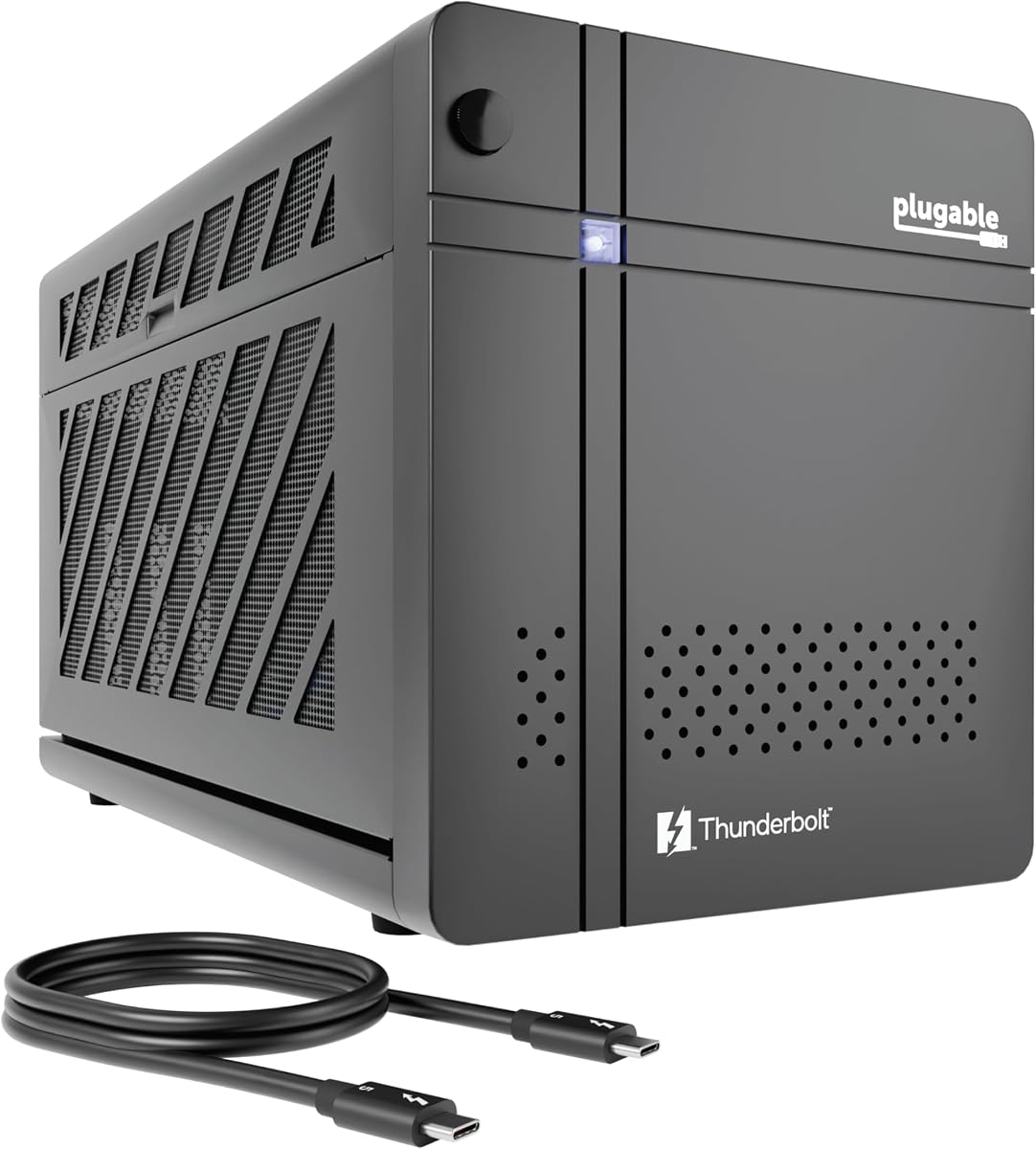
The Plugable Thunderbolt 5 AI enclosure is designed specifically for users running local AI models or needing secure offline processing. It features an 850W ATX 3.1 power supply and supports PCIe x16 slots allowing you to host powerful GPUs for inference tasks without cloud dependency.
We may earn a commission when you buy through this link, at no additional cost to you.
Its architecture ensures your sensitive data remains on your perimeter avoiding cloud risks or subscription fees. The enclosure supports multiple AI frameworks and includes high-speed ports for networking and storage. Lifetime support from the manufacturer adds confidence for enterprise or home office deployments.
This model is strictly compatible with Windows 11 and requires USB4 to support eGPU for full functionality. It does not work with macOS or Linux. However for those prioritizing AI development and privacy it offers unmatched control and performance stability.
If you are building a local AI rig or need secure GPU acceleration this enclosure is a specialized solution. We recommend checking OS compatibility carefully before purchasing to ensure it meets your specific technical requirements.
Run AI models offline keeping your data private and secure without relying on external servers or internet connections.
Lifetime technical support ensures you have expert help for any setup or connectivity issues throughout the product's life.
We may earn a commission when you buy through this link, at no additional cost to you.
This external GPU dock is tailored for users needing a compact solution that fits easily into a backpack or travel bag. It includes a 240W power supply and a custom carrying case making it ideal for on-the-go use with laptops or handheld gaming consoles.
We may earn a commission when you buy through this link, at no additional cost to you.
The enclosure supports GPUs up to 205mm in length which covers many mid-range cards. It features multiple Thunderbolt ports offering charging and display options simultaneously. The anodized aluminum shell provides premium protection while keeping the device lightweight.
Power is limited to 240W which may not suffice for the highest-end graphics cards. Additionally the size constraints restrict larger GPU installations. However for travelers or handheld users this dock offers a practical balance of performance and mobility.
We recommend this dock for those prioritizing portability and quick setup. It works well with NUCs and handhelds and ensures you can boost graphics performance anywhere. Check your GPU size against the supported dimensions before buying.
The included case and lightweight design make it easy to carry your graphics setup to different locations without hassle.
Multiple ports allow simultaneous charging and display output enhancing versatility for different usage scenarios.
We may earn a commission when you buy through this link, at no additional cost to you.
The ANQ-L336 Mini eGPU is specifically optimized for gaming handhelds like the ROG Ally X and MSI Claw 8. It uses Thunderbolt 3/4 or USB4 connections to deliver seamless performance for gaming and AI tasks on portable devices.
We may earn a commission when you buy through this link, at no additional cost to you.
It supports various power supply formats including DC ATX SFX and FLEX giving you flexibility in choosing power sources. The 85W PD charging enables turbo modes on handhelds directly through the dock. It also works with Windows Linux and macOS for broader compatibility.
Bandwidth is limited to 40Gbps which is sufficient for gaming but less than Thunderbolt 5 options. The power supply is not included so you will need to source one separately. However its focus on handheld optimization makes it a strong choice for portable users.
We suggest this model for handheld gamers wanting extra graphics power without sacrificing portability. It supports latest AMD GPUs and offers a practical upgrade path for mobile devices. Verify power supply requirements before purchase.
Designed specifically for portable consoles ensuring compatibility and performance for modern handheld gaming devices.
Multiple power supply options allow you to use existing adapters or choose the most convenient source for your setup.
We may earn a commission when you buy through this link, at no additional cost to you.
This enclosure is optimized for stability and future-proofing supporting a wide range of NVIDIA and AMD graphics cards. It uses an official Intel controller and ENIG PCB to ensure reliable conductivity and oxidation resistance for long-term use.
We may earn a commission when you buy through this link, at no additional cost to you.
It includes dual Thunderbolt ports allowing you to chain devices or charge your laptop while using the GPU. The design supports AI deep learning development including running LLM models on Apple Silicon via specific applications. This makes it unique for specialized technical work.
Power supply is not included so you will need to provide an ATX unit separately. While it does not support general gaming or rendering in some AI setups it offers niche value for developers. The single-cable solution keeps your workspace clean and efficient.
We recommend this enclosure for developers focusing on AI and machine learning workflows. It provides the necessary hardware stability and connectivity to run local models efficiently. Check your system requirements before purchasing.
High-grade PCB construction ensures long-term reliability and consistent data transfer without degradation over time.
Tailored features allow running advanced AI models locally providing privacy and efficiency for research and development.
We may earn a commission when you buy through this link, at no additional cost to you.
The Sonnet Breakaway Box 750ex is a reliable option for users with older Thunderbolt 3 systems requiring Mac and Windows compatibility. It features a robust 750W power supply capable of supporting powerful graphics cards without power bottlenecks.
We may earn a commission when you buy through this link, at no additional cost to you.
Additional connectivity includes four USB ports and an Ethernet port enhancing its utility as a docking station. It accelerates creative tasks like editing and rendering significantly improving productivity. The design is future-proofed to handle higher power needs of upcoming GPUs.
However it does not support M1 Macs or newer Thunderbolt 5 standards. Bandwidth is limited compared to newer enclosures but sufficient for many workloads. It remains a solid choice for users with existing Thunderbolt 3 infrastructure.
We suggest this model for users needing Mac support and a reliable power source. It simplifies connectivity with its built-in ports. Ensure your system is not M1 before purchasing.
Works with both Mac and Windows providing flexibility for mixed device environments.
The 750W supply ensures enough headroom for current and future graphics cards.
We may earn a commission when you buy through this link, at no additional cost to you.
This mini enclosure is designed for users comfortable with some DIY setup who want a flexible power solution. It uses an official controller for stable data transfer and supports multiple power supply types to suit different needs.
We may earn a commission when you buy through this link, at no additional cost to you.
It includes a USB A port and a second Thunderbolt port allowing it to function as a hub. You can attach additional devices directly to the dock expanding connectivity. The compact size fits easily into most workspaces.
You must prepare your own power supply which adds to the setup effort. It also requires checking system hardware compatibility before purchase. However the affordability and flexibility make it a good choice for budget-conscious users.
We recommend this model for those willing to source their own PSU and verify compatibility. It offers a simple upgrade path for laptops and NUCs. Check warranty details and contact support if unsure.
A lower price point makes it accessible for users on a budget who can handle setup requirements.
Additional ports allow connecting more devices to your laptop via the enclosure hub.
We may earn a commission when you buy through this link, at no additional cost to you.
The MINISFORUM DEG2 offers unique dual-link support allowing switching between USB4 V2 and OCuLink modes. This flexibility lets you optimize for speed or compatibility depending on your host device. It also includes a built-in M.2 NVMe slot for direct storage.
We may earn a commission when you buy through this link, at no additional cost to you.
The hardware switch allows instant mode switching for docking or pure GPU performance. It supports universal power supplies and includes a signal booster to minimize latency during heavy tasks. Single-cable workflow simplifies your desktop experience effectively.
Setup may require more technical knowledge due to the dual interface modes. You must verify hardware support for OCuLink to use that feature. However its versatility and storage integration make it stand out for advanced users.
We recommend this dock for users wanting both speed and connectivity flexibility. It is ideal for AI inference or large file transfers. Check system compatibility before purchase.
Switching between USB4 and OCuLink allows optimizing performance based on your device needs.
M.2 slot lets you store models directly on the dock synchronizing workspace across devices.
We may earn a commission when you buy through this link, at no additional cost to you.
Selecting the right enclosure requires evaluating bandwidth power capacity and physical size to match your needs.
Thunderbolt 5 offers the fastest speeds up to 80 Gbps while Thunderbolt 3 or 4 provides 40 Gbps. Ensure your laptop supports the same protocol to avoid bottlenecks.
Higher bandwidth reduces performance loss and improves frame rates for gaming or rendering tasks.
Check if the enclosure includes a power supply and its wattage. Most high-end GPUs require 750W or more for stable operation.
Without sufficient power your GPU may throttle or fail to install requiring a separate PSU purchase.
Measure your graphics card length width and height against enclosure specifications. Large triple-slot cards need wider enclosures to fit physically.
Failing to check dimensions may result in a card that cannot be installed or properly cooled.
Some enclosures only work with Windows 11 or exclude M1 Macs. Verify OS compatibility before purchasing to ensure functionality.
Mismatched support can prevent driver installation or system recognition entirely.
Look for extra ports like USB or Ethernet if you want the enclosure to act as a dock. This reduces cable clutter and improves usability.
Additional ports simplify your workflow by allowing direct peripheral connections.
Active cooling with variable fans ensures sustained performance during heavy loads. Enclosures with good airflow prevent overheating and throttling.
Effective cooling maintains stability and extends the lifespan of your hardware investment.
Aluminum shells provide durability and heat dissipation. Compact designs with carrying cases are ideal for travelers.
Solid construction protects your hardware and ensures ease of transport between locations.
Some enclosures offer AI optimizations dual interfaces or storage slots. These features cater to niche workflows like local model inference.
Consider if these specific benefits justify the cost over standard models.
Begin by installing the GPU into the enclosure following manufacturer guidelines. Secure it firmly with thumbscrews to ensure stable contact.
Connect the Thunderbolt or USB4 cable to your laptop before powering on the enclosure. This order prevents detection issues during boot.
Regularly clean dust from vents and fans to maintain cooling efficiency. Keep firmware updated to ensure compatibility with new GPUs.
Most enclosures now prioritize Windows systems and exclude M1 Macs. Verify product details explicitly stating macOS support before purchase.
Yes many enclosures allow ATX or SFX PSU upgrades. Check wattage requirements for your specific graphics card to ensure safety.
It significantly boosts graphics performance for gaming or creative work. It does not improve CPU or internal laptop specs directly.
Most kits include a Thunderbolt cable but verify contents. Long cables can affect signal quality so quality matters.
Some newer models like the Razer Core X V2 support Thunderbolt 5. Check product specs for bandwidth and protocol support.
Yes some enclosures optimize for handheld consoles. Verify support for devices like ROG Ally or Claw 8 for best results.
We recommend the Razer Core X V2 for users needing maximum bandwidth and card size flexibility. It delivers top performance with modular power options.
Consider the Sonnet Breakaway Box 850 T5 if you require high wattage and integrated docking. It offers robust power and stability for professional tasks.
Remember that prices and availability change frequently. Verify current stock and costs before finalizing your purchase to ensure you get the best deal available.