
Elgato Stream Deck Pedal
4.5Editor score
Heavy-duty chassis build
Interchangeable spring pressure
Extensive plugin support
This guide compares the top foot pedals for Star Citizen to help pilots control ships and macros hands-free using programmable USB switches and pedals.
Pilots navigating the vast universe of Star Citizen often need hands-free control for complex ship systems. Foot pedals offer a practical solution for managing thrust, weapon systems, and voice chat without leaving your flight controls.
We evaluated ten programmable USB foot pedals based on switch type, durability, and software flexibility. Each option provides unique features for game input, transcription, or macro control suitable for immersive space simulation scenarios.
Each pick highlights key strengths and real-world use cases for Star Citizen pilots. Note that availability and pricing may fluctuate, so verify current details before purchasing to ensure compatibility with your setup.
4.5Editor score
4.4Editor score
4.3Editor score
The following table provides a side-by-side comparison of all ten foot pedals reviewed in this guide to help you identify the best match for your Star Citizen flight sim needs.


This iKKEGOL triple foot pedal stands out with its optical switch technology and wide ergonomic design. It earned a high rating for comfort and quiet operation during extended flight sessions.
We may earn a commission when you buy through this link, at no additional cost to you.
The optical switch ensures minimal noise, which is critical for voice chat while flying. The wide pedal surface allows precise foot placement without accidental double presses, enhancing control over ship systems.
Software customization is required to map keys, which adds a setup step. While effective, the interface is not as polished as premium options, but it offers sufficient flexibility for most pilots.
Pilots seeking reliable hands-free control for macros and thrust management should consider this model. It balances durability and cost effectively for immersive space simulation gaming.
Optical switches eliminate click noise, ensuring your mic stays clear during comms with wingmen or mission control.
The wide pedal reduces foot fatigue during long missions by providing a stable and comfortable surface to rest your foot.
We may earn a commission when you buy through this link, at no additional cost to you.
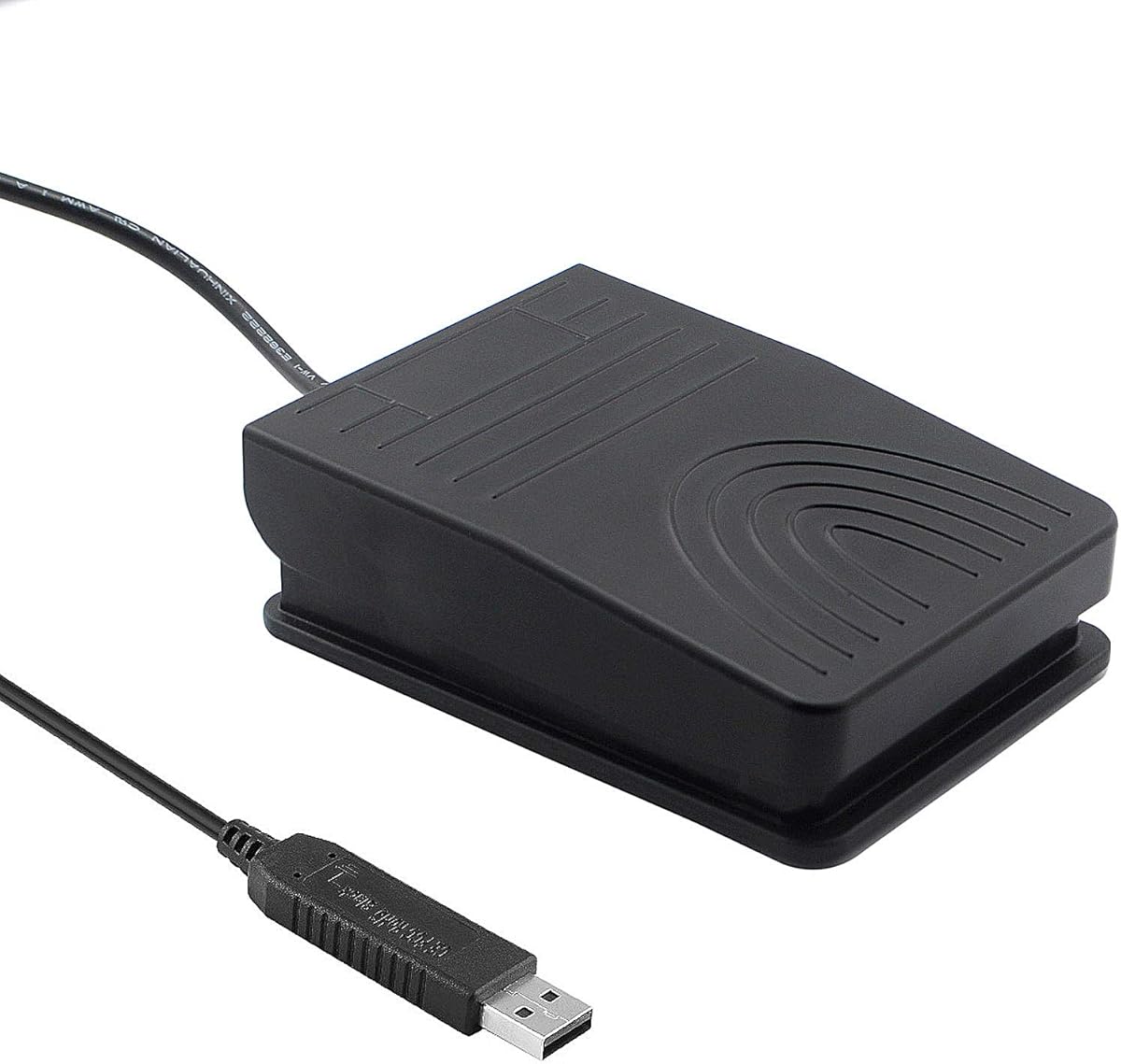
This single key pedal from iKKEGOL offers excellent value for pilots needing simple hands-free actions like Push to Talk. It supports standard HID functionality and includes free software for setup.
We may earn a commission when you buy through this link, at no additional cost to you.
The 2-meter cable provides flexibility in placement, allowing you to position the pedal comfortably under your desk. TPU rubber feet ensure it stays in place during intense ship maneuvers.
While it lacks multiple keys for complex macros, it excels at dedicated single functions. The setup is straightforward, and the hardware is durable enough for regular use in gaming or office tasks.
Pilots prioritizing budget and simplicity will find this pedal sufficient for essential tasks. It is a practical entry point into foot pedal control without overwhelming features.
For basic needs like toggling voice chat or activating a single macro, this pedal delivers performance at a fraction of the cost of multi-key units.
The extended USB cable allows you to route power away from your desk clutter, keeping your flight deck organized and functional.
We may earn a commission when you buy through this link, at no additional cost to you.
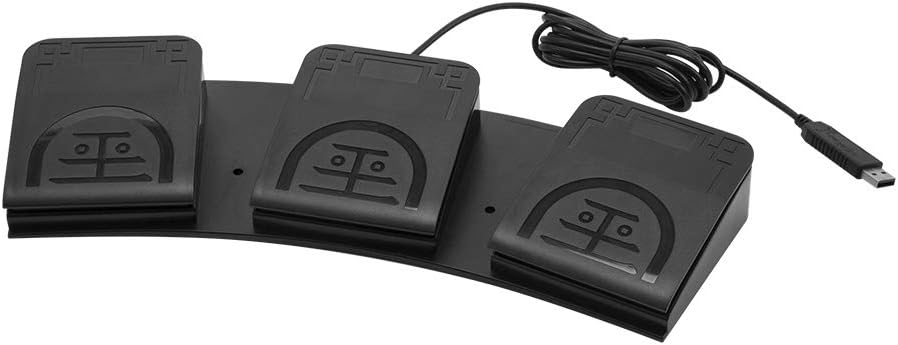
This triple pedal setup allows distinct inputs for different ship functions simultaneously. It uses photoelectric switches that are responsive and durable for frequent actuation in gaming environments.
We may earn a commission when you buy through this link, at no additional cost to you.
The ability to connect multiple switches to a computer adds versatility. Once configured, the pedal works across various operating systems including Linux and Mac without further setup steps.
Setup software is required to define key mappings. While functional, it may feel less intuitive compared to premium tools, but the hardware reliability compensates for this minor drawback.
Pilots needing multiple discrete foot controls for weapon systems, thrusters, or landing gear will benefit from this layout. It offers flexibility without demanding a complex setup process.
Each pedal can map to a different key, letting you manage landing gear and engines independently without moving your hands from the flight stick.
Once configured on Windows, the pedal operates seamlessly on Mac or Linux, making it a flexible choice for different flight sim setups.
We may earn a commission when you buy through this link, at no additional cost to you.
This optical switch model emphasizes light press resistance, which reduces finger and foot fatigue during extended use. It is ideal for scenarios requiring frequent toggling of game macros.
We may earn a commission when you buy through this link, at no additional cost to you.
The wide pedal design ensures stability during use. Its optical switches are known for quiet operation, maintaining a peaceful environment even during intense combat sessions in Star Citizen.
While the sensitivity is a plus for quick actions, some users might find it too light for heavy foot use. However, the ergonomic build makes it comfortable for most standard desk setups.
Pilots who value tactile precision and quiet performance will appreciate this model. It bridges the gap between functionality and comfort without requiring complex adjustments.
The light press resistance allows for rapid actuation without excessive force, keeping your foot relaxed during long missions.
Optical switches register inputs with minimal sound, ensuring your teammates hear mission cues rather than click noises.
We may earn a commission when you buy through this link, at no additional cost to you.
This unit features a shaftless design that enhances durability by reducing moving parts prone to wear. It is robust enough to bear significant weight, making it sturdy for heavy use.
We may earn a commission when you buy through this link, at no additional cost to you.
Built-in anti-interference chips ensure stable signal transmission. The photoelectric system contributes to a quiet user experience, which is beneficial for voice chat or audio recording sessions.
While the waterproof design adds longevity, the setup process requires software configuration on Windows or Mac. However, once configured, it operates as a plug-and-play device on other systems.
Pilots looking for a rugged pedal that can withstand frequent and forceful inputs should consider this option. Its durability makes it a reliable choice for demanding flight simulation scenarios.
The shaftless design minimizes mechanical failure points, ensuring the pedal lasts longer even with aggressive foot control usage.
In-mold injection improves resistance to moisture, protecting internal electronics from spills or humidity in your gaming setup.
We may earn a commission when you buy through this link, at no additional cost to you.
The Elgato Stream Deck Pedal brings premium build quality and extensive plugin support to foot control. It is designed for users who want seamless integration with streaming tools and system macros.
We may earn a commission when you buy through this link, at no additional cost to you.
Interchangeable springs allow you to adjust pedal pressure to suit your preference. This feature provides a tactile experience that rivals high-end mechanical keyboards, enhancing precision during flights.
While it comes at a higher cost, the software ecosystem supports tools like OBS and Discord. For Star Citizen pilots who also stream or need complex system triggers, this versatility is valuable.
Pilots who prioritize build quality and ecosystem integration will find this pedal worth the investment. It offers a polished experience with reliable hardware and robust software support.
The heavy-duty chassis and interchangeable springs deliver a high-end tactile feel that ensures consistent performance over time.
Download thousands of plugins to trigger actions across apps like Twitch, Discord, and more directly from your pedals.
We may earn a commission when you buy through this link, at no additional cost to you.
This mechanical switch model offers fast response times with tactile feedback for each key press. It is ideal for users who prefer a definitive click when executing game macros.
We may earn a commission when you buy through this link, at no additional cost to you.
The spring-loaded lever mechanism ensures consistent actuation. While slightly louder than optical switches, the feedback helps confirm that an action has been registered during critical gameplay moments.
Software configuration via ElfKey allows for detailed key mapping. After setup, it operates as a standard HID device across different operating systems, ensuring broad compatibility.
Pilots who value tactile confirmation of inputs will appreciate this mechanical design. It provides reliable performance and clear feedback for precise control over ship systems.
Each mechanical actuation provides a clear click, confirming that your command to engage weapon systems or toggle thrust has been sent.
The spring-loaded mechanism ensures uniform resistance across all three keys, allowing for predictable foot control during complex maneuvers.
We may earn a commission when you buy through this link, at no additional cost to you.
This 2023 upgraded version maintains the benefits of optical switches and a wide ergonomic design. It continues to support standard HID functionality with minimal setup for most users.
We may earn a commission when you buy through this link, at no additional cost to you.
The sensitive switches provide quick response for game commands. Durable TPU rubber feet ensure the pedal remains stable on hard floors during intense flight operations.
While the features mirror earlier models, the build quality remains consistent and reliable. It is a solid choice for pilots who want a straightforward triple pedal setup without extra complexity.
Pilots seeking a proven design with updated reliability will find this unit sufficient. It offers a balance of comfort and functionality suitable for everyday gaming use.
Standard HID support means no driver hassles; the system recognizes the pedal instantly upon connection for immediate use.
The wide pedal and rubber feet ensure you can rest your foot securely without worrying about the unit sliding during use.
We may earn a commission when you buy through this link, at no additional cost to you.
This blue variant adds a touch of style to your setup while retaining standard optical switch performance. It supports the same ergonomic wide design and quiet operation as other models.
We may earn a commission when you buy through this link, at no additional cost to you.
The optical switches ensure minimal noise, which is beneficial for voice chat during multiplayer missions. The wide pedal surface allows for comfortable foot placement over long sessions.
While it offers similar features to black models, the unique color may appeal to those personalizing their flight deck. It is a functional and aesthetic choice for gaming enthusiasts.
Pilots who appreciate distinct design elements alongside practical functionality will enjoy this model. It delivers reliable performance with a unique look for your gaming environment.
The blue finish adds a unique visual element to your desk setup, making it stand out among standard hardware choices.
The wide pedal design ensures your foot remains comfortable during long flights, reducing strain during extended missions.
We may earn a commission when you buy through this link, at no additional cost to you.
This triple foot switch provides mechanical feedback for each key press, ensuring you know when an action is registered. It supports custom hotkeys for various system and game functions.
We may earn a commission when you buy through this link, at no additional cost to you.
Anthropomorphic joints enhance flexibility and response. The shaftless design simplifies the structure while maintaining durability for repeated actuation during gaming sessions.
While the setup requires software configuration on a PC, the pedal then works on Mac or Linux as a plug-and-play device. This flexibility makes it suitable for different user environments.
Pilots who prefer mechanical feedback and a simple design will find this pedal practical. It offers reliable control for macros and key combinations without excessive complexity.
Mechanical switches give a distinct click, confirming input registration without visual confirmation on your screen.
The anthropomorphic joints allow for smooth foot motion, reducing strain during frequent use of the pedal keys.
We may earn a commission when you buy through this link, at no additional cost to you.
Selecting the right foot pedal involves considering switch type, durability, and software flexibility. This guide outlines key factors to ensure you choose a model that enhances your flight control experience.
Optical switches are quieter and faster, making them ideal for voice chat. Mechanical switches offer tactile feedback but may be noisier. Choose based on your preference for sound versus feel.
Optical for quietness; mechanical for tactile feedback.
Single pedals are simple for one action like Push to Talk. Triple pedals allow for multiple functions such as thrusters, weapons, and gear. Assess how many controls you need.
Triple pedals offer versatility; single pedals offer simplicity.
Wide pedals reduce foot fatigue and prevent accidental presses. Consider the surface area and shape to ensure comfort during long flights. A sturdy build prevents slipping on hard floors.
Prioritize wide, non-slip designs for comfort.
Some pedals require specific configuration software. Ensure the software supports your operating system. Once set up, HID pedals usually work without drivers across systems.
Check OS support before purchase.
Look for models rated for high weight capacity and durable materials. Mechanical parts like shaftless designs can extend lifespan. Build quality affects long-term reliability during frequent use.
Choose durable materials for longevity.
Budget models provide basic functionality, while premium ones offer better build and features. Weigh the cost against needed features to find the best value for your setup.
Match features to your needs and budget.
Long USB cables allow flexible placement under your desk. A 2-meter cable is standard for most setups. Ensure the length fits your desk distance to your computer.
Verify cable length for your desk.
Premium options like Stream Deck support plugins for broader integration. If you use multiple apps or need complex macros, plugin support adds significant value to your setup.
Plugins enhance integration for advanced users.
Install the configuration software on your computer first. Assign desired keys or macros to each pedal button. For HID devices, configure once and then use across other operating systems.
Place the pedal on a flat surface under your desk. Ensure there is enough space for your foot to rest comfortably without hitting furniture. Use the rubber feet to prevent slipping.
Regularly check for dust or debris on the switches. Avoid spilling liquids near the pedal to prevent damage. If the pedal feels unresponsive, reconnect the USB or restart the configuration software.
Yes, foot pedals can be programmed to handle Push to Talk functions. This allows you to communicate with wingmen without reaching for keyboard shortcuts. Optical switches are ideal for this due to their quiet operation.
Most HID-compatible pedals work on Windows, Mac, and Linux after initial setup. Configure the keys on a primary system. Once set, the device operates as a standard input without needing drivers elsewhere.
Optical switches are quieter and faster, which suits voice chat and rapid inputs. Mechanical switches provide tactile feedback that some users prefer. The choice depends on your preference for noise versus feedback.
Use the pedal's software to map keys to specific functions like engine start or weapons. Then assign those key bindings within Star Citizen settings. This allows direct control of ship systems via foot commands.
Many models support over 100kg or 220 pounds. This ensures the pedal remains stable under heavy use. Check product specifications to ensure it meets your durability needs for long flights.
Configuration software is needed to assign keys. Once set up, pedals often work as plug-and-play HID devices. This means you can use them across systems after the initial configuration process.
The iKKEGOL Upgraded USB Triple Foot Pedal and Elgato Stream Deck Pedal stand out for their reliability and features. Both provide effective hands-free control suitable for immersive simulation gaming.
Pilots should prioritize switch type and number of keys based on their specific needs. Optical switches are better for noise, while triple pedals offer more control over ship systems during flight.
Prices and availability may change, so verify current details before purchasing. Choose a pedal that balances durability, comfort, and functionality to enhance your Star Citizen experience.