
Womier DK75
4.5Editor score
Triple-mode connectivity
75% compact layout
PBT durable keycaps
Discover the top ten green backlit gaming keyboards compared by experts for performance, design, and value in this comprehensive buying guide.
Finding a green backlit gaming keyboard can transform your setup with style and function. These devices offer vibrant lighting that matches your aesthetic while delivering responsive keys for intense sessions and daily typing tasks alike.
We compared ten real models based on connectivity, layout, switch type, and special features like knobs or screens. Each product was evaluated for build quality, comfort, and how well it fits into modern gaming and work environments.
Every pick shows key strengths and trade-offs to help you decide quickly. Prices and stock change often, so verify current details on the retailer site before purchasing your next keyboard upgrade today.
4.5Editor score
4.6Editor score
4.8Editor score
This side-by-side comparison highlights key specifications across all ten models so you can quickly spot differences in connectivity, layout, switches, and special features like screens or knobs.


The AULA F75 stands out with strong ratings and premium features like hot-swap and gasket mounting. It balances performance and value effectively for most users seeking a versatile green backlit gaming keyboard.
We may earn a commission when you buy through this link, at no additional cost to you.
Its pre-lubricated switches deliver a smooth typing experience while the tri-mode connectivity supports up to five devices. You can customize macros via driver software and adjust lighting through knobs or FN keys.
Some users might find the Windows-only driver limits cross-platform macro use. Still, the core typing feel and battery life make up for this minor restriction in daily use.
Buy this if you want a feature-rich keyboard with solid build quality. It is an excellent fit for gamers and productivity users alike.
Hot-swap capability means you can change switches without soldering.
Three connection modes allow easy switching between devices.
We may earn a commission when you buy through this link, at no additional cost to you.
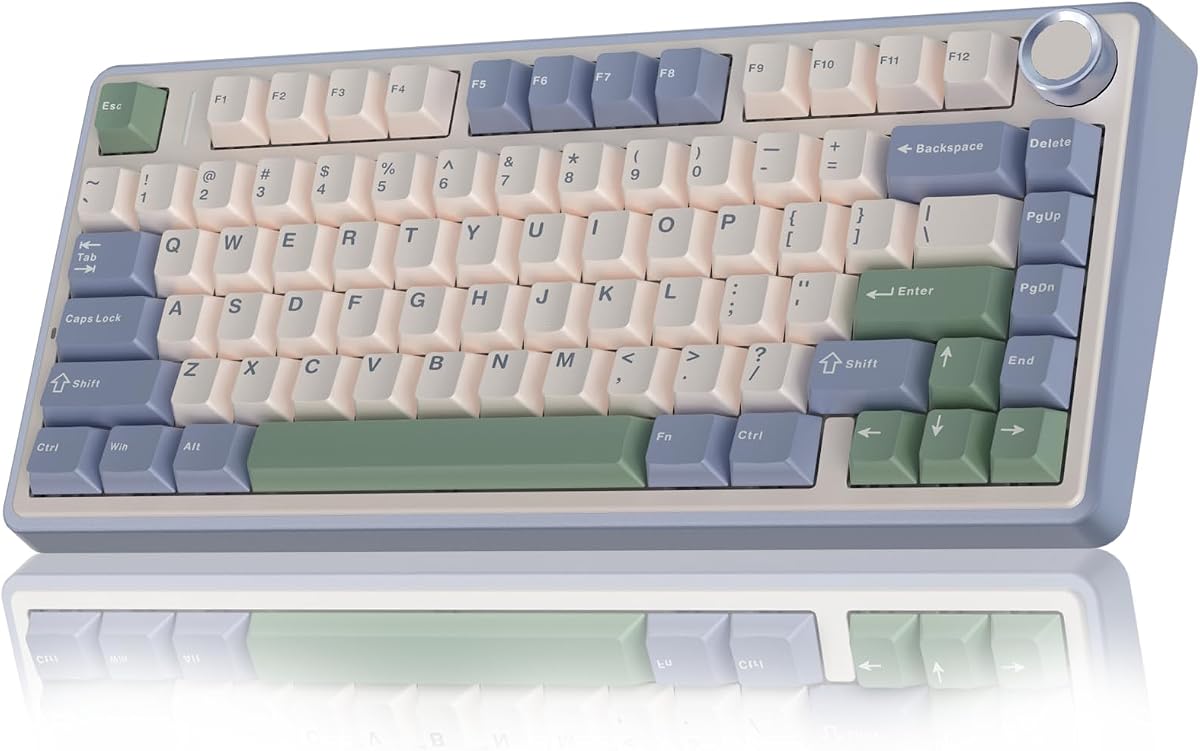
The Womier DK75 offers impressive value at a low entry point. It combines a compact layout with durable PBT keycaps and long battery life, making it ideal for budget-conscious buyers.
We may earn a commission when you buy through this link, at no additional cost to you.
Despite using membrane switches, it provides smooth keystrokes suitable for gaming and typing. The RGB effects are vibrant and easy to adjust without software, which enhances your setup visually.
It lacks mechanical feel and customization, which may disappoint enthusiasts. However, for casual users, its comfort and battery performance are compelling advantages.
Choose this if you need a reliable, affordable keyboard with modern features. It saves desk space while keeping costs low.
PBT keycaps usually appear in higher-end keyboards at this price.
The 75% layout removes non-essential keys to free up space.
We may earn a commission when you buy through this link, at no additional cost to you.
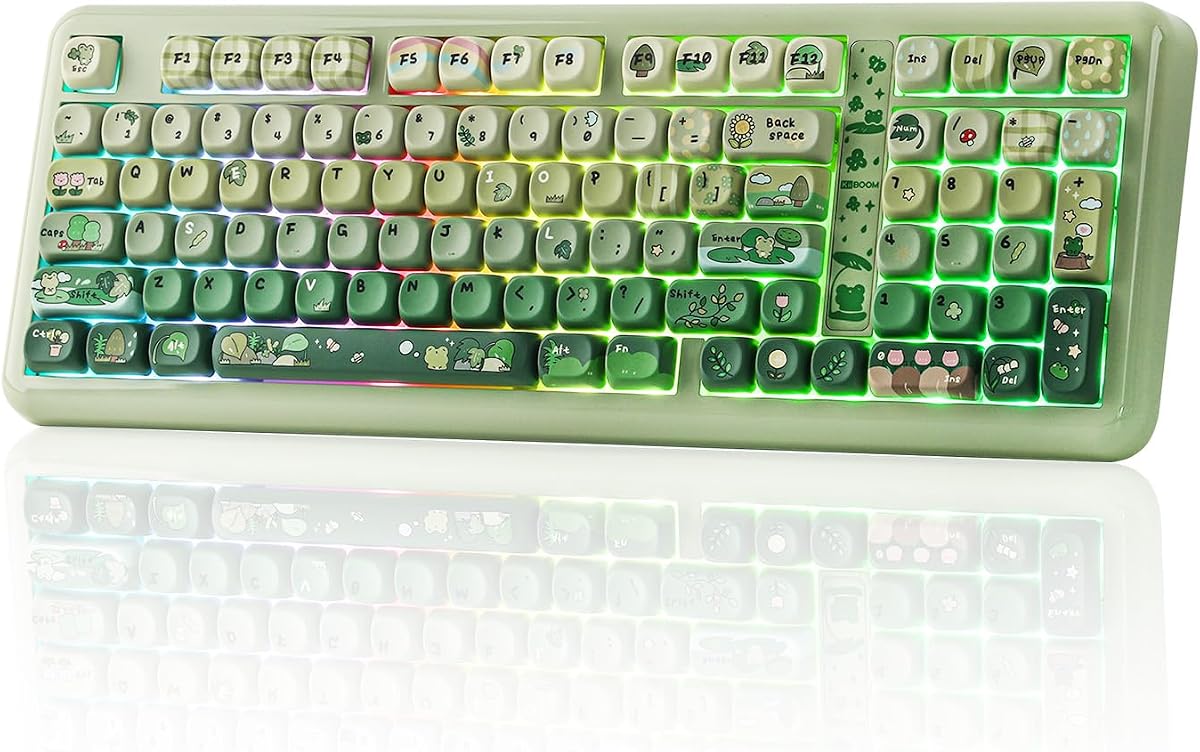
The KiiBoom Phantom98 Lite delivers top-tier performance with high ratings and advanced customization. Its VIA support and gasket mounting create a refined experience for serious users seeking premium quality.
We may earn a commission when you buy through this link, at no additional cost to you.
You get 96% efficiency without losing arrow keys, along with a massive 8000mAh battery for long sessions. Pre-lubricated switches and sound dampening layers ensure smooth, quiet operation.
The cost may deter casual buyers and the software requires some learning. Still, the flexibility and build quality justify the investment for enthusiasts.
Buy this if you want maximum control and superior build. It is a robust choice for power users.
VIA compatibility allows deep key remapping and macros.
The large capacity battery supports weeks of use per charge.
We may earn a commission when you buy through this link, at no additional cost to you.
The Womier SK80 combines a color screen with mechanical features for visual flair. It offers a gasket mount and hot-swap PCB while delivering a charming green theme.
We may earn a commission when you buy through this link, at no additional cost to you.
You can show custom GIFs or system stats on the display, adding a personal touch to your desk. The switches are pre-installed but swappable, and RGB is fully customizable.
Driver support is Windows-only, limiting Mac users. Still, the screen and tactile build make it a standout for those who value aesthetics.
Choose this for a stylish, functional experience. It works well for gamers who enjoy visual customization.
The screen displays GIFs, volume, and connection status.
Gasket mount reduces noise for quieter typing sessions.
We may earn a commission when you buy through this link, at no additional cost to you.
The Keymatic Gaming Keyboard brings a number pad to a wireless green layout, which is rare. It provides stable typing and a media knob for quick control without leaving your hands.
We may earn a commission when you buy through this link, at no additional cost to you.
Its silver paste membrane technology delivers quiet keystrokes suitable for office use. The large battery ensures days of use on a single charge, which is convenient for travel.
It uses membrane tech and is heavier than compact boards. However, the pad and knob make it practical for data entry and gaming.
Buy this if you need a number pad with wireless ease. It is great for mixed work and play use.
The 98-key layout keeps the number pad in a compact form.
The knob handles volume and playback for faster access.
We may earn a commission when you buy through this link, at no additional cost to you.
The Owpkeenthy offers a classic full size experience with a green theme. It uses red switches for smooth typing and includes RGB lighting to brighten your workspace.
We may earn a commission when you buy through this link, at no additional cost to you.
Its XDA keycaps provide uniform feel across rows for comfort. The wired setup ensures stable connections for competitive gaming without wireless lag.
It lacks wireless support, which limits mobility. Still, the ergonomic design and reliable performance suit office and home use.
Choose this if you want a reliable wired board. It is a strong choice for those who prefer simplicity.
Linear red switches offer smooth taps without tactile bumps.
Kickstands reduce wrist strain for long typing sessions.
We may earn a commission when you buy through this link, at no additional cost to you.
The Aula Nova75 combines multimedia features with strong build quality. It includes a TFT display for system stats and an 8000mAh battery for extended use.
We may earn a commission when you buy through this link, at no additional cost to you.
Hot-swap support and gasket mounting provide a custom feel while the RGB and keycaps add visual appeal. The knob and screen make adjustments quick and intuitive.
Software is Windows-only and the display adds minor complexity. Still, the battery life and premium touches are excellent.
Buy this for a feature-packed experience. It suits users who want screens and wireless power.
The screen shows battery, connection, and custom images.
The high-capacity battery supports long-term daily use.
We may earn a commission when you buy through this link, at no additional cost to you.
The Aula F75 delivers high ratings with strong wireless and mechanical features. It uses gasket mounting and hot-swap support to offer a refined typing experience.
We may earn a commission when you buy through this link, at no additional cost to you.
Its tri-mode connectivity allows switching across five devices, which suits hybrid setups. The 4000mAh battery supports long sessions without frequent charging.
Mac users may find macro limits and basic caps a drawback. Still, the core performance and battery make it a standout.
Choose this if you seek reliability and ease. It is ideal for daily tasks and games.
Five device switching supports seamless multi-platform workflows.
Gasket layers dampen vibration for a smooth tactile feel.
We may earn a commission when you buy through this link, at no additional cost to you.
The Redragon K742 enables deep customization with QMK/VIA and hot-swap. It offers a compact 98% layout with gasket mounting for a solid typing feel.
We may earn a commission when you buy through this link, at no additional cost to you.
Its tri-mode wireless setup supports hybrid workflows with reliable connections. The knob and PBT keycaps add ergonomic comfort and durable texture.
Manual config can be tricky for non-tech users. However, power users will appreciate the control and build.
Buy this if you want deep control and comfort. It suits creators and developers best.
VIA lets you remap keys and layers fully.
Gasket dampening and PBT caps enhance long sessions.
We may earn a commission when you buy through this link, at no additional cost to you.
The AULA S99 fits office tasks with a 96% layout and programmable macros. Its lightweight build and stands support comfortable typing throughout the workday.
We may earn a commission when you buy through this link, at no additional cost to you.
The rotary knob adjusts volume and lighting easily. It supports Bluetooth, 2.4GHz, and wired modes for flexible use across devices.
Switches are membrane and customization is limited. Still, it offers practical features for general use.
Choose this for a versatile office board. It suits those needing layout and wireless ease.
Full-key macros help automate complex office tasks.
The 96% saves space while keeping the number pad.
We may earn a commission when you buy through this link, at no additional cost to you.
Selecting the right green backlit gaming keyboard involves balancing layout, switches, and special features. This section covers the most critical factors to consider before purchase.
Layouts like 60%, 75%, 96%, or full size change desk space and key availability. Compact sizes save space while retaining arrow keys for gaming. A full size includes a number pad, which aids data entry but consumes room. Choose based on your workflow and space constraints.
Match layout to your needs. If you type numbers often, get a pad. If you game or code, a 75% often offers the best balance.
Mechanical switches offer tactile or linear feedback, while membrane uses rubber domes for quiet and smooth typing. Mechanical switches allow hot-swap in many models so you can customize feel. Membrane keyboards cost less and last long but lack custom feel.
For gaming, choose mechanical red or brown. For office, consider quiet linear or membrane. Hot-swap adds future flexibility.
Tri-mode connectivity combines Bluetooth, 2.4GHz wireless, and USB wired. This lets you switch between PC, tablet, and phone. Wired mode gives zero lag while wireless adds flexibility. Check battery capacity for long sessions without charging.
Choose tri-mode if you juggle devices. If you game on one PC, wired may be simpler.
Green backlighting often pairs with RGB for dynamic effects. Look for 16.8M colors and adjustable brightness or speed. Some models support music sync or custom patterns. RGB enhances setup aesthetics and visibility in low light.
Pick models with intuitive controls. Knobs and FN keys help adjust without software.
Rotary knobs, screens, and extra shortcuts improve workflow. Screens display system stats or GIFs for visual flair. Knobs handle volume or brightness quickly. These add usability beyond standard input and personalize your desk.
Select features that match your needs. Media control suits creators. Screen data helps devs.
Build quality affects durability and typing comfort. PBT keycaps resist shine and offer better texture than ABS. Gasket mounting reduces vibration for quieter, smoother typing. A solid frame minimizes flex and feels robust.
Invest in PBT and gasket if you type often. These ensure comfort and long-term value.
Battery size in mAh determines usage time between charges. Larger capacities like 8000mAh support days or weeks. Auto-sleep features extend life by powering down when idle. Fast charging via USB-C ensures quick recovery.
Look for high mAh and auto-sleep. It keeps your keyboard ready for long sessions.
Software and firmware support macros, remapping, and lighting profiles. Models with VIA or QMK allow advanced layer changes. Windows drivers may limit some settings across platforms. Check for hot-swap PCBs to change switches easily.
Prioritize hot-swap and open tools if you love tuning. It future-proofs your choice and expands options.
Start by connecting your keyboard via USB or pairing via Bluetooth or 2.4GHz dongle. Install any provided drivers on Windows for macro and lighting settings. Use the rotary knob or FN combos to adjust brightness and volume quickly.
Clean the surface regularly using a soft brush or compressed air to remove debris from keycaps. For deeper cleaning, gently lift keycaps if removable and wipe the switches with a damp cloth. Avoid liquid entering the internal electronics.
Protect battery life by enabling auto-sleep when idle. Adjust RGB brightness to lower levels for daily typing to conserve power. Store in a dry place to prevent wear and ensure the USB-C cable is stored safely to prevent cable stress.
Green backlighting creates a cohesive aesthetic in themed setups. It offers clear visibility without the visual noise of multicolor RGB. Many users find it easier on the eyes for extended use at night.
High-quality 2.4GHz wireless connections offer latency similar to wired setups. Bluetooth is better for typing. For competitive play, test wireless performance or use wired mode when needed.
Many models support full-key or custom macros via driver or VIA software. Check if the software supports your OS. Macros let you automate complex commands with a single press.
Press Fn plus number keys or a dedicated button to toggle Bluetooth profiles. Use the switch button to change to 2.4GHz or wired mode. This allows quick transitions between work and play devices.
Hot-swappable models allow easy switch replacement with a puller. Look for 3-pin or 5-pin support. Non-hot-swap boards require soldering to change switches.
Yes, many multimedia screens show custom GIFs or system stats. You upload images or use the driver for settings. This personalizes your setup beyond standard lighting.
The AULA F75 stands out as a top all-rounder while the KiiBoom Phantom98 Lite leads in customization. Budget buyers will appreciate the Womier DK75. Each model brings unique strengths for different needs.
Prioritize layout and switches based on your workflow. Consider battery life and connectivity if you juggle multiple devices. Features like knobs or screens add convenience but weigh them against cost.
Prices and stock change regularly. Always check current listings for deals or new options. Your ideal green backlit gaming keyboard is within reach with this guide as a reference.