
Logitech B100
4.6Editor score
Zero setup plug and play
Flexible USB connectivity
Ambidextrous comfortable shape
This guide compares the top ten durable computer mouse options available in October 2026 to help you find a reliable device for everyday computing tasks.
Finding a durable computer mouse is essential for anyone who spends long hours working at a desk. Reliability and comfort matter when you need consistent performance without constant replacements or technical issues.
We evaluated ten highly rated models based on build quality, battery life, and ergonomic design. Each option offers unique features to suit different hand sizes and usage environments ranging from offices to homes.
Every pick highlights specific strengths and potential trade-offs so you can choose wisely. Please note that availability and pricing may fluctuate over time, so verify details before making your final purchase decision today.
4.6Editor score

4.5Editor score

4.5Editor score
The following table provides a side by side look at key specifications for each of the ten selected durable computer mouse models featured in this comprehensive guide.





The Logitech M705 Marathon stands out as a top choice for users seeking a durable computer mouse with exceptional longevity. Rated at 4.5 stars it combines reliability with features that enhance productivity for everyday tasks.
We may earn a commission when you buy through this link, at no additional cost to you.
Its most notable strength is the battery life which lasts up to three years between changes. The hyper-fast scroll wheel allows you to navigate long documents effortlessly while the laser grade tracking ensures precision on various surfaces.
While it offers significant benefits there are minor trade-offs. The mouse is designed for right-handed users which may limit left-handed individuals. It also relies on AAA batteries rather than rechargeable options for power.
For professionals and heavy users who prioritize durability and efficiency the M705 is a strong recommendation. It delivers consistent performance and reduces maintenance needs making it a practical investment for any workspace.
The extended battery life significantly reduces the frequency of replacements which is ideal for busy professionals who cannot afford interruptions in their workflow.
The nearly frictionless metal scroll wheel enables quick navigation through extensive web pages and spreadsheets which enhances overall workflow efficiency.
We may earn a commission when you buy through this link, at no additional cost to you.
The Logitech B100 offers an incredibly affordable entry point into reliable peripherals without sacrificing essential quality. With a 4.6 rating it proves that durability does not always require a high price tag.
We may earn a commission when you buy through this link, at no additional cost to you.
Its zero setup design means you can plug it into any USB port and start working immediately. The ambidextrous shape ensures comfort for both left and right-handed users throughout long work sessions.
However the fixed 800 DPI setting may limit precision for detailed graphic work. Additionally the wired design restricts movement range compared to wireless options which might matter for some users.
This model is perfect for budget conscious buyers or secondary computers where simplicity and reliability are key. It provides the core functionality needed for daily tasks without unnecessary features.
The flexible connectivity supports both USB and PS/2 ports ensuring it works with older systems as well as modern laptops and desktops.
The contoured shape fits naturally in either hand reducing strain during extended use and promoting better posture for long term health.
We may earn a commission when you buy through this link, at no additional cost to you.
The Logitech Signature M650 L represents the pinnacle of comfort and quiet operation for premium users. Its 4.5 rating reflects a blend of advanced features and refined design suitable for professional environments.
We may earn a commission when you buy through this link, at no additional cost to you.
SilentTouch technology reduces click noise by ninety percent which is ideal for open offices. The SmartWheel offers versatile scrolling modes and the two-year battery life minimizes interruptions significantly.
Premium features come at a higher cost and the large size might not suit smaller hands. However these trade-offs are acceptable for those prioritizing comfort and quiet performance above all else.
If you need a high-end mouse for business or creative work this model delivers excellent value. It combines durability with sophisticated features that enhance the daily computing experience effectively.
The silent click mechanism maintains tactile feedback while eliminating sound disturbances which helps maintain focus and professionalism in shared spaces.
Support for Bluetooth Low Energy and Logi Bolt USB ensures seamless switching between devices and operating systems without extra drivers.
We may earn a commission when you buy through this link, at no additional cost to you.
The Logitech M185 is a compact wireless option ideal for users with limited desk space or those on the go. It offers a solid 4.4 rating for its simplicity and dependable performance.
We may earn a commission when you buy through this link, at no additional cost to you.
Its small form factor fits comfortably in bags while maintaining a contoured shape that supports both left and right hands. The nano receiver stores inside the mouse ensuring you never lose the connection tool.
While it lacks advanced buttons the simplicity ensures ease of use. Larger hands might find it cramped and the lack of DPI adjustment limits customization for power users.
This mouse is perfect for students travelers or as a spare device. It balances portability with reliability making it a strong choice for casual everyday computing needs.
The compact size and included nano receiver make it easy to travel with while ensuring you always have a functional pointing device.
Smart sleep mode extends battery life significantly which reduces waste and maintenance frequency for daily users.
We may earn a commission when you buy through this link, at no additional cost to you.
The Logitech M510 focuses on comfort for extended use with its full size design and soft rubber grips. It holds a strong 4.6 rating for providing reliable support during long work hours.
We may earn a commission when you buy through this link, at no additional cost to you.
Features like side-to-side scrolling and programmable buttons enhance productivity once set up. The two year battery life ensures longevity while the Unifying receiver allows multiple devices to share one port.
Some features require software installation which may deter casual users. The size makes it less portable than compact models but offers superior comfort for desktop setups.
Ideal for office workers seeking ergonomic support this model balances performance and comfort. It is a great choice for those prioritizing hand health and functionality in a permanent workspace.
The efficient power system with an on/off switch ensures two years of operation which significantly reduces the need for frequent battery changes.
Curved sides and broad palm areas support natural hand posture which helps prevent strain during repetitive daily tasks.
We may earn a commission when you buy through this link, at no additional cost to you.
The TECKNET USB Wired Mouse offers impressive features for its price point with a solid 4.5 rating. It stands out with adjustable DPI settings and durable construction tested for millions of clicks.
We may earn a commission when you buy through this link, at no additional cost to you.
Six buttons enable efficient navigation and customization for power users. The Tru-Wave technology ensures precise tracking even on glass surfaces which is rare for this price range.
Being a wired model limits mobility and Mac users may find side buttons less functional. However the stability and lack of charging needs are significant benefits for fixed workstations.
This model suits users who want customization without the cost of wireless high-end models. It is a robust choice for gamers or multitaskers who value speed and durability.
Tru-Wave technology delivers accurate cursor control on various surfaces including glass which enhances usability in diverse environments.
Large forward and backward buttons streamline web browsing and document navigation which saves time during daily work tasks.
We may earn a commission when you buy through this link, at no additional cost to you.
The Logitech Signature M550 L is designed specifically for larger hands providing optimal comfort and fit. With a 4.5 rating it combines ergonomic design with eco-friendly materials and quiet operation.
We may earn a commission when you buy through this link, at no additional cost to you.
SilentTouch technology ensures minimal noise while the SmartWheel offers flexible scrolling modes. Connectivity options include Bluetooth and USB which allows versatile integration with different systems.
Its size makes it less travel-friendly and the price is higher than basic models. However for users needing a dedicated large mouse these features justify the investment significantly.
Best for home office or professional setups this mouse delivers comfort and sustainability. It is a great choice for those who prioritize hand health and environmental impact.
Plastic parts include certified post-consumer recycled materials which reduces environmental impact without compromising product quality or durability.
The full size design ensures larger hands have proper support which reduces fatigue during extended work sessions significantly.
We may earn a commission when you buy through this link, at no additional cost to you.
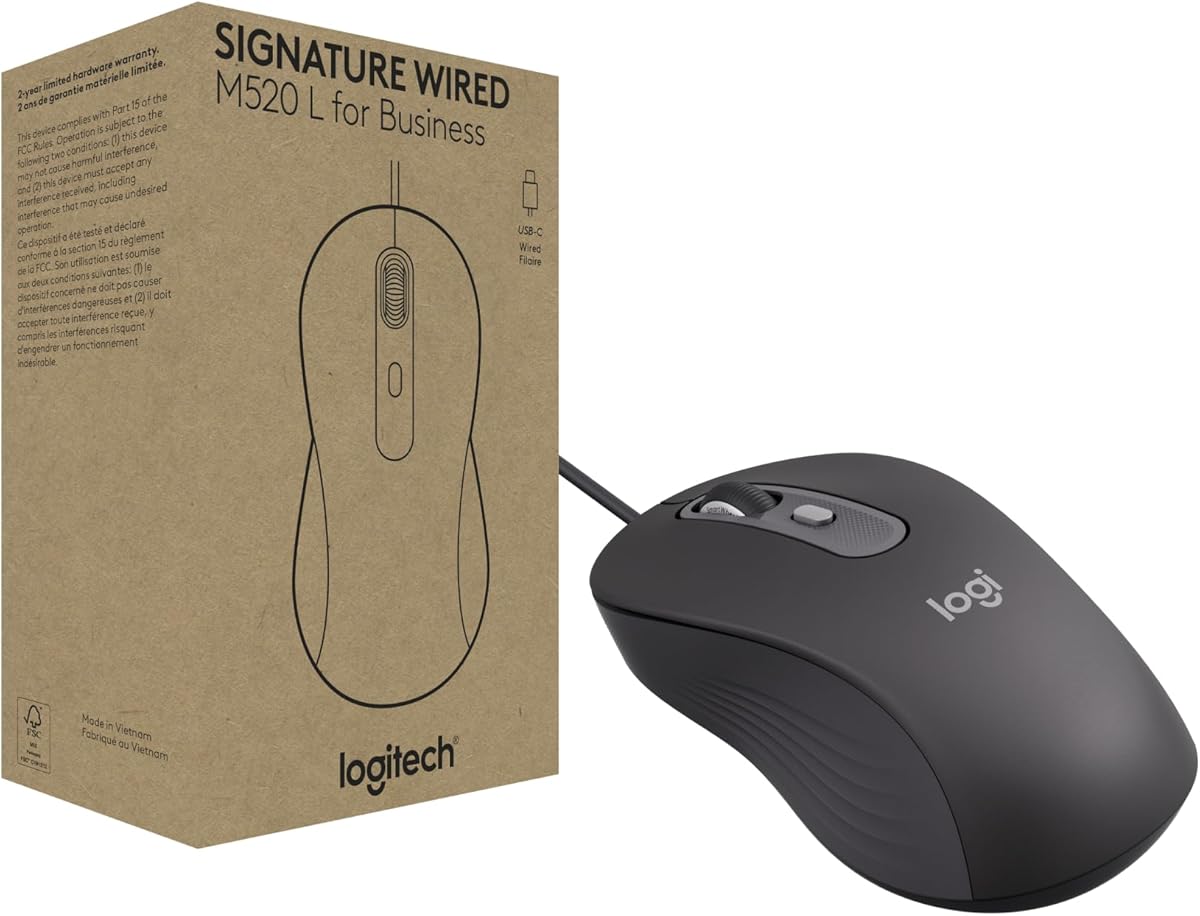
The Logitech M520 L caters to business environments needing reliable and quiet peripherals. It carries a 4.3 rating and features a modern USB-C connection along with power efficiency for corporate use.
We may earn a commission when you buy through this link, at no additional cost to you.
SilentTouch technology minimizes noise which is crucial for open office settings. The customizable DPI button allows quick speed adjustments and it supports multiple operating systems for deployment.
As a wired mouse it lacks wireless freedom but offers consistent connectivity. Basic features may not satisfy power users who need extra programmable buttons for complex workflows.
Ideal for organizations and business users this model provides durability and efficiency. It ensures smooth operation across devices making it a practical choice for corporate procurement.
The USB-C interface aligns with current laptop standards ensuring easy integration without adapters which simplifies deployment for IT teams.
Reduced clicking noise enhances focus in shared environments which supports productivity and comfort during collaborative work.
We may earn a commission when you buy through this link, at no additional cost to you.
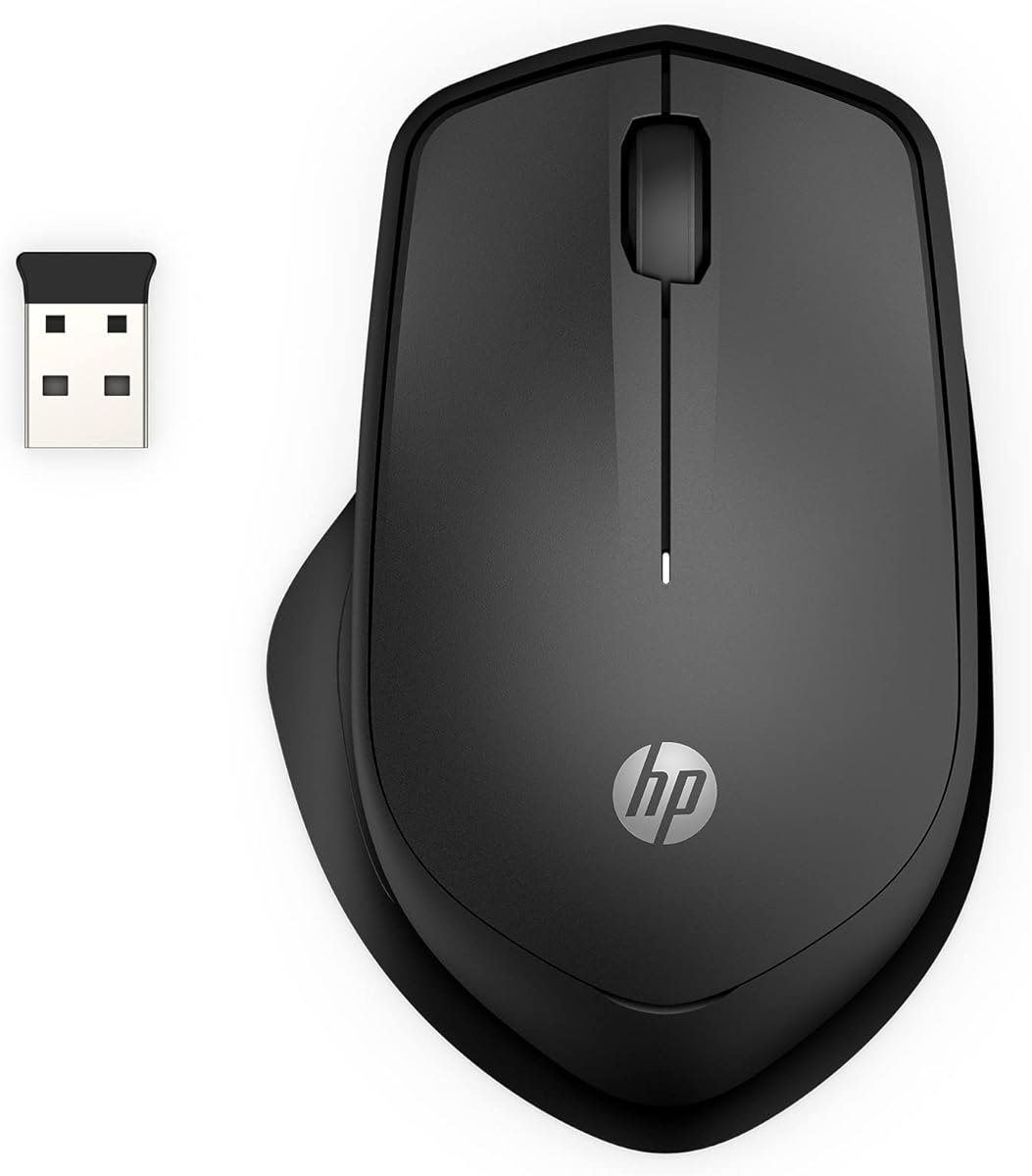
The HP 280 Silent Wireless Mouse focuses on reducing noise while maintaining reliable performance. It has a 4.5 rating and offers ergonomic comfort for right-handed users in quiet environments.
We may earn a commission when you buy through this link, at no additional cost to you.
Multi-surface technology ensures smooth tracking on various materials without a mousepad. The optical sensor provides precision tracking while the battery life supports extended use between charges.
Design limitations include a right-handed shape and lack of advanced Bluetooth options. However for general office tasks the reliability and comfort offer excellent value for money.
Suitable for quiet offices or shared spaces this mouse delivers consistency. It is a solid choice for users who prioritize simplicity and quiet operation over extra features.
Up to ninety percent noise reduction on buttons provides the same tactile feel without the sound which enhances comfort during long work sessions.
Multi-surface technology allows smooth movement on almost any surface which ensures consistent performance without needing a dedicated mousepad.
We may earn a commission when you buy through this link, at no additional cost to you.
The Acer Wireless Mouse offers versatile sensitivity settings and durability for mobile users. It holds a 4.3 rating and features five DPI levels along with visual indicators for easy monitoring.
We may earn a commission when you buy through this link, at no additional cost to you.
A ten million click rating ensures long-term reliability while the auto wake function conserves power efficiently. Forward and backward buttons enhance browsing efficiency without extra software.
Battery installation requires careful attention and the battery is not included. However the visual indicators and adjustable sensitivity make it a great option for adaptable computing needs.
Perfect for travelers and laptop users this model combines portability with customization. It is an ideal choice for those who need flexibility and reliable performance on the go.
Five DPI levels allow users to switch between precise design work and fast navigation without changing hardware settings.
Standby mode after inactivity and quick wake function significantly extend battery life which reduces interruptions during travel.
We may earn a commission when you buy through this link, at no additional cost to you.
Selecting a durable computer mouse requires considering several key factors to ensure long-term satisfaction and performance.
Look for mice constructed from high-quality materials that can withstand daily wear and tear. Brands often use reinforced plastics or recycled composites that maintain structural integrity over time.
A durable build ensures the device survives drops and heavy usage without cracking or failing prematurely.
Decide between wired and wireless options based on your workspace needs. Wireless offers freedom of movement while wired ensures constant connection without battery concerns.
Choose a connection type that aligns with how you move around your desk to maintain productivity.
For wireless mice check the estimated battery life to avoid frequent replacements. Many models offer one to three years of power on a single charge or battery.
Long battery life reduces maintenance tasks which keeps your workflow uninterrupted and efficient.
Comfort is critical for long-term use so select a shape that fits your hand size and grip style. Contoured designs reduce strain and support natural hand positioning during work.
Prioritize ergonomic features to prevent fatigue and ensure comfort during extended sessions.
Look for sensors that provide consistent tracking across different surfaces. High DPI settings and optical or laser technology ensure smooth and precise cursor movement.
Accurate tracking enhances productivity by reducing errors and improving control over navigation.
Evaluate the number of buttons and whether they can be programmed for specific tasks. Customizable buttons can streamline workflows and save time on repetitive actions.
Choose a layout that supports your specific workflow requirements to maximize efficiency.
Ensure the mouse works with your operating system and devices. Most modern mice support Windows Mac and Linux but some features may be limited depending on the software.
Verify compatibility before buying to avoid functionality issues across your devices.
Check the warranty terms to understand what is covered in case of defects. Reputable brands offer one to three years of hardware coverage which provides peace of mind.
Strong warranty support ensures you get assistance if any issues arise with your purchase.
Begin by positioning the mouse on a flat surface that allows smooth movement. If using a wireless model ensure batteries are installed correctly or charge the unit fully before connecting.
Clean the sensor area regularly to prevent tracking issues by using a soft dry cloth. Avoid liquids or harsh chemicals that could damage the internal components or surface texture.
Store the device in a cool dry place when not in use to prevent damage. If you travel keep the mouse in a protective case to shield it from impacts and scratches.
A durable computer mouse typically features robust materials like high-quality plastics or reinforced components. It also undergoes testing to withstand millions of clicks and daily wear without mechanical failure.
Wireless mouse batteries can last from six months to three years depending on the model. Features like auto sleep mode and efficient power management help extend the usable time significantly.
Wired mice often last longer because they have fewer electronic components like batteries to fail. However modern wireless models are built to be equally reliable with improved connection stability and power efficiency.
Many modern mice with laser sensors can track on glass surfaces. However standard optical sensors might struggle on transparent or reflective materials so check specs if this is needed.
No special cleaning is required for most durable mice. A soft dry cloth works well to remove dust and debris from the surface and sensor area regularly.
Check the product specifications for listed operating systems. Most universal mice support Windows macOS and Linux but some features may need specific software to function fully.
Ergonomic mice are worth the cost for those who work long hours. They reduce hand strain and improve comfort which can prevent issues like carpal tunnel over time.
Expect warranties ranging from one to three years depending on the brand. Reputable manufacturers often back their products with solid guarantees to assure quality and reliability.
We explored ten durable computer mouse options ranging from budget-friendly wired models to premium wireless choices. Each product offers unique benefits to suit different needs and preferences.
When deciding prioritize factors like ergonomic design battery life and connectivity to ensure long-term satisfaction. Choose a model that aligns with your daily tasks and hand comfort.
Keep in mind that prices and availability may change so verify current details before purchasing. Finding the right durable mouse can significantly improve your computing experience.