
ASUS Vivobook 14 Flip Laptop
5.0Editor score
OLED touch display panel
Wi-Fi 7 connectivity
Military-grade durability standards
Laptops with good hinges are essential for users who demand flexibility and durability in their daily computing tasks. A sturdy hinge ensures that your device can withstand repeated opening and closing without loosening or breaking over time. Choosing the right hinge mechanism can significantly impact the longevity and usability of your machine.
We have carefully evaluated ten top-rated laptops known for their robust build quality and reliable hinge designs. This comparison focuses on models that offer smooth operation, strong support, and versatile positioning options. Each product was selected based on user feedback, manufacturer specifications, and real-world performance metrics.
Each pick in this guide highlights unique features and strengths tailored to different user needs and preferences. Whether you need a convertible for creative work or a durable machine for travel, you will find a suitable option here. Please note that product availability and pricing may change frequently over time.
5.0Editor score

4.6Editor score

4.5Editor score
As an Amazon Associate we earn from qualifying purchases.
This side-by-side comparison highlights key specifications and features across all ten selected laptops to help you make an informed decision based on your specific needs.
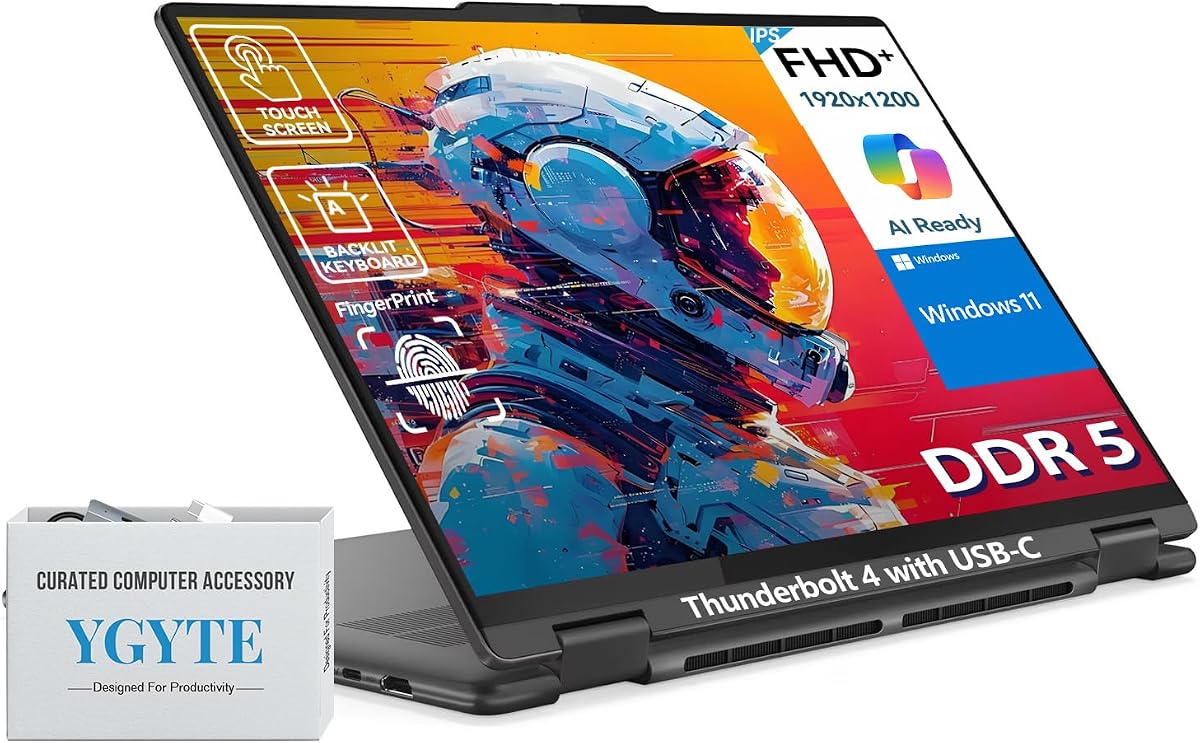


The Lenovo Yoga 7i stands out as a top choice for users seeking a laptop with a reliable hinge mechanism. With a 4.6 rating, it delivers a seamless experience across multiple usage modes including laptop tablet and stand. Its sturdy build ensures the hinge remains secure even after frequent adjustments.
We may earn a commission when you buy through this link, at no additional cost to you.
This device features a 16-inch 2K touchscreen that offers vivid colors and sharp details. The Core Ultra 7 processor handles multitasking efficiently while the 360-degree hinge allows for flexible positioning. WiFi 6E connectivity ensures stable network performance even in crowded environments.
While the price is higher than entry-level options the durability and performance justify the investment. The hinge design is robust enough to support various angles without wobbling. Some users may find the battery life dependent on screen brightness and usage intensity.
Ideal for professionals and students who need a versatile device this laptop combines power with flexibility. The hinge quality ensures long-term usability while the display enhances creative work. Consider this model if you prioritize build quality and screen clarity.
The 360-degree hinge allows effortless transitions between modes ensuring stability in every position.
Multiple ports and WiFi 6E support provide reliable connections for all your peripherals and networks.
We may earn a commission when you buy through this link, at no additional cost to you.
The Lenovo Yoga 7i 16-inch model offers a powerful combination of performance and versatility with a robust hinge design. Users appreciate the durable metal chassis that supports the flexible 360-degree hinge for multiple usage modes. Its build quality ensures stability whether used as a laptop or tablet.
We may earn a commission when you buy through this link, at no additional cost to you.
Equipped with Intel Core Ultra 7 and 16GB DDR5 RAM this device handles heavy workloads smoothly. The FHD+ touchscreen provides rich contrast for creative tasks while the fingerprint sensor adds security. Fast charge technology supports extended use throughout the day.
While the weight may be a consideration for frequent travelers the performance gains are significant. The hinge mechanism is designed to withstand daily wear and tear without degradation. Some users might prefer lighter alternatives for strict mobility needs.
This laptop is ideal for business users and creators who need reliability and speed. The hinge quality and screen clarity make it suitable for presentations and content creation. Choose this if you value enterprise features and durable construction.
Windows 11 Pro and fingerprint sensor provide enterprise-grade security for sensitive data and tasks.
Designed for quiet and efficient cooling to maintain performance during intensive work sessions.
We may earn a commission when you buy through this link, at no additional cost to you.
The HP OmniBook 3 delivers a spacious viewing experience with its 17.3-inch FHD IPS display and reliable hinge structure. Users rate it highly for everyday computing tasks thanks to the responsive AMD Ryzen processor and efficient battery management. The hinge supports a stable open angle for consistent use.
We may earn a commission when you buy through this link, at no additional cost to you.
This model features a battery that lasts up to 14 hours with a fast charge option for quick top-ups. The IPS screen offers wide viewing angles making it ideal for shared viewing or long sessions. Advanced AI noise reduction enhances communication quality during video calls.
While it lacks a 360-degree hinge it provides a solid traditional build for stationary or casual use. The hinge is sturdy enough to keep the screen upright without slouching. Users needing more flexibility might prefer convertible options.
Best for students and home users who prioritize screen size and battery endurance. The reliable hinge and lightweight design make it easy to carry between rooms. Consider this if you need a large screen for media or study.
Long battery life supports all-day usage without frequent charging interruptions.
AI noise reduction and HD camera ensure professional quality during online meetings.
We may earn a commission when you buy through this link, at no additional cost to you.
The ASUS Vivobook 14 Flip combines premium materials with a durable hinge design to offer versatile usage. Rated highly for its OLED display and strong build it meets military standards for durability. The 360-degree hinge allows smooth transitions between laptop and tablet modes.
We may earn a commission when you buy through this link, at no additional cost to you.
Powered by the Core Ultra 9 processor this device handles demanding tasks with ease. The OLED touchscreen delivers exceptional colors and contrast for creative work. Fast charging ensures minimal downtime while the hinge supports multiple angles securely.
While the price reflects its premium status the longevity and screen quality are unmatched. Users should be mindful of OLED maintenance to prevent potential burn-in. The hinge mechanism is designed for frequent adjustments without looseness.
Ideal for professionals needing high-quality visuals and flexible use this laptop stands out for its durability. The hinge ensures stability in tent or stand modes for presentations. Choose this for a top-tier convertible experience.
US MIL-STD 810H standards ensure the device withstands everyday physical stress and drops.
360-degree adaptive audio adjusts sound output based on device orientation for better immersion.
We may earn a commission when you buy through this link, at no additional cost to you.
The HP Envy x360 offers a reliable convertible design with a sturdy hinge that supports multiple viewing angles. Its natural silver aluminum build adds to the overall durability and premium feel of the device. Users find the hinge smooth for switching between laptop and tablet modes.
We may earn a commission when you buy through this link, at no additional cost to you.
Featuring a 12th Gen Intel Core i7 processor this laptop handles everyday tasks efficiently. The edge-to-edge touchscreen provides immersive visuals while the battery fast charge reduces wait times. The hinge remains secure even after repeated use.
Although the processor is slightly older it still delivers sufficient power for most users. The weight may be a factor for those seeking ultra-light portability. The hinge quality remains a strong point for long-term satisfaction.
This device is great for users who want a dependable convertible at a balanced price. The hinge supports flexible work styles while the display enhances media consumption. Consider it if you value build quality and screen real estate.
Edge-to-edge display maximizes viewing area for engaging visual experiences.
Intel Iris Xe graphics deliver crisp visuals for entertainment and light creative work.
We may earn a commission when you buy through this link, at no additional cost to you.
The Dell 15.6 Laptop features a unique lifted hinge design that enhances ergonomic comfort during typing. Users appreciate the stable hinge that keeps the screen upright while supporting a comfortable wrist angle. The device is built for efficient everyday computing tasks.
We may earn a commission when you buy through this link, at no additional cost to you.
With a Core i5 processor it handles standard productivity tasks smoothly. The ComfortView software helps reduce eye strain during long sessions. The hinge construction is solid and ensures consistent positioning without slipping.
While the display is standard the hinge and ergonomics are the highlight of this model. The weight is moderate making it suitable for home or office use. Users seeking higher-end features may find it basic.
Best for users who prioritize comfort and reliability over cutting-edge specs. The hinge design aids in maintaining a healthy posture. Consider this if you need a dependable machine for daily tasks.
Lifted hinges provide a typing angle that reduces wrist strain during long work sessions.
One year onsite service ensures quick resolution of hardware issues without shipping.
We may earn a commission when you buy through this link, at no additional cost to you.
This HP 17.3 inch laptop provides a spacious screen and a dependable hinge structure for daily use. The hinge ensures the display remains stable at the desired viewing angle. Users value the large screen for productivity and the privacy shutter for security.
We may earn a commission when you buy through this link, at no additional cost to you.
Equipped with 16GB RAM and a fast SSD it handles multitasking efficiently. The Intel Iris Xe graphics support casual entertainment well. The hinge is built to support the larger screen weight securely.
While not a convertible the hinge quality supports consistent use without issues. The weight might be a consideration for travel but it is manageable. Users focused on screen space appreciate this trade-off.
Ideal for home office users who need a large screen and reliable build. The hinge and privacy features add value for focused work. Choose this for productivity and screen clarity.
Physical camera shutter gives users control over privacy during online interactions.
16GB RAM and SSD ensure smooth operation for multiple applications at once.
We may earn a commission when you buy through this link, at no additional cost to you.
The HP 14 inch laptop offers an affordable option with a hinge designed for everyday portability. Users find the slim profile easy to carry and the hinge secure enough for regular use. It serves well as a secondary device or for light tasks.
We may earn a commission when you buy through this link, at no additional cost to you.
Its lightweight chassis and efficient processor make it suitable for students or travelers. The hinge allows for stable viewing on various surfaces. Cloud storage inclusion helps compensate for lower local storage.
While not for heavy workloads the hinge and build quality are reliable for its price. Users should consider storage needs if handling large files. The hinge design balances cost and function effectively.
Best for budget-conscious buyers needing a portable machine with decent build. The hinge supports flexible placement during travel or study. Choose this for entry-level use and affordability.
Included cloud storage extends usability for documents and media without local storage limits.
Slim lightweight design makes it easy to fit into backpacks and small bags.
We may earn a commission when you buy through this link, at no additional cost to you.
This HP 17 inch business laptop provides a sturdy hinge and large display tailored for professional use. The hinge supports the screen securely while the numeric keypad aids data entry. It delivers a reliable experience for business tasks.
We may earn a commission when you buy through this link, at no additional cost to you.
Equipped with AMD Ryzen 5 and 16GB RAM it handles business applications efficiently. The display offers sharp visuals for spreadsheets and documents. The hinge ensures the device stays stable during presentations.
While not for gaming the hinge and build quality support daily office use well. The weight is higher but manageable for desk or local transport. Users value the included Office suite for productivity.
Ideal for business users needing screen space and input efficiency. The hinge and keyboard design support long work sessions. Choose this for a reliable office laptop.
Preloaded software and numeric keypad speed up data entry and document management.
Large FHD display provides clear visuals for extended reading and data review.
We may earn a commission when you buy through this link, at no additional cost to you.
This 15.6 laptop offers a cost-effective solution with a hinge that supports regular opening and closing. Users find it suitable for basic tasks and travel due to its lightweight build. The hinge provides consistent stability at the chosen angle.
We may earn a commission when you buy through this link, at no additional cost to you.
With 12GB RAM and a standard SSD it manages web browsing and document editing well. The IPS display provides good viewing angles for daily use. Storage can be upgraded if needed for more files.
While not for intensive use the hinge and portability are strong points. The weight is low making it easy to move between locations. Users seeking a secondary device appreciate this balance.
Best for students or home users on a tight budget. The hinge and upgrade options allow for flexible long-term use. Choose this for reliable basic computing.
M.2 SSD slot allows future upgrades to meet growing storage needs easily.
Entry-level specs provide smooth performance for everyday tasks and browsing.
We may earn a commission when you buy through this link, at no additional cost to you.
Selecting a laptop with a good hinge requires considering several factors beyond just price and specs.
The hinge mechanism determines how the laptop opens and how stable it remains. Convertible laptops feature 360-degree hinges that allow tablet modes while standard laptops have fixed hinges for stable screen positioning.
Look for robust metal hinges rather than plastic to ensure durability and smooth operation over years of use.
Materials like aluminum or magnesium alloy contribute to a stronger hinge and overall chassis integrity. These materials resist bending and flexing which can loosen the hinge over time.
Prioritize models with metal chassis to protect the hinge from stress and improve long-term reliability.
Larger screens require stronger hinges to prevent sagging. A 17-inch display needs a sturdier hinge than a 14-inch model to maintain stability when viewed from various angles.
Choose a screen size that matches your portability needs while ensuring the hinge can support the display securely.
Reading user reviews can reveal how the hinge performs in real-world scenarios. Feedback about wobbling or loosening after months of use indicates a weaker hinge design.
Focus on products with consistent praise for hinge strength and stability in verified reviews.
Hinge issues often require professional repair. A longer warranty or onsite service provides protection against hinge failure which is a common hardware concern.
Select brands that offer solid support to ensure hinge problems are addressed promptly and affordably.
Consider how you will use the device. Frequent travelers need a hinge that withstands travel wear while stationary users prioritize screen stability on desks.
Align your choice with your daily activities to find a hinge that meets your specific usage demands.
Some hinges are designed to lift the laptop for better airflow and typing comfort. These features can enhance usability during long work sessions.
Check for ergonomic designs that improve posture and cooling when the device is in use.
Ports near the hinge can interfere with cables or damage the hinge mechanism over time. Ideally ports should be away from the hinge area to avoid strain during adjustments.
Inspect port placement to ensure they do not obstruct hinge movement or cause cable damage.
To maintain the hinge performance always open and close the lid using the center of the screen. Avoid pulling from the corners which can cause uneven stress on the hinge.
Keep the hinge area free of dust and debris by periodically cleaning with a soft dry cloth. Dust buildup can increase friction and wear on the hinge components over time.
Ensure the laptop is fully supported when flipping modes especially for convertibles. Using the device on uneven surfaces can put extra pressure on the hinge and lead to loosening.
A good hinge ensures the screen remains stable at the desired angle and prevents wobbling or dropping. It also protects the display and internal components from physical stress during frequent adjustments.
Metal hinges with precision engineering and positive user feedback on stability indicate durability. Look for devices with metal chassis and hinges that remain tight over time without looseness.
Not necessarily. Many convertible laptops are designed with reinforced hinges to handle frequent flipping. However checking user reviews for long-term stability is recommended before buying.
It is possible but requires technical skill and proper tools. Improper replacement may damage the display or motherboard so professional service is often safer for warranty coverage.
Cleaning the hinge area every few months helps prevent dust buildup. A soft dry cloth is sufficient and should be used gently to avoid scratching the surface.
A well-made hinge can last the entire lifespan of the device typically five to seven years. Regular care and proper usage extend its life beyond the expected period.
Choosing a laptop with a good hinge ensures your device remains functional and reliable for years. The top picks in this guide offer a range of options from premium OLED models to budget-friendly portable devices.
Prioritize build material and user feedback when evaluating hinge quality. A sturdy hinge contributes significantly to overall satisfaction and longevity of your laptop investment.
Always check current availability and pricing before making a final decision. Product features and costs may vary so verifying the latest details ensures the best purchase outcome.