
Ethernet Adapter for Fire TV Stick
4.7Editor score
Affordable price point
Universal Micro USB compatibility
LED status indicator
This guide compares the top 10 Ethernet Adapter for Fire TV Devices models to help you choose the best wired connection for stable streaming and reduced
Streaming content on your Fire TV device should be seamless, but unreliable Wi-Fi often causes buffering and interruptions. An Ethernet Adapter for Fire TV Devices provides a stable wired connection, ensuring your internet speeds remain consistent even during peak usage hours.
We evaluated ten leading adapters based on compatibility, build quality, speed performance, and ease of setup. Our analysis focuses on models that support various Fire TV generations, including USB-C and Micro-USB variants, to help you find the perfect match for your hardware.
Each pick below highlights specific strengths and limitations to guide your decision. Note that product availability and pricing can fluctuate frequently on Amazon, so always verify the current details before finalizing your purchase to ensure you get the best value.
4.7Editor score

4.5Editor score

4.1Editor score
The following table offers a side-by-side comparison of all ten selected adapters. It highlights key specifications such as connection type, maximum speed, and specific compatibility notes to help you quickly identify the model that suits your Fire TV device.


This Micro-USB Ethernet Adapter stands out as the top choice for most Fire TV users seeking a stable wired connection. With a solid rating of 4.5 stars, it effectively eliminates buffering by connecting directly to your router via Ethernet cable. Its widespread compatibility covers nearly all legacy Fire TV Stick models, making it a versatile upgrade for existing setups.
We may earn a commission when you buy through this link, at no additional cost to you.
The primary strength of this adapter lies in its simplicity and reliability. By bypassing wireless interference, it ensures consistent streaming speeds even during peak hours. The setup is straightforward: simply plug the adapter into the USB port on your Fire TV and connect an Ethernet cable from your router. It works seamlessly with Fire TV Stick Lite, 2nd Gen, and 4K models, providing a direct path to your home network.
However, users should note that this specific model is incompatible with newer devices featuring USB-C ports, such as the Fire TV Stick HD (2nd Gen). Additionally, while it can draw power from the Fire TV USB port, some users may need to use the included power adapter for optimal stability depending on their router and network load.
If you own a Fire TV Stick with a Micro-USB port and want to eliminate lag without buying a new device, this is the perfect solution. It delivers exactly what it promises: a stable, wired connection that enhances your streaming experience. We recommend this adapter for anyone prioritizing reliability and ease of use over cutting-edge USB-C features.
No drivers or complex configurations are needed to get started. Just plug and play for instant internet access.
Works with Fire TV Stick Lite, 4K, and various generations ensuring it fits most existing devices.
We may earn a commission when you buy through this link, at no additional cost to you.
For owners of the latest Fire TV Stick HD (2nd Gen) with USB-C, this Right Angle adapter is an essential accessory. Rated 4.3 stars, it solves the port conflict by offering a dedicated USB-C Ethernet connection. The right-angle design is particularly thoughtful, preventing the adapter from sticking out awkwardly and potentially getting snagged.
We may earn a commission when you buy through this link, at no additional cost to you.
This accessory is specifically built for devices with USB-C connectivity, ensuring a snug fit without obstructing other ports. While it supports speeds up to 480mbps, which is adequate for most HD streaming, it highlights the importance of checking your device generation before purchasing. It transforms the streaming experience by providing a direct wired link to your router.
The main trade-off is its limited compatibility; it will not work with older Micro-USB models or the 4K Max variants. Furthermore, while it offers a significant upgrade over Wi-Fi, the speed is not true Gigabit. However, for standard HD streaming where Wi-Fi drops occur, this adapter provides the stability needed without breaking the bank.
If you recently upgraded to the newest Fire TV Stick HD and need a reliable wired connection, this adapter is the most practical choice. It is designed specifically for your device type and offers a simple plug-and-play experience. We suggest this for budget-conscious users who need a quick fix for connectivity issues on their USB-C Fire TV.
Designed specifically for Fire TV Stick HD (2nd Gen) with USB-C connectivity for a perfect match.
The right angle shape keeps cables organized and reduces strain on the device port.
We may earn a commission when you buy through this link, at no additional cost to you.
The ELECTOP 1000 Mbps Ethernet Adapter offers high-performance networking for users who demand maximum speed. Rated 4.1 stars, it brings Gigabit speeds to Fire TV Stick via the Micro-USB port. This is ideal for 4K streaming where every bit of bandwidth counts to prevent lag or buffering during high-demand viewing.
We may earn a commission when you buy through this link, at no additional cost to you.
Its construction features a high-quality aluminum alloy housing, which helps dissipate heat effectively during long sessions. An LED indicator light allows you to verify the connection status instantly. It supports wide compatibility including Fire TV Stick 4K, Chromecast Ultra, and more, making it a robust choice for multi-device households.
Keep in mind that this adapter is not compatible with Fire TV Stick models that use USB-C, such as the 4K Max (2021+). Also, to ensure stable performance at full speeds, a separate power cable is suggested. While it requires extra setup compared to standard adapters, the speed boost is significant for power users.
If you are a tech enthusiast looking to maximize your Fire TV's potential, this adapter is worth the investment. It provides a stable, high-speed connection that outperforms basic adapters. We recommend it for those with Gigabit internet plans who want to utilize their full bandwidth for seamless streaming.
Aluminum alloy design ensures the adapter stays cool even during extended periods of high-speed data transfer.
Built-in LED indicator provides real-time confirmation of network connectivity status at a glance.
We may earn a commission when you buy through this link, at no additional cost to you.
This Firestick Ethernet Adapter is designed to eliminate WiFi instability for Fire TV Stick users. Rated 4.2 stars, it delivers stable 100 Mbps wired internet to ensure smooth 4K/HD video. The aluminum alloy construction not only looks sleek but also aids in rapid heat dissipation during intense streaming sessions.
We may earn a commission when you buy through this link, at no additional cost to you.
It is optimized for Fire TV Stick 2/3/4K/4K MAX, offering a plug-and-play solution that requires no drivers. The package includes self-adhesive tapes to secure the adapter, preventing connectivity issues caused by dangling cables. This attention to detail makes it a user-friendly option for those who want a clean setup.
While the speed is capped at 100 Mbps, it is sufficient for most 4K streaming needs. However, it will not work with USB-C devices like Chromecast with Google TV. The adhesive tapes are a nice touch but may not stick well on certain surfaces. Overall, it is a solid mid-range option.
For users who experience frequent buffering on their Fire TV Stick 4K, this adapter offers a reliable fix. It improves connection stability and reduces interruptions. We suggest this for anyone looking to upgrade their network connectivity without spending a fortune on premium hardware.
Transforms your streaming experience by delivering reliable wired internet speeds free from wireless interference.
Includes adhesive tapes to locate the adapter in a proper position, avoiding poor contact due to hanging.
We may earn a commission when you buy through this link, at no additional cost to you.
The ZEXMTE Ethernet Adapter is praised for its rock-solid wired internet speeds and simple setup. Rated 4.5 stars, it offers a 1-minute setup process that is perfect for non-technical users. It works seamlessly with Fire TV Stick Lite and 4K models to eliminate Wi-Fi dropouts.
We may earn a commission when you buy through this link, at no additional cost to you.
Its premium aluminum casing helps keep the device cool during binge sessions, and smart status lights provide visual confirmation of the connection. It is a great value option for those who want a reliable adapter without paying extra for brand names. It ensures uninterrupted browsing and smooth gaming.
The limitation here is that it relies on Micro-USB ports, so it is not for newer USB-C devices. Additionally, using the power cable is recommended for stable performance. However, for most standard setups, it provides sufficient power. The price point makes it an accessible upgrade for many.
If you need a quick and affordable way to fix buffering on your Fire TV Stick, this adapter is an excellent choice. It delivers on its promise of stable internet speeds. We recommend it for budget-conscious buyers who prioritize performance and simplicity.
1-minute setup process makes it easy to get streaming immediately without any technical knowledge.
Smart status lights give instant confirmation that your connection is live and functioning correctly.
We may earn a commission when you buy through this link, at no additional cost to you.
This Universal TV Stick Adapter offers broad compatibility for Fire TV Stick 4K and Chromecast Ultra users. Rated 4.7 stars, it is a favorite for those seeking a plug-and-Play setup. It ditch spotty Wi-Fi by providing fast 10/100 Mbps Ethernet speeds for lag-free browsing.
We may earn a commission when you buy through this link, at no additional cost to you.
It is crafted from aluminum alloy for heat dissipation and includes self-adhesive tapes for secure mounting. The built-in LED indicator shows the working status at a glance. It is a sturdy and reliable device that ensures instant activation when connected to the router.
It is important to verify that your device has a Micro USB port before buying, as it does not work with USB-C models like Chromecast with Google TV. This distinction is critical for avoiding returns. For supported devices, it is a high-quality solution that works out of the box.
If you want a reliable and versatile adapter that works with many streaming sticks, this is a top contender. It balances performance and ease of use well. We suggest it for anyone needing a quick fix for unreliable wireless connections on their Fire TV.
Compatible with multiple TV sticks and devices that use a Micro USB port for Ethernet connectivity.
Includes adhesive tapes to securely mount the adapter, preventing loose connections from hanging cables.
We may earn a commission when you buy through this link, at no additional cost to you.
The UGREEN Ethernet Adapter stands out for its generous 3.3 ft power cable, which is ideal for tight spaces behind your TV. Rated 4.4 stars, it provides stable 100Mbps internet speeds. It includes a USB-A power cord to power both the adapter and TV Stick simultaneously.
We may earn a commission when you buy through this link, at no additional cost to you.
This design allows for clean cable management since you do not need extra cables. It is compatible with various Fire TV sticks and Chromecast models. The plug and play functionality means no drivers are needed. Just connect the cables and enjoy smooth streaming.
The main caveat is that it must be connected to a USB wall charger over 5W for normal use. Also, it does not support USB-C devices. However, for Micro-USB models, it is a robust choice. The long cable provides the flexibility needed for various TV setups.
If you have a tight setup behind your TV and need a reliable connection, this adapter is a great fit. It ensures power and data stability. We recommend it for users who value convenience and flexibility in their cable management.
3.3 ft long cable design helps if you have little-to-no wiggle room behind your TV.
USB-A power cord can power the network adapter and TV Stick at the same time efficiently.
We may earn a commission when you buy through this link, at no additional cost to you.
Cable Matters is a trusted brand, and this adapter reflects that reputation with reliable network performance. Rated 4.4 stars, it supports up to 300+ Mbps speeds. The 3-foot USB power cable allows easy connection to a USB wall charger for both power and network.
We may earn a commission when you buy through this link, at no additional cost to you.
It eliminates buffering caused by unreliable Wi-Fi signals. The high-speed data transmission is backward compatible with earlier Ethernet standards. It is a versatile solution for Chromecast and Fire TV Stick. Setup is hassle-free with no software required.
It is more expensive than generic options, but the build quality and speed justify the cost. The power cable is handy for stable performance. However, it is limited to Micro USB models. For those valuing brand trust, it is a safe bet.
If you want a reliable adapter from a reputable brand, this is a strong option. It ensures stable streaming and easy setup. We suggest it for users who prioritize quality and performance over saving a few dollars.
Supports up to 300+Mbps Ethernet speed offering a faster connection than wireless networks.
Compatible with streaming sticks like Chromecast and smart speakers like Google Home Mini.
We may earn a commission when you buy through this link, at no additional cost to you.
The TV xStream Ethernet Adapter is a straightforward solution for reducing buffering and lagging. Rated 4.4 stars, it offers driver-free plug-and-play functionality. It removes causes of buffering by providing a steady internet stream via wired connection.
We may earn a commission when you buy through this link, at no additional cost to you.
It works with devices with Type B Micro USB connection. It is a practical choice for congested WiFi environments. It eliminates channel and interference issues common with wireless. It is an affordable option for basic connectivity needs.
It will not fit newer Type-C power connections, which is critical to note. While it removes the most common cause of buffering, it does not guarantee elimination of all lag due to external factors. However, for most users, it provides significant improvement.
If you need a simple and effective fix for unstable WiFi on your Fire TV, this adapter is worth considering. It delivers a steady connection for standard streaming. We recommend it for budget buyers looking to resolve common streaming issues.
Wired connection removes channel and frequency issues associated with traditional WiFi signals.
Plug and play setup requires no installation of any driver programs.
We may earn a commission when you buy through this link, at no additional cost to you.
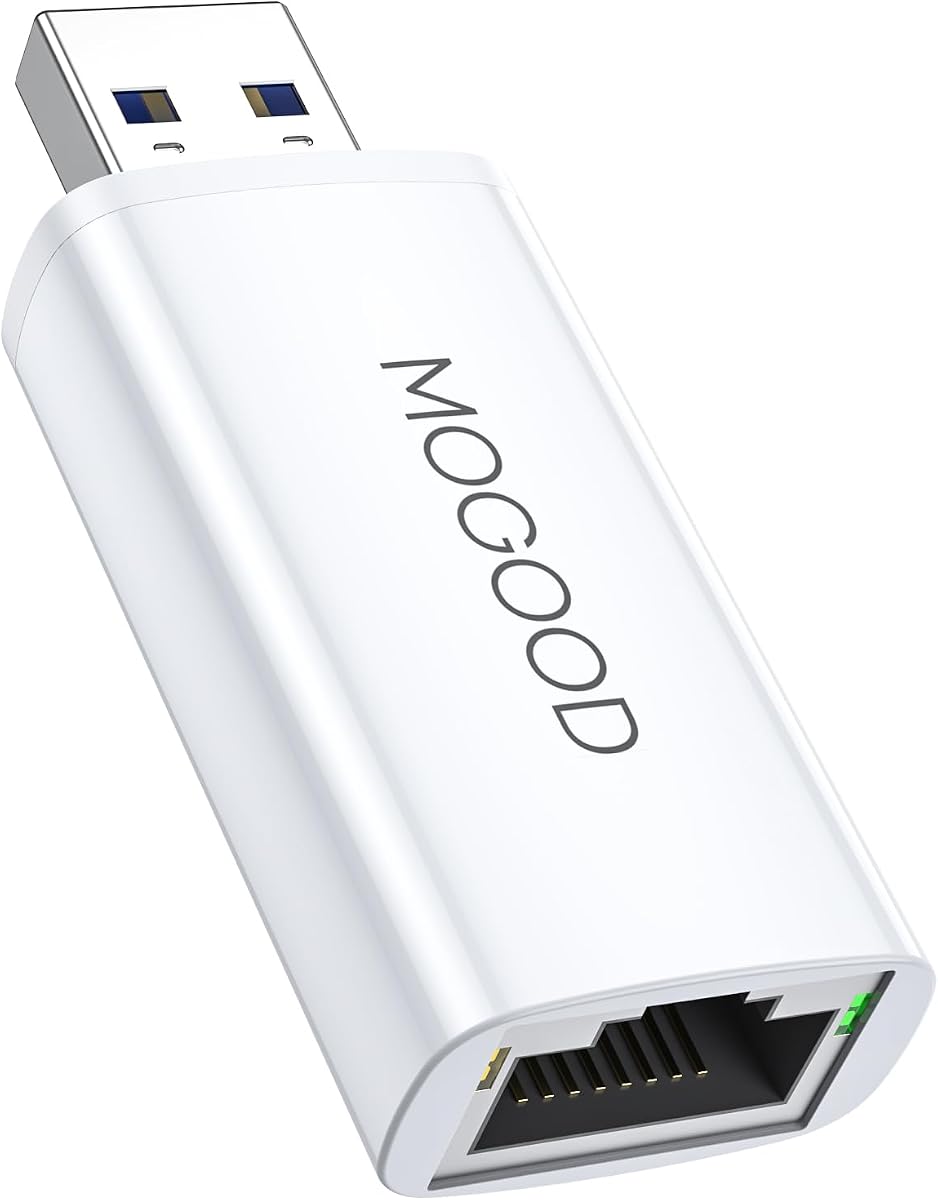
The MOGOOD USB 3.0 Adapter is designed for users who want high-speed Gigabit Ethernet. Rated 4.4 stars, it delivers up to 1000 Mbps speeds. It works with laptops, Fire TV Cube, and more for stable network links without Wi-Fi.
We may earn a commission when you buy through this link, at no additional cost to you.
It is backward compatible with USB 2.0 but performs best with USB 3.0. Plug and play functionality makes setup instant. It is a sturdy build that lasts for daily use. It replaces Wi-Fi for stable streaming and gaming without lag.
This adapter is distinct as it uses USB 3.0 which is not standard on many Fire TV Sticks. It is best for Fire TV Cube or other devices with USB 3.0 ports. If your device lacks this port, it may not fit. But if it does, performance is excellent.
If you need a Gigabit adapter for a device with USB 3.0, this is a top choice. It offers speed and reliability. We suggest it for tech-savvy users who want maximum wired connectivity options.
USB 3.0 to RJ45 adapter delivers up to 1000 Mbps wired network speed.
Works with laptop, Mac, and Fire TV Cube for wired connectivity and stable network link.
We may earn a commission when you buy through this link, at no additional cost to you.
Choosing the right Ethernet adapter involves understanding your specific Fire TV model and internet requirements. This guide breaks down the essential factors to consider before you make a purchase.
The first and most critical step is to identify the port type on your Fire TV device. Most older models like the Fire TV Stick 4K use a Micro-USB port for power and data. However, newer models like the Fire TV Stick HD (2nd Gen) and Fire TV Stick 4K Max have shifted to USB-C. You must choose an adapter that matches this physical interface exactly.
Always verify your device's port type before purchasing to avoid buying an incompatible adapter that will not fit.
Adapters come with different speed ratings. Most Fire TV adapters support 10/100 Mbps (Fast Ethernet), which is sufficient for most 4K streaming needs. However, some premium adapters offer Gigabit speeds (1000 Mbps). If you have a high-speed internet plan, a Gigabit adapter ensures you are not bottlenecked by the hardware.
For most streaming needs, standard Fast Ethernet is adequate, but Gigabit is recommended for future-proofing.
Since adapters can generate heat during data transfer, build quality matters for longevity. Aluminum alloy casings are common in high-quality models because they dissipate heat effectively. Plastic models might suffice for occasional use but may overheat during long marathon sessions. Look for adapters that mention heat dissipation features.
Selecting an adapter with a metal housing ensures better thermal performance and durability.
Some adapters draw power directly from the Fire TV's USB port, while others require an external power source. If you find your streaming device is unstable, an adapter with a dedicated power cable is often a safer choice. This ensures the adapter has enough power to maintain a steady connection.
Adapters with dedicated power cables are more reliable for maintaining stable network connections.
Look for adapters that do not require installing drivers on your device. Most Fire TV compatible adapters are plug-and-play, meaning they work immediately after connection. Avoid models that require complex configuration or software installation, as this can be difficult on a TV interface.
Ensure the adapter is plug-and-play to avoid any installation hassle.
The length of the adapter or power cables can affect your setup. If your router is far away, you may need a longer Ethernet cable, but the adapter itself should have a compact design. Some models include power cables that extend to the back of the TV, helping with cable management.
Check if the included cables are long enough for your specific TV stand and router layout.
Some adapters feature LED status lights that indicate network activity. These are helpful for quickly troubleshooting connection issues without navigating the device menu. If seeing a blinking light gives you peace of mind, look for models that include this visual feedback.
An LED indicator provides instant visual confirmation that your connection is active.
Prices for these adapters vary from under $10 to over $20. While basic models are cheap, a slightly more expensive model with better heat dissipation or power support may offer better long-term value. Compare the features against the price to find the best deal.
Balance your budget with the features needed for your specific usage patterns.
To use your Ethernet adapter, simply connect the adapter to the USB port on your Fire TV device. Then, plug one end of an Ethernet cable into the adapter and the other end into your router or modem. This creates a direct wired link between your Fire TV and the internet.
If your adapter requires external power, connect the power cable to the adapter and plug the USB end into a wall charger or a powered USB port. This ensures the adapter receives enough power to maintain a stable connection without draining the Fire TV.
To care for your adapter, keep it in a well-ventilated area to avoid overheating. Avoid bending the cable sharply near the connector, as this can damage the internal wiring. Clean the adapter occasionally with a dry cloth to remove dust that might affect heat dissipation.
No special cable is needed. Any standard Ethernet cable (Cat5e or Cat6) will work with these adapters. These cables are widely available and compatible with most routers and networking gear.
Yes, many of these adapters are compatible with the Fire TV Cube since it also uses a Micro-USB port. Check the specific product details to confirm it supports the Cube model you own.
Buffering can still occur due to slow internet speed from your ISP or issues with the router itself. A wired connection improves stability but does not increase your internet speed beyond what you are paying for.
Not necessarily. Most 4K streaming services require around 15-25 Mbps. A standard 100 Mbps adapter is sufficient for 4K content. Gigabit is only needed if you have a very fast internet plan and multiple devices.
Yes, adapters with Micro-USB connectors work with many older models like the Fire TV Stick Lite and 1st Gen. However, verify the specific generation compatibility before buying to ensure it fits your device.
Yes, the adapter is designed to connect to the Ethernet port on your router using a standard cable. This is the standard method for establishing a wired connection for your Fire TV.
Selecting the right Ethernet Adapter for Fire TV Devices can significantly improve your streaming quality. Our top picks range from the reliable Micro-USB adapters to high-speed Gigabit options. Each model offers specific benefits depending on your device generation.
Prioritize compatibility and build quality when making your decision. A well-built adapter with a metal casing will last longer and perform better during long sessions. Ensure it matches your Fire TV's port type to avoid connectivity issues.
Remember that prices and availability can change on Amazon. Check current deals and verify product details before buying to ensure you get the best value. With the right adapter, you can enjoy seamless streaming without interruptions.