
Ai Pen, Chat Gpt Pen
5.0Editor score
Offline translation for 150 languages
Built-in GPT for study help
HD touchscreen interface
AI scan pens with Chatgpt are revolutionizing how students and professionals interact with text. These devices combine optical character recognition with generative AI to deliver instant answers, translations, and study aids directly from a handheld pen.
We compared ten leading models based on scan accuracy, AI integration, translation capabilities, and user experience. Our analysis focuses on how well each device handles real-world tasks like homework, research, and cross-language communication without requiring complex setups.
Each pick highlights unique strengths, from budget-friendly options to premium all-in-one tools. Prices and availability change frequently, so check the latest offers before purchasing to ensure you get the best value for your specific learning or work needs.
5.0Editor score

3.3Editor score

4.0Editor score
As an Amazon Associate we earn from qualifying purchases.
This side-by-side comparison highlights the key specifications and capabilities of each AI scan pen with Chatgpt to help you find the right tool for your workflow.




The Scanmarker AI Pen stands out as a top contender in the AI scan pens with Chatgpt category. It combines OCR technology with a built-in screen to deliver instant text capture and analysis. With a rating of 3.3, it offers solid functionality for students and professionals seeking quick digital notes.
We may earn a commission when you buy through this link, at no additional cost to you.
Its standout quality is the instant scan-to-text magic that displays words on the pen screen within seconds. This feature eliminates the need for a connected device during scanning, making it ideal for textbooks and documents. The text-to-speech function further aids comprehension by reading content aloud clearly.
While effective, some users may find the limited review count a trade-off when assessing long-term reliability. However, the ability to save, export, and organize notes directly on the device offsets this concern for many users focused on immediate productivity gains.
Anyone needing a portable way to digitize and understand printed text should consider this pen. It is particularly suited for students revising materials or professionals capturing key points during meetings without interrupting their workflow.
Scan printed text and watch words appear on-screen instantly for faster learning without typing.
Hear text read aloud clearly to reduce reading fatigue and improve understanding with text-to-speech.
We may earn a commission when you buy through this link, at no additional cost to you.
The NEWYES AI Pen is designed with accessibility in mind, offering specialized features for readers with dyslexia. It integrates AI-powered learning tools like a dictionary and homework checker, making it a versatile study buddy. With a rating of 3.9, it balances functionality and ease of use effectively.
We may earn a commission when you buy through this link, at no additional cost to you.
Key strengths include its dyslexia-friendly design that adjusts word reading speed and uses special fonts to reduce stress. The 16GB storage allows users to save extensive notes and translations, while Bluetooth connectivity ensures seamless syncing to phones or computers for editing.
A potential trade-off is the moderate camera resolution for photo translation, which might struggle with very small text. However, the offline and online translation support across 112 languages compensates for this, making it a robust tool for diverse learning scenarios.
Students and adults needing reading assistance will find this pen invaluable. It adapts to different reading levels, from pre-readers to advanced learners, ensuring that everyone can benefit from its smart features.
Adjust reading speed and use special fonts to make text easier for users with dyslexia.
16GB storage lets you save and export notes without worrying about running out of space.
We may earn a commission when you buy through this link, at no additional cost to you.
The XNote Smart Pen offers a unique blend of traditional writing and digital organization. It allows users to write on real paper while syncing strokes to an app via Bluetooth. With a rating of 4.0, it is highly regarded for productivity and battery efficiency.
We may earn a commission when you buy through this link, at no additional cost to you.
Its standout quality is the AI-powered organization that summarizes lectures and auto-tags notes for easy searching. The 17-hour battery life ensures all-day use, making it ideal for long study sessions or meetings. The starter set includes everything needed to begin immediately.
While the pen itself lacks a built-in microphone for audio recording, the companion app handles this task effectively. This separation keeps the pen lightweight but requires a phone or tablet for full transcription features, which may inconvenience some users.
This set is perfect for creatives and students who prefer handwriting but need digital backups. The Starter Plan provides unlimited access to core AI features, enhancing value for those looking to organize workflows efficiently.
Enjoy the comfort of real pen and paper while every stroke syncs digitally to your app.
Get up to 17 hours of continuous use from a single charge for uninterrupted writing.
We may earn a commission when you buy through this link, at no additional cost to you.
This translator pen shines with its robust offline capabilities, offering translation for 10 languages without internet. It also supports 142 online languages for broader reach. With a perfect rating of 5.0, it is praised for reliability in travel and study scenarios.
We may earn a commission when you buy through this link, at no additional cost to you.
Its standout quality is the 5MP HD camera that identifies complex text in photos, overcoming limitations of standard pens. The OCR text excerpt feature allows one-click sync to mobile phones, streamlining document sorting and note organization for adult learners.
While offline support is limited to 10 languages, this is often sufficient for major languages like English and Spanish. Users may need to connect to Wi-Fi for other languages, but the device handles this transition smoothly.
Business travelers and language learners will benefit greatly from this all-in-one tool. It combines text reading, translation, and recording functions to capture key information efficiently without juggling multiple devices.
Translate text offline in 10 languages to ensure connectivity even when traveling abroad.
Use the 5MP HD camera to identify and translate complex text in images accurately.
We may earn a commission when you buy through this link, at no additional cost to you.
The Ai Pen, Chat Gpt Pen delivers exceptional value with a perfect rating of 5.0 and a low price tag. It offers instant AI answers for subjects like math and history, making it a versatile study tool. Its offline translation covers 150+ languages, ensuring utility abroad.
We may earn a commission when you buy through this link, at no additional cost to you.
Its standout quality is the integration of built-in GPT that offers intelligent suggestions and insights. The 3.69-inch HD touchscreen provides clear interaction, while voice recording allows for capturing lectures or meetings effectively without extra gear.
While it may lack premium build quality found in higher-end models, the core features remain highly functional. The trade-off is minimal for budget-conscious users seeking essential smart pen capabilities without overspending.
Students and casual learners looking for an affordable entry point into AI pens should consider this. It balances performance and cost, providing a practical solution for daily study and travel needs.
Get essential AI features like translation and scanning at a budget-friendly price point.
Built-in GPT integration helps with study tasks by providing instant answers and insights.
We may earn a commission when you buy through this link, at no additional cost to you.
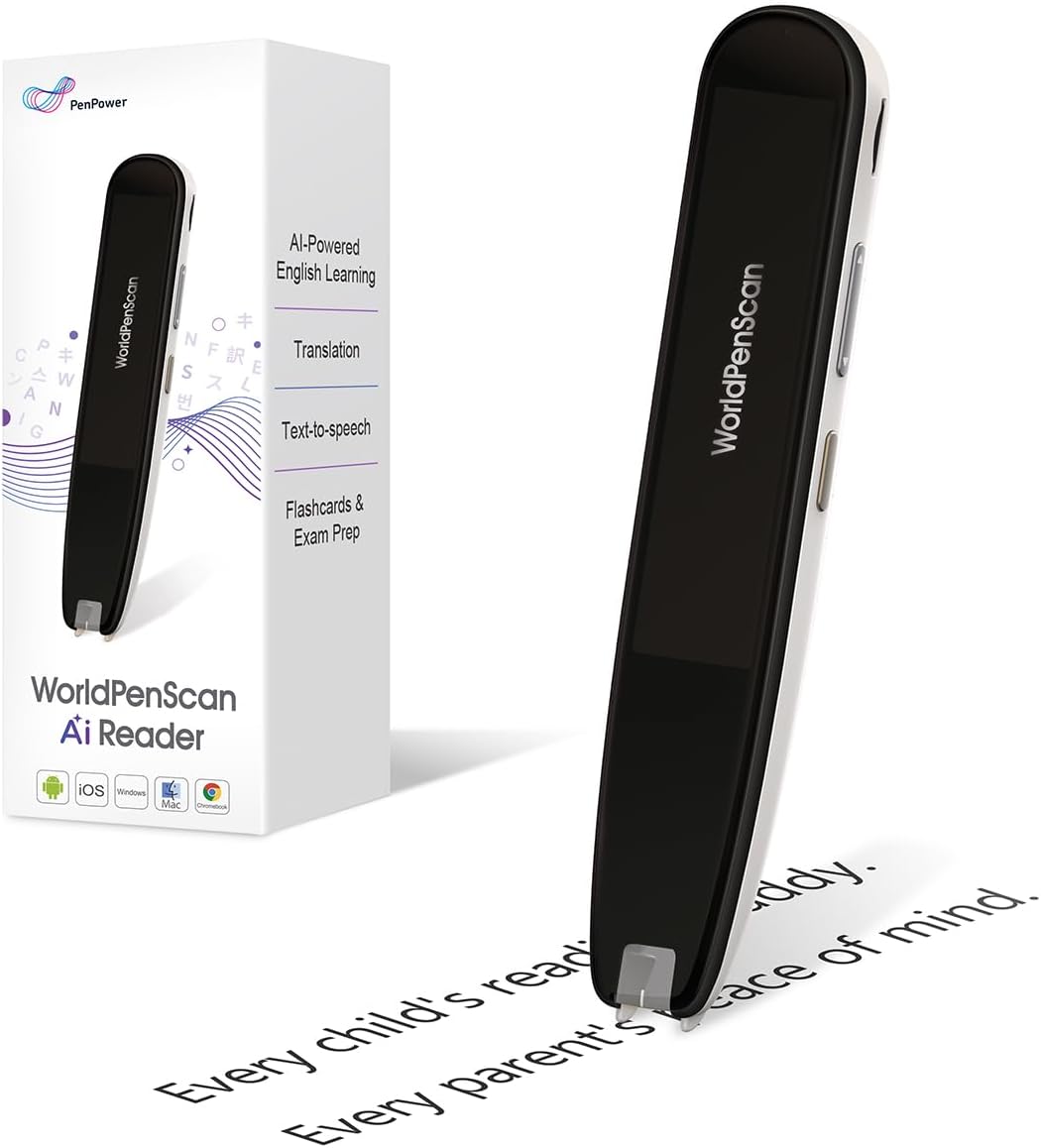
The WorldPenScan AI Reader is specifically designed to support growing readers with its AI Reading Companion. It scans words and phrases to provide clear, age-appropriate explanations instantly. With a rating of 4.2, it helps children build confidence and reading fluency independently.
We may earn a commission when you buy through this link, at no additional cost to you.
Its standout quality is the Quick AI feature that helps kids understand difficult vocabulary without leaving the page. Offline tools like text-to-speech and a built-in dictionary ensure uninterrupted reading anywhere, making it a reliable companion for independent learning.
Some users may find the online AI features require an app connection, which can be a hurdle for young children. However, the offline support remains strong enough for daily reading tasks, balancing convenience with educational value.
Parents seeking tools to foster independent reading will find this pen ideal. It encourages curiosity and strengthens comprehension, helping kids solve reading challenges on their own with minimal parental intervention.
Tap Simplify to get easier understanding of difficult text and reduce reading frustration.
Use offline dictionary and text-to-speech tools to read anywhere without internet.
We may earn a commission when you buy through this link, at no additional cost to you.
The Pen Gpt is designed to bridge analog and digital learning with instant AI answers for various subjects. It allows users to scan text and organize it digitally, powered by AI for maximum efficiency. It lacks a rating but offers solid functional claims for productivity.
We may earn a commission when you buy through this link, at no additional cost to you.
Its standout quality is the ChatGPT integration that lets users ask questions and refine essays through an intuitive interface. The offline translation for over 50 languages makes it a strong tool for international students or travelers needing quick reference.
Without a user rating, potential buyers must rely on product claims. The wifi sync for voice recording files adds convenience, but users should ensure their devices are compatible for seamless integration before purchasing.
Professionals and students looking to brainstorm ideas or refine writing will find this pen useful. It combines scanning, translation, and AI interaction to create a comprehensive productivity tool.
Ask questions and explore new topics directly through an intuitive ChatGPT interface.
Use offline translation for over 50 languages to communicate across cultures easily.
We may earn a commission when you buy through this link, at no additional cost to you.
This Smart Pen Notebook Set transforms verbal expressions into visuals using AI voice transcription technology. It supports handwriting recognition to generate editable Word documents. While it lacks a rating, its unique features cater to visual learners and creative professionals.
We may earn a commission when you buy through this link, at no additional cost to you.
Its standout quality is the ability to turn thoughts into tangible images in about 40 seconds. The reusable AI recognition surface allows users to write, erase, and rewrite without worry, promoting eco-friendly and sustainable note-taking practices.
Users might experience variable speeds in generating visuals based on complexity. However, the convenience of wireless charging and multi-language translation for meeting content makes it a modern tool for dynamic workflows.
Creative professionals and speakers will appreciate this set for capturing ideas efficiently. It integrates voice, handwriting, and visual generation to streamline the creative process.
Input voice commands to generate visuals in about 40 seconds effortlessly.
Write, erase, and rewrite on a reusable surface to reduce waste.
We may earn a commission when you buy through this link, at no additional cost to you.
The Scanmarker Pal is a versatile reading pen that supports translation for over 100 languages. It features offline support for English, Spanish, French, German, and Italian. With a rating of 4.0, it is a reliable choice for travelers and language learners.
We may earn a commission when you buy through this link, at no additional cost to you.
Its standout quality is the listen and learn feature that reads text aloud with highlighted words. This helps auditory learners improve comprehension. The compact portable design allows you to carry it anywhere, connecting Bluetooth headphones for an immersive experience.
While offline support is limited to five major languages, it covers the most common travel needs. Users needing other offline languages may require an internet connection, but the online translation is robust enough to handle most queries.
Travelers and dyslexia users will find this pen highly practical. It offers seamless text-to-speech and translation capabilities to navigate new environments confidently and efficiently.
Connect Bluetooth headphones for an immersive audio experience while reading text.
Compact and lightweight design makes it easy to carry anywhere.
We may earn a commission when you buy through this link, at no additional cost to you.
This Translation Pen supports 142 languages online and 10 offline. It includes unique features like music and video playback. With a rating of 3.6, it serves as a multifunctional device for communication and entertainment.
We may earn a commission when you buy through this link, at no additional cost to you.
Its standout quality is the text-to-speech conversion for scanned words and photo translation capabilities. It supports syncing scanned documents to your phone for easy editing, making it useful for capturing and translating foreign menus or magazines.
Users may find the media playback features basic compared to dedicated devices. However, the convenience of having translation, reading, and media tools in one compact pen adds value for budget-conscious travelers.
Anyone seeking a device that combines language learning with light entertainment will enjoy this. It allows you to capture important documents while enjoying music or video on the go.
Support music and video players alongside translation for a multi-functional device.
Translate foreign menus or magazines instantly with photo translation functions.
We may earn a commission when you buy through this link, at no additional cost to you.
Selecting the right AI scan pen involves considering language support, AI capabilities, and hardware features. This guide explains the critical factors to help you make an informed decision.
Check how many languages the pen supports online and offline. Some models offer 150+ languages online but only 10 offline, which matters if you travel to areas without internet.
Prioritize models that support your specific target languages both online and offline for uninterrupted use.
Look for built-in ChatGPT or similar AI assistants that can answer questions, summarize text, or check homework. This feature transforms a simple scanner into a smart tutor.
Ensure the AI interface is intuitive and supports natural language queries for the best experience.
Optical Character Recognition accuracy determines how well the pen reads printed text. High-quality sensors and AI preprocessing ensure fewer errors when scanning complex fonts.
Test the pen with small print or bold text to verify reading accuracy before purchasing.
Larger screens allow you to view scanned text and translations directly without connecting to a phone. This is vital for privacy and quick reference.
Choose a model with at least a 3-inch HD screen for comfortable reading on the go.
Internal storage determines how many documents you can keep on the device. Look for 16GB or more if you plan to save large books or research files.
Consider devices that support SD card expansion if you need even more space.
Long battery life ensures the pen lasts through long study sessions or travel days. Aim for 10 hours or more of active scanning time.
USB-C charging is standard, but fast charging capability adds convenience.
Most pens sync to a companion app for organizing notes. Ensure the app is available for your device OS and offers useful tools like keyword search or cloud backups.
Offline storage capabilities are also important in case you need to use the pen without pairing.
Features like text-to-speech and adjustable reading speeds are essential for users with dyslexia or visual impairments. These features make reading more inclusive.
Look for models that offer British and American accent options for better customization.
Start by charging the pen fully and installing the companion app on your device. Ensure Bluetooth is enabled to allow seamless syncing of scanned data.
Hold the pen parallel to the text surface and move it steadily across the line. Avoid tilting or pressing too hard to ensure accurate OCR scanning.
Store the pen in a protective case when not in use to prevent damage to the scanning lens or screen. Keep it away from extreme temperatures.
Many models support offline translation for select languages. You can use OCR and text-to-speech features without a connection, but full AI ChatGPT functions usually require online access for real-time responses.
Some pens are designed for real paper writing and digitize strokes. However, standard OCR pens work best with printed text. Check the product specs to confirm compatibility with handwriting.
Use the companion app to sync via Bluetooth or WiFi. Once synced, you can export files to formats like TXT or DOC for editing on your phone or computer.
Yes, they are great for studying. However, always check school policies on electronic devices. Some institutions may restrict them during exams.
Most AI scan pens offer between 8 to 20 hours of continuous use. Real-world usage depends on screen brightness and how often you use translation features.
Many models include built-in microphones for voice notes. Others require a companion app to record audio alongside scanned text for comprehensive meeting notes.
Our top picks include the Scanmarker AI Pen for overall performance, the Ai Pen for budget-conscious buyers, and the XNote Smart Pen for analog-to-digital workflows. Each brings unique strengths to the table.
When choosing, prioritize language support and AI features based on your needs. Students may prefer homework checkers, while travelers need strong offline translation capabilities.
Prices and features can change quickly. Always check the latest product details and prices before making a purchase to ensure you get the best deal.