
The Braille Store Business Card Slate
4.9Editor score
Ultra-thin aluminum construction
Built-in signature guide included
Perfect for business card embossing
This guide compares the top 10 Braille Displays for Blind Users available in 2026, covering features, compatibility, and pricing to help you choose the right
Finding the right Braille display can transform how blind users interact with digital content. A quality device offers tactile feedback, screen reader compatibility, and portability for daily use across various environments.
We evaluated ten distinct products ranging from high-end refreshable displays to affordable writing slates and learning tools. Each option was assessed based on build quality, connectivity, and specific use cases for literacy and navigation.
Each review highlights key strengths, trade-offs, and ideal user scenarios to guide your decision. Please note that pricing and availability fluctuate frequently, so verify current details before purchasing to ensure you get the best value.
4.9Editor score

5.0Editor score

4.5Editor score
The following comparison table outlines the core specifications of each product to help you quickly identify the device that best fits your specific accessibility requirements and lifestyle needs.




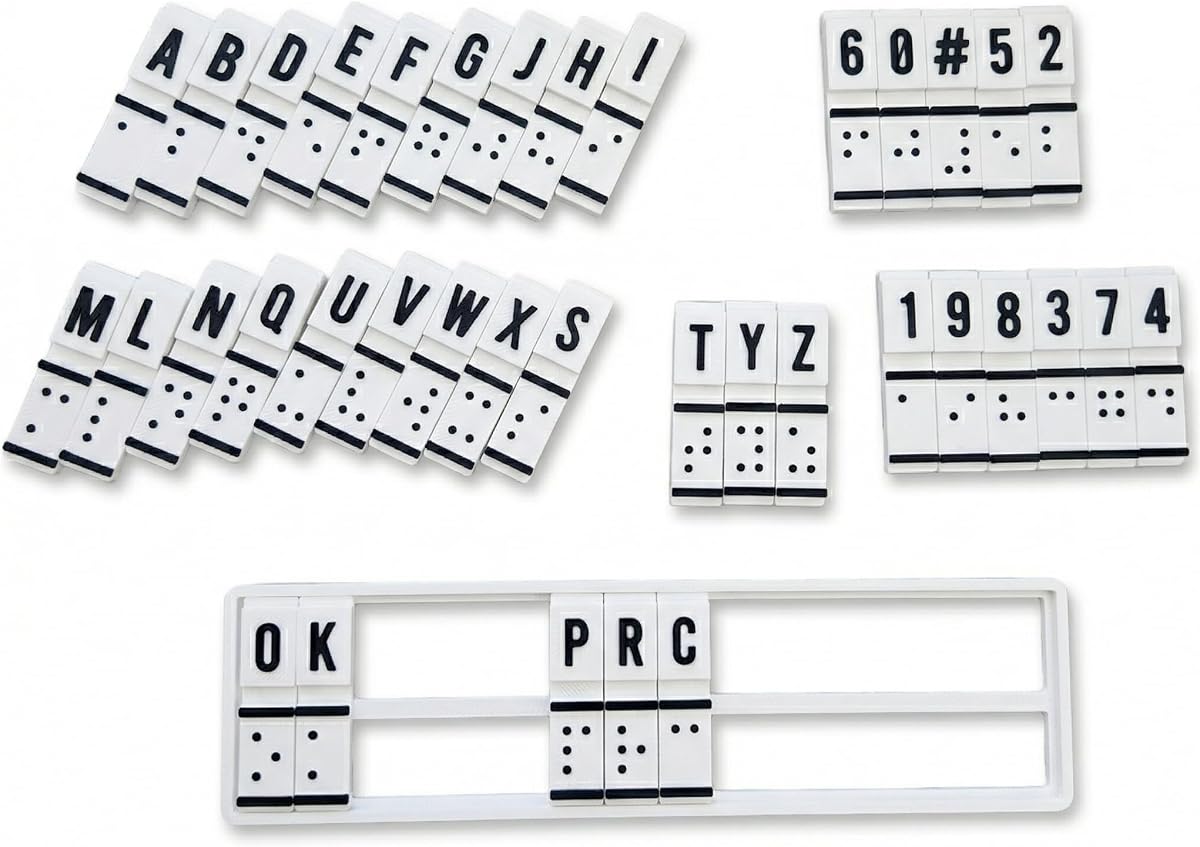
The Brailliant BI 40X stands out as the premier choice for users needing a robust refreshable braille display. With its impressive 40-cell width and high reliability ratings, it serves as a powerful tool for reading and writing across multiple devices.
We may earn a commission when you buy through this link, at no additional cost to you.
Key strengths include its ability to connect to five Bluetooth devices and one USB device simultaneously, making transitions between phones and laptops seamless. The onboard KeySoft Lite apps like Editor and Online Libraries enhance its utility beyond simple screen reading.
While the device is heavier and more expensive than smaller models, the trade-off is justified by its extensive feature set and durable build. The 20-hour battery life ensures it lasts through long workdays or travel without frequent recharging.
This device is ideal for professionals, students, or avid readers who need a reliable primary braille interface. Its comprehensive connectivity and app support make it a top-tier investment for serious braille users.
The ability to pair with five Bluetooth devices simultaneously allows users to switch effortlessly between a smartphone, tablet, and computer without manual re-pairing.
Built-in applications such as the Braille Editor and Victor Reader provide standalone functionality for note-taking and media consumption even when disconnected from a host device.
We may earn a commission when you buy through this link, at no additional cost to you.
The Brailliant BI 20X offers a balance between portability and functionality for users who need a reliable braille display on the go. Its 20-cell format is smaller than the 40X but still sufficient for most reading tasks.
We may earn a commission when you buy through this link, at no additional cost to you.
This model includes onboard KeySoft Lite apps such as Editor and Calculator, allowing users to perform basic tasks without needing a connected computer. It also supports access to major online libraries like Bookshare and NLS BARD.
While the storage is 16GB compared to the 40X's 32GB, it remains ample for storing braille documents and audio files. The 20-hour battery life is a significant advantage for users traveling or working without constant power access.
Ideal for students or professionals who prioritize portability, this device delivers premium features in a smaller form factor. Its support for multiple device connections makes it versatile for daily workflows.
Users can utilize onboard tools like the Braille Editor and Terminal even without a host device, providing independence for quick tasks or note-taking.
Direct access to Bookshare and NFB Newsline ensures that users can access vast libraries of accessible content directly through the device's interface.
We may earn a commission when you buy through this link, at no additional cost to you.
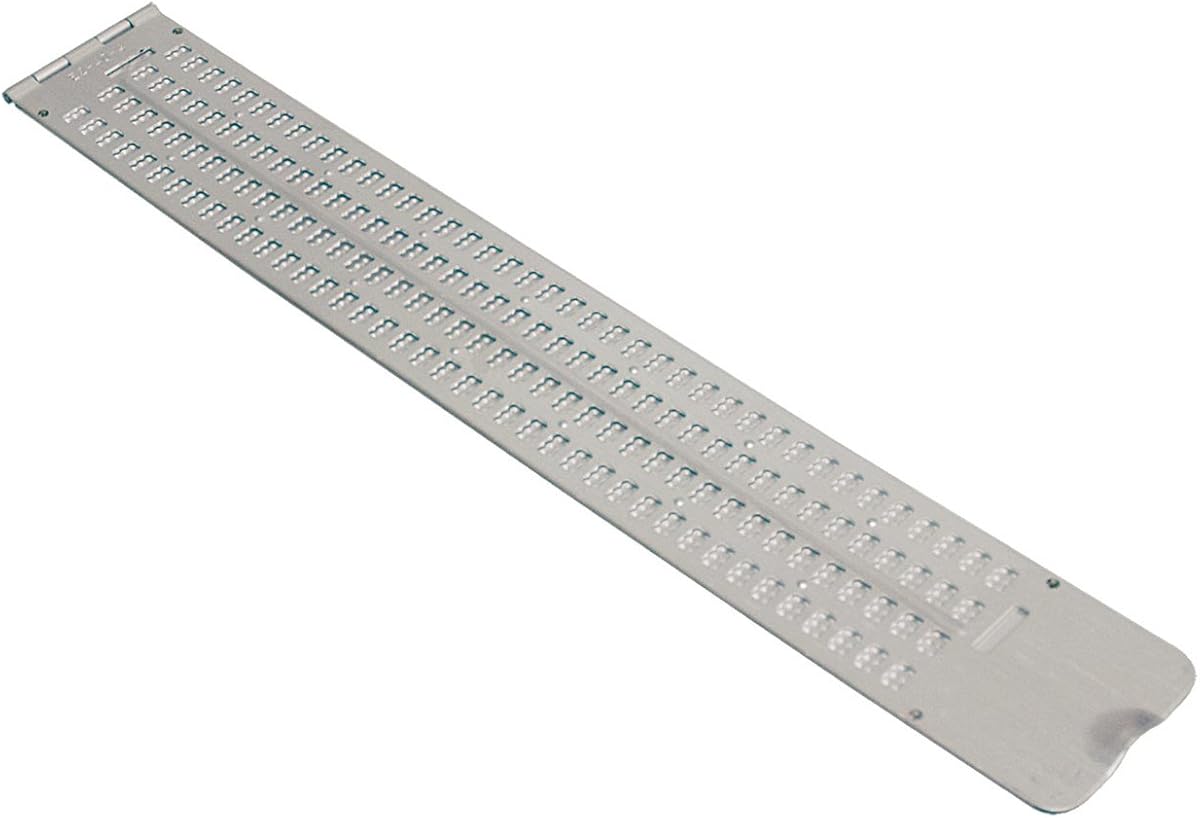
The Braille Store Business Card Slate is an exceptionally affordable option for those needing to write quick notes or create braille labels. Its compact design and high user ratings make it a top pick for budget-conscious buyers.
We may earn a commission when you buy through this link, at no additional cost to you.
This slate allows users to emboss four lines with 12 cells per line, which is perfect for business cards or small labels. The built-in signature guide ensures that signatures or names remain perfectly straight and professional.
While it lacks the electronic capabilities of refreshable displays, its manual nature is excellent for practicing braille literacy or for low-tech backup situations. The included stylus is durable and designed to produce clear dots.
This product is best for users who need a simple, reliable tool for short writing tasks or demonstrations. Its low cost and high quality make it an essential accessory for any braille user's toolkit.
The built-in guide ensures that when you sign your name, the dots align perfectly, maintaining professionalism on business cards or official documents.
Weighing only about 1.4 ounces, this ultra-thin slate fits easily into a pocket or wallet, ensuring you can always write a quick note when needed.
We may earn a commission when you buy through this link, at no additional cost to you.
For users who frequently switch between smartphones and computers, the Brailliant BI 20X offers unparalleled connectivity. Its ability to connect to five Bluetooth devices simultaneously allows for seamless transitions during daily tasks.
We may earn a commission when you buy through this link, at no additional cost to you.
The cursor routing keys allow users to move the focus precisely on a screen without needing to navigate complex menus. This feature is particularly useful for web browsing and email management on mobile devices.
Although it has only 20 cells, this width is sufficient for most line-based content and makes the device more portable. The support for DAISY and unprotected audio playback adds versatility for multimedia consumption.
This device is ideal for users who need a versatile companion for mobile accessibility. Its strong battery life and multi-device support make it a reliable choice for active lifestyles.
Cursor routing keys enable you to tap directly on a point of interest on your screen, moving the focus instantly for faster interaction.
Keeping your phone, tablet, and computer connected simultaneously means you never lose access to your braille interface regardless of the device you are using.
We may earn a commission when you buy through this link, at no additional cost to you.
The Braille Slate- 13 Lines offers a significant writing area compared to smaller slates, making it suitable for homework or longer notes. Its durable aluminum build ensures it can withstand regular use in school or office settings.
We may earn a commission when you buy through this link, at no additional cost to you.
With 13 lines and 36 cells across, users have ample space to write detailed notes without constantly moving the slate. The hinged design allows for easier storage when closed, protecting the paper inside from damage.
The included stylus and thumb notch for opening add to its usability. However, the lower rating suggests that some users might find it cumbersome or less ergonomic compared to other options.
This slate is best for students or educators who need a reliable manual tool for writing practice or assignments. Its size and durability make it a practical choice for daily learning tasks.
The 13-line capacity allows users to write substantial notes or paragraphs without needing to constantly shift the slate down to the next line.
The hinged design ensures that sheets of paper stay securely inside the slate, preventing them from getting lost or crumpled in a backpack.
We may earn a commission when you buy through this link, at no additional cost to you.
Designed specifically for letter-size paper, the Full-Page Slate allows users to write entire documents without interruptions. The plastic construction ensures quiet operation, making it ideal for libraries or classrooms.
We may earn a commission when you buy through this link, at no additional cost to you.
The braille line numbers embossed on the right side help users find their place if they get interrupted. This feature significantly improves workflow efficiency for long writing sessions or assignments.
While the plastic build is durable, it may not feel as premium as aluminum. However, its quiet operation and capacity make it a highly functional tool for students and professionals who write frequently.
This slate is perfect for academic or office use where full-page notes are required. Its thoughtful design features like line numbers make it a practical choice for serious writers.
The embossed braille numbers down the side allow you to quickly find your last line written, saving time when returning to work on a page.
The guides for embossing on 3/8 inch and 1/2 inch labeling tape add versatility for organizing files or labeling containers without extra tools.
We may earn a commission when you buy through this link, at no additional cost to you.
When working in quiet spaces like libraries or meeting rooms, the Full-Page Slate provides silent operation thanks to its thick plastic construction. This ensures you can write notes without disturbing those around you.
We may earn a commission when you buy through this link, at no additional cost to you.
The 25-line capacity accommodates full pages of content, reducing the need to manage multiple sheets. The built-in guides for labeling tape add versatility, allowing you to organize items efficiently without extra tools.
While it requires manual effort to emboss dots, the durability of the plastic ensures it withstands regular use. The price point is very accessible compared to electronic devices.
This slate is ideal for students or professionals who need a quiet, reliable tool for writing in shared spaces. Its full-page capacity makes it highly efficient for notes and assignments.
Unlike metal slates that can clang on tables, the plastic material dampens sound, ensuring your writing process remains quiet and unobtrusive.
You can snap a full sheet of paper into the slate and write until it is full without constantly moving your work area, streamlining your workflow.
We may earn a commission when you buy through this link, at no additional cost to you.
The Braille Slate- Pocket is designed for maximum portability, fitting easily into a briefcase or backpack. Despite its small size, it offers a wide writing area with 40 cells per line.
We may earn a commission when you buy through this link, at no additional cost to you.
With four lines of space, it is suitable for writing short notes, addresses, or labels. The aluminum construction ensures durability, while the pins-up configuration makes it easy to use.
Its high cell density means users can fit more information on each line, maximizing the limited space. This makes it a powerful tool for quick information retrieval or short messaging.
This slate is perfect for users on the go who need a reliable writing tool without bulk. Its lightweight design ensures it can be carried effortlessly in any bag.
With 40 cells per line, this slate maximizes information density, allowing you to write longer addresses or notes on a single line.
The slim profile and lightweight aluminum body ensure it adds virtually no weight to your bag, making it ideal for travel or daily commutes.
We may earn a commission when you buy through this link, at no additional cost to you.
The Hable One bridges the gap between tactile input and modern smartphones with its unique design. It allows users to type privately on their devices without needing a physical keyboard.
We may earn a commission when you buy through this link, at no additional cost to you.
Users do not need prior braille knowledge to start, as the device is designed to be intuitive and includes free onboarding tutorials. This lowers the barrier to entry significantly for new users.
With over a month of battery life on a single charge, it offers exceptional reliability for daily use. It integrates smoothly with Siri and other voice commands for comprehensive control.
This device is ideal for smartphone users who want a private and reliable typing method. Its ease of use and long battery life make it a standout accessory for accessibility.
New users can start typing immediately without memorizing braille codes, thanks to the intuitive layout and included onboarding tutorials.
You can type sensitive information with the device in your pocket while your phone remains there, keeping your communication private and discreet.
We may earn a commission when you buy through this link, at no additional cost to you.
These transparent stickers offer an economical way to add braille legends to an existing keyboard without replacing the hardware. The Lexan material ensures durability and clarity for bilingual use.
We may earn a commission when you buy through this link, at no additional cost to you.
The 3M adhesive is designed to prevent slipping or curling, keeping the stickers secure during typing. Users can still see the original key labels through the transparent material.
While not a standalone device, this solution is effective for fixed workstations where a tactile reference is needed. It supports low vision users by adding a tactile layer to standard keyboards.
This product is best for individuals or offices looking to enhance existing keyboards affordably. Its transparent design allows for seamless integration with standard office environments.
The transparency allows users to read both standard printed letters and braille dots simultaneously, facilitating learning and dual-language workflows.
The peel-and-stick installation ensures a secure fit on standard key caps, preventing the stickers from shifting during intense typing sessions.
We may earn a commission when you buy through this link, at no additional cost to you.
Selecting the right braille display involves evaluating specific features and needs. This guide outlines the key factors to consider before making a purchase.
The number of cells determines how much text you can read at once. Larger displays like 40-cell models provide more context and reduce the need for scrolling, while 20-cell models offer better portability for travel.
Ensure the device supports Bluetooth or USB connections to your devices. Multiple device pairing allows you to switch between phones and computers seamlessly, enhancing productivity in various environments.
For mobile use, battery life is critical. Look for models that offer at least 15 to 20 hours of use on a single charge and convenient charging options like USB-C to stay powered throughout the day.
Some displays include built-in apps for note-taking, calculators, or media playback. These features allow the device to function independently without always requiring a host computer or phone.
Consider materials like aluminum or durable plastic that withstand daily use. A sturdy build ensures longevity, especially for students or professionals who carry the device regularly.
Electronic displays are a significant investment, but manual slates are affordable alternatives. Determine whether you need full refreshable functionality or just a writing tool to ensure you pay for necessary features only.
Check that the device works well with your preferred screen reader. Smooth integration ensures that commands and feedback are processed correctly, improving usability and efficiency.
Devices with cursor routing keys or tactile buttons allow precise control. Ensure the input method feels comfortable for long periods to prevent fatigue during extended use.
Always follow the manufacturer's charging guidelines to preserve battery health. Avoid leaving the device plugged in unnecessarily, as this can degrade the battery lifespan over time.
A refreshable display is electronic and connects to devices to read digital text, while a slate is a manual tool for writing braille on paper. Displays offer connectivity and apps, whereas slates are simple and require physical embossing.
Yes, most modern braille displays support Bluetooth connections to iPhones and Android phones. Ensure your device supports the Bluetooth version required by the display for a stable connection.
Use a soft, dry cloth to wipe the cells gently. Avoid liquids or harsh chemicals that could damage the mechanical parts. Regular dusting keeps the pins moving smoothly.
Some models like the Brailliant BI series include onboard apps for note-taking or media playback. However, full functionality often requires connection to a host device for internet access or complex tasks.
Students often benefit from the 40-cell display due to its larger reading area and onboard tools. Portable models like the 20X are also good for carrying to classes without weighing down a backpack.
Most premium models offer around 20 hours of continuous use. Portable tools like the Hable One offer over a month on a single charge, while manual slates do not require batteries at all.
Yes, many models support macOS with proper driver installation. Always check the manufacturer's compatibility list before purchasing to ensure seamless integration with your operating system.
Slate are affordable, portable, and require no electricity. They are excellent for practicing braille literacy, writing short notes, or labeling items in a low-tech environment.
Always verify current pricing and availability before purchasing to ensure you get the best value. Technology evolves rapidly, so checking the latest model updates can help you make an informed decision.