
HP 17 Laptop
5.0Editor score
AMD Ryzen 5 Processor
17.3 Inch FHD Display
Windows 11 Pro Included
Finding the right laptop for Adobe Premiere Pro requires balancing processing power, graphics capability, and display quality. Video editing demands significant resources to handle timeline playback, rendering, and color grading smoothly without frustrating lag or crashes during critical workflows.
We compared ten top models ranging from professional workstations to budget-friendly options. Our analysis focuses on CPU cores, GPU VRAM, RAM capacity, and screen accuracy to ensure each pick delivers reliable performance for 1080p, 4K, and beyond in Premiere Pro projects.
Each pick shows key specifications and real-world suitability for different creator needs. Prices change frequently so always verify current listings before purchasing to ensure you get the best value for your specific editing requirements and budget constraints today.
5.0Editor score

4.7Editor score

4.5Editor score
As an Amazon Associate we earn from qualifying purchases.
This side-by-side comparison highlights the key specifications and features of all ten selected laptops to help you quickly identify the best fit for your Adobe Premiere Pro editing needs and budget requirements.




The Dell Precision 3581 stands out as a powerful workstation for video editing. Released in 2023, it features a robust Core i7-13800H processor and 32GB of DDR5 RAM to handle demanding Adobe Premiere Pro timelines smoothly. The dedicated Nvidia GeForce RTX A500 graphics card ensures stable playback and rendering for professional workflows. This renewed model offers significant value while maintaining enterprise-grade build quality and reliability. Many users praise its balance of performance and cost for intensive content creation tasks.
We may earn a commission when you buy through this link, at no additional cost to you.
Performance is the standout strength of this machine. The 14-core processor allows for exceptional multitasking when running Premiere Pro alongside other applications like After Effects or browsers. The 32GB DDR5 RAM clocked at 4800MHz ensures seamless switching between projects without lag. The 1TB SSD provides fast data transfers and ample space for large video files. The Nvidia RTX A500 GPU with 4GB GDDR6 VRAM is certified for professional software, delivering stable acceleration for effects and rendering tasks.
Trade-offs include the renewed condition which may vary slightly in cosmetic appearance compared to brand new units. The FHD display is clear but lacks the color accuracy and resolution of higher-end panels for critical grading. Additionally, the RTX A500 is capable but not top-tier for heavy 4K multi-stream editing. These limitations are acceptable given the price point, especially for editors prioritizing raw compute power over premium screen specs.
This laptop is ideal for professionals seeking a reliable workstation without breaking the bank. It suits editors who need fast compile times and stable multitasking capabilities in a portable 15-inch form factor. The on-site warranty service adds peace of mind for business users. We recommend this for those who prioritize CPU and RAM power and can work with an FHD screen.
The Nvidia RTX A500 is ISV certified ensuring reliable performance with Adobe applications and professional workflows without unexpected crashes or driver issues.
Running at 4800MHz the DDR5 RAM significantly boosts data throughput for faster rendering and smoother timeline scrubbing compared to older DDR4 generations.
We may earn a commission when you buy through this link, at no additional cost to you.
The Dell Precision 7680 represents the pinnacle of workstation performance for creators. Powered by the Intel Core i9-13950HX processor it delivers exceptional speed for 4K and 8K video editing in Adobe Premiere Pro. The 32GB DDR5 CAMM RAM ensures stable multitasking while the 1TB SSD handles large media libraries. Designed for demanding workflows it stands at the top of the Precision lineup for scalability and performance.
We may earn a commission when you buy through this link, at no additional cost to you.
Its high performance comes from the powerful vPro processor reaching up to 5.5GHz for fast rendering and encoding. The CAMM memory design overcomes limits of traditional SODIMM offering faster speeds in a thinner profile. The crisp FHD+ display delivers vivid visuals while support for three external monitors enables flexible multi-screen setups without a dock. Connectivity is robust with Thunderbolt 4 ports and Wi-Fi 6E ensuring seamless data transfer and peripheral use.
Trade-offs include the significant price tag compared to consumer laptops and a heavier chassis due to the workstation build. The lack of a dedicated GPU in this specific listing relies on integrated UHD graphics which may limit heavy GPU acceleration tasks. These factors are acceptable for users needing raw CPU power and enterprise security features in a mobile workstation environment.
This machine is perfect for architects engineers and creative professionals handling complex projects. It suits those who prioritize expandability and security alongside raw processing speed. The three-year warranty on upgraded components adds value. We recommend it for enterprise users requiring top-tier workstation-class computing for intensive video editing workflows.
CAMM RAM reduces Z height and routing traces allowing for faster memory speeds and thinner laptop profiles compared to standard SODIMM modules.
Support for three external monitors via HDMI USB-C and Thunderbolt allows flexible multi-screen setups without needing an external docking station.
We may earn a commission when you buy through this link, at no additional cost to you.
The Dell Precision 7780 is a powerhouse for intensive content creation and engineering workflows. Featuring the Intel Core i9-13950HX processor it delivers maximum processing power for complex Adobe Premiere Pro projects. The massive 128GB RAM capacity ensures seamless multitasking even with dozens of applications running. The NVIDIA RTX 3500 Ada Generation GPU provides stability for advanced engineering and rendering tasks making it ideal for professional use.
We may earn a commission when you buy through this link, at no additional cost to you.
Its configuration is designed for business and advanced professional workflows. The RTX 3500 with 12GB VRAM handles intensive content creation and stability required for architectural design. ISV certifications ensure dependable compatibility with professional applications while Windows 11 Pro with AI Copilot boosts productivity. Connectivity includes HDMI USB-C and Wi-Fi for flexible connections across various peripherals and networks.
Trade-offs include the significant cost and the substantial weight of a 17.3-inch mobile workstation. The FHD resolution on a large screen may not satisfy users seeking 4K native displays for detailed editing. However the raw CPU and GPU power make it a top choice for desktop replacement scenarios where performance outweighs portability concerns.
This laptop is best for professionals needing enterprise-grade performance without sacrificing mobility. It suits users handling heavy CAD design rendering and video editing workflows. The extended manufacturer warranty through 2031 adds value. We recommend it for those seeking a true high-end workstation experience for complex and demanding tasks.
The NVIDIA RTX 3500 Ada Generation with 12GB VRAM delivers stability and power required for intensive content creation and advanced engineering tasks.
ISV-Certified workstation performance ensures optimized and tested reliability for professional software applications used in design engineering and data science.
We may earn a commission when you buy through this link, at no additional cost to you.
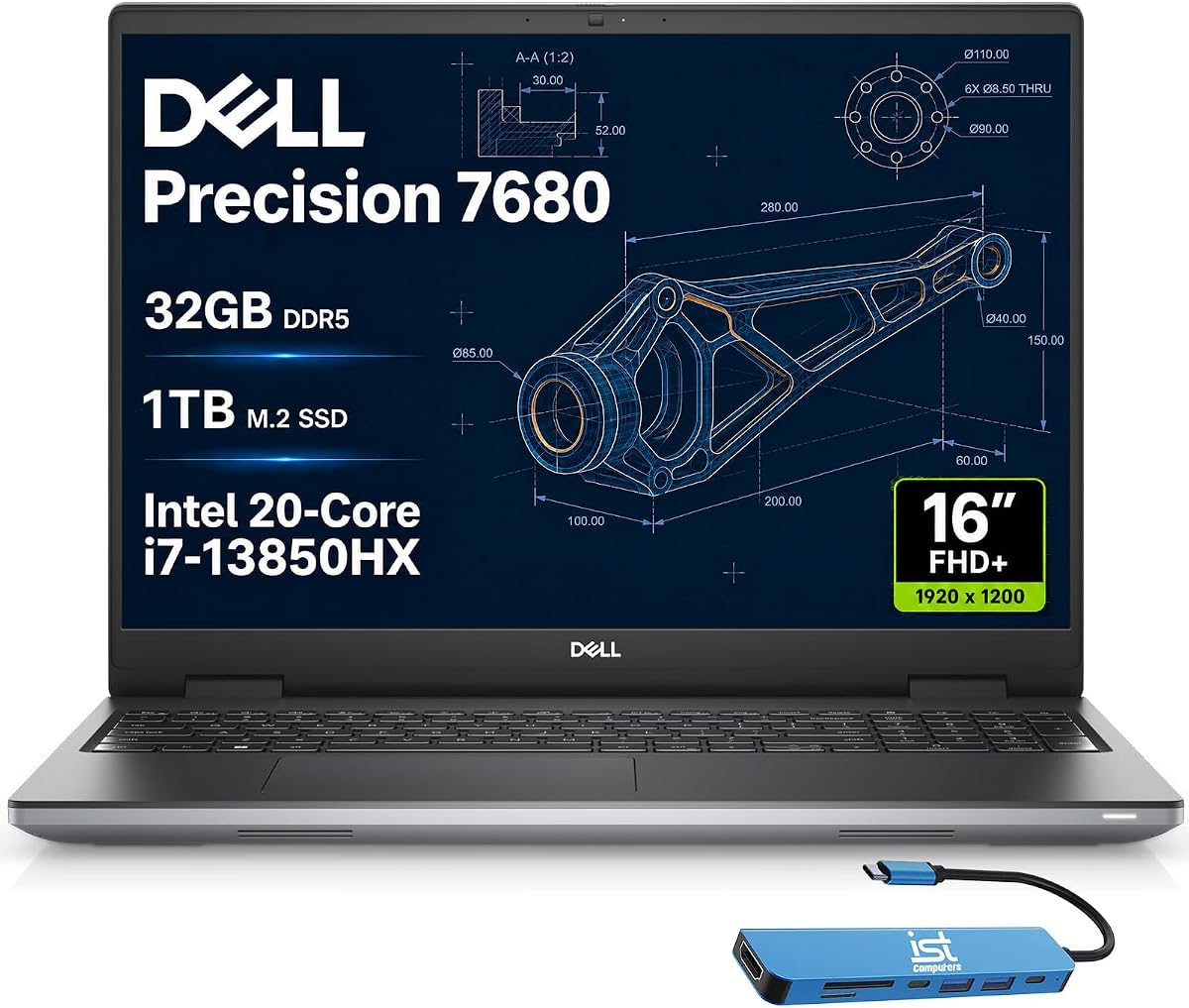
The Dell Precision 7680 with the i7-13850HX offers a balanced workstation solution for creative professionals. Powered by the 20-Core Intel Core i7-13850HX vPro processor it delivers superior speed for demanding workflows. The 32GB DDR5 RAM and 1TB SSD ensure seamless multitasking and fast storage access. This model stands out in the Precision lineup for its high performance and expandability compared to consumer laptops.
We may earn a commission when you buy through this link, at no additional cost to you.
Its high performance is driven by the vPro processor reaching up to 5.3GHz. The CAMM RAM design allows for faster speeds and thinner profiles. The crisp FHD+ display delivers sharp vivid visuals for professional work. Connectivity includes two Thunderbolt 4 ports USB-A HDMI and Ethernet for flexible connections. A backlit keyboard with numeric keypad adds comfort for long typing sessions.
Trade-offs include reliance on integrated Intel UHD Graphics which may limit heavy GPU-accelerated tasks compared to dedicated workstation GPUs. The warranty coverage on upgraded components differs from standard Dell support. These limitations are acceptable for users prioritizing raw CPU power and enterprise features over dedicated graphics acceleration for editing.
This laptop is ideal for engineers developers and creative professionals needing robust multitasking capabilities. It suits users handling complex projects and needing enterprise-grade security. The three-year warranty on SSD upgrades adds value. We recommend it for those seeking a powerful workstation with a focus on CPU performance and reliability.
Powered by Intel Core i7-13850HX vPro Processor with 20 cores providing superior efficiency and speed for demanding professional workloads.
Equipped with Thunderbolt 4 USB-C HDMI and Ethernet ports enabling flexible connections for a wide range of peripherals and displays.
We may earn a commission when you buy through this link, at no additional cost to you.
This Dell Precision 7680 configuration prioritizes storage and memory for heavy data workflows. It features the Intel Core i7-13850HX processor and a massive 64GB RAM capacity for seamless multitasking. The 2TB NVMe SSD provides ample space for large media libraries. The professional NVIDIA RTX 1000 graphics card ensures reliable performance for engineering and content creation tasks.
We may earn a commission when you buy through this link, at no additional cost to you.
Its standout features include the Pro Support Plus warranty offering 24/7 access to certified experts and onsite technician service. The RTX 1000 with 6GB VRAM provides reliable performance for design and content creation applications. Windows 11 Pro with AI Copilot enhances productivity and security. Connectivity includes HDMI USB-C and Wi-Fi for flexible modern workflows.
Trade-offs include the higher price point due to the increased RAM and storage capacities. The RTX 1000 is capable but may not match higher-tier GPUs for intensive rendering tasks. However the 64GB RAM and 2TB SSD make it a strong choice for users working with large datasets and extensive video archives.
This machine is best for users needing significant memory and storage in a workstation form factor. It suits engineers and data analysts handling complex projects. The Pro Support Plus warranty adds significant value for business continuity. We recommend it for those prioritizing RAM and storage capacity over raw GPU power.
Dell ProSupport Plus Warranty provides 24/7 access to Dell-certified experts and onsite technician service after diagnosis to minimize downtime.
Configured with 64GB RAM and 2TB NVMe SSD for fast boot-ups and massive data access essential for large video projects.
We may earn a commission when you buy through this link, at no additional cost to you.
The Dell Precision 5550 offers a solid workstation foundation for budget-conscious creators. Featuring a Core i7-10850H processor and 32GB RAM it provides reliable performance for standard editing workflows. The 1TB storage drive ensures space for project files. This renewed model brings professional build quality to a lower price point making it accessible for freelancers and students.
We may earn a commission when you buy through this link, at no additional cost to you.
Its strengths lie in the generous RAM and storage capacity. The Windows 11 Pro OS adds enterprise-level security features. The build quality remains robust with a premium chassis suitable for daily use. While the CPU is older it still handles 1080p editing effectively for basic color grading and transitions.
Trade-offs include the older CPU generation which may struggle with newer effects or 4K heavy timelines compared to 2023 models. Dedicated GPU performance may be limited depending on the specific configuration. These limitations are acceptable for users editing 1080p content on a budget.
This laptop is ideal for students or freelancers entering video editing on a limited budget. It suits users needing a professional chassis with ample RAM and storage. We recommend it for those prioritizing cost efficiency and reliable specs over cutting-edge processing speeds.
Configured with 32GB RAM which is essential for smooth multitasking and running Adobe Premiere Pro alongside other creative applications.
We may earn a commission when you buy through this link, at no additional cost to you.
The HP 17 Laptop offers an accessible entry point for video editors. Its 17.3-inch FHD display provides an expansive viewing area for timeline scrubbing and detailed work. The AMD Ryzen 5 processor delivers high-efficiency multitasking suitable for light editing tasks. Windows 11 Pro ensures enterprise security and reliability. This budget-friendly option is perfect for students or hobbyists.
We may earn a commission when you buy through this link, at no additional cost to you.
Its large display is a standout feature for creators needing visual space. The Ryzen 5 beats older i7 CPUs in multi-core benchmarks offering solid efficiency. The narrow bezel design enhances the viewing experience. Connectivity includes USB-C and HDMI for peripheral support. The laptop comes with accessories like a mouse and stand for a complete solution.
Trade-offs include only 8GB RAM which may limit complex projects or multitasking. The 256GB SSD requires external storage for large video files. These limitations are acceptable for beginners working with shorter clips or 1080p content who can upgrade later.
This laptop is ideal for students or hobbyists starting their video editing journey. It suits those prioritizing screen size and affordability. We recommend it for beginners ready to upgrade RAM or storage as their skills grow.
A stunning 17.3-inch Full HD anti-glare screen offers an expansive crystal-clear viewing area perfect for video editing and spreadsheets.
Powered by the AMD Ryzen 5 7520U processor up to 4.3GHz delivering high-efficiency multitasking for seamless streaming and productivity.
We may earn a commission when you buy through this link, at no additional cost to you.
The Apple 2025 MacBook Pro is a top-tier mobile workstation for editors. Powered by the M5 chip it brings next-generation speed and powerful on-device AI to creative tasks. The Liquid Retina XDR display delivers stunning brightness and contrast for accurate color grading. The unified memory ensures efficient performance across all applications making it a favorite for mobile creators.
We may earn a commission when you buy through this link, at no additional cost to you.
Its standout strength is the battery life and performance consistency whether plugged in or running on battery. The faster CPU and unified memory blaze through demanding workloads. Apple Intelligence features help streamline tasks. The ecosystem integrates seamlessly with iPhone and iPad for easy file transfers and control. This makes it a powerful portable editing station.
Trade-offs include the 16GB unified memory which may limit extremely heavy multitasking compared to 32GB systems. The macOS ecosystem requires adaptation for those used to Windows. However the optimized efficiency of Apple Silicon usually offsets these limits for most video editing tasks.
This laptop is ideal for mobile editors prioritizing battery life and display quality. It suits content creators who value ecosystem integration. We recommend it for those needing a high-performance portable solution for professional workflows on the go.
The M5 chip brings next-generation speed and powerful on-device AI to personal professional and creative tasks delivering mind-bending workload speeds.
The Liquid Retina XDR display features 1600 nits peak brightness and 1000000:1 contrast for brilliant professional visuals.
We may earn a commission when you buy through this link, at no additional cost to you.
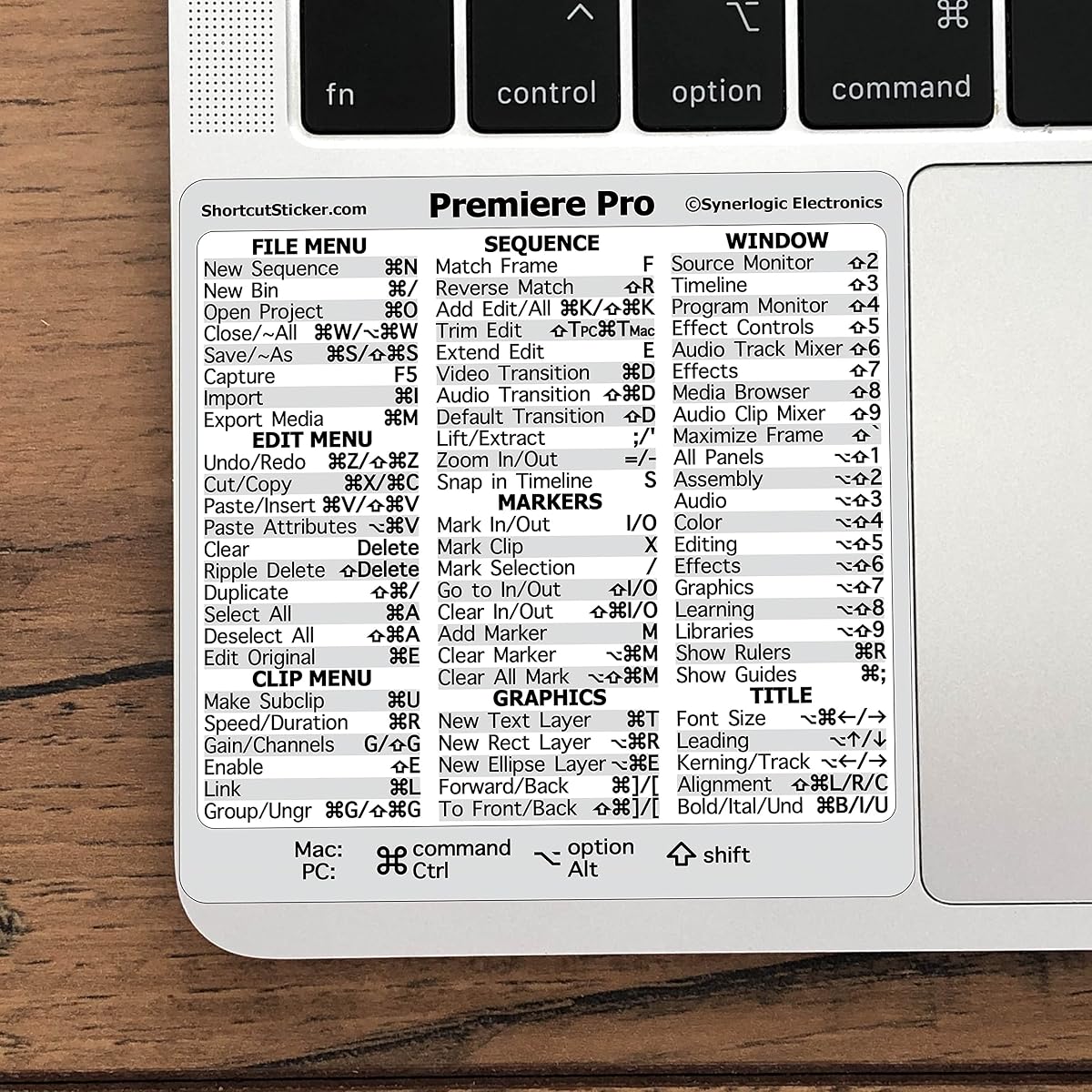
This Synerlogic reference sticker is a valuable productivity tool for editors. It places essential Premiere Pro shortcuts directly on your keyboard for quick lookups. Made with durable military-grade vinyl it fits both Mac and PC keyboards. Using this tool helps increase workflow speed and reduces the need to search for commands during editing sessions.
We may earn a commission when you buy through this link, at no additional cost to you.
Its key strength is improving workflow efficiency for beginners and pros alike. The professional design offers an OEM appearance without being intrusive. It helps save time and frustration by allowing quick access to commands. The quality guarantee ensures the adhesive holds well without residue.
Trade-offs include its nature as an accessory rather than hardware. It does not improve rendering speed but aids in command recall. These factors are acceptable for users wanting to boost proficiency without buying new tools.
This accessory is ideal for students and professionals seeking faster keyboard proficiency. It suits users struggling with remembering complex shortcuts. We recommend it as a cheap effective addition to any editing setup.
This tool makes it easy to learn how to use your computer much faster and makes your workflow increase exponentially.
Made with outstanding military-grade durable vinyl and professional design giving an OEM appearance with responsive customer service support.
We may earn a commission when you buy through this link, at no additional cost to you.
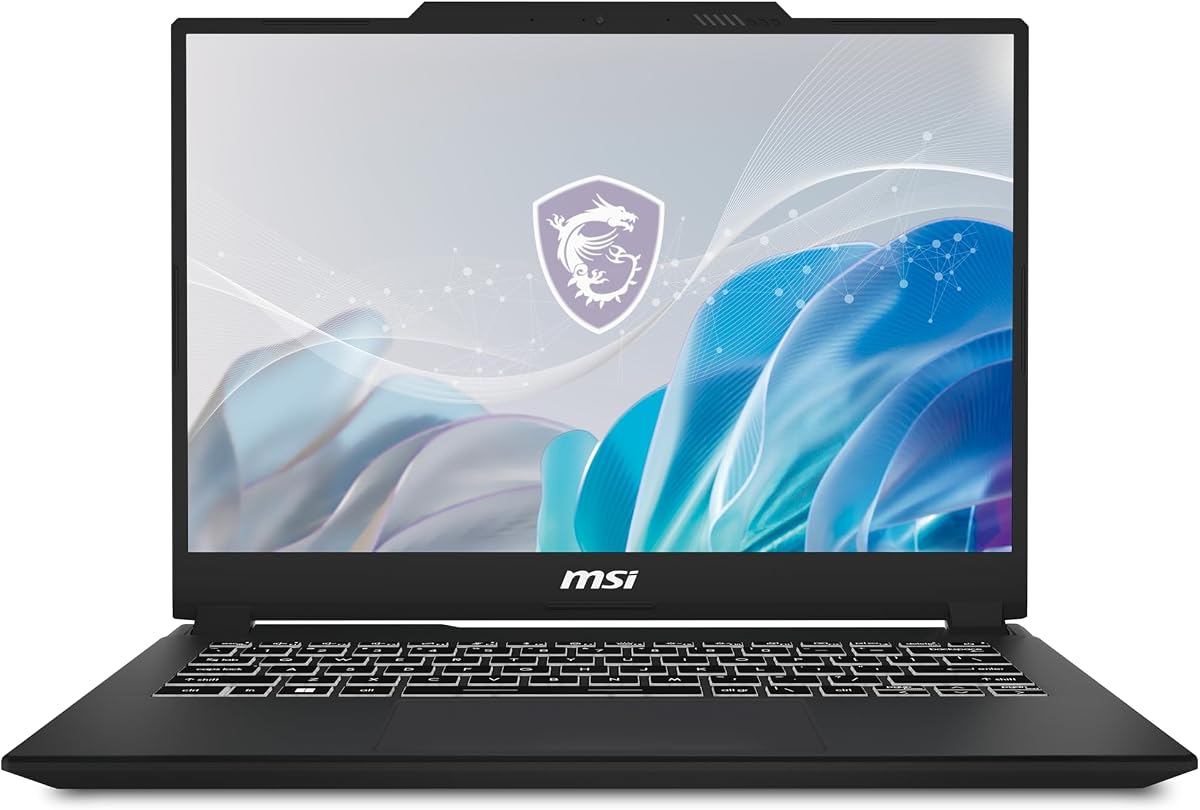
The msi Creator M14 is a compact powerhouse for on-the-go editing. Its 14-inch 2.8K display delivers vivid colors and details for accurate picture editing. The Intel Core i7 processor and NVIDIA GeForce RTX 4050 ensure immersive multi-task performance. This creator laptop balances portability with solid hardware specs for content creation.
We may earn a commission when you buy through this link, at no additional cost to you.
Its standout features include the RTX 4050 supporting ray tracing for realistic light simulation. The QHD+ display offers abundant color gamut for creative work. Cooler Boost technology helps maintain performance during long sessions. Windows 11 Home provides a simplified experience for everyday needs.
Trade-offs include the 16GB RAM which may limit heavy multitasking and the 14-inch screen size for multi-window workflows. These are acceptable for users prioritizing portability and display quality over raw power. The sleek design fits easily into bags for travel.
This laptop is ideal for creators who travel frequently. It suits those needing high-resolution visuals in a small footprint. We recommend it for users prioritizing portability and screen quality for creative tasks.
The 14-inch QHD+ display delivers abundant color gamut more vivid colors and details for an accurate picture suitable for creators.
Equipped with Cooler Boost technology to maintain performance during demanding tasks and prevent overheating during long rendering sessions.
We may earn a commission when you buy through this link, at no additional cost to you.
Selecting the right laptop for video editing involves evaluating several critical components that directly impact performance and workflow efficiency.
The central processing unit (CPU) is the engine of your laptop. Adobe Premiere Pro relies heavily on multi-core performance for rendering and encoding. Look for Intel Core i7 or i9 processors from the 13th or 14th generation or AMD Ryzen 7 or 9 equivalents. Higher core counts allow smoother handling of complex timelines and background processes.
Prioritize CPUs with high clock speeds and multi-core capabilities to ensure smooth playback and fast export times in your editing projects.
A dedicated graphics card (GPU) accelerates playback and effects in Premiere Pro. NVIDIA RTX series GPUs are generally preferred due to their support for hardware acceleration. VRAM capacity is crucial for high-resolution editing; aim for at least 4GB for 1080p and 6GB or more for 4K projects. Integrated graphics can suffice for basic editing but dedicated cards offer better stability.
Choose a laptop with a dedicated NVIDIA RTX GPU and sufficient VRAM to handle your target video resolution without frame drops.
Random Access Memory (RAM) determines how many applications you can run simultaneously. For smooth editing 32GB is recommended for 4K workflows. 16GB is acceptable for 1080p but may struggle with heavy effects. DDR5 memory provides faster data transfer rates which benefits overall system responsiveness.
Ensure your laptop has at least 16GB of RAM ideally 32GB to prevent lag during multitasking and large file processing.
Video files take up significant space so storage capacity is key. Look for a Solid State Drive (SSD) with at least 512GB or 1TB. NVMe SSDs offer faster read/write speeds which reduces loading times and improves project performance. Consider laptops with expandable storage options for future needs.
Opt for a 1TB NVMe SSD or higher to accommodate your media files and ensure quick data access for your editing software.
The screen is your window into the project so color accuracy and resolution matter. Aim for an FHD (1920×1080) or higher resolution with good color gamut coverage. Anti-glare coatings help in bright environments. Larger screens provide more workspace for timelines while higher resolution ensures detail visibility.
Select a display with FHD or higher resolution and high color accuracy to ensure your edits translate correctly to final outputs.
Adequate ports are necessary for peripherals like external drives and monitors. Thunderbolt 4 USB-C and HDMI ports offer versatile connection options. Wi-Fi 6 support ensures fast file transfers. Consider laptops with sufficient ports to avoid needing extra dongles which clutter your workspace.
Check for Thunderbolt USB-C and HDMI ports to easily connect external drives and secondary monitors for an efficient workflow.
Video editing drains battery quickly but long life helps when working away from power. Look for laptops offering at least 8 hours of general use. Performance may vary between battery and plugged-in states so ensure stable performance in both scenarios.
Prioritize models with solid battery life to maintain productivity during travel or mobile editing sessions without constant power access.
Since laptops are mobile devices build durability is essential. Metal chassis often provide better cooling and longevity than plastic. Weight matters if you carry it daily. A balance of sturdy construction and manageable weight ensures the device survives travel while remaining easy to transport.
Look for a durable chassis design that balances weight and protection to ensure your device withstands daily transport and use.
To get the best performance from your laptop ensure you keep your Adobe Premiere Pro software and drivers updated regularly. This ensures compatibility with new features and security patches that improve system stability during editing.
Proper ventilation is key to preventing overheating which can throttle performance. Use your laptop on a hard flat surface or consider a cooling pad during long rendering sessions to maintain optimal thermal conditions.
Regular maintenance like clearing temporary cache files and managing storage space helps keep your system running smoothly. Back up your project files to an external drive or cloud service frequently to prevent data loss.
For smooth 4K editing aim for at least a 6-core CPU 32GB of RAM and a dedicated GPU with 6GB VRAM. Storage should be a fast NVMe SSD to handle large file speeds effectively.
16GB is sufficient for 1080p editing but may struggle with complex 4K timelines. Upgrading to 32GB is recommended for heavier workflows to prevent lag and crashes during multitasking.
Both platforms work well with Premiere Pro. Macs often offer better battery life and display quality while Windows provides more hardware variety and upgrade options. Choose based on your ecosystem preference and budget.
Lag can stem from insufficient RAM outdated graphics drivers or slow storage. Try closing background apps updating drivers and using proxy files for high-resolution footage to improve performance.
Yes most modern laptops support external monitors via HDMI or USB-C. Using a larger screen allows for better timeline visibility and improved workflow efficiency during editing sessions.
NVIDIA GPUs are generally preferred for Premiere Pro due to better driver support and acceleration features. AMD cards work well too but NVIDIA offers broader optimization for Adobe software effects.
The Dell Precision series and Apple 2025 MacBook Pro stand out as top choices for professional video editing with powerful specs and reliability. The HP 17 offers a budget-friendly alternative for those starting out with basic editing needs.
When prioritizing focus on CPU speed and RAM capacity as they directly impact rendering times and multitasking capabilities. Ensure your chosen model has enough storage space for your project files to avoid running out of room quickly.
Always verify current prices and warranty details before purchasing as these can vary by retailer and time. Investing in the right laptop ensures a smooth workflow and long-term satisfaction with your video production projects.