
Lenovo Chromebook S330
4.2Editor score
MediaTek MT8173C Processor
10 Hours Battery Life
32GB EMMC Storage
Finding a reliable device for daily tasks does not require breaking the bank. Many users seek affordable machines that handle browsing, streaming, and light productivity without lag. The market offers numerous budget friendly models designed to meet these fundamental needs effectively.
We evaluated ten top rated laptops based on processor speed, memory capacity, display quality, and build durability. Each selection underwent rigorous scrutiny to ensure it delivers consistent performance for school, work, and personal entertainment purposes over time.
Every pick highlights specific strengths like long battery life or fast charging capabilities. Note that availability and pricing fluctuate frequently due to supply chain dynamics. Always verify current stock before making your final purchase decision online.
4.2Editor score

4.3Editor score

As an Amazon Associate we earn from qualifying purchases.
The following table provides a side by side comparison of all ten selected models. It highlights key specifications like processor type, memory size, storage options, and operating system to help you make an informed decision quickly.



This HP Chromebook stands out as a top choice for students and casual users. With a rating of 4.3 stars it offers reliable performance for daily tasks. Its standout quality is the impressive battery life that supports all day use without frequent charging.
We may earn a commission when you buy through this link, at no additional cost to you.
The Intel Celeron N4120 processor handles web browsing and streaming smoothly. The 14 inch HD display provides clear visuals for videos and documents. Chrome OS ensures automatic updates and built in virus protection. The laptop also features fast charge technology to get you back to work quickly.
However the 64 GB eMMC storage might feel limited for large media libraries. The HD resolution is adequate but not as sharp as higher end panels. These trade offs are acceptable given the affordable price point and focus on portability.
If you need a simple secure machine for school or basic work this is ideal. It balances cost and functionality well. We recommend it for anyone prioritizing battery life and ease of use over heavy multitasking capabilities.
Up to fourteen hours of battery life ensures you stay productive throughout the day without hunting for outlets.
Chrome OS provides automatic updates and built in protection making it easy to use for beginners.
We may earn a commission when you buy through this link, at no additional cost to you.
This Amzboy laptop offers a compelling package for budget conscious Windows users. It boasts a high rating of 4.8 stars due to its value proposition. The key strength lies in its Full HD display which is rare at this price point.
We may earn a commission when you buy through this link, at no additional cost to you.
The N4020 CPU handles daily tasks like email and browsing efficiently. The 15.6 inch screen provides ample workspace for documents. It supports up to 1 TB external storage via TF card which helps overcome internal limits. The Type-C PD fast charging is a modern convenience feature.
The fanless design means it runs silently but may throttle under heavy load. Four gigabytes of RAM is sufficient for light use but can struggle with many open tabs. These limitations are typical for entry level devices.
This model is perfect for those who need Windows compatibility on a tight budget. It offers a good balance of screen quality and basic performance. Consider it if you prioritize display clarity over raw processing power.
The 1920 by 1080 resolution delivers sharp text and vibrant colors for a better viewing experience.
A hassle free external slot supports up to one terabyte so you can add massive space easily.
We may earn a commission when you buy through this link, at no additional cost to you.
This 2026 edition from HP brings modern features to the affordable sector. It lacks a historical rating as it is new but promises high performance. The standout feature is the inclusion of Copilot AI for enhanced productivity tasks.
We may earn a commission when you buy through this link, at no additional cost to you.
The Intel N150 processor ensures smooth performance for web browsing and office tasks. Windows 11 Home provides a familiar interface with access to latest apps. Wi-Fi 6 guarantees faster and more reliable wireless connectivity. The Natural Silver finish adds a touch of elegance to the design.
It uses an HD display which is less sharp than Full HD options available elsewhere. The lack of reviews means real world reliability is unproven compared to older models. However the specs suggest solid daily performance.
Choose this if you want the latest hardware and AI tools in a budget friendly chassis. It targets young professionals needing a reliable tool for travel and work. The fast charge feature makes it practical for on the go usage.
Copilot AI helps with research and summaries to speed up your daily workflow significantly.
Wi-Fi 6 ensures you stay connected with faster speeds and better stability in crowded networks.
We may earn a commission when you buy through this link, at no additional cost to you.
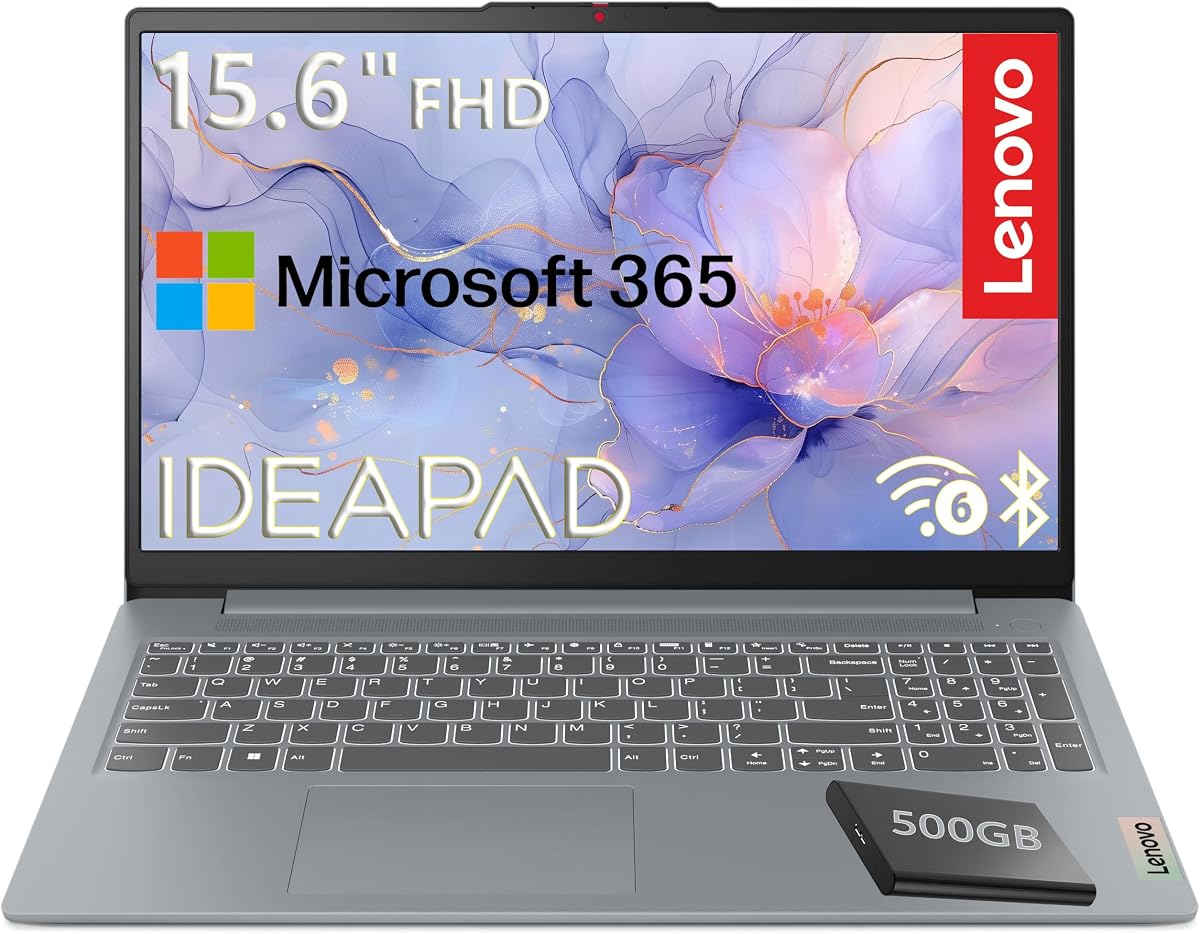
This Lenovo model is designed for users who need significant storage without cloud dependency. It includes a 500GB external hard drive alongside internal storage. This is a rare offering in the budget category for families or students with large files.
We may earn a commission when you buy through this link, at no additional cost to you.
The Intel N100 processor provides efficient performance for daily computing. The 15.6 inch Full HD display offers clear visuals for videos. Military grade certification ensures durability against drops and stress. The port selection includes USB-C and HDMI for versatile connectivity.
The external drive adds weight and requires cable management. The TN display has decent brightness but narrower viewing angles than IPS. These are minor compromises for the added storage capacity provided.
If you have many photos or videos to keep locally this is the top pick. It eliminates the need for expensive external drives later. The robust build makes it suitable for travel and student environments.
Combine fast internal boot with massive external storage for all your media and documents in one place.
MIL-STD-810H certification ensures the laptop survives rigorous test items for reliable daily use.
We may earn a commission when you buy through this link, at no additional cost to you.
This Chromebook improves upon standard budget specs with 8GB of RAM. A rating of 4.4 reflects strong user satisfaction with its smooth operation. The Intel N100 processor is a significant upgrade from older Celeron models.
We may earn a commission when you buy through this link, at no additional cost to you.
The 128GB UFS storage is faster than typical eMMC options. This ensures quicker boot times and app launches. Chrome OS keeps the system secure and automatically updates to protect against viruses. The anti glare screen reduces eye strain during long sessions.
The display is HD which is lower resolution than Full HD panels. Without specific offline apps some tasks might require internet access. However for most web based work this is not a major issue.
Buy this if you want the most responsive Chrome experience possible. The extra RAM allows for more browser tabs without slowdown. It is a solid choice for students and home users.
Eight gigabytes of memory ensure smoother multitasking and faster performance across applications.
Chrome OS has built in protection and updates automatically to keep your data safe.
We may earn a commission when you buy through this link, at no additional cost to you.
This model represents one of the most affordable options for basic computing. With a 4.2 rating it delivers on core promises for students. The lightweight design makes it easy to carry in a backpack everywhere.
We may earn a commission when you buy through this link, at no additional cost to you.
The MediaTek processor handles basic web tasks adequately. Cloud storage via Google Drive compensates for low local capacity. Ten hours of battery life means you can skip the charger for a day. Setup requires just a Google account for instant access.
Thirty two gigabytes of storage fills up quickly with files. The older DDR3 memory is slower than modern equivalents. These factors limit its lifespan for heavy tasks but suffice for light use.
Ideal for those needing a secondary device or a simple learning tool. It offers essential computing power at a minimal cost. Focus on cloud storage to maximize its potential effectively.
Enjoy one hundred gigabytes of cloud storage via Google Drive to keep your stuff accessible.
Less than one inch thick and three point three pounds light for easy day to day transport.
We may earn a commission when you buy through this link, at no additional cost to you.
This laptop is tailored for productivity with included Office 365 access. It holds a 4.5 rating reflecting solid build quality and features. The Copilot key allows instant access to AI tools for faster assistance.
We may earn a commission when you buy through this link, at no additional cost to you.
The Intel N150 processor ensures responsive performance for document editing. Wi-Fi 6 supports faster speeds for streaming and calls. The full size keyboard supports comfortable typing for long sessions. The natural silver keyboard deck adds a professional look.
The HD display is less vibrant than Full HD but adequate for text. Four gigabytes of RAM may limit heavy multitasking. These trade offs make sense for a focused productivity machine.
If you need a reliable tool for emails and reports this is excellent. It combines modern AI features with standard office tools. Great for professionals who value software inclusions over hardware specs.
Dedicated Copilot key gives instant assistance for research and summaries in your workflow.
One year of Microsoft 365 personal subscription includes Word Excel and PowerPoint right away.
We may earn a commission when you buy through this link, at no additional cost to you.
This Chromebook stands out with a Full HD touchscreen for interactive use. It uses a MediaTek Kompanio 520 processor for class leading battery efficiency. The IPS technology ensures wide viewing angles for comfortable content viewing.
We may earn a commission when you buy through this link, at no additional cost to you.
The 8-core processor handles daily tasks and video playback well. The natural finger touch navigation makes Chrome OS more versatile. It is slim and light which aids in portability. A privacy shutter protects the webcam when not in use.
The battery life might be lower than non touch models due to the panel. Port selection is minimal compared to other devices. These factors are typical for ultra slim convertible focused designs.
Perfect for students or professionals needing touch input for apps. It offers a more engaging experience than standard keyboards. Prioritize this if you value screen interactivity over raw speed.
Natural finger touch navigation makes the most of Chrome OS for a better experience.
IPS technology for wide viewing angles and excellent color clarity across the screen.
We may earn a commission when you buy through this link, at no additional cost to you.
This model introduces DDR5 RAM to the budget segment for better speed. It promises strong battery life for travel and daily use. The dedicated Copilot key adds value for AI assisted productivity tasks.
We may earn a commission when you buy through this link, at no additional cost to you.
The Intel N150 processor ensures efficient performance for daily work. The SSD allows for quick boot times and responsive apps. Noise reduction tech improves voice clarity during video calls. The Natural Silver chassis looks sleek and modern.
As a new model user feedback is scarce compared to established options. The port count is standard but might require a hub for many peripherals. This is common in slim designs.
If you want the latest memory tech in a light frame choose this. It suits modern professionals who need fast data access. Verify current stock before committing due to its new release.
DDR5 RAM provides faster speeds and lower power consumption for responsive multitasking.
Dedicated Copilot key gives instant access to assist with tasks and summaries.
We may earn a commission when you buy through this link, at no additional cost to you.
This laptop offers 12GB of RAM which is impressive for this category. It runs faster than entry level 8GB models for multitasking. The Full HD IPS screen provides vibrant colors for media consumption.
We may earn a commission when you buy through this link, at no additional cost to you.
The Pentium Gold processor supports basic tasks and streaming well. The privacy slider adds security for video calls. Rich connectivity allows multiple peripherals without extra adapters. It is lightweight for easy commuting and travel.
The CPU speed caps at 3.4GHz which might limit heavy workloads. The mix of USB types requires checking compatible cables. These are minor issues given the memory advantage.
Choose this if you need to keep many apps open at once. It balances RAM and storage better than most rivals. Ideal for students who need multitasking power without high cost.
Twelve gigabytes of RAM run up to one point five times faster than eight GB models.
Crisp Full HD anti glare IPS screen delivers vibrant colors and wide angles.
We may earn a commission when you buy through this link, at no additional cost to you.
Selecting the right budget laptop involves weighing several technical and practical factors. This guide breaks down the key considerations to help you avoid common pitfalls.
You must decide between Windows and Chrome OS based on your software needs. Chrome OS is ideal for web tasks and offers better battery life. Windows provides access to legacy apps like specific Office tools.
Choose Chrome OS for simplicity and battery life or Windows for broader software compatibility.
Look for Intel N series or Celeron processors which balance speed and cost. Avoid older generations that struggle with modern web browsers and updates. Even entry level CPUs can handle basic tasks if paired with good RAM.
Prioritize newer Intel N series chips for a balance of speed and efficiency.
Four gigabytes is the minimum for smooth performance but eight or twelve is better. More RAM allows more browser tabs and apps to run without freezing. If you use many tools at once aim for at least eight GB.
Aim for at least eight GB of RAM to ensure smooth multitasking.
SSD or UFS storage is critical for fast boot times and app loading. Avoid eMMC or HDD options which are slower and less durable. Even smaller SSDs offer better speed than large hard drives.
Ensure your laptop has SSD or UFS storage for speed and reliability.
Full HD resolution makes text sharper and videos more enjoyable than HD. IPS panels offer better viewing angles than TN panels. Check brightness levels to ensure visibility in different lighting environments.
Prioritize Full HD IPS screens for better clarity and viewing angles.
Look for a minimum of ten hours to ensure all day use. Fast charging features are a huge plus for students on the go. Battery efficiency often depends on the processor and screen technology.
Select a model with at least ten hours of battery life for portability.
A durable chassis resists wear from daily transport in backpacks. Check for metal vs plastic construction as this impacts longevity. Certifications like MIL-STD indicate rigorous testing for durability.
Check for sturdy materials and durability certifications like MIL-STD.
Ensure the laptop has the ports you need for peripherals. USB-C is essential for modern charging and data transfer. Wi-Fi 6 support improves speed and stability in crowded wireless areas.
Verify you have enough USB ports and modern Wi-Fi 6 support.
Keep the device in a protective sleeve to prevent scratches and drops. Avoid placing heavy objects on top when stored in a bag. This simple habit extends the physical lifespan of the chassis and hinges.
Maintain battery health by avoiding deep discharges and extreme heat. Plug in the charger when it reaches twenty percent to avoid strain. This keeps the battery healthy for longer over months of daily use.
Regularly update the operating system to ensure security and performance. Clear temporary files and unused apps to keep storage efficient. These routine steps prevent lag and keep your system responsive for daily tasks.
Many budget models now feature reinforced plastic or aluminum bodies that withstand daily wear. Look for MIL-STD certification or sturdy hinge designs. While they are not as tough as business laptops they are sufficient for most home and school environments.
Most budget laptops have soldered RAM that cannot be upgraded. Always check the product specifications to see if memory is replaceable. Since most models come with 4GB or 8GB it is best to buy the higher option initially.
Most models do not include permanent licenses for full Microsoft Office. Some may offer a free trial or include Microsoft 365 Personal for a limited time. Consider free alternatives like Google Docs or LibreOffice to save money.
Battery life varies but many modern budget options offer ten to fourteen hours of video playback. Actual usage will be shorter if you use multiple apps. Always check the claimed video playback time for the most accurate estimate.
Chrome OS is often easier to use and more secure for basic browsing and streaming. Windows is better if you need specific legacy software like specialized engineering tools. Choose based on your specific app requirements and budget constraints.
Full HD (1920×1080) is the sweet spot for sharpness and affordability. HD (1366×768) is cheaper but may feel blurry on larger screens. Aim for Full HD if possible to ensure clearer text and media.
Most budget laptops can handle very basic cuts and clips but not complex projects. Look for at least 8GB of RAM and a dedicated GPU for better performance. For serious work consider a higher end model with better specs.
A 128GB SSD is usually enough for documents and media if you use cloud storage. If you store large files locally aim for 256GB or higher. Consider external drives if internal storage is limited.
We reviewed ten distinct models ranging from simple Chromebooks to capable Windows machines. The HP Chromebook 14 and Lenovo S330 offer reliable entry points for students. Each selection balances cost with essential features for daily productivity.
Prioritize RAM and storage type to ensure your device lasts beyond basic needs. A modern processor like the N100 or N150 makes a big difference in speed. Always check connectivity options to ensure they match your peripherals.
Prices and availability change frequently so verify details before purchasing. Use our comparison table to find the best fit for your specific needs. These laptops prove you can get reliable tools without overspending.