
Thermaltake Pure 20 Series
4.5Editor score
High air pressure
Anti-vibration mounting
Long life bearing
Choosing the right 200mm case fans can significantly improve your system cooling and reduce noise levels. These large diameter fans move more air at lower speeds making them ideal for quiet builds.
We evaluated ten top models based on airflow performance noise levels bearing type and compatibility. Our analysis focuses on real specifications and user feedback to ensure reliable recommendations.
Each pick highlights key strengths and ideal use cases for different budgets and build styles. Prices may change over time so always verify current listings before purchasing your next cooling component.
4.5Editor score
4.8Editor score

4.6Editor score
As an Amazon Associate we earn from qualifying purchases.
This table provides a side-by-side overview of all ten featured fans highlighting their core specifications and key advantages for quick comparison.


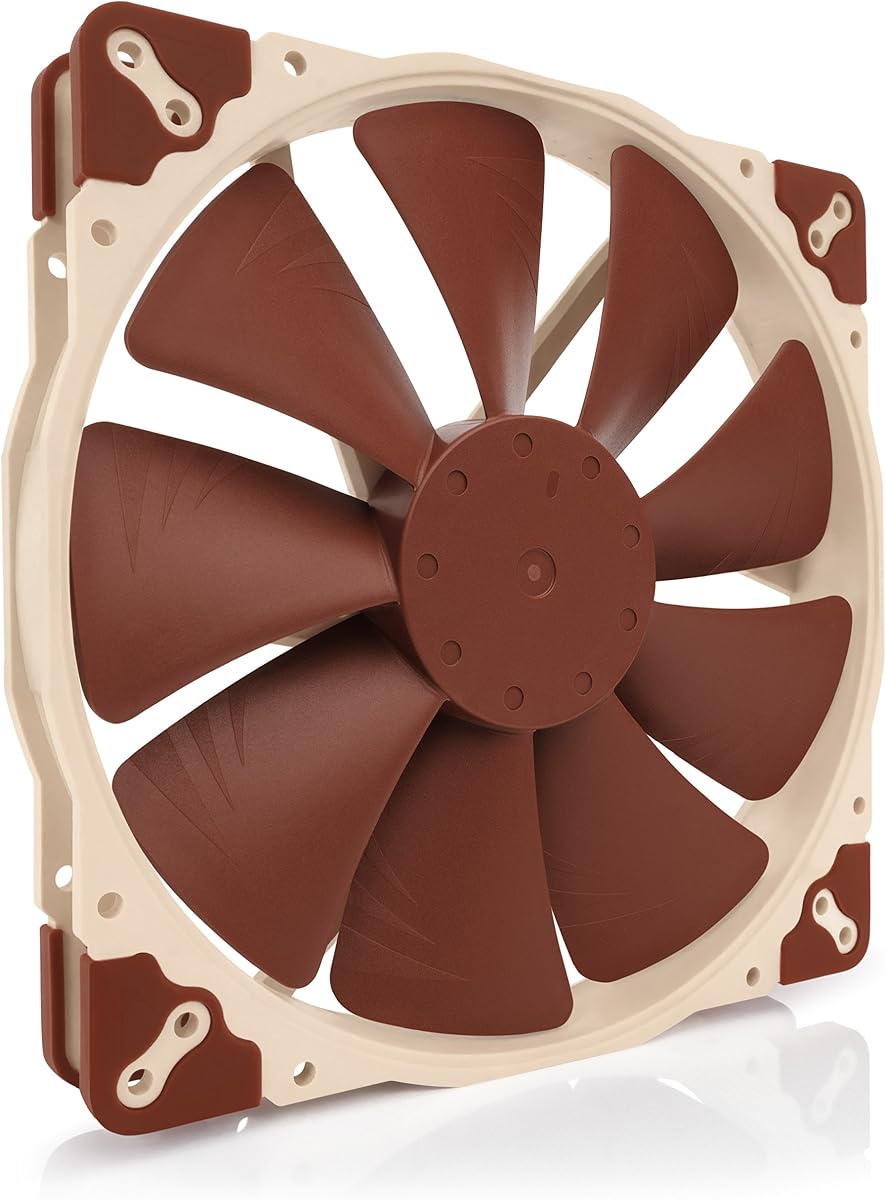
The Noctua NF-A20 PWM stands out as the top choice for builders seeking silence and performance. With a 4.8 rating it delivers exceptional cooling without disrupting your workspace.
We may earn a commission when you buy through this link, at no additional cost to you.
Its Flow Acceleration Channels and Acoustic Optimisation frame ensure maximum airflow at low speeds. The included Low-Noise Adaptor allows further customization for near-silent operation.
While the 30mm thickness may limit fit in tight cases the performance benefits outweigh this minor inconvenience. The long life bearing ensures reliability over years of use.
Ideal for enthusiasts prioritizing quiet builds this fan offers the best balance of specs and quality. It is a premium investment that pays off in long term satisfaction.
Advanced frame engineering minimizes vibrations for quieter performance.
PWM support allows dynamic speed adjustments based on system load.
We may earn a commission when you buy through this link, at no additional cost to you.
This fan offers excellent value for budget builders needing reliable cooling. Its high airflow design moves air efficiently while maintaining low noise levels.
We may earn a commission when you buy through this link, at no additional cost to you.
The anti-vibration mounting system reduces rattling ensuring a stable setup. Users appreciate the ease of installation especially with Thermaltake chassis.
While it lacks premium features like PWM its performance remains competitive for the price. The sleeve bearing is reliable for typical use scenarios.
Best for cost-conscious buyers this fan delivers solid cooling without breaking the bank. It is a practical choice for mid-range PC builds needing extra airflow.
Focused blade design creates a torrent of air efficiently.
Offers a perfect balance of silence style and efficiency.
We may earn a commission when you buy through this link, at no additional cost to you.
This chromax.Black.swap edition adds aesthetic flair to Noctua's top performance. It retains all the acoustic benefits while offering a sleek monochrome look.
We may earn a commission when you buy through this link, at no additional cost to you.
Swappable pads allow you to match your build colors easily. The performance remains top tier with low noise and high airflow efficiency.
The premium cost reflects the superior build quality and customization options. It is ideal for those who want both function and form.
Perfect for enthusiasts seeking a premium look without sacrificing cooling. This fan delivers the best of Noctua's engineering in a stylish package.
Swappable pads offer six color options to match your rig.
Multiple mounting hole sizes ensure fit in various cases.
We may earn a commission when you buy through this link, at no additional cost to you.
This fan provides robust airflow for systems that demand more cooling power. Its hydraulic bearing ensures quiet and reliable operation over time.
We may earn a commission when you buy through this link, at no additional cost to you.
PWM control allows automatic speed adjustments matching thermal loads dynamically. The daisy chain feature simplifies wiring for multi fan setups.
While not as whisper quiet as Noctua it delivers excellent performance for the cost. It is a great addition to existing Thermaltake builds.
Best for those needing higher CFM without complex controls. It offers a strong balance of performance and ease of use.
Nine blades push significant air volume efficiently.
Daisy chainable connectors make adding more fans simple.
We may earn a commission when you buy through this link, at no additional cost to you.
Designed for modern builds this fan offers striking RGB lighting with solid performance. The hybrid frame ensures stability and quiet operation.
We may earn a commission when you buy through this link, at no additional cost to you.
Frosted blades enhance light diffusion for a vibrant luminous effect. PWM control allows balancing noise and airflow easily.
While speed is capped at 800 RPM it moves air effectively without much noise. The sealing mechanism protects against dust and oil leakage.
Ideal for gamers wanting visual flair alongside cooling. It brings a touch of color to standard setups without compromising function.
RGB Gen2 lighting creates customizable and vibrant effects.
Anti-resonance mounting minimizes noise during operation.
We may earn a commission when you buy through this link, at no additional cost to you.
This FLX version provides great performance for older systems without PWM headers. It delivers high airflow and low noise effectively.
We may earn a commission when you buy through this link, at no additional cost to you.
The Low-Noise Adaptor allows switching between two speed settings. The included 3:4-pin adaptor ensures power flexibility.
While lacking PWM dynamic control its fixed speeds are optimized for efficiency. It maintains Noctua's reputation for reliability and quietness.
Perfect for older builds or those prioritizing simplicity. It offers a robust solution without needing motherboard PWM support.
Adaptor allows fine-tuning speed for airflow or silence.
Adaptor set ensures compatibility with various power headers.
We may earn a commission when you buy through this link, at no additional cost to you.
This version is designed for devices with USB host ports or power banks. It brings Noctua quality to portable or specialized setups.
We may earn a commission when you buy through this link, at no additional cost to you.
The USB adaptor allows running without traditional motherboard headers. It is great for custom projects needing independent fan control.
While niche it offers high performance in a compact power model. The OmniJoin adaptor adds connection versatility for proprietary headers.
Best for specialized applications requiring USB power. It ensures reliable cooling even outside standard PC case environments.
Adaptor allows running from USB ports or power banks.
OmniJoin adaptor set supports various custom headers.
We may earn a commission when you buy through this link, at no additional cost to you.
This fan is a strong contender for RGB builders on a budget. It syncs with major platforms for consistent lighting across components.
We may earn a commission when you buy through this link, at no additional cost to you.
The hybrid design balances static pressure and airflow effectively. The jam protection feature prevents motor burnout if obstructed.
While airflow is moderate it suits most standard cases well. The price point makes it accessible for budget RGB builds.
Best for those seeking visual appeal without overspending. It delivers solid aesthetics and reliable protection features.
Syncs with Asus Aura MSI and other major platforms.
Automatically stops motor if jammed to prevent damage.
We may earn a commission when you buy through this link, at no additional cost to you.
This fan delivers strong lighting and airflow at a very low cost. Its hydraulic bearing ensures quiet operation down to 9dBA.
We may earn a commission when you buy through this link, at no additional cost to you.
The 34 LEDs provide bright and uniform lighting effects. PWM support allows dynamic speed changes based on temperature needs.
While untested by major reviewers users report solid performance. It is an attractive choice for new builders on a tight budget.
Best for cost sensitive RGB builds. It offers a lot of features for a very low price.
Noise levels as low as 9dBA for silent operation.
34 LED beads create vibrant and uniform lighting.
We may earn a commission when you buy through this link, at no additional cost to you.
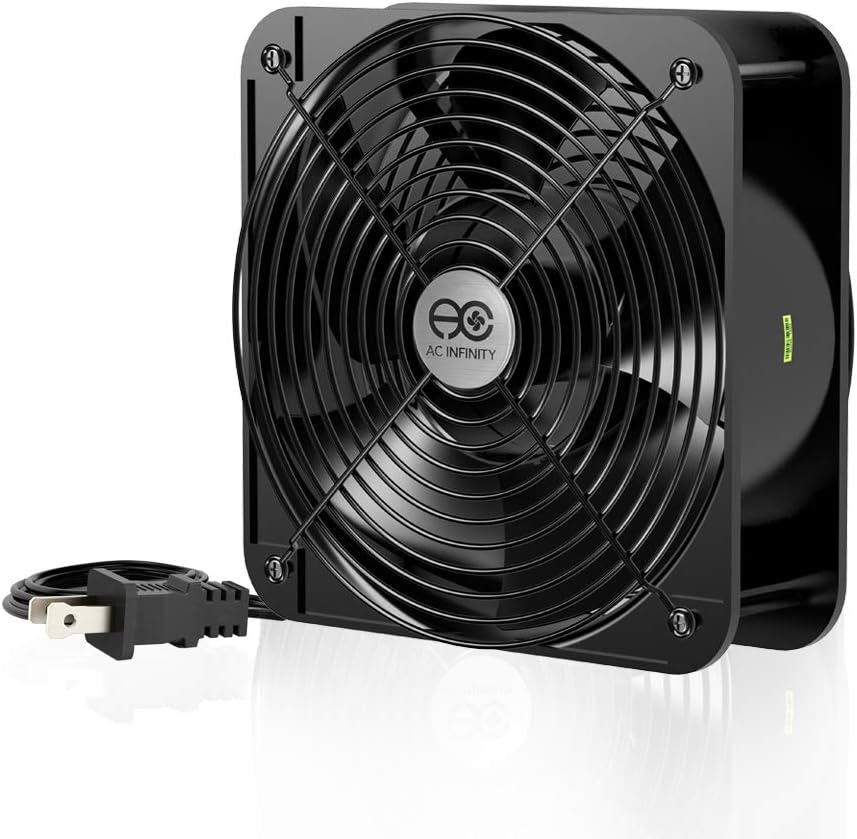
This muffin fan moves a massive amount of air for heavy duty tasks. It is built for industrial or high volume ventilation needs.
We may earn a commission when you buy through this link, at no additional cost to you.
The dual-ball bearings ensure long lifespan and reliability. It supports both horizontal and vertical mounting setups easily.
Noise is high at full speed so consider placement carefully. The thickness is significant which may not fit all PC cases.
Best for projects needing high volume air movement. It is a powerhouse for serious cooling or ventilation applications.
Moves up to 425 CFM of air at high speed.
Heavy duty aluminum build ensures durability over time.
We may earn a commission when you buy through this link, at no additional cost to you.
Selecting the right fan requires balancing noise performance and compatibility with your case specifications.
Airflow is measured in CFM and determines how much air the fan moves. Static pressure matters for restricted areas like radiators.
Look for fans with low dB(A) ratings for quieter operation. PWM models allow speed adjustments to balance noise and cooling.
Hydraulic and ball bearings last longer than sleeve bearings. Check MTTF ratings for expected lifespan over time.
Confirm your case supports 200mm fans and note thickness. Most are 25mm or 30mm thick which impacts fit.
4-pin PWM allows speed control via motherboard. 3-pin Molex offers simpler connection without dynamic control.
Check for multiple screw hole patterns for fit. Anti-vibration mounts reduce noise and prevent rattling.
RGB fans add visual appeal but require controllers. Solid colors offer a cleaner look for minimalist builds.
Install fans so air flows into the case from the front and out from the rear or top. This creates positive pressure and helps reduce dust accumulation.
Connect the fan to a PWM header if available to allow automatic speed control. Use daisy chain connectors if supported by your fans.
Regularly clean dust from blades and filters to maintain performance. Check mounts occasionally to ensure vibration screws remain tight.
Yes they move more air at lower speeds which typically reduces noise. They are ideal for cases that support the larger size.
PWM fans allow automatic speed control which saves power and reduces noise. They are recommended if your motherboard has PWM headers.
Airflow is air volume while pressure is force against resistance. High pressure is better for radiators and filters.
They can range from under 20dB to over 30dB depending on speed. Low speed operation is usually very quiet.
Yes you can install them as intake or exhaust. Ensure you have enough clearance and proper mounting points.
High quality fans can last years. Replace if they become loud or stop spinning efficiently.
The Noctua NF-A20 PWM leads our list for its perfect balance of performance and silence. It is a top choice for most builders seeking quality cooling.
Budget builders will appreciate the Thermaltake Pure 20 Series value. It offers solid specs without the premium cost.
Always check current prices and reviews before purchasing. Conditions and model updates may affect availability and performance ratings.